The 128MB Pack
No reviews yet
Minecraft on 128MB of allocated memory. It is a bit unstable and can crash quite a bit, but it works nonetheless. For a more playable experience though, you can increase the amount of allocated memory.
Enhances game performance and optimizes resource usage.
Fabric is a mod loader for versions 1.14+ of Minecraft, particularly popular for client side and optimization mods.
Community voices
Reviews
Click once to include, again to exclude, again to clear
No reviews yet. Be the first to review this project!
Get it on
Available Platforms
 Modrinth
Compatibility
Supported Environments
About
Project Details
For authors
Embed Badge
If you're the author of this project, you can embed a live badge anywhere that supports HTML or Markdown. It updates automatically whenever ratings change.
Use HTML for any page that supports it, or Markdown for README files and Markdown-based descriptions.
Identifiers
Platform IDs
About
Description
The 128MB Pack
The 128MB pack is a pack that makes Minecraft run on just 128MB of memory while keeping things simple.
Installation (Prism)
On Modrinth, the installation should be extremely straightforward to figure out, but on MultiMC it should likely be the exact same.
- Open "Add Instance"
- Select "Modrinth"
- Search for "The 128MB Pack" and choose the correct version
- Set the amount of allocated memory to at least 512MB
- Launch the game to the title screen
- Close the game and set memory usage down to 128MB
Features
The 128MB pack keeps it simple but has a few useful features too.
Such features are:
- No Telemetry
To reduce possible memory related crashes and to stop Microsoft from collecting data about you.
Options ProfilesA simple button in the top left corner of the pause and options screen that lets you choose different profiles. Within this modpack there are three profiles for various use cases.
WARNING: Do not switch option profiles in-game, otherwise the game may crash.
Profiles
WARNING: Profiles at the moment will crash the game without Sodium, so for now copy over the options manually.
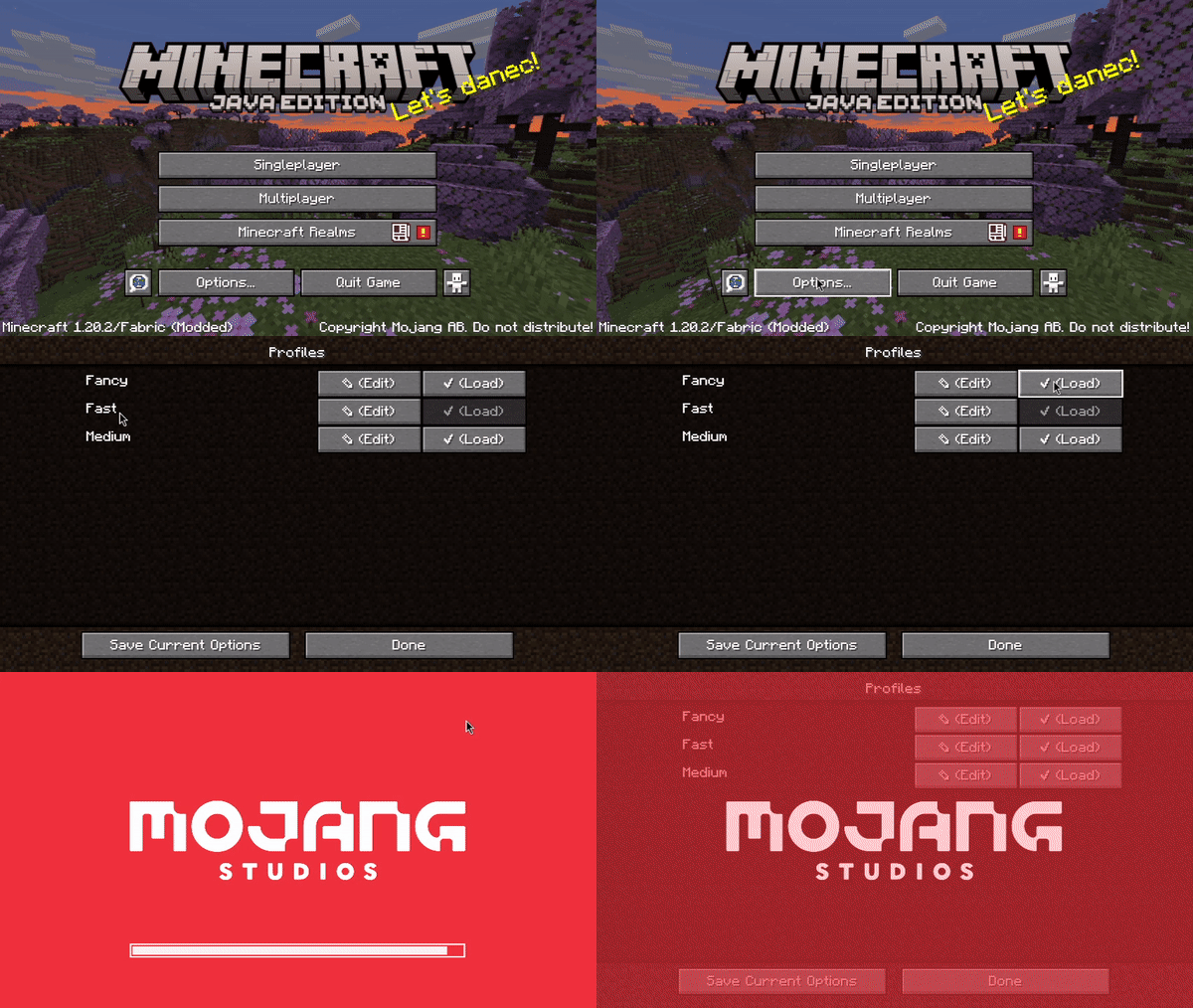
These are the three profiles:
FastThe least crash prone preset. Use it in scenarios where stability matters most.
MediumA bit of a middle ground between Fast and Fancy. This preset is more crash prone, but is largely usable in multiplayer.
FancyThe most intensive out of all of the presets. Has a 6 chunk render distance and all of the vanilla settings. On servers where crashing could occur, use the medium or fast presets. The fancy preset is extremely prone to crashing, so only use it on superflat, or with more allocated memory.
Singleplayer
As of 1.21.4, you will have to increase the amount of allocated memory to create a singleplayer world. From there you can shrink it back down to 128MB, but beware that it will likely be extremely unstable.
1.21.4
This update has put this modpack into near unusable shape.
The modpack will of course continue to exist, but compared to 1.20.2, this modpack is a shell of what it once was.
It's extremely unstable, and now servers like Hypixel simply will not work.
I am going to try to work on it to see how I can improve it, but the future is not promising as of 2/19/2025.
Credits:
- embeddedt - ModernFix
- FabricMC - Fabric API
- kb1000 - No Telemetry
- AxolotlMaid - Options Profiles
- malte0811 - FerriteCore
All mods in this modpack included by default are FOSS.
Sodium
By default, this modpack does not include Sodium as it uses a lot of memory.
If you want to install it though, simply add it to the instance. You will have to increase the amount of memory allocated to the instance as a result of that, otherwise the game will be extremely unstable.
Screenshots
Gallery
-
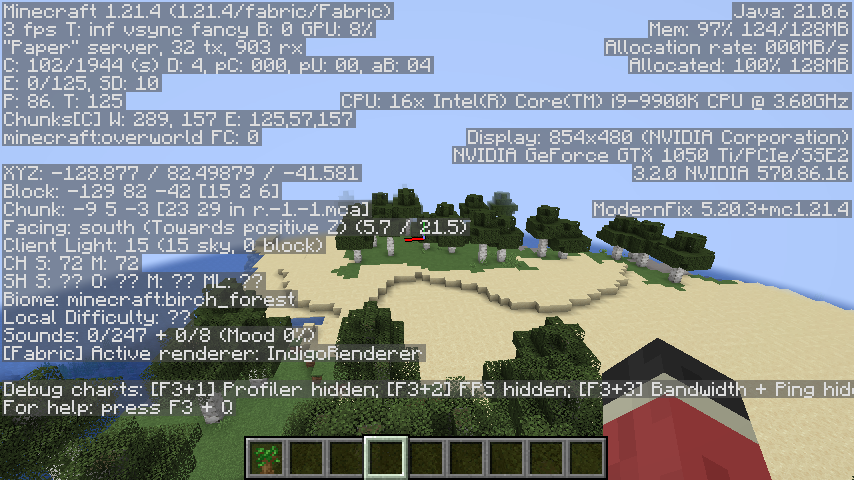 Normal world in multiplayer with 4 chunk render distance Extremely unstable, but it works!
 -
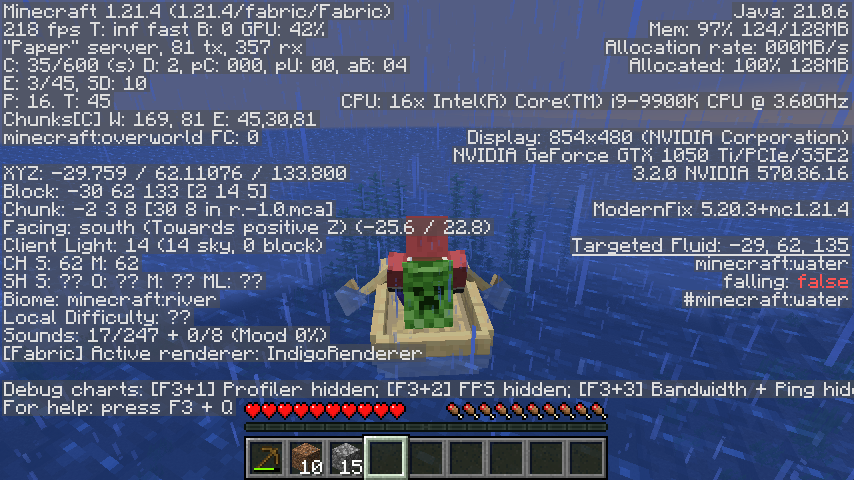 Taking a ride in a boat on multiplayer Mostly stable and playable with fast graphics.
 -
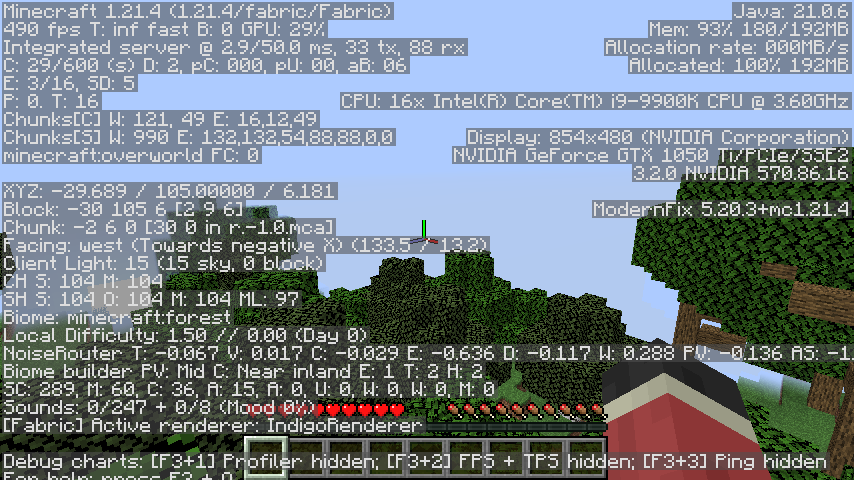 Running Singleplayer in a forest with 192MB of allocated memory With fast settings, it was perfectly stable and playable.
 -
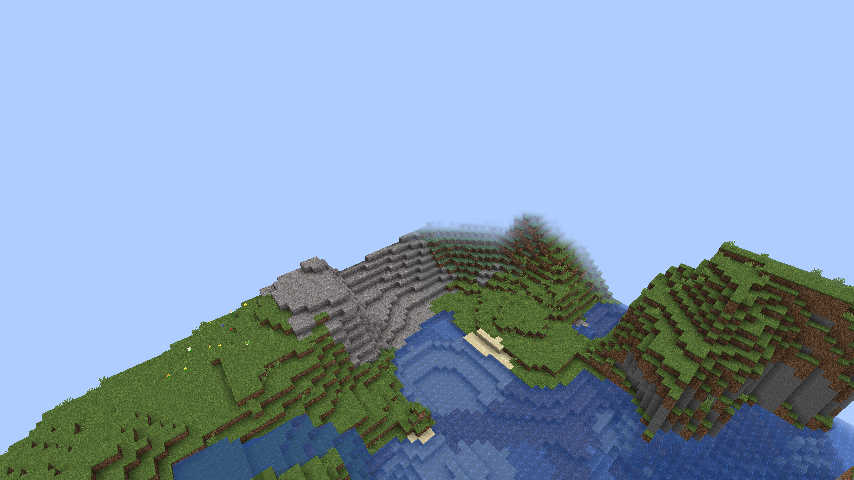 Normal Singleplayer 4 Chunk Render Distance on 192MB of memory Very similar to the multiplayer picture, but this time in singleplayer with 192MB of allocated memory instead.
Versions
Files
Relations
Project Relations
More like this
Similar Modpacks
Suggestions use data such as tags, dependencies, dependents, descriptions, titles, and more to rank how much they overlap with this modpack.
On ModDex
Community snapshot
By the numbers
Statistics

Want to reach Minecraft players?
We're looking for a server hosting partner to feature here and other parts of the site. Interested? Send us a message!
Get in touchGet it on
Available Platforms
On ModDex
Community snapshot
By the numbers