Community listing page, reviews here may not be monitored by the author.
Tradebox

No reviews yet
Adds the ability to buy and sell enchantments / potions in a user-configurable way
Community voices
Reviews
No reviews yet. Be the first to review this project!
Get it on
Available Platforms
About
Project Details
For authors
Embed Badge
If you're the author of this project, you can embed a live badge anywhere that supports HTML or Markdown. It updates automatically whenever ratings change.
Use HTML for any page that supports it, or Markdown for README files and Markdown-based descriptions.
Identifiers
Platform IDs
Resources
External Links
About
Description
Trade Box is a NeoForge mod for Minecraft 1.21.1 that adds a fully configurable in-game shop system. Players can purchase enchanted books and potions, and sell back unwanted items for a partial refund — all driven by JSON config files with no code changes required.
Blocks
Trade Box
A shop block for purchasing enchanted books. Right-click to open the GUI, browse the list of available enchantments, see what each one costs, and buy if you have the required items in your inventory. Enchantments and their costs are fully defined in tradebox_enchantments.json.
Potion Trade Block
A shop block for purchasing potions. Supports regular, splash, and lingering variants. Empty glass bottles can also be purchased separately. Everything is configured in tradebox_potions.json.
Seller Block
Allows players to sell back enchanted books and potions for a partial refund. The base refund percentage is configurable. Players wearing armor enchanted with Smooth Seller receive a higher refund percentage.
Custom Enchantment: Smooth Seller
- Can be applied to armor
- Increases the refund percentage from the Seller Block by a configurable amount per level
- Maximum level: 15 (configurable)
- Default: 50% base refund + 10% per level
Configuration
All three JSON config files are generated automatically on first run and can be edited freely. Changes can be applied live using /tradebox reload — no server restart required.
tradebox_enchantments.json
Defines every enchantment available in the Trade Box. Each entry specifies the enchantment ID, level, cost (any items you choose), and whether it appears in the Seller Block. Comes pre-configured with 100+ vanilla enchantments across all levels.
tradebox_potions.json
Defines every potion available in the Potion Trade Block, including regular, splash, and lingering variants. Comes pre-configured with 100+ potion entries covering all vanilla variants including 1.21 additions: Wind Charged, Weaving, Oozing, and Infested.
tradebox_config.json
Controls Seller Block refund behavior:
- default_refund_percentage — Base refund % (default: 50)
- enchant_level_increase — % increase per Smooth Seller level (default: 10)
- max_enchant_level — Maximum Smooth Seller level counted toward refund (default: 15)
Any item in the game registry can be used as currency — not just emeralds.
Admin Commands
| Command | Description |
|---|---|
/tradebox reload |
Reloads all config files live without a server restart. Reports total entries loaded. |
/tradebox export |
Exports all available enchantments from the game registry to a CSV file. Useful for building your config. |
Crafting Recipes
Trade Box
S L S
L X L
S L S
- S = Stick
- L = Leather
- X = Lectern
Potion Trade Block
I G I
G B G
I G I
- I = Iron Ingot
- G = Glass
- B = Brewing Stand
Seller Block
E G E
G A G
E G E
- E = Emerald
- G = Gold Ingot
- A = Anvil
Requirements
- Minecraft: 1.21.1
- NeoForge: 21.1.211 or newer
- No other mod dependencies required
Installation
- Install NeoForge for Minecraft 1.21.1
- Drop the Trade Box
.jarinto yourmodsfolder - Launch the game — config files are generated automatically on first run
- Edit the JSON config files in your
configfolder to customize trades - Use
/tradebox reloadto apply changes without restarting
Screenshots
Gallery
-
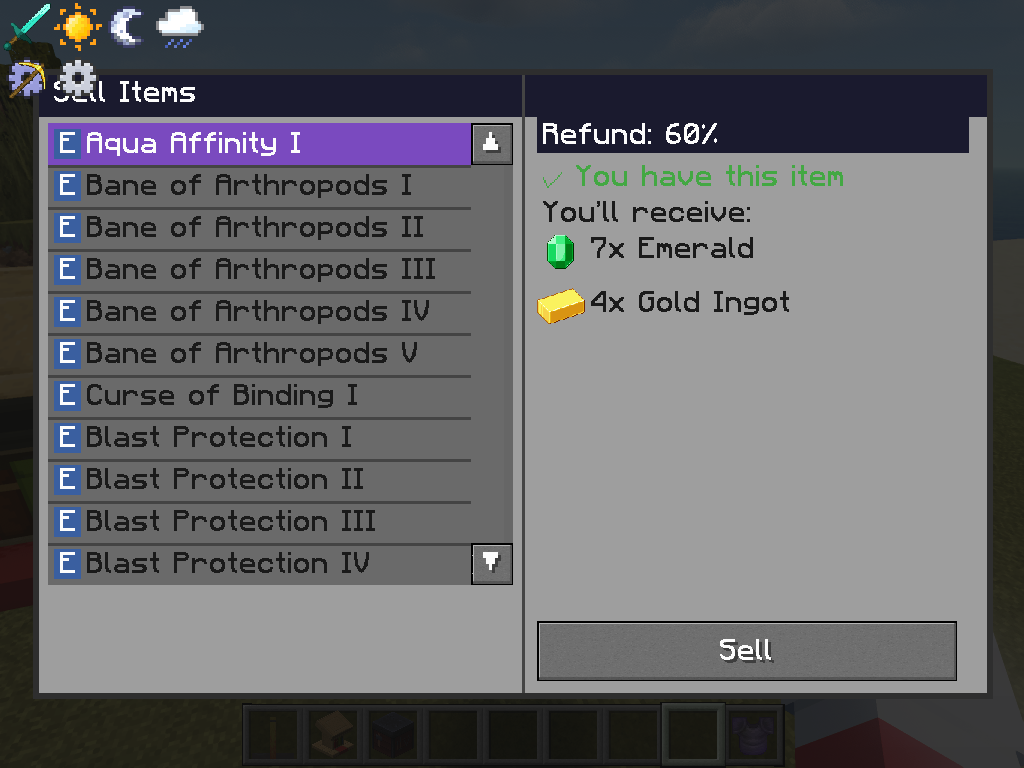 Seller UI - Smooth Seller I The Sell-back UI with level 1 of Smooth Seller applied to armor - grants 60% refund
 -
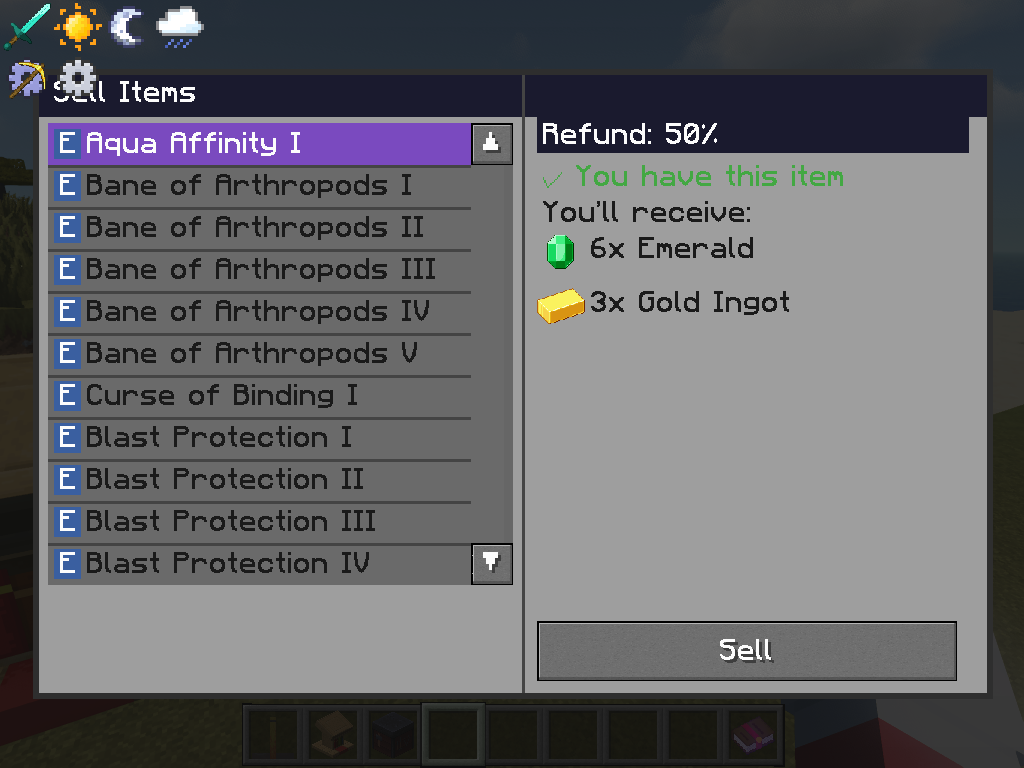 Seller UI - Default The Sell-back block UI with default refund percentage (no armor enchants)
 -
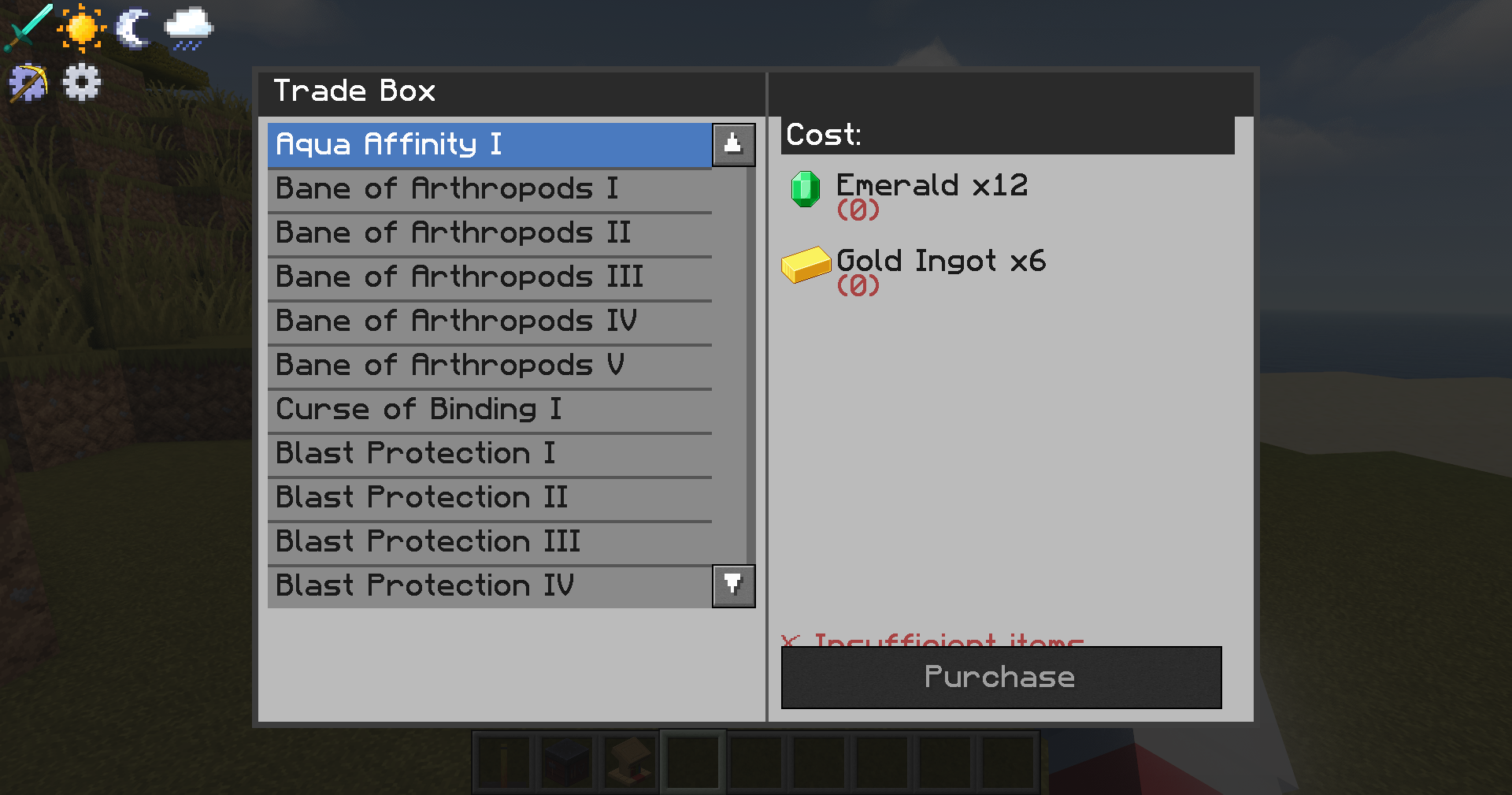 Enchant Purchase UI UI of the Enchant seller
 -
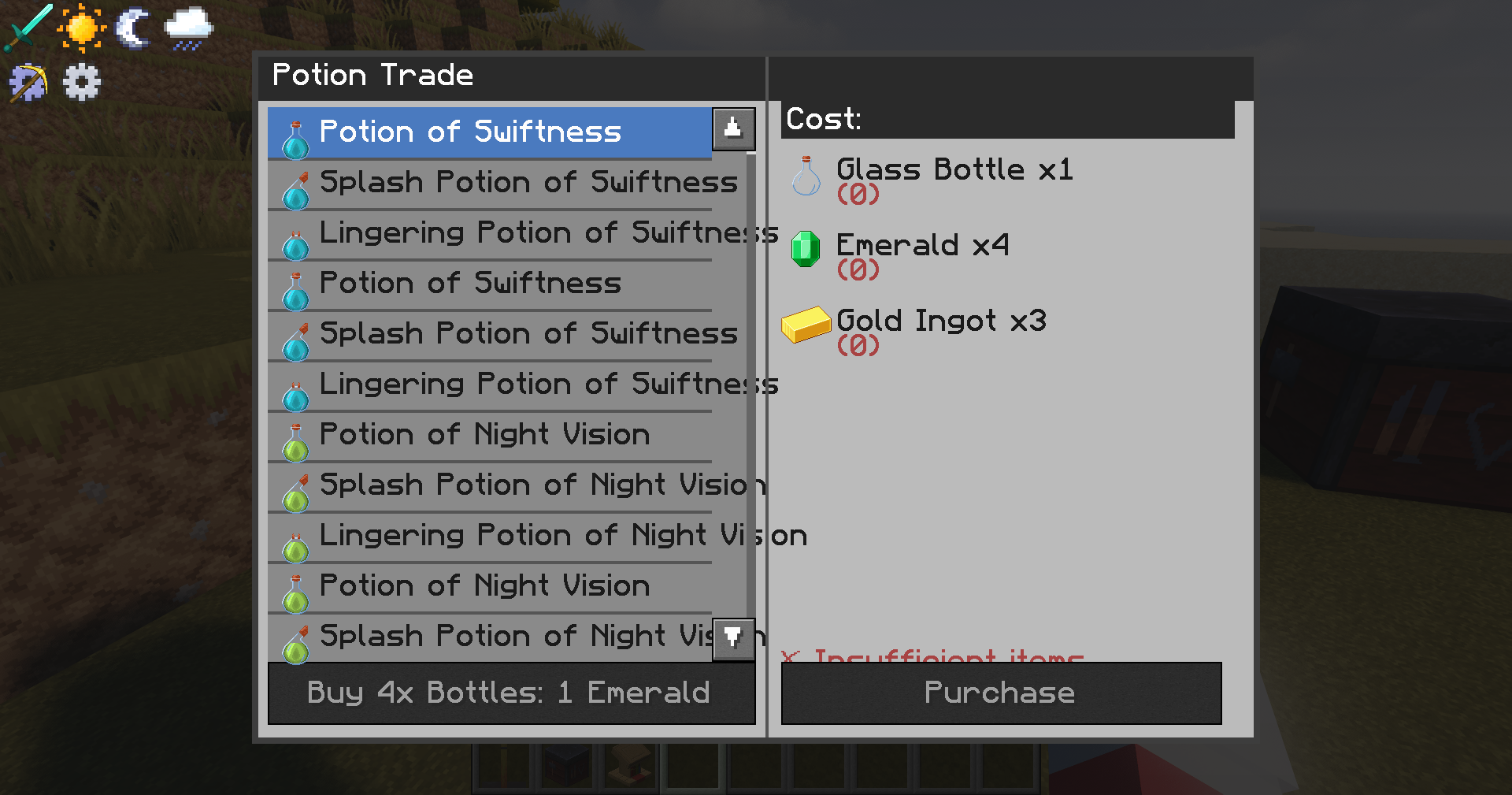 Potion Purchase UI UI of the potion seller
 -
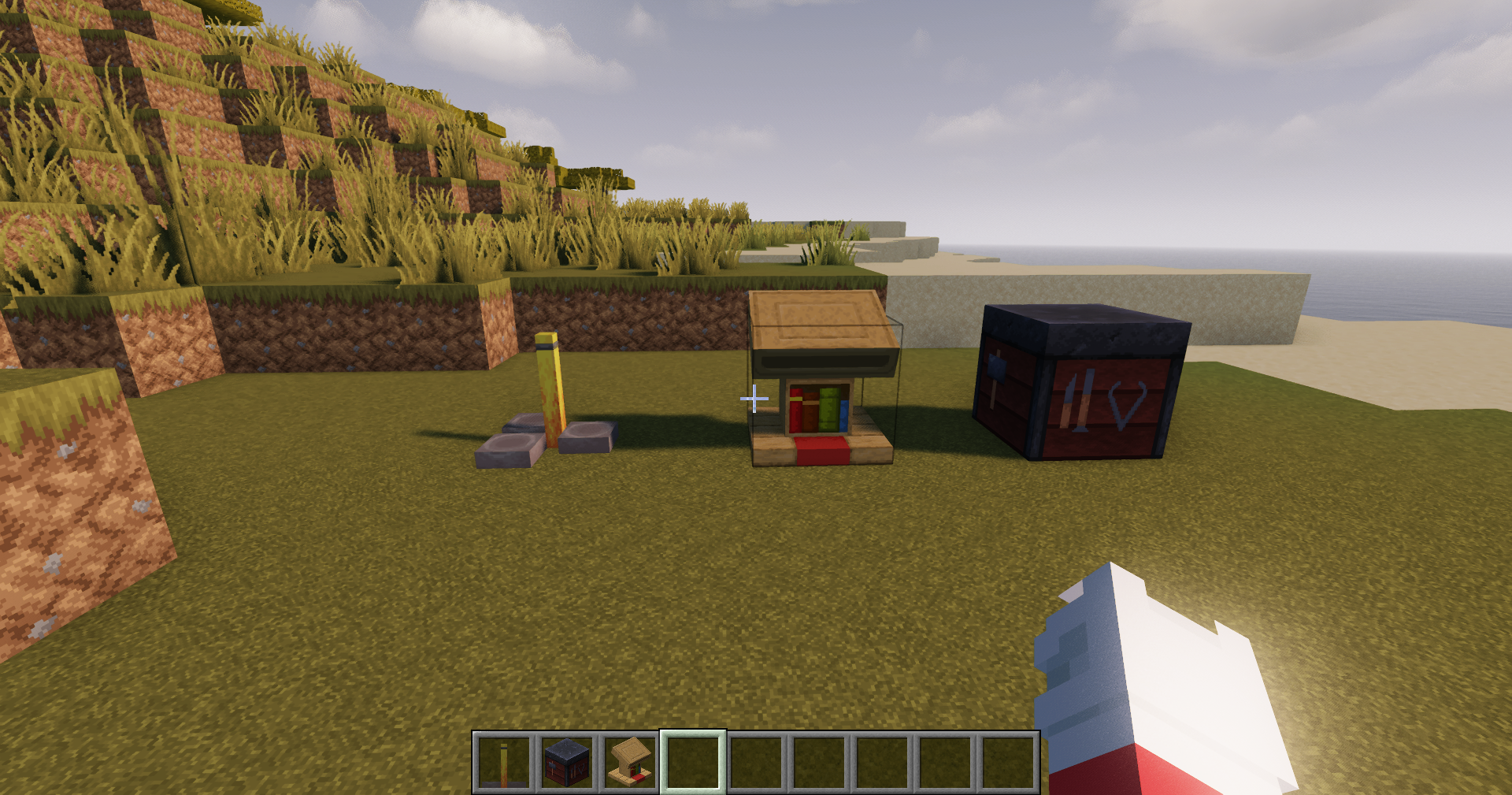 Blocks added to game Shows the 3 blocks added to the game
Versions
Files
Relations
Project Relations
More like this
Similar Modpacks
Suggestions use data such as tags, dependencies, dependents, descriptions, titles, and more to rank how much they overlap with this modpack.
On ModDex
Community snapshot
By the numbers
Statistics
Want to reach Minecraft players?
We're looking for a server hosting partner to feature here and other parts of the site. Interested? Send us a message!
Get in touchGet it on
Available Platforms
On ModDex
Community snapshot
By the numbers
Statistics
Resources