Community listing page, reviews may not be monitored by the author.


Community voices
Reviews
No reviews yet. Be the first to review this project!
Get it on
Available Platforms
About
Project Details
For authors
Embed Badge
If you're the author of this project, you can embed a live badge anywhere that supports HTML or Markdown. It updates automatically whenever ratings change.
Use HTML for any page that supports it, or Markdown for README files and Markdown-based descriptions.
Identifiers
Platform IDs
Resources
External Links
About
Description
***Be Warned This is ALPHA now and WILL change***
This pack could be described as the neXT vanilla or vanilla XTra hence Vanilla neXTra
version 0.0.1 ALPHA has mods in place but no edits to configs, HQM is in pack but no quests yet, more mods may be added to increase difficulty.
version 0.0.2 ALPHA Adds Special Mobs, Special AI and Default World Generation. Set default world to ATG in config.
version 0.0.4 ALPHA Adds Difficult Life.
version 0.0.5 ALPHA removes More Backpacks because of issue with RedGear Core mod, plus edited Veinminer config to add more allowed blocks. May switch back but seems balanced with the use of hunger for large areas vein mined.
Mods in this pack...
- Alternate Terrain Generation (by TTFTCUTS)
- Inventory Tweaks (by Kobata)
- OpenModsLib (by OpenMods)
- OpenBlocks (by OpenMods)
- Dynamic Lights (by AtomicStryker)
- Pam's HarvestCraft (by MatrexsVigil)
- Eureka (by AEnterprise)
- Thermal Foundation (by TeamCoFH)
- Thermal Expansion (by TeamCoFH)
- Thermal Dynamics (by TeamCoFH)
- Waila (by ProfMobius)
- CodeChickenCore (by chicken_bones)
- NotEnoughItems (by chicken_bones)
- JourneyMap (by techbrew)
- LunatriusCore (by Lunatrius)
- InGame Info XML (by Lunatrius)
- Wawla - What Are We Looking At (by darkh4x)
- Dense Ores (by RWTema)
- Carpenter's Blocks (by Syntaxial)
- VeinMiner (by Portablejim)
- Forestry (by SirSengir)
- FastLeafDecay (by Olafskii)
- AppleCore (by squeek502)
- Hunger Overhaul (by progwml6)
- Equanimity [32x] [1.8.x/1.7.x/1.6.x] (by Filmjolk)
- BiblioCraft (by JDSinclair)
- BiblioCraft: BiblioWoods Forestry Edition (by JDSinclair)
- Simply Jetpacks (by tonius111)
- Hardcore Questing Mode (by lorddusk)
- Mantle (by mDiyo)
- Default World Generator (by fireball1725)
- Special AI (by docrobb)
- Special Mobs (by docrobb)
- Difficult Life (by DarkxElocius)
- Minefactory Reloaded (by skyboy026)
- Extra Utilities (by RWTema)
- DecoCraft2 (by RazzleberryFox)
- Chisel 2 (by TheCricket26)
- Storage Drawers (by jaquadro)
- Tinkers Construct (by mDiyo)
- CoFHLib (by TeamCoFH)
- CoFH Core (by TeamCoFH)
- Storage Drawers: Forestry Pack (by jaquadro)
- Chance Cubes (by turkey2349)
- Buildcraft Additions (by AEnterprise)
- Buildcraft (by CovertJaguar)
Follow me on Twitter @J0eB Player.me rothnarge and I lurk alot on Twitch.tv rothnarge
If you like this pack please think of donating to the mod developers, without them modded minecraft would not be.
I've had very good results installing these 2 extra mods. They speed things up considerably for my pc, results may vary on your pc. Just download the latest 1.7.10 .jar file and place them in the /mods folder of the install.
OptiFine is a Minecraft optimization mod.
It allows Minecraft to run faster and look better with full support for HD textures and many configuration options.
The official OptiFine description is on the Minecraft Forums.
This pack is intended to use Fastcraft, by Player. Fastcraft enhances Minecraft with increased performance. Bug reports being made directly to Mod Authors should state Fastcraft is enabled. Pack does not require Fastcraft but player can install by downloading at http://forum.industrial-craft.net/index.php?page=Thread&threadID=10820
Instructions for adding extra mods into pack
***BEFORE ATTEMPTING THIS BACKUP YOUR SAVES***
In Curse Voice, right click on installed modpack icon then select Open Folder. Copy saves folder to a different folder or drive.
To add mod copy downloaded .jar mod file into mods folder. Some mods may not work, 3 above I've tested; they work for me. If you add a different mod and something goes wrong just delete that .jar file from the mods folder and the pack should work again.
Screenshots
Gallery
-
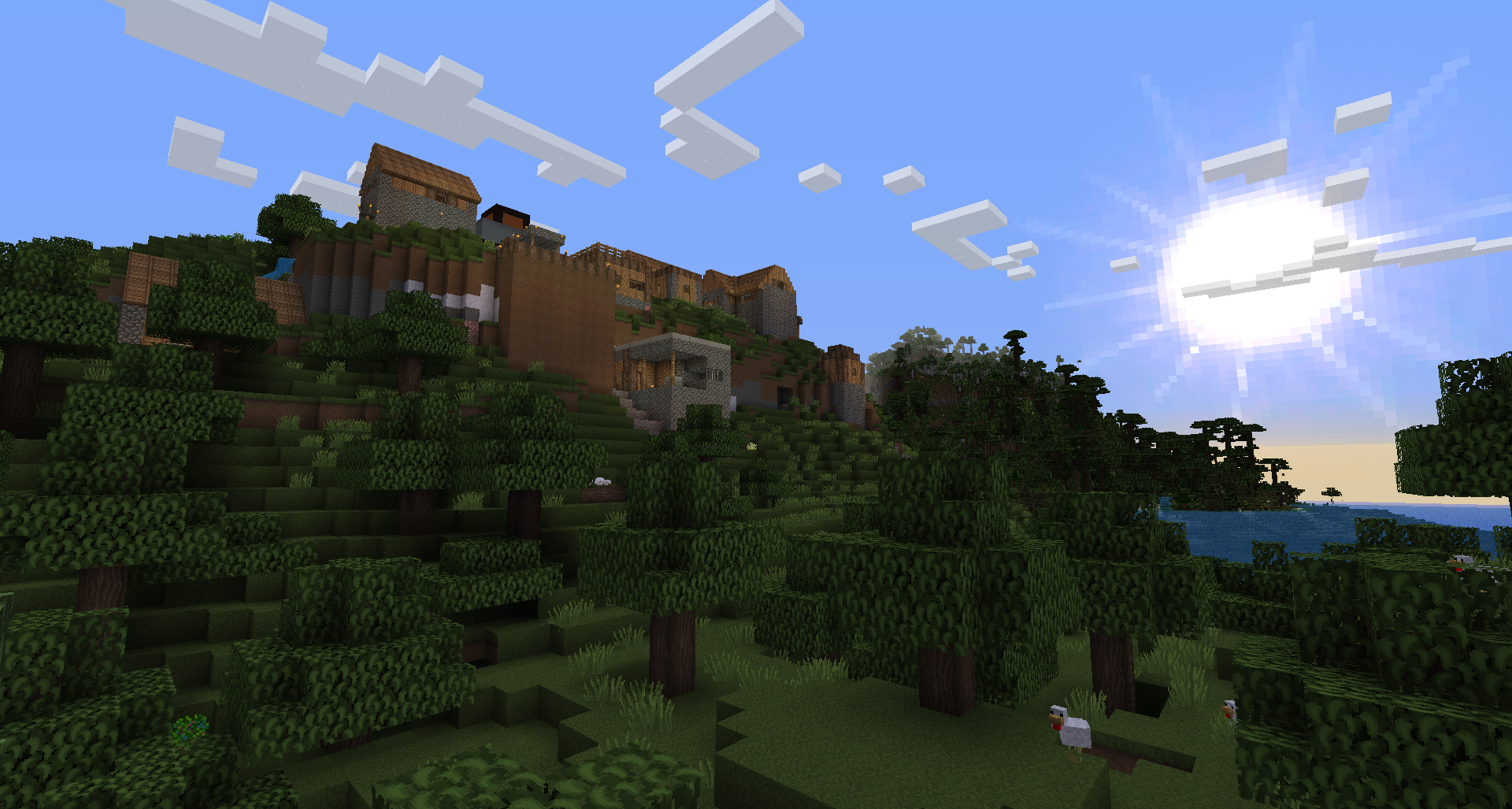 Lookin' good!
Versions
Files
Relations
Project Relations
More like this
Similar Modpacks
Suggestions use data such as tags, dependencies, dependents, descriptions, titles, and more to rank how much they overlap with this modpack.
On ModDex
Community snapshot
By the numbers
Statistics

Get it on
Available Platforms
On ModDex
Community snapshot
By the numbers
Statistics
Resources