Community listing page, reviews may not be monitored by the author.
Virtual Doorway

No reviews yet
A modpack for easy VM Computers setup.

Community voices
Reviews
No reviews yet. Be the first to review this project!
Get it on
Available Platforms
About
Project Details
For authors
Embed Badge
If you're the author of this project, you can embed a live badge anywhere that supports HTML or Markdown. It updates automatically whenever ratings change.
Use HTML for any page that supports it, or Markdown for README files and Markdown-based descriptions.
Identifiers
Platform IDs
Resources
External Links
About
Description
Virtual Doorway is a modpack that's for those that want to use VM Computers (a mod that allows for using any ISOs with a built computer you order from a store service in-game and build using the parts you have ordered), Roughly Enough Items for viewing recipes, and other mods to make the modpack work on Twitch.
Mod List:
-Fabric API
-Jumploader
-Mod Menu
-Roughly Enough Items
-VM Computers
Tutorials for VMComputers:
Part 1:
Part 2:
Part 3:
VMComputers Prep Steps:
1.Install Virtual Box 6.1 or higher from here: https://www.virtualbox.org/wiki/Downloads
2.Load up the modpack up and if you see a step process it should work correctly.
3.On Step 2 copy the link of where Virtual Box is stored (on Windows it's C:\Program Files\Oracle\VirtualBox by default, if you redirected the location elsewhere then put the link for that instead).
4.Follow the rest by setting the RAM. If you have 8GB of RAM set it to half (4GB) or less. Leave enough for your computer to use RAM for your Operating System (Windows, Mac, Linux), Minecraft and the virtual machine.
5.Create a world, order the PC parts with the store device after finding the satellite, use iron for the purchase and build the PC.
6.Make sure to have an ISO in the VMComputers folder (if on Twitch go to the modpack and the 'open folder' option in the top right.
7.Set the hard drive item in-game to be assigned the ISO.
8.Load it in the PC and see what happens, if it loads the OS correctly you have successfully got it working. If not keep trying.
Screenshots
Gallery
-
 Image 6 Ingame screenshot of the computer case, parts, ordering tablet and monitors.
 -
 Image 5 Where the vmcomputers folder is located and where you put ISOs.
 -
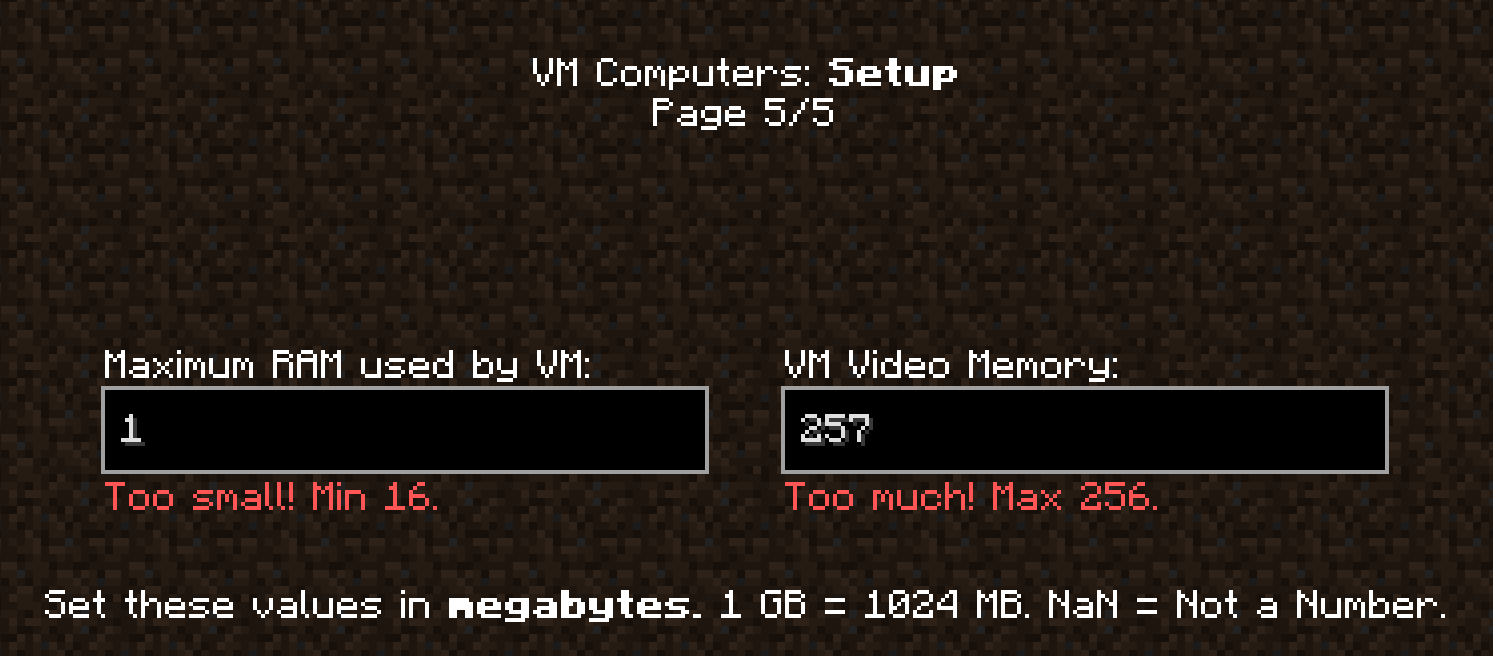 Image 4 Minimum and Max RAM errors. As low as 16 can be set on the left, change this to ANYTHING but your actual RAM amount, half should do, but 256 is the max on the right.
 -
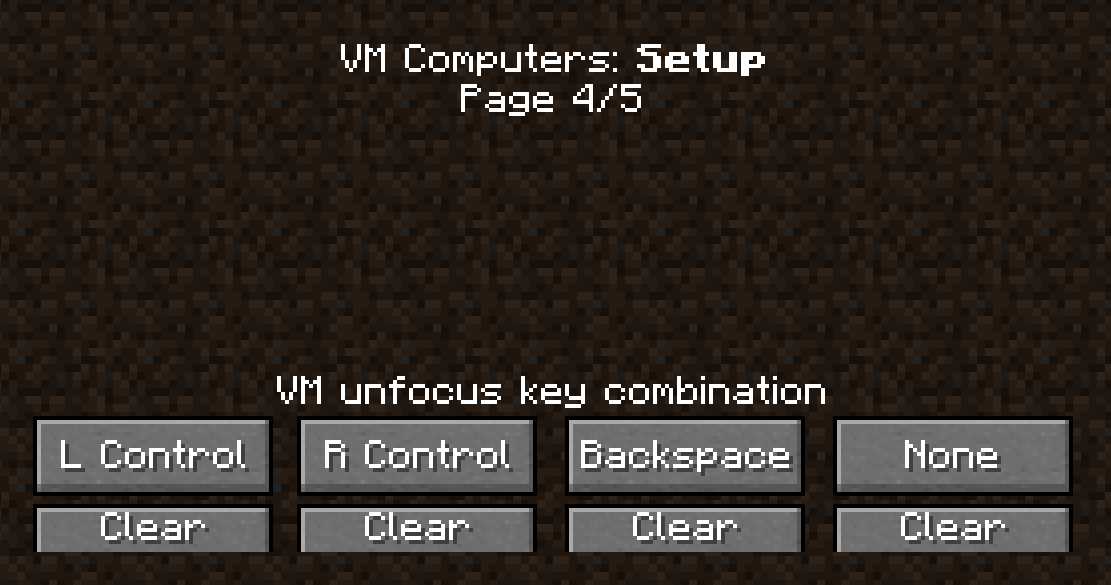 Image 3 Default Keybinds to use to exit using a Computer in-game. To access the computer in game just right click.
 -
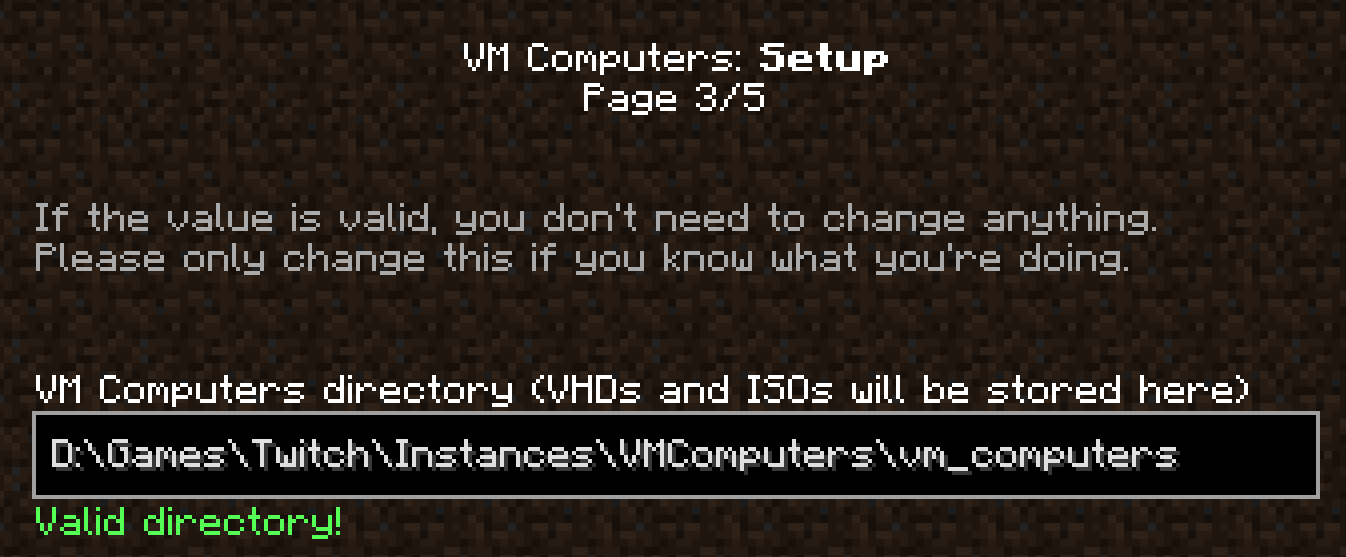 Image 2 My Default Location for the VM Computers stored contents (ISOs and VHDs). Your may auto fill in for you, but if not just look for where that folder is via the resource packs menu, .minecraft then the 'vmcomputers' folder and copy the location link.
 -
 Image 1 Step 2 - Image Shows The Default Location Virtual Box Is Stored On Windows, May Differ For Mac & Linux
Versions
Files
Relations
Project Relations
More like this
Similar Modpacks
Suggestions use data such as tags, dependencies, dependents, descriptions, titles, and more to rank how much they overlap with this modpack.
On ModDex
Community snapshot
By the numbers
Statistics

Get it on
Available Platforms
On ModDex
Community snapshot
By the numbers
Statistics
Resources