
Community listing page, reviews here may not be monitored by the author.
Xtrrors Modpack

No reviews yet
Anyone who wants a ready-to-go Minecraft setup

Community voices
Reviews
No reviews yet. Be the first to review this project!
Get it on
Available Platforms
Compatibility
Supported Environments
Runs entirely on the client. Works on vanilla servers.
About
Project Details
For authors
Embed Badge
If you're the author of this project, you can embed a live badge anywhere that supports HTML or Markdown. It updates automatically whenever ratings change.
Use HTML for any page that supports it, or Markdown for README files and Markdown-based descriptions.
Identifiers
Platform IDs
Resources
External Links
About
Description
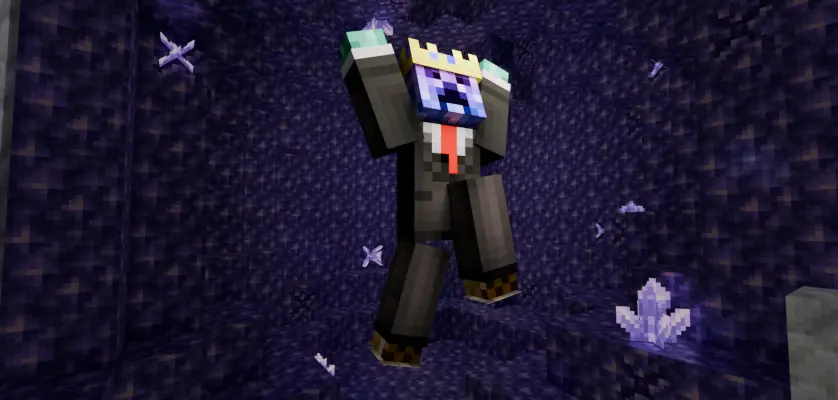
Xtrror's Modpack
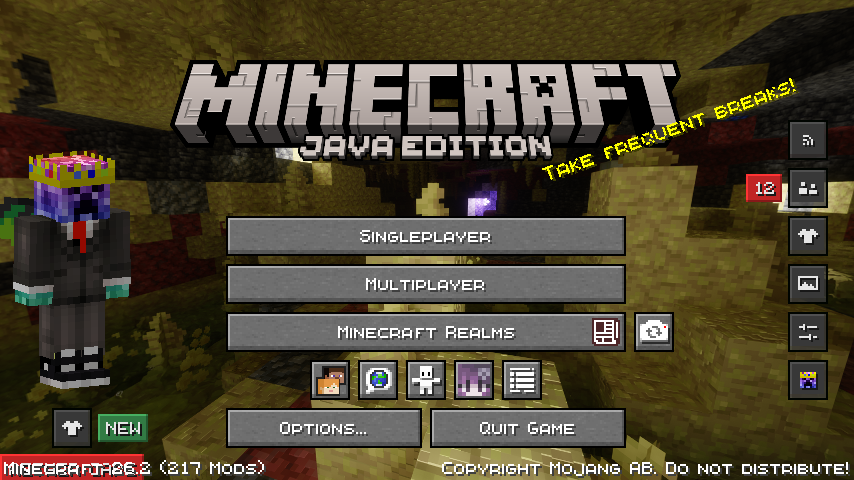
A all-in-one Minecraft experience built for every type of player — whether you're here to chill, explore, or dominate in PvP. This modpack bundles performance optimizations, visual upgrades, and quality-of-life improvements so you can jump straight into the game without the setup hassle.
What's Included?
Performance & Optimization
The pack is tuned to run smoothly on a wide range of hardware, giving you better FPS and faster load times out of the box.
Chill / Survival Gameplay
A curated set of resource packs that make the vanilla experience look and feel better without straying too far from the original art style:
- Fancy Crops — More detailed crop visuals
- Better Busy Leaves — Improved leaf animations
- Even Better Enchants — Clearer enchantment glints
- Fresh Animations — Smoother mob animations
- Fresh Animations Extensions — Extra mob animation support
- In-Game Brewing Guide — Never forget a potion recipe again
- Low on Fire — Less obstructive fire overlay
- New Glowing Ores — Ore highlights for easier mining
- Powdered Snow+ — Enhanced snow textures
- SPBR — PBR-ready surface textures
- Vanilla Mashup PBR — Physical-based rendering for vanilla blocks
Who Is This For?
Anyone who wants a ready-to-go Minecraft setup — for casual survival players. Instead of spending hours hunting down mods and resource packs, everything is already here and tested together.
Custom keybinds
Xtrrors Modpack has custom keybinds so all of the diffrent mods dont have the same keybind.
Function Keys
F1 - Toggle Ui
F2 - Take Screenshot
F3 - Toggle Debug Text
F4 - Toggle Freecam
F5 - Toggle Camera
F6 - No Binds
F7 - No Binds
F8 - No Binds
F9 - No Binds
F10 - No Binds
F11 - Fullscreen Game Window
F12 - No Binds
First Row
TAB - Show Playerlist
Q - Drop Item
W - Move Forward
E - Open Inventory
R - Open Litematica
T - Open Chat
Y - No Binds
U - Open Xareo Waypoints
I - No Binds
O - No Binds
P - No Binds
Second Row
A - Move Left
S - Move Backwards
D - Move Right
F - Offhand
G - Toggle Litematica Rendering
H - Create Xareo Waypoint
J - Open Wwaypoints Waypoints
K - Execute Command Litematica
L - Open Advancements
Third Row
Z - Chat Previev, Enlarge Map
X - No Binds
C - Zoom
V - Open Voice Chat
B - Emote Wheel
N - Create Wwaypoints Waypoint
M - Open Map
DASH - Command Line
Furth Row
SPACE - Jump
ARROW KEY LEFT - Change Litematica Layer
ARROW KEY UP - Change Gamma
ARROW KEY DOWN - Change Gamma
ARROW KEY RIGHT - Change Litematica Layer
Screenshots
Gallery
Versions
Files
Relations
Project Relations
More like this
Similar Modpacks
Suggestions use data such as tags, dependencies, dependents, descriptions, titles, and more to rank how much they overlap with this modpack.
On ModDex
Community snapshot
By the numbers
Statistics

 (opens in a new tab)
Get it on
Available Platforms
On ModDex
Community snapshot
By the numbers
Statistics
Resources