Community listing page, reviews here may not be monitored by the author.
ABM (ActionBar Maker)


No reviews yet
Configurable actionbar maker with json storage, GUI editor, templates, custom colors, text styles and PNG images (heads)
Community voices
Reviews
No reviews yet. Be the first to review this project!
Get it on
Available Platforms
Compatibility
Supported Environments
Must be installed on both the client and the server.
About
Project Details
For authors
Embed Badge
If you're the author of this project, you can embed a live badge anywhere that supports HTML or Markdown. It updates automatically whenever ratings change.
Use HTML for any page that supports it, or Markdown for README files and Markdown-based descriptions.
Identifiers
Platform IDs
About
Description
Welcome to custom Actionbars!
That mod adds a new GUI editor for creating actionbars with custom text colors, styles and even PNG images (heads or anything). It also stores actionbars in a .json file (templates will be saved in config, created actionbar will be saved in world folder)
Important note! That mod DO NOT change DEFAULT /title … actionbar, it adds new type of actionbar that can stop default actionbar when playing! (/abm play "name" @p)
RU:
Этот мод добавит новый редактор для экшбаров с кастомным цветом текста, стилями и даже PNG картинками (головы или что-то ещё). Он также сохраняет экшбары в файле .json (шаблоны хранятся в папке конфига, созданные экшбары будут сохранены в папку с миром)
Важно! Этот мод НЕ меняет ДЕФОЛТНЫЙ /title ... actionbar, он добавляет новый тип экшнбара, который может остановить обычный во время проигрывания! (/abm play "имя" @p)
How it works?
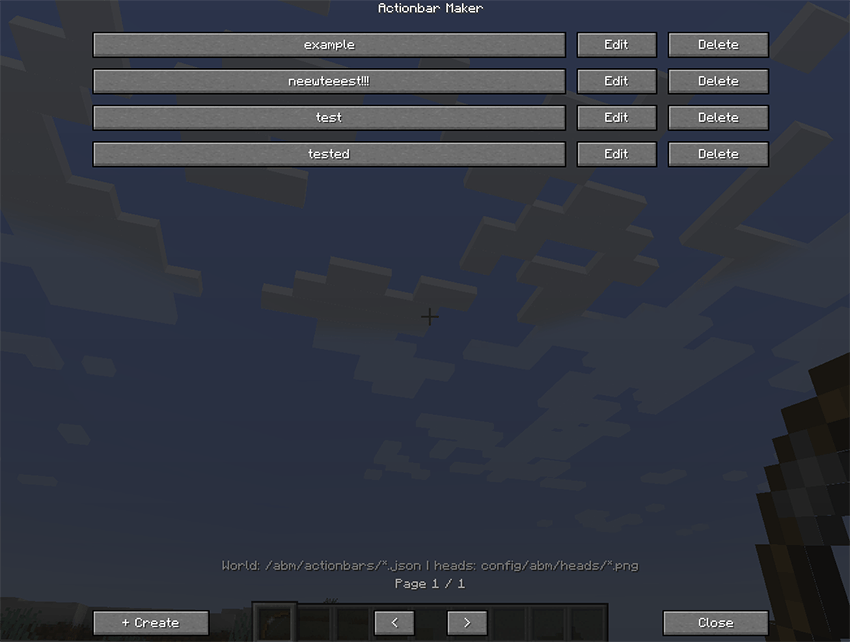
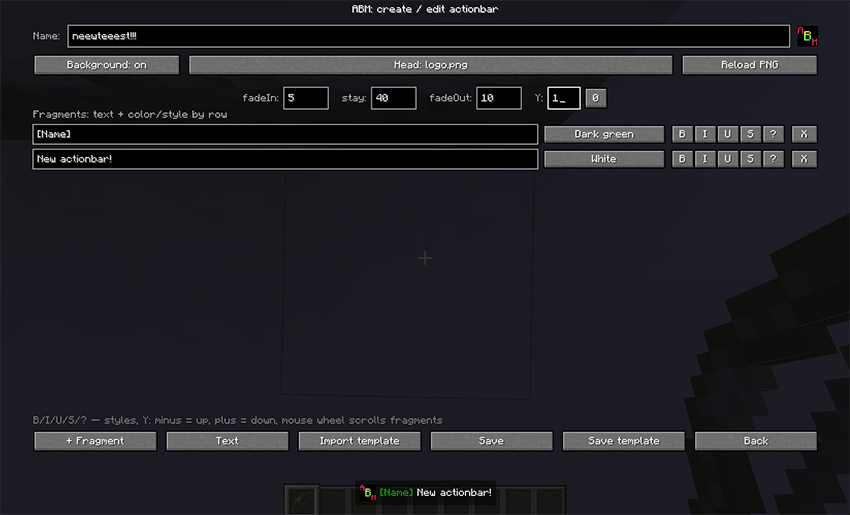
With /abm create "actionbar name" you can open an editor (or just type /abm and create new actionbar from manager), where you can set up your actionbar with custom fragments which can be set color and style. Also you can add head (it can be any PNG image from config/abm/heads folder, don't forget to click on "Reload PNG" button to refresh cache if you are added files during the game) and placeholders (%player% to add nickname and %health% to show current health)
RU:
С /abm create "имя экшнбара" вы откроете редактор (или просто /abm и сделайте новый экшнбар через менеджер), где можно создать ваш экшнбар с кастомными фрагментами, которым можно задать цвет и стиль. Также можно добавить голову (это может быть любая PNG картинка в папке config/abm/heads, не забудьте нажать кнопку сброса кэша PNG, если вы добавили файлы во время игры) и плейсхолдеры (%player% чтобы добавить никнейм и %health% для текущего здоровья
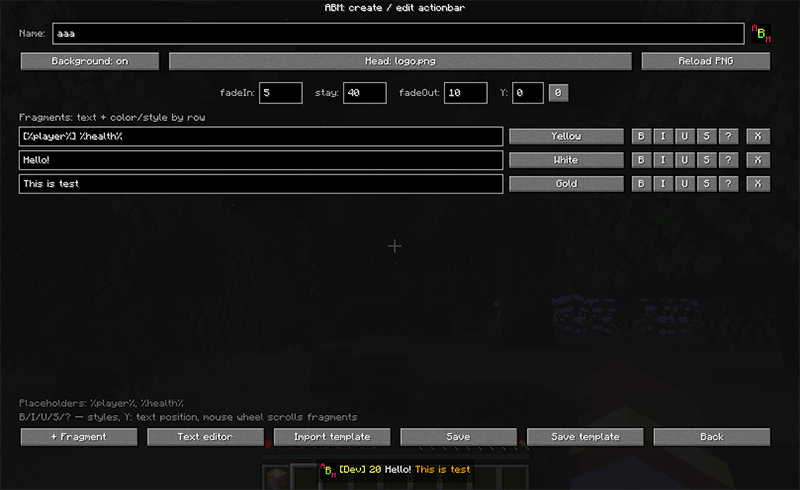
You can also save your actionbar template. It will be saved in config/abm/templates folder. All created actionbars are stored in the current world folder, so if you want to transfer them, you can just find .json file and place it to another world or in config.
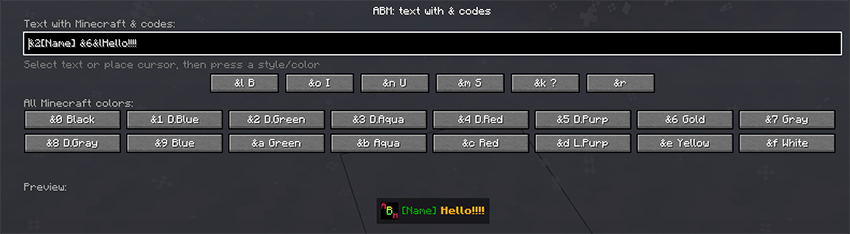
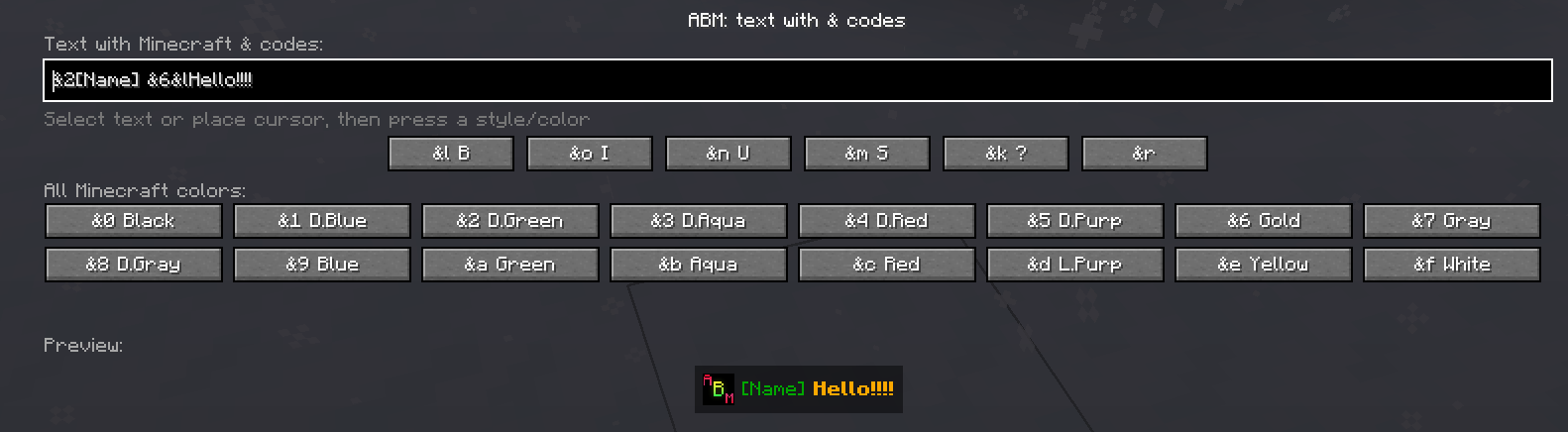
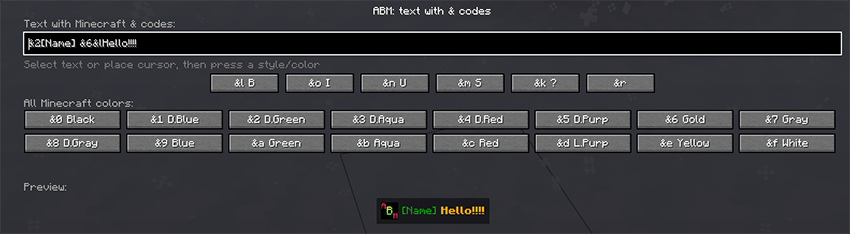
There is also a full text editor with & selection and etc.
RU: Вы можете сохранить шаблон экшнбара. Он будет сохранён в папку config/abm/templates. Все созданные экшнбары хранятся в папке текущего мира, поэтому, если хотите перенести их, просто найдите .json файл и переместите в другой мир или конфиг.
Здесь также есть полный редактор текста с & селектором и прочим.
Commands
/abm - open actionbar manager/abm create "name" - instantly open up an actionbar editor with name set/abm delete "name" - delete actionbar/abm play "name" @a - play actionbar with your settings (@a,@p,@r or player name)/abm play "name" @a <fadeIn> <stay> <fadeOut> - (@a,@p,@r or player name)
RU: Команды/abm - открыть менеджер экшнбаров/abm create "name" - instantly open up an actionbar editor with name set/abm delete "name" - delete actionbar/abm play "name" @a - проиграть экшнбар с заданными настройками (@a,@p,@r или имя игрока)/abm play "name" @a <fadeIn> <stay> <fadeOut> - проиграть экшнбар с другими настройками (@a,@p,@r или имя игрока)
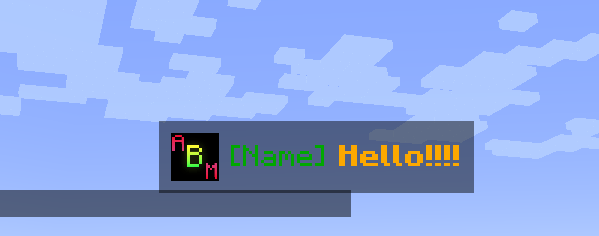
Here you can see how actionbar plays (it has HIGHER priority than chat)
RU:
Здесь можно увидеть, как проигрывается экшнбар (у него ВЫШЕ приоритет, чем у чата)
Need help?
More info on GitHub page! / Больше информации на GitHub странице!
Plans
- Add system templates and PNG / Добавить системные шаблоны и PNG
- Click/hover events / События по клику/наводке
Welcome to custom Actionbars!
 That mod adds a new GUI editor for creating actionbars with custom text colors, styles and even PNG images (heads or anything). It also stores actionbars in a .json file (templates will be saved in config, created actionbar will be saved in world folder)
Important note! That mod DO NOT change DEFAULT /title ... actionbar, it adds new type of actionbar that can stop default actionbar when playing! (/abm play "name" @p)
RU:
Этот мод добавит новый редактор для экшбаров с кастомным цветом текста, стилями и даже PNG картинками (головы или что-то ещё). Он также сохраняет экшбары в файле .json (шаблоны хранятся в папке конфига, созданные экшбары будут сохранены в папку с миром)Важно! Этот мод НЕ меняет ДЕФОЛТНЫЙ /title ... actionbar, он добавляет новый тип экшнбара, который может остановить обычный во время проигрывания! (/abm play "имя" @p)
How it works?
With /abm create "actionbar name" you can open an editor (or just type /abm and create new actionbar from manager), where you can set up your actionbar with custom fragments which can be set color and style. Also you can add head (it can be any PNG image from config/abm/heads folder, don't forget to click on "Reload PNG" button to refresh cache if you are added files during the game) and placeholders (%player% to add nickname and %health% to show current health)
RU:
С /abm create "имя экшнбара" вы откроете редактор (или просто /abm и сделайте новый экшнбар через менеджер), где можно создать ваш экшнбар с кастомными фрагментами, которым можно задать цвет и стиль. Также можно добавить _голову_ (это может быть любая PNG картинка в папке config/abm/heads, не забудьте нажать кнопку сброса кэша PNG, если вы добавили файлы во время игры) и _плейсхолдеры_ (%player% чтобы добавить никнейм и %health% для текущего здоровья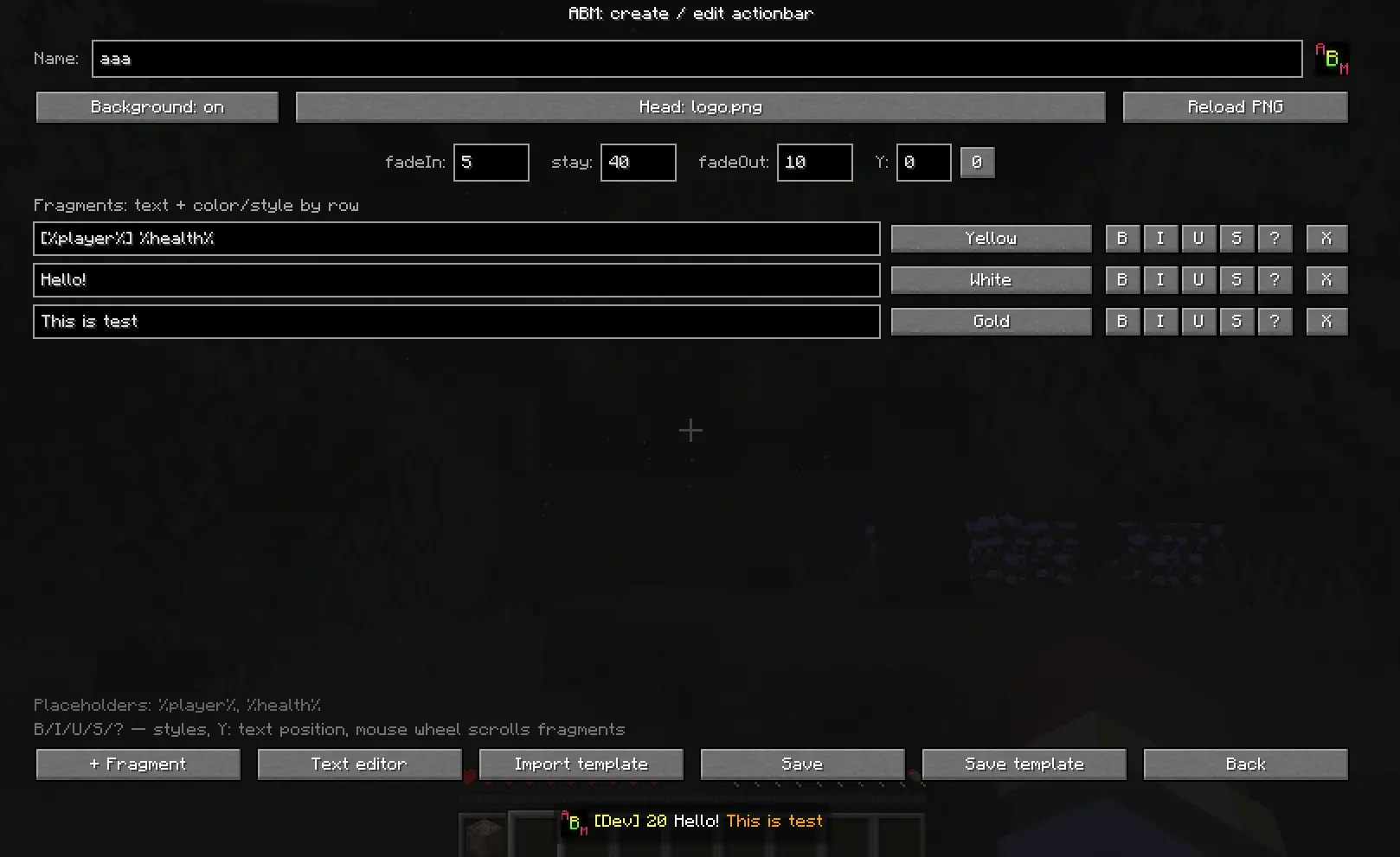
You can also save your actionbar template. It will be saved in config/abm/templates folder. All created actionbars are stored in the current world folder, so if you want to transfer them, you can just find .json file and place it to another world or in config.
There is also a full text editor with & selection and etc.
RU: Вы можете сохранить шаблон экшнбара. Он будет сохранён в папку config/abm/templates. Все созданные экшнбары хранятся в папке текущего мира, поэтому, если хотите перенести их, просто найдите .json файл и переместите в другой мир или конфиг.
Здесь также есть полный редактор текста с & селектором и прочим.
Commands
/abm - open actionbar manager
/abm create "name" - instantly open up an actionbar editor with name set
/abm delete "name" - delete actionbar
/abm play "name" @a - play actionbar with your settings (@a,@p,@r or player name)
/abm play "name" @a <fadeIn> <stay> <fadeOut> - (@a,@p,@r or player name)
RU: Команды
/abm - открыть менеджер экшнбаров
/abm create "name" - instantly open up an actionbar editor with name set
/abm delete "name" - delete actionbar
/abm play "name" @a - проиграть экшнбар с заданными настройками (@a,@p,@r или имя игрока)
/abm play "name" @a <fadeIn> <stay> <fadeOut> - проиграть экшнбар с другими настройками (@a,@p,@r или имя игрока)
Here you can see how actionbar plays (it has HIGHER priority than chat)
RU:
Здесь можно увидеть, как проигрывается экшнбар (у него ВЫШЕ приоритет, чем у чата)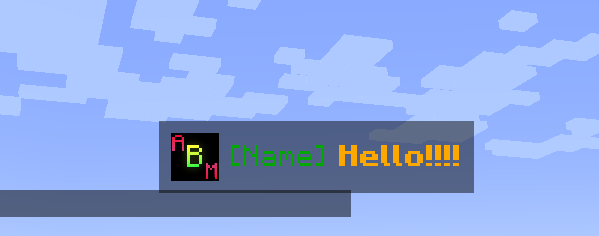
Need help?
More info on GitHub page! / Больше информации на GitHub странице!
Plans
- Add system templates and PNG / Добавить системные шаблоны и PNG
- Click/hover events / События по клику/наводке
Screenshots
Gallery
-
 Manager.png Manager.png
 -
 Editor.png Editor.png
 -
 TextEditore.png TextEditore.png
 -
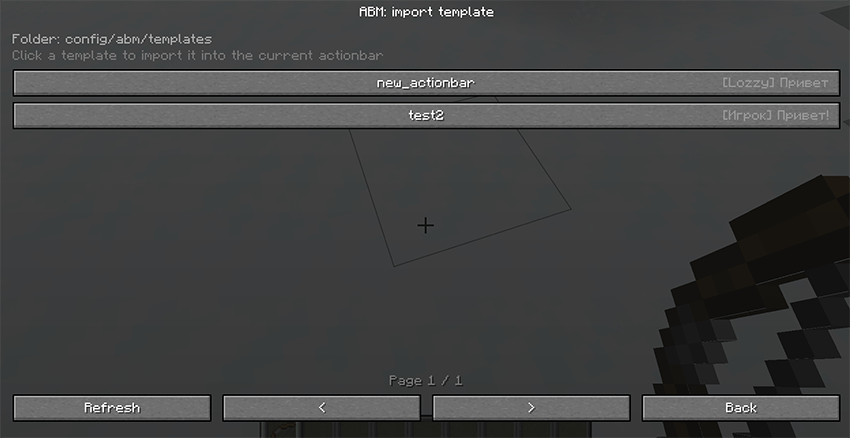 Templates.png Templates.png
 -
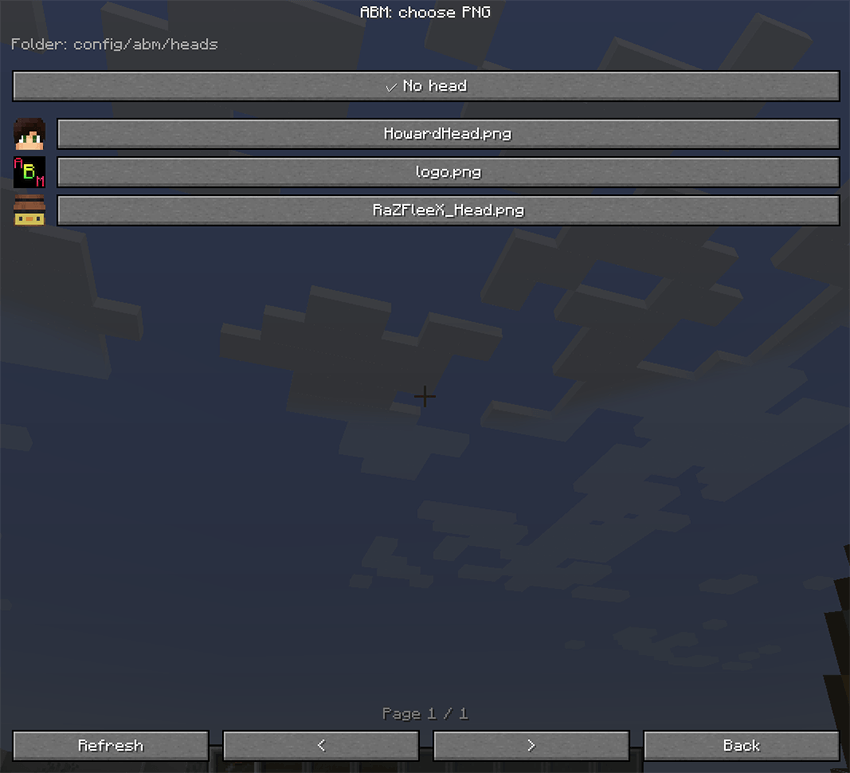 Head.png Head.png
 -
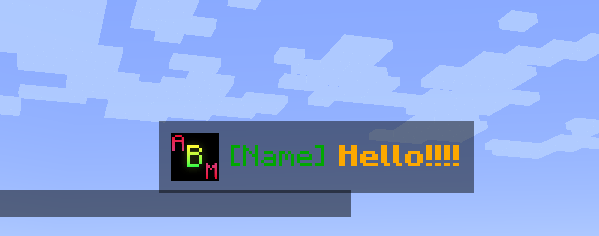 Play.png Play.png
-
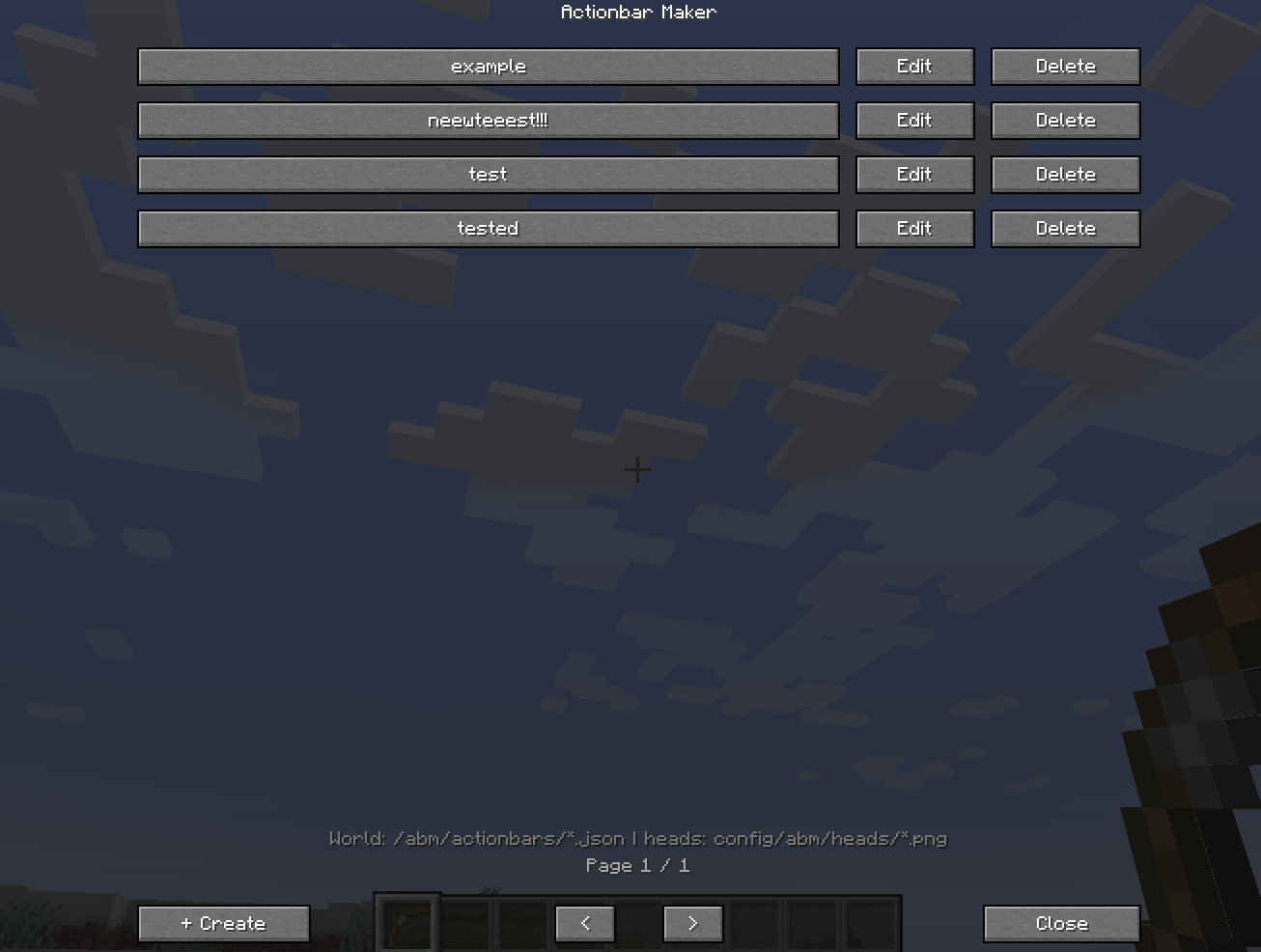 ABM manager /abm
 -
 Banner
 -
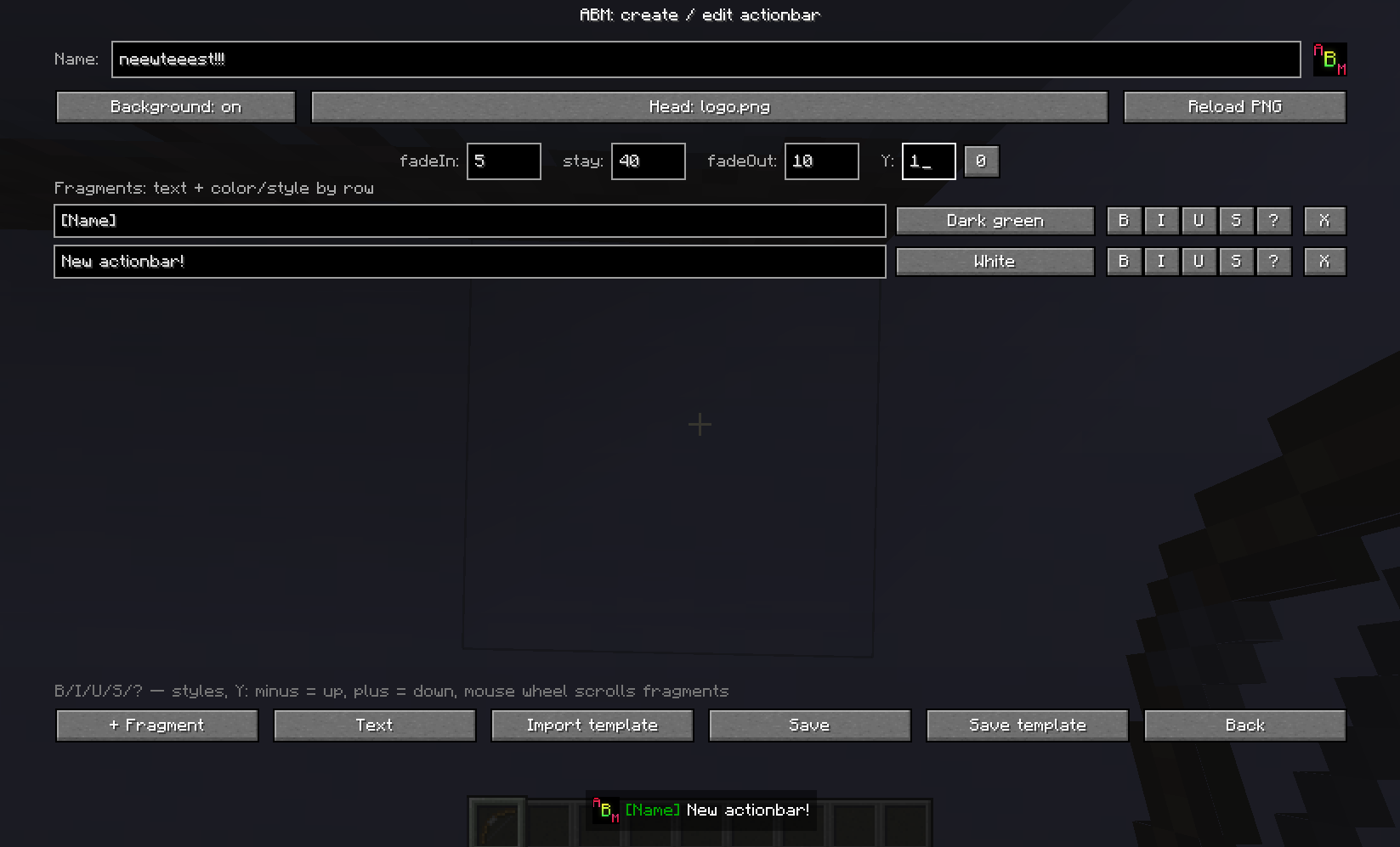 ABM editor Editor window
 -
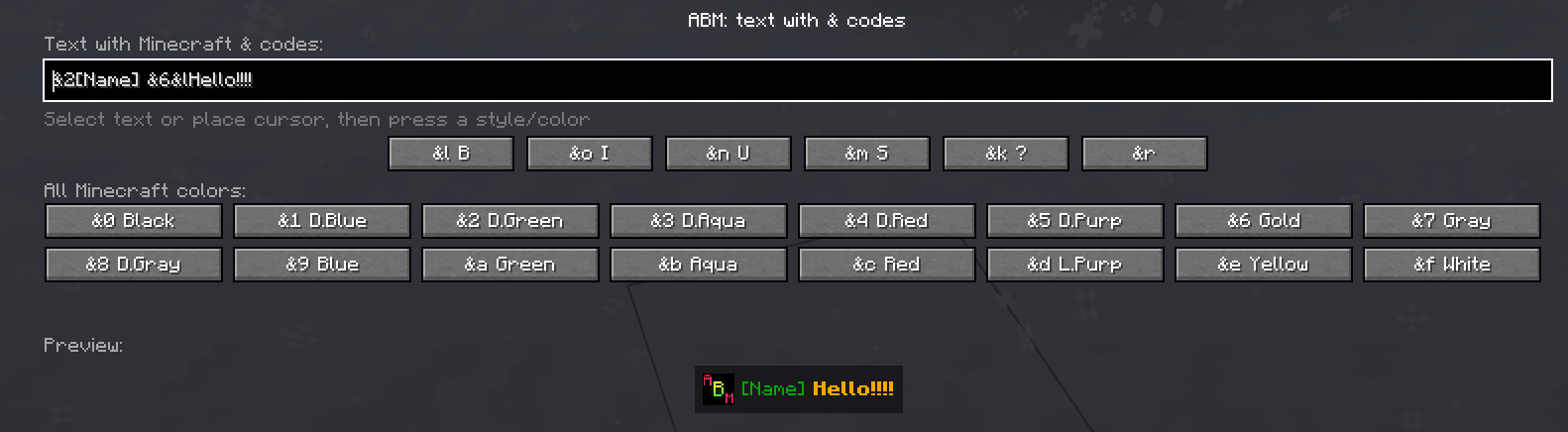 ABM text editor Full text editor with & selectors
 -
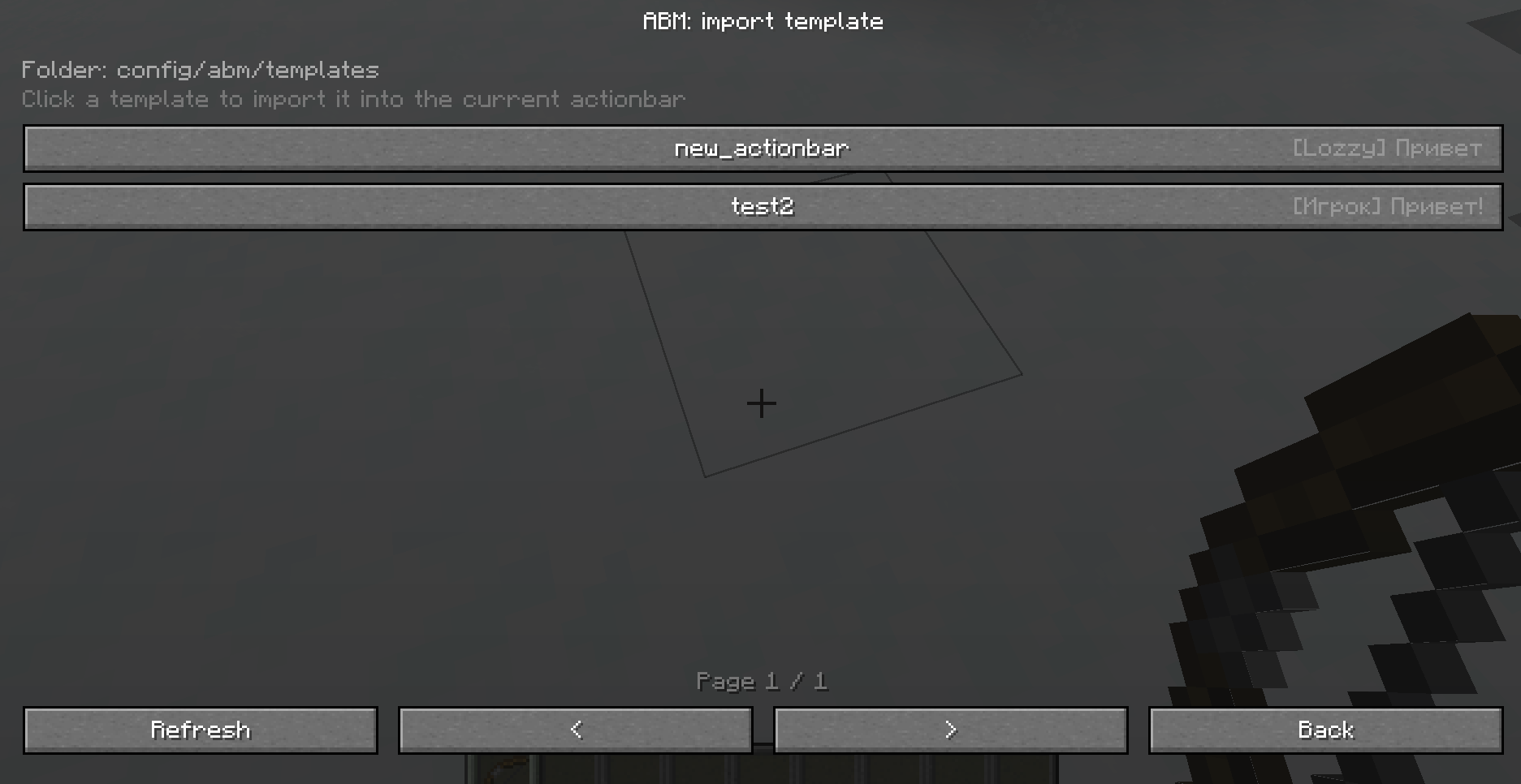 ABM templates
 -
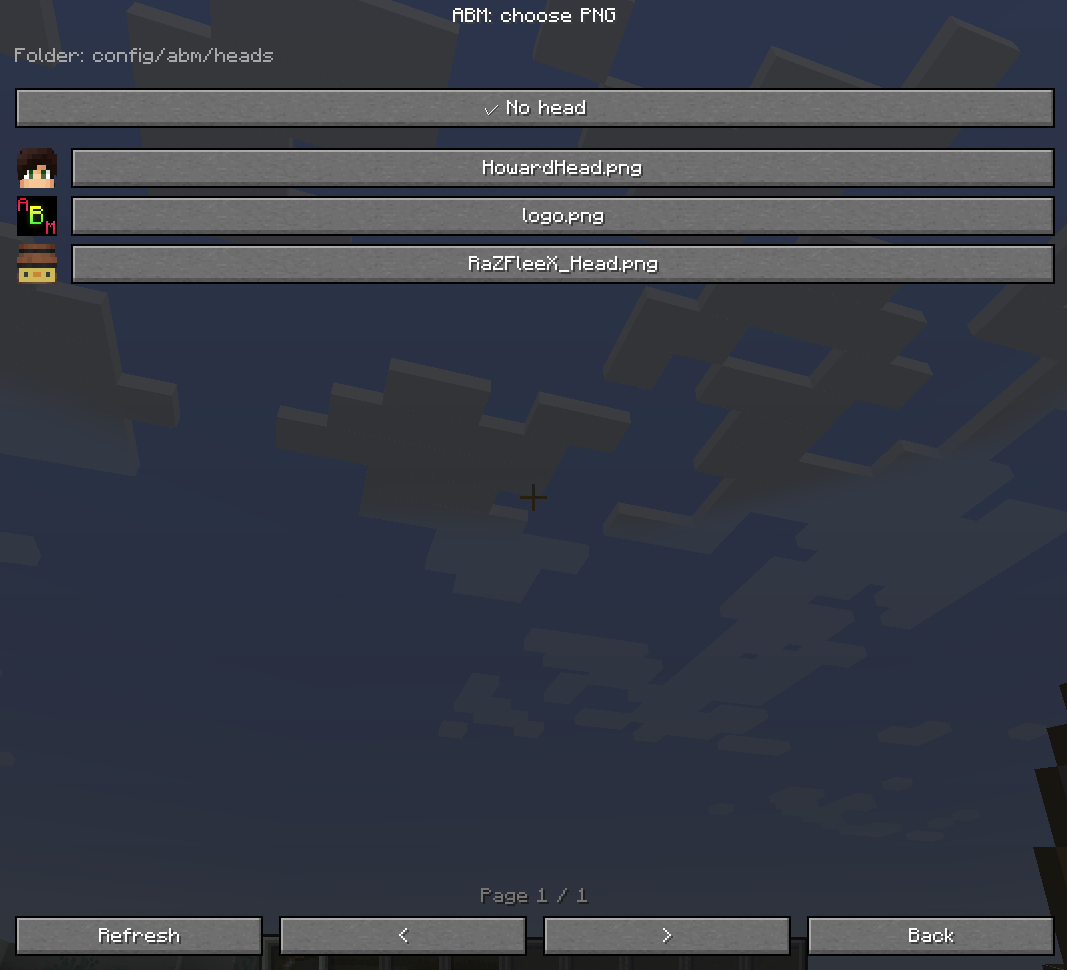 Head (PNG image) Image selector
 -
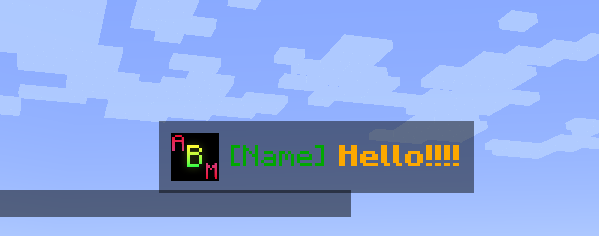 Actionbar is playing /abm play "name" "selector"
Versions
Files
Relations
Project Relations
More like this
Similar Mods
Suggestions use data such as tags, dependencies, dependents, descriptions, titles, and more to rank how much they overlap with this mod.
On ModDex
Community snapshot
By the numbers
Statistics
Want to reach Minecraft players?
We're looking for a server hosting partner to feature here and other parts of the site. Interested? Send us a message!
Get in touchGet it on
Available Platforms
On ModDex
Community snapshot
By the numbers