Community listing page, reviews may not be monitored by the author.
Abyssal Compass

No reviews yet
A compass bar at the top of the screen with JourneyMap waypoints, Waystones and your last death, plus three GUI themes (Classic, Obsidian, Abyss).

Community voices
Reviews
No reviews yet. Be the first to review this project!
Get it on
Available Platforms
About
Project Details
For authors
Embed Badge
If you're the author of this project, you can embed a live badge anywhere that supports HTML or Markdown. It updates automatically whenever ratings change.
Use HTML for any page that supports it, or Markdown for README files and Markdown-based descriptions.
Identifiers
Platform IDs
Resources
External Links
About
Description
🇬🇧 English
A compass bar at the top of the screen, with three styles to choose from (Style option).
- Classic (default): vanilla Minecraft look, a simple translucent band. No game texture is changed.
- Obsidian: chamfered corners, gold trim and amethyst accents on the compass and the whole interface (buttons, menus, hotbar, inventory, creative inventory, toasts, tooltips), with animated glowing dust.
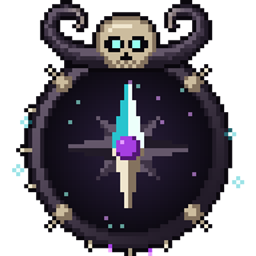
- Abyss: organic shapes — raised horns, thorny horn stems, vertebrae, a skull with curled horns and glowing eyes, fangs, dripping ichor pockets, spores — on the compass and the whole interface.
🧭 What the compass shows
- Cardinal points N / E / S / W (+ smaller NE / NW / SE / SW), ticks every 15°
- Last death (skull icon), shown in the same dimension
- JourneyMap waypoints, each in its own color
- Waystones (and Sharestones) you have discovered
- Distance under each icon, small ▲/▼ arrow if the target is above or below you
- Name and distance of the targeted marker under the center
- The bar automatically moves down under boss bars
JourneyMap and Waystones are optional: the mod works without them and shows them as soon as they are installed.
Client-side only: no need to install it on a server.
⚙️ Settings
- In game: Mods > Abyssal Compass > Config: style, size, animations, width, position, field of view, opacity, markers… Changing the style reloads textures when you leave the config screen.
- The Obsidian and Abyss styles are built-in resource packs placed above your other packs.
- "Show / hide compass" key: unbound by default, set it in Options > Controls > Abyssal Compass.
Requires NeoForge 1.21.1.
🇫🇷 Français
Une barre-boussole en haut de l'écran, avec trois styles au choix (option Style).
- Classique (par défaut) : aspect d'origine de Minecraft, bande translucide sobre. Aucune texture du jeu n'est modifiée.
- Obsidienne : pans coupés, liseré doré et accents d'améthyste sur la boussole et toute l'interface (boutons, menus, hotbar, inventaire, inventaire créatif, notifications, infobulles), poussières lumineuses animées.
- Abysse : formes organiques — cornes dressées, tiges de corne épineuses, vertèbres, crâne aux cornes enroulées et aux yeux luisants, crocs, poches d'ichor qui gouttent, spores — sur la boussole et toute l'interface.
🧭 Contenu de la boussole
- Points cardinaux N / E / S / O (+ NE / NO / SE / SO en plus petit), graduations tous les 15°
- Dernière mort (icône de crâne), affichée dans la même dimension
- Waypoints JourneyMap, chacun avec sa couleur
- Waystones (et Sharestones) découvertes
- Distance sous chaque icône, petite flèche ▲/▼ si la cible est plus haut ou plus bas
- Nom et distance du marqueur visé sous le centre
- La barre se décale toute seule sous les barres de boss
JourneyMap et Waystones sont optionnels : le mod marche sans eux et les affiche dès qu'ils sont installés.
Mod client uniquement : pas besoin de l'installer sur un serveur.
⚙️ Réglages
- En jeu : Mods > Abyssal Compass > Config : style, taille, animations, largeur, position, champ de vision, opacité, marqueurs… Un changement de style recharge les textures en quittant l'écran de config.
- Les styles Obsidienne et Abysse sont des packs de ressources intégrés, placés au-dessus des autres packs.
- Touche « Afficher / masquer la boussole » : non assignée par défaut, à régler dans Options > Commandes > Abyssal Compass.
Nécessite NeoForge 1.21.1.
Screenshots
Gallery
Versions
Files
Relations
Project Relations
More like this
Similar Mods
Suggestions use data such as tags, dependencies, dependents, descriptions, titles, and more to rank how much they overlap with this mod.
On ModDex
Community snapshot
By the numbers
Statistics

Get it on
Available Platforms
On ModDex
Community snapshot
By the numbers
Statistics
Resources