
Community listing page, reviews here may not be monitored by the author.
Achieve Count

No reviews yet
A small, tidy HUD panel that answers two questions at a glance: how many advancements have I earned, and which one did I get last. No commands. No config files to edit. No server-side installation.
Community voices
Reviews
No reviews yet. Be the first to review this project!
Get it on
Available Platforms
About
Project Details
For authors
Embed Badge
If you're the author of this project, you can embed a live badge anywhere that supports HTML or Markdown. It updates automatically whenever ratings change.
Use HTML for any page that supports it, or Markdown for README files and Markdown-based descriptions.
Identifiers
Platform IDs
Resources
External Links
About
Description
Achieve Count
A small, tidy HUD panel that answers two questions at a glance: how many advancements have I earned, and which one did I get last.
No commands. No config files to edit. No server-side installation.
What it does
- Live counter — earned advancements in green, the total in grey.
- Latest advancement — the name of the one you just unlocked, so it stays on screen after the toast is gone.
- Drag to place — press F6, grab the panel with your mouse, drop it in any corner. Text alignment flips automatically: right corners align right, left corners align left.
- Fully in-game settings — four toggles, a reset and a done button. Nothing to edit by hand.
- English and Russian — advancement names follow your game language and switch live, without a restart.
How to use
Press F6 to open the settings screen. That is the whole tutorial.
The key can be changed in Options → Controls → Key Binds → Miscellaneous. There is a second, unbound keybind that toggles the panel without opening the menu.
Client-side only
This is a client mod. Do not install it on the server — you do not need to. Vanilla servers already send your full advancement progress to the client; that is how the vanilla advancements screen works. Achieve Count just reads what is already there.
That also means it works on any vanilla-compatible server without asking the owner for anything.
About the counter
The total is not a fixed number, and that is a protocol limitation rather than a bug: a Minecraft server only sends the part of the advancement tree it has revealed to you, so the client genuinely does not know about the rest.
Achieve Count handles this by using max(revealed, minTotal), where minTotal defaults to 126 — the number of advancements with a display in vanilla. On a vanilla server the counter reads N / 126 from the first second. If a modded server or a datapack reveals more, the larger number is shown instead. The threshold is configurable if you play with a big advancement datapack.
Configuration
Everything on the settings screen is stored in config/geekfreak_achive_count.json. You only need to open it for the things the screen does not expose — colours, the fade timer and minTotal.
| Key | Default | Meaning |
|---|---|---|
anchor |
BOTTOM_RIGHT |
TOP_LEFT, TOP_RIGHT, BOTTOM_LEFT, BOTTOM_RIGHT |
marginX / marginY |
4 |
distance from the screen edges |
fadeAfterSeconds |
0 |
hide the panel N seconds after it last changed; 0 keeps it always visible |
minTotal |
126 |
lower bound for the denominator |
colorDone |
0x55FF55 |
earned count colour |
colorTotal |
0xAAAAAA |
total and separator colour |
backgroundColor |
0x60000000 |
panel backdrop, ARGB |
Known limitations
- Servers that strip advancement packets (some anticheats) will leave the counter at zero. Nothing can be done about that from the client side.
- If the server does not send criterion timestamps, the "Latest" line shows
—until you earn your first advancement in the current session. Within a session it always works, because it is derived from what changed.
Requirements
Fabric Loader 0.19.3+ and Fabric API. Java 21 for the 1.21.11 build, Java 25 for 26.x.
Achieve Count (по-русски)
Аккуратная панель на HUD, которая отвечает на два вопроса сразу: сколько достижений получено и какое было последним.
Ни команд, ни правки конфигов, ни установки на сервер.
Что умеет
- Счётчик — полученные зелёным, общее число серым.
- Последнее достижение — название остаётся на экране после того, как тост уже пропал.
- Перетаскивание мышкой — нажми F6, схвати панель, брось в любой угол. Выравнивание переключается само: у правых углов по правому краю, у левых по левому.
- Всё настраивается в игре — четыре тумблера, сброс и «Готово».
- Русский и английский — названия достижений идут за языком игры и переключаются на лету, без перезапуска.
Как пользоваться
Нажми F6. Это вся инструкция.
Клавиша меняется в Настройки → Управление → Назначение клавиш → Разное. Там же есть второй бинд — быстрый тумблер панели без открытия меню, по умолчанию не назначен.
Только клиент
Это клиентский мод, на сервер его ставить не нужно и незачем: ванильный сервер сам присылает клиенту прогресс достижений — иначе не работал бы экран достижений по клавише L. Поэтому мод работает на любом ванильном сервере, ни о чём не спрашивая администратора.
Про знаменатель
Общее число — не константа, и это ограничение протокола, а не баг. Сервер присылает только раскрытую часть дерева достижений, остальной клиент просто не знает.
Поэтому знаменатель считается как max(раскрыто, minTotal), где minTotal по умолчанию 126 — столько достижений с иконкой в ванили. На ванильном сервере счётчик сразу показывает N / 126. Если модовый сервер или датапак раскрыл больше — показывается его число. Порог настраивается.
Ограничения
- Серверы, режущие пакеты достижений (некоторые античиты) — счётчик останется на нуле, со стороны клиента это не чинится.
- Если сервер не отдаёт время получения критериев, строка «Последнее» покажет
—до первого достижения в текущей сессии. Внутри сессии работает всегда.
Screenshots
Gallery
-
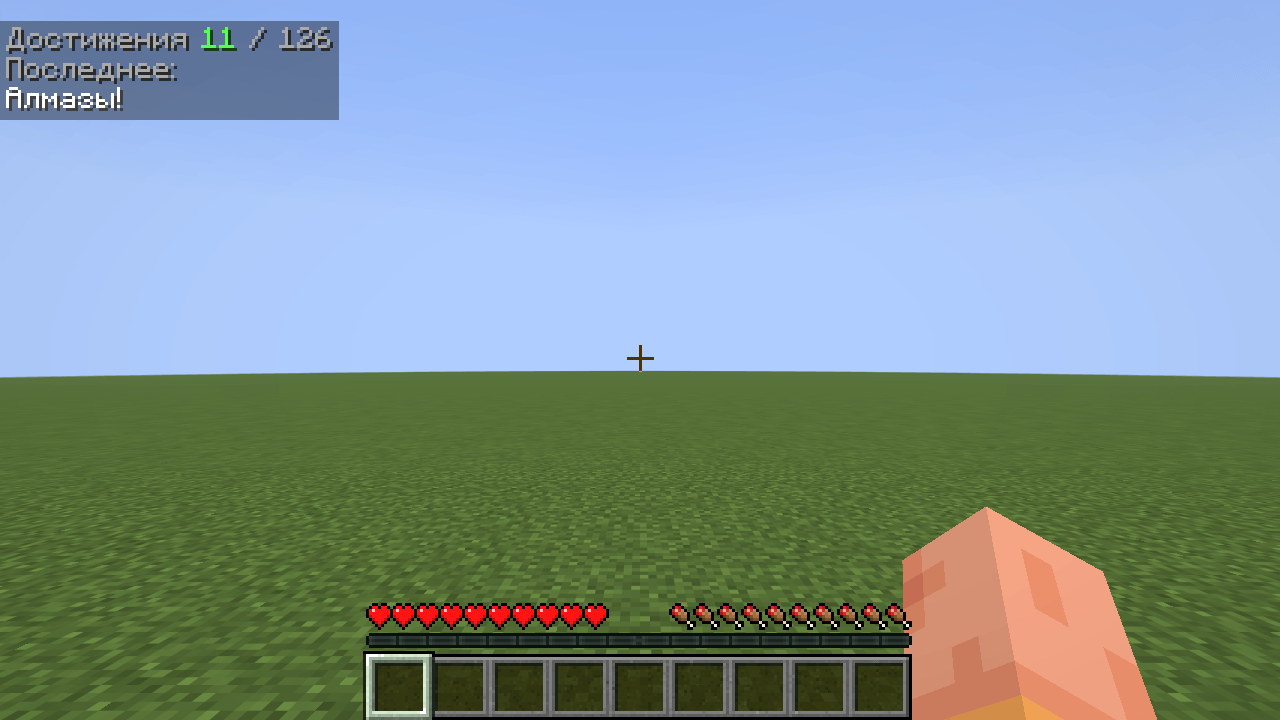 Advancement names follow your language
 -
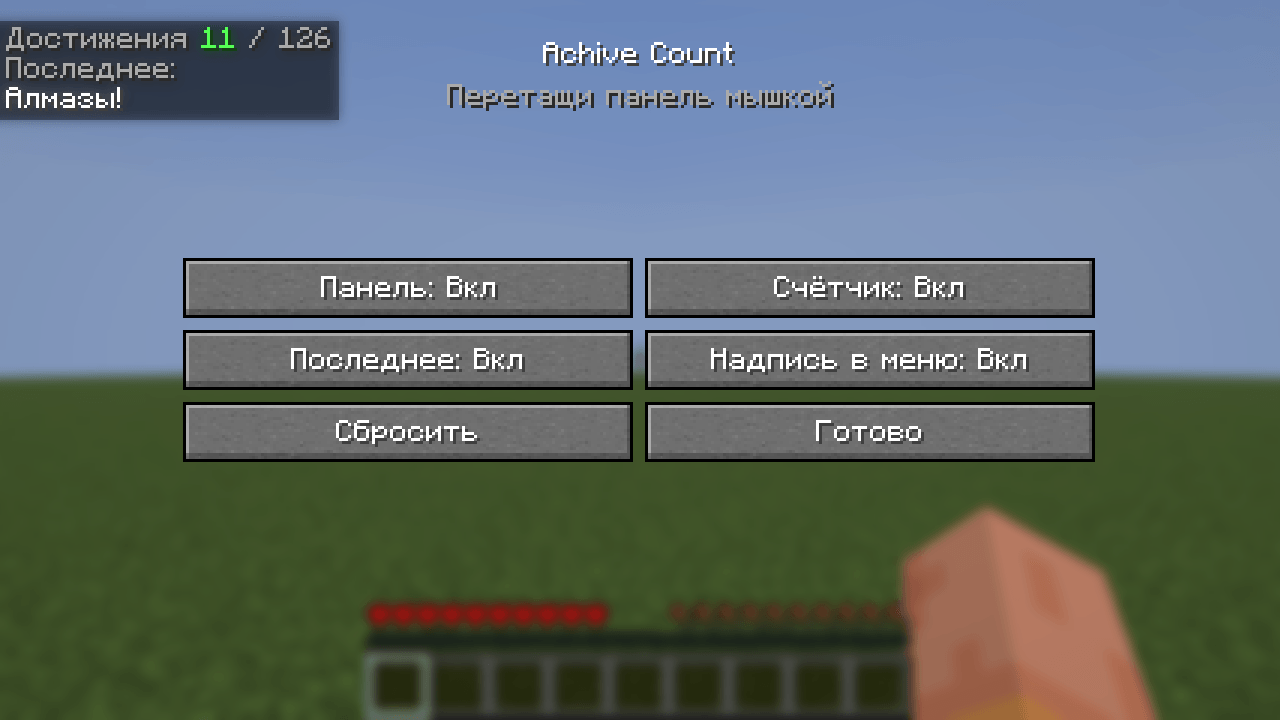 Russian translation
 -
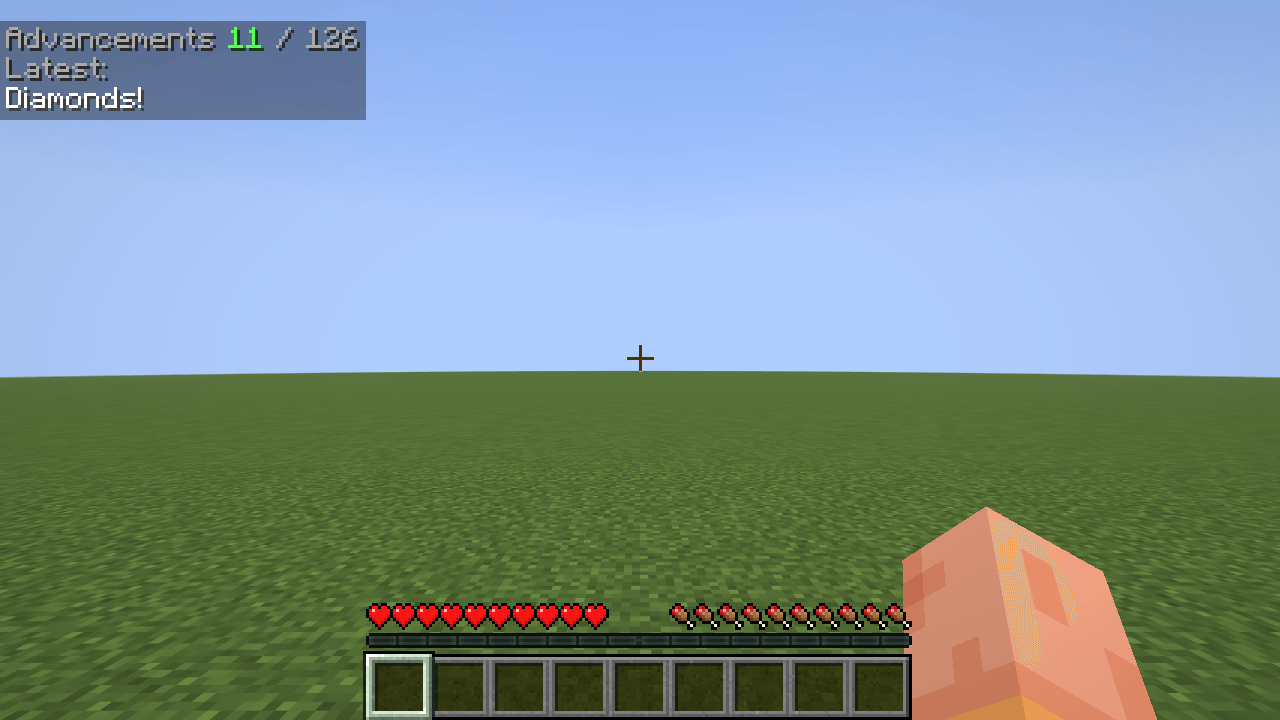 Drag it anywhere — alignment follows
 -
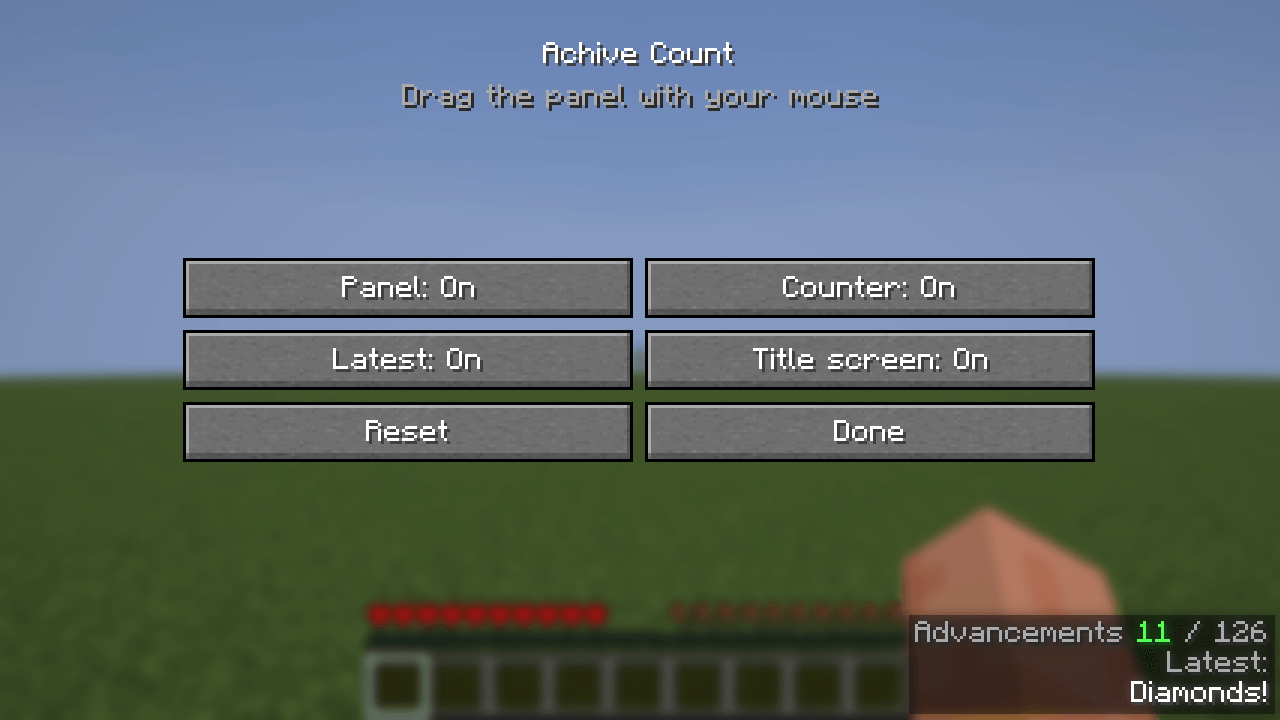 Settings — press F6
 -
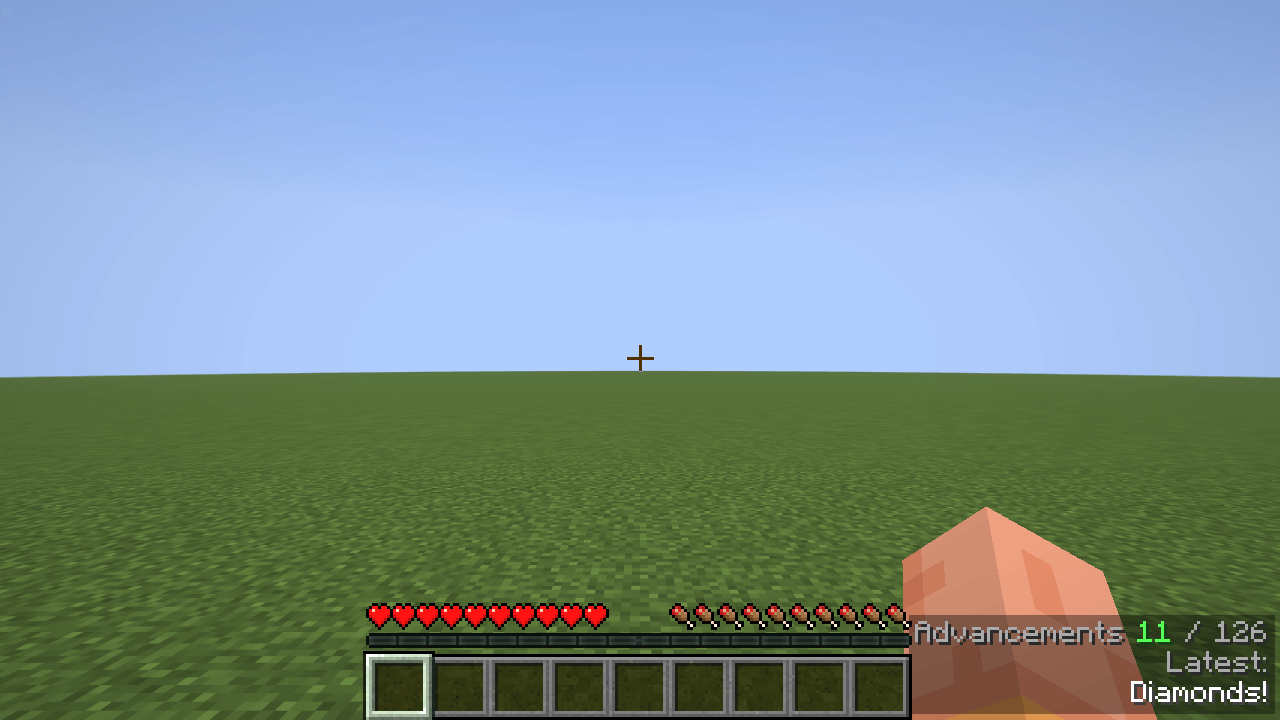 The panel in game
 -
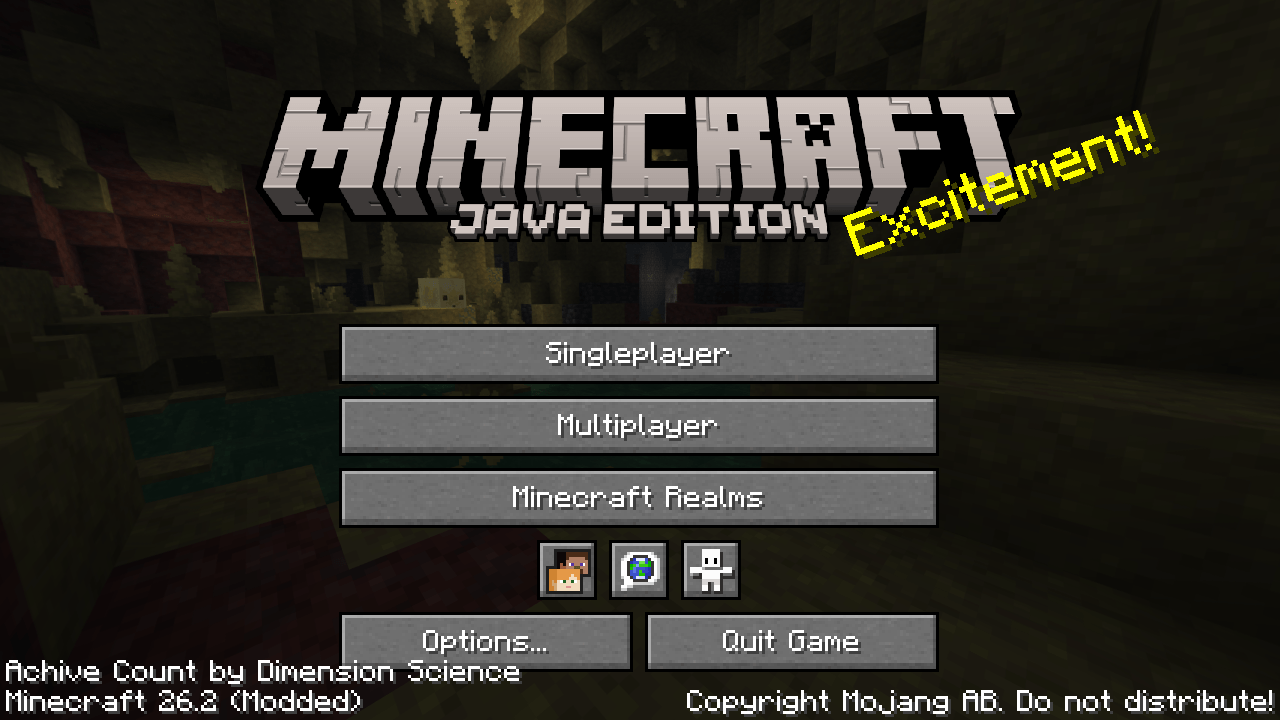 Title screen
Versions
Files
Relations
Project Relations
More like this
Similar Mods
Suggestions use data such as tags, dependencies, dependents, descriptions, titles, and more to rank how much they overlap with this mod.
On ModDex
Community snapshot
By the numbers
Statistics
Want to reach Minecraft players?
We're looking for a server hosting partner to feature here and other parts of the site. Interested? Send us a message!
Get in touchGet it on
Available Platforms
On ModDex
Community snapshot
By the numbers
Statistics
Resources