
Community listing page, reviews may not be monitored by the author.
Ad Astra: Lunar Transit

No reviews yet
Travel between the Overworld and Ad Astra's Moon by altitude, with an ascent meter, space effects and Aeronautics ship support.

Community voices
Reviews
No reviews yet. Be the first to review this project!
Get it on
Available Platforms
About
Project Details
For authors
Embed Badge
If you're the author of this project, you can embed a live badge anywhere that supports HTML or Markdown. It updates automatically whenever ratings change.
Use HTML for any page that supports it, or Markdown for README files and Markdown-based descriptions.
Identifiers
Platform IDs
Resources
External Links
About
Description
Ad Astra: Lunar Transit
Fly from the Overworld to Ad Astra's Moon without needing a rocket. Ascend by yourself or aboard a supported Create Aeronautics ship.
(The ship used in the picture is made with create aeronautics)
DEFAULT TRAVEL
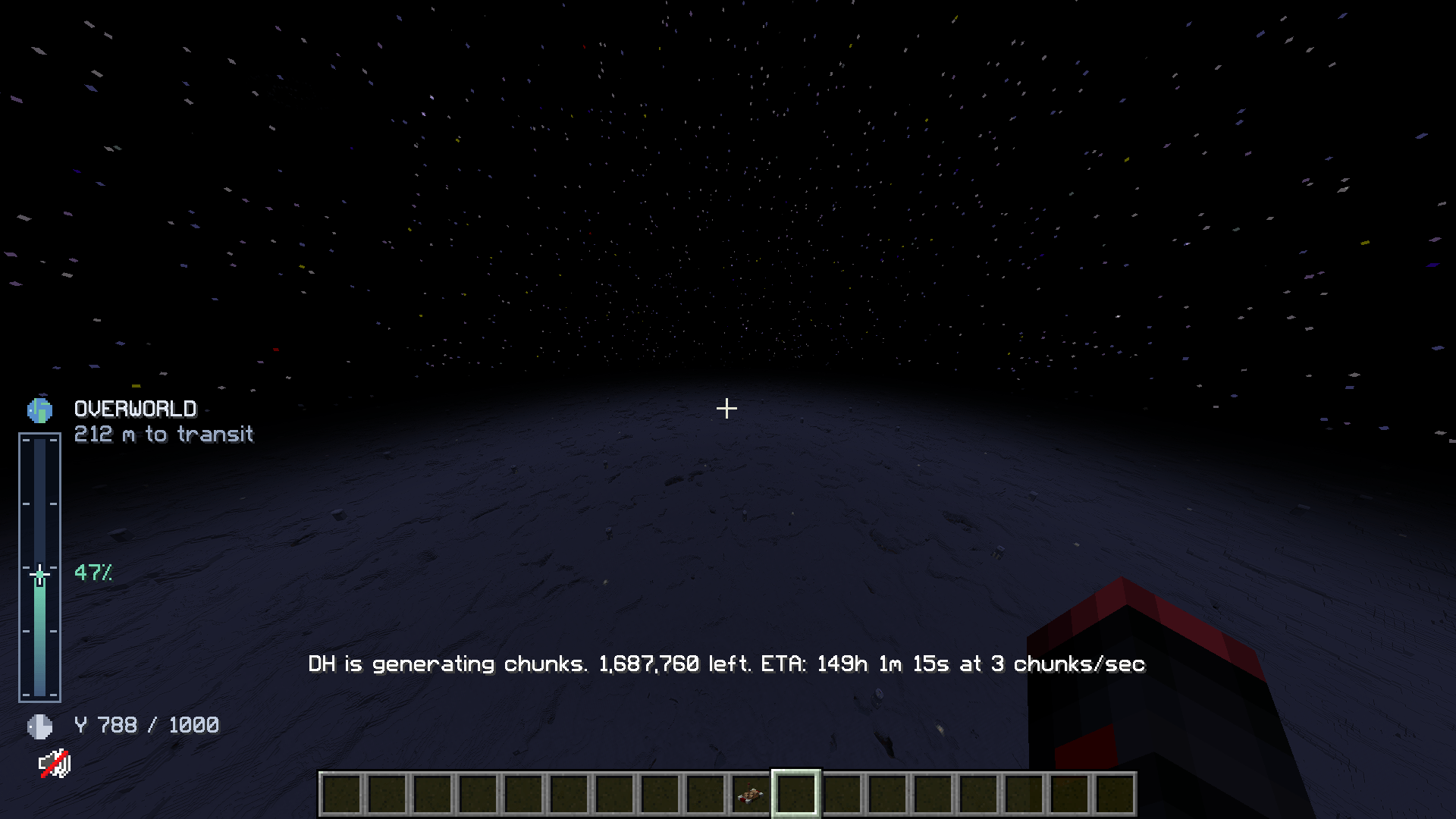
Overworld Y 1000 -> Moon Y 600
Moon Y 1000 -> Overworld Y 600
X and Z stay the same. All four heights can be configured.
ASCENT INSTRUMENTS
A slim vertical meter appears above Y 600. A navigation star moves between Earth and the Moon, showing altitude, percentage and distance to transit. It follows the server's settings and actual ship altitude, rather than reserved ship plot coordinates.
CONTROLLED ARRIVAL
The ascent speed limiter is off by default. If enabled in the server config, its default cap is 100 blocks per second from Y 850. The altitude and speed are configurable. Horizontal steering, spin, descent and slower vehicles remain unaffected. After a successful ship transfer, the ship stops and stays still for five seconds, then physics resumes from rest.
TRAVELERS AND SHIPS
Players, mobs, items and dimension-capable entities can travel. Ordinary vehicles retain their passengers. With Sable and AeroPortals, assembled Aeronautics ships carry their supported cargo and onboard travelers. Ships can also travel unattended. Other independent ship physics engines are not integrated by this release.
INSTALLATION
Minecraft 1.21.1, NeoForge 21.1.252 or a compatible later 21.1 build, and Java 21.
Requires Ad Astra 1.16.26 for NeoForge and its usual dependencies.
For ship travel, also install Sable, Create: AeroPortals, Create Aeronautics and Create with their required dependencies.
Put Lunar Transit on the server and clients for the full ascent presentation and client movement limiter. Clients without this addon can still join and use altitude travel; they do not receive the custom HUD or atmospheric effects.
CONFIGURATION
Edit the active lunar-transit-server.toml while the server is stopped, then restart. It is normally in config, or under the world's serverconfig folder when that server uses per-world configs.
For an existing server, set enabled = false under the EXISTING [ascent_speed] section to disable its saved limiter, then restart. Other enabled settings control travel and the HUD. The rename preserves the internal mod ID and config filenames.
Client files in config:
lunar-transit-client.toml: enable or reposition the meter.
lunar-transit-atmosphere-client.toml: toggle the sky, green messages and ambient sound, or change its volume.
The normal Minecraft renderer is the target for the space sky. Shader packs may override it; the sky effect can be disabled separately. Ad Astra's atmosphere, oxygen and other hazards still apply. The addon does not raise the build limit or add a prebuilt ship.
CREDITS
Independent original addon by Amta, licensed under MIT.
Ad Astra, Sable, Create: AeroPortals, Create Aeronautics and Create remain separate projects with their own licenses. This addon is not an official release from those teams and does not bundle their implementation, textures or audio.
Related projects:
https://www.curseforge.com/minecraft/mc-mods/ad-astra
https://www.curseforge.com/minecraft/mc-mods/sable
https://www.curseforge.com/minecraft/mc-mods/create-aeroportals
https://www.curseforge.com/minecraft/mc-mods/create-aeronautics
https://www.curseforge.com/minecraft/mc-mods/create
Screenshots
Gallery
-
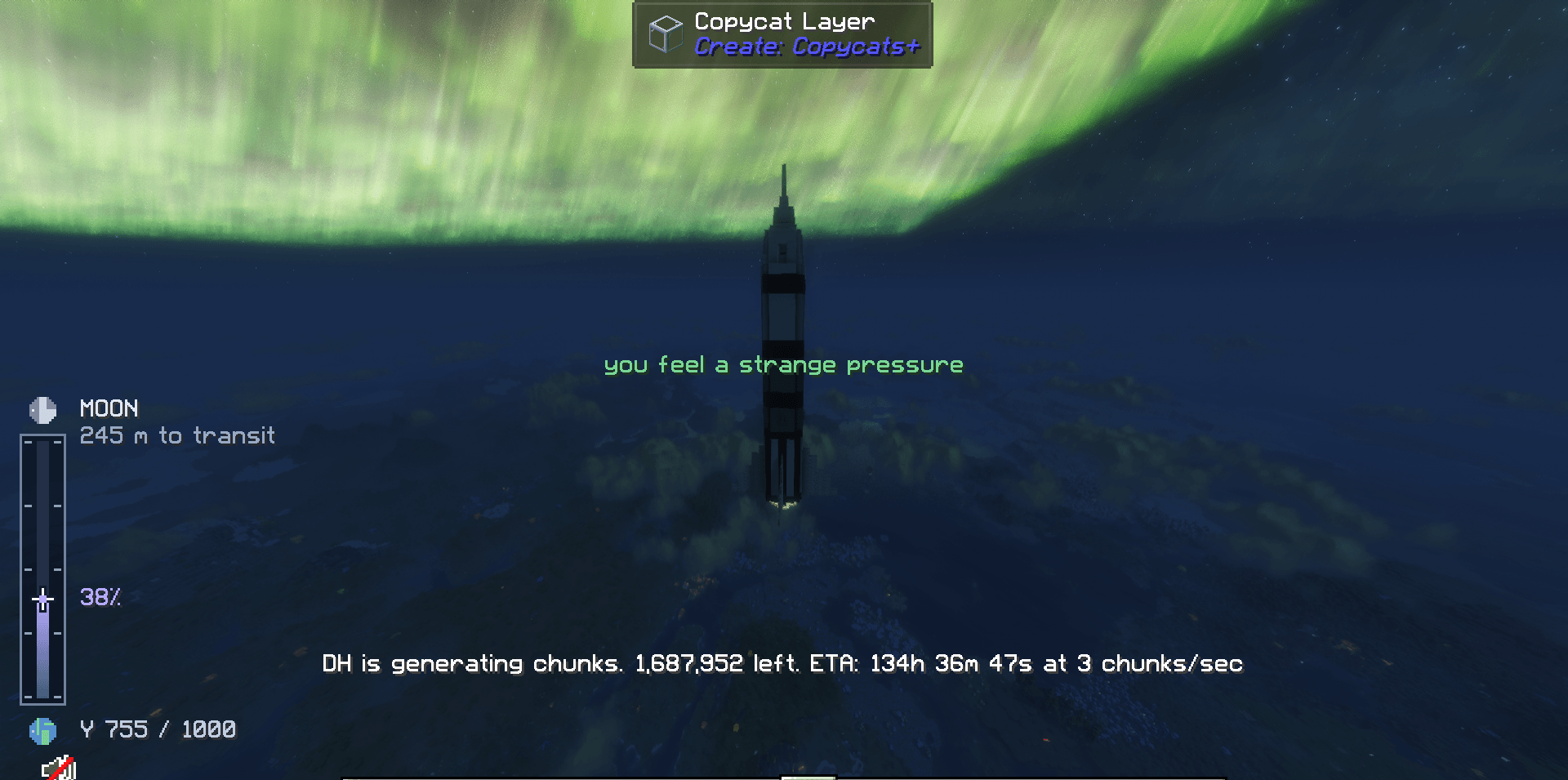 image_2026-10-23_093054117.png image_2026-10-23_093054117.png
 -
 2026-10-23_09.32.31.png 2026-10-23_09.32.31.png
Versions
Files
Relations
Project Relations
More like this
Similar Mods
Suggestions use data such as tags, dependencies, dependents, descriptions, titles, and more to rank how much they overlap with this mod.
On ModDex
Community snapshot
By the numbers
Statistics

Get it on
Available Platforms
On ModDex
Community snapshot
By the numbers
Statistics
Resources