
Community listing page, reviews here may not be monitored by the author.
Admin Anti-Cheat

No reviews yet
This alerts ops when players show suspicious ore mining behavior.
Community voices
Reviews
No reviews yet. Be the first to review this project!
Get it on
Available Platforms
About
Project Details
For authors
Embed Badge
If you're the author of this project, you can embed a live badge anywhere that supports HTML or Markdown. It updates automatically whenever ratings change.
Use HTML for any page that supports it, or Markdown for README files and Markdown-based descriptions.
Identifiers
Platform IDs
Resources
External Links
About
Description
AdminAnticheat is a lightweight Forge mod designed to help server operators keep Minecraft fair.
It tracks when players mine valuable ores (diamonds, emeralds, ancient debris) and maintains streak counters to detect suspicious behavior.
When a player’s streak crosses a configurable threshold, ops receive alerts in chat and warnings are logged to the server console.
The mod also provides admin commands to reset streaks, view stats, toggle alerts, or clear all tracked data.
With the client overlay, ops can see live ore stats for each player directly in‑game, and from the main GUI screen you can now set the size and location of the overlay, also with live stats and the option to ban kick or log players.
This mod makes it much easier to spot cheaters before they ruin the fun.
Features
- Tracks diamond, emerald, and ancient debris mining
- Change the settings in server config
- Configurable streak reset times
- Alerts ops in chat and logs to console
- Client overlay for ops
- Overlay Keybind set to (O)
- New: GUI live data screen set to (N)
- New: Admin GUI with modular action screens (Ban/Kick/Log)
- New: Button to choose the overlay size and position
- New: Button to choose whether to (Ban/Kick/Log)
- New:Set your own keyBind
- New: Client to server handshake HelloS2C
- New: File logging of reports to
adminanticheat-reports.log
Commands
- /anticheat reset – Reset a player’s streak
- /anticheat stats – View ore mining stats
- /anticheat togglealerts – Enable or disable alerts
- /anticheat resetall – Clear all tracked data
- New: Enable or disable sound alerts
For server owners ONLY
Server:
Place adminanticheat-server and adminanticheat-shared in the server’s /mods folder.
All Players:
Place adminanticheat-shared in the client’s /mods folder. This is required for everyone to connect.
Ops:
Place adminanticheat-client alongside adminanticheat-shared in the client’s /mods folder to enable the overlay.
shared.jarServer needs server.jar + shared.jarOps need client.jar + shared.jarGo into versions to get the server.jar and client.jarVersions
First release (still supported):
adminanticheat-server.jar-1.0.1adminanticheat-shared.jar-1.0.1adminanticheat-client.jar-1.0.2
Latest update (with new features):
adminanticheat-server.jar-2.0.0adminanticheat-client.jar-2.0.0adminanticheat-shared.jar-2.0.0
Screenshots
Gallery
-
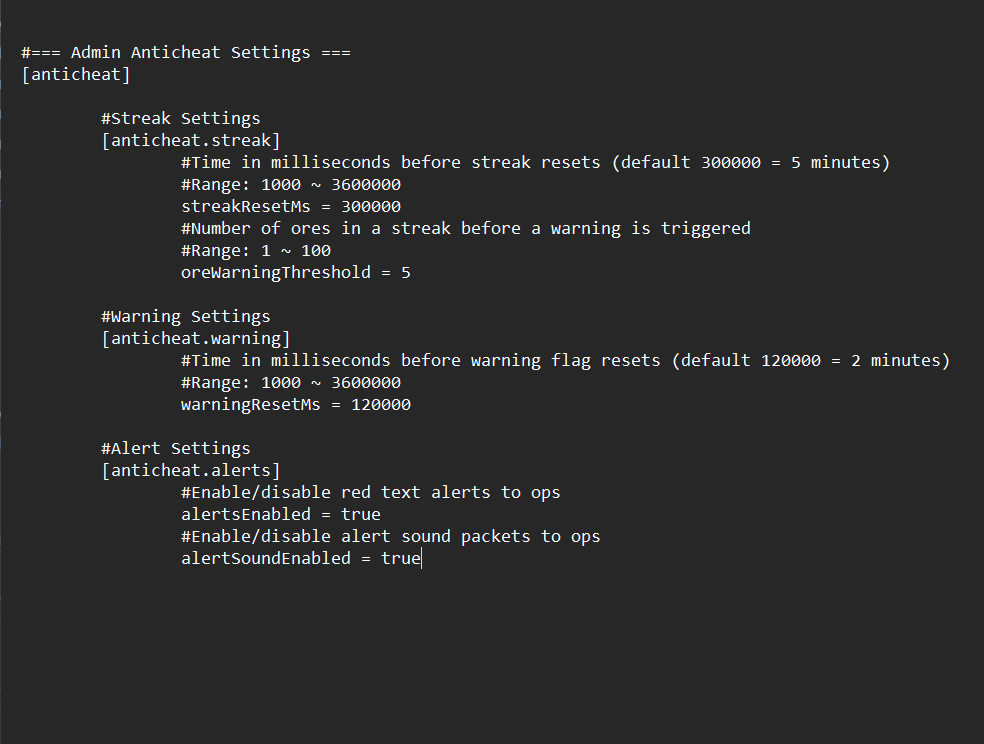 config.png config.png
 -
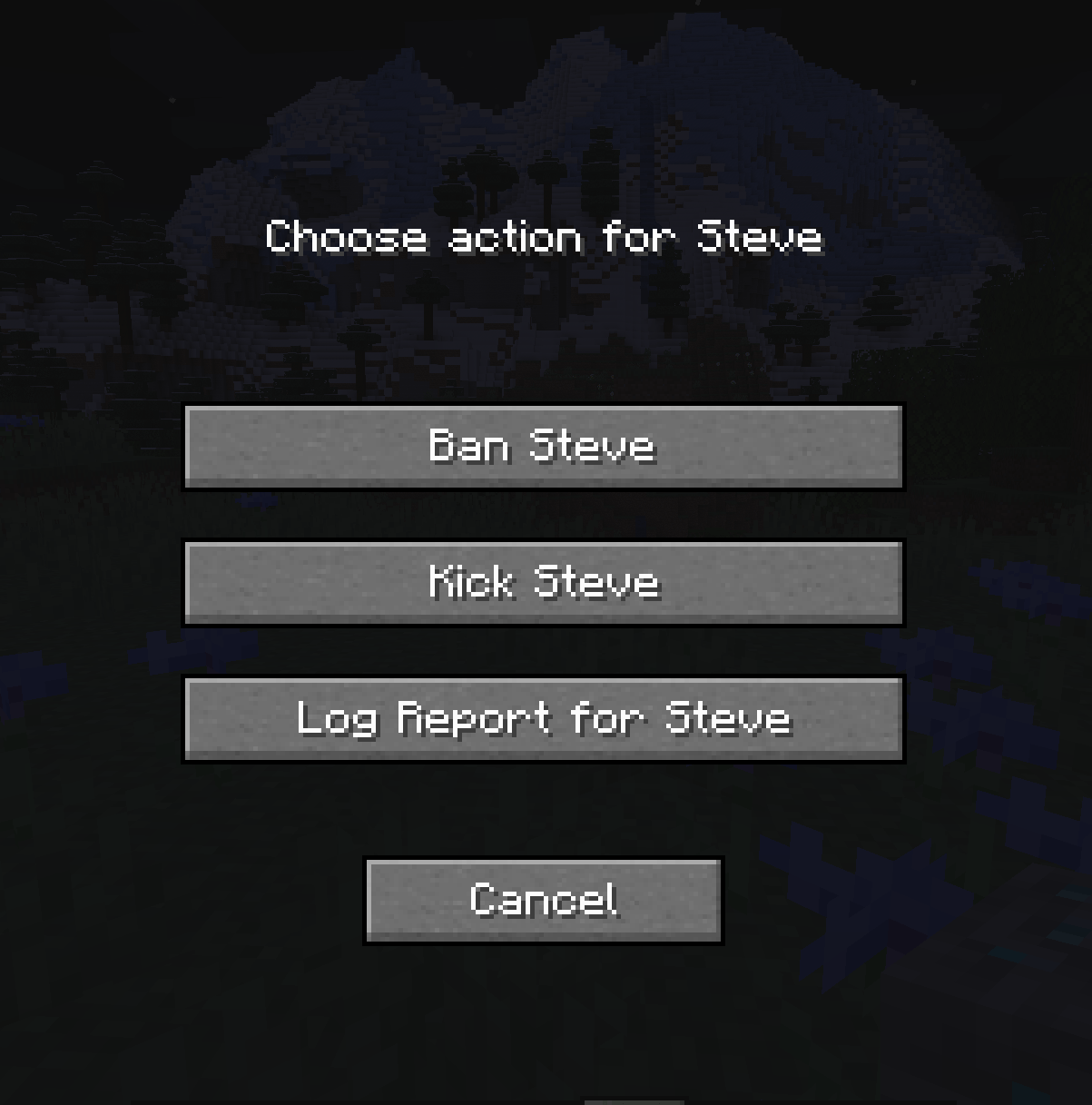 report.png report.png
 -
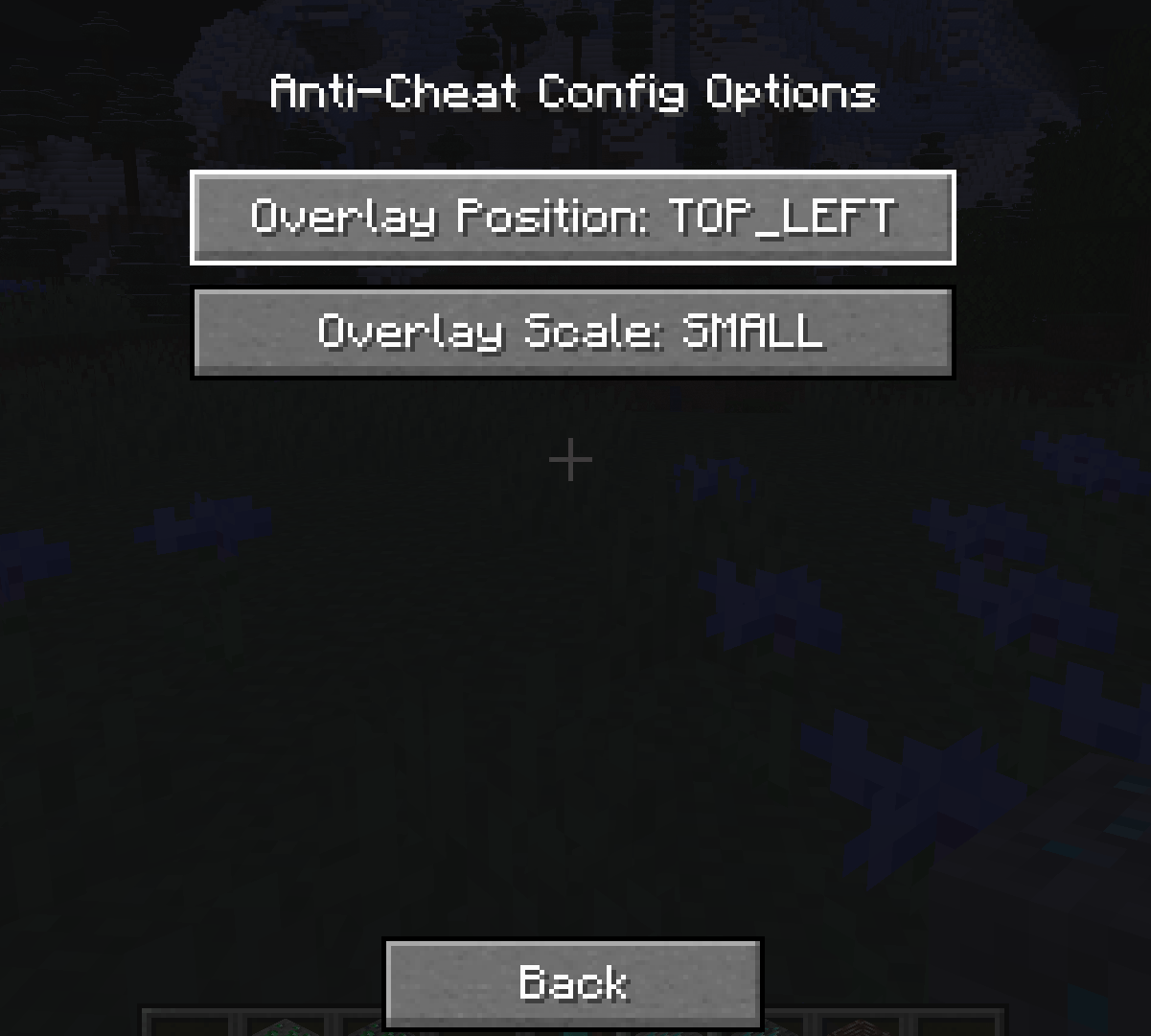 screen_size.png screen_size.png
 -
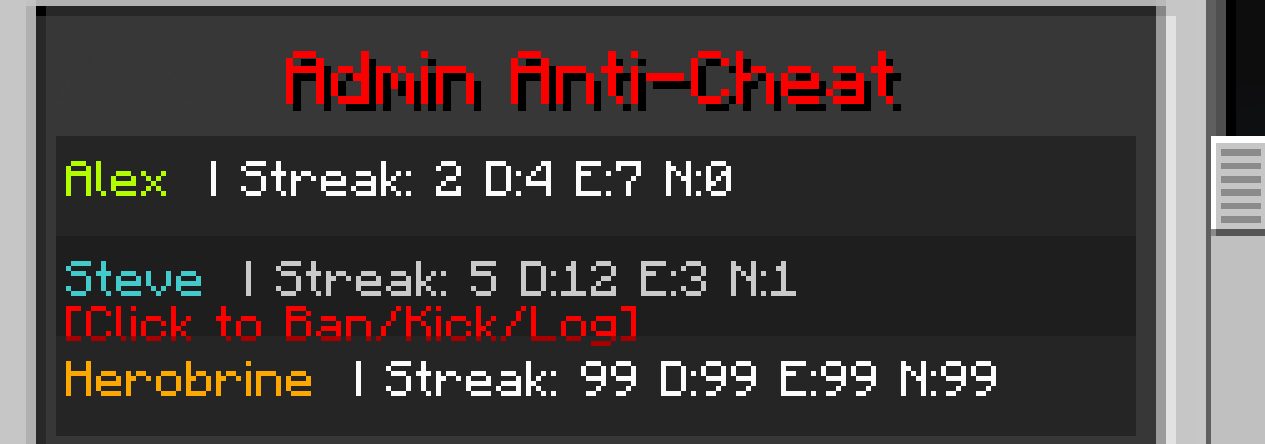 hover_report.png hover_report.png
 -
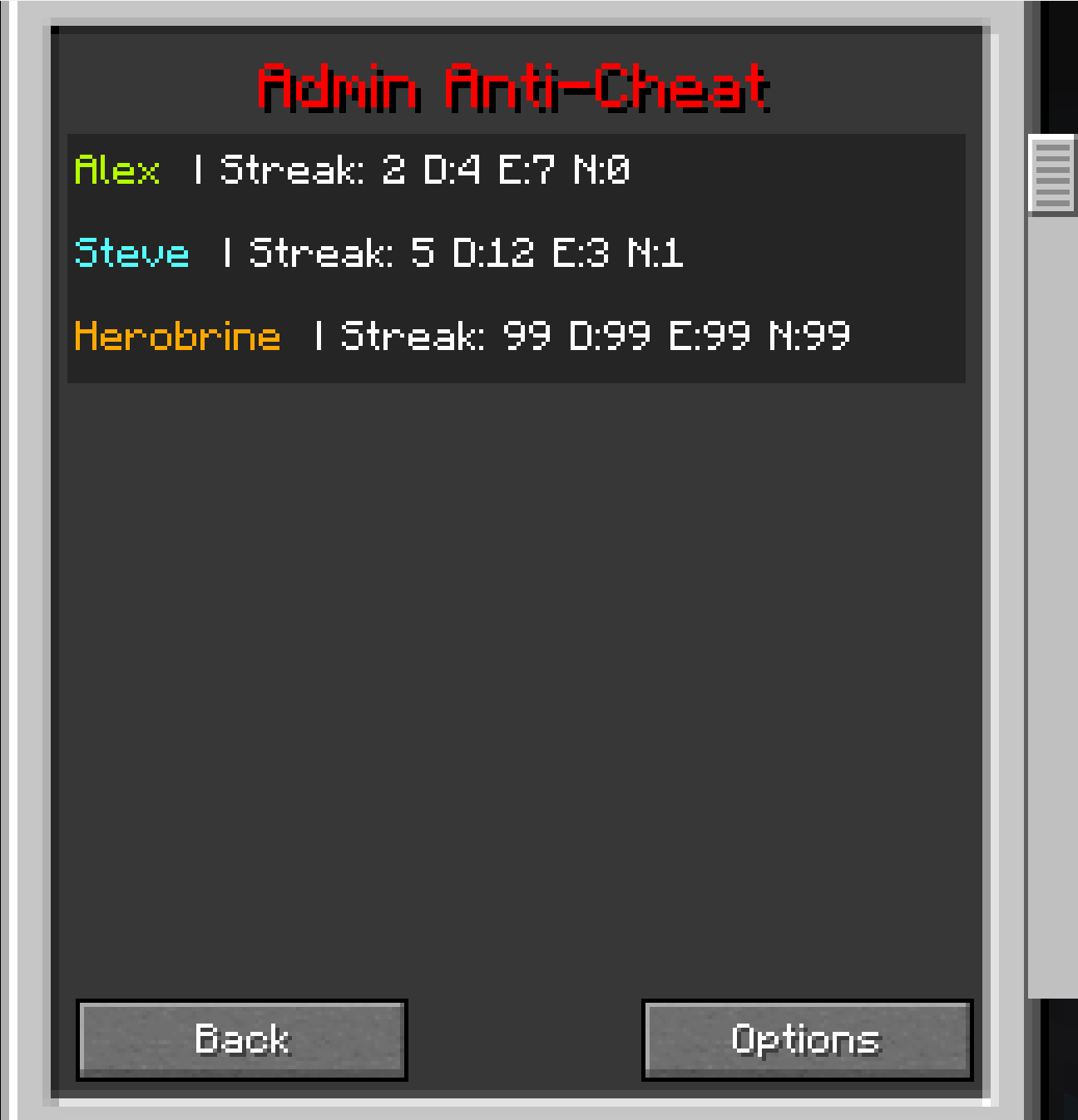 GUI.png GUI.png
 -
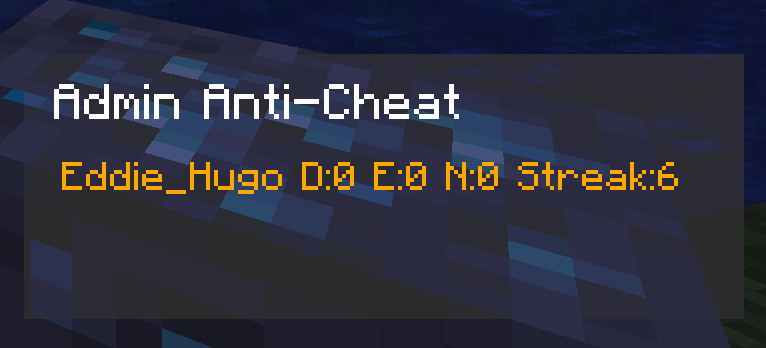 overlay.png overlay.png
Versions
Files
Relations
Project Relations
More like this
Similar Mods
Suggestions use data such as tags, dependencies, dependents, descriptions, titles, and more to rank how much they overlap with this mod.
On ModDex
Community snapshot
By the numbers
Statistics
Want to reach Minecraft players?
We're looking for a server hosting partner to feature here and other parts of the site. Interested? Send us a message!
Get in touchGet it on
Available Platforms
On ModDex
Community snapshot
By the numbers
Statistics
Resources