Community listing page, reviews may not be monitored by the author.



Community voices
Reviews
No reviews yet. Be the first to review this project!
Get it on
Available Platforms
Compatibility
Supported Environments
Runs entirely on the server. Also works in singleplayer.
Must be installed on both the client and the server.
Varies by version.
About
Project Details
For authors
Embed Badge
If you're the author of this project, you can embed a live badge anywhere that supports HTML or Markdown. It updates automatically whenever ratings change.
Use HTML for any page that supports it, or Markdown for README files and Markdown-based descriptions.
Identifiers
Platform IDs
Resources
External Links
About
Description
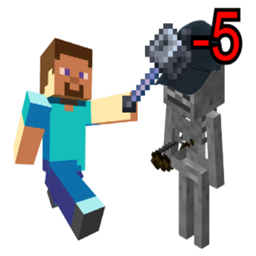
This mod preserves game balance by preventing mobs from taking excessive damage through the use of various different types of damage caps. No matter how strong the player becomes, the game's balance will be preserved.
As a developer, YOUR FEEDBACK HELPS ME A LOT! Please feel free to leave a comment or report any issues. If you have questions, need help, or want clarification about my mod, you are welcome to join my Discord and i'll give you a detailed explanation as soon as i'm able to:

Here are the different types of damage caps this mod offers:
Flat Capped Mobs: Mobs listed here won't take more damage than the value defined in Flat Damage Limit per hit.
Percent Capped Mobs: Mobs listed here won't take more damage than the % of their total health defined in Max Health Percentage.
Min Hit Mobs: Mobs listed here will need to be hit the number of times defined in Min Hits Required before they can die. While the cap is active, each hit won't deal more than 50% of the mob's current health (see Global Min Hits Mode to change this behavior).
Total Hit Mobs Flat: Mobs listed here won't take more damage than the value defined in Total Hits Flat Damage Limit the number of times defined in Total Hits Flat Required.
Total Hit Mobs Percentage: Mobs listed here won't take more damage than the % of their health defined in Total Hits Percentage Limit the number of times defined in Total Hits Percentage Required.
Cap Indicator: Whenever any of the damage caps above is hit, a cap indicator texture will show up next to the entity's head (it appears to the right by default, and its position can be moved with the UI settings).
Adaptation: This damage cap causes mobs to adapt to specific damage types and items with each hit. You can configure the adaptation speed per hit, the maximum damage reduction (from 1% to 100%), and the duration of the adaptation. This encourages weapon variety by preventing players from relying on a single strategy. Players are notified of the adaptation via specific visual particles and sound cues.
1. Adaptation buildup: smoke particles will come towards the entity and a metallic sound will play, whose pitch gets higher as the adaptation reaches its maximum.
2. Adaptation max: large smoke particles will come from the entity and a heavier metallic sound will play.
3. Adaptation reset: campfire particles will come from the entity and an extinguishing sound will play.
Adaptation cap indicators: Question mark shield: shows up when an entity has an adaptation active, but the player is not holding the item the entity is adapted to. Exclamation mark shield: shows up when the player is holding an item that the entity is adapting to. The higher the adaptation, the more red-ish the texture gets. If the player hits the entity when it has reached its 100% in adaptation, it'll play a shake animation.
Utility Settings:
Global Player Attacks Only: If enabled (default), damage caps will ONLY apply when the attacker is a player. Non-player attacks (like skeletons or wolves) will bypass all caps unless a specific rule overrides this with playeronly=false in the advanced settings.
Minimum Damage To Count: The minimum damage that has to be dealt for the minimum and total hits features to start their countdown (to avoid these features from being cheesed by simply throwing snowballs "x" number of times).
Threshold Mobs: Mobs listed here will activate their damage caps once they've fallen below the threshold of their hp defined in Health Threshold Percentage.
Bypass Items: Items listed here completely ignore all damage caps.
Bypass Damage Types: Damage Types listed here completely ignore all damage caps.
Visual UI Settings: You can enable or disable all the shield indicators with Enable Visual UI, and you can also change the scale of the shields and their horizontal/vertical offset above the mob's head.
Advanced Settings: Custom Mob Settings:
Mobs listed here can have their own specific settings.
Format (combination order does not matter, you don't need to write and specify everything, just what you need):
minecraft:zombie;flat=10;percent=0.1;bonusflat=5;bonuspercent=0.05;totalflat=10;totalpercent=0.1;hits=5;minhits=3;mode=FATAL;adapt=0.8;speed=0.1-0.2;reset=100;threshold=0.5;trigger=20;playeronly=false;bypass=ONLY,minecraft:magic;question_mark=true;exclamation_mark=true
More detailed explanation on the Advanced Settings Configuration format can be found here: https://1drv.ms/x/c/c18f3e43fb93c209/IQAZa7tRnIjmSZ4UNknlaIEWAW753eDoMKtbEi9RMhSDdLc?e=fnhRtu
Examples:
The zombie won't take more than 5 damage per hit:
minecraft:zombie;flat=5
The zombie won't take more damage than 10% of its total hp:
minecraft:zombie;percent=0.1
The zombie won't take more than 5 damage 5 times:
minecraft:zombie;totalflat=5;hits=5
The zombie won't take more damage than 10% of its total hp 5 times:
minecraft:zombie;totalpercent=0.1;hits=5
The zombie will need to be hit 5 times before it can die. While the cap is active it won't take more damage than 50% of its current hp:
minecraft:zombie;minhits=5
Same as the previous one, but it only gets active when the zombie has received a fatal blow:
minecraft:zombie;minhits=5;mode=FATAL
With each hit it receives, the zombie will build up a 5% damage resistance against whatever item or damage type that's hurting it, up to a maximum of 50% for 10 seconds:
minecraft:zombie;adapt=0.50;speed=0.05;reset=200
With each hit it receives, the zombie will build up a random % of damage resistance between 5 and 10, against whatever item or damage type that's hurting it, up to a maximum of 100% permanently:
minecraft:zombie;adapt=1;speed=0.05-0.1;reset=0
After the zombie has fallen below 50% of its hp, it won't receive more than 5 damage per hit:
minecraft:zombie;flat=5;threshold=0.50
The zombie won't take more than 5 damage per hit, but only from hits that would deal 20 or more damage (weaker hits are dealt normally):
minecraft:zombie;flat=5;trigger=20
The zombie won't take more than 5 points of bonus damage on top of the weapon's normal damage (useful for reining in extra damage added by other mods or effects):
minecraft:zombie;bonusflat=5
The zombie's flat cap of 5 will apply even when it's hit by non-players (like other mobs), can override the Global Player Attacks Only true or false setting:
minecraft:zombie;flat=5;playeronly=false
Only the diamond sword can deal more than 5 damage per hit to the zombie:
minecraft:zombie;flat=5;bypass=minecraft:diamond_sword
Only the diamond and netherite sword can deal more than 5 damage per hit to the zombie:
minecraft:zombie;flat=5;bypass=minecraft:diamond_sword,minecraft:netherite_sword
Only the magic damage type can deal more than 5 damage per hit to the zombie:
minecraft:zombie;flat=5;bypass=minecraft:magic
Everything except the diamond sword can deal more than 5 damage per hit to the zombie:
minecraft:zombie;flat=5;bypass=ONLY,minecraft:diamond_sword
Tag Mob Settings:
Mobs that have a specific registry or nbt tags can have their own specific settings. Useful for custom mob spawns.
Mobs with the my_custom_tag NBT tag won't receive more than 5 damage per hit:
my_custom_tag;flat=5
Mobs with the #forge:bosses registry tag won't receive more than 5 damage per hit:
#forge:bosses;flat=5
Item Mob Settings:
Items listed here can have specific damage caps against specific mobs or specific mob registry and NBT tags. The left side can also be a damage type or an item registry/nbt tag, not just an item.
The diamond sword won't deal more than 5 damage per hit to the zombie:
minecraft:diamond_sword|minecraft:zombie;flat=5
The diamond sword won't deal more than 5 damage per hit to mobs with the my_custom_tag NBT tag:
minecraft:diamond_sword|my_custom_tag;flat=5
Any item with the #minecraft:swords tag won't deal more than 5 damage per hit to the zombie:
#minecraft:swords|minecraft:zombie;flat=5
The magic damage type won't deal more than 5 damage per hit to the zombie:
minecraft:magic|minecraft:zombie;flat=5
Attacker Mob Settings:
Attacker entities listed here can have their own specific settings against specific mobs or specific mob registry and NBT tags. Useful for controlling how much damage one mob can deal to another.
The skeleton won't deal more than 5 damage per hit to the zombie:
minecraft:skeleton|minecraft:zombie;flat=5
The zombie will build up adaptation against any damage coming from the iron golem:
minecraft:iron_golem|minecraft:zombie;adapt=0.8;speed=0.05;reset=200
This mod preserves game balance by preventing mobs from taking excessive damage through the use of various different types of damage caps. No matter how strong the player becomes, the game's balance will be preserved.
As a developer, YOUR FEEDBACK HELPS ME A LOT! If you have questions, need help, or want clarification about my mod, you are welcome to join my Discord and i'll give you a detailed explanation as soon as i'm able to:

Here are the different types of damage caps this mod offers:
Flat Capped Mobs: Mobs listed here won't take more damage than the value defined in Flat Damage Limit per hit.
Percent Capped Mobs: Mobs listed here won't take more damage than the % of their total health defined in Max Health Percentage.
Min Hit Mobs: Mobs listed here will need to be hit the number of times defined in Min Hits Required before they can die. While the cap is active, each hit won't deal more than 50% of the mob's current health (see Global Min Hits Mode to change this behavior).
Total Hit Mobs Flat: Mobs listed here won't take more damage than the value defined in Total Hits Flat Damage Limit the number of times defined in Total Hits Flat Required.
Total Hit Mobs Percentage: Mobs listed here won't take more damage than the % of their health defined in Total Hits Percentage Limit the number of times defined in Total Hits Percentage Required.
Cap Indicator: Whenever any of the damage caps above is hit, a cap indicator texture will show up next to the entity's head (it appears to the right by default, and its position can be moved with the UI settings).
Adaptation: This damage cap causes mobs to adapt to specific damage types and items with each hit. You can configure the adaptation speed per hit, the maximum damage reduction (from 1% to 100%), and the duration of the adaptation. This encourages weapon variety by preventing players from relying on a single strategy. Players are notified of the adaptation via specific visual particles and sound cues.
1. Adaptation buildup: smoke particles will come towards the entity and a metallic sound will play, whose pitch gets higher as the adaptation reaches its maximum.
2. Adaptation max: large smoke particles will come from the entity and a heavier metallic sound will play.
3. Adaptation reset: campfire particles will come from the entity and an extinguishing sound will play.
Adaptation cap indicators: Question mark shield: shows up when an entity has an adaptation active, but the player is not holding the item the entity is adapted to. Exclamation mark shield: shows up when the player is holding an item that the entity is adapting to. The higher the adaptation, the more red-ish the texture gets. If the player hits the entity when it has reached its 100% in adaptation, it'll play a shake animation.
Utility Settings:
Global Player Attacks Only: If enabled (default), damage caps will ONLY apply when the attacker is a player. Non-player attacks (like skeletons or wolves) will bypass all caps unless a specific rule overrides this with playeronly=false in the advanced settings.
Minimum Damage To Count: The minimum damage that has to be dealt for the minimum and total hits features to start their countdown (to avoid these features from being cheesed by simply throwing snowballs "x" number of times).
Threshold Mobs: Mobs listed here will activate their damage caps once they've fallen below the threshold of their hp defined in Health Threshold Percentage.
Bypass Items: Items listed here completely ignore all damage caps.
Bypass Damage Types: Damage Types listed here completely ignore all damage caps.
Visual UI Settings: You can enable or disable all the shield indicators with Enable Visual UI, and you can also change the scale of the shields and their horizontal/vertical offset above the mob's head.
Advanced Settings:
Custom Mob Settings
Mobs listed here can have their own specific settings.
Format (combination order does not matter, you don't need to write and specify everything, just what you need):
minecraft:zombie;flat=10;percent=0.1;bonusflat=5;bonuspercent=0.05;totalflat=10;totalpercent=0.1;hits=5;minhits=3;mode=FATAL;adapt=0.8;speed=0.1-0.2;reset=100;threshold=0.5;trigger=20;playeronly=false;bypass=ONLY,minecraft:magic;question_mark=true;exclamation_mark=true
More detailed explanation on the Advanced Settings Configuration format can be found here.
Examples:
The zombie won't take more than 5 damage per hit:
minecraft:zombie;flat=5
The zombie won't take more damage than 10% of its total hp:
minecraft:zombie;percent=0.1
The zombie won't take more than 5 damage 5 times:
minecraft:zombie;totalflat=5;hits=5
The zombie won't take more damage than 10% of its total hp 5 times:
minecraft:zombie;totalpercent=0.1;hits=5
The zombie will need to be hit 5 times before it can die. While the cap is active it won't take more damage than 50% of its current hp:
minecraft:zombie;minhits=5
Same as the previous one, but it only gets active when the zombie has received a fatal blow:
minecraft:zombie;minhits=5;mode=FATAL
With each hit it receives, the zombie will build up a 5% damage resistance against whatever item or damage type that's hurting it, up to a maximum of 50% for 10 seconds:
minecraft:zombie;adapt=0.50;speed=0.05;reset=200
With each hit it receives, the zombie will build up a random % of damage resistance between 5 and 10, against whatever item or damage type that's hurting it, up to a maximum of 100% permanently:
minecraft:zombie;adapt=1;speed=0.05-0.1;reset=0
After the zombie has fallen below 50% of its hp, it won't receive more than 5 damage per hit:
minecraft:zombie;flat=5;threshold=0.50
The zombie won't take more than 5 damage per hit, but only from hits that would deal 20 or more damage (weaker hits are dealt normally):
minecraft:zombie;flat=5;trigger=20
The zombie won't take more than 5 points of bonus damage on top of the weapon's normal damage (useful for reining in extra damage added by other mods or effects):
minecraft:zombie;bonusflat=5
The zombie's flat cap of 5 will apply even when it's hit by non-players (like other mobs), can override the Global Player Attacks Only true or false setting:
minecraft:zombie;flat=5;playeronly=false
Only the diamond sword can deal more than 5 damage per hit to the zombie:
minecraft:zombie;flat=5;bypass=minecraft:diamond_sword
Only the diamond and netherite sword can deal more than 5 damage per hit to the zombie:
minecraft:zombie;flat=5;bypass=minecraft:diamond_sword,minecraft:netherite_sword
Only the magic damage type can deal more than 5 damage per hit to the zombie:
minecraft:zombie;flat=5;bypass=minecraft:magic
Everything except the diamond sword can deal more than 5 damage per hit to the zombie:
minecraft:zombie;flat=5;bypass=ONLY,minecraft:diamond_sword
Tag Mob Settings
Mobs that have a specific registry or nbt tags can have their own specific settings. Useful for custom mob spawns.
Mobs with the my_custom_tag NBT tag won't receive more than 5 damage per hit:
my_custom_tag;flat=5
Mobs with the #forge:bosses registry tag won't receive more than 5 damage per hit:
#forge:bosses;flat=5
Item Mob Settings
Items listed here can have specific damage caps against specific mobs or specific mob registry and NBT tags. The left side can also be a damage type or an item registry/nbt tag, not just an item.
The diamond sword won't deal more than 5 damage per hit to the zombie:
minecraft:diamond_sword|minecraft:zombie;flat=5
The diamond sword won't deal more than 5 damage per hit to mobs with the my_custom_tag NBT tag:
minecraft:diamond_sword|my_custom_tag;flat=5
Any item with the #minecraft:swords tag won't deal more than 5 damage per hit to the zombie:
#minecraft:swords|minecraft:zombie;flat=5
The magic damage type won't deal more than 5 damage per hit to the zombie:
minecraft:magic|minecraft:zombie;flat=5
Attacker Mob Settings
Attacker entities listed here can have their own specific settings against specific mobs or specific mob registry and NBT tags. Useful for controlling how much damage one mob can deal to another.
The skeleton won't deal more than 5 damage per hit to the zombie:
minecraft:skeleton|minecraft:zombie;flat=5
The zombie will build up adaptation against any damage coming from the iron golem:
minecraft:iron_golem|minecraft:zombie;adapt=0.8;speed=0.05;reset=200
Screenshots
Gallery
Versions
Files
Relations
Project Relations
More like this
Similar Mods
Suggestions use data such as tags, dependencies, dependents, descriptions, titles, and more to rank how much they overlap with this mod.
On ModDex
Community snapshot
By the numbers
Statistics
 (opens in a new tab)
Get it on
Available Platforms
On ModDex
Community snapshot
By the numbers
Statistics
Resources