
Community listing page, reviews here may not be monitored by the author.
Advanced HUD


No reviews yet
Highly customizable HUD that provides dynamic info on whatever you're looking at.
Community voices
Reviews
No reviews yet. Be the first to review this project!
Get it on
Available Platforms
Compatibility
Supported Environments
Runs entirely on the client. Works on vanilla servers.
About
Project Details
For authors
Embed Badge
If you're the author of this project, you can embed a live badge anywhere that supports HTML or Markdown. It updates automatically whenever ratings change.
Use HTML for any page that supports it, or Markdown for README files and Markdown-based descriptions.
Identifiers
Platform IDs
About
Description
Advanced HUD
Advanced HUD is a client-side Minecraft utility designed to provide real-time, dynamic information about targeted blocks and entities. It features a lightweight and highly customizable interface that matches Minecraft's vanilla aesthetic perfectly.
Features
Block Information
- Effective Tool: Instantly see which tool you need (Pickaxe, Axe, etc.) to mine the block.
- Harvest Level: Displays the required tool tier (Stone, Iron, Diamond, etc.).
- Breaking Progress: A smooth, visual progress bar appears at the bottom of the HUD as you break a block.
- Crop Growth: Displays the exact growth percentage for all major crops.
- Waterlogged Status: Indicates if a block is waterlogged with a 💧 indicator.
- Beehive Occupancy: Shows exactly how many bees are currently inside a beehive or bee nest.
- Improved Container Details: Displays item count and capacity for synced containers (Furnaces, Brewing Stands, etc.) with custom name support for renamed chests.
Entity Statistics
- Combat Stats: Shows the entity's health using a heart-themed bar and displays their armor value.
- Armor Toughness: Displays armor toughness (🛡+) for high-defense entities.
- Horse Breeding Stats: Displays precise movement speed (in m/s) and jump height.
- Villager Profession: Identifies the profession and level of any villager you look at.
- Ownership: Displays the owner's name for tamed entities (Wolves, Cats, etc.).
- Visual Model: Renders a small 3-D model of the targeted entity inside the HUD.
Visuals & UI
- Glassmorphism Design: High-end, transparent background with blurred borders and sleek micro-animations.
- Adjustable Transparency: Fully customizable background opacity to suit your preference.
- Dynamic Layout: The interface automatically adjusts height and width to fit the content perfectly.
- Performance: Optimized to ensure zero impact on your framerate.
Compatibility
- Vanilla Servers: 100% compatible. Connect to any server without issues.
- Strictly Client-Side: Does NOT need to be installed on the server.
- Modpacks: Works seamlessly alongside ModMenu and Cloth Config.
Installation
- Ensure a compatible mod loader is installed for your current Minecraft version.
- Download the version of Advanced HUD that corresponds to your loader and game version.
- Place the downloaded file into the
modsfolder of your Minecraft installation. - Launch the game and enjoy the enhanced HUD!
Configuration
Customization options are managed via the in-game ModMenu screen or the advanced-hud.json configuration file.
| Option | Default | Description |
|---|---|---|
enabled |
true |
Master toggle for the entire HUD. |
xOffset |
0 |
Horizontal offset from the center. |
yOffset |
10 |
Vertical offset from the top. |
hudTransparency |
80 |
Background transparency (0-100). |
showModName |
true |
Shows which mod a target belongs to. |
showBlockId |
false |
Shows the internal block ID (e.g. minecraft:stone). |
showEffectiveTool |
true |
Shows the most effective tool type. |
showHarvestLevel |
true |
Shows the required tool tier. |
showCropGrowth |
true |
Shows growth percentage for crops. |
showWaterlogged |
true |
Shows if a block is waterlogged. |
showBreakingProgress |
true |
Shows the block breaking bar. |
showBeeCount |
true |
Shows how many bees are in a hive. |
showContainerInfo |
true |
Shows item counts for synced containers. |
showEntityHealth |
true |
Shows health bar and numerical value. |
showEntityArmor |
true |
Shows armor and toughness bars. |
showEntityModel |
true |
Renders a 3-D model of the entity. |
showEntityOwner |
true |
Shows the owner of tamed mobs. |
showHorseStats |
true |
Shows horse speed and jump height. |
showVillagerInfo |
true |
Shows villager profession and level. |
showEntityId |
false |
Shows technical entity IDs. |
Project Links
Developer
Developed by Yigit Guven.
License
Licensed under the GPL-3.0 License. See the LICENSE file for more information.
Advanced HUD
Advanced HUD is a client-side Minecraft utility designed to provide real-time, dynamic information about targeted blocks and entities. It features a lightweight and highly customizable interface that matches Minecraft's vanilla aesthetic perfectly.
Features
Block Information
- Effective Tool: Instantly see which tool you need (Pickaxe, Axe, etc.) to mine the block.
- Harvest Level: Displays the required tool tier (Stone, Iron, Diamond, etc.).
- Breaking Progress: A smooth, visual progress bar appears at the bottom of the HUD as you break a block.
- Crop Growth: Displays the exact growth percentage for all major crops.
- Waterlogged Status: Indicates if a block is waterlogged with a 💧 indicator.
- Beehive Occupancy: Shows exactly how many bees are currently inside a beehive or bee nest.
- Improved Container Details: Displays item count and capacity for synced containers (Furnaces, Brewing Stands, etc.) with custom name support for renamed chests.
Entity Statistics
- Combat Stats: Shows the entity's health using a heart-themed bar and displays their armor value.
- Armor Toughness: Displays armor toughness (🛡+) for high-defense entities.
- Horse Breeding Stats: Displays precise movement speed (in m/s) and jump height.
- Villager Profession: Identifies the profession and level of any villager you look at.
- Ownership: Displays the owner's name for tamed entities (Wolves, Cats, etc.).
- Visual Model: Renders a small 3-D model of the targeted entity inside the HUD.
Visuals & UI
- Glassmorphism Design: High-end, transparent background with blurred borders and sleek micro-animations.
- Adjustable Transparency: Fully customizable background opacity to suit your preference.
- Dynamic Layout: The interface automatically adjusts height and width to fit the content perfectly.
- Performance: Optimized to ensure zero impact on your framerate.
Compatibility
- Vanilla Servers: 100% compatible. Connect to any server without issues.
- Strictly Client-Side: Does NOT need to be installed on the server.
- Modpacks: Works seamlessly alongside ModMenu and Cloth Config.
Installation
- Ensure a compatible mod loader is installed for your current Minecraft version.
- Download the version of Advanced HUD that corresponds to your loader and game version.
- Place the downloaded file into the
modsfolder of your Minecraft installation. - Launch the game and enjoy the enhanced HUD!
Configuration
Customization options are managed via the in-game ModMenu screen or the advanced-hud.json configuration file.
| Option | Default | Description |
|---|---|---|
enabled |
true |
Master toggle for the entire HUD. |
xOffset |
0 |
Horizontal offset from the center. |
yOffset |
10 |
Vertical offset from the top. |
hudTransparency |
80 |
Background transparency (0-100). |
showModName |
true |
Shows which mod a target belongs to. |
showBlockId |
false |
Shows the internal block ID (e.g. minecraft:stone). |
showEffectiveTool |
true |
Shows the most effective tool type. |
showHarvestLevel |
true |
Shows the required tool tier. |
showCropGrowth |
true |
Shows growth percentage for crops. |
showWaterlogged |
true |
Shows if a block is waterlogged. |
showBreakingProgress |
true |
Shows the block breaking bar. |
showBeeCount |
true |
Shows how many bees are in a hive. |
showContainerInfo |
true |
Shows item counts for synced containers. |
showEntityHealth |
true |
Shows health bar and numerical value. |
showEntityArmor |
true |
Shows armor and toughness bars. |
showEntityModel |
true |
Renders a 3-D model of the entity. |
showEntityOwner |
true |
Shows the owner of tamed mobs. |
showHorseStats |
true |
Shows horse speed and jump height. |
showVillagerInfo |
true |
Shows villager profession and level. |
showEntityId |
false |
Shows technical entity IDs. |
Project Links
Developer
Developed by Yigit Guven.
License
Licensed under the GPL-3.0 License. See the LICENSE file for more information.
Screenshots
Gallery
-
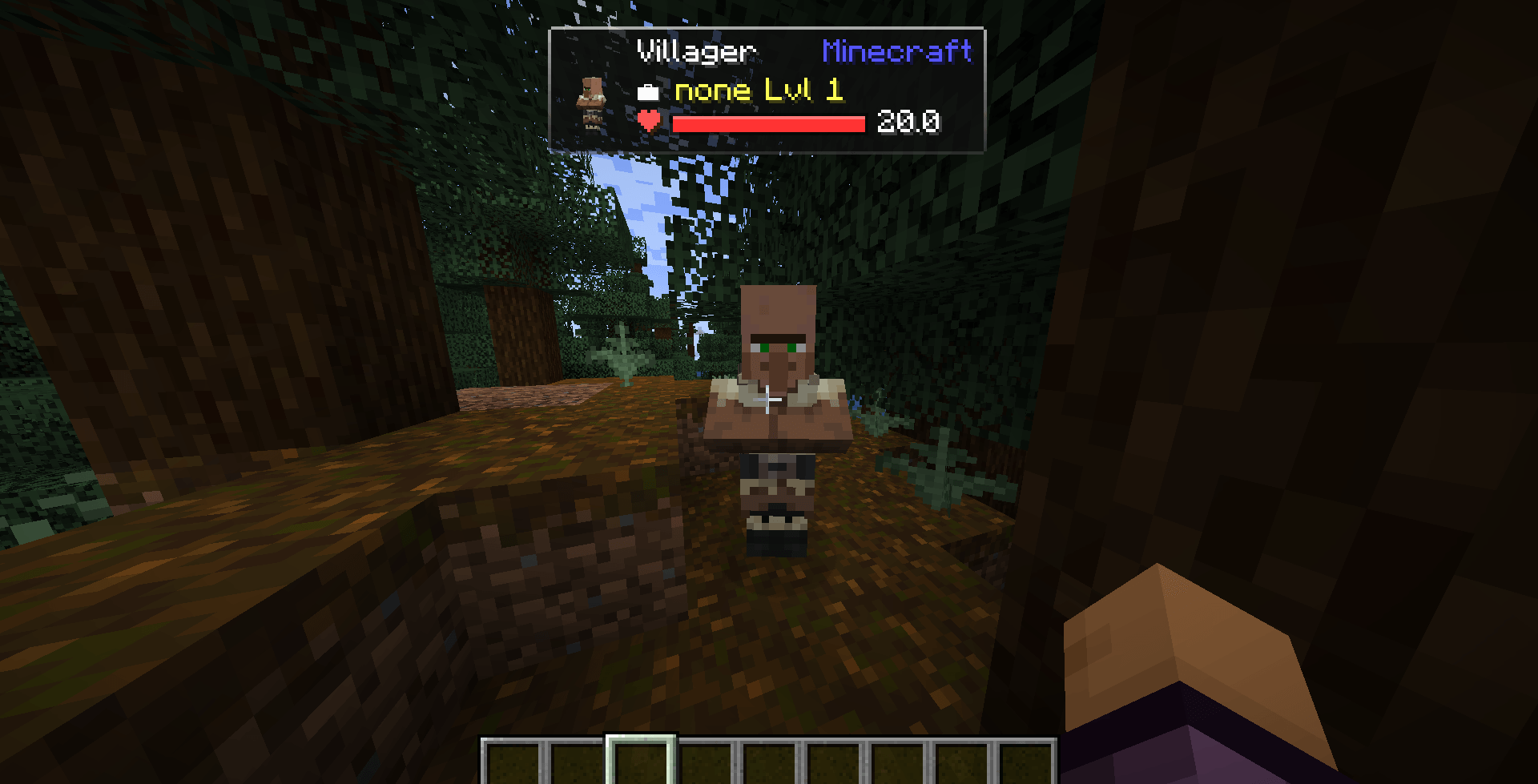 Advanced HUD of a Villager In game screen shot of Advanced HUD 1.0.4 - Fabric 1.20.1. Looking to a Villager with new Transparency setting set to 50.
-
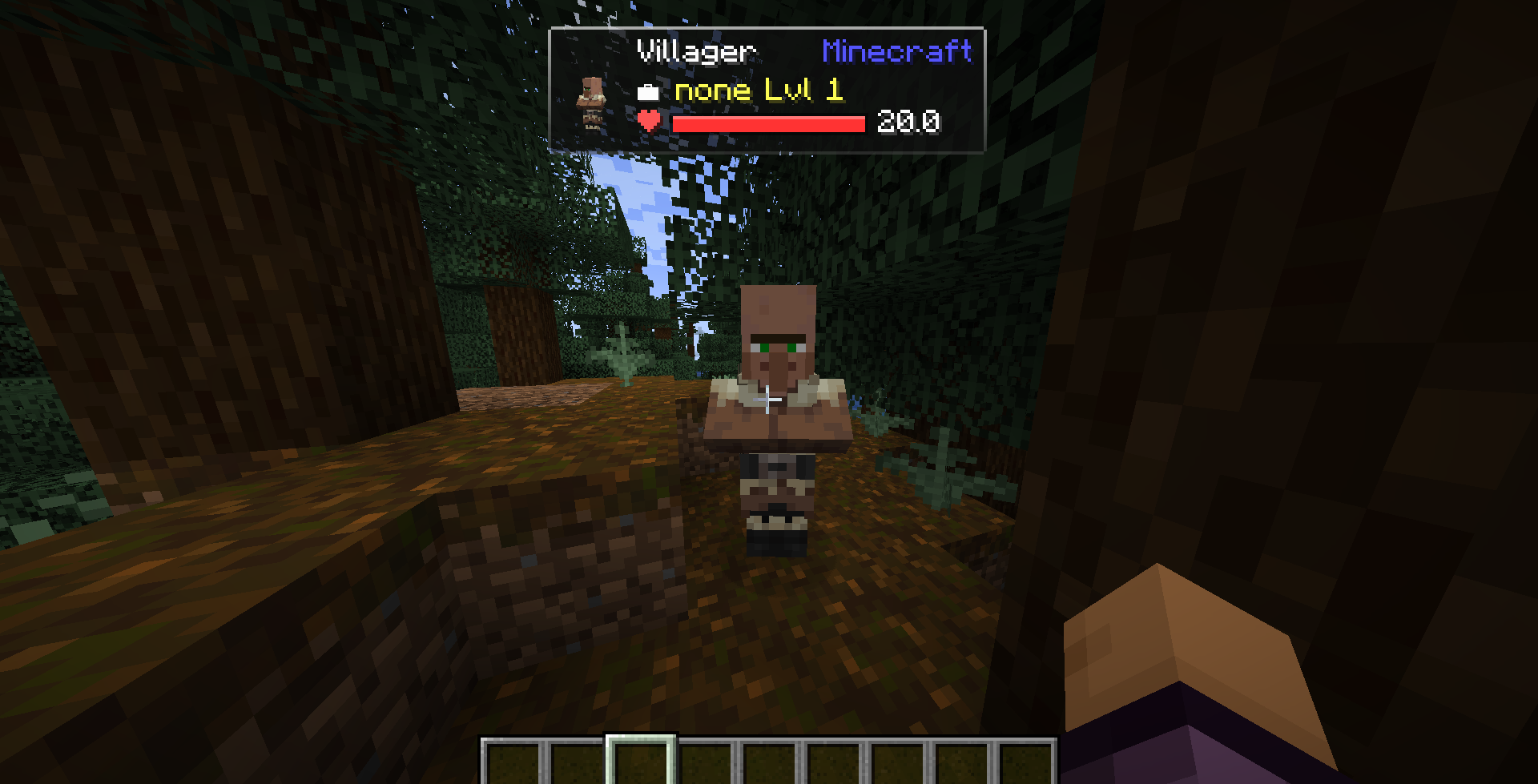 Advanced HUD of a Villager In game screen shot of Advanced HUD 1.0.4 - Fabric 1.20.1. Looking to a Villager with new Transparency setting set to 50.
Versions
Files
Relations
Project Relations
More like this
Similar Mods
Suggestions use data such as tags, dependencies, dependents, descriptions, titles, and more to rank how much they overlap with this mod.
On ModDex
Community snapshot
By the numbers
Statistics
Want to reach Minecraft players?
We're looking for a server hosting partner to feature here and other parts of the site. Interested? Send us a message!
Get in touchGet it on
Available Platforms
On ModDex
Community snapshot
By the numbers