
Community listing page, reviews here may not be monitored by the author.
AdvancedServerList

No reviews yet
A plugin to display a custom MOTD, Player count text, player count hover and Favicon using conditions and priorities.
Community voices
Reviews
No reviews yet. Be the first to review this project!
Get it on
Available Platforms
About
Project Details
For authors
Embed Badge
If you're the author of this project, you can embed a live badge anywhere that supports HTML or Markdown. It updates automatically whenever ratings change.
Use HTML for any page that supports it, or Markdown for README files and Markdown-based descriptions.
Identifiers
Platform IDs
About
Description
AdvancedServerList is a plugin designed to allow the largest possible customization for your server's appearance in a Player's multiplayer screen.
The plugin offers extensive customization including changing the MOTD, player count text, player count hover and favicon of your server. All while also allowing you to create multiple profiles with priorities and conditions to set when a specific profile should be displayed.
Supported Platforms


Server List Profiles
A Server List Profile is a single YAML file located in the plugin's profiles folder. It contains settings that allow you to modify the server's appearance within a Player's multiplayer screen.
Priority and Conditions
Each file has a priority and optional condition. The priority is used to determine what file AdvancedServerList should use first - starting from highest number to lowest - with conditions being used to set when the profile should be used.
Once a profile has been found with a condition returning true - which is the default should there be no condition - will AdvancedServerList use said profile.
Read more about Priority and Conditions
Placeholders
AdvancedServerList supports two sets of placeholders. The first one being its own placeholders using the ${<type> <values>} format adobted from BungeeTabListPlus and the second one being placeholders from PlaceholderAPI using its %<identifier>_<values>% placeholder format.
Note that internal placeholders can be used in all text-based options of a profile, while PlaceholderAPI placeholders can be used in all text-based options except the condition one.
As a final note can plugins provide their own placeholders to use within AdvancedServerList by using its API.
Read more about Placeholders
Formatting
AdvancedServerList utilizes the MiniMessage formatting to handle colors and formatting of text. This option was chosen over legacy formatting - using & character - for being more clear and readable in its design, not to mention having an easier way for more complex features such as RGB gradients.
Read more about Formatting
Dependencies
AdvancedServerList soft-depends on the following plugins, meaning their inclusion is not required.
| Plugin | Supported Platforms |
|---|---|
| PlaceholderAPI | Paper |
| ViaVersion | Paper |
| PAPIProxyBridge | BungeeCord, Waterfall, Velocity |
| Maintenance | Paper, BungeeCord, Waterfall, Velocity |
Statistics
The plugin sends statistics to bStats to show.
You can disable the sending of statistics in the global bStats config located inside /plugins/bstats/.
You can find the bStats pages of the plugin for the following platforms:
External Libraries
External libraries can be downloaded by the plugin for various reasons explained below.
You can find these libraries within /plugins/AdvancedServerList/libs/. Unless stated otherwise should these libraries not be deleted as they may provide core functionalities for the plugin to use.
Adventure libraries
These libraries are downloaded by the BungeeCord version of the plugin to provide support for MiniMessage formatting withing BungeeCord chat components.
Configurate
The YAML version of Configurate is downloaded by the BungeeCord version of the plugin to provide support for its Configuration files.
Additionally can the HOCON version be downloaded should the /asl migrate MiniMOTD command be executed.
The HOCON version of Configurate can be removed after a server/proxy restart, as it is only loaded and used during the migration process.
Transitive Dependencies
Additional dependencies may be downloaded when resolving the previously mentioned ones. Please check the console and the linked projects for further info on these transitive depdenencies.
Videos
Below can you find a collection of videos made for my plugin. If you made a video and it isn't shown here, let me know and I'll add it.
Click to show/hide Videos
english Video by KasaiSora
Spanish Video by Ajneb97
Indonesian Video by faajrikha
German Video by Finni Gamer
Screenshots

Support


Screenshots
Gallery
-
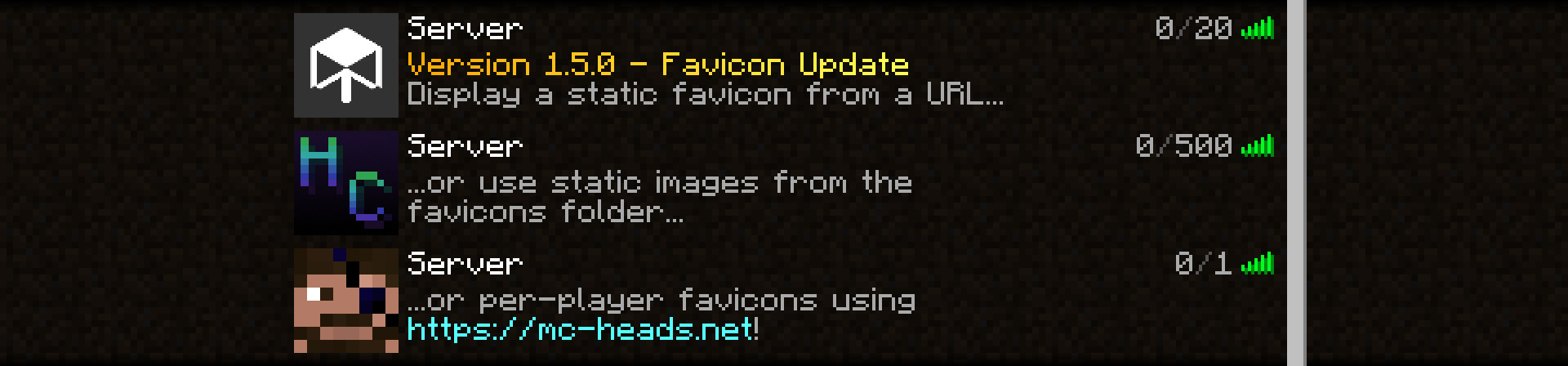 Favicons Example showing the different favicon options available.
 -
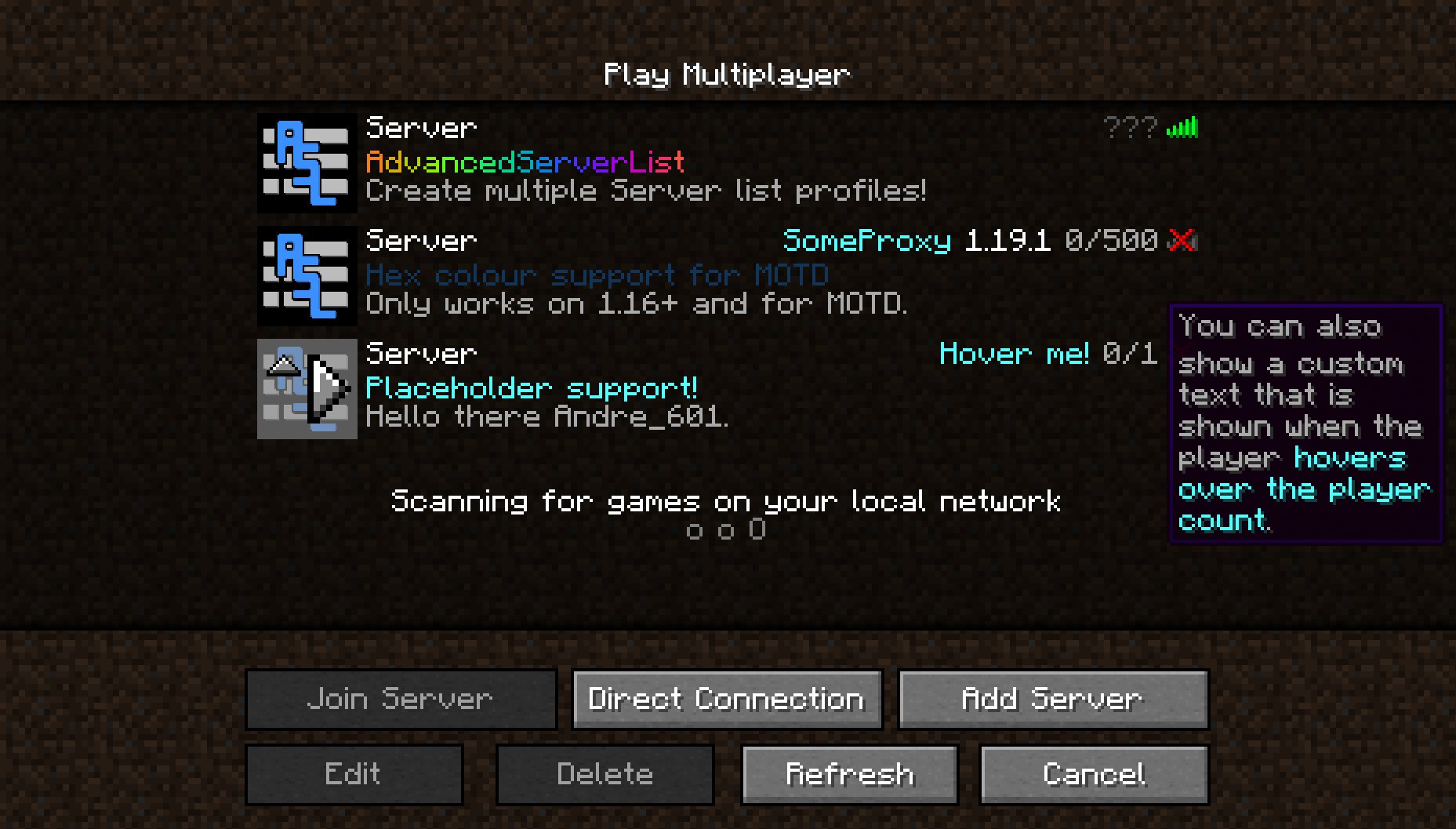 Showcase Simple showcase of the plugin's features
Versions
Files
Relations
Project Relations
More like this
Similar Mods
Suggestions use data such as tags, dependencies, dependents, descriptions, titles, and more to rank how much they overlap with this mod.
On ModDex
Community snapshot
By the numbers
Statistics

Want to reach Minecraft players?
We're looking for a server hosting partner to feature here and other parts of the site. Interested? Send us a message!
Get in touchGet it on
Available Platforms
On ModDex
Community snapshot
By the numbers