
Community listing page, reviews may not be monitored by the author.


Community voices
Reviews
No reviews yet. Be the first to review this project!
Get it on
Available Platforms
About
Project Details
For authors
Embed Badge
If you're the author of this project, you can embed a live badge anywhere that supports HTML or Markdown. It updates automatically whenever ratings change.
Use HTML for any page that supports it, or Markdown for README files and Markdown-based descriptions.
Identifiers
Platform IDs
Resources
External Links
About
Description
First of all: this mod is not a toy, it's a tool. If you're not sure what you're doing, don't play with it. It may be even dangerous!
What's this mod's purpose?
-It automatically forwards port when you create integrated server.
What it means and why is it dangerous?
-When you forward a port, you literally punch out a hole in your network's firewall. Don't destroy this defense without an idea what it actually defends.
So, if you are fully confident in your knowledge of all the risks, let's continue.
Visually, it adds only two buttons on the "Share to LAN" screen.
"LAN/WAN" - enables and disables the mod. WAN stands for "Wide Area Network".
"random/25565" - switches port which will be used for forwarding. 25565 is minecraft's standard server port. For more information see this wiki page.
That's all. ¯\_(ツ)_/¯
Little instruction:
1. Ensure that menu button "Open to LAN" was changed to "Open to LAN/WAN". If not, mod wasn't installed correctly.
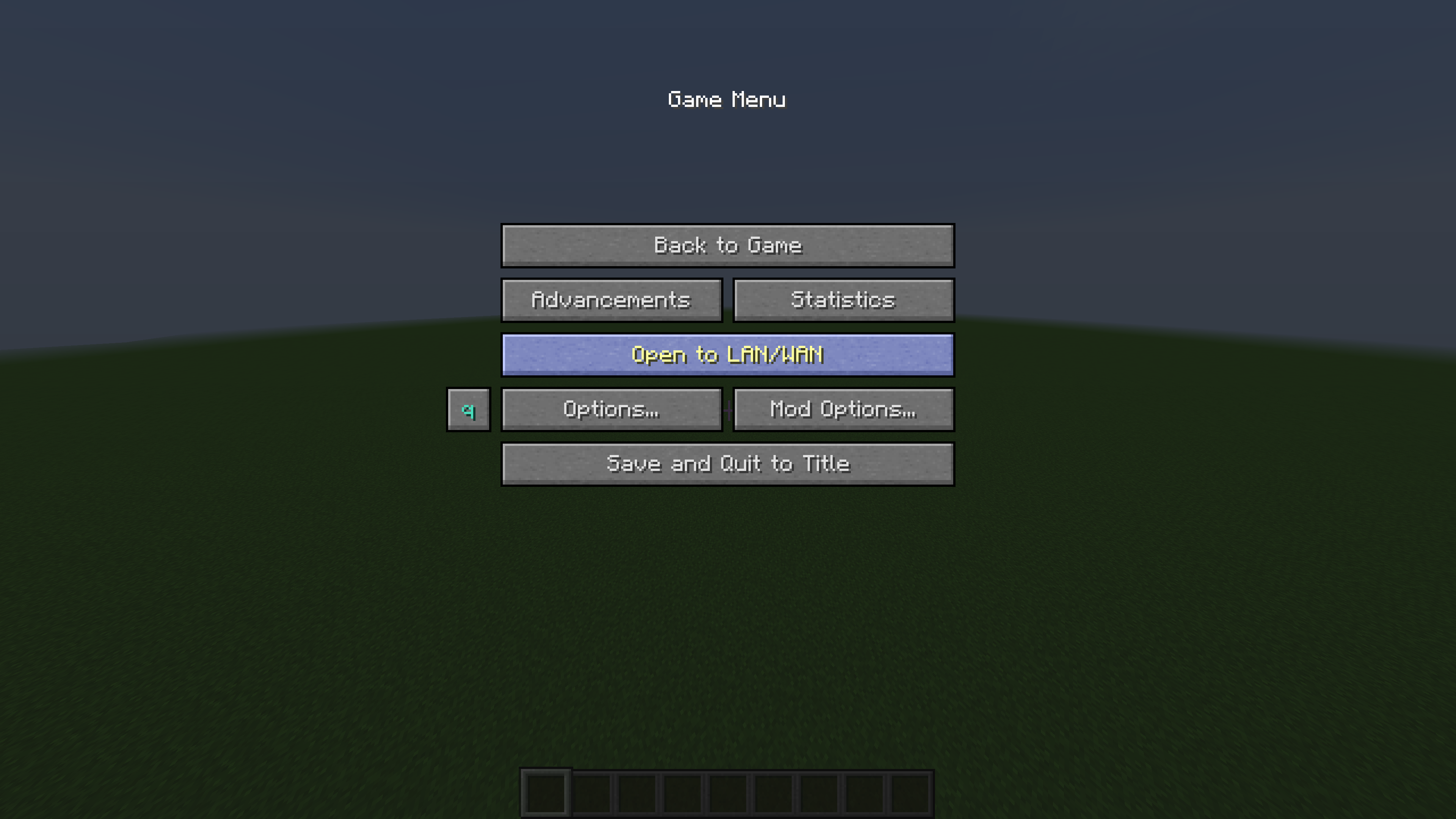
2. Click it :)
3. Set "LAN/WAN" to WAN.
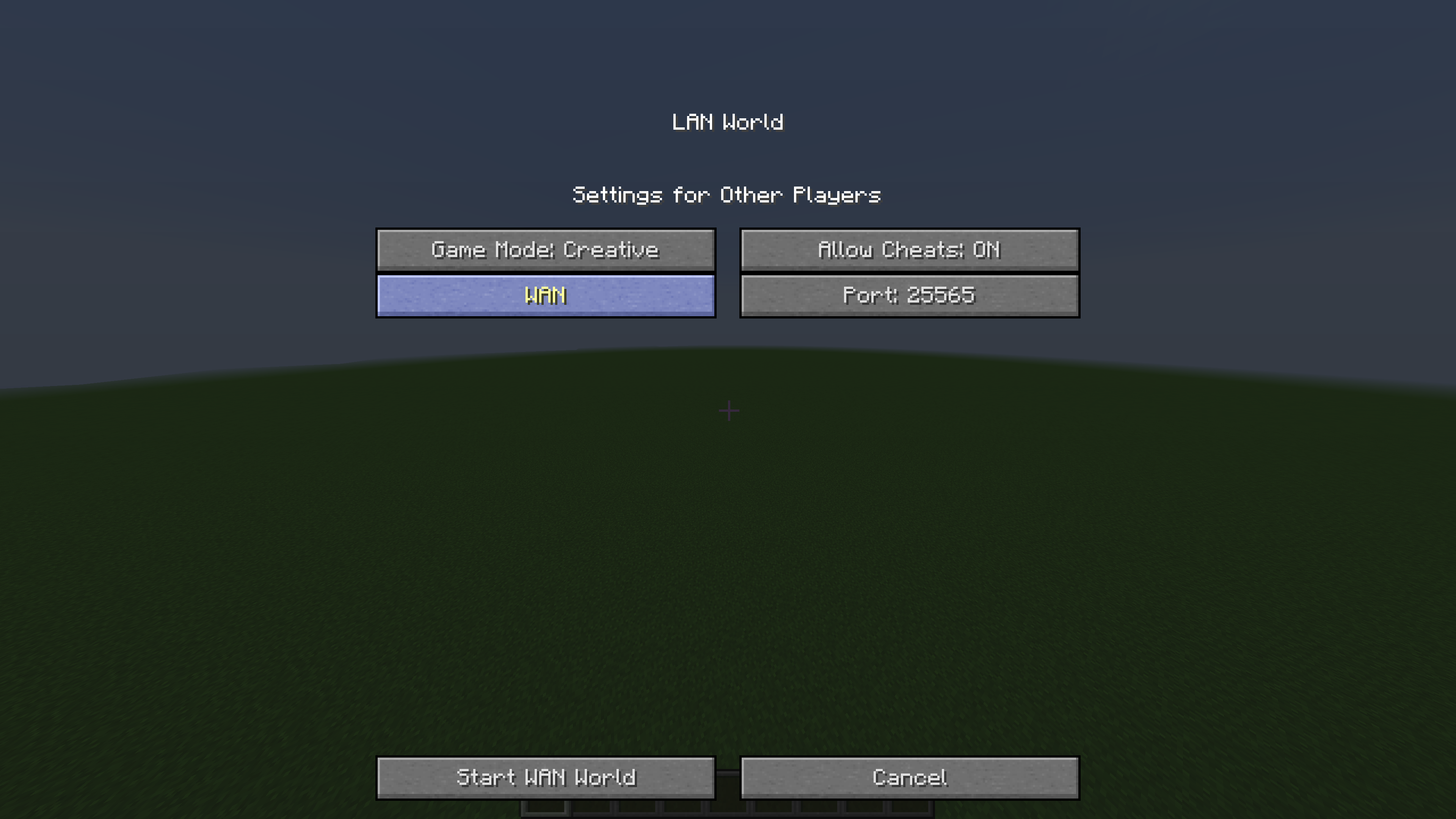
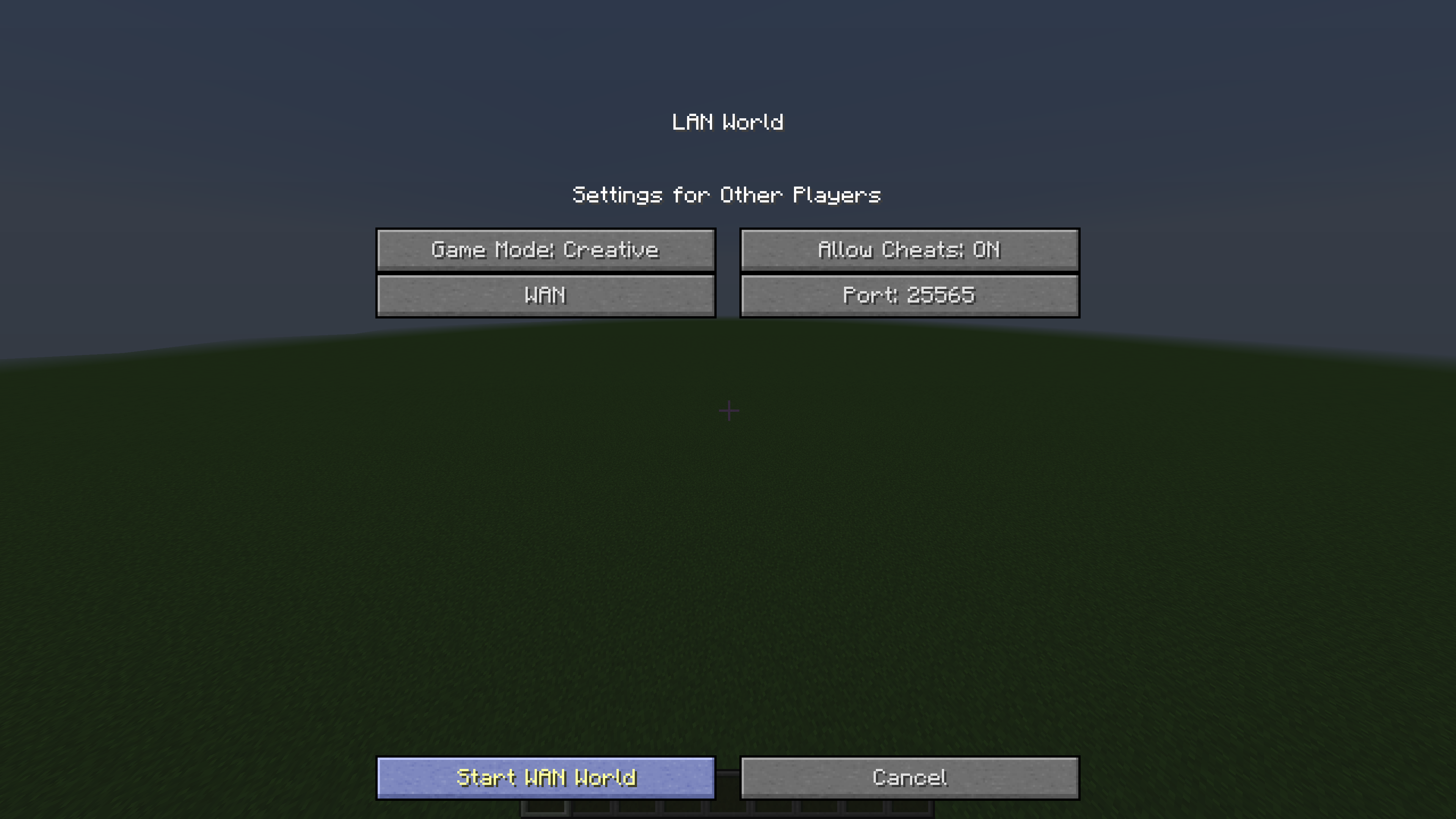
4. Click "Start WAN World".
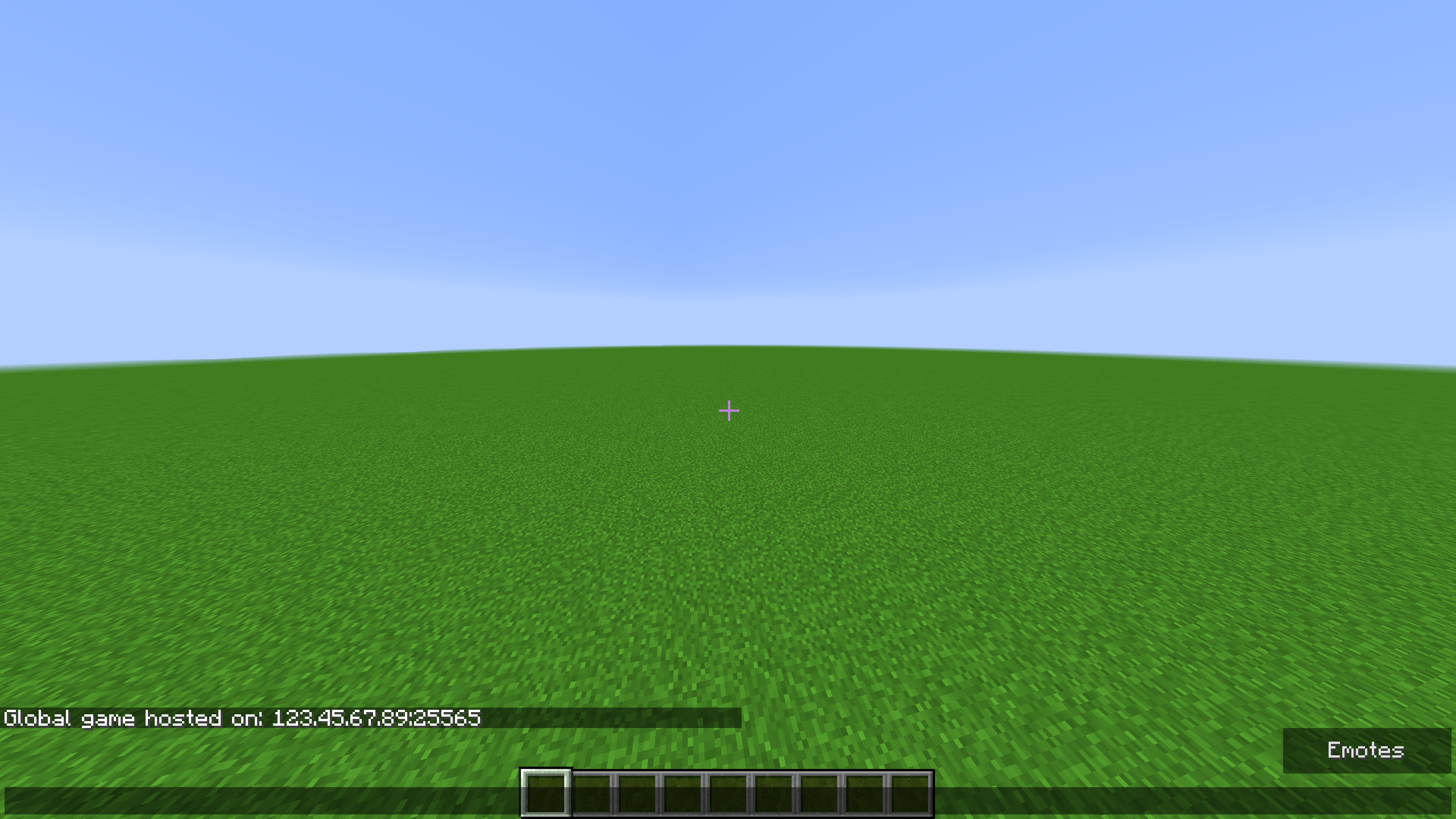
5. Check chat. There must be message: "Global game hosted on: <your ip>:<port>".
Probable issue:
If you're sure you have chosen "WAN", but chat says: "Local", or even nothing:
Mod is made that way that if it cannot forward a port, it just opens your world to LAN.
It means that problem is somewhere in your network.
Firstly check is UPnP enabled in your router settings.
If that wasn't the problem, check if your IP isn't behind the NAT. Or alternatively, you can forward a port manually and see if it works.
Hope it'll help. If not, you can always write me, and I'll try to fix your problem.
Screenshots
Gallery
-
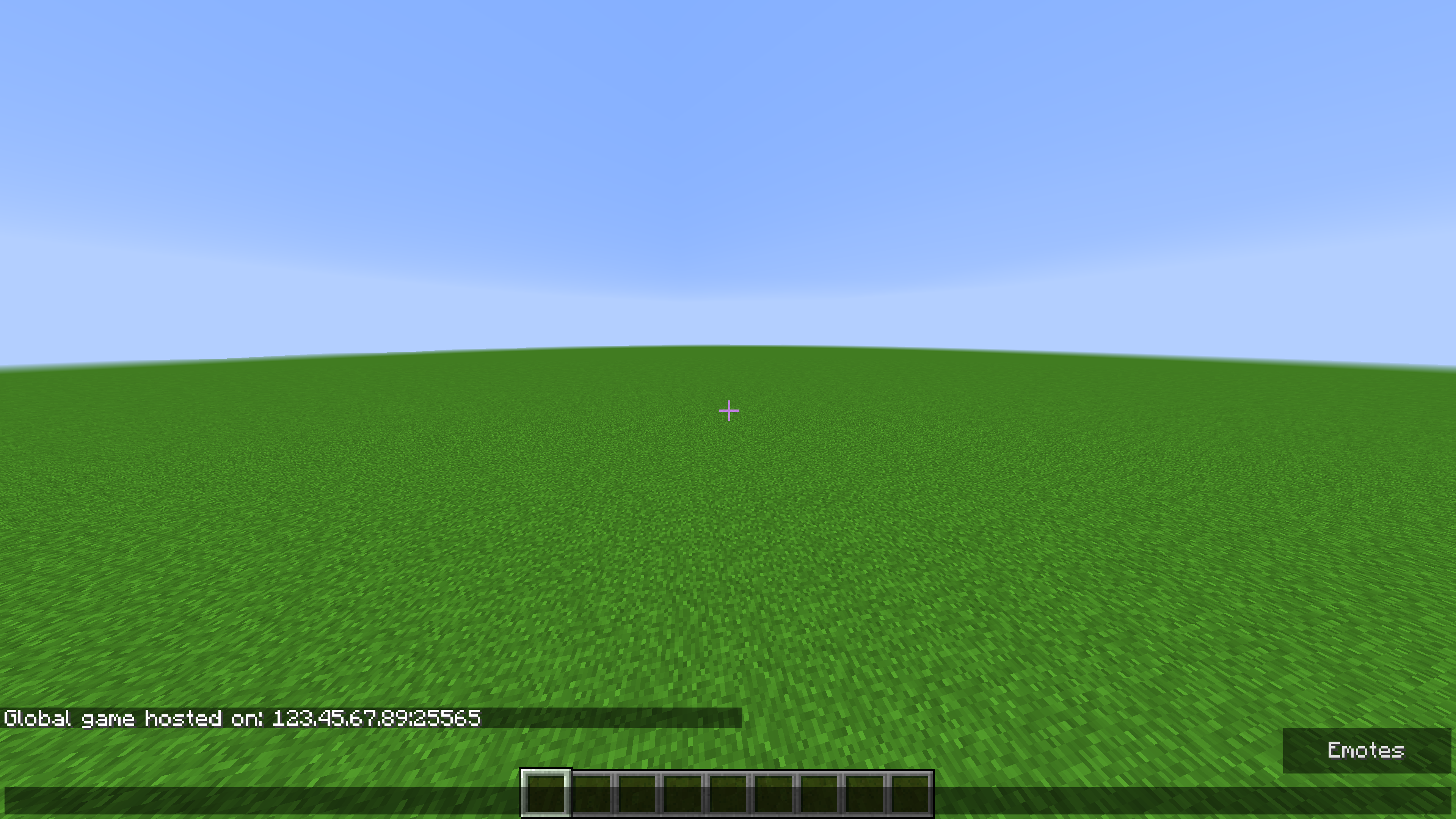 Chat message
 -
 Share To LAN/WAN Menu
 -
 In-game Menu
Versions
Files
Relations
Project Relations
More like this
Similar Mods
Suggestions use data such as tags, dependencies, dependents, descriptions, titles, and more to rank how much they overlap with this mod.
On ModDex
Community snapshot
By the numbers
Statistics

Get it on
Available Platforms
On ModDex
Community snapshot
By the numbers
Statistics
Resources