
Community listing page, reviews here may not be monitored by the author.
AE2 Pattern Disk

No reviews yet
Store encoded AE2 patterns on disks instead of filling a provider's slots. Adds a disk-based provider (block and cable panel), a pattern transferer, and two assemblers. Requires AE2.
Community voices
Reviews
No reviews yet. Be the first to review this project!
Get it on
Available Platforms
About
Project Details
For authors
Embed Badge
If you're the author of this project, you can embed a live badge anywhere that supports HTML or Markdown. It updates automatically whenever ratings change.
Use HTML for any page that supports it, or Markdown for README files and Markdown-based descriptions.
Identifiers
Platform IDs
Resources
External Links
About
Description
AE2 Pattern Disk
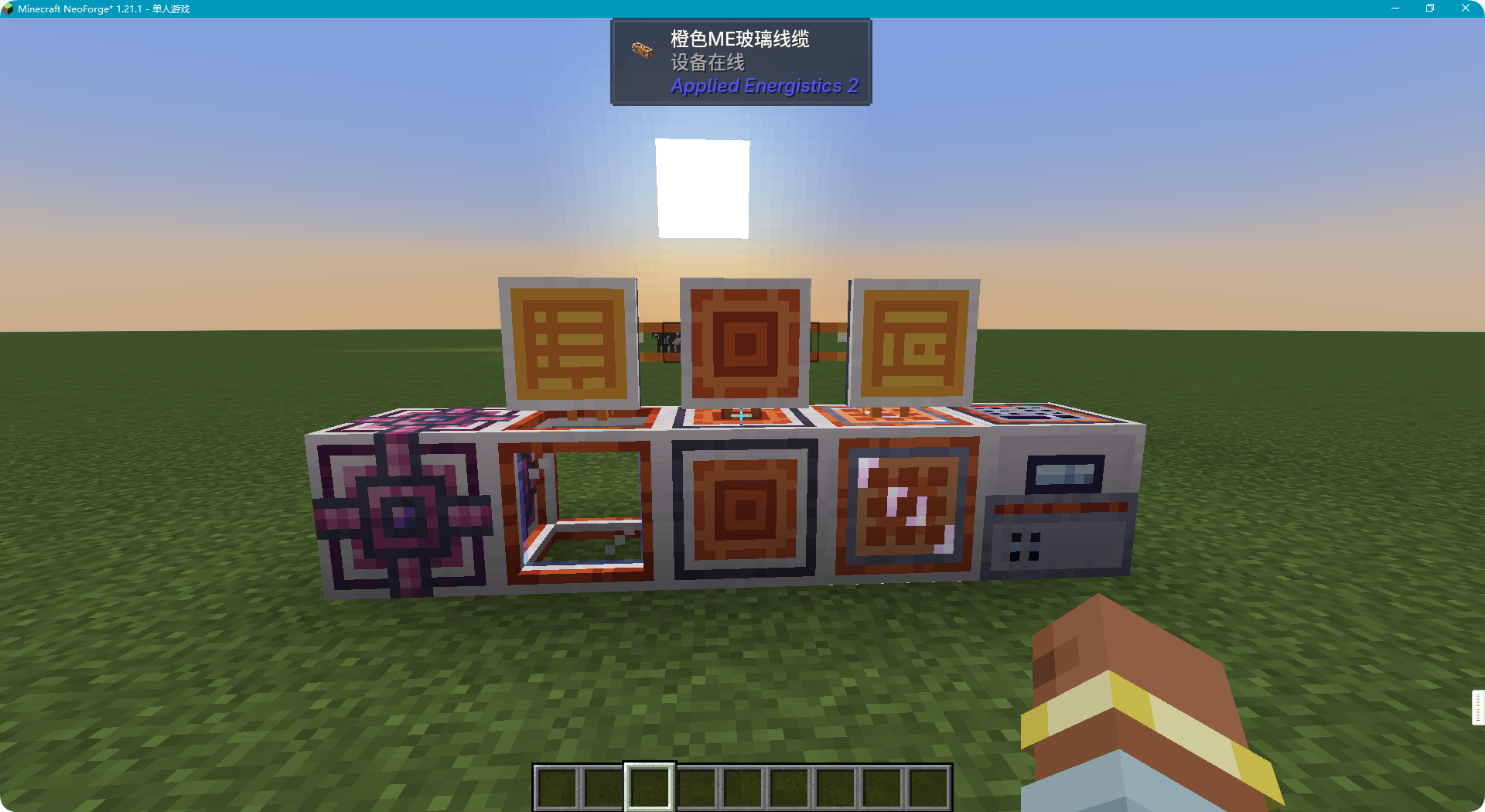
An addon for Applied Energistics 2 that adds high-capacity pattern disks, a disk-backed pattern provider, a pattern transferer, an efficient parallel molecular assembler, a batch assembler, and a pattern disk encoding terminal.
Minecraft 1.21.1 · NeoForge · AE2 19 or newer · Java 21
Features
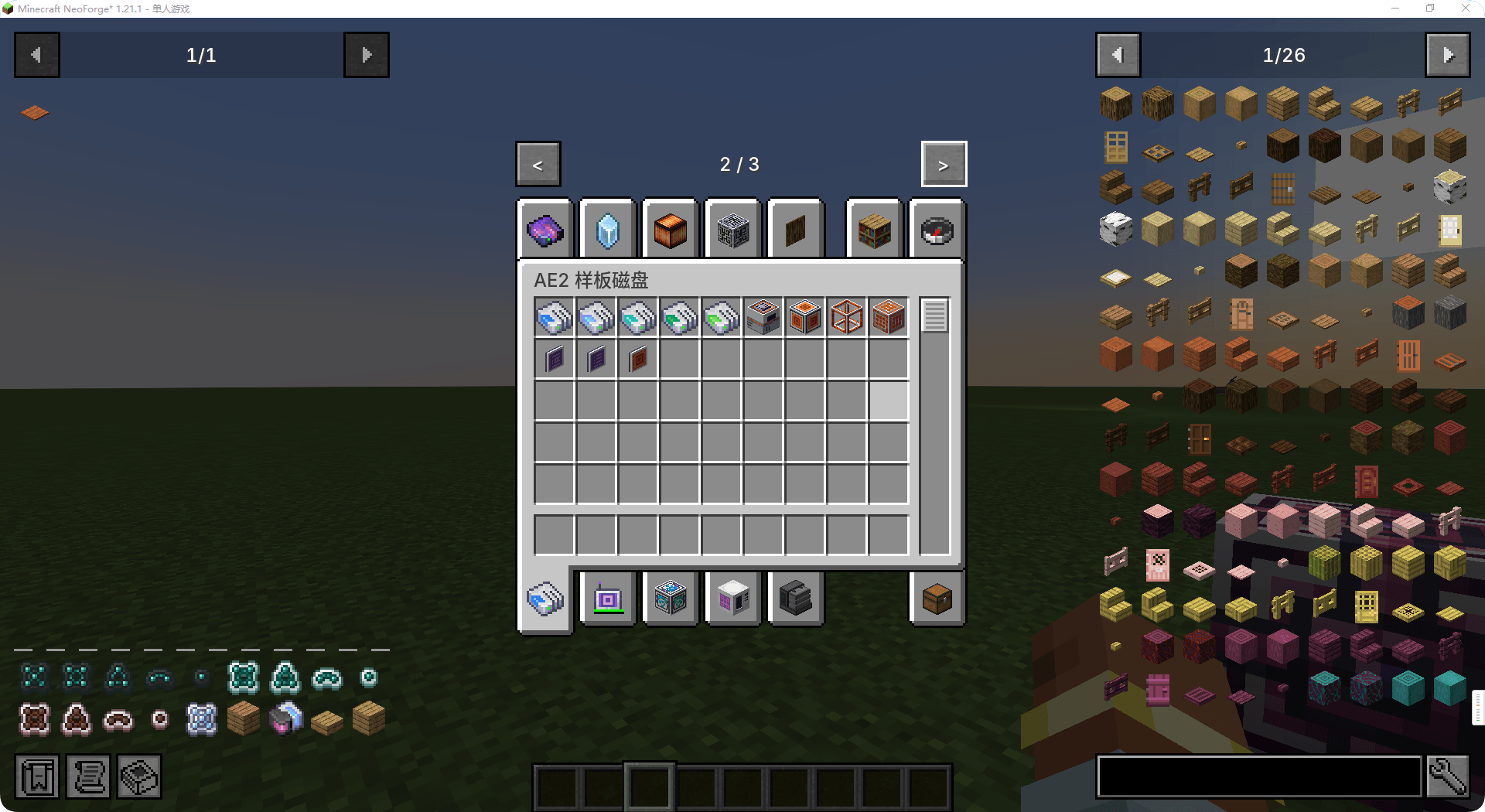
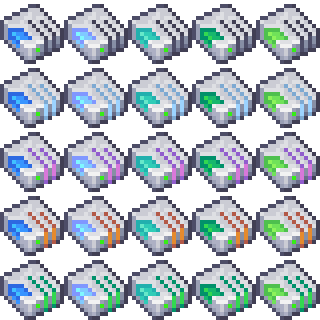
Pattern Disks
Store encoded patterns on a disk instead of leaving them in a provider's slots, in five tiers:
| Disk | Patterns |
|---|---|
| 1k | 4 |
| 4k | 16 |
| 16k | 64 |
| 64k | 256 |
| 256k | 1024 |
A disk is untyped while empty — the first pattern you insert fixes its pattern type, and it accepts only that type afterwards.
A disk can also carry a mark, recording which machine or recipe type it belongs to. Marks show up in the encoding terminal's disk list (hover a disk for a Mark: ... line), never rename the disk itself, and are what that list filters on by default.
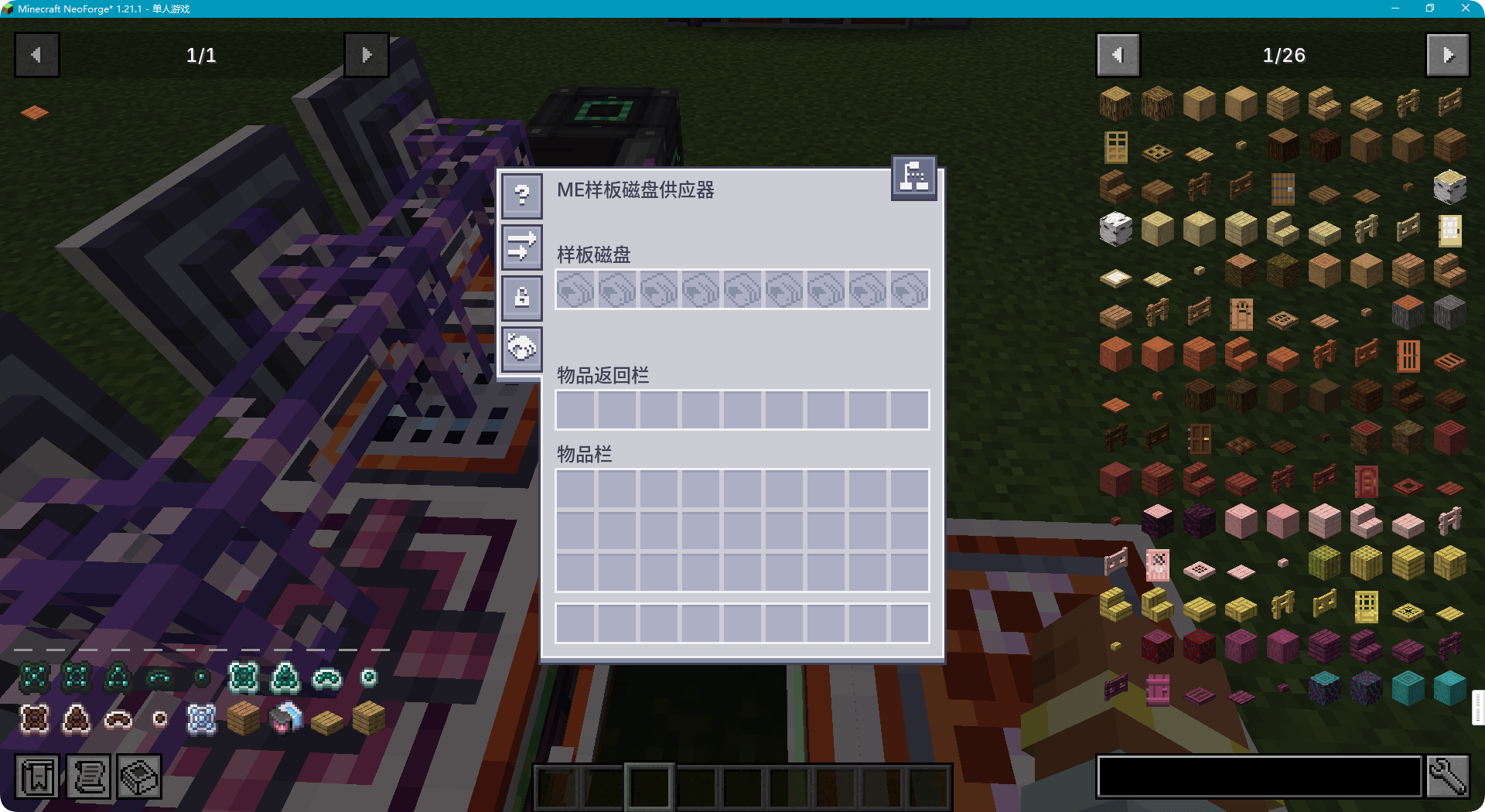
ME Pattern Disk Provider
A pattern provider backed by physical pattern disks: insert disks into its slots and it exposes their encoded patterns to the ME autocrafting system. It is a task source — it does not craft anything itself — and accepts returned products through its return inventory.
It comes in two forms sharing one implementation: the in-world block, and a cable panel part that attaches to a cable like AE2's own cable pattern provider. Both keep the same nine disk slots and the same return inventory, just in a thinner footprint.
With ExtendedAE Plus installed, its "upload pattern to a provider" button works here too: the provider has no pattern slots of its own, so the uploaded pattern lands in a free space on one of the disks it holds.
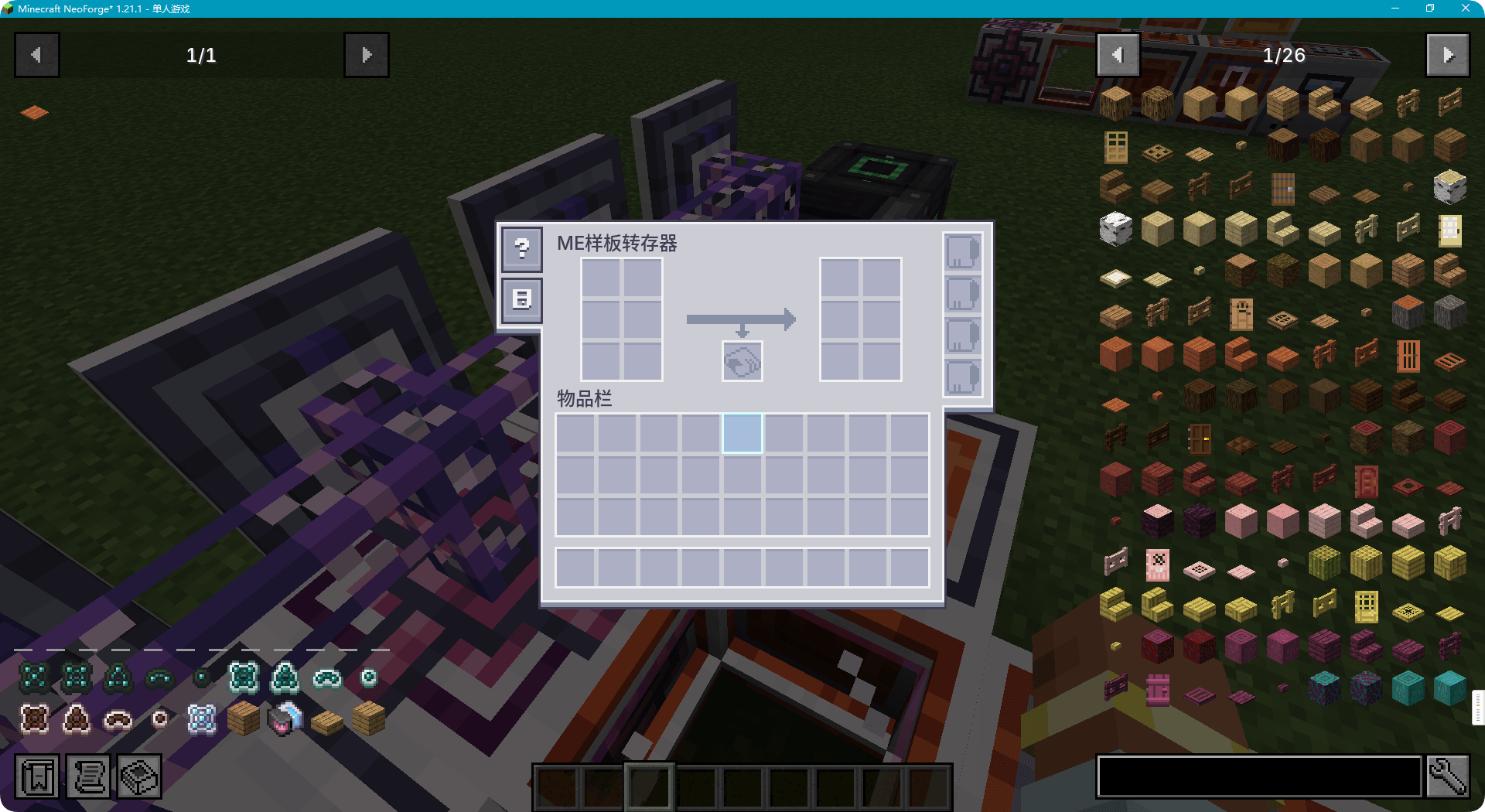
ME Pattern Transferer
Moves encoded patterns between AE2 blank patterns and pattern disks. Input slots accept encoded patterns or populated disks; destination slots hold the target disks. Blank patterns produced by extraction are returned to the connected ME network. Supports speed cards.
ME Pattern Disk Encoding Terminal
A panel that mounts on an ME cable and ties pattern encoding to pattern disks. It scans the whole ME network for pattern disks; pick one and you can write the pattern you just encoded onto it, or review and tidy the patterns it already holds.
Encoding modes. Crafting, processing, smithing and stonecutting views, cycled with the mode button; switching swaps the recipe grid, the output area and the tools on offer. Processing mode adds secondary-output rotation, multiply/divide (click ×2, Shift ×3, Ctrl ×5, Alt ×10 — divide does nothing unless inputs and outputs both divide evenly) and same-item merging. Stonecutting shows twelve candidates at a time over three rows, with a scrollbar when there are more.
Blank patterns come from the ME network: the slot is a read-only mirror of how many the network holds, and the terminal says so when there are none, so there is no need to place a blank pattern by hand.
Disk list. By default only disks carrying a mark are listed; the toggle next to the search bar brings out the rest, and those unmarked disks are then exempt from # mark search while marked ones stay filtered as usual. The search bar matches a disk's name, or — prefixed with # — its mark. Crafting, smithing and stonecutting mode marks fold onto their category name, so a hand-encoded disk and one written from an imported recipe of the same kind answer the same search; processing has no single category (each machine has its own) and keeps the name "Processing pattern".
Mouse controls. Left click writes the currently encoded pattern to the disk; right click with a work block overwrites the disk's mark with the current recipe type; Shift + right click writes the search bar's text as the mark, and an empty search bar clears it; middle click with a work block renames the disk after the machine its mark stands for.
Write feedback. Every write reports back in chat: which disk the pattern went to, or why it was refused — the disk is full, locked to another pattern type, already holds a recipe with the same output, the pattern's type cannot be resolved, or the target is no longer listed. When the search bar narrows the list to exactly one disk, pressing Encode writes the pattern straight to it rather than leaving it in the encoded slot.
NEO ECO integration. With a NEO ECO AE Extension build that carries the pattern-disk integration hooks, an upload button appears that sends the encoded pattern to its computation cluster and returns a blank pattern in the order network → inventory → encoded slot. A build without those hooks simply has no button — nothing else about the mod changes.
Efficient Molecular Assembler
A parallel molecular assembler with eight independent execution threads. It accepts crafting jobs pushed by AE2 pattern providers and runs them concurrently. Each thread owns a 3×3 molecular assembler grid, an output slot, and independent progress.
The GUI exposes one page per thread with vertical progress only for the selected page. Accepts up to five AE2 Speed Cards with multipliers 1.0x / 1.3x / 1.7x / 2.0x / 2.5x / 5.0x.
Each page also has an optional pattern slot. Inserting an encoded crafting pattern there turns that page into a self-executing unit: it pulls its own inputs from the ME network, crafts continuously while materials last, and pushes products plus container remainders to adjacent inventories or back into the network. A page running a manual pattern does not accept provider-pushed jobs, so the machine only takes pushed jobs while at least one page is idle.
Batch Assembler
Buffers the jobs pushed by AE2 crafting CPUs inside nine private storage cell slots and executes them once the input material has actually stopped arriving.
Batch Window
The window is measured in game time since the last accepted push (two modes: standard 40 ticks, fast 10 ticks), so material that keeps coming simply keeps the batch waiting. Beyond the capacity of the inserted cells the buffer adds no limit of its own, and a started batch runs to the end of the queue. Supports crafting-table, smithing-table and stonecutting recipes.
A batch that comes out small — fewer than eight jobs — means the window gathered next to nothing, so the machine starts the next one after a single quiet tick instead of serving another full window. Every 32 such runs it serves the full window once more, which is how a supply that has turned into a steady stream gets noticed rather than run push by push forever; the same reset happens after eight windows of silence. Runs that do gather a batch, and a machine that has not run yet, always serve the full window — that is what keeps a bulk order accumulating the way it always did. The window state is not saved: after a reload the machine starts on the full window again.
Output Queue
Produced outputs (including container remainders) enter a smooth-return queue and reach the network over ~20 ticks at ~5% of the accumulated total per tick; when the network cannot take them they stay queued and are retried, and the inputs are not rolled back for that reason — inputs roll back only when the cells cannot hold a push, when material is missing, or when the grid is out of power. Keys the network is waiting for right now — booked by a crafting CPU, or consumed by a queued job, which is what a recycled container does — skip that trickle and go back at once: at least 512 items per tick (all of it when that is less), and never less than the smooth rate.
Cell Slots
Storage cells inserted here are private to the machine (never exposed to the ME network) and are locked while work is buffered; breaking the block or pressing cancel returns the buffer to the network. Leftovers do not stay locked up either: once the machine has been idle — nothing queued and nothing left to return — for ten ticks, whatever the cells still hold goes back to the network, and what the network refuses stays in the cells until the machine has something to do again.
Queued jobs live in memory only: after a reload the machine holds none of them, and the material they brought in is returned to the network by the idle flush above. A crafting CPU job that was waiting on that work has to be cancelled by hand.
Speed Cards
Up to four AE2 Speed Cards add worker threads (2 / 4 / 8 / 16): those threads analyse newly queued patterns in parallel, while every cell and network access stays on the server thread. Total output always matches the ordered amount.
Recipes and items
Everything this mod adds is listed in the creative tab AE2 Pattern Disk, and each recipe is shown in JEI or EMI like any other mod's — including which lower-tier disk an upgrade wants. The in-game guide covers every machine and each tier upgrade in detail.
In-game guide
A GuideME guide ships with the mod, reachable from the AE2 guide book. It covers the pattern disks (all five tiers on one page), the pattern disk provider in both of its forms, the pattern transferer, the efficient molecular assembler, the batch assembler and the encoding terminal. It is available in English and Simplified Chinese. Of the five machine GUIs, the encoding terminal links to its guide page straight from the screen.
Dependencies
- AE2 19 or newer — required
- GuideME — required for the in-game guide
- NEO ECO AE Extension — optional; the upload-to-ECO button needs a build that carries the pattern-disk integration hooks
- ExtendedAE Plus — optional, its "upload pattern to a provider" button works with the pattern disk provider
License
Licensed under LGPL-3.0, except for assets marked ARR — currently the batch assembler's block textures and its glow-shell model, which are the author's own works and are not covered by that grant. Source, issues and the full license text: github.com/xingluo01/AE2-Pattern-Disk.
Screenshots
Gallery
-
 åé ç©åæ .png åé ç©åæ .png
 -
 设å¤åç §.png 设å¤åç §.png
 -
 MEæ ·æ¿è½¬åå¨.png MEæ ·æ¿è½¬åå¨.png
 -
 MEæ ·æ¿ç£çä¾åºå¨.png MEæ ·æ¿ç£çä¾åºå¨.png
 -
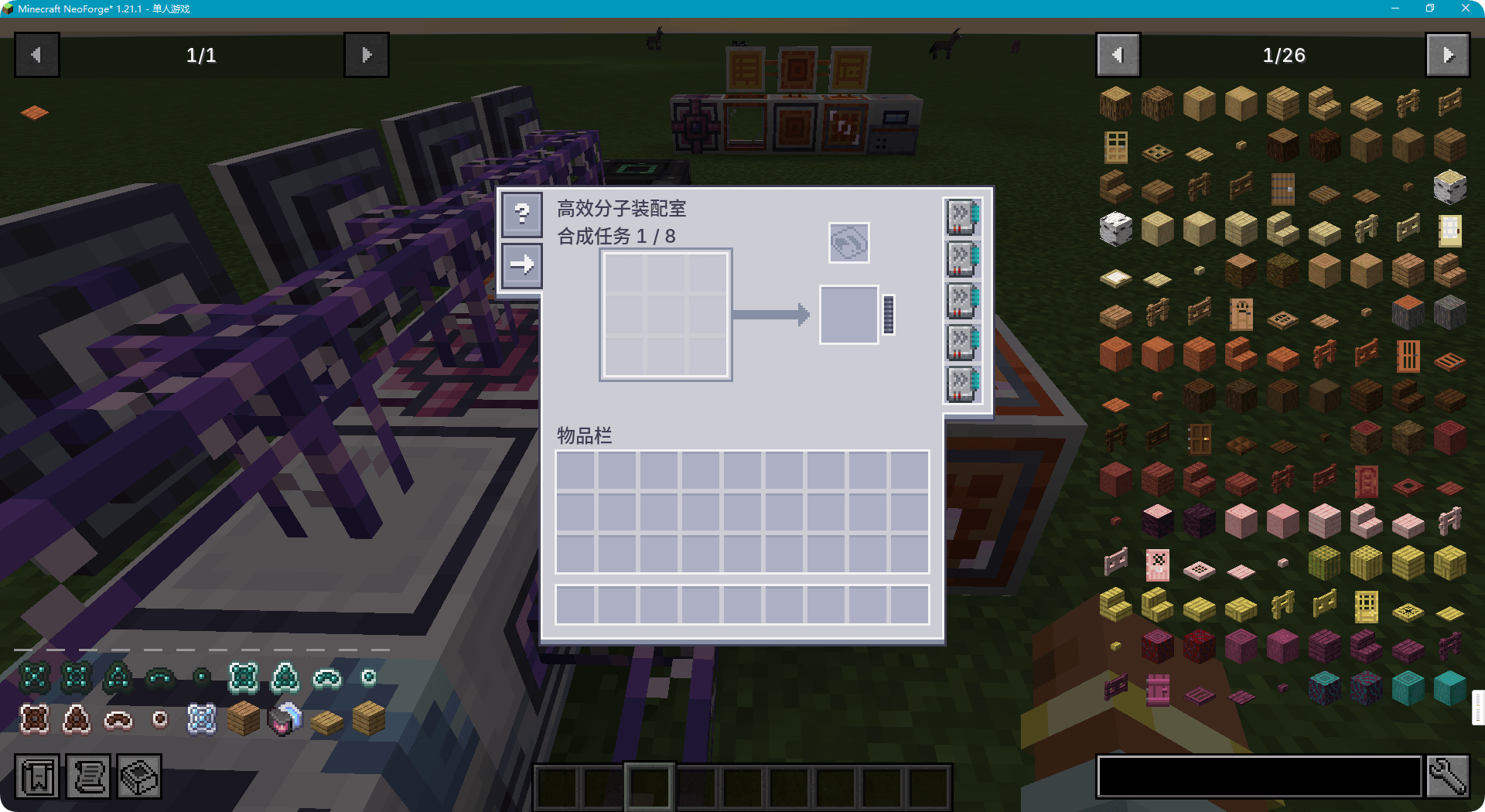 é«æååè£ é 室.png é«æååè£ é 室.png
 -
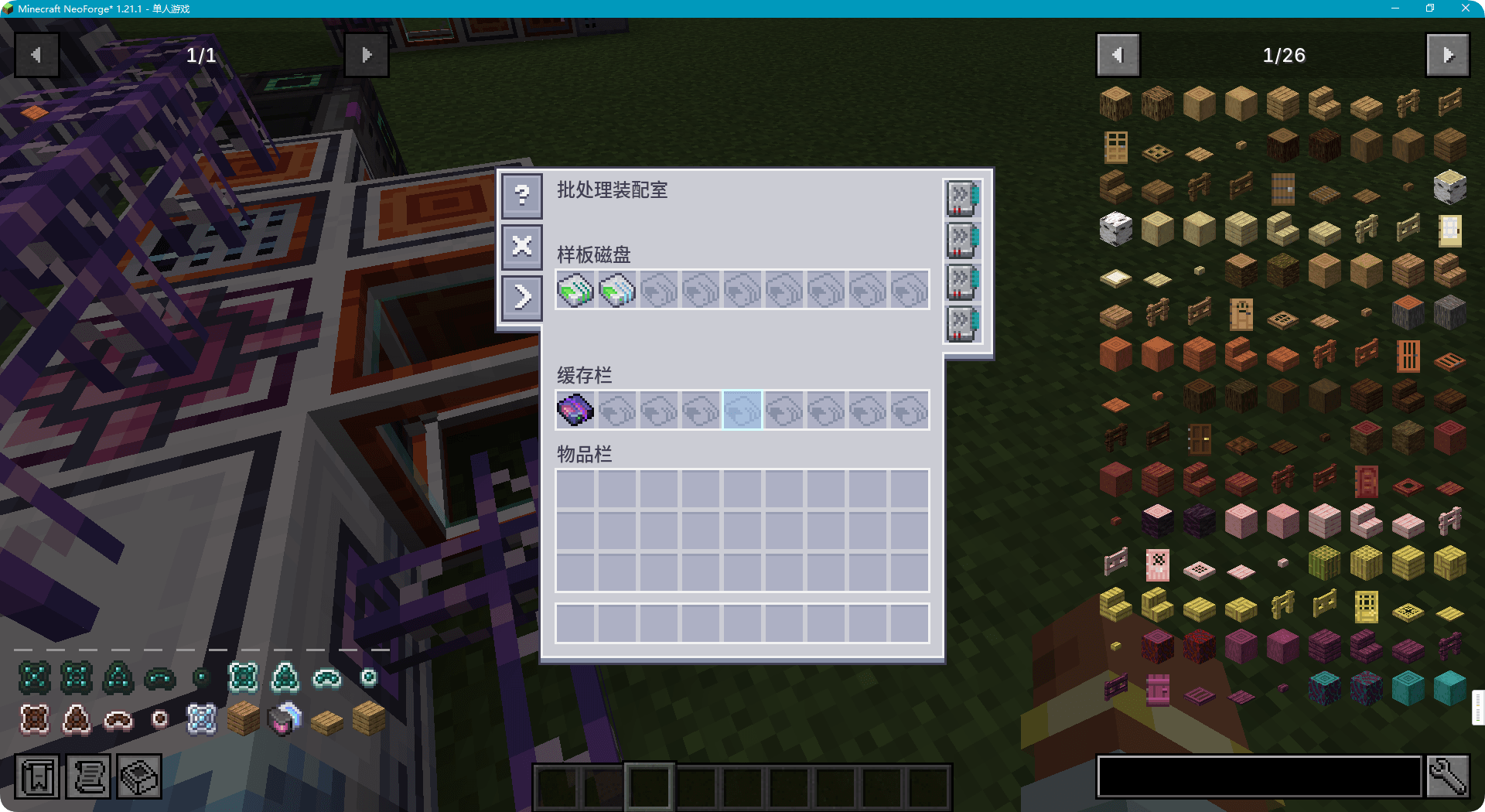 æ¹å¤çè£ é 室.png æ¹å¤çè£ é 室.png
 -
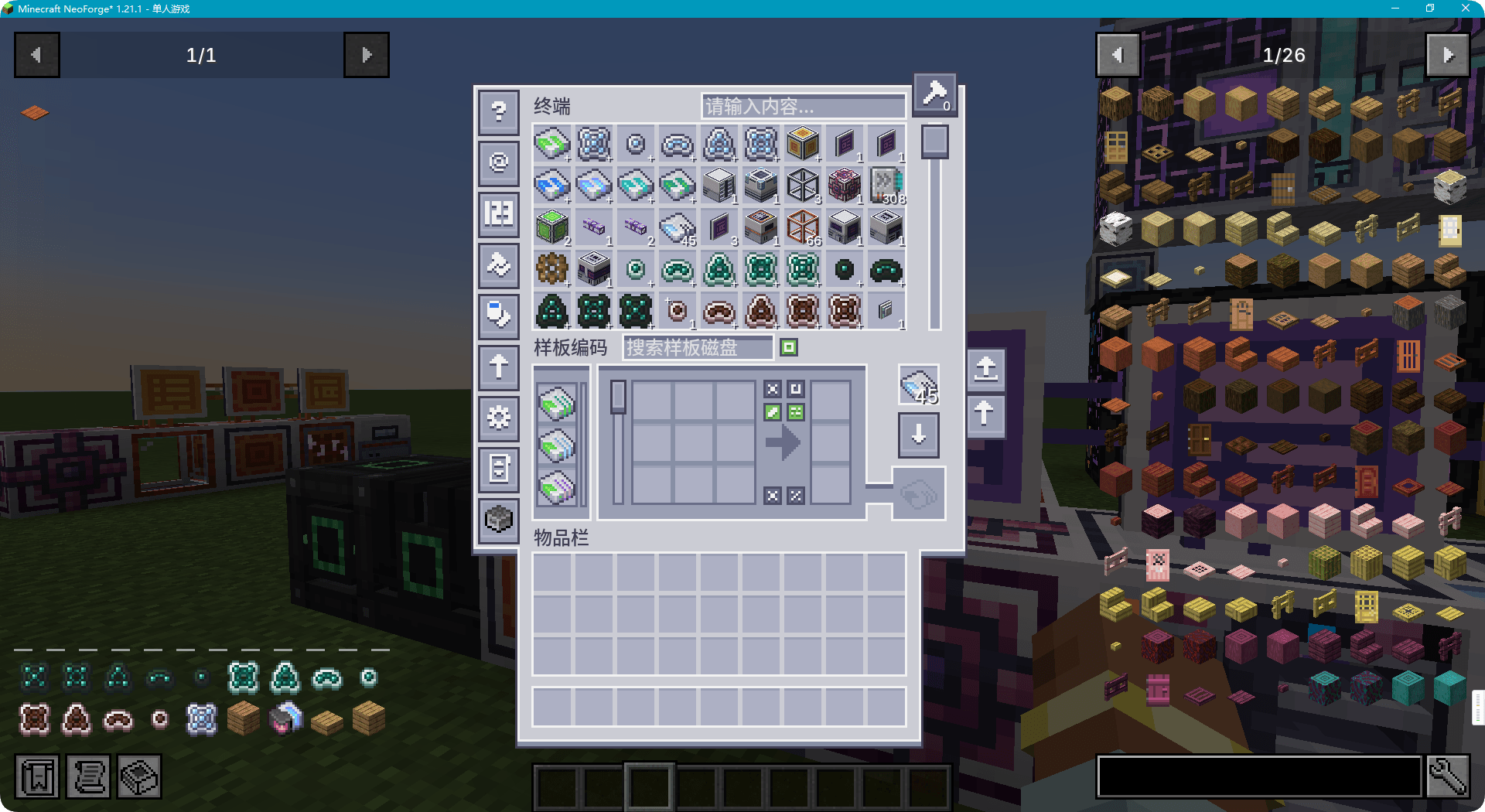 MEæ ·æ¿ç£çç¼ç ç»ç«¯.png MEæ ·æ¿ç£çç¼ç ç»ç«¯.png
 -
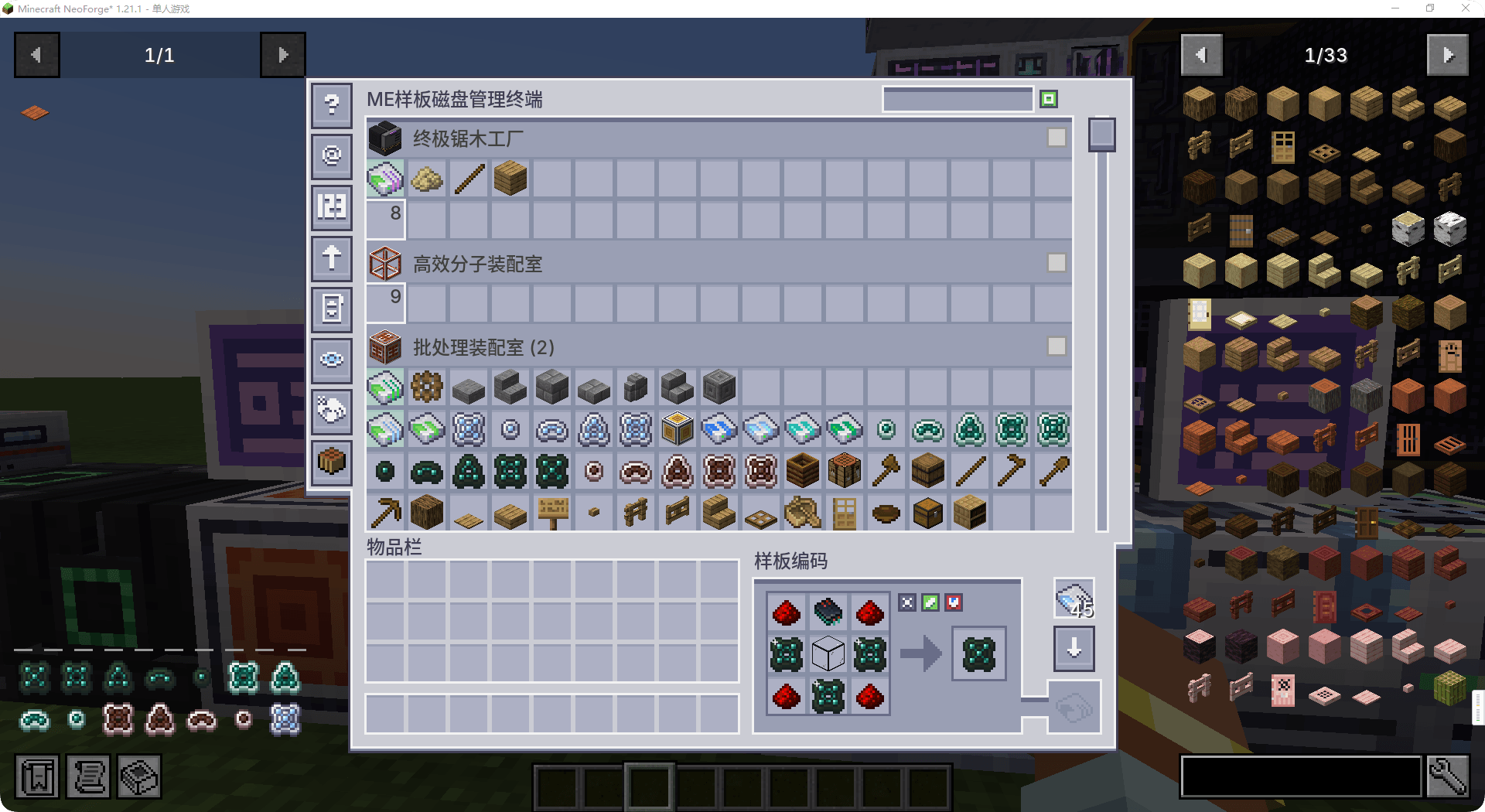 MEæ ·æ¿ç£ç管çç»ç«¯.png MEæ ·æ¿ç£ç管çç»ç«¯.png
 -
 å±ç¤º2.png å±ç¤º2.png
Versions
Files
Relations
Project Relations
More like this
Similar Mods
Suggestions use data such as tags, dependencies, dependents, descriptions, titles, and more to rank how much they overlap with this mod.
On ModDex
Community snapshot
By the numbers
Statistics
Want to reach Minecraft players?
We're looking for a server hosting partner to feature here and other parts of the site. Interested? Send us a message!
Get in touchGet it on
Available Platforms
On ModDex
Community snapshot
By the numbers
Statistics
Resources