
Community listing page, reviews here may not be monitored by the author.
AE2 Storage Warnings


No reviews yet
Warns you when ME cell capacity is critically low.
Community voices
Reviews
No reviews yet. Be the first to review this project!
Get it on
Available Platforms
Compatibility
Supported Environments
Must be installed on both the client and the server.
About
Project Details
For authors
Embed Badge
If you're the author of this project, you can embed a live badge anywhere that supports HTML or Markdown. It updates automatically whenever ratings change.
Use HTML for any page that supports it, or Markdown for README files and Markdown-based descriptions.
Identifiers
Platform IDs
About
Description
What does it do?
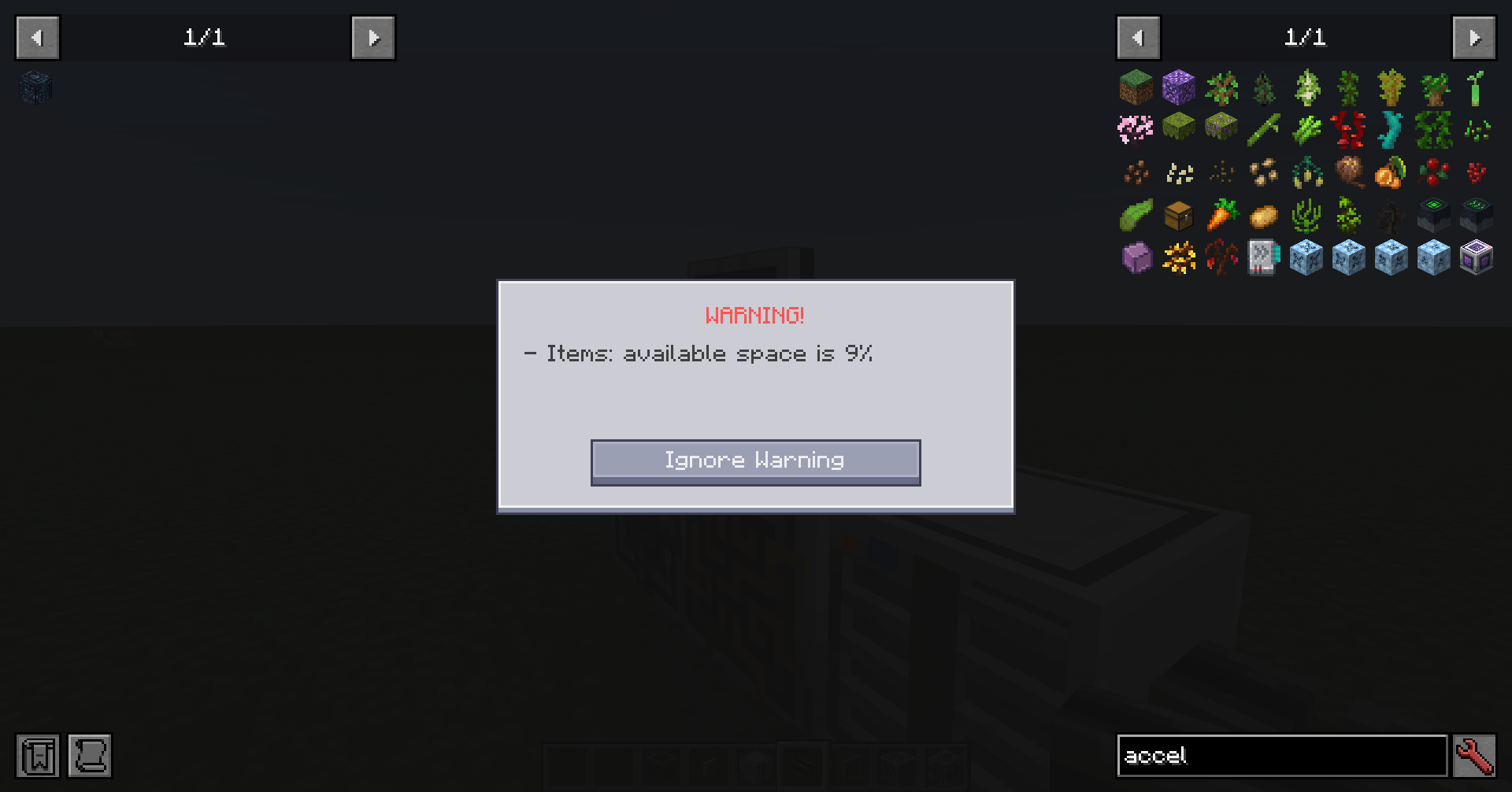
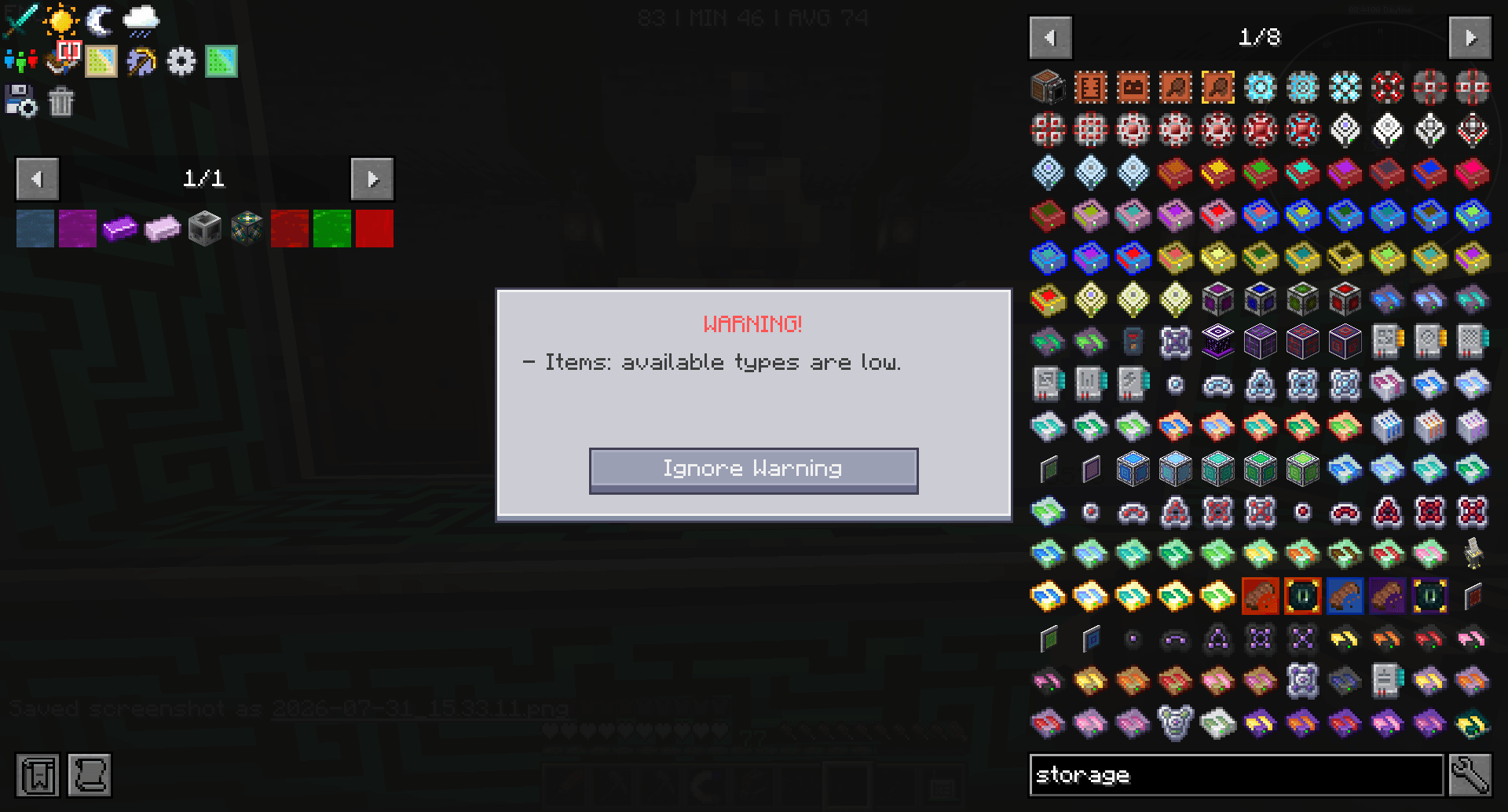
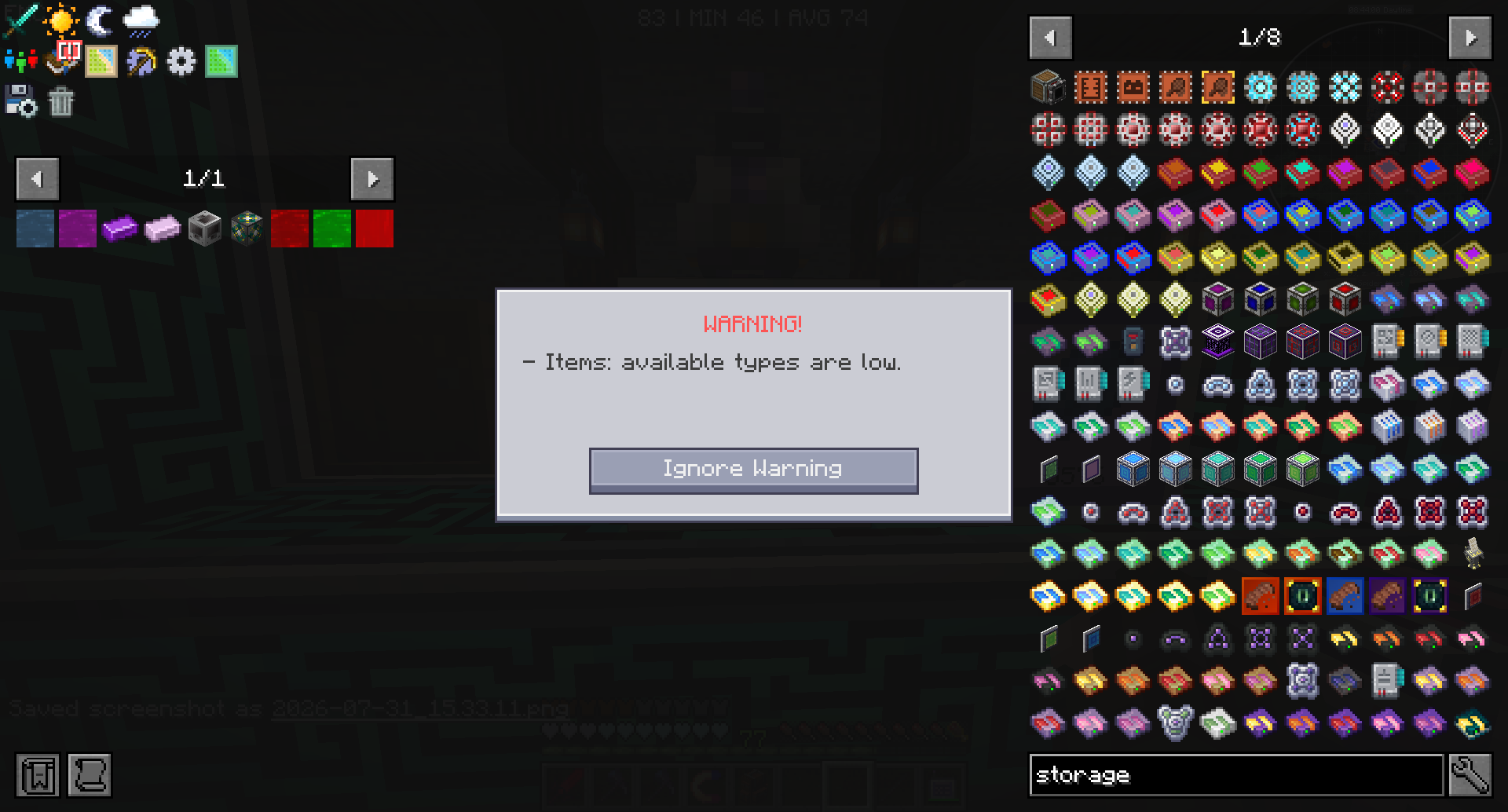
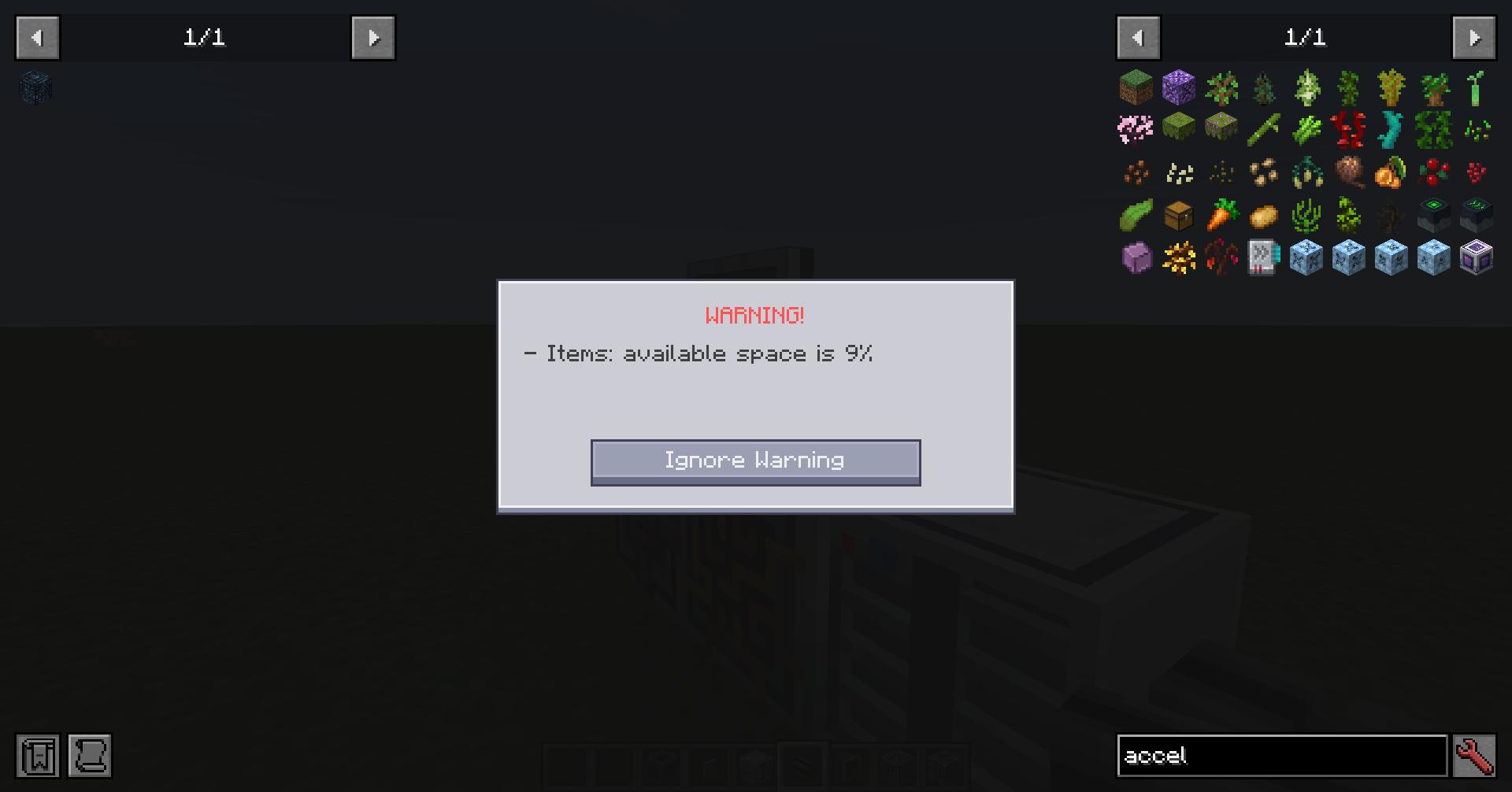
When you open an ME terminal, the mod scans the storage cells on that network. If remaining capacity for a resource type is critically low, a WARNING! dialog appears instead of opening the terminal right away.
You can ignore the warning once and continue into the terminal, or close it and free space first.
What is checked
- Cells in drives and ME chests (not external storage buses)
- Remaining bytes and remaining types (typed cells)
- Types take priority over byte space in the message
- Typeless disks (e.g. AE2 Things) only use byte capacity
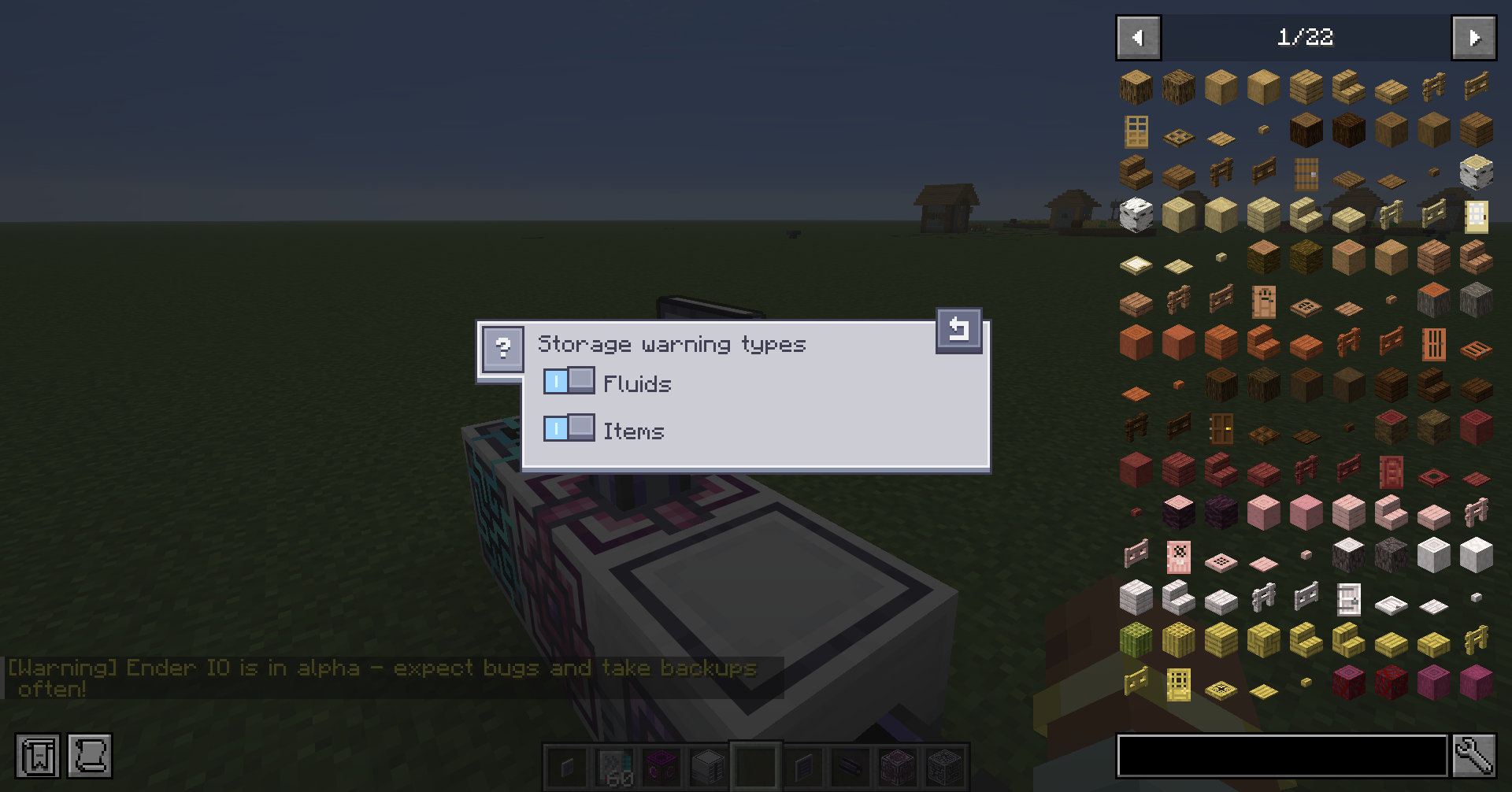
Per-type toggles
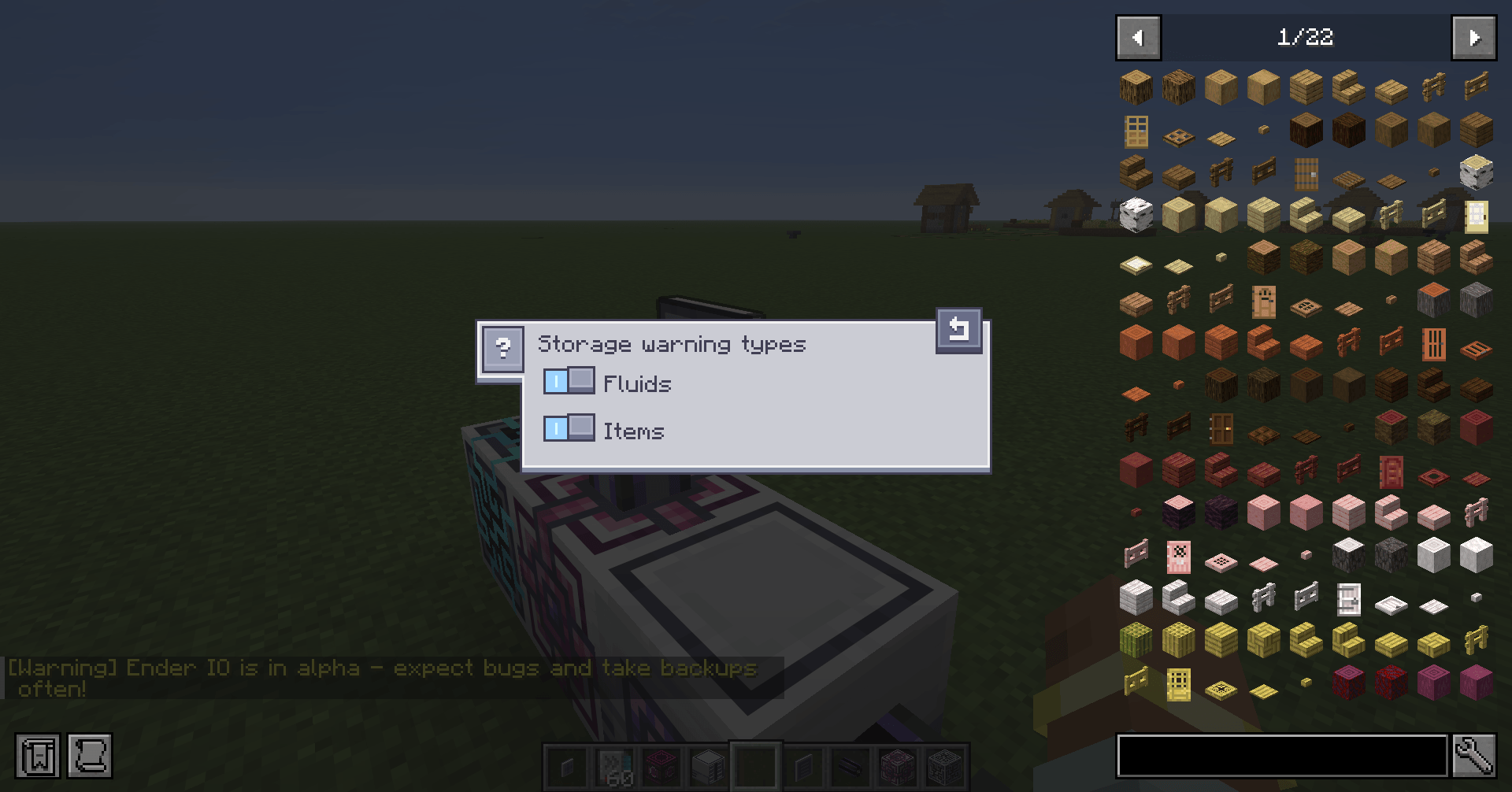
From any ME terminal, use the warning triangle button on the left toolbar to enable or disable capacity warnings per resource type (items, fluids, chemicals, and others). Choices are saved per player.
What does it do?
When you open an ME terminal, the mod scans the storage cells on that network. If remaining capacity for a resource type is critically low, a WARNING! dialog appears instead of opening the terminal right away.
You can ignore the warning once and continue into the terminal, or close it and free space first.
What is checked
- Cells in drives and ME chests (not external storage buses)
- Remaining bytes and remaining types (typed cells)
- Types take priority over byte space in the message
- Typeless disks (e.g. AE2 Things) only use byte capacity
Per-type toggles
From any ME terminal, use the warning triangle button on the left toolbar to enable or disable capacity warnings per resource type (items, fluids, chemicals, and others). Choices are saved per player.
Screenshots
Gallery
-
 2026-07-31_15.57.06.png 2026-07-31_15.57.06.png
 -
 2026-07-31_15.33.17.png 2026-07-31_15.33.17.png
 -
 2026-07-31_23.32.24.png 2026-07-31_23.32.24.png
Versions
Files
Relations
Project Relations
More like this
Similar Mods
Suggestions use data such as tags, dependencies, dependents, descriptions, titles, and more to rank how much they overlap with this mod.
On ModDex
Community snapshot
By the numbers
Statistics
Want to reach Minecraft players?
We're looking for a server hosting partner to feature here and other parts of the site. Interested? Send us a message!
Get in touchGet it on
Available Platforms
On ModDex
Community snapshot
By the numbers