
Community listing page, reviews here may not be monitored by the author.
AeroBind


No reviews yet
AeroBind is a modern control menu overhaul for Minecraft that introduces instant search, a visual keymap, and smart conflict resolution for a streamlined user experience.
Community voices
Reviews
No reviews yet. Be the first to review this project!
Get it on
Available Platforms
Compatibility
Supported Environments
Runs entirely on the client. Works on vanilla servers.
About
Project Details
For authors
Embed Badge
If you're the author of this project, you can embed a live badge anywhere that supports HTML or Markdown. It updates automatically whenever ratings change.
Use HTML for any page that supports it, or Markdown for README files and Markdown-based descriptions.
Identifiers
Platform IDs
Resources
External Links
About
Description
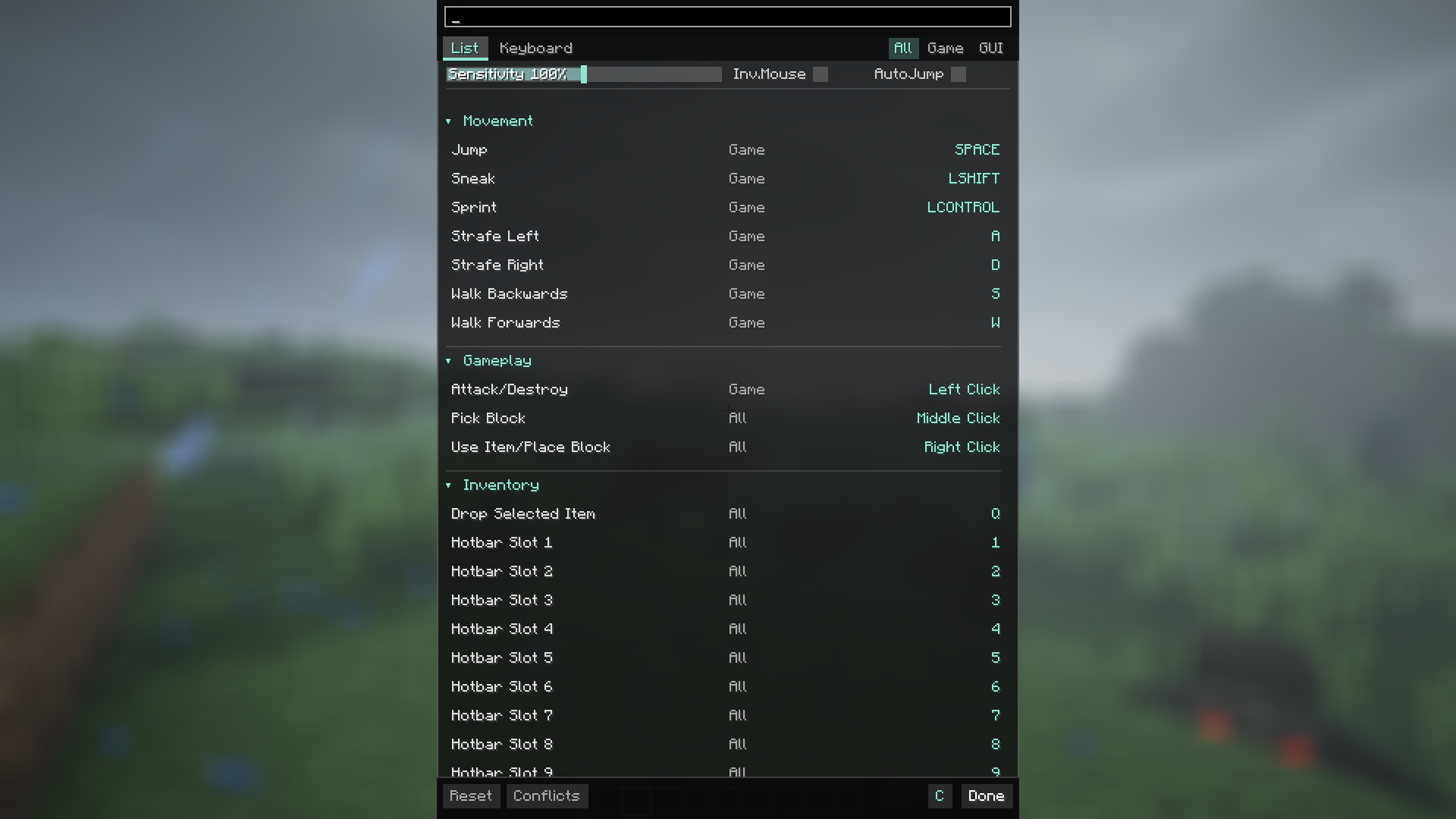
AeroBind is a mod that makes the Minecraft control menu convenient, clear, and modern. If you're tired of scrolling through a massive list of settings looking for a specific keybind, this mod is the solution.
🎮 Why is it so convenient?
- Instant Search: Just start typing the name of the action (e.g., "zoom" or "sprint"), and the mod will immediately highlight the right button. No more endless scrolling!
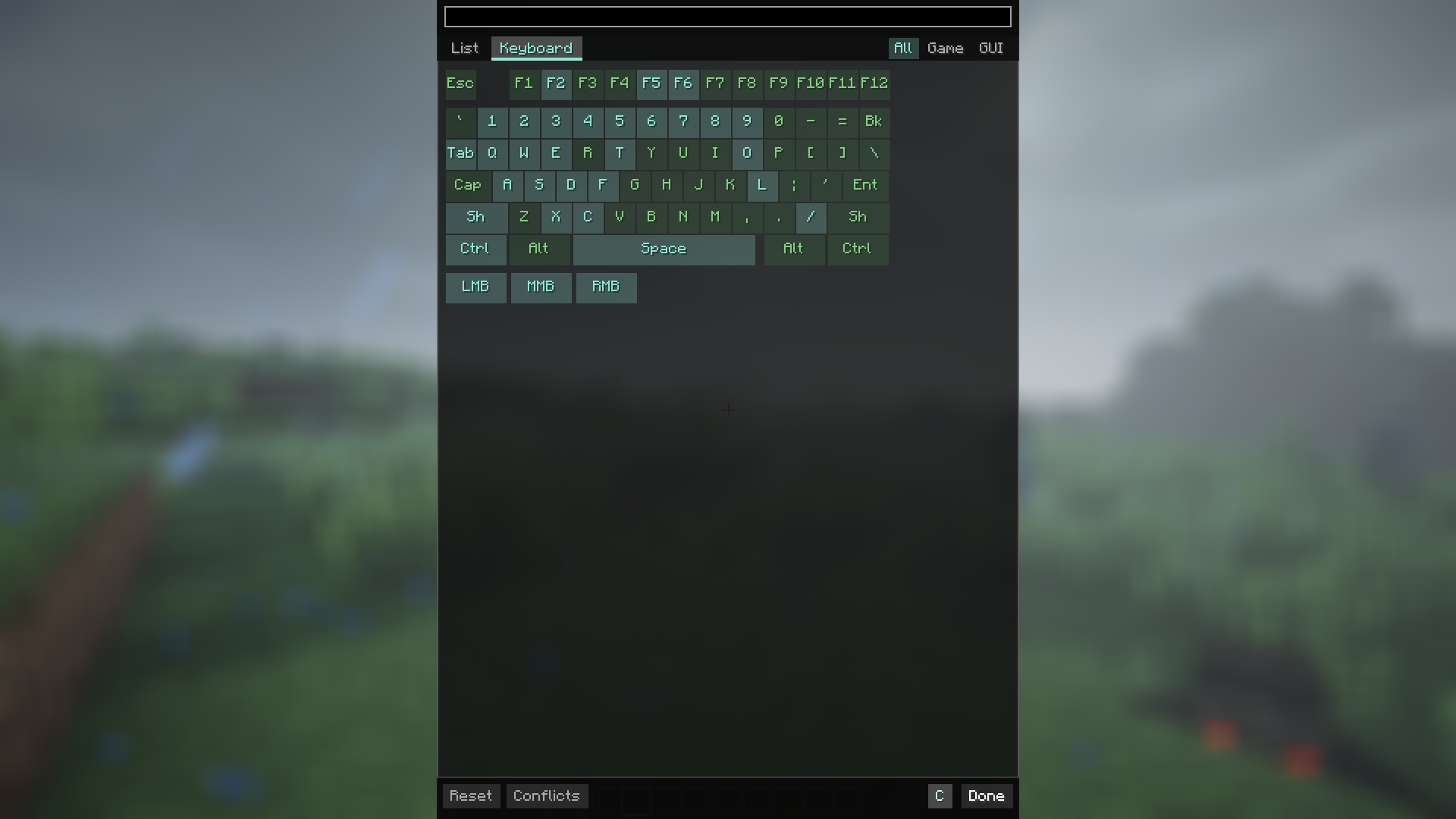
- Visual Keyboard: There is a virtual keyboard built right into the settings. It shows at a glance which keys are occupied and which are free, making it easy to plan your layout.
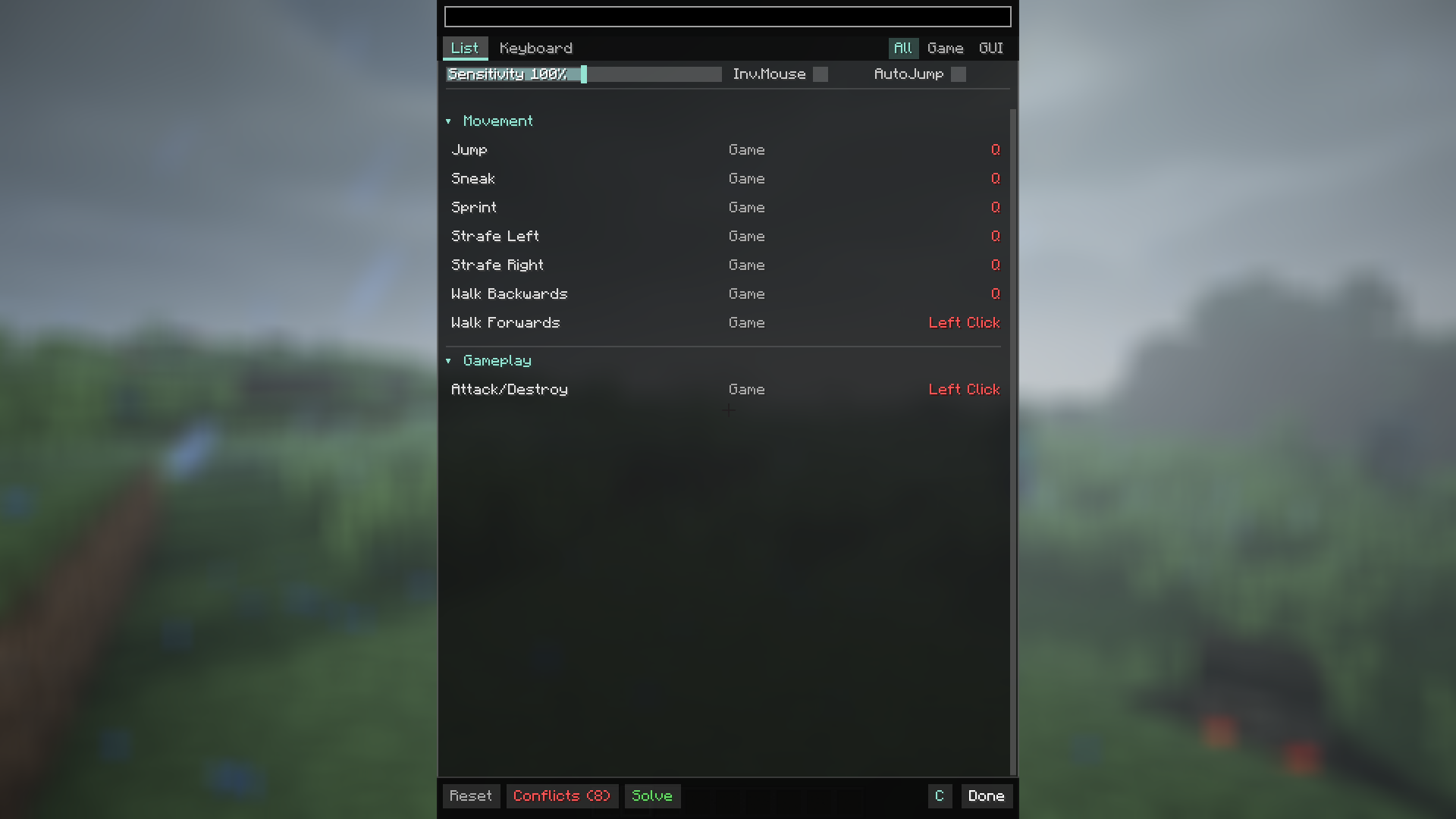
- Smart Conflict Resolution ("Solve" Button): Accidentally assigned two functions to one key and everything turned red? Just hit the "Solve" button, and the mod will automatically move conflicting actions to the nearest available keys.
- Key Combinations (Combos): Running out of keys for all your mods? AeroBind allows you to bind actions to combinations, such as Shift + R or Alt + C.
- Useful Filters: Feeling overwhelmed? Use filters to show only the keys active "In-game" (movement, jumping) or only "In-menu" (inventory, settings).
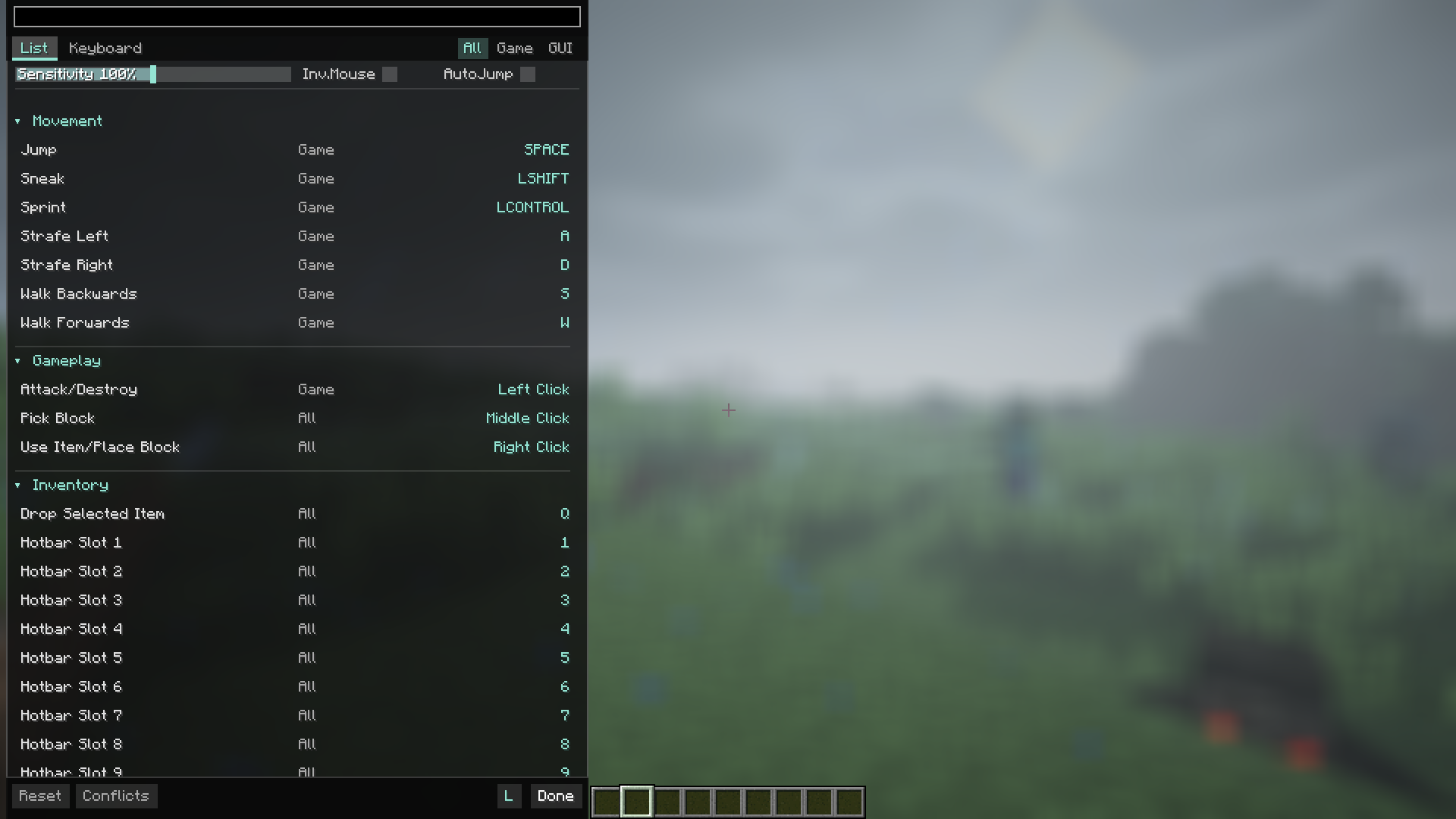
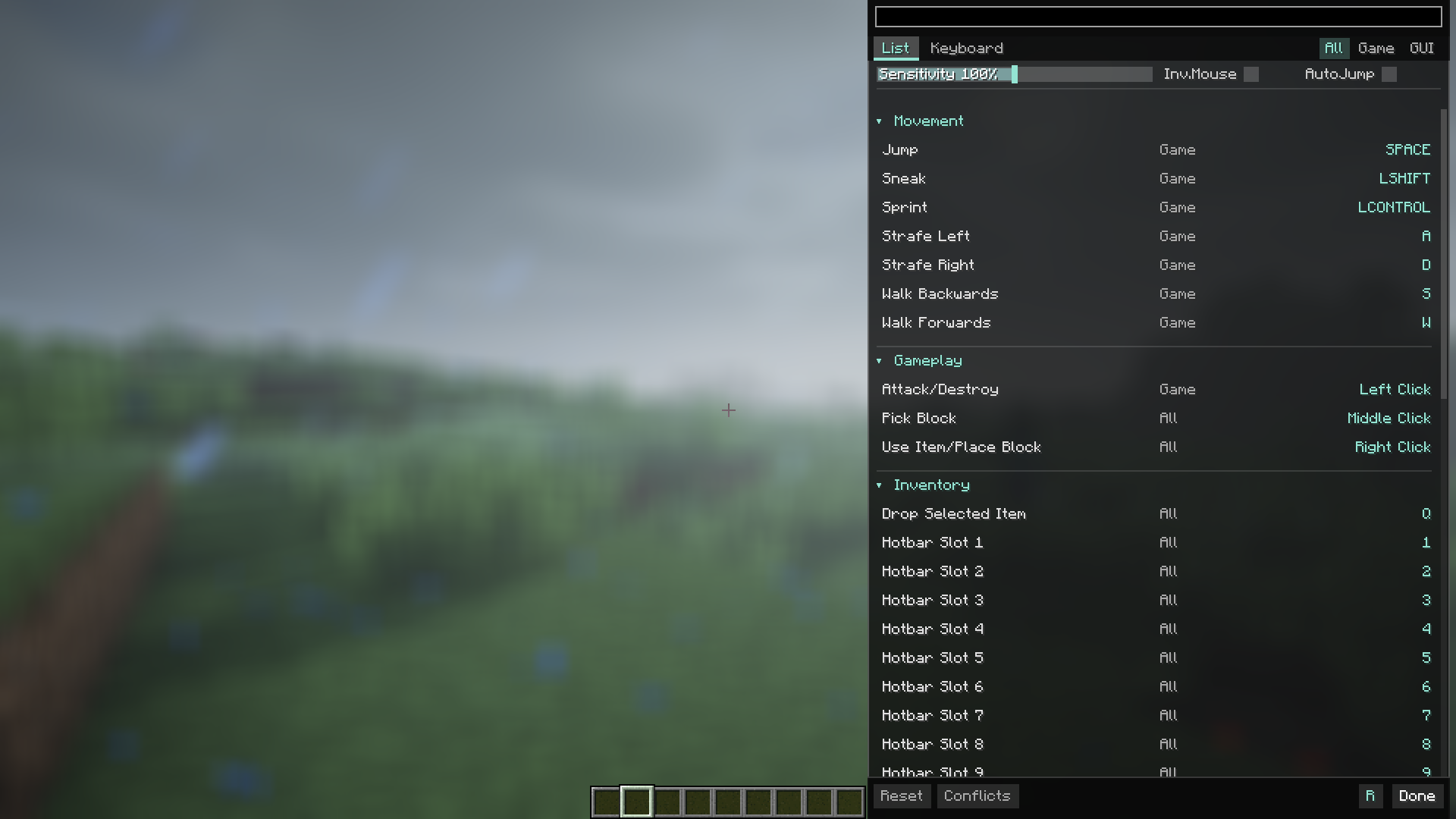
- Quick Settings: Change mouse sensitivity, toggle auto-jump, or invert your mouse directly from the controls menu. No need to back out to the main settings!
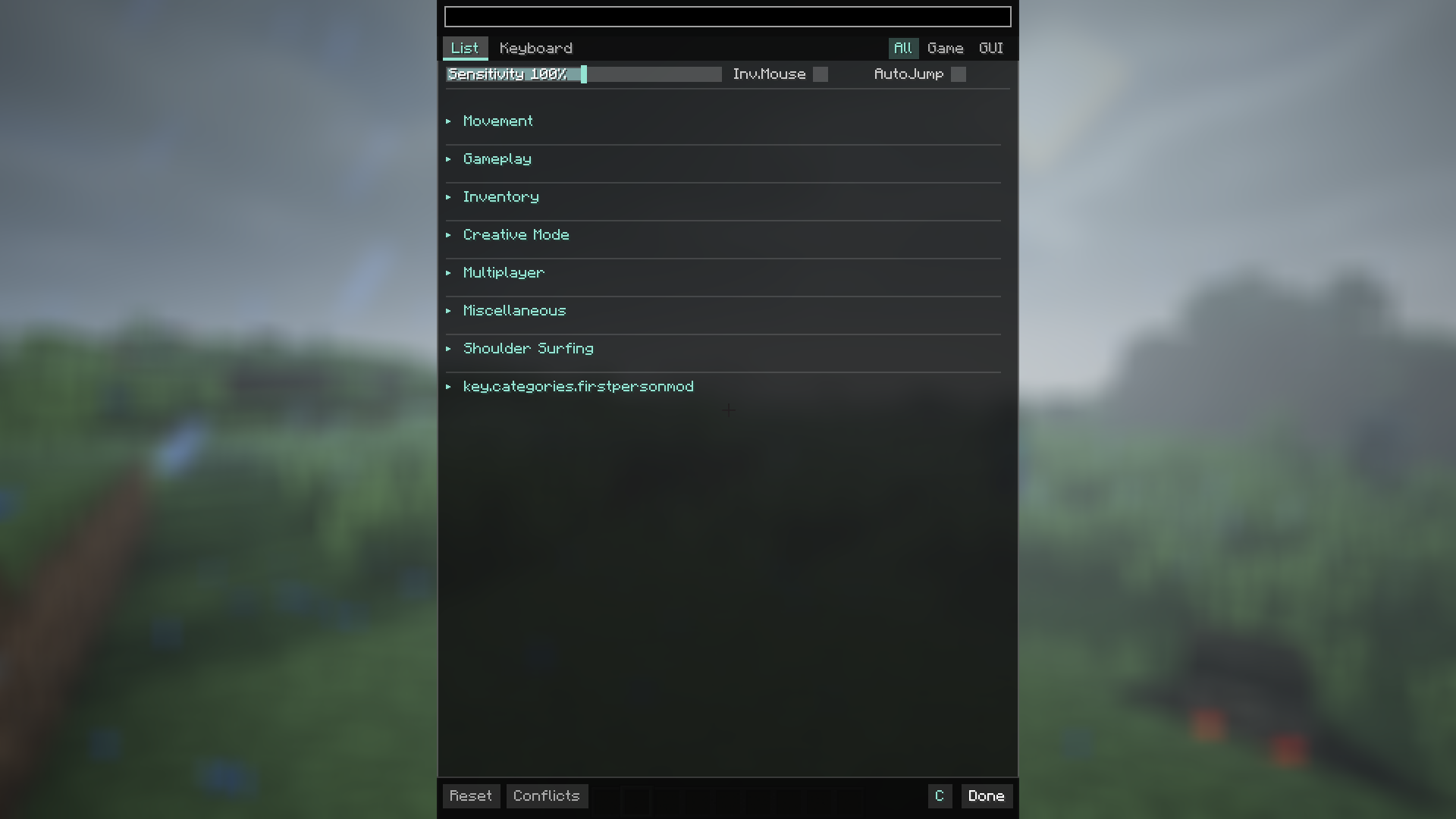
- Easy Sorting: Categories can be collapsed or expanded with a single click, allowing you to hide what you don't need right now.
With AeroBind, customizing your controls is fast, simple, and satisfying!
AeroBind is a mod that makes the Minecraft control menu convenient, clear, and modern. If you're tired of scrolling through a massive list of settings looking for a specific keybind, this mod is the solution.
🎮 Why is it so convenient?
-
Instant Search: Just start typing the name of the action (e.g., "zoom" or "sprint"), and the mod will immediately highlight the right button. No more endless scrolling!
-
Visual Keyboard: There is a virtual keyboard built right into the settings. It shows at a glance which keys are occupied and which are free, making it easy to plan your layout.
-
Smart Conflict Resolution ("Solve" Button): Accidentally assigned two functions to one key and everything turned red? Just hit the "Solve" button, and the mod will automatically move conflicting actions to the nearest available keys.
-
Key Combinations (Combos): Running out of keys for all your mods? AeroBind allows you to bind actions to combinations, such as Shift + R or Alt + C.
-
Useful Filters: Feeling overwhelmed? Use filters to show only the keys active "In-game" (movement, jumping) or only "In-menu" (inventory, settings).
-
Quick Settings: Change mouse sensitivity, toggle auto-jump, or invert your mouse directly from the controls menu. No need to back out to the main settings!
-
Easy Sorting: Categories can be collapsed or expanded with a single click, allowing you to hide what you don't need right now.
With AeroBind, customizing your controls is fast, simple, and satisfying!
Screenshots
Gallery
-
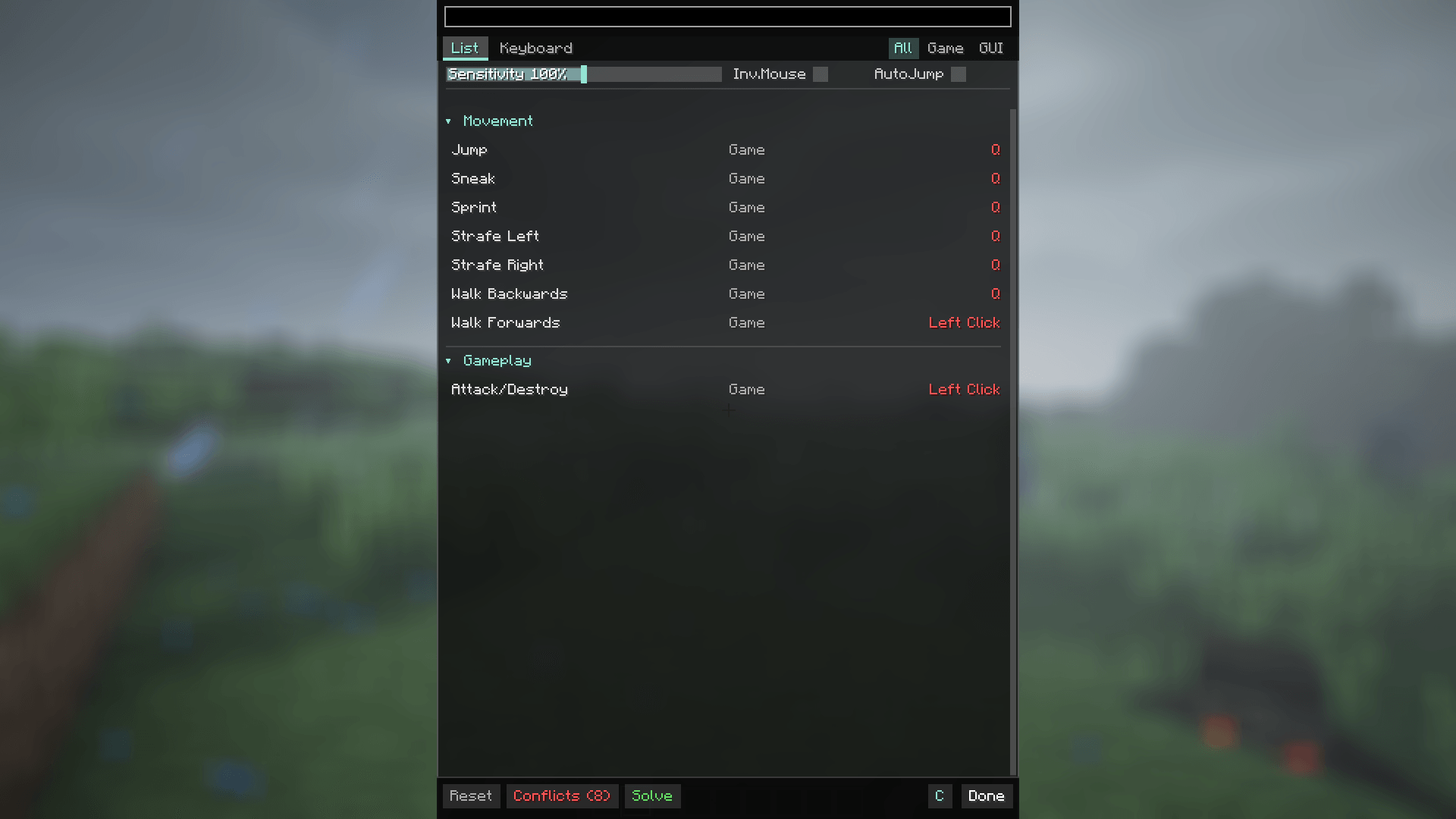 Conflicts
 -
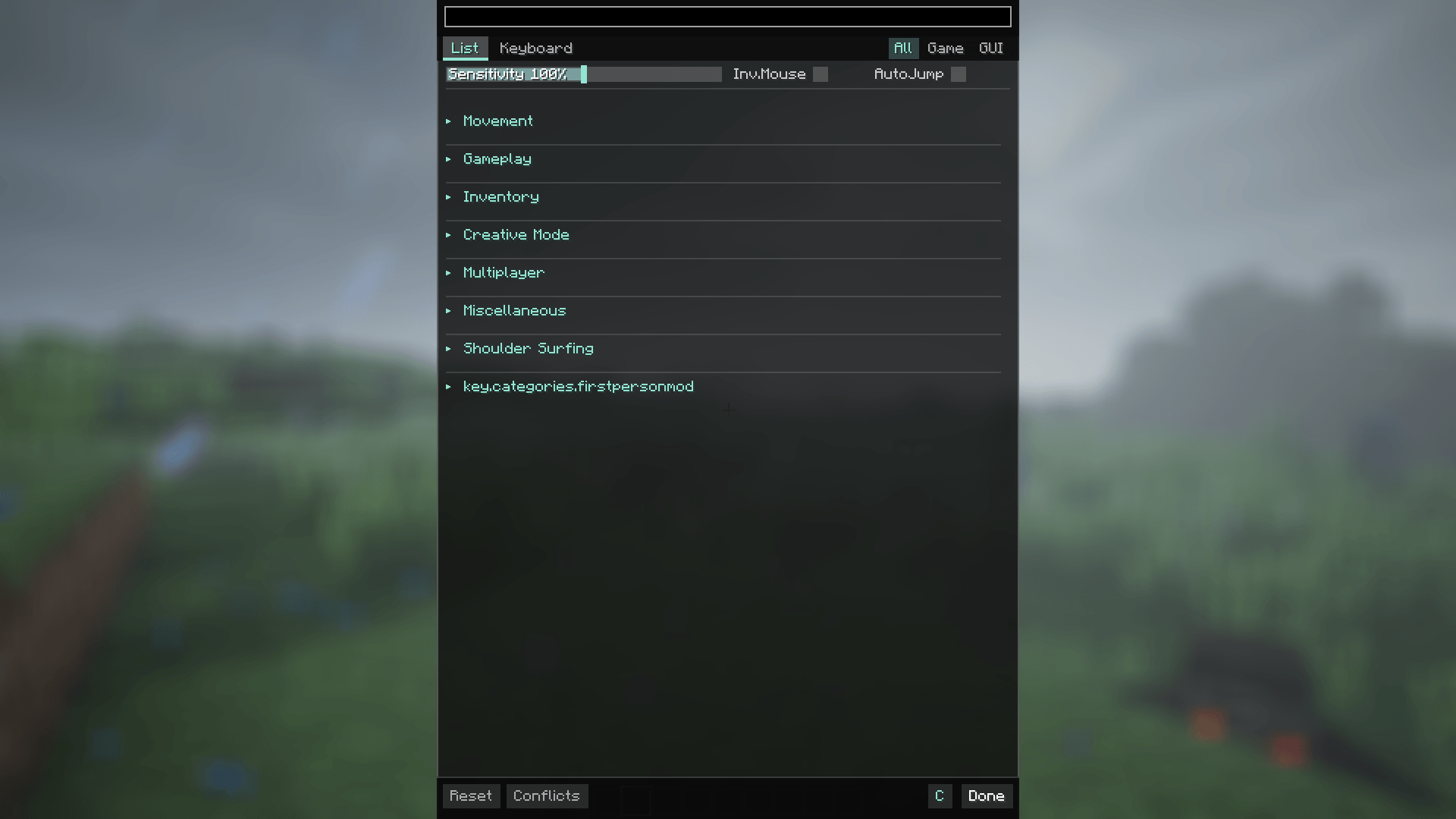 Hide categories
 -
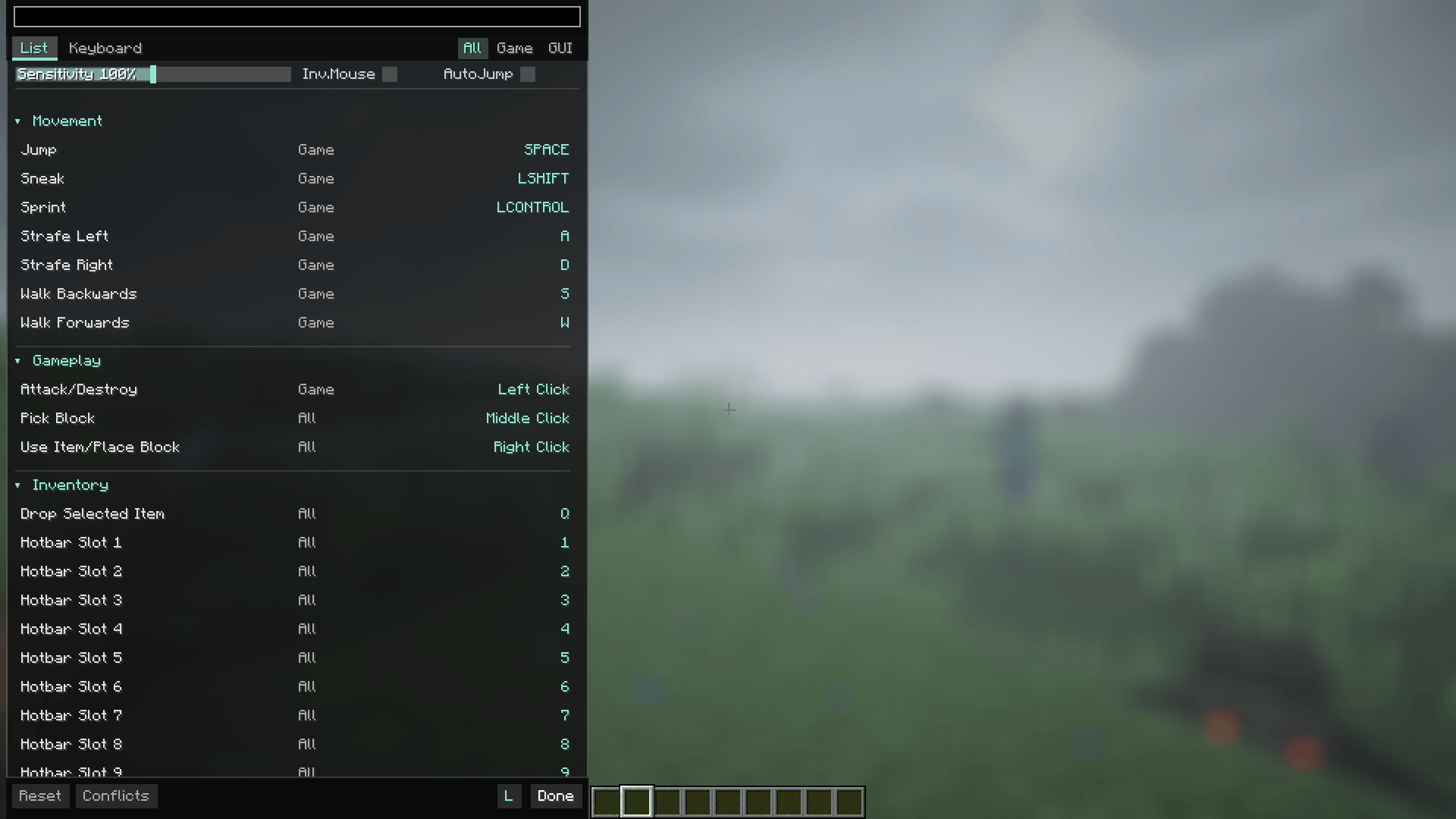 Left Side
 -
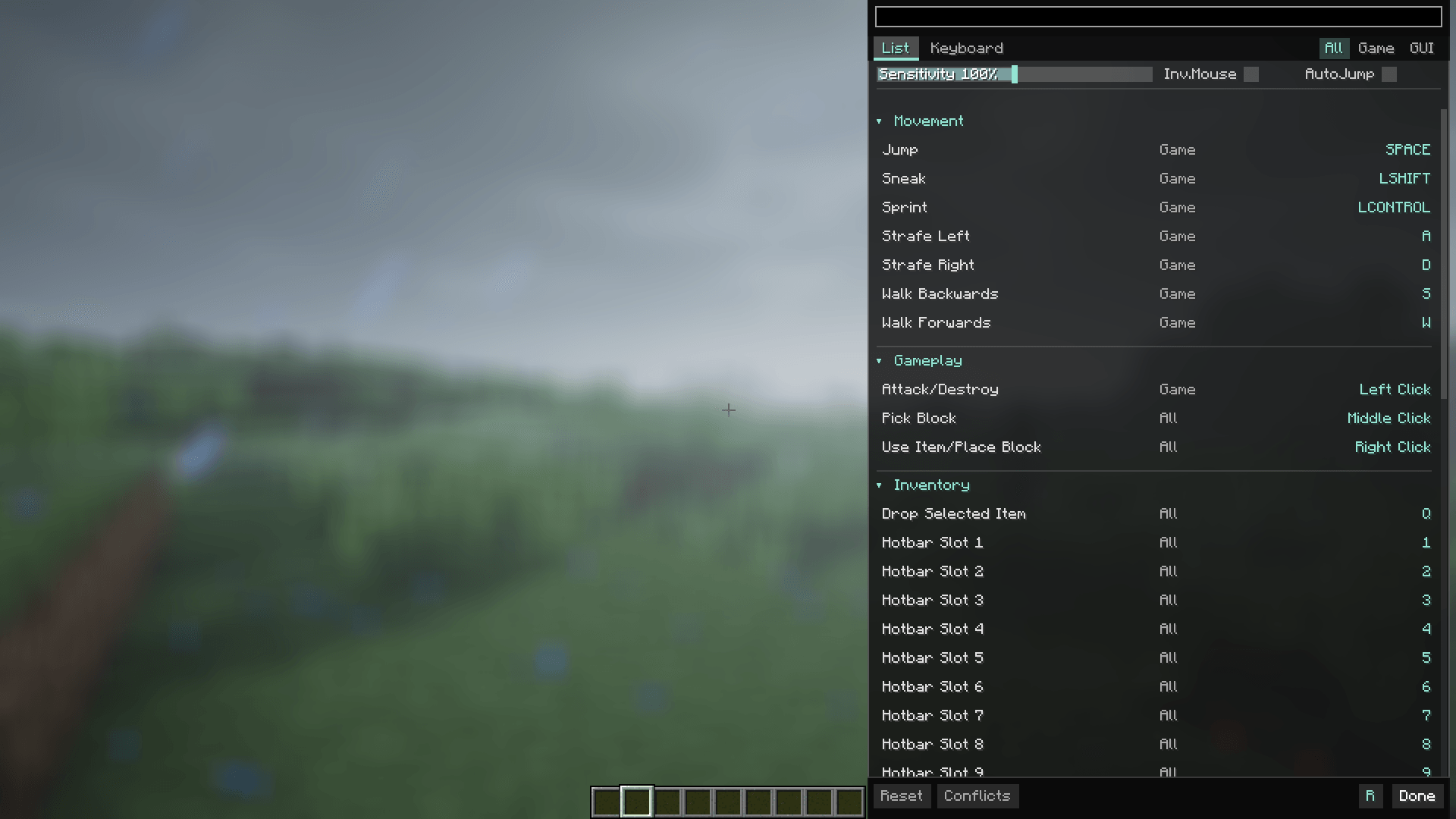 Right Side
 -
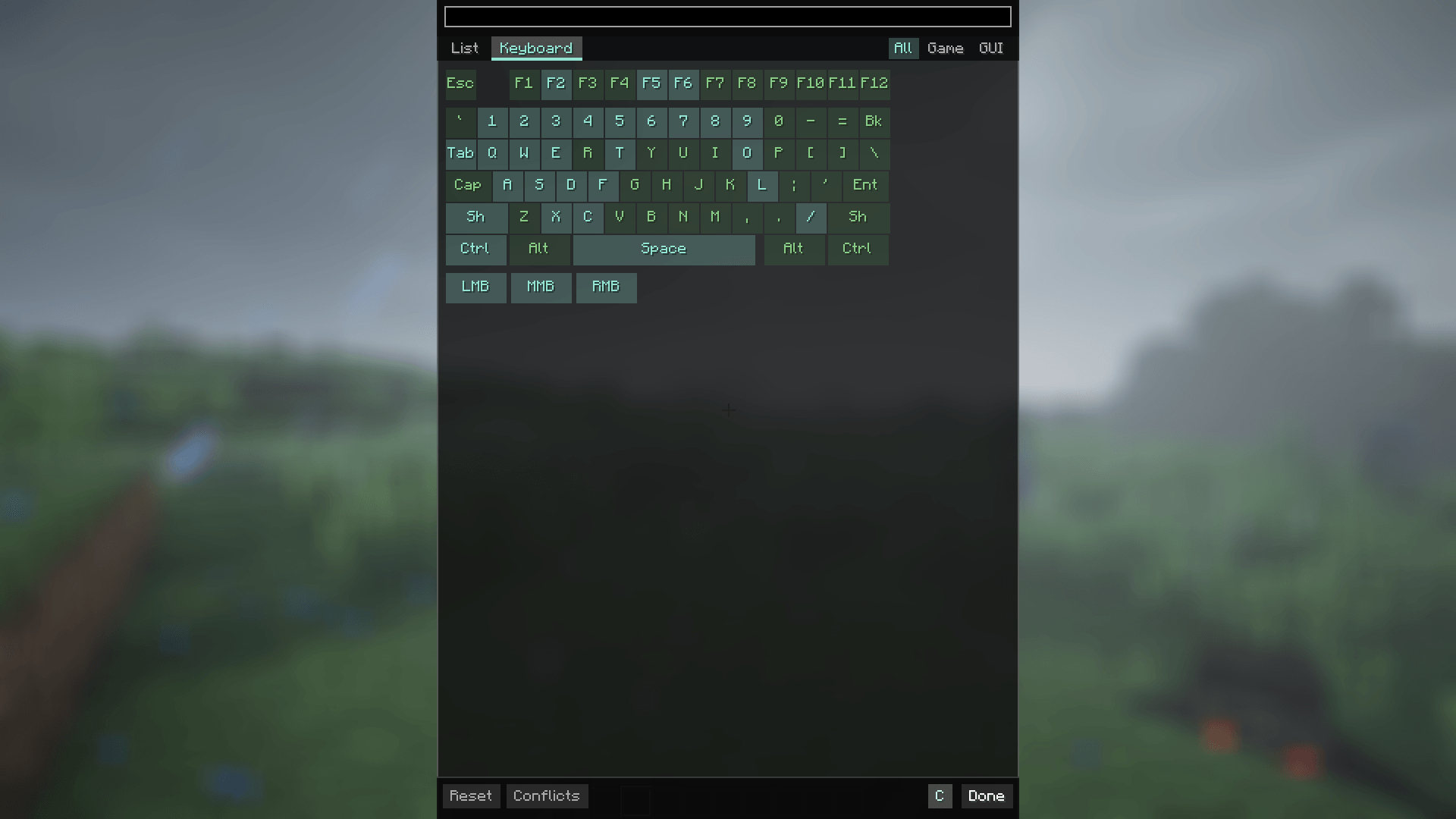 Keyboard Menu
 -
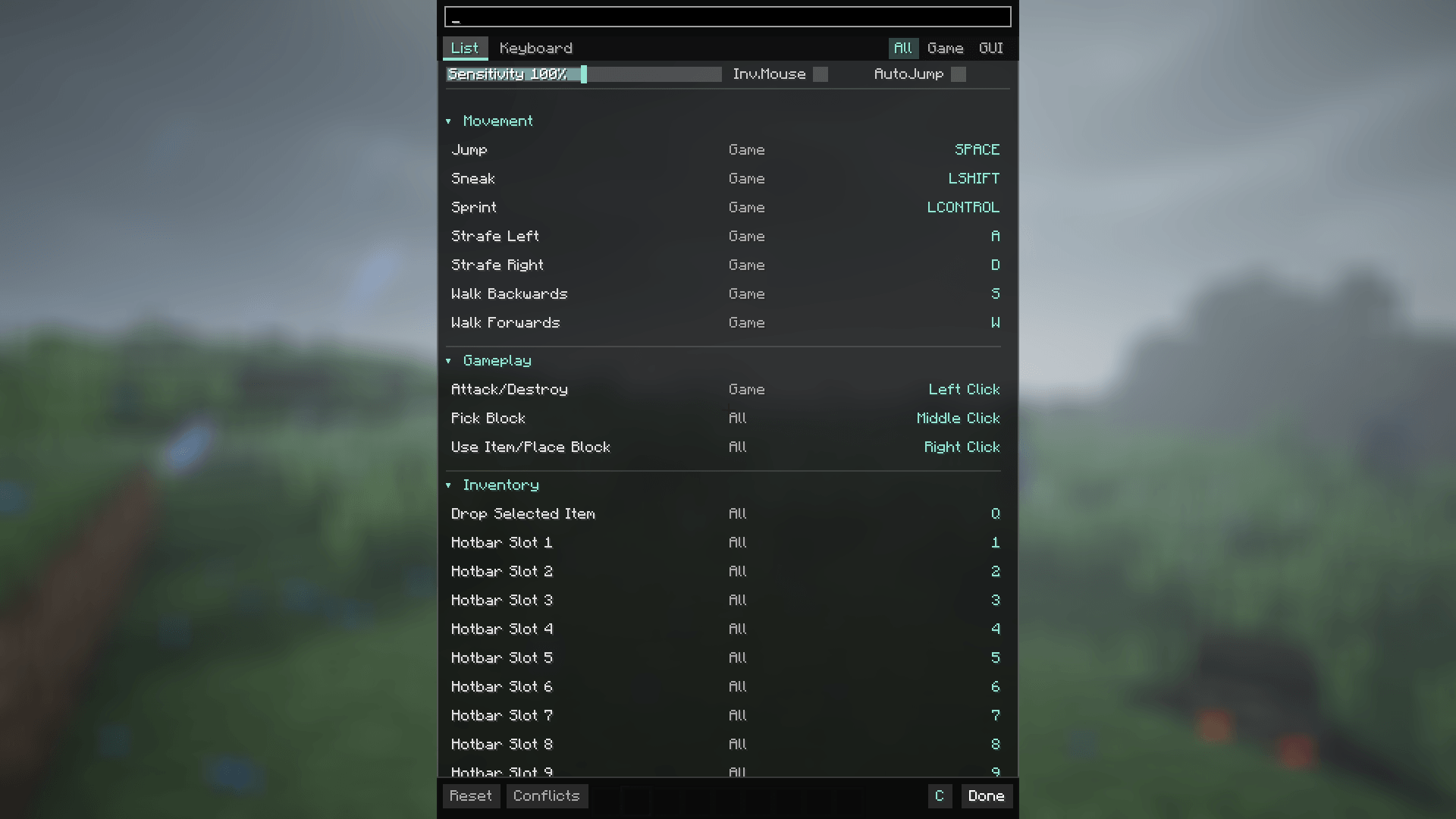 Main Menu
Versions
Files
Relations
Project Relations
More like this
Similar Mods
Suggestions use data such as tags, dependencies, dependents, descriptions, titles, and more to rank how much they overlap with this mod.
On ModDex
Community snapshot
By the numbers
Statistics
Want to reach Minecraft players?
We're looking for a server hosting partner to feature here and other parts of the site. Interested? Send us a message!
Get in touchGet it on
Available Platforms
On ModDex
Community snapshot
By the numbers
Statistics
Resources