
Community listing page, reviews here may not be monitored by the author.
Create Aeronautics: Claims


No reviews yet
Claim system for Create Aeronautics (Sable), compatible with OPAC or FTB.
Community voices
Reviews
No reviews yet. Be the first to review this project!
Get it on
Available Platforms
Compatibility
Supported Environments
Must be installed on both the client and the server.
About
Project Details
For authors
Embed Badge
If you're the author of this project, you can embed a live badge anywhere that supports HTML or Markdown. It updates automatically whenever ratings change.
Use HTML for any page that supports it, or Markdown for README files and Markdown-based descriptions.
Identifiers
Platform IDs
Resources
External Links
About
Description
Sub-levels claim system for Create: Aeronautics
Works and compatible with Open Parties and Claims or FTB Teams/Chunks.
This is a custom claim system, and it integrates with either OPAC/FTB - you can choose between the two. It works with their parties, allies, and claim limits. Players won't feel much difference between OPAC, FTB, and our claim system.
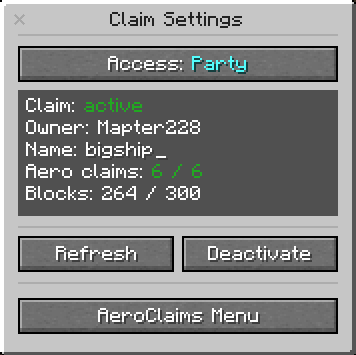
How does it work?
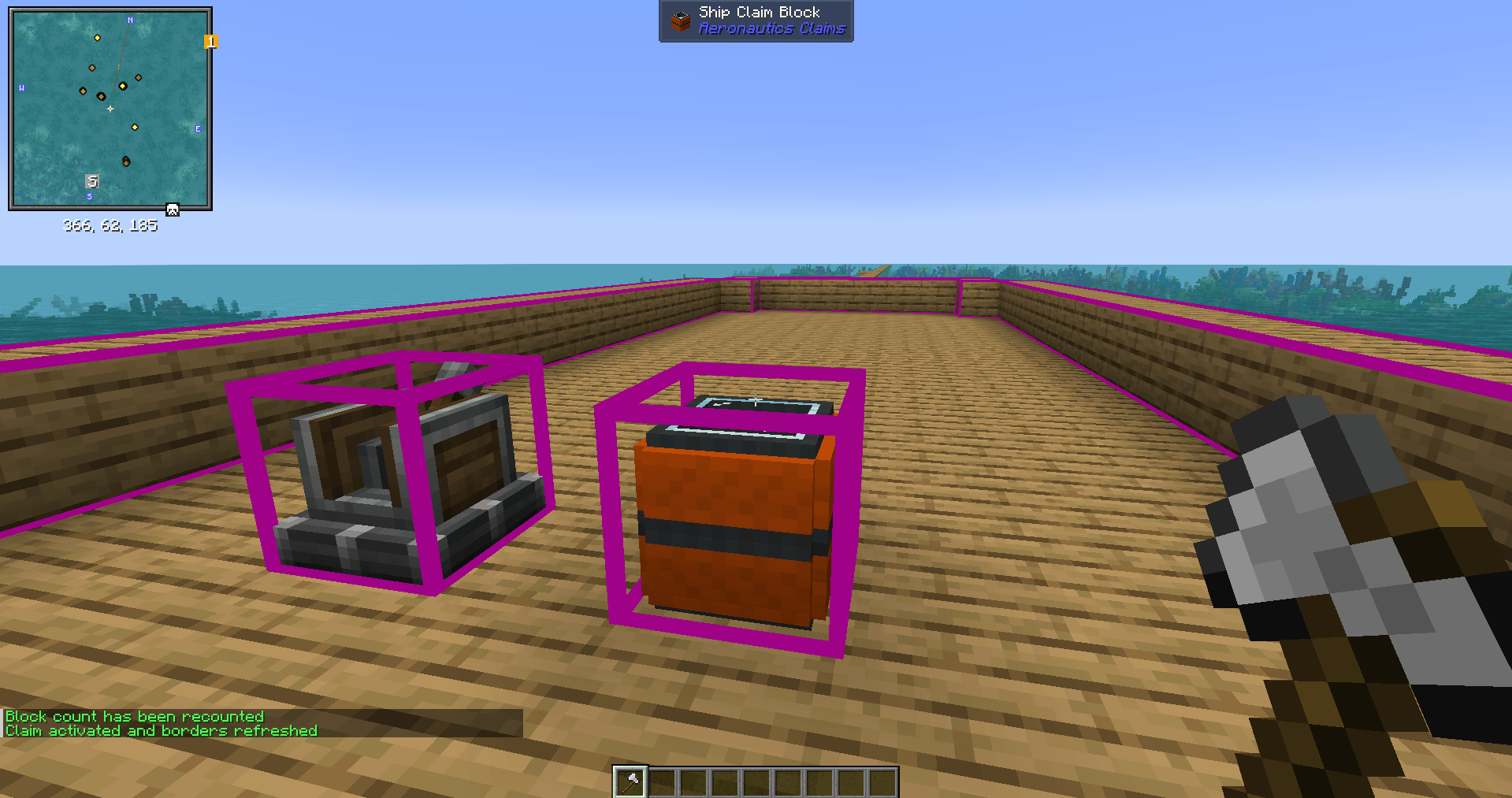
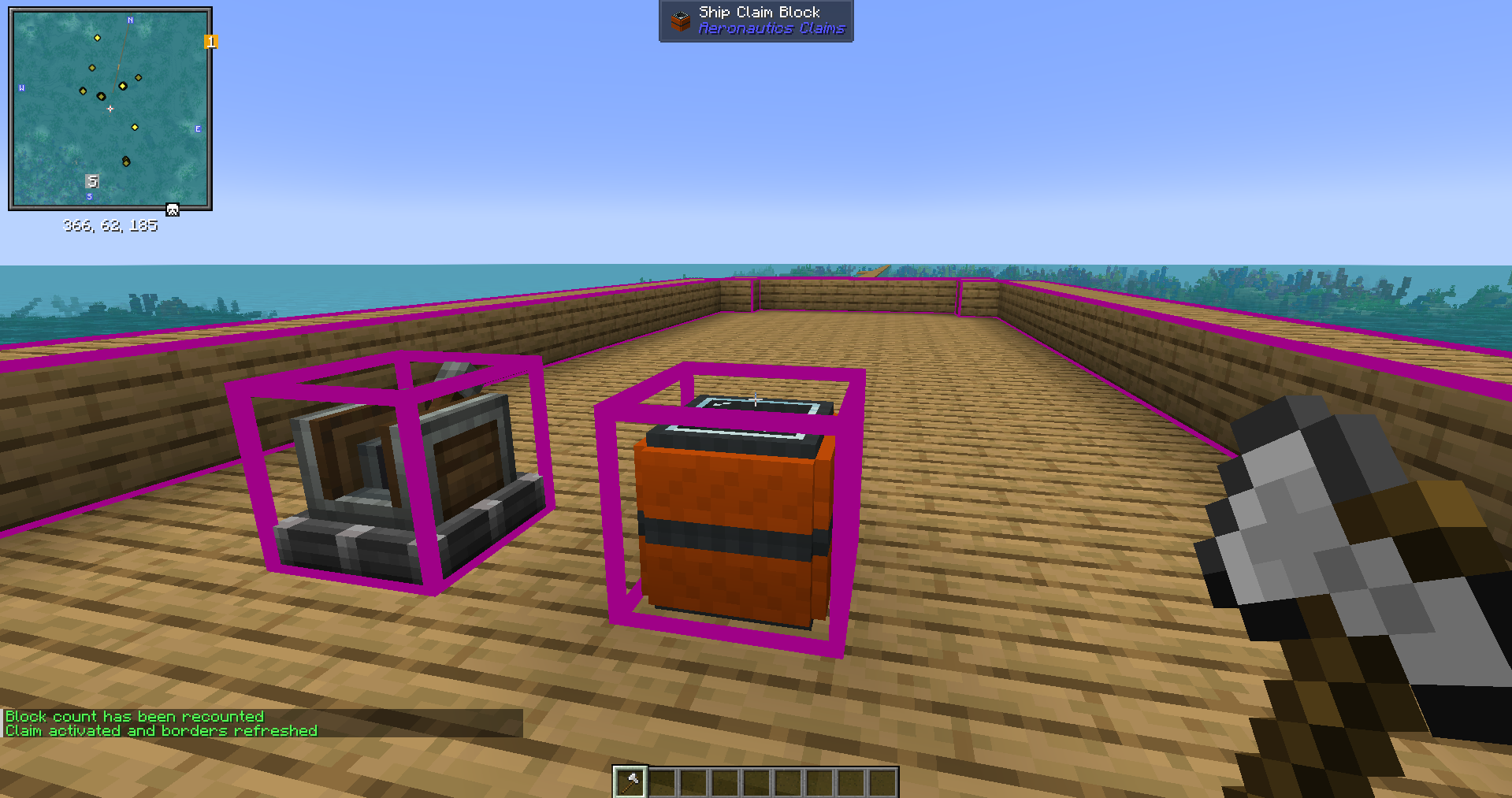
You can claim Sub-level (ship, aircraft, whatever you want) with the Claim block using its GUI.
You also will have to use Aero claims depending on your Sub-level size.
You can acquire Aero-claims by converting regular OPAC/FTB claims to the Aero-claims
Each Aero-claim provides protection to certain amount of blocks (can be changed in config).
You can increase the claim size by adding more Aero-claims to Claim block.
Example:
- 1 Aero-claim = 50 blocks
- 20 Aero-claims = 1000 blocks
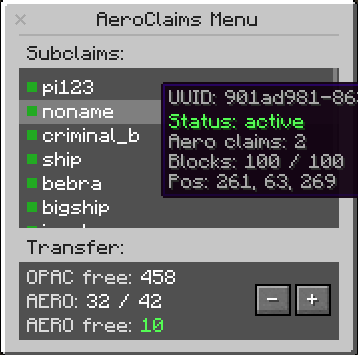
Feature
- You can place the Claim block only on Sub-level, it scans all the structure. Doesn’t work outside the Sub-level.
- You can set up permissions: party, ally, all or nobody.
- Simple GUI: claim-activation button, sub-level info, reload borders button. Press "refresh" button after you increased your Sub-level.
- Regular destruction and player-interaction protection.
- Improved create-block-interaction (drills, saws, deployers etc) protection. Protection from the honey glue (from Aeronautics). List will be improved, more items/blocks will be added.
- You can save the Sub-level list with all info as .json-files in the server folder. You can save claimed and unclamed “sub-levels” separately. Mod records sub-level’s - UUID & size, owner’s nickname. The list will be increased.
- Useful commands for admins and regular players. Admin commands provide the control over the amount of sub-levels, which can help with server optimization. The list will be increased.
- Set up with the config. The list will be increased.
Commands
For players:
/aeroclaims info - shows all your “sub-levels”, used and left “aero-claims” info.

/aeroclaims transfer to opac <amount> - transfers your “aero-claims” to “opac-claims”

/aeroclaims transfer to aero <amount> - transfers your “opac-claims” to “aero-claims”
For admins:
/aeroclaims sublevels unclaimed clear - deletes all the unclaimed “sub-levels”

/aeroclaims sublevels all/claimed/unclaimed dump - saves all/claimed/unclaimed “sub-levels” as .json-file to the server folder.
Sub-levels claim system for Create: Aeronautics
Works and compatible with Open Parties and Claims mod (OPAC).
This is custom claim system, separate from OPAC, but integrates with its parties and allies system and claims amount. Players wouldn’t feel big difference between OPAC and our claim system.
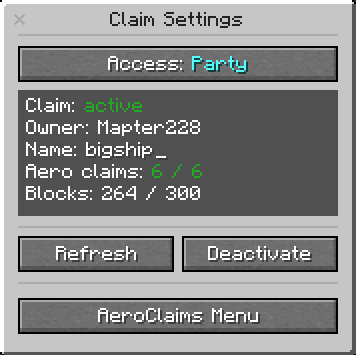
How does it work?
You can claim Sub-level (ship, aircraft, whatever you want) with the Claim block using its GUI.
You also will have to use Aero claims depending on your Sub-level size.
You can acquire Aero-claims by converting regular OPAC claims to the Aero-claims
Each Aero-claim provides protection to certain amount of blocks (can be changed in config).
You can increase the claim size by adding more Aero-claims to Claim block.
Example:
- 1 Aero-claim = 50 blocks
- 20 Aero-claims = 1000 blocks
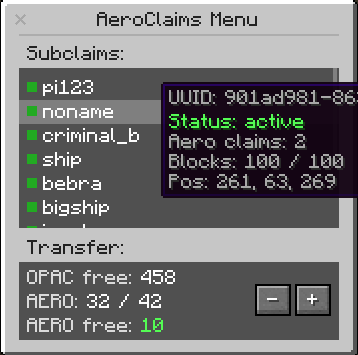
Feature
- You can place the Claim block only on Sub-level, it scans all the structure. Doesn’t work outside the Sub-level.
- You can set up permissions: party, ally, all or nobody.
- Simple GUI: claim-activation button, sub-level info, reload borders button. Press "refresh" button after you increased your Sub-level.
- Regular destruction and player-interaction protection.
- Improved create-block-interaction (drills, saws, deployers etc) protection. Protection from the honey glue (from Aeronautics). List will be improved, more items/blocks will be added.
- You can save the Sub-level list with all info as .json-files in the server folder. You can save claimed and unclamed “sub-levels” separately. Mod records sub-level’s - UUID & size, owner’s nickname. The list will be increased.
- Useful commands for admins and regular players. Admin commands provide the control over the amount of sub-levels, which can help with server optimization. The list will be increased.
- Set up with the config. The list will be increased.
Commands
For players:
/aeroclaims info - shows all your “sub-levels”, used and left “aero-claims” info.

/aeroclaims transfer to opac <amount> - transfers your “aero-claims” to “opac-claims”

/aeroclaims transfer to aero <amount> - transfers your “opac-claims” to “aero-claims”
For admins:
/aeroclaims sublevels unclaimed clear - deletes all the unclaimed “sub-levels”

/aeroclaims sublevels all/claimed/unclaimed dump - saves all/claimed/unclaimed “sub-levels” as .json-file to the server folder.
Screenshots
Gallery
-
 aeroclaims3.png aeroclaims3.png
 -
aeroclaims1.png aeroclaims1.png
-
aeroclaims2.png aeroclaims2.png
Versions
Files
Relations
Project Relations
More like this
Similar Mods
Suggestions use data such as tags, dependencies, dependents, descriptions, titles, and more to rank how much they overlap with this mod.
- Create: Aero Stuff
- Create: Cyber Goggles
- Create: BeyondLimits
- smartbuildLib
- Create : Tick Control
- Copycats+ aeronautics weight
- Create Aeronautics: Portable Engine Liquid Fuel
- Create Aeronautics: Joystick | Control Stick
- Create Aeronautics: Dyeable Components
- Create Sable Dynamic Lights
- Jade Sable Compat
- Create Aeronautics: Curios Compat
On ModDex
Community snapshot
By the numbers
Statistics
Want to reach Minecraft players?
We're looking for a server hosting partner to feature here and other parts of the site. Interested? Send us a message!
Get in touchGet it on
Available Platforms
On ModDex
Community snapshot
By the numbers
Statistics
Resources