Community listing page, reviews may not be monitored by the author.
AgentTestToolkit

No reviews yet
Lets an AI assistant test your mod: it sets up the world, takes small player actions, and logs what the game did.

Community voices
Reviews
No reviews yet. Be the first to review this project!
Get it on
Available Platforms
About
Project Details
For authors
Embed Badge
If you're the author of this project, you can embed a live badge anywhere that supports HTML or Markdown. It updates automatically whenever ratings change.
Use HTML for any page that supports it, or Markdown for README files and Markdown-based descriptions.
Identifiers
Platform IDs
About
Description
A development tool for people who write Minecraft mods, and for the AI coding assistants that help them. It is not a gameplay mod: it adds no items, blocks or recipes. In the game's mod list it appears as Agent Test Toolkit.
It automates the tests of your mod that need only a little player control. Your assistant prepares a test world, has your game click, hold a button, drop an item or open the inventory, and then reads from the log what the game did. You launch the game. A test that needs real aiming, walking around, or work inside another mod's screens still needs you. For those, a command bundle sets up the world and the log records what happened.
AI usage disclaimer: This mod was developed with AI-agent assistance using this agent workflow. The project owner reviewed the work during development.
Use a test world. Arena commands replace blocks and remove entities at once, without asking and without undo. Do not add this mod to a pack meant for play; a test copy of a pack is fine.
What it does
It has no Java API, and your mod does not depend on it: you use it through commands, bundle files, request files and the log. It sees only what Minecraft and Forge show, so your mod still logs its own decisions.
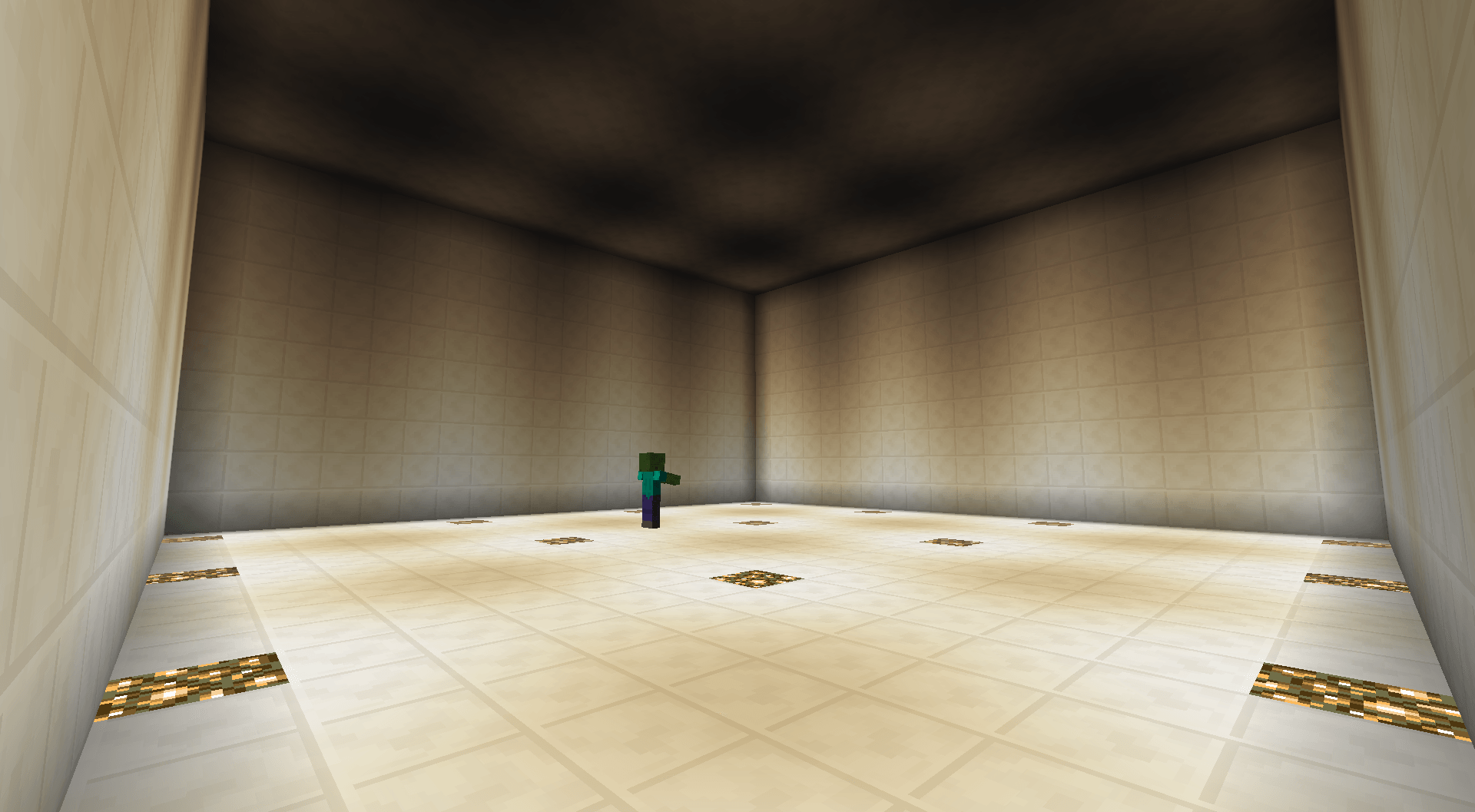
Sets up a test in one step. A command bundle is a named list of commands, kept in a JSON file in config/devtool/bundles/ (one file can hold several) and run with /devtool run <name>. It can build an arena (an enclosed, lit, empty space that one command resets between attempts), set game rules, give items, turn on logging, wait for an area to load (or to be decorated, with its trees and ores placed), and stop at the first failure.
Writes what the game did into the log. Block placing and breaking, spawns, deaths, damage, interactions and item pickups, each category off until you turn it on. On request, the state of a player, entity, block (with its light level), chunk or inventory. It can also list where a given block appears in the loaded part of an area. Each is one line a program can read, in latest.log next to your own mod's output. A bundle can also compare what it sees with a value you give it, such as a player's health, and log the result.
Takes small player actions. Your assistant can ask your own game to pick a hotbar slot, right click or left click once, hold a mouse button for a set time (to draw a bow, for example), drop the held item, open the inventory, or show an item's tooltip and write its lines as text, optionally with Shift, Ctrl or Alt held (holding those keys is not available on Cleanroom). Each can be delayed and followed by a screenshot, which can leave out the chat or the whole HUD; with Gnetum installed the chat stays in the picture, and leaving out the whole HUD still works. The game handles the click as a player's click, though mods that read raw mouse input do not see it. The toolkit does not aim: a bundle points the player with a teleport first.
It can also leave the world and come back, with a full logout if the test needs one, press Respawn after a death, close the open screen, or close the game.
Takes requests from files. With the command inbox open, your assistant starts bundles, player actions and read-only commands by writing small files, and reads the results from files next to them. A separate client setting lets it act from the title screen the same way: create a test world, open a save, join a server on your own computer or local network, or quit. Nothing runs while a menu or a book pauses single player; a file in the inbox folder then names the open screen, so your assistant knows why it gets no answer.
Installation and settings
It runs on the server, so in single player install it as usual. Player actions, rejoining, screenshots and title-screen requests also need it on your client, at the same version as the server; an older client is refused only the newer features. A client without it can still join. Commands need operator rights (cheats on in single player); start with /devtool help.
Out of the box it only runs commands you type. The settings are in config/devtool/devtool.cfg, each described in the file; a key such as inbox.enabled is the line B:enabled under inbox, which you set to true. For a test where you only launch the game, turn on inbox.enabled (the inbox) and inbox.openOnLocalJoin (it opens by itself at your own join), and on your client client.allowActions (player actions and the rejoin, respawn and close steps) and client.requestChannel (title-screen requests). Your assistant needs to read and write the game folder. The game also pauses when its window loses focus; client.noPauseOnLostFocus with client.applyOnJoin turns that off; set them before launching, and note that applyOnJoin also applies the other client defaults in the file, such as full brightness and muted music. On a development server in offline mode, inbox.localJoinOperator gives you operator rights while you are joined from your own computer and game folder, and takes them back when you leave.
Documentation
Point your assistant at AGENTS.md: it lists every command and log line, with worked examples. For a person, README.md is the place to start, then docs/commands.md, docs/bundles.md for the bundle format and docs/logging.md for the log lines. Example bundles are written to config/devtool/bundles/ on first run.
Screenshots
Gallery
-
 Test Arena.png Test Arena.png
Versions
Files
Relations
Project Relations
More like this
Similar Mods
Suggestions use data such as tags, dependencies, dependents, descriptions, titles, and more to rank how much they overlap with this mod.
On ModDex
Community snapshot
By the numbers
Statistics

Get it on
Available Platforms
On ModDex
Community snapshot
By the numbers