
Community listing page, reviews here may not be monitored by the author.
AirstrikePointers

No reviews yet
This mod adds a laser pointer to Minecraft that allows players to mark targets and guide projectiles
Community voices
Reviews
No reviews yet. Be the first to review this project!
Get it on
Available Platforms
Compatibility
Supported Environments
Must be installed on both the client and the server.
About
Project Details
For authors
Embed Badge
If you're the author of this project, you can embed a live badge anywhere that supports HTML or Markdown. It updates automatically whenever ratings change.
Use HTML for any page that supports it, or Markdown for README files and Markdown-based descriptions.
Identifiers
Platform IDs
About
Description
This mod adds two tools for creating target designations in the world: the Laser Pointer and the Pocket Laser Pointer.
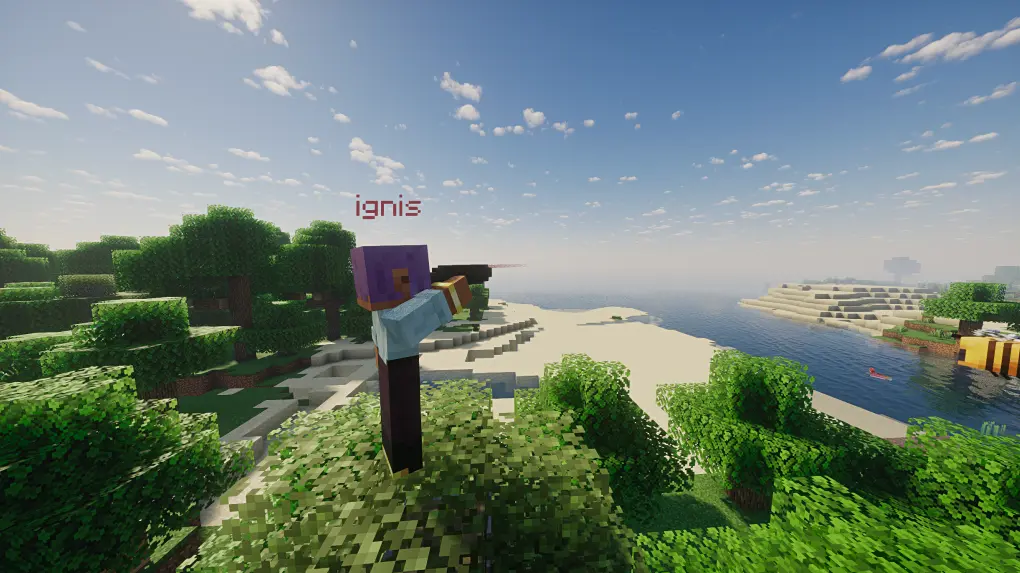
Laser Pointer
The main tool, offering functionality similar to a telescope. Players can aim at blocks or entities to place visible markers to share with other players or to guide fire.
Usage
- Hold Right Click to enter the pointer interface, release to mark the target.
- Shift + Right Click switches between operation modes.
- Shift + Left Click clears all markers created by you.
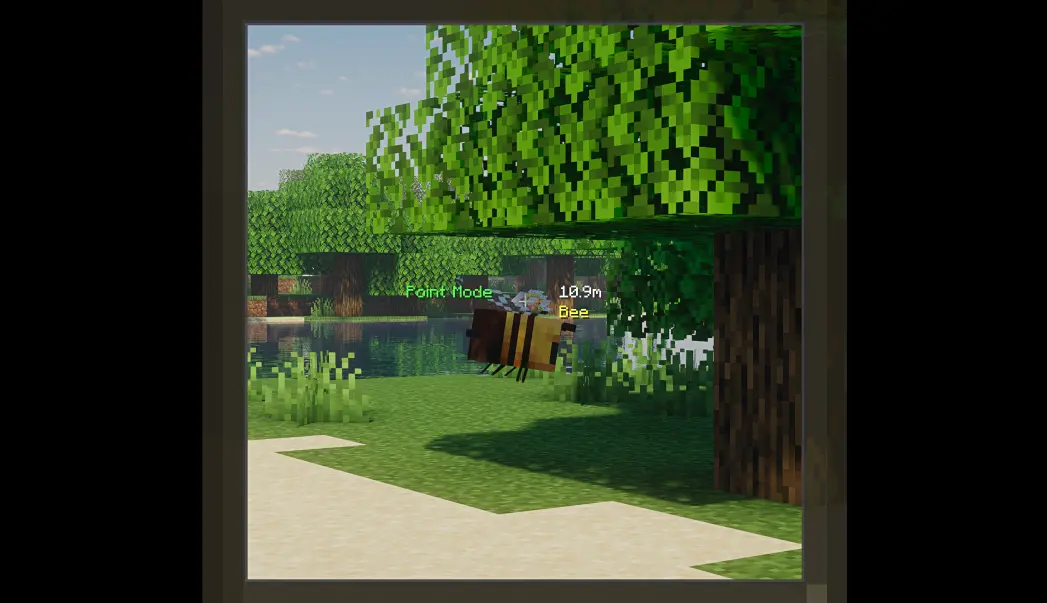
Marker Modes
The Laser Pointer has two modes: Point Marker and Vector Marker.
Point Marker Mode
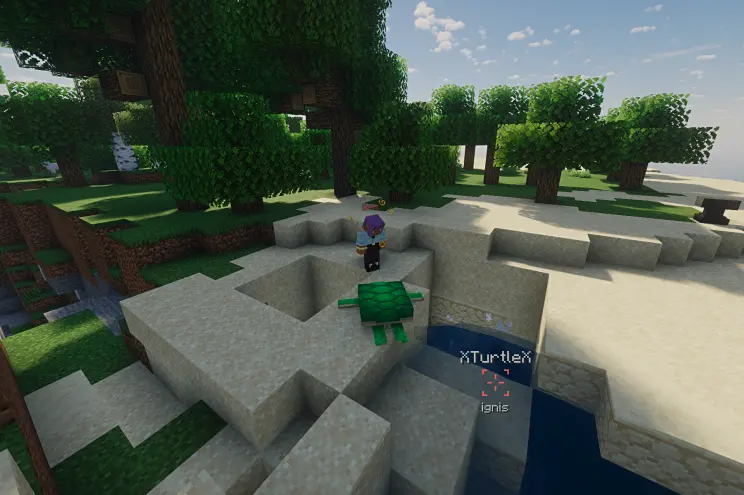
The marker attaches to the targeted block or entity. The marker's name is displayed below, and the name of the targeted entity is displayed above (if attached to an entity).
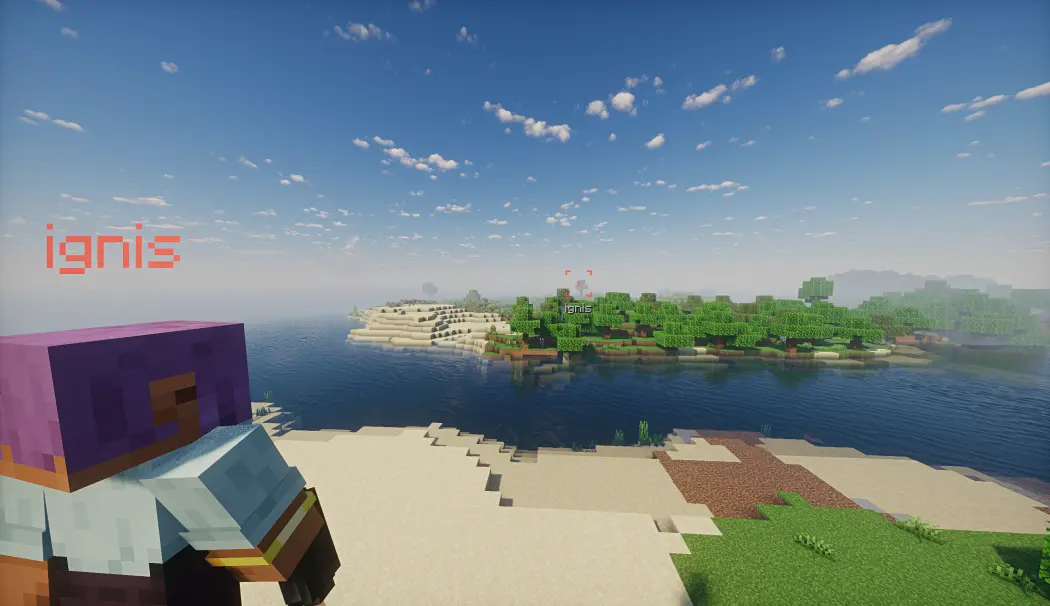
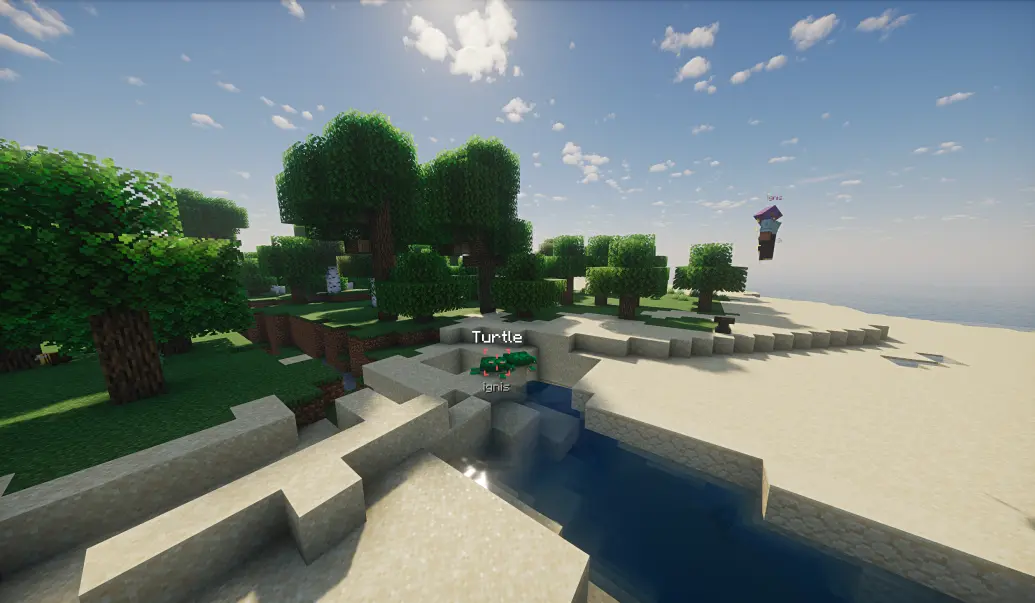
If guidance is enabled, the Point Marker will guide configured entities toward the marker by altering their velocity direction.
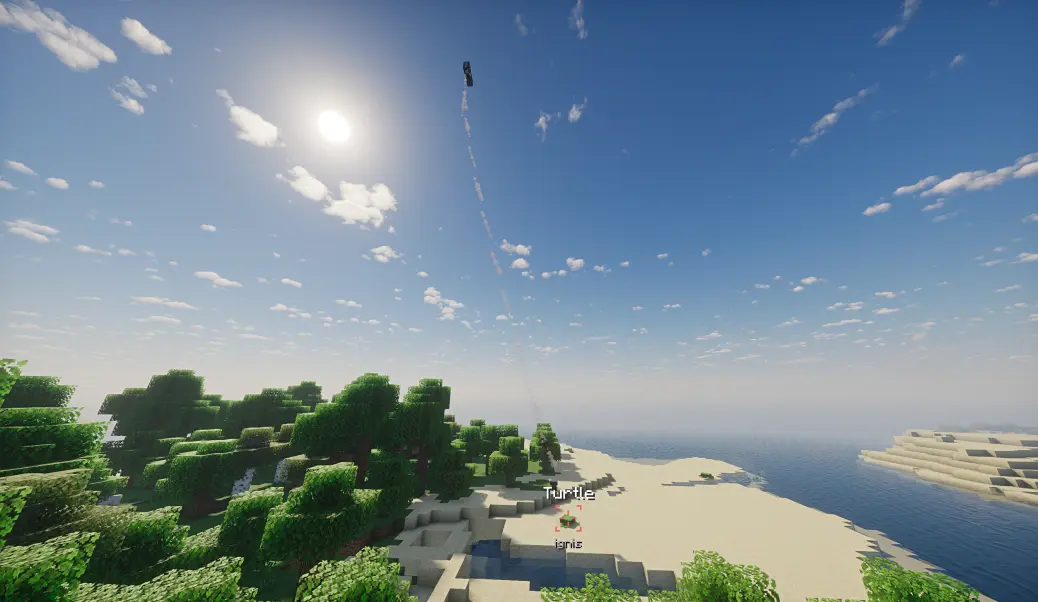
If the marked entity dies, despawns, or is unloaded, the entity name will display an additional "X" prefix/suffix, and guidance will cease.
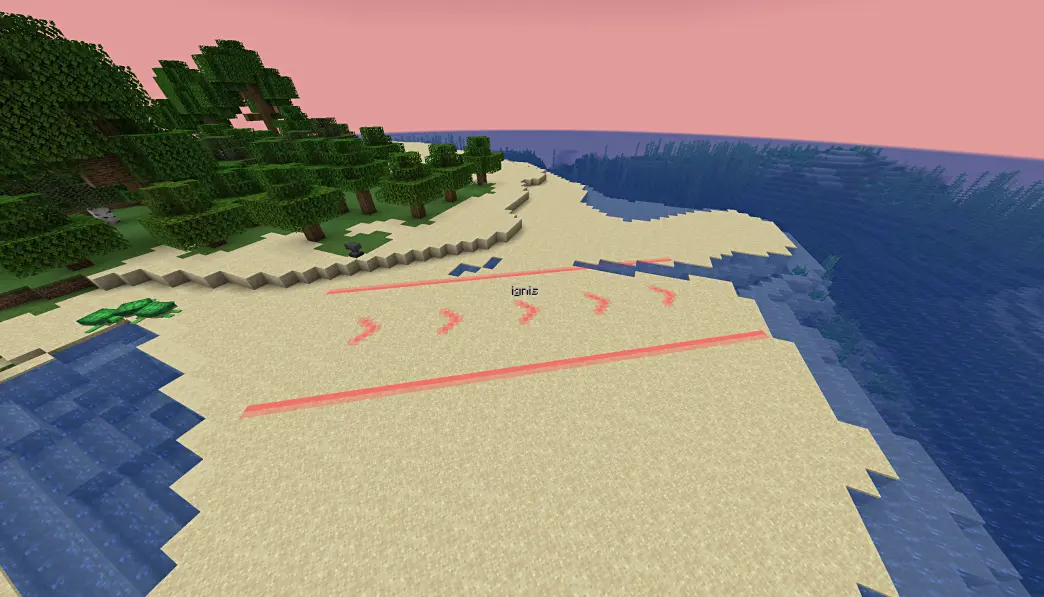
Vector Marker Mode
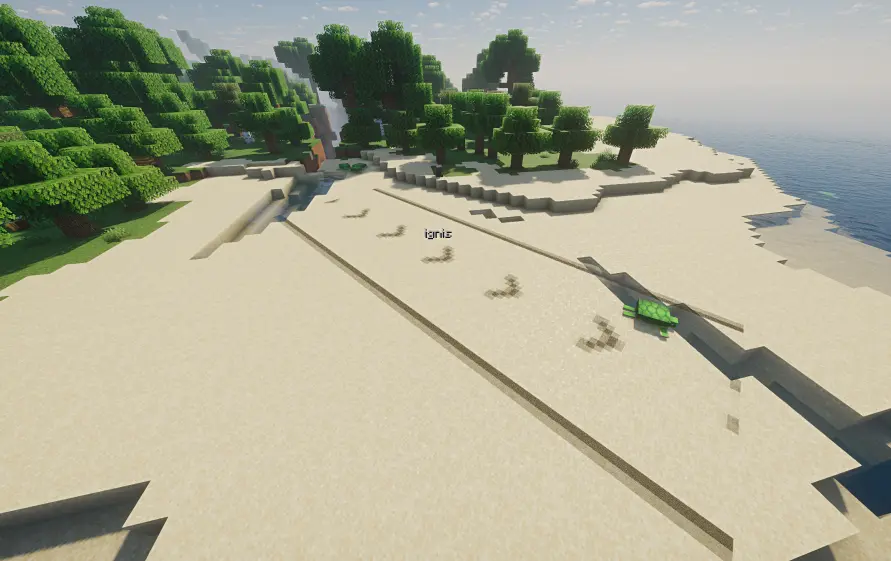
Vector Markers create prominent directional indicators by selecting a start point and an end point. They indicate the path from start to end, making them ideal for guiding airstrikes.
However, Vector Mode has slightly lower rendering compatibility and may have rendering issues in some situations (e.g., when shaders are enabled).
Pocket Laser Pointer
A companion tool designed for quick, non-guided marking. Unlike the Laser Pointer, markers from the Pocket Laser Pointer cannot be guided — perfect for temporary callouts and communication.
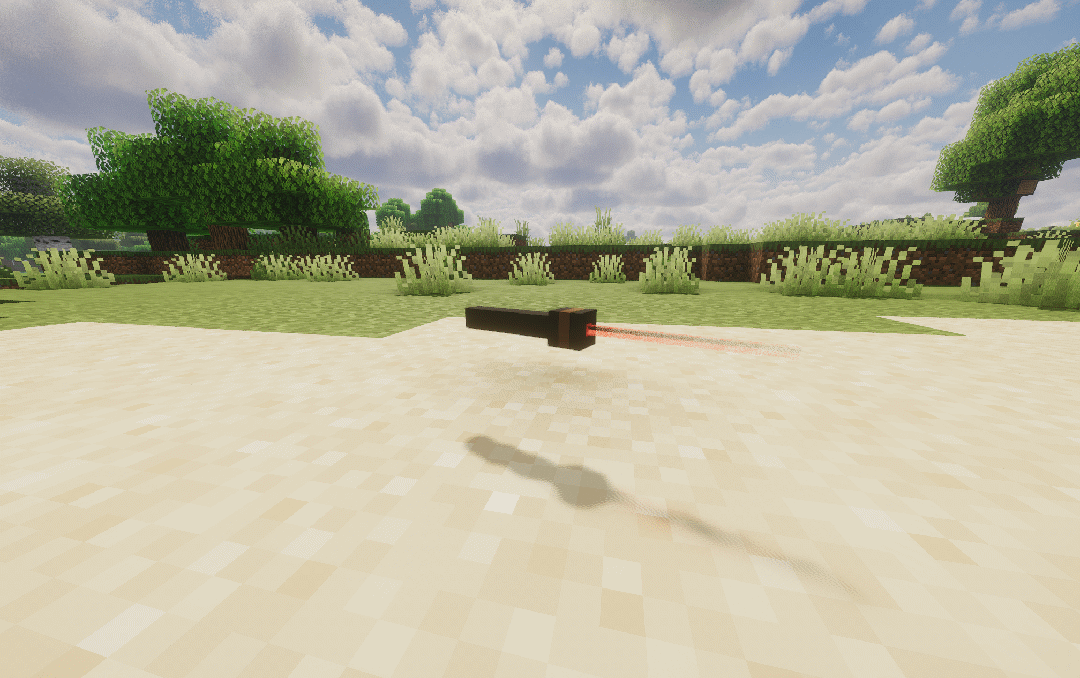
Controls
| Action | Result |
|---|---|
| Right Click (short) | Auto-mark with smart icon |
| Hold Right Click | Open icon wheel → select → release |
| Sneak + Right Click | Clear all your markers |
Fast Mark (Short Press)
A quick right-click marks the target immediately with an auto-selected icon based on context:
| Target | Condition | Icon |
|---|---|---|
| Hostile Entity | Max HP ≥ 100 (boss) | Danger |
| Hostile Entity | Normal | Caution |
| Player | — | Like |
| Friendly Mob | — | Defend |
| Block | Player HP < 50% & ≤ 2m away | Danger |
| Block | Has loot/chest/barrel inventory | Satisfied |
| Default | — | Dot |
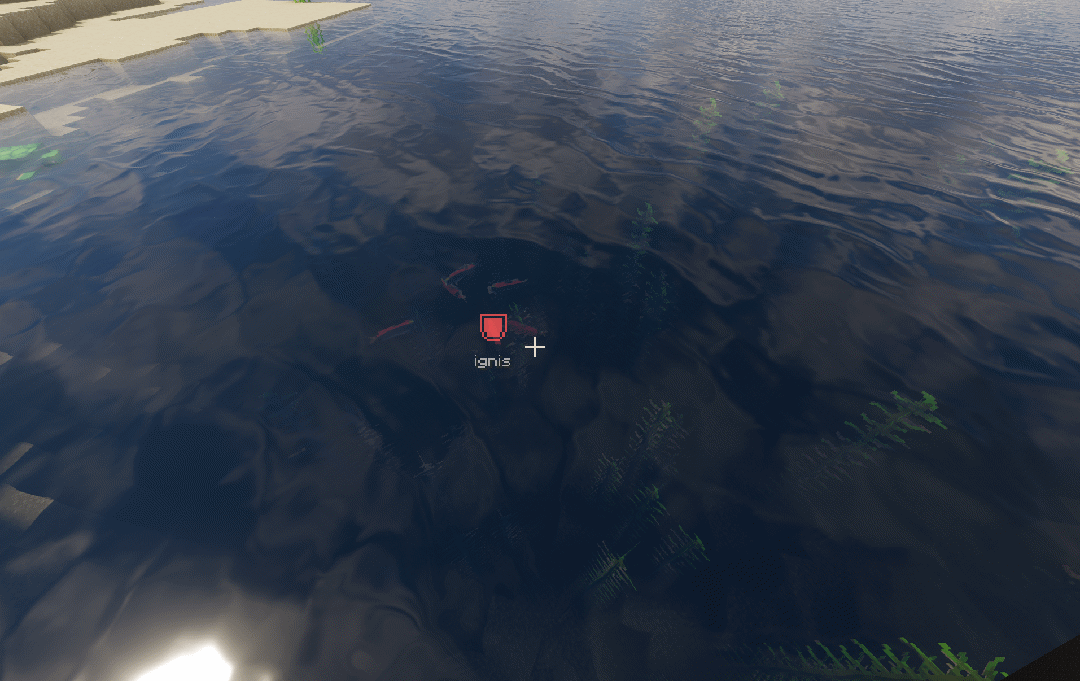
Wheel Mark (Long Press)
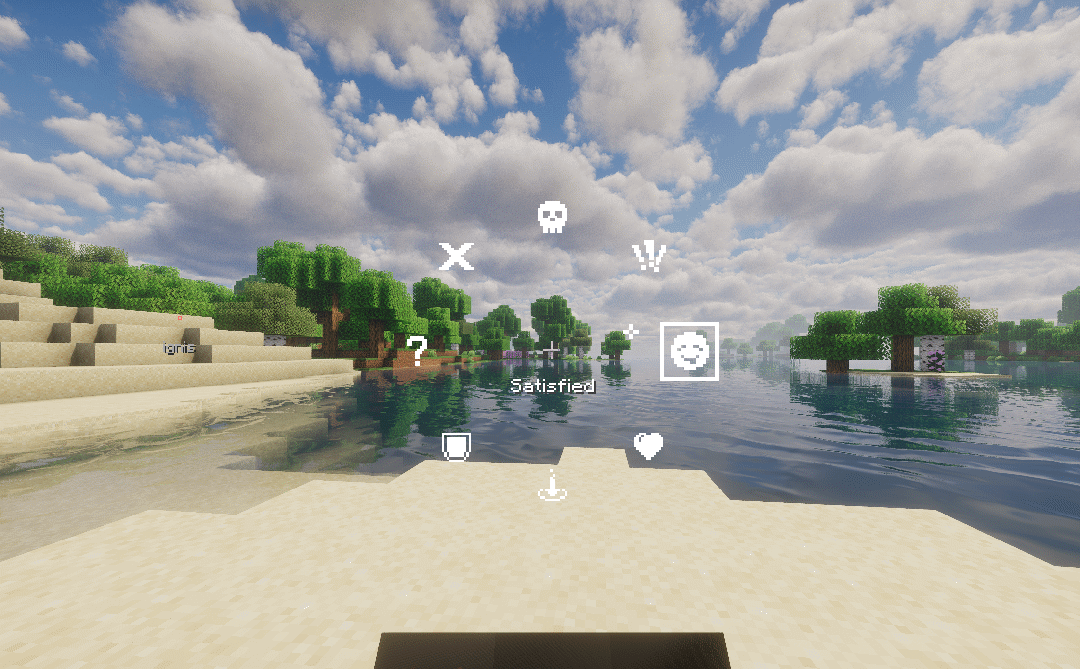
Hold right-click for ~3 ticks (configurable on client) to open a radial selection wheel with 8 icons. Drag your mouse toward an icon and release to place the marker with your chosen icon.
- The wheel origin is captured at the moment you press right-click — you can pre-drag during the hold window and release instantly when the wheel appears.
- A lever click sound plays when the wheel opens, and a note block beep plays on successful mark.
Key Differences from Laser Pointer
- Markers cannot be guided
- No spyglass zoom overlay
- One marker per player at a time
- Auto icon selection based on target context
- Client-configurable wheel activation delay
General Features
Features shared by both tools:
- Team Colors: When a player is in a team, the marker automatically uses the team's color. Markers created by players not in a team use a color determined by their UUID.

- Custom Naming: If the pointer is named on an anvil, the created marker will additionally display the pointer's name.
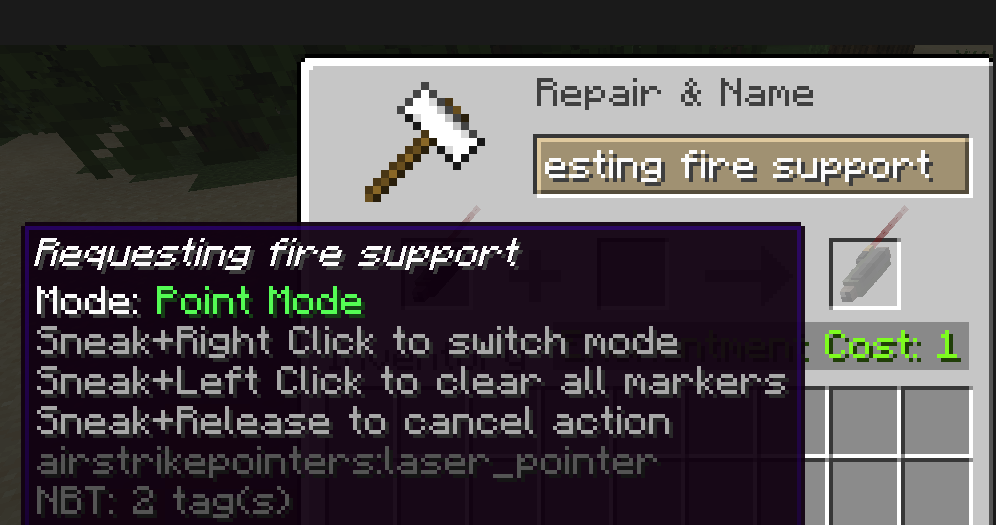
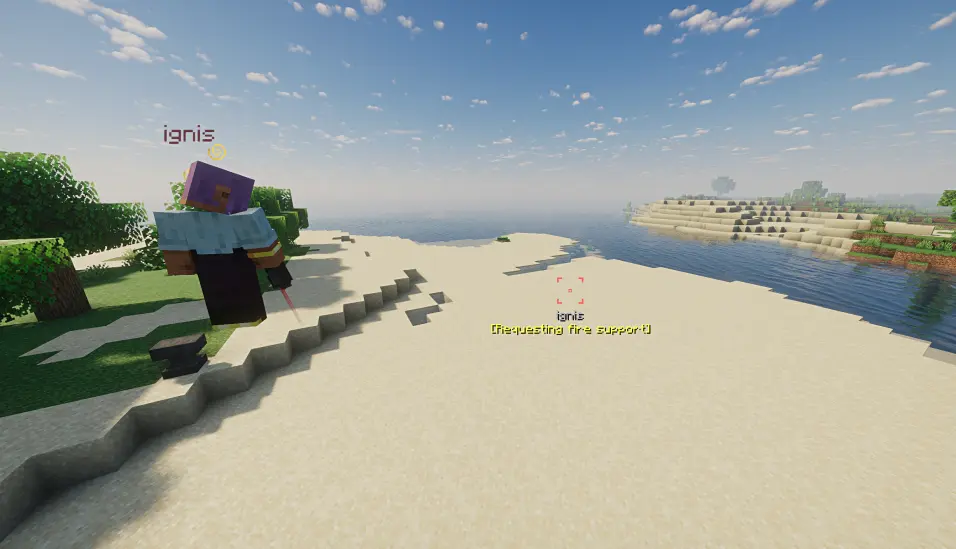
- Synchronization & Config: Markers are fully synchronized in multiplayer. Duration and usage cooldown times are configurable on the server side. Expired markers are automatically cleaned up.
- Client Settings: The client can configure whether to only show markers from their own team and the maximum distance for displaying markers.
- Hot-reload: Configuration supports
/reload. - Marker Size & Visibility: Markers beyond 1000 meters will be less visible.
Known Rendering Issues (Vector Markers)
- Certain shader packs may cause markers to be invisible or change color.
- Clouds can occlude marker rendering; if you frequently need to spot markers from above the clouds, it is recommended to disable clouds.
- Water surfaces may cause markers to change color.
- At specific distances, Distant Horizons LOD models may occlude markers.
Screenshots
Gallery
-
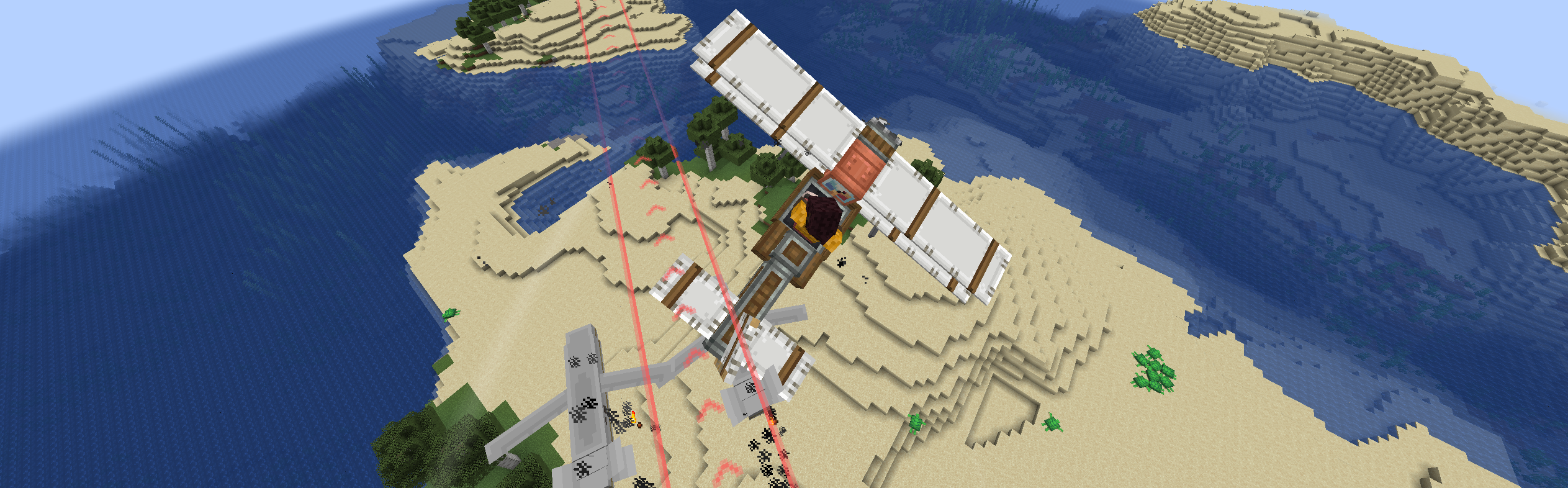 Sending payload Designate airstrike targets for aircraft (from Immersive Aircraft)
Versions
Files
Relations
Project Relations
More like this
Similar Mods
Suggestions use data such as tags, dependencies, dependents, descriptions, titles, and more to rank how much they overlap with this mod.
On ModDex
Community snapshot
By the numbers
Statistics

Want to reach Minecraft players?
We're looking for a server hosting partner to feature here and other parts of the site. Interested? Send us a message!
Get in touchGet it on
Available Platforms
On ModDex
Community snapshot
By the numbers