
Community listing page, reviews here may not be monitored by the author.
All Items View

No reviews yet
A transparent item browser and crafting assistant for every inventory.
Community voices
Reviews
No reviews yet. Be the first to review this project!
Get it on
Available Platforms
 CurseForge
Modrinth
CurseForge
Modrinth
Compatibility
Supported Environments
Runs entirely on the client. Works on vanilla servers.
About
Project Details
For authors
Embed Badge
If you're the author of this project, you can embed a live badge anywhere that supports HTML or Markdown. It updates automatically whenever ratings change.
Use HTML for any page that supports it, or Markdown for README files and Markdown-based descriptions.
Identifiers
Platform IDs
Resources
External Links
About
Description

See every item. Understand every recipe. Craft with confidence.
All Items View is a fast, client-side item and recipe browser that lives beside your Minecraft inventory. It keeps the vanilla screen usable while giving you a clean way to explore content from Minecraft and installed mods.



- Browse every registered item from the game and your installed mods.
- View an item's recipes and everything it can be used to make.
- See what you can craft now based on the items in your inventory.
- Search by item name, ID, namespace, or tag.
- Save favorites and quickly return to recently viewed items.
- Place a ready recipe into the grid with one click when a compatible crafting table is open.

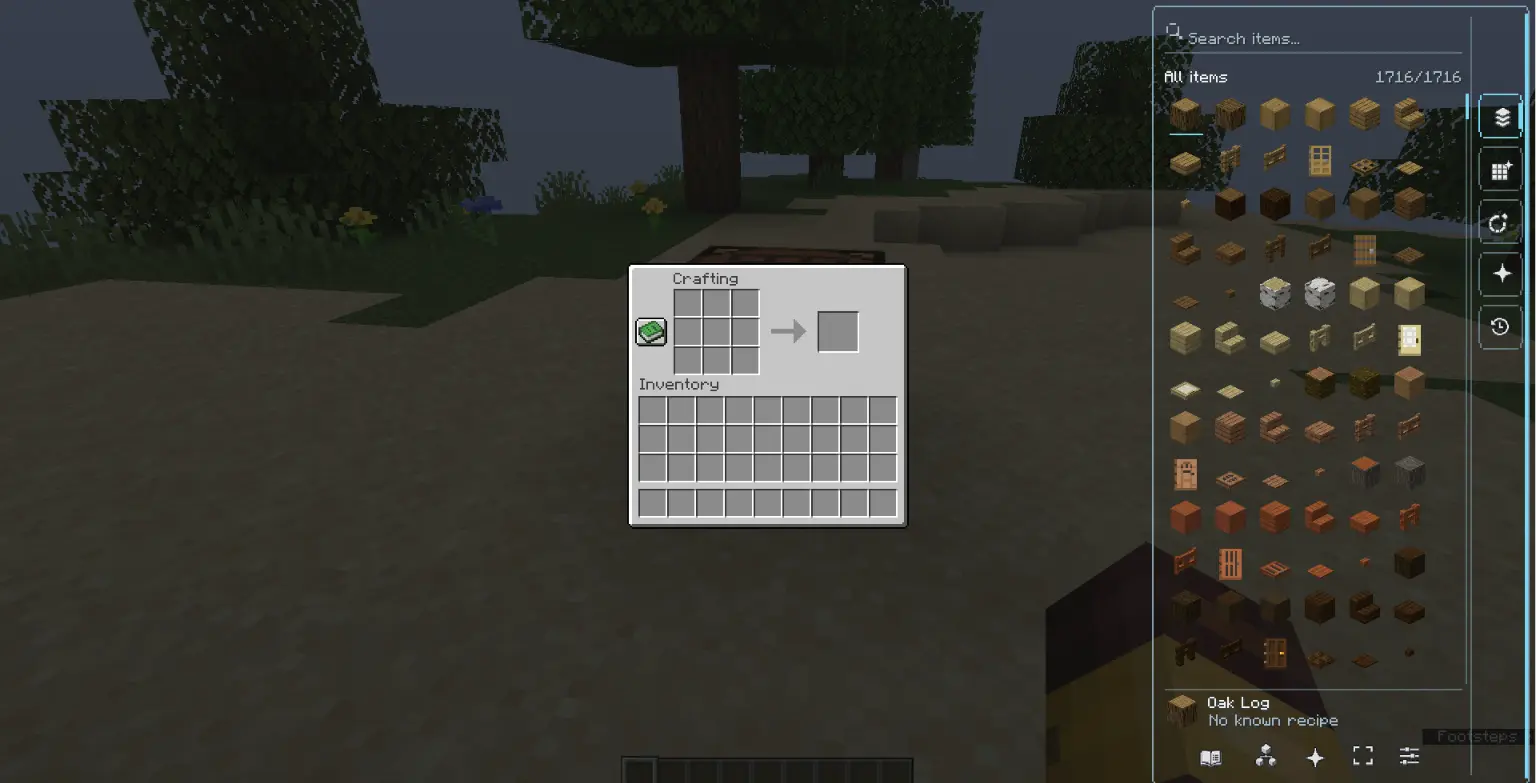
- Clean, semi-transparent sidebar that keeps the original screen visible.
- Smooth scrolling, true page navigation, large item icons, and useful tooltips.
- Responsive layout across Minecraft GUI scales.
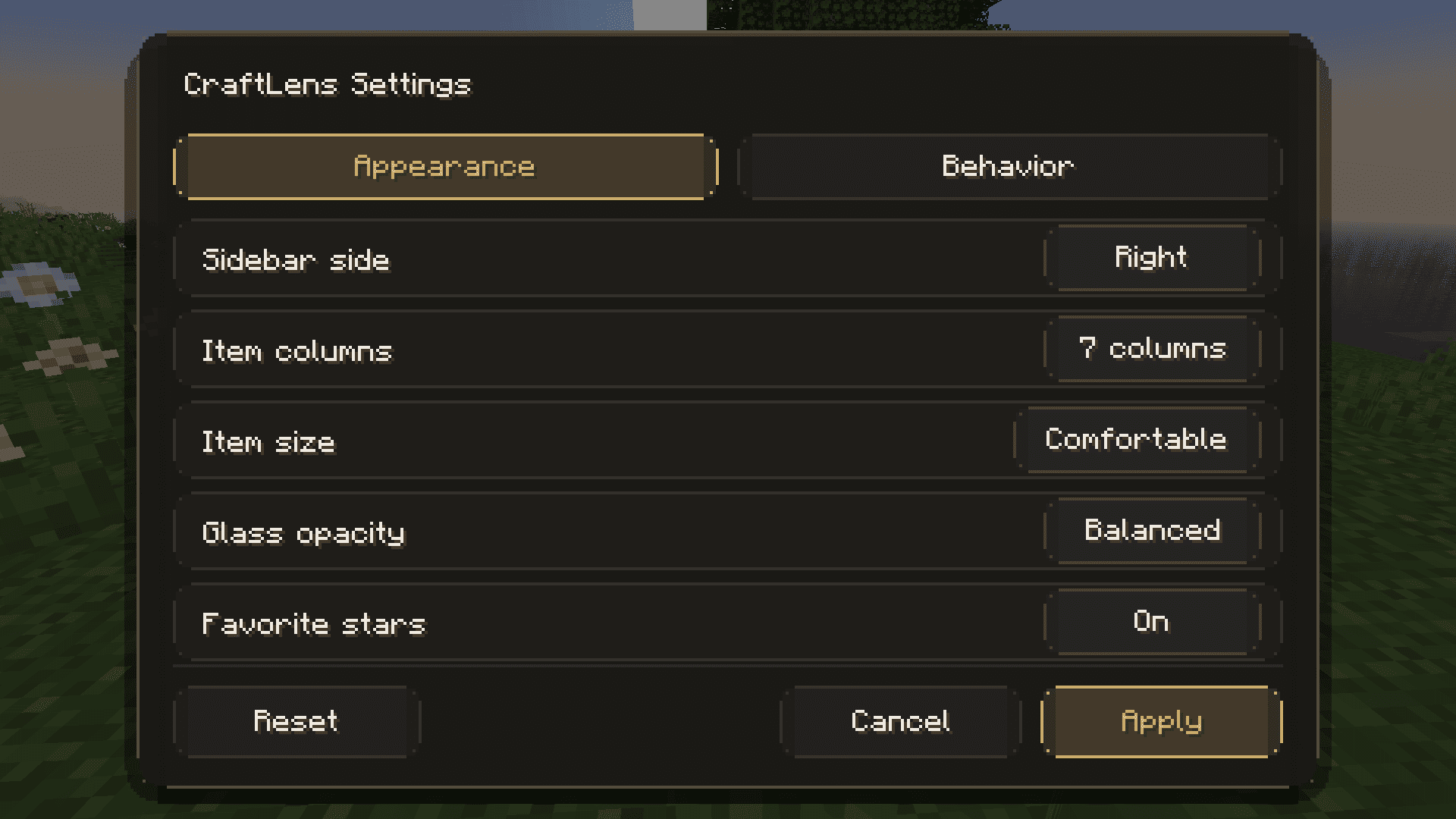
- Practical appearance and behavior settings.
- English and Arabic interface support.

| Action | Control |
|---|---|
| View recipes | Double left-click or R |
| View uses | Right-click or U |

CraftLens includes an experimental integration API for mod authors. Extensions can contribute custom catalog content, process and recipe displays, search terms, and screen-compatibility policies without replacing the core browser.
All Items View
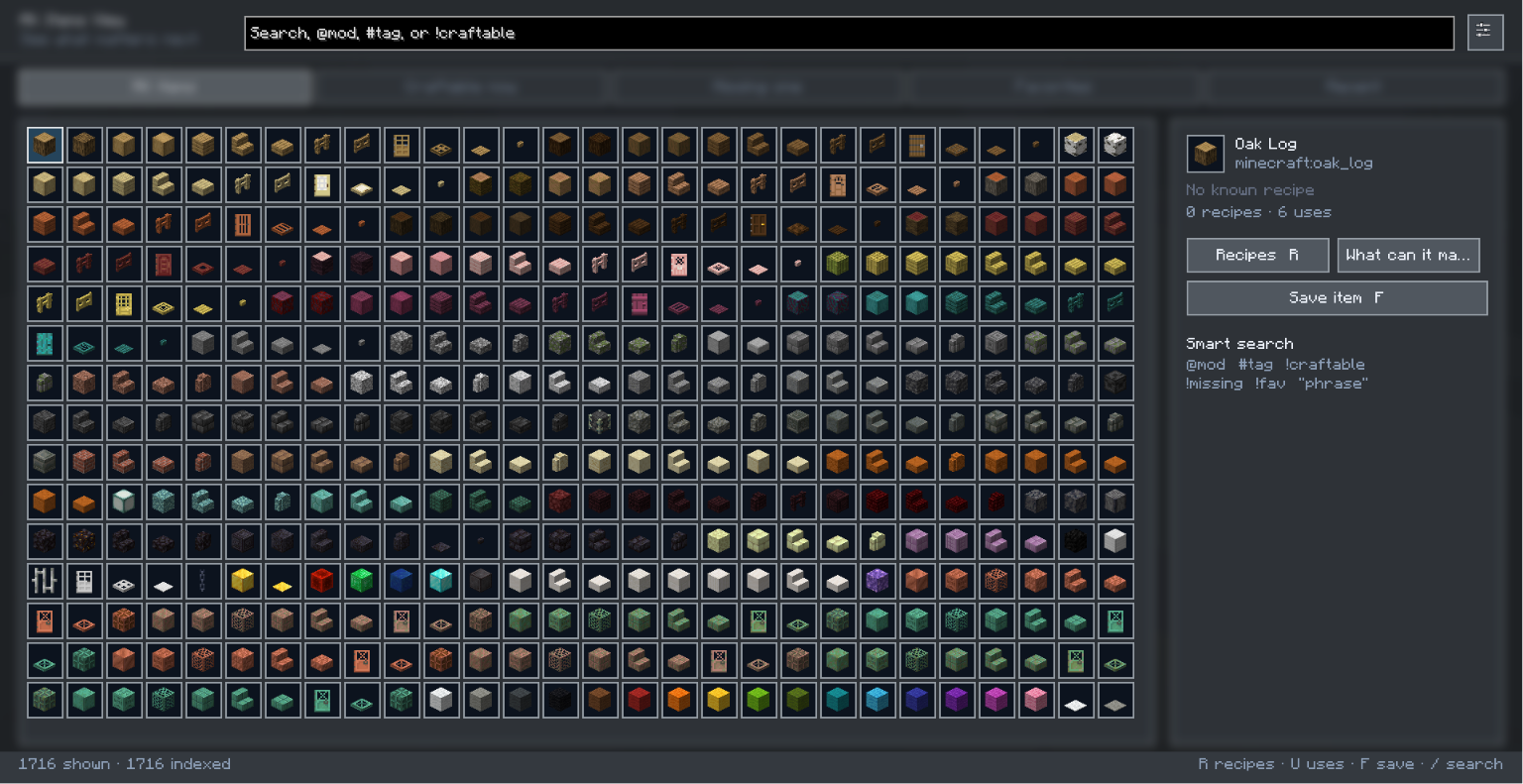
All Items View is a client-side item browser and crafting assistant for Minecraft Java Edition. It adds a permanent transparent item rail to inventory and container screens while keeping the original Minecraft interface usable.
Highlights
- Transparent, outline-focused interface with large item previews
- Fast search by item name, identifier, namespace, or tag
- Craftable-now, missing-one, favorites, recent, and recipe filters
- Recipe details and a dedicated “what can this item make?” view
- Smooth scrolling that only captures the mouse wheel over the mod's item list
- Optional classic full-screen browser
- Detailed appearance and behavior settings
- Persistent favorites and recent items
- English and Arabic localization
- Shared item index to avoid rebuilding the catalog every time an inventory opens
Controls
- K — Open the classic focus view
- O — Open settings
- R or double left-click — View recipes for the selected item
- U or right-click — Show what the selected item can make
- F — Toggle favorite
Screenshots
Gallery
-
 2.png
2.png -
 1.png
1.png
Versions
Files
Relations
Project Relations
More like this
Similar Mods
Suggestions use data such as tags, dependencies, dependents, descriptions, titles, and more to rank how much they overlap with this mod.
On ModDex
Community snapshot
By the numbers
Statistics
Want to reach Minecraft players?
We're looking for a server hosting partner to feature here and other parts of the site. Interested? Send us a message!
Get in touchGet it on
Available Platforms
CurseForge
Modrinth
On ModDex
Community snapshot
By the numbers
Statistics
Resources