Community listing page, reviews may not be monitored by the author.
Amber and Silence

No reviews yet
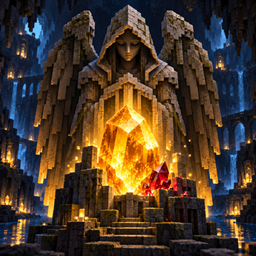
Discover ruby and amber, craft new equipment, and face the Guardian of Silence—a creature that moves when you look away.

Community voices
Reviews
No reviews yet. Be the first to review this project!
Get it on
Available Platforms
About
Project Details
For authors
Embed Badge
If you're the author of this project, you can embed a live badge anywhere that supports HTML or Markdown. It updates automatically whenever ratings change.
Use HTML for any page that supports it, or Markdown for README files and Markdown-based descriptions.
Identifiers
Platform IDs
Resources
External Links
About
Description
Amber and Silence
Mine rare resources, build an industrial workshop, program your own computer—and keep an eye on the darkness.
Amber and Silence combines exploration, crafting, early industrial technology and a touch of horror. Discover new minerals, turn them into equipment and alloys, build machines, and experiment with redstone through a programmable computer. But be careful when exploring dark places: something may be watching you.
Discover new resources
Explore the Overworld and collect ruby, amber, tin, nickel, silver, tungsten, zinc and cobalt.
The metallic ores can be found in both stone and deepslate. Mine them to obtain raw metals, then smelt them into ingots for equipment and crafting. Ruby and amber also have their own blocks and uses.
Craft tools, weapons and armor
Turn your discoveries into swords, pickaxes, axes, shovels, hoes and armor. Materials have different durability, effectiveness, protection and enchantability, giving you several options as you progress.
Equipment materials include ruby, amber, tin, nickel, silver, tungsten, zinc, cobalt and bronze.
Build an industrial workshop
Some creations need more than a regular crafting table.
The Industrial Crafting Table has its own exclusive recipes and an in-game recipe book. Use it to assemble advanced components and machines through several crafting steps.
The Alloy Mixer combines two ingots into a new material. It has its own interface, recipe book and progress indicator, and keeps its contents when you close the interface.
Available mixer alloys include:
-
Brass — copper and zinc
-
Cobalt Alloy — iron and cobalt
-
Electrum — gold and silver
-
Invar — iron and nickel
-
Cupronickel — copper and nickel
-
Tungsten Steel — iron and tungsten
You can also craft bronze from copper and tin.
Program an Industrial Computer
Build a display, memory module and processor, then assemble them into an Industrial Computer.
Open its interface to write, save and run basic Lua programs. You can display text, perform calculations, use conditions and short loops, and interact with redstone inputs and outputs.
For example:
print("Hello, Minecraft!")
redstone.setOutput("east", true)
The computer currently supports a limited subset of Lua. Programs run once when started; background programs, custom functions, tables, files and peripherals are not yet available.
Face the Guardian of Silence
The Guardian of Silence is a hostile creature found in dark areas of the Overworld. It remains still while a player watches it, but can move and attack when no one is looking.
Defeating a Guardian may reward you with a Frozen Shard. Combine it with amber and a lantern to craft the Stasis Lantern, which can temporarily immobilize nearby visible Guardians.
Decorate your base
Give your workshop or base its own style with storage blocks, decorative bricks and panels, lamps, and a bouncy amber block.
Compatibility
-
Minecraft: Java Edition 26.3
-
Mod loader: NeoForge
-
Environment: Client and server
Amber and Silence is growing from a mineral and exploration mod into an industrial adventure, with computers and machinery joining the dangers waiting in the dark.
Screenshots
Gallery
Versions
Files
Relations
Project Relations
More like this
Similar Mods
Suggestions use data such as tags, dependencies, dependents, descriptions, titles, and more to rank how much they overlap with this mod.
On ModDex
Community snapshot
By the numbers
Statistics

Get it on
Available Platforms
On ModDex
Community snapshot
By the numbers
Statistics
Resources