Community listing page, reviews may not be monitored by the author.
Another Dynamics


No reviews yet
A mod that introduces simple Ducts with the most extensive logic possible.

Community voices
Reviews
No reviews yet. Be the first to review this project!
Get it on
Available Platforms
Compatibility
Supported Environments
Must be installed on both the client and the server.
About
Project Details
For authors
Embed Badge
If you're the author of this project, you can embed a live badge anywhere that supports HTML or Markdown. It updates automatically whenever ratings change.
Use HTML for any page that supports it, or Markdown for README files and Markdown-based descriptions.
Identifiers
Platform IDs
About
Description
Another Dynamics
Another Dynamics is a NeoForge logistics mod built around duct networks: pipes that move items, fluids, Forge Energy (FE), Mekanism chemicals, and Mekanism heat. Each face that touches a machine is a full node—extract, filter, retrieve, or hybrids—with routing, redstone, channels, and upgrade modules.
It is designed for factories that outgrow basic hoppers, with optional soft compatibility for other logistics mods when installed.
What the mod does
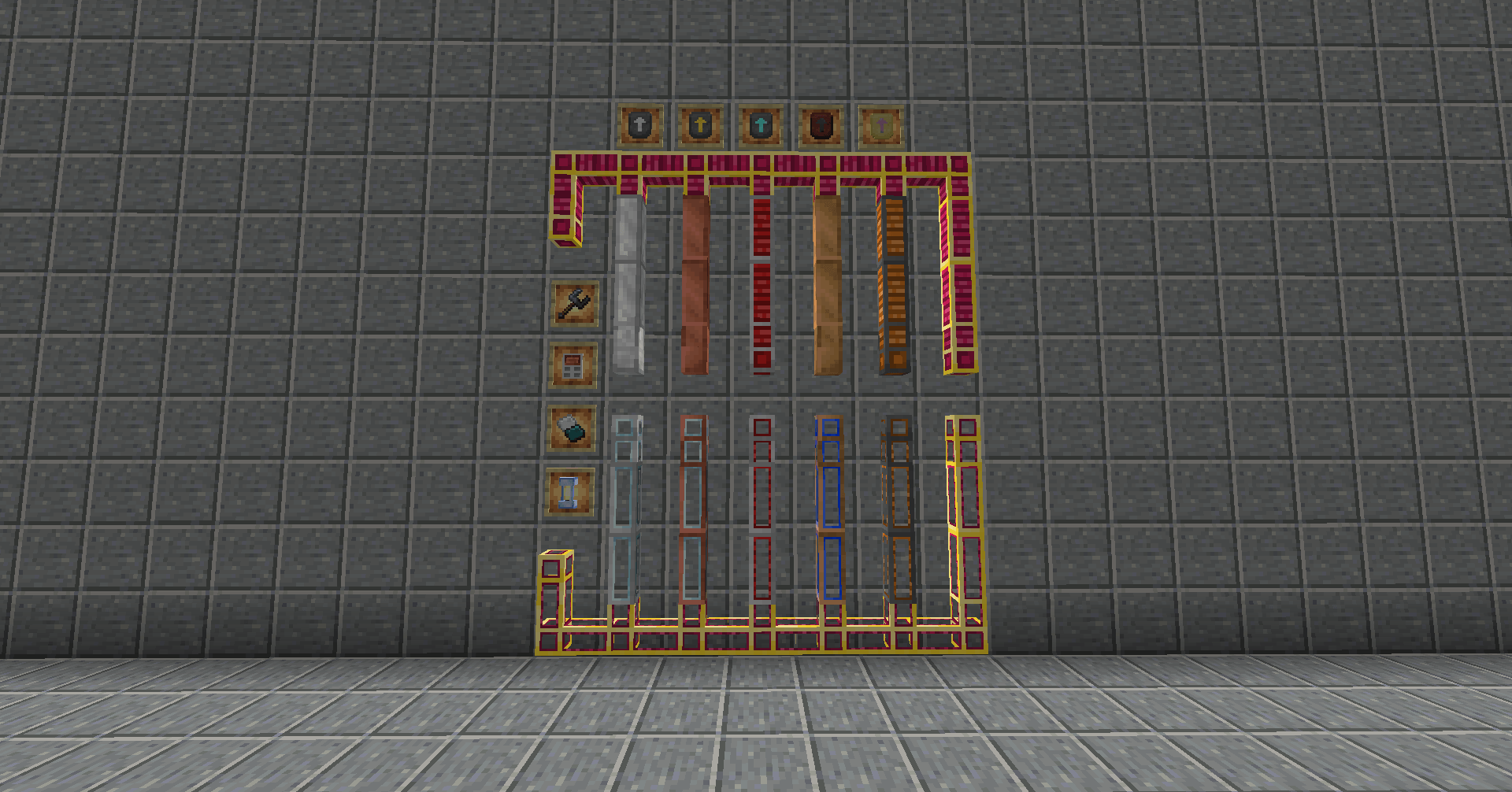
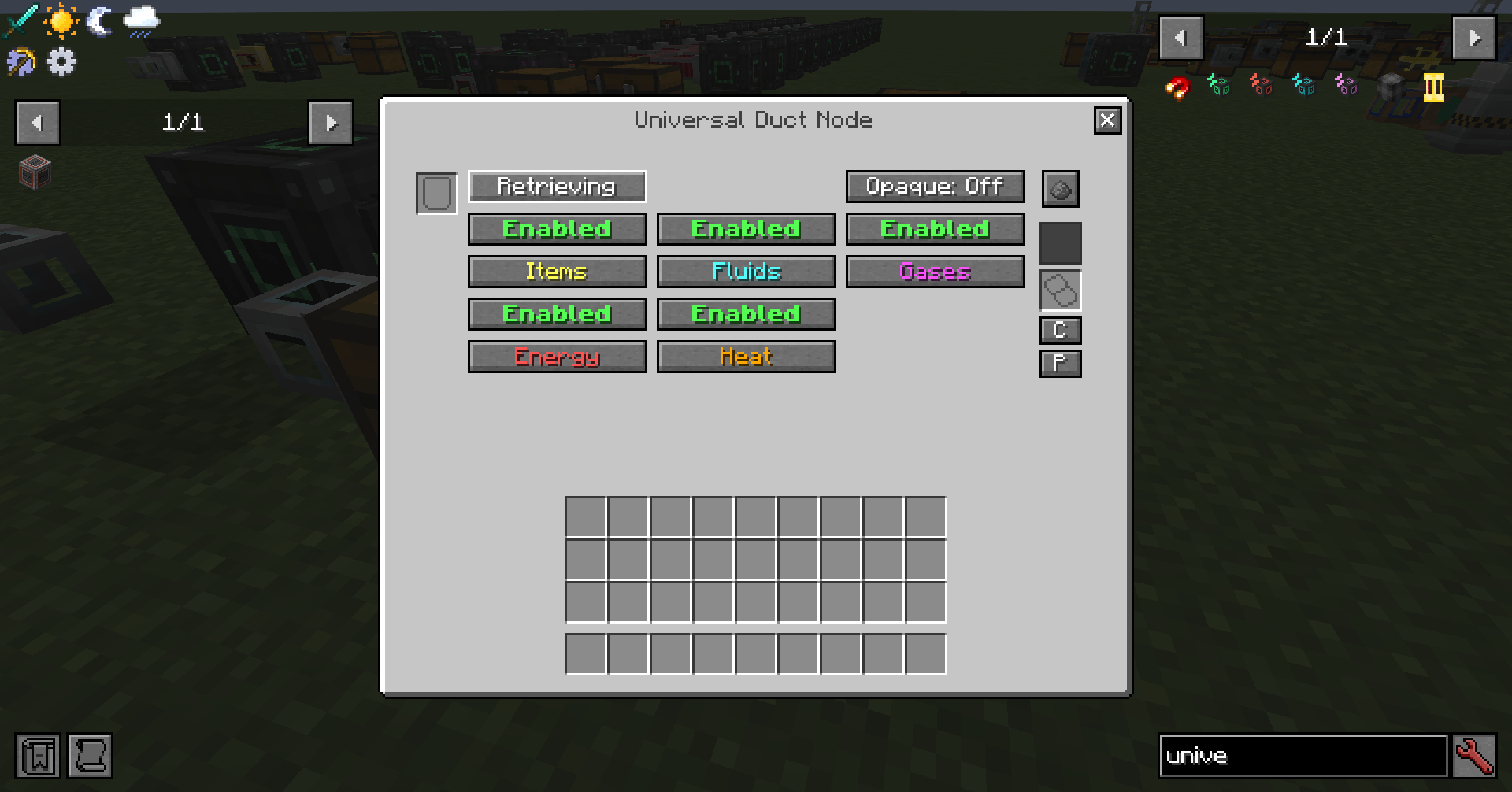
- Typed ducts for items, fluids, FE, gas, heat, plus a Universal Duct that carries several kinds on one network (per-lane hub).
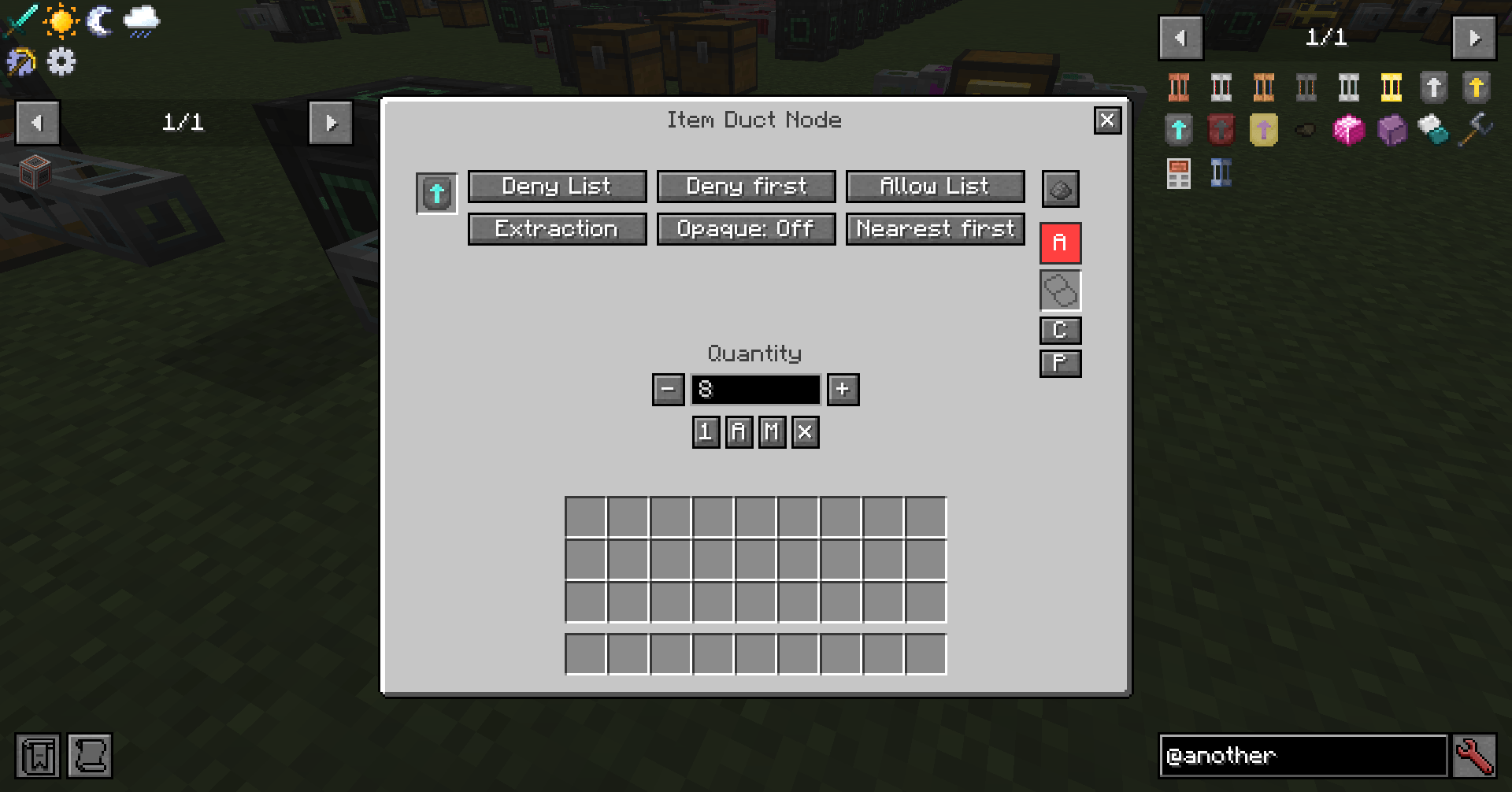
- Per-face nodes with modes (None, Extraction, Filtering, Retrieving, and hybrids), allow/deny filters, routing, and redstone.
- Increment Modules I–V socketed into faces to raise batch size, speed, filter slots, and energy/heat throughput (including Mekanism heat when available).
- Project Ducts to sketch a network, then convert the layout into a real duct type.
- Settings Copier to copy/paste node configs and edit filter lists offline. With Pipez installed, it can optionally import whole-pipe settings (one-way).
- Soft compat with Cable Facades, JEI, and FTB Ultimine.
How to use (quick guide)
- Place Item / Fluid / Flux ducts between inventories, tanks, or machines.
- Right-click a node face (where the duct touches a block) to open the GUI.
- Set one side to Extraction and the other to Filtering (or None if you accept everything).
- Optionally Shift+right-click an Increment Module onto a node face (or use the module slot).
- For layout work: build with Project Ducts, then Shift+use a real duct item to convert the network.
- With Pipez (optional): Shift+right-click a Pipez pipe with a Settings Copier to import settings, then paste onto Another Dynamics nodes.
- If you disable opaque mode, you can see what’s passing through the duct; you can re-enable it either for all ducts or for a single duct network only.
Ducts
| Duct | Description |
|---|---|
| Item / Fluid / Flux | Core logistics for stacks, mB, and FE. |
| Gas Duct | Mekanism chemicals (when Mekanism is loaded). |
| Heat Duct | Mekanism heat; scale with Increment Modules. |
| Universal Duct | Multi-transport hub: enable lanes, configure each. |
| Project Duct | Planning / ghost network; convert in place to a real type. |
All duct items appear in the Another Dynamics Ducts creative tab.
Nodes & filters (main features)
- Modes: None, Extraction, Filtering, Extr/Filt, Retrieving, Retr/Extr.
- Routing: nearest, farthest, middlest, round-robin, random.
- Filters: allow/deny lists with deny-first or allow-first logic; concat letters (AND within a letter, OR across).
- Syntax:
-id,#tag,@mod,?nbt, macros like&enchanted,&damaged>0, fluid&temperature…, gas&radioactive…, and&anything_else. - Caps: Insert Limit / Keep in Storage on allow lines; remote destinations via Remote Node Selector.
- Wrench: disconnect/reconnect arms (Bulky Wrench or any common wrench tag).
Modules
| Module | Role |
|---|---|
| Increment Module I–V | Stronger batches, faster rate/travel, more filter slots, higher FE/heat throughput. Mutually exclusive. |
Use Increment Modules I–V to scale item, fluid, FE, gas, and heat faces.
Tools
| Item | Use |
|---|---|
| Bulky Wrench | Disconnect a duct arm; reconnect from the core. Other wrenches in #c:wrench / #c:wrenches work too. |
| Settings Copier | Modes: All settings / Filter list / Whole pipe. Copy & paste via GUI or Shift+right-click. Right-click air to open the editor. Crafting grid resets it. |
| Remote Node Selector | Bind a block face for advanced filter destinations. |
Optional mods
| Mod | What you get |
|---|---|
| Mekanism | Gas and heat ducts (1.21.1). On 26.1.2 these are temporarily gated until Mekanism is available. |
| Pipez | Optional: import whole-pipe settings and upgrade filters into the Settings Copier (one-way; does not modify Pipez). |
| Pipez Retriever | Optional: retriever-side mapping on import (1.21.1; gated on 26.1.2). |
| Cable Facades | Cover ducts; facades kept on Project → duct conversion. |
| JEI | Ghost-drag into filter lines. |
| FTB Ultimine | Select connected ducts of the same type. |
The mod works without any of these.
ModPack makers
Duct and module balance is datapack-driven (declare_duct / declare_module under data/*/load/). See the GitHub wiki for developer documentation.
Another Dynamics
Another Dynamics is a NeoForge logistics mod built around duct networks: pipes that move items, fluids, Forge Energy (FE), Mekanism chemicals, and Mekanism heat. Each face that touches a machine is a full node—extract, filter, retrieve, or hybrids—with routing, redstone, channels, and upgrade modules.
It is designed for factories that outgrow basic hoppers, with optional soft compatibility for other logistics mods when installed.
What the mod does
- Typed ducts for items, fluids, FE, gas, heat, plus a Universal Duct that carries several kinds on one network (per-lane hub).
- Per-face nodes with modes (None, Extraction, Filtering, Retrieving, and hybrids), allow/deny filters, routing, and redstone.
- Increment Modules I–V socketed into faces to raise batch size, speed, filter slots, and energy/heat throughput (including Mekanism heat when available).
- Project Ducts to sketch a network, then convert the layout into a real duct type.
- Settings Copier to copy/paste node configs and edit filter lists offline. With Pipez installed, it can optionally import whole-pipe settings (one-way).
- Soft compat with Cable Facades, JEI, and FTB Ultimine.
How to use (quick guide)
- Place Item / Fluid / Flux ducts between inventories, tanks, or machines.
- Right-click a node face (where the duct touches a block) to open the GUI.
- Set one side to Extraction and the other to Filtering (or None if you accept everything).
- Optionally Shift+right-click an Increment Module onto a node face (or use the module slot).
- For layout work: build with Project Ducts, then Shift+use a real duct item to convert the network.
- With Pipez (optional): Shift+right-click a Pipez pipe with a Settings Copier to import settings, then paste onto Another Dynamics nodes.
- If you disable opaque mode, you can see what’s passing through the duct; you can re-enable it either for all ducts or for a single duct network only.
Ducts
| Duct | Description |
|---|---|
| Item / Fluid / Flux | Core logistics for stacks, mB, and FE. |
| Gas Duct | Mekanism chemicals (when Mekanism is loaded). |
| Heat Duct | Mekanism heat; scale with Increment Modules. |
| Universal Duct | Multi-transport hub: enable lanes, configure each. |
| Project Duct | Planning / ghost network; convert in place to a real type. |
All duct items appear in the Another Dynamics Ducts creative tab.
Nodes & filters (main features)
- Modes: None, Extraction, Filtering, Extr/Filt, Retrieving, Retr/Extr.
- Routing: nearest, farthest, middlest, round-robin, random.
- Filters: allow/deny lists with deny-first or allow-first logic; concat letters (AND within a letter, OR across).
- Syntax:
-id,#tag,@mod,?nbt, macros like&enchanted,&damaged>0, fluid&temperature…, gas&radioactive…, and&anything_else. - Caps: Insert Limit / Keep in Storage on allow lines; remote destinations via Remote Node Selector.
- Wrench: disconnect/reconnect arms (Bulky Wrench or any common wrench tag).
Modules
| Module | Role |
|---|---|
| Increment Module I–V | Stronger batches, faster rate/travel, more filter slots, higher FE/heat throughput. Mutually exclusive. |
Use Increment Modules I–V to scale item, fluid, FE, gas, and heat faces.
Tools
| Item | Use |
|---|---|
| Bulky Wrench | Disconnect a duct arm; reconnect from the core. Other wrenches in #c:wrench / #c:wrenches work too. |
| Settings Copier | Modes: All settings / Filter list / Whole pipe. Copy & paste via GUI or Shift+right-click. Right-click air to open the editor. Crafting grid resets it. |
| Remote Node Selector | Bind a block face for advanced filter destinations. |
Optional mods
| Mod | What you get |
|---|---|
| Mekanism | Gas and heat ducts (1.21.1). On 26.1.2 these are temporarily gated until Mekanism is available. |
| Pipez | Optional: import whole-pipe settings and upgrade filters into the Settings Copier (one-way; does not modify Pipez). |
| Pipez Retriever | Optional: retriever-side mapping on import (1.21.1; gated on 26.1.2). |
| Cable Facades | Cover ducts; facades kept on Project → duct conversion. |
| JEI | Ghost-drag into filter lines. |
| FTB Ultimine | Select connected ducts of the same type. |
The mod works without any of these.
ModPack makers
Duct and module balance is datapack-driven (declare_duct / declare_module under data/*/load/). See the GitHub wiki for developer documentation.
Screenshots
Gallery
-
 2026-08-11_22.54.17.png 2026-08-11_22.54.17.png
 -
 2026-08-11_22.33.16.png 2026-08-11_22.33.16.png
 -
 2026-08-11_22.33.30.png 2026-08-11_22.33.30.png


Versions
Files
Relations
Project Relations
More like this
Similar Mods
Suggestions use data such as tags, dependencies, dependents, descriptions, titles, and more to rank how much they overlap with this mod.
On ModDex
Community snapshot
By the numbers
Statistics
 (opens in a new tab)
Get it on
Available Platforms
On ModDex
Community snapshot
By the numbers