Anti-Dupe

Quick rating

Anti-Dupe

No reviews yet

A security tool for Minecraft servers, designed to prevent item duplication exploits.

No Theme
No Genre
Server Utility
Mod Loaders
Paper
Spigot
Minecraft
26.2

Community voices

Reviews

Versions
Loading versions…
Match includes

Click once to include, again to exclude, again to clear

Rating Any
Any 0.5 1.0 1.5 2.0 2.5 3.0 3.5 4.0 4.5 5.0
Min
Max
Play Status
Reviews
Time Played
hrs+
Verified developers only
Has developer response
List view
Grid view
Compact view
Sort by
Date
Rating
Helpful
Unhelpful
Edited
Sort ascending
Delete this review?

This removes your review from the project. You can write a new review after.

Review submitted for moderation

Your review has been sent to moderators, who will check that it meets our guidelines before it appears publicly.

No reviews yet. Be the first to review this project!

Get it on

Available Platforms

Compatibility

Supported Environments

Dev Environment
Client Unsupported
Server Required

About

Project Details

Type
Mod
License
All Rights Reserved
Latest Version
3.2
Authors

For authors

Embed Badge

If you're the author of this project, you can embed a live badge anywhere that supports HTML or Markdown. It updates automatically whenever ratings change.

Custom banner text
ModDex rating badge preview

Use HTML for any page that supports it, or Markdown for README files and Markdown-based descriptions.

Identifiers

Platform IDs

Modrinth ID

Resources

External Links

Source Issues Wiki Discord

About

Description

Anti-Dupe

Overview

Anti-Dupe 3.2 is an enterprise-grade anti-duplication system for Paper Minecraft servers. Rather than relying solely on inventory scanning, Anti-Dupe combines a transaction ledger, event verification, cross-inventory auditing, and trusted transaction authorization to accurately distinguish legitimate gameplay from duplication exploits.

Designed to protect both vanilla and heavily-modded servers, Anti-Dupe preserves normal gameplay while maintaining strict protection against unauthorized item creation.

Core Features

  • Immediate event-based verification
  • Hybrid inventory scanning
  • Transaction Ledger
  • Trusted Transaction Framework
  • Trusted Plugin Whitelisting
  • Shop Plugin Compatibility
  • Stack-safe accounting
  • UUID tracking for unique items
  • Cross-inventory duplicate detection
  • Automatic chunk scanning
  • Deep inventory auditing
  • Safe removal & recovery
  • SQLite transaction database
  • Daily rotating log files
  • Discord webhook alerts
  • Multi-language support
  • Console verbosity controls
  • Administrator whitelist
  • Original item preservation

Trusted Transaction Framework

One of the biggest additions in Anti-Dupe 3.2 is the Trusted Transaction Framework.

Instead of assuming every increase in inventory is suspicious, Anti-Dupe now determines why an item was created before enforcement occurs.

Legitimate item generation can now be authorized by trusted systems including:

  • Shop plugins
  • Economy plugins
  • Future plugin integrations
  • Other approved transaction sources

This dramatically reduces false positives while maintaining strict duplicate detection.


Trusted Plugin Compatibility

Anti-Dupe no longer trusts every custom inventory.

Transactions are only considered legitimate when BOTH conditions are met:

  1. The inventory title matches an approved pattern.
  2. The inventory originates from a trusted plugin.

Example:

compatibility:
  external-plugin-inventories:
    enabled: true
    grace-delay-ticks: 4

    trusted-plugins:
      - UltimateShop

    title-patterns:
      - shop
      - store
      - market

Additional plugins may be added:

trusted-plugins:
  - UltimateShop
  - EconomyShopGUI
  - ShopGUIPlus

Matching is case-insensitive.

This greatly reduces the attack surface compared to trusting inventory titles alone.


Shop Plugin Support

Anti-Dupe now works correctly with modern shop plugins.

Examples:

  • UltimateShop
  • EconomyShopGUI
  • ShopGUIPlus
  • Other inventory-based shop plugins

Trusted purchases:

  • Update the ledger automatically
  • Register newly created items
  • Skip duplicate warnings
  • Skip recovery creation
  • Skip Discord alerts
  • Continue protecting player inventories

⚠️⚠️⚠️ Trusted Plugin Security Risk ⚠️⚠️⚠️

Adding a plugin to trusted-plugins tells Anti-Dupe to accept qualifying item transactions from that plugin as legitimate.

This means Anti-Dupe may be unable to detect duplication glitches, item-generation bugs, or exploitable transaction errors originating inside that trusted plugin.

If a trusted shop, crate, auction, reward, or economy plugin contains a bug that allows players to receive extra items, Anti-Dupe can treat those items as authorized and update the ledger accordingly.

Only whitelist plugins that you:

  • Fully trust
  • Keep updated
  • Have tested carefully
  • Obtained from a reputable source
  • Actively monitor for exploit reports

Keep the trusted plugin list as small as possible. Do not whitelist general-purpose plugins or plugins that do not need to create items.

Removing a plugin from trusted-plugins restores normal Anti-Dupe enforcement for its inventory transactions.


Scanner Configuration

scanner:
  enabled: true

  online-inventory-minutes: 5
  ender-chest-minutes: 10
  loaded-containers-minutes: 15
  uuid-crosscheck-minutes: 15
  ledger-audit-minutes: 30

  players-per-batch: 10

  automatic-chunk-scans: true
  chunk-scan-delay-ticks: 20

Scanner tasks are staggered to minimize server impact.


Scan Frequency

Scan Default
Online Player Inventories Every 5 minutes
Ender Chests Every 10 minutes
Loaded Containers Every 15 minutes
Cross Inventory UUID Check Every 15 minutes
Ledger Audit Every 30 minutes

Immediate Event Verification

Anti-Dupe verifies every inventory transaction immediately after Minecraft finishes processing it.

Protected events include:

  • Inventory Click
  • Shift Click
  • Number Key Swap
  • Drag Distribution
  • Stack Split
  • Stack Merge
  • Double Click Collect
  • Offhand Swap
  • Hopper Transfer
  • Item Pickup
  • Item Drop
  • Crafting
  • Smithing
  • Anvil
  • Grindstone
  • Villager Trading
  • Player Login
  • Player Logout
  • Container Open
  • Container Close

Cursor items are included in every transaction snapshot, preventing false positives during normal stack splitting.


Deep Scan Commands

Everything

/antidupe scan all

Players

/antidupe scan players

Ender Chests

/antidupe scan ender

Containers

/antidupe scan containers

Current Chunk

/antidupe scan chunk

The full scan checks:

  • Online players
  • Ender Chests
  • Loaded containers
  • Inventory entities
  • Chest Minecarts
  • Hopper Minecarts
  • UUID registry
  • Ledger totals
  • Stack fingerprints

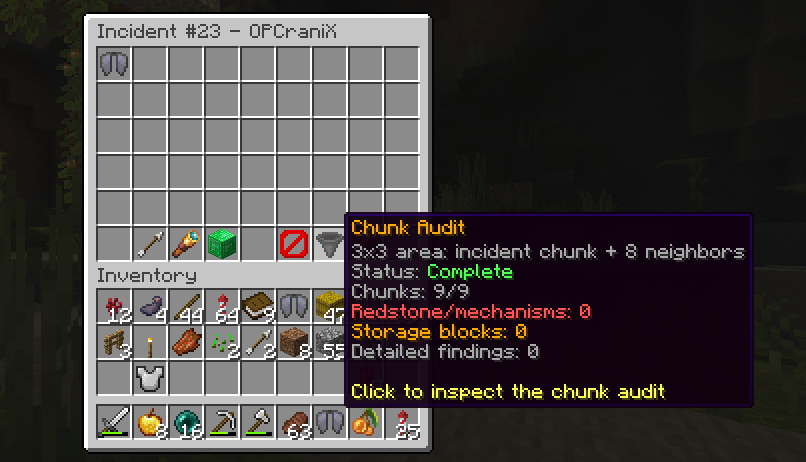
Automatic Chunk Scanning

Whenever a chunk loads:

  • Wait 20 ticks
  • Scan every supported inventory

Supported inventories:

  • Chest
  • Trapped Chest
  • Barrel
  • Shulker Box
  • Hopper
  • Furnace
  • Blast Furnace
  • Smoker
  • Brewing Stand
  • Crafter
  • Dropper
  • Dispenser

Supported entities:

  • Chest Minecart
  • Hopper Minecart
  • Inventory-holding entities

Transaction Ledger

Unlike traditional anti-dupe plugins, Anti-Dupe maintains an authoritative transaction ledger.

Every legitimate item creation updates the ledger.

Examples include:

  • Mining
  • Crafting
  • Smelting
  • Trading
  • Trusted shop purchases

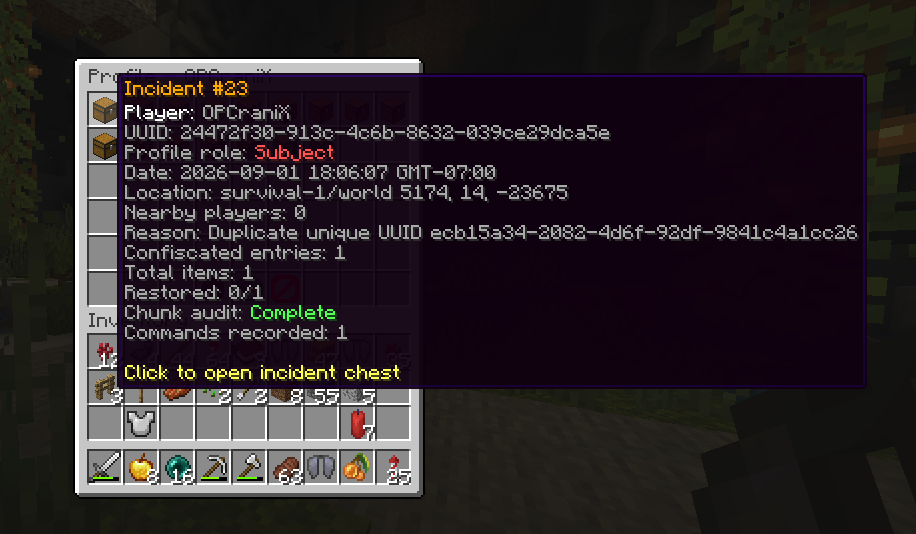
Unauthorized increases continue through duplicate detection.

The ledger never automatically "learns" duplicated quantities.


Stack-safe Accounting

Stackable items retain normal vanilla behavior.

Instead of assigning UUIDs to every stack, Anti-Dupe uses:

  • Item fingerprints
  • Ledger totals
  • Transaction accounting
  • Cross-inventory quantity verification

This preserves vanilla stacking while still detecting unauthorized quantity increases.


Unique Item Protection

Items with a maximum stack size of one receive hidden UUIDs.

Tracked data includes:

  • UUID
  • Player
  • Inventory
  • Slot
  • Timestamp
  • Fingerprint

Duplicate UUIDs result in:

  1. Original preserved
  2. Duplicate backed up
  3. Duplicate removed
  4. Recovery entry created
  5. Administrators notified

Safe Removal & Recovery

Before any duplicate is removed, the complete ItemStack is written to:

plugins/Anti-Dupe/recovery.yml

Stored information:

  • Material
  • Amount
  • Name
  • Lore
  • Enchantments
  • Durability
  • Components
  • Persistent Data
  • Player
  • UUID
  • World
  • Coordinates
  • Detection Reason
  • Timestamp
  • Recovery ID
  • Restore Status

If backup fails:

  • Item is NOT removed
  • Severe error is logged

Recovery Commands

/antidupe recovery list
/antidupe recovery player <player>
/antidupe recovery restore <id>
/antidupe recovery restore <id> <player>

Permission:

antidupe.recovery

Administrator Whitelist

/antidupe whitelist add <player>
/antidupe whitelist remove <player>
/antidupe whitelist check <player>
/antidupe whitelist list

Stored:

plugins/Anti-Dupe/admin-whitelist.yml

Permission:

antidupe.whitelist

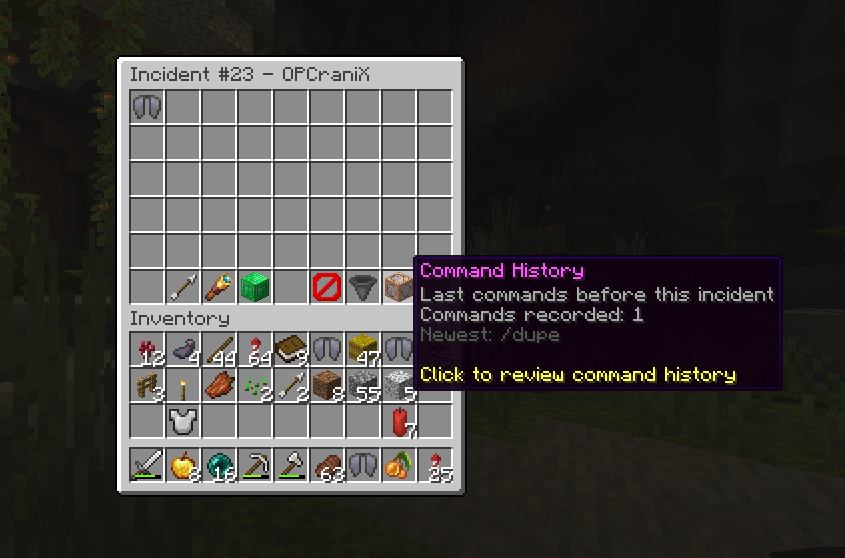
Testing Command

/dupe

Duplicates the held item for testing.

Ignores:

  • Whitelist
  • OP status
  • antidupe.bypass

Permission:

antidupe.dupe

Console Verbosity

Anti-Dupe now includes configurable console logging levels.

warnings:
  console: true
  console-verbosity: low

Levels:

Level Description
off Suppress routine console output
low Startup and confirmed detections
med Scan summaries
high Diagnostics and testing information

Critical recovery failures are always logged.

Discord alerts, recovery records and administrator notifications are unaffected.


Private Detection Notifications

Players never receive duplicate alerts.

Notifications are sent only to:

  • Server Console
  • Authorized Administrators
  • Daily Log Files
  • Discord

Permission:

antidupe.notify

Daily Logs

Location:

plugins/Anti-Dupe/logs/

Format:

anti-dupe-YYYY-MM-DD.log

Automatically rotated daily.


Discord Webhook Alerts

Rich embeds containing:

  • Player
  • UUID
  • World
  • Coordinates
  • Detection Time
  • Detection Reason
  • Removed Item
  • Removed Quantity
  • Recovery ID

Configuration:

discord:
  enabled: true
  webhook-url: ""
  username: "Anti-Dupe"
  avatar-url: ""
  locale: en_US
  embed-color: "#FFB000"
  include-coordinates: true
  role-mention: ""

Webhook delivery is asynchronous.


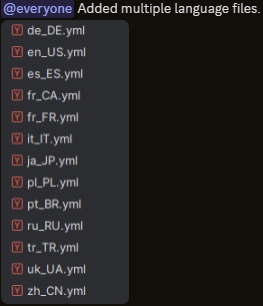
Multi-language Support

Supported languages:

  • de_DE
  • en_US
  • es_ES
  • fr_CA
  • fr_FR
  • it_IT
  • ja_JP
  • pl_PL
  • pt_BR
  • ru_RU
  • tr_TR
  • uk_UA
  • zh_CN

Configuration:

language:
  default: en_US
  use-client-locale: true

Language files:

plugins/Anti-Dupe/lang/

Discord alerts may use a separate language.


Permissions

antidupe.admin
antidupe.notify
antidupe.whitelist
antidupe.recovery
antidupe.dupe
antidupe.bypass

Recommended Deployment

Begin with:

mode: AUDIT

Test:

  • Crafting
  • Smelting
  • Trading
  • Shops
  • Hoppers
  • Ender Chests
  • Stack Splitting
  • Stack Merging
  • Modded Containers

Once verified:

mode: QUARANTINE

Quarantine mode:

  1. Preserve the original item.
  2. Backup the duplicate.
  3. Remove the duplicate.
  4. Record the incident.
  5. Notify administrators.
  6. Send Discord alerts.
  7. Allow administrator restoration.

Anti-Dupe 3.2 combines transaction accounting, trusted plugin authorization, UUID tracking, ledger verification, hybrid scanning, and automated recovery into a comprehensive anti-duplication platform designed to protect modern Paper servers without disrupting legitimate gameplay.

Screenshots

Gallery

  • Discord Reporting
    Discord Reporting Discord Reporting
  • Multi language support.
    Multi language support. Multi language support files.

Versions

Files

Relations

Project Relations

More like this

Similar Mods

Suggestions use data such as tags, dependencies, dependents, descriptions, titles, and more to rank how much they overlap with this mod.

On ModDex

Community snapshot

0
Ratings
0
Followers
0
In stacks

By the numbers

Statistics

~24,000
Downloads
Last Updated
CurseForge
Created
Last synced
When ModDex last fetched this project from CurseForge or Modrinth. Every project is re-checked on a schedule, and any project that ships a new file is synced automatically within hours of the release.
New file updates sync automatically
How syncing works