Community listing page, reviews here may not be monitored by the author.
Anytag


No reviews yet
Place tags on anything, anywhere!
Community voices
Reviews
No reviews yet. Be the first to review this project!
Get it on
Available Platforms
Compatibility
Supported Environments
Runs entirely on the server. Also works in singleplayer.
About
Project Details
For authors
Embed Badge
If you're the author of this project, you can embed a live badge anywhere that supports HTML or Markdown. It updates automatically whenever ratings change.
Use HTML for any page that supports it, or Markdown for README files and Markdown-based descriptions.
Identifiers
Platform IDs
About
Description
Anytag Datapack (Tag Anything, Anywhere)
Have you ever wanted to place name tags on anything? Now you can! Anytag is a Minecraft Datapack which allows players to craft a special Anytag item through a simple recipe. The item is used so any player can right-click on any block with the item in their hand, which will then place flying text where the player is pointing at and simultaneously consume itself.
Crafting
The recipe for crafting the Anytag item is simple. You just need a name tag and a sign of any kind (Dark oak sign, Oak sign, Spruce sign, etc.) and place them in this order:
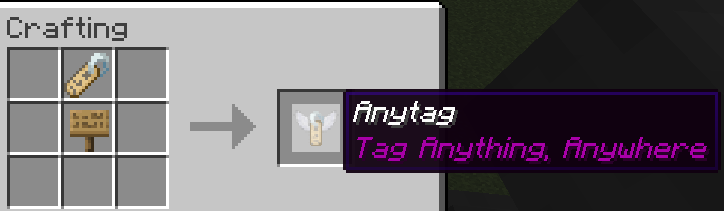
You can rename the Anytag item according to your desires.
Usage
Here is a short depiction of how the Anytag item is crafted and used:
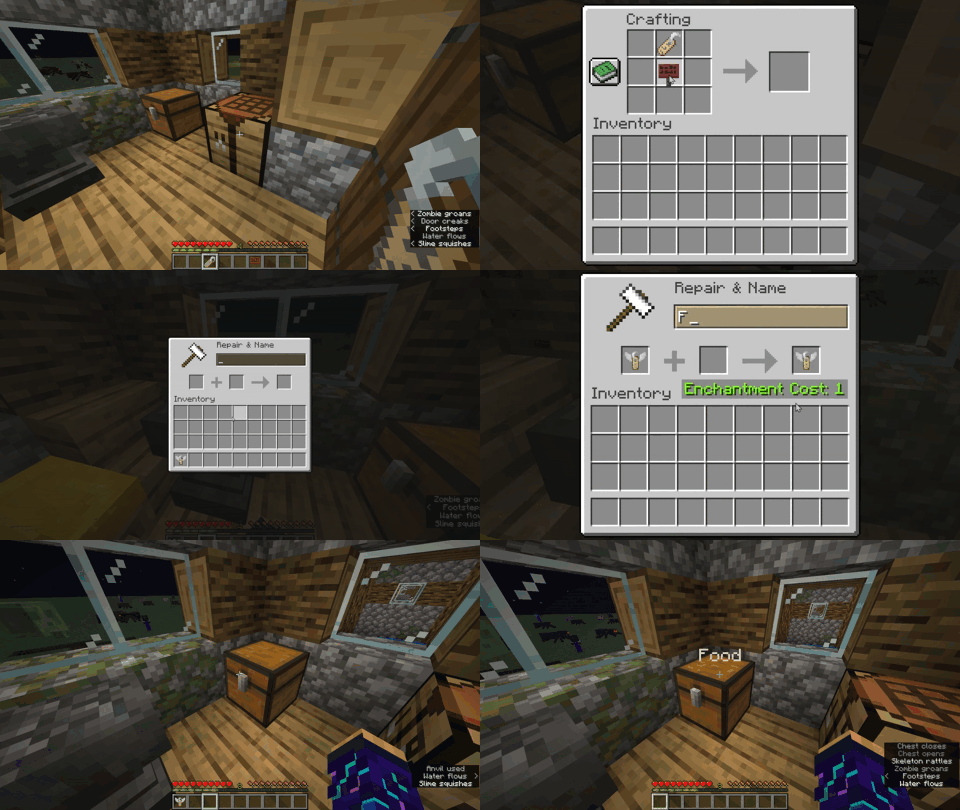
Right-clicking the Anytag item on any block will place flying text with the custom name of Anytag item.
Right-clicking in the middle of flying text will remove the text and drop the previously used Anytag item.
Left-clicking in the middle of flying text will remove the text and drop the name tag item instead of the Anytag item.
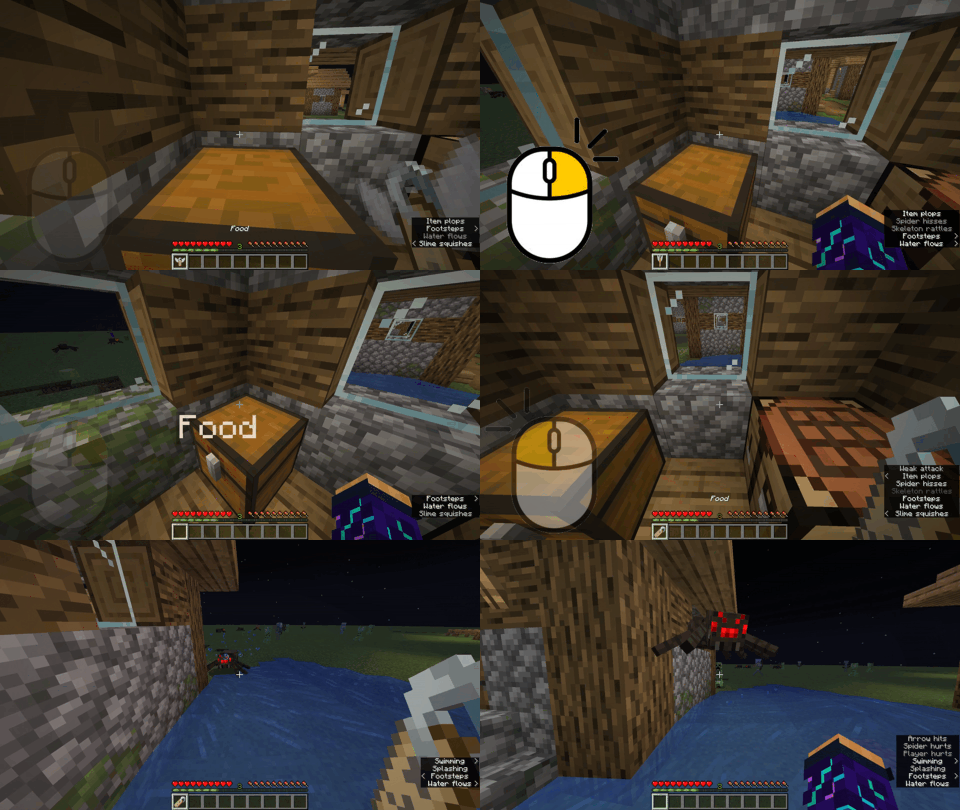
Try pressing
F3 + Bin-game to see the hitbox of the floating text.

Anytag Datapack (Tag Anything, Anywhere)
Have you ever wanted to place name tags on anything? Now you can! Anytag is a Minecraft Datapack which allows players to craft a special Anytag item through a simple recipe. The item is used so any player can right-click on any block with the item in their hand, which will then place flying text where the player is pointing at and simultaneously consume itself.
Crafting
The recipe for crafting the Anytag item is simple. You just need a name tag and a sign of any kind (Dark oak sign, Oak sign, Spruce sign, etc.) and place them in this order:
You can rename the Anytag item according to your desires.
Usage
Here is a short depiction of how the Anytag item is crafted and used:
Right-clicking the Anytag item on any block will place flying text with the custom name of Anytag item.
Right-clicking in the middle of flying text will remove the text and drop the previously used Anytag item.
Left-clicking in the middle of flying text will remove the text and drop the name tag item instead of the Anytag item.
Try pressing
F3 + Bin-game to see the hitbox of the floating text.
Screenshots
Gallery
-
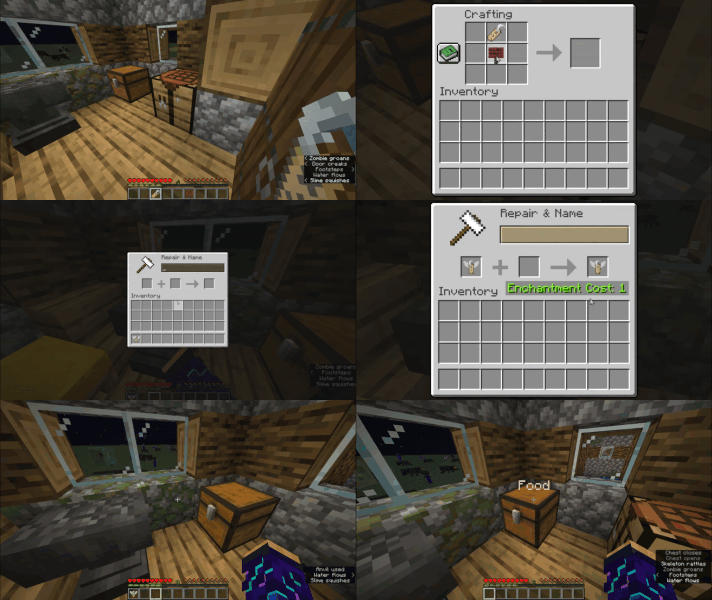 Anytag Usage Short depiction of how a player would craft and use the Anytag item.
 -
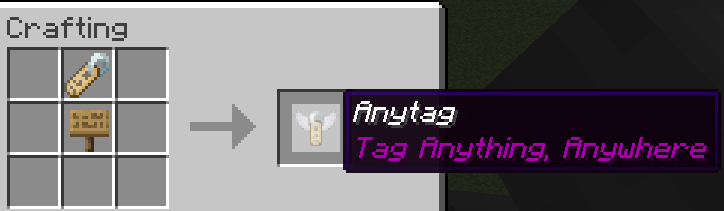 Recipe for the Anytag item This is the recipe for the Anytag item. You can use signs of any type (Dark oak sign, Spruce sign, Jungle sign, ...).
 -
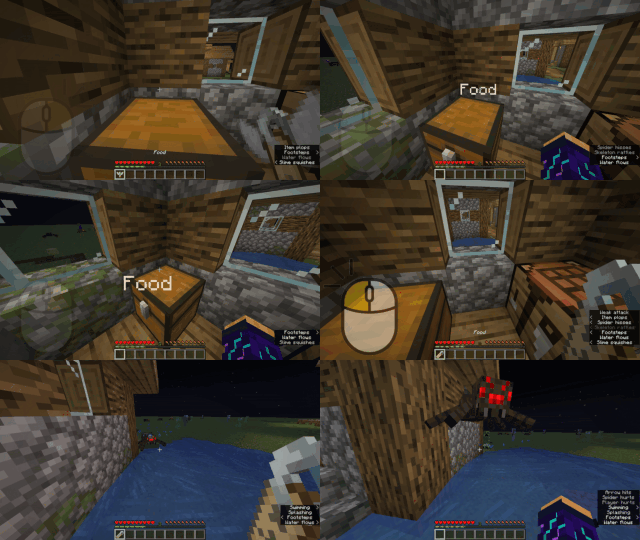 Difference between left-click and right-click Video depicts the functional difference between left-clicking and right-clicking
 -
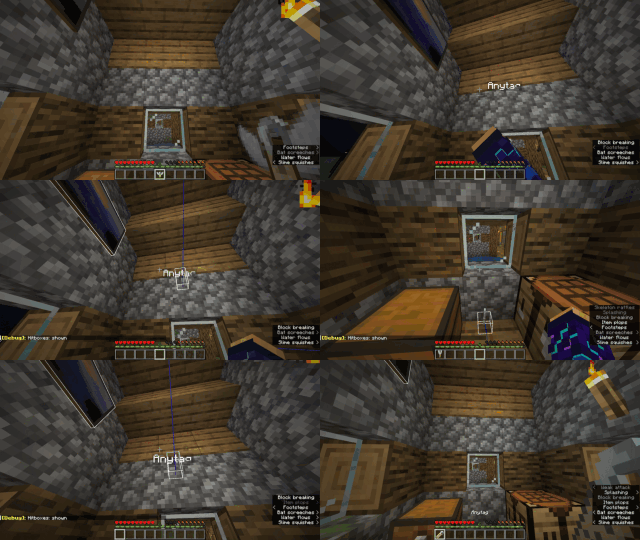 Hitbox of the Antag flying text You can press F3 + B to learn about the Anytag hitbox and where it is placed.
Versions
Files
Relations
Project Relations
More like this
Similar Mods
Suggestions use data such as tags, dependencies, dependents, descriptions, titles, and more to rank how much they overlap with this mod.
On ModDex
Community snapshot
By the numbers
Statistics
Want to reach Minecraft players?
We're looking for a server hosting partner to feature here and other parts of the site. Interested? Send us a message!
Get in touchGet it on
Available Platforms
On ModDex
Community snapshot
By the numbers