Community listing page, reviews here may not be monitored by the author.
Display Notches


No reviews yet
Adds a new alternative to Item Frames that offers higher customisability and functionality.

Community voices
Reviews
No reviews yet. Be the first to review this project!
Get it on
Available Platforms
Compatibility
Supported Environments
Must be installed on both the client and the server.
About
Project Details
For authors
Embed Badge
If you're the author of this project, you can embed a live badge anywhere that supports HTML or Markdown. It updates automatically whenever ratings change.
Use HTML for any page that supports it, or Markdown for README files and Markdown-based descriptions.
Identifiers
Platform IDs
About
Description
Item Frames in Minecraft are great for what they are, and the game itself would be worse off without them. At the same time, they have quite a few aspects that really hold them back from achieving their potential.
This is where Display Notches come in! They represent a reimagined version of Item Frames, that solve many of their shortcomings, while still leaving a couple niche uses, as to not entirely undermine them.
Below is a detailed description of what Display Notches can do and at the bottom of it, a short summary of Pros and Cons.
How To Obtain
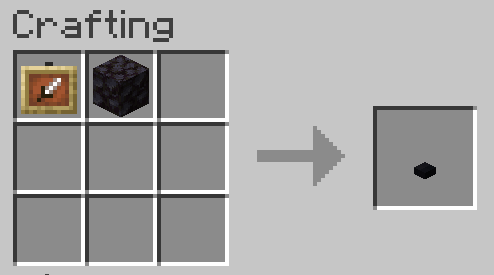
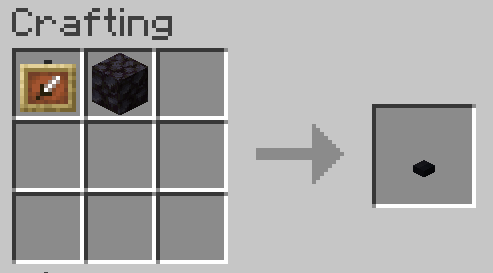
Display Notches can be crafted from one Item Frame (or Glow Item Frame) and one Blackstone, in any orientation.
How To Use
- They can be placed on all six sides of a block and can be right-clicked with an Item to insert it. Right-clicking with an empty hand or another item will then take out its contents. The direction the Display Notch is facing will affect the item's display as well.
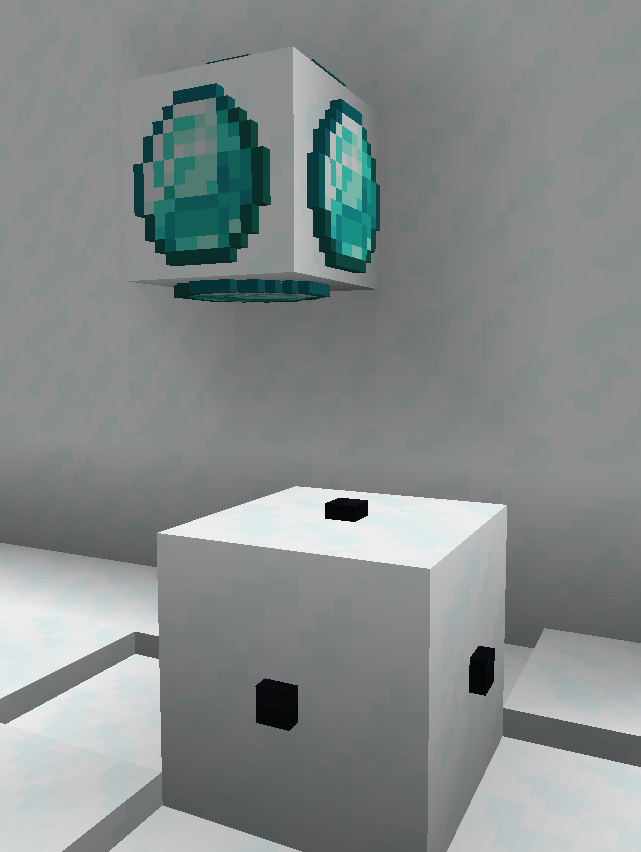
- The size of 2D displayed items are set to match the pixel sizes of a block. That means that any item that is 16x16 pixels will fully cover the face of a block (See Red Glass Pane below as an example).
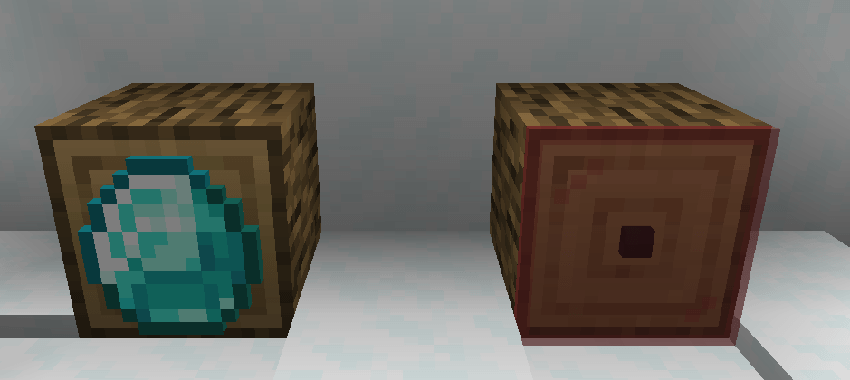
- When it comes to block-items, they are sized at a one-eight (1:8) scale.
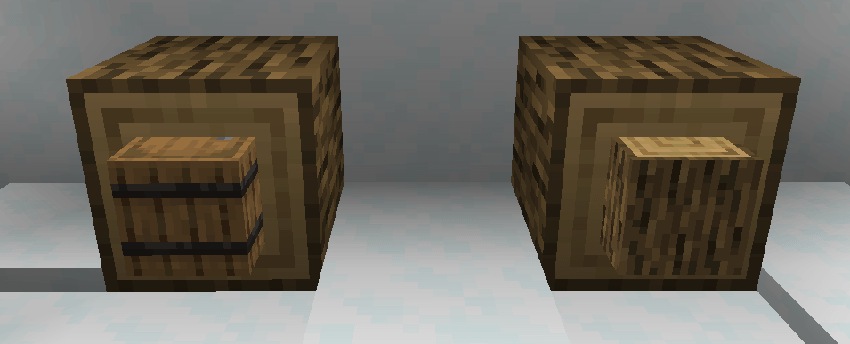
- Display Notches can be waterlogged and even lavalogged.
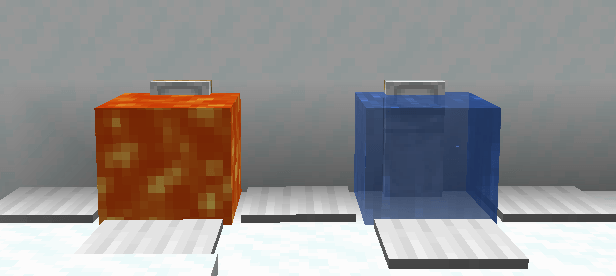
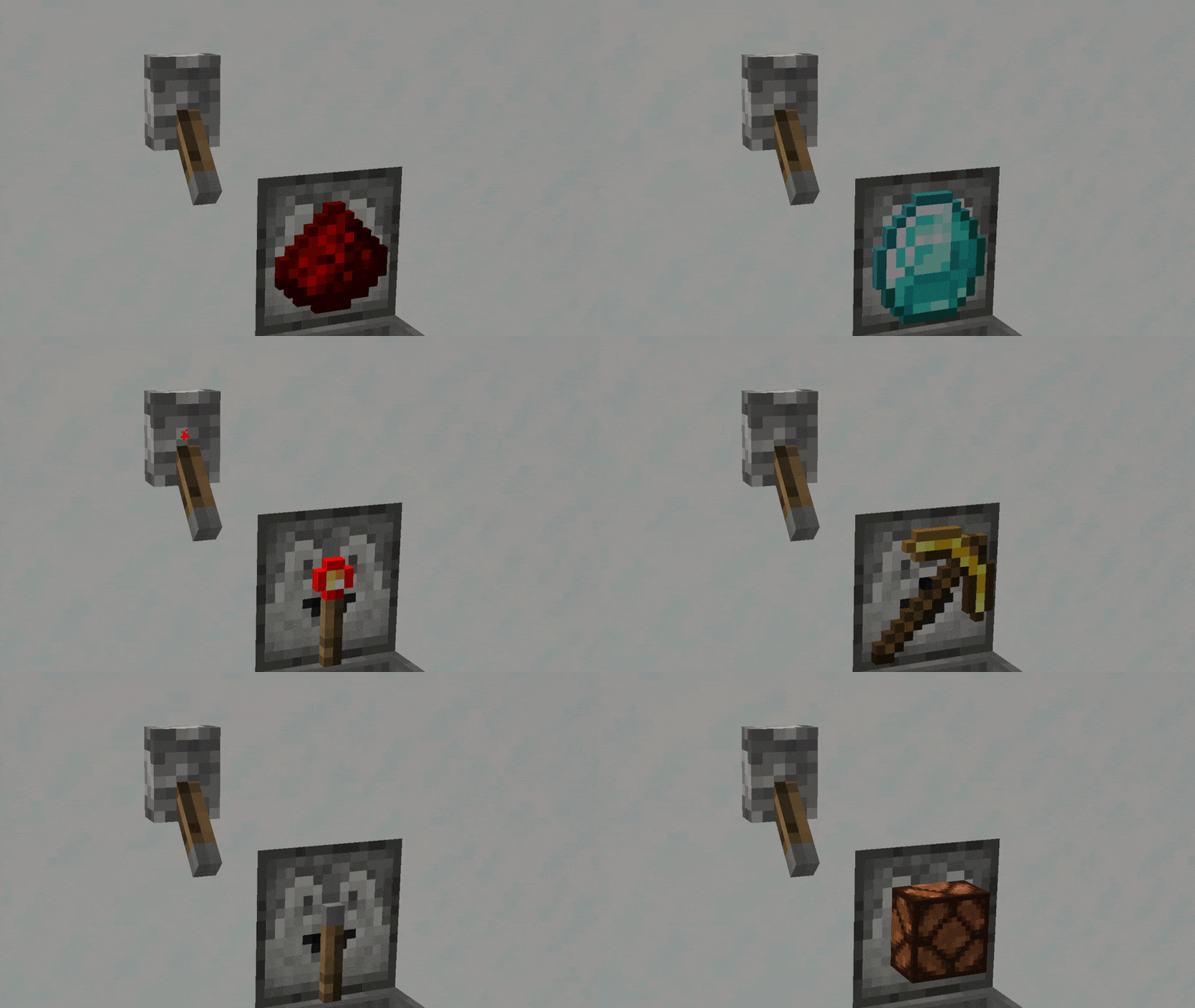
- Once an Item has been inserted, then it becomes possible to manipulate how it is displayed (NOTE: An empty Display Notch cannot be manipulated, but also, taking an item out and placing a new one in will not delete any prior changes made). There are 7(+2) ways to do so: Right-Clicking with an Axe, a Shovel, a Pickaxe, a Glow Ink Sac, Dyes, (Phantom Membrane, Tripwire Hook) or some Glass; and using a Redstone Signal. None of these interactions use durability or consume the item.
- Right-clicking with an Axe will change between the item laying down flat or standing up.
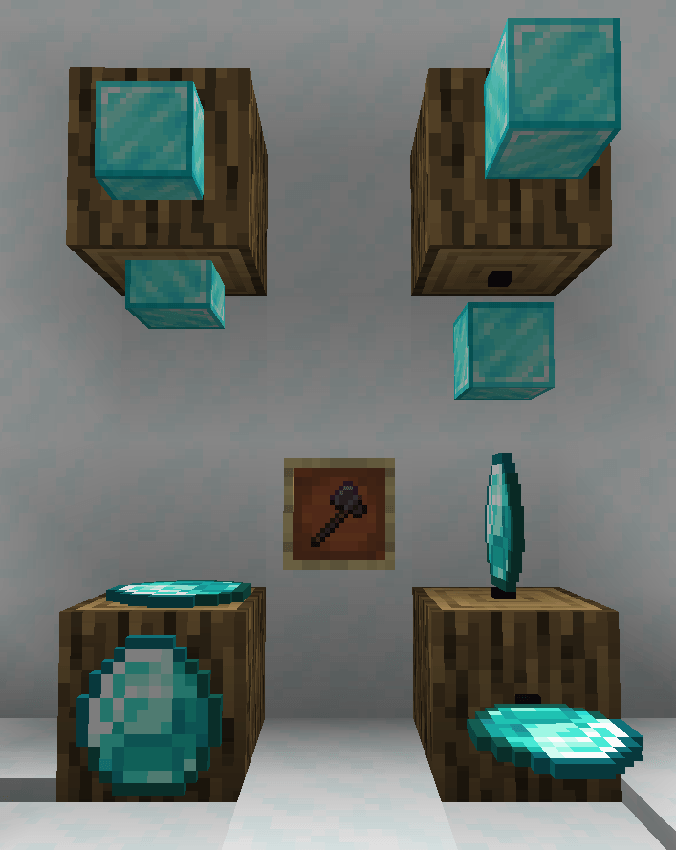
- Right-clicking with a Shovel sinks or elevates the item.
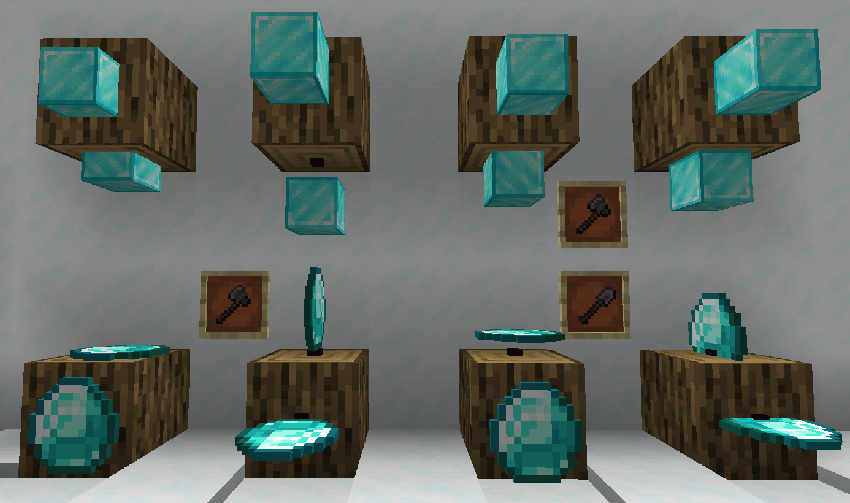
- Right-clicking with a Pickaxe, the rotation of the item can be changed to 16 different options (same as an Item Frame). If the item is standing up, the axis of rotation will also be changed. The rotation can also be read with a Comparator and outputted as a redstone signal.
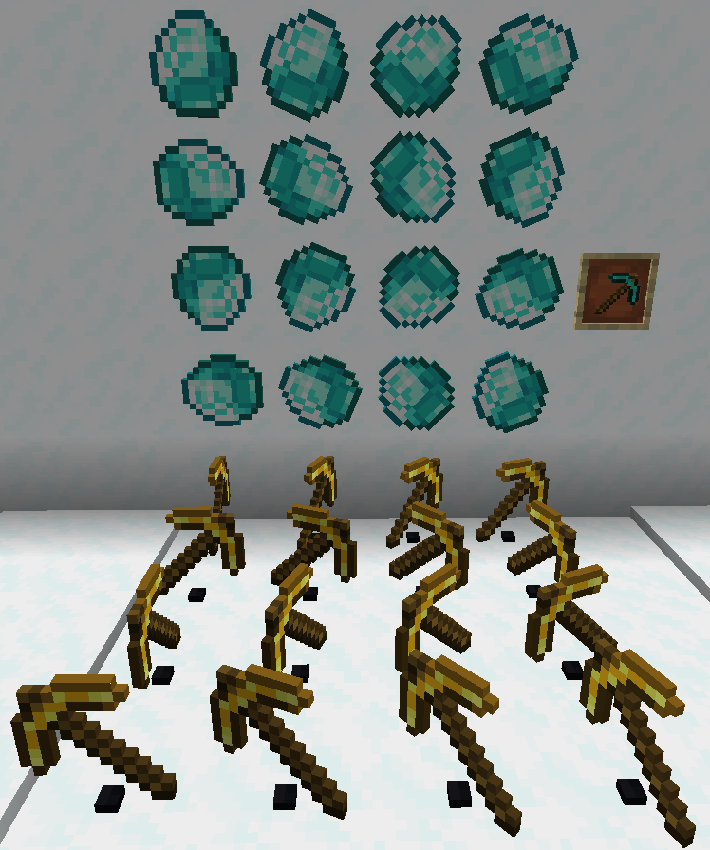
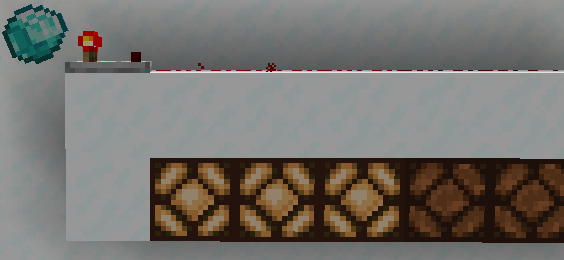
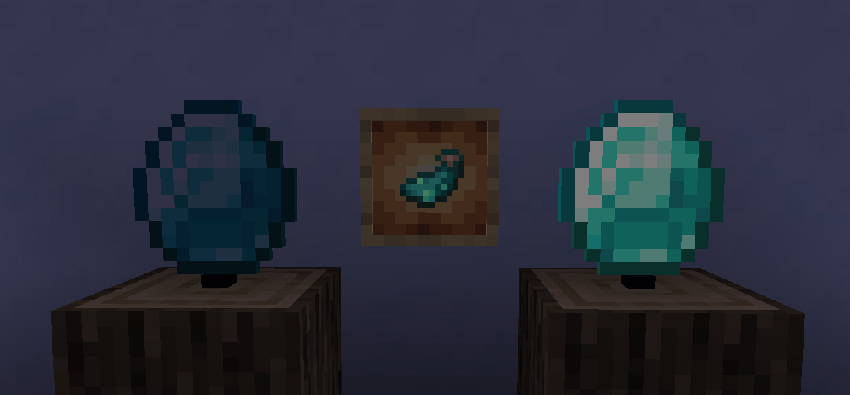
- Right-clicking with a Glow Ink Sac will make the displayed item glow. This is a visual change, the Display Notch will not actually give off light.
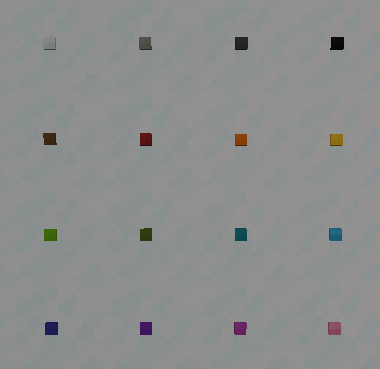
- Right-clicking with a Dye will change the Display Notch itself to the corresponding color. It does not have any effect on the displayed item.
- (As of version 1.0.1) Right-clicking with a Phantom Membrane will make it so the Display Notch no longer has a solid collision.
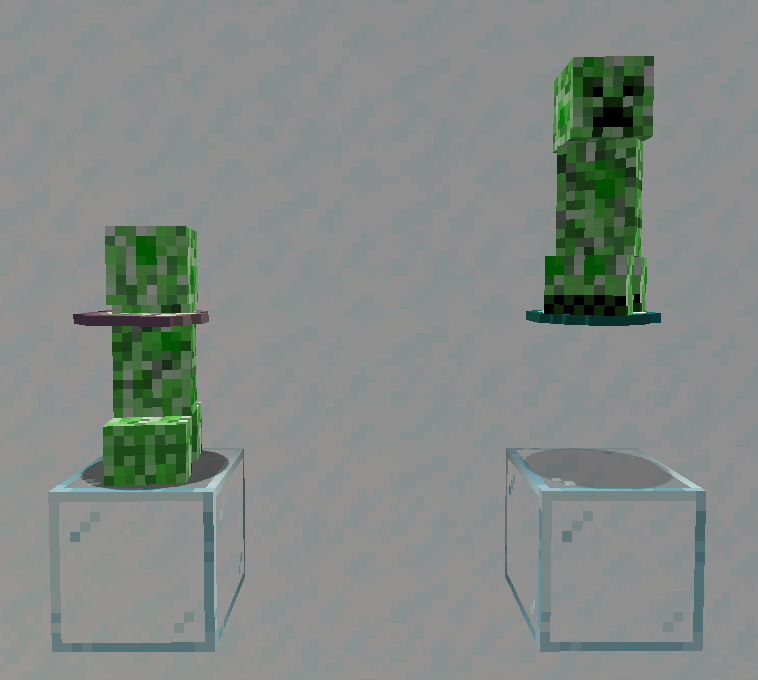
- Right-clicking with a Glass block will turn the Display Notch itself invisible. It does not have any effect on the displayed item.
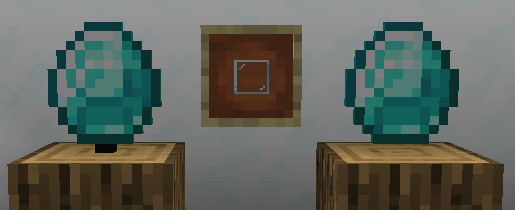
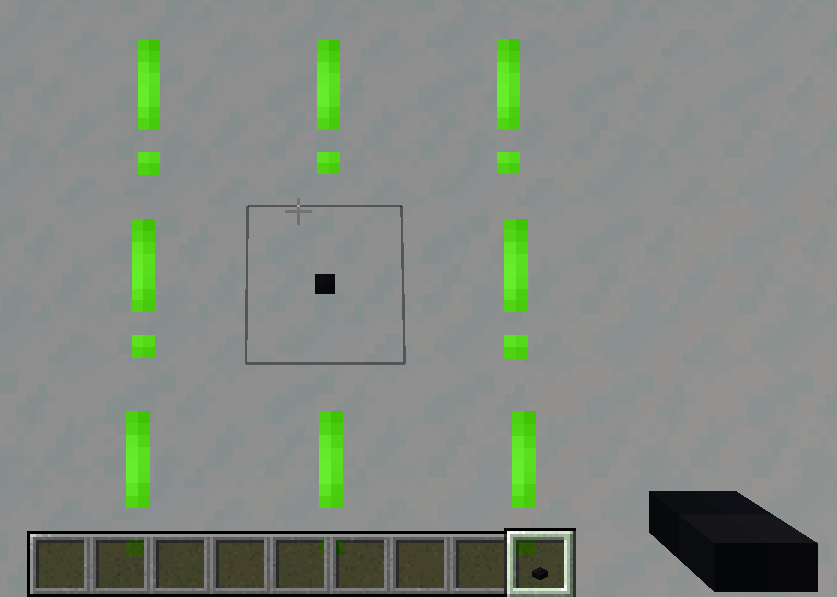
- It might be difficult to find an Invisible Display Notch once the item has been removed. To solve this, you can simply hold a Display Notch in your hand, and that will mark all invisibles ones around you.
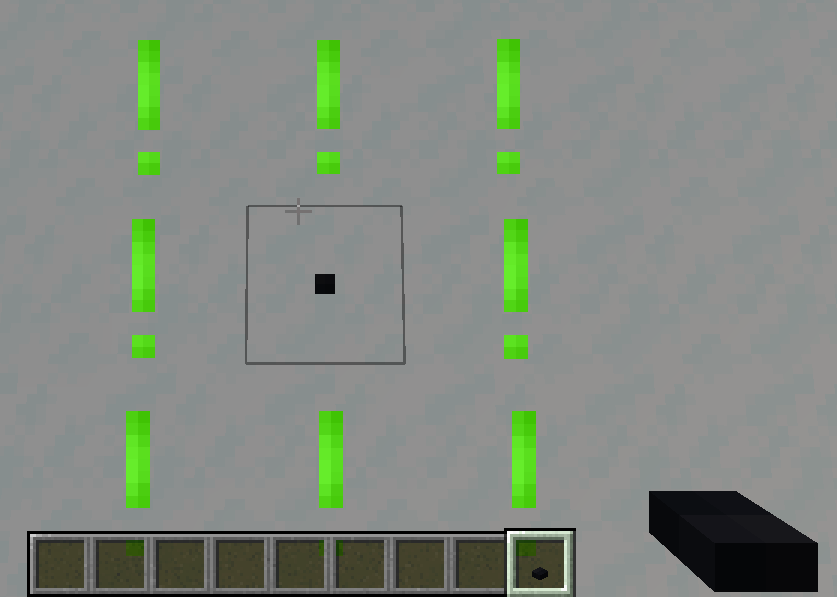
- (As of version 1.0.2) Right-clicking with a Tripwire Hook will lock the Display Notch, stopping any changes until broken or unlocked again with the Tripwire Hook. Redstone behaviours are not affected by this.
- Display Notches will react to being powered by a Redstone Signal, and will start automatically rotating the displayed item. As of version 1.0.1, using the config, you can change this feature to be activated by a right-click with a Redstone Torch instead.
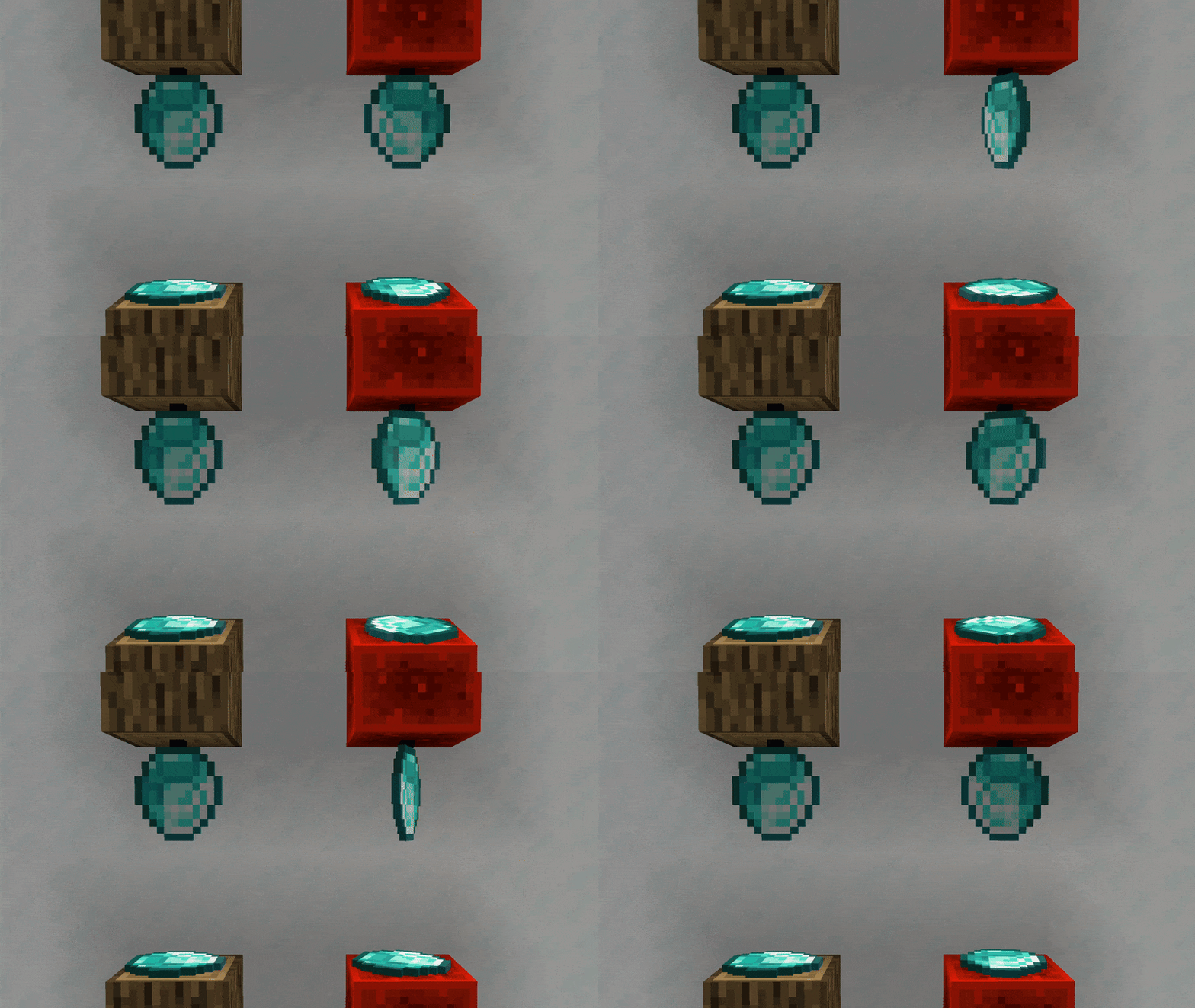
- Lastly, Display Notches can interact with Hoppers and Droppers (though modded pipes and such will not work in most cases).
Pros and Cons Compared To Item Frames
Pros
- More customizability when it comes to how the item is displayed
- More options for how the displaying medium looks
- Items are better scaled to the environment
- Generally better performance (as they are non-ticking block entities)
- Aren't affected by entity damaging factors
- Optional solid hitbox, making custom platforms, stairs etc. possible
- No need for block support (they will not disappear if the block they are attached to is removed)
- Interaction with redstone, hoppers and droppers
Cons
- You can only have one Display Notch within the same block, compared to the possibe 6 with Item Frames
- No interaction with projectiles or entities (displayed item won't pop out)
- Maps will not display their contents
Credits
Thanks to:
- GizmoTheMoonPig for help with the mod. Make sure to check out all of his wonderful projects!
- Toblerone for his continued feedback during the development of the Display Notches.
Item Frames in Minecraft are great for what they are, and the game itself would be worse off without them. At the same time, they have quite a few aspects that really hold them back from achieving their potential.
This is where Display Notches come in! They represent a reimagined version of Item Frames, that solve many of their shortcomings, while still leaving a couple niche uses, as to not entirely undermine them.
Below is a detailed description of what Display Notches can do and at the bottom of it, a short summary of Pros and Cons.
How To Obtain
Display Notches can be crafted from one Item Frame (or Glow Item Frame) and one Blackstone, in any orientation.
How To Use
- They can be placed on all six sides of a block and can be right-clicked with an Item to insert it. Right-clicking with an empty hand or another item will then take out its contents. The direction the Display Notch is facing will affect the item's display as well.
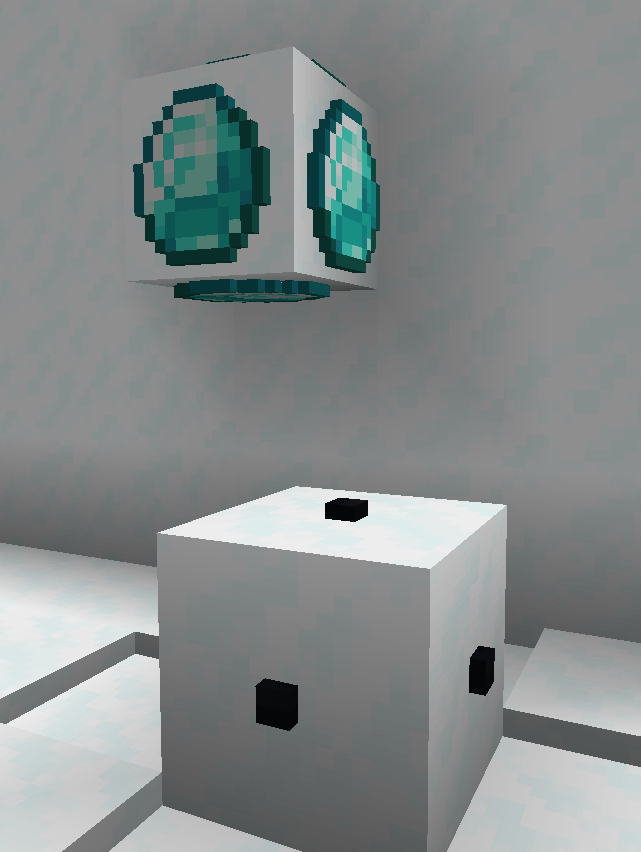
- The size of 2D displayed items are set to match the pixel sizes of a block. That means that any item that is 16x16 pixels will fully cover the face of a block (See Red Glass Pane below as an example).
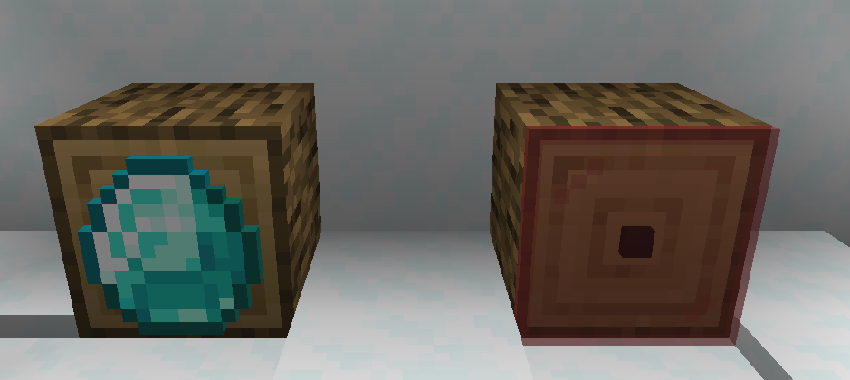
- When it comes to block-items, they are sized at a one-eight (1:8) scale.
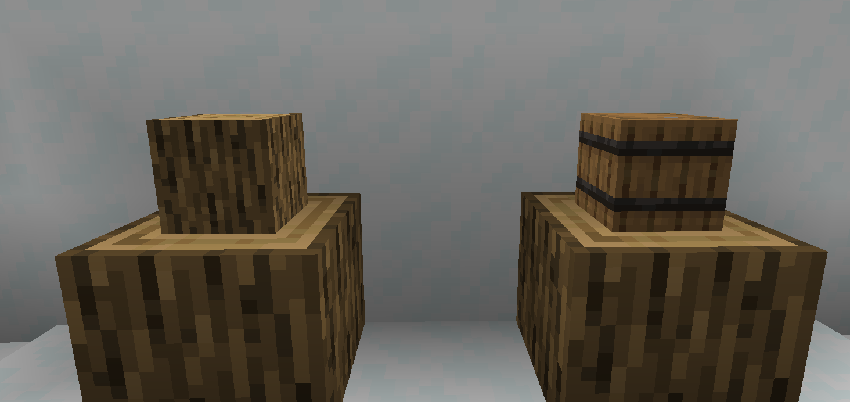
- Display Notches can be waterlogged and even lavalogged.
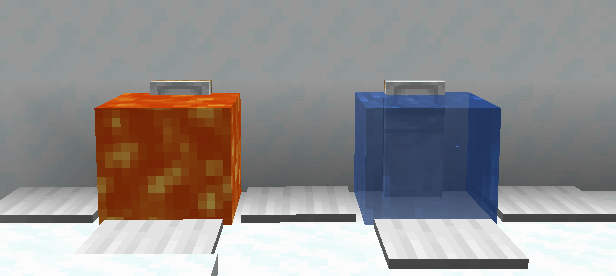
-
Once an Item has been inserted, then it becomes possible to manipulate how it is displayed (NOTE: An empty Display Notch cannot be manipulated, but also, taking an item out and placing a new one in will not delete any prior changes made). There are 7(+2) ways to do so: Right-Clicking with an Axe, a Shovel, a Pickaxe, a Glow Ink Sac, Dyes, (Phantom Membrane, Tripwire Hook) or some Glass; and using a Redstone Signal. None of these interactions use durability or consume the item.
-
Right-clicking with an Axe will change between the item laying down flat or standing up.
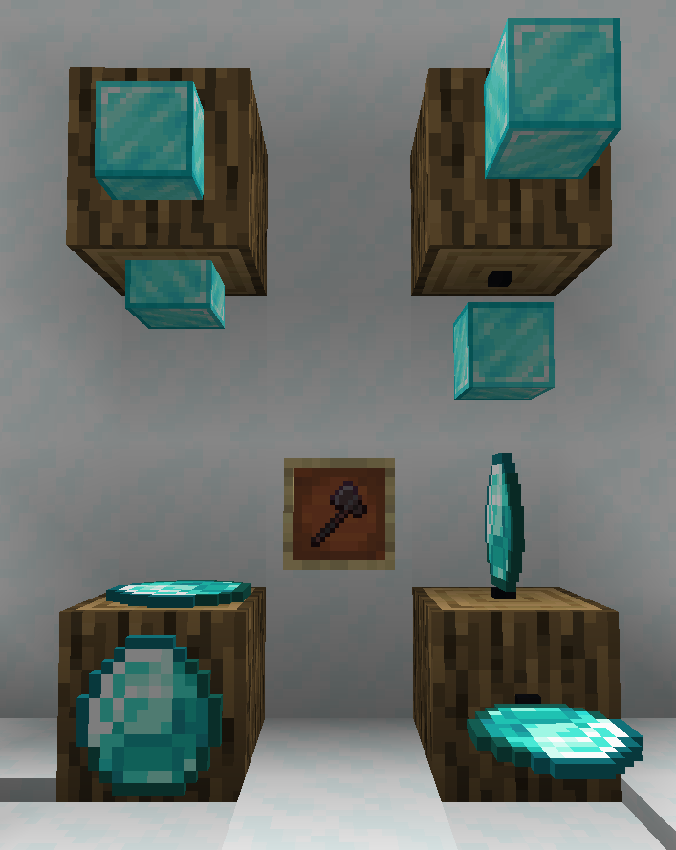
- Right-clicking with a Shovel sinks or elevates the item.
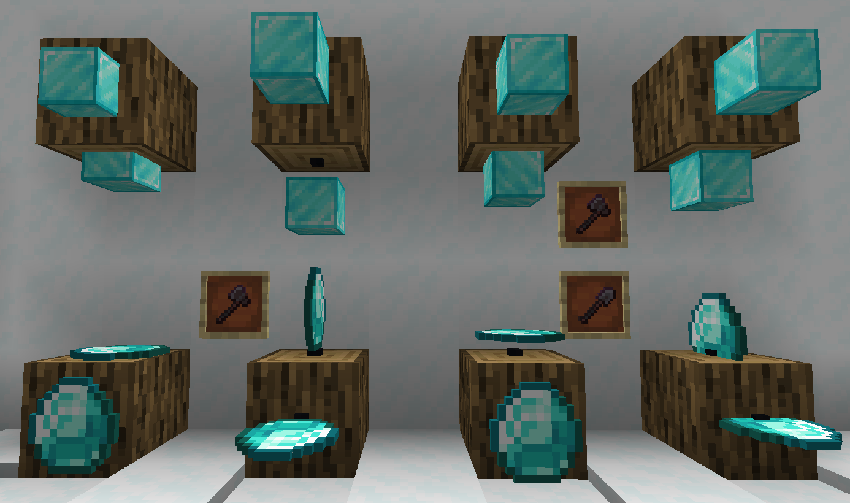
- Right-clicking with a Pickaxe, the rotation of the item can be changed to 16 different options (same as an Item Frame). If the item is standing up, the axis of rotation will also be changed. The rotation can also be read with a Comparator and outputted as a redstone signal.
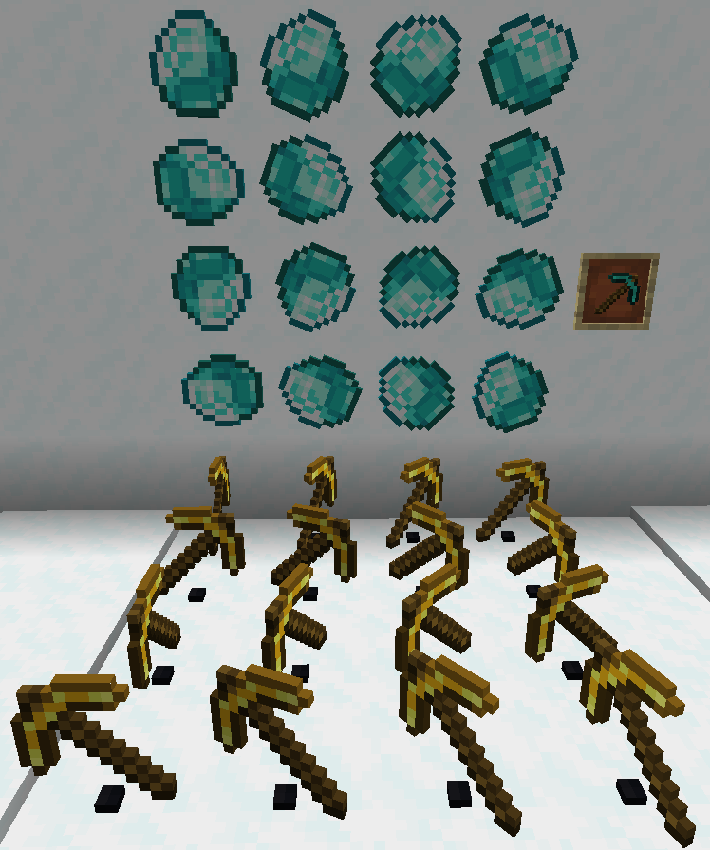
- Right-clicking with a Glow Ink Sac will make the displayed item glow. This is a visual change, the Display Notch will not actually give off light.
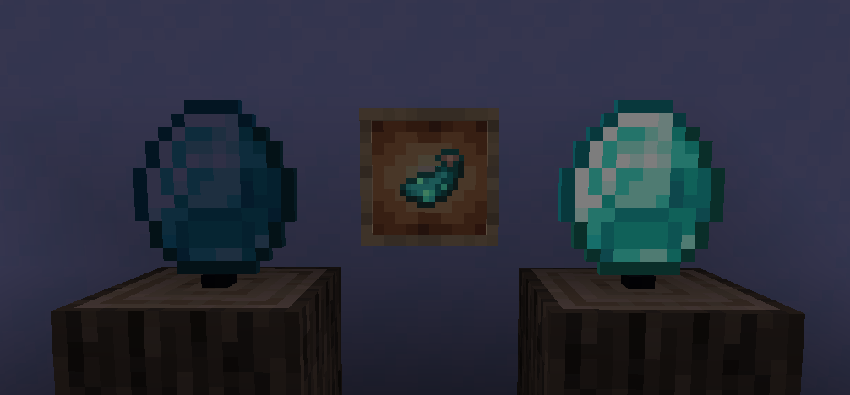
- Right-clicking with a Dye will change the Display Notch itself to the corresponding color. It does not have any effect on the displayed item.
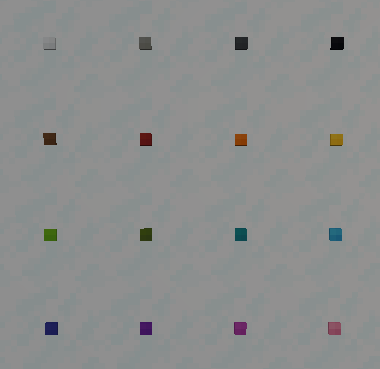
- (As of version 1.0.1) Right-clicking with a Phantom Membrane will make it so the Display Notch no longer has a solid collision.
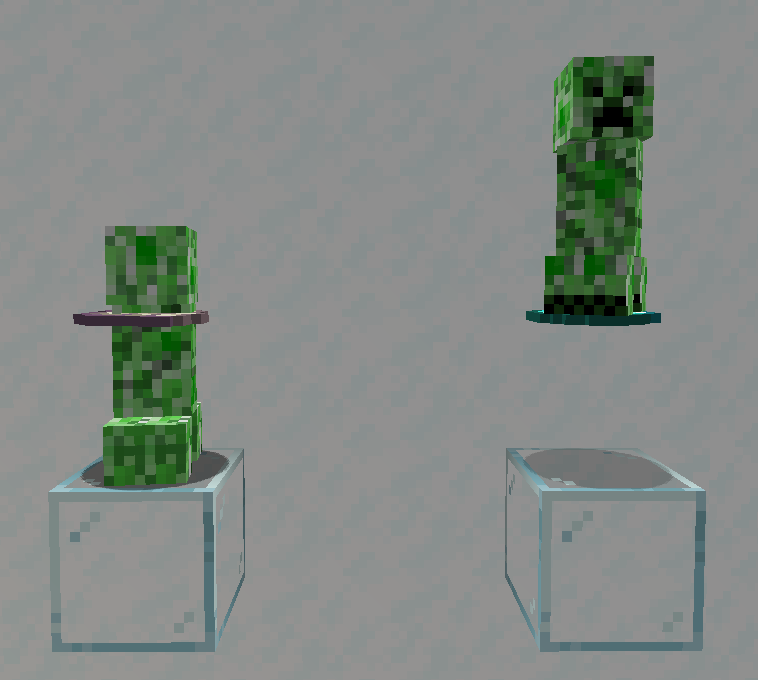
- Right-clicking with a Glass block will turn the Display Notch itself invisible. It does not have any effect on the displayed item.
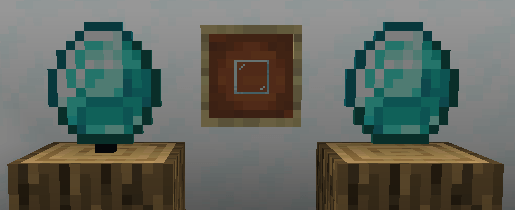
- It might be difficult to find an Invisible Display Notch once the item has been removed. To solve this, you can simply hold a Display Notch in your hand, and that will mark all invisibles ones around you.
-
(As of version 1.0.2) Right-clicking with a Tripwire Hook will lock the Display Notch, stopping any changes until broken or unlocked again with the Tripwire Hook. Redstone behaviours are not affected by this.
-
Display Notches will react to being powered by a Redstone Signal, and will start automatically rotating the displayed item.
-
Lastly, Display Notches can interact with Hoppers and Droppers (though modded pipes and such will not work in most cases).
Pros and Cons Compared To Item Frames
Pros
- More customizability when it comes to how the item is displayed
- More options for how the displaying medium looks
- Items are better scaled to the environment
- Generally better performance (as they are non-ticking block entities)
- Aren't affected by entity damaging factors
- Optional solid hitbox, making custom platforms, stairs etc. possible
- No need for block support (they will not disappear if the block they are attached to is removed)
- Interaction with redstone, hoppers and droppers
Cons
- You can only have one Display Notch within the same block, compared to the possibe 6 with Item Frames
- No interaction with projectiles or entities (displayed item won't pop out)
- Maps will not display their contents
Credits
Thanks to:
- GizmoTheMoonPig for help with the mod. Make sure to check out all of his wonderful projects!
- Toblerone for his continued feedback during the development of the Display Notches.
Screenshots
Gallery
-
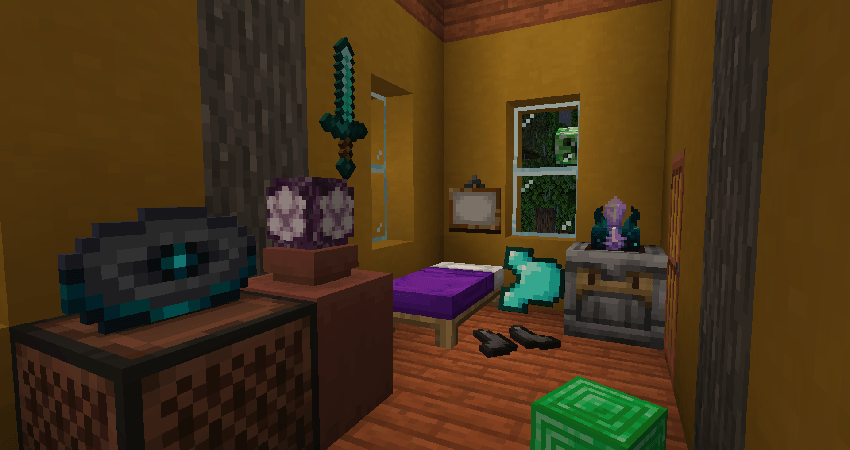 Messy Bedroom
 -
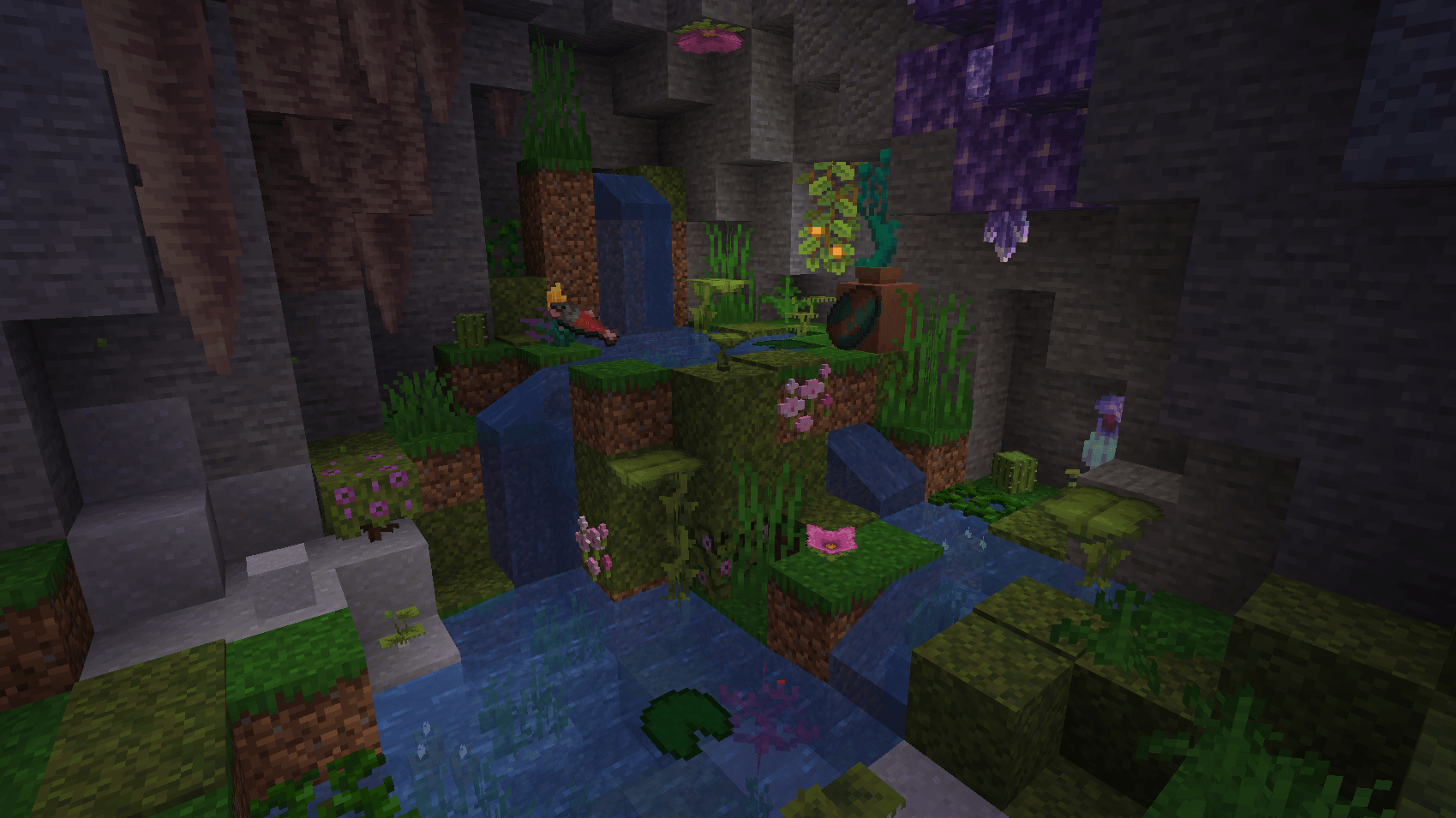 Mountainside Spring
 -
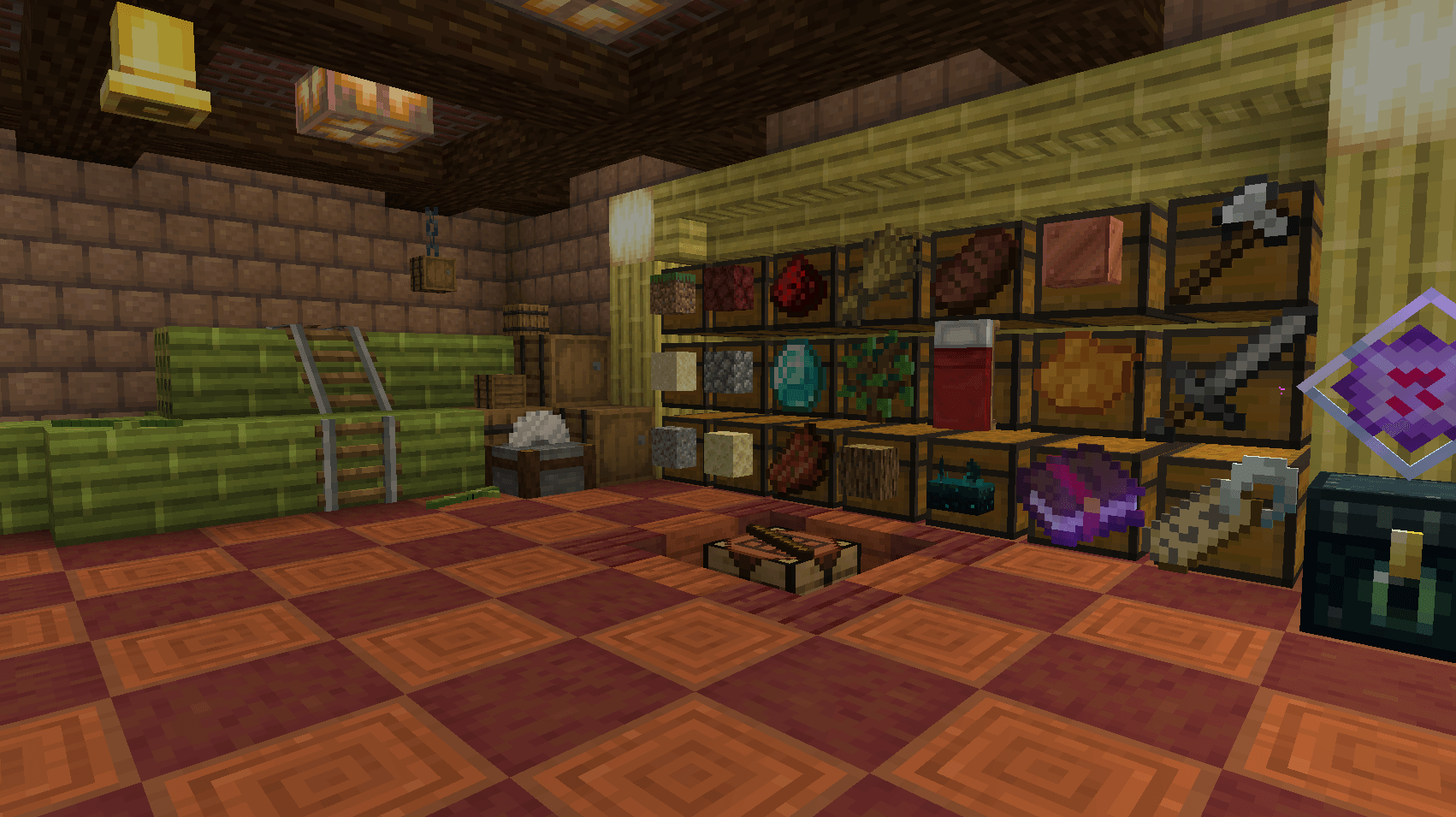 Storage
 -
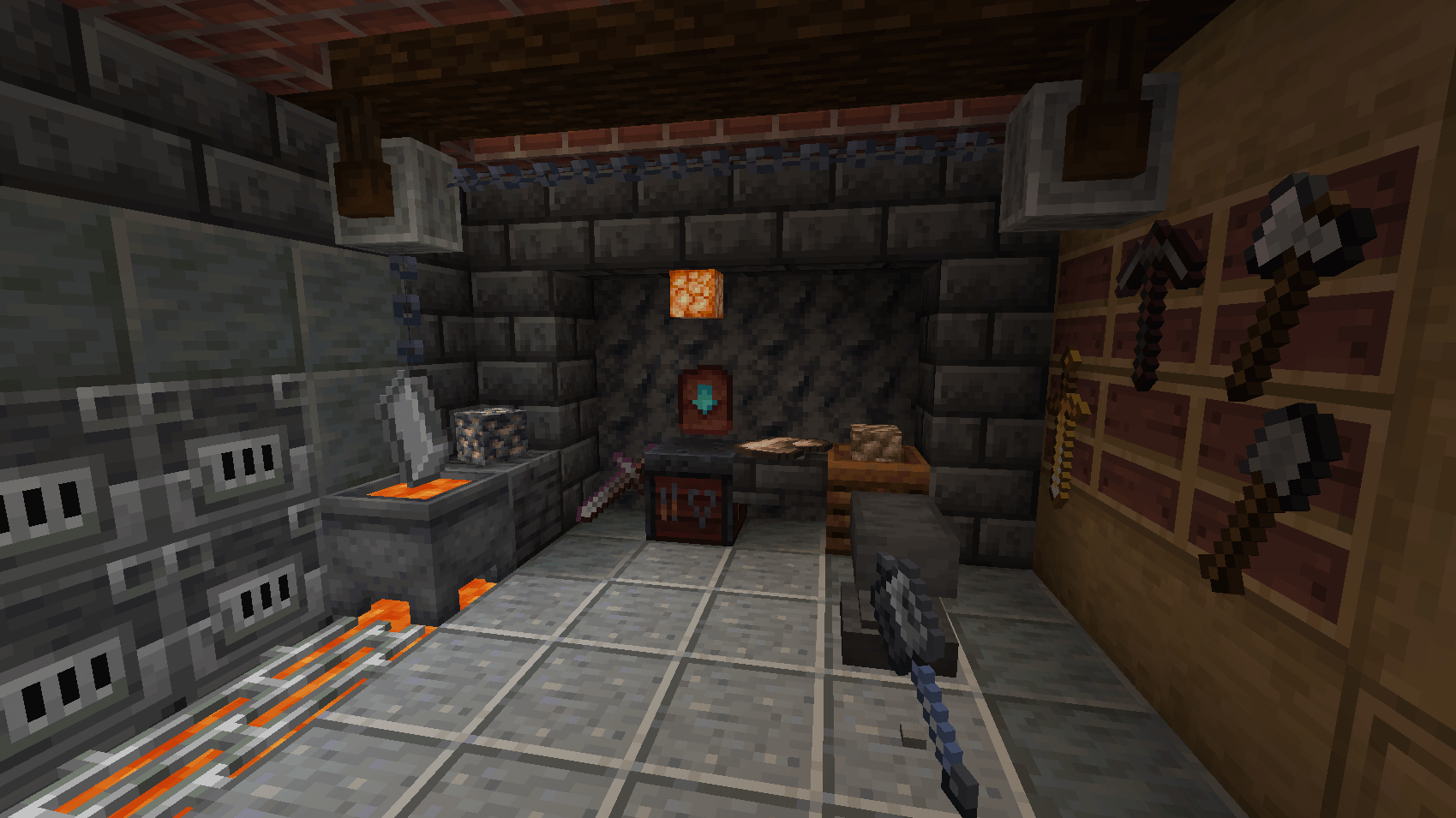 Smithy
 -
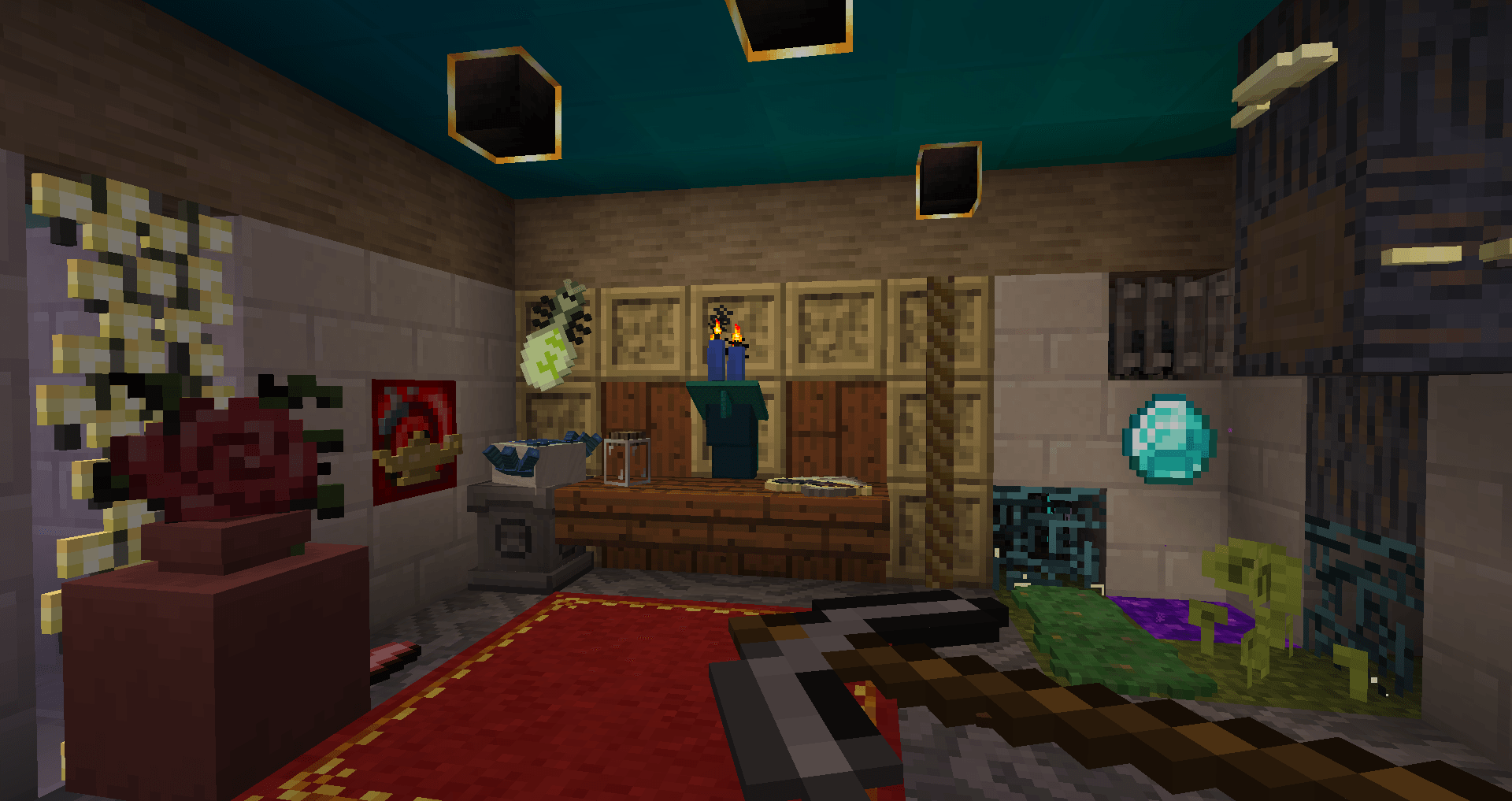 Display Notches used with the Twilight Forest Mod
-
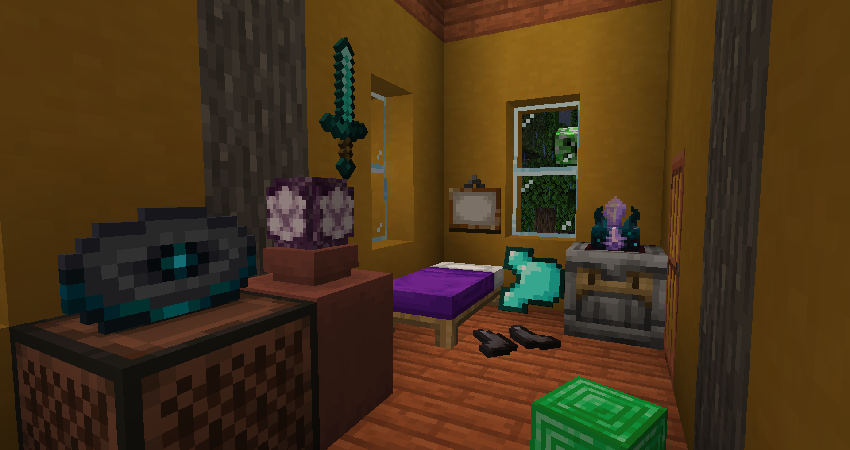 Messy Room
 -
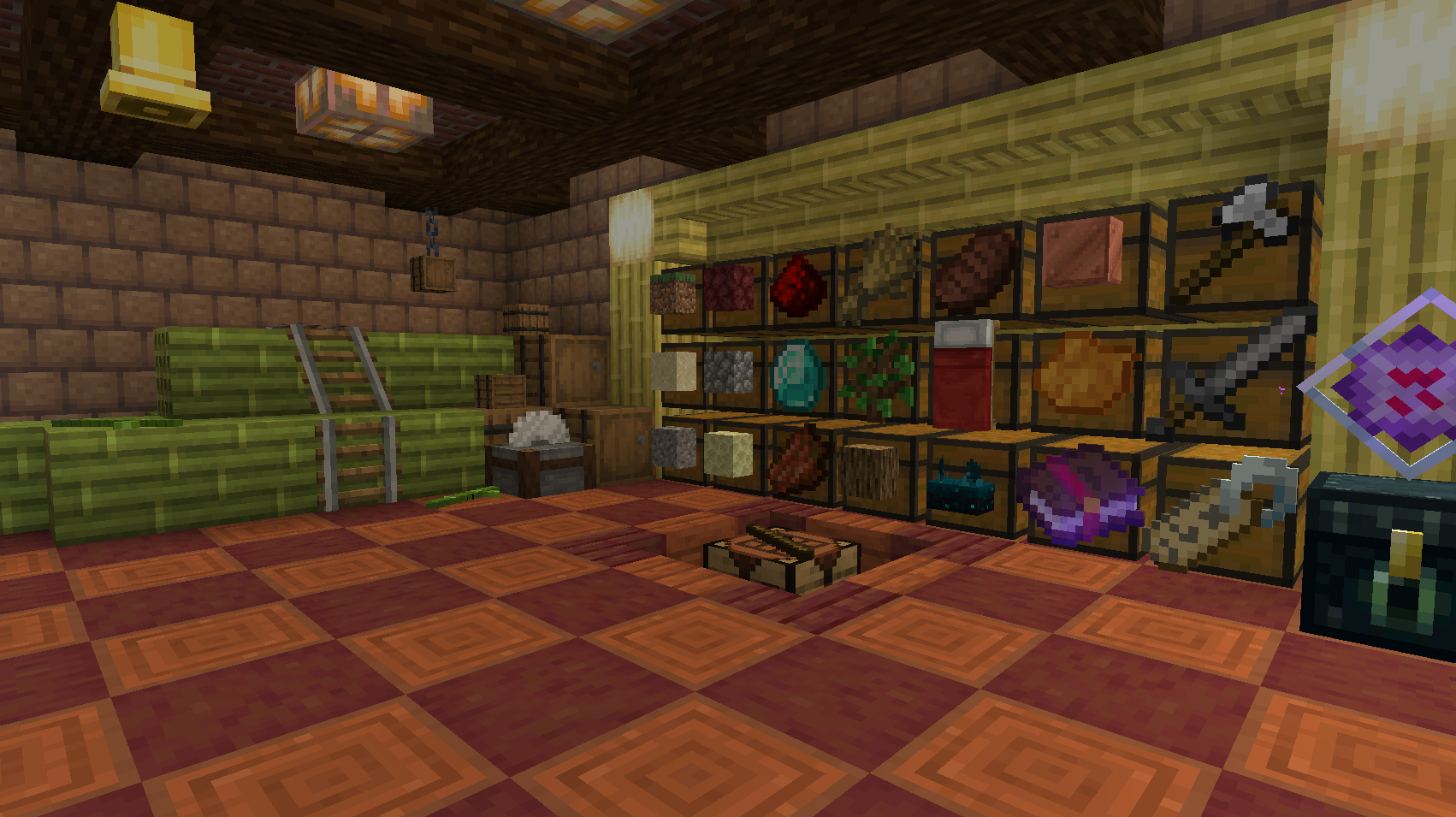 Storage
 -
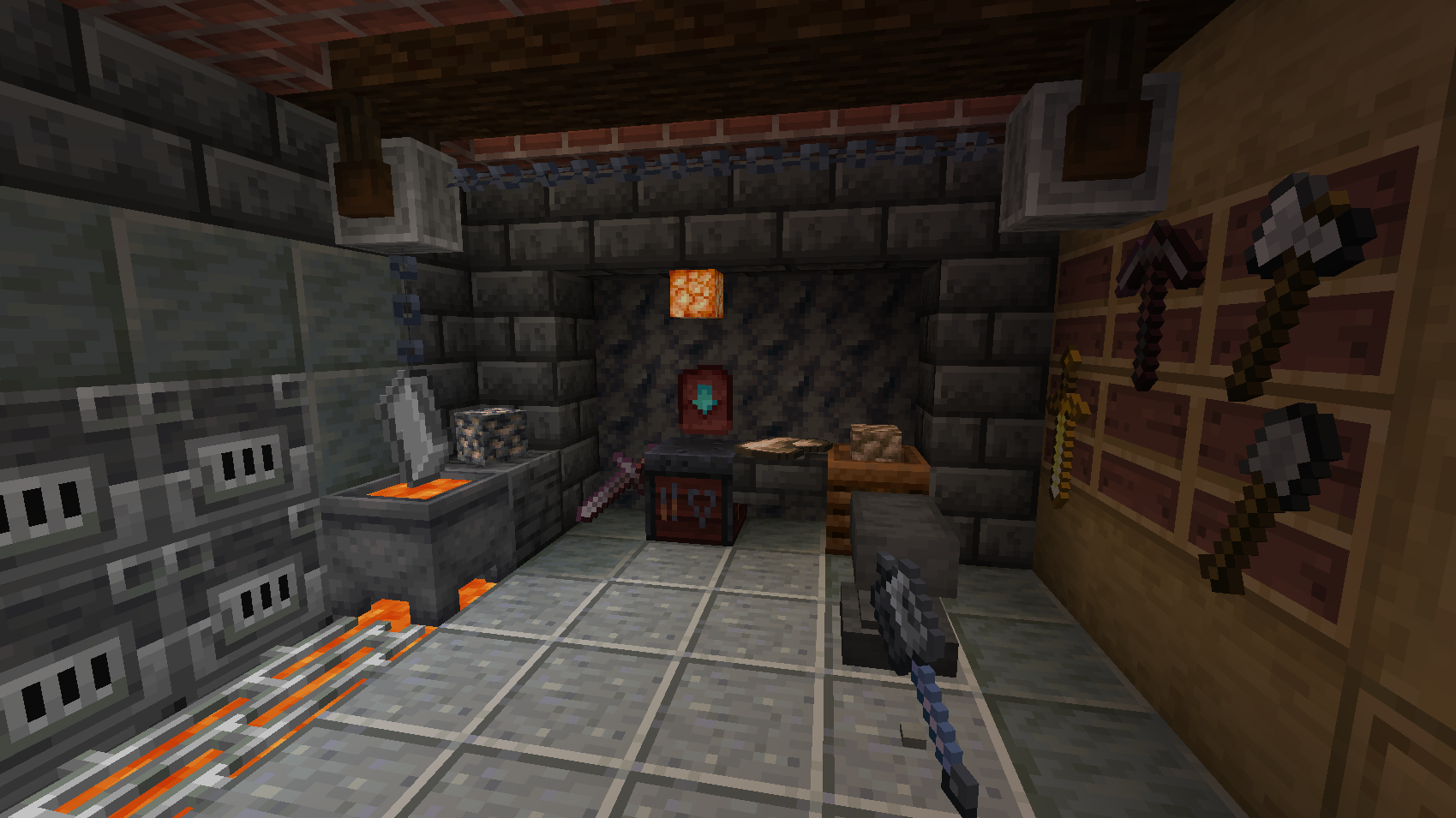 Smithy
 -
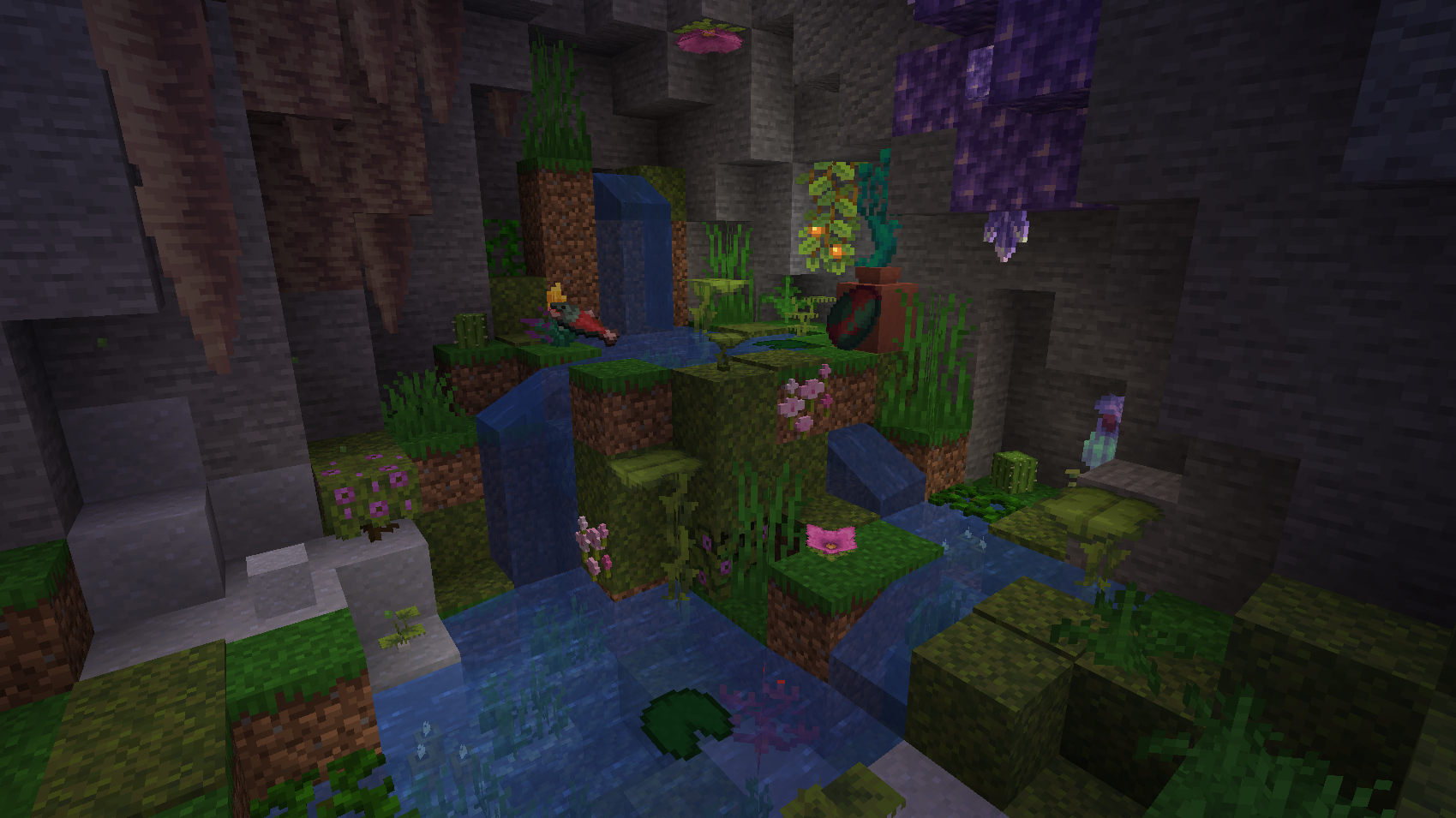 Mountainside Spring
 -
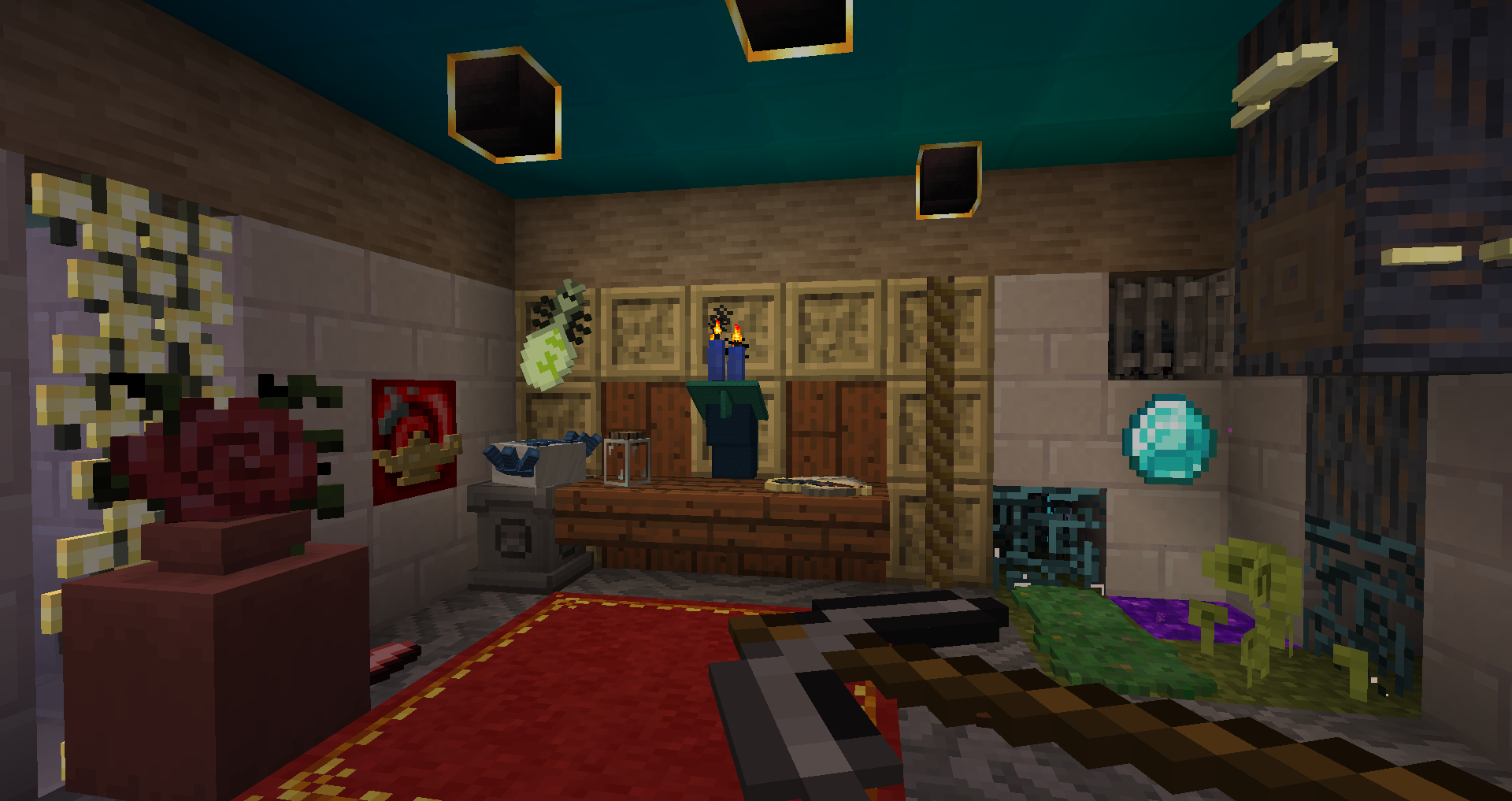 Display Notches used with the Twilight Forest mod
Versions
Files
Relations
Project Relations
More like this
Similar Mods
Suggestions use data such as tags, dependencies, dependents, descriptions, titles, and more to rank how much they overlap with this mod.
On ModDex
Community snapshot
By the numbers
Statistics
 (opens in a new tab)
Get it on
Available Platforms
On ModDex
Community snapshot
By the numbers