Community listing page, reviews may not be monitored by the author.
Applied Web Terminal


No reviews yet
Move your AE terminal to the web!

Community voices
Reviews
No reviews yet. Be the first to review this project!
Get it on
Available Platforms
Compatibility
Supported Environments
Must be installed on both the client and the server.
About
Project Details
For authors
Embed Badge
If you're the author of this project, you can embed a live badge anywhere that supports HTML or Markdown. It updates automatically whenever ratings change.
Use HTML for any page that supports it, or Markdown for README files and Markdown-based descriptions.
Identifiers
Platform IDs
About
Description
Applied Web Terminal
Move your AE terminal to the web!
Dependencies
Usage
- Download the latest version of this mod from Files and install the dependencies
- If you are playing in single-player mode:
- Enter your single-player world
- Run the command
/appwebterminal resources renderto generate frontend resources (only needs to be run once)
- If you are playing on a server:
- Create a new single-player world
- Run the command
/appwebterminal resources renderto generate frontend resources (only needs to be run once) - Upload the
aeKeyResourcesfolder from your game root directory to your server
- Connect the
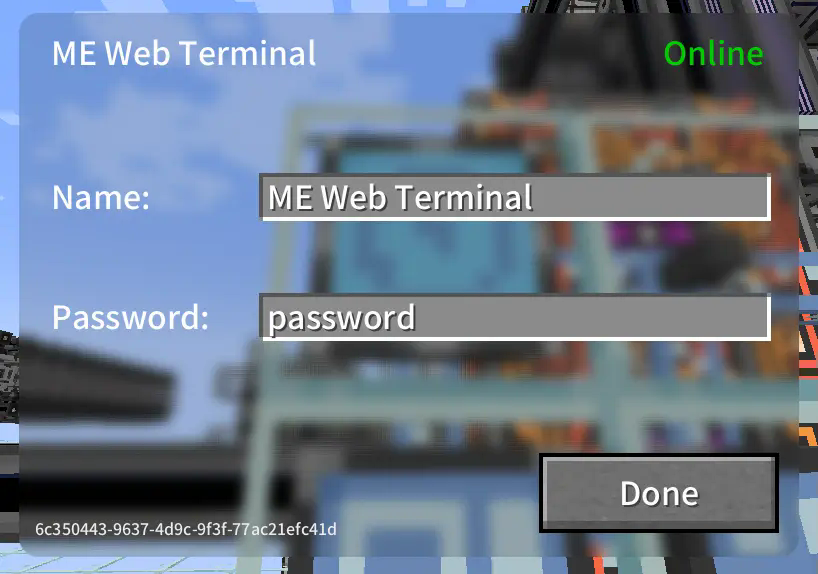
ME Web Terminalto the AE network - Right-click to open the GUI and configure the name and password
- Open your web browser, access the network terminal address, and log in with the password
- All done!
Images
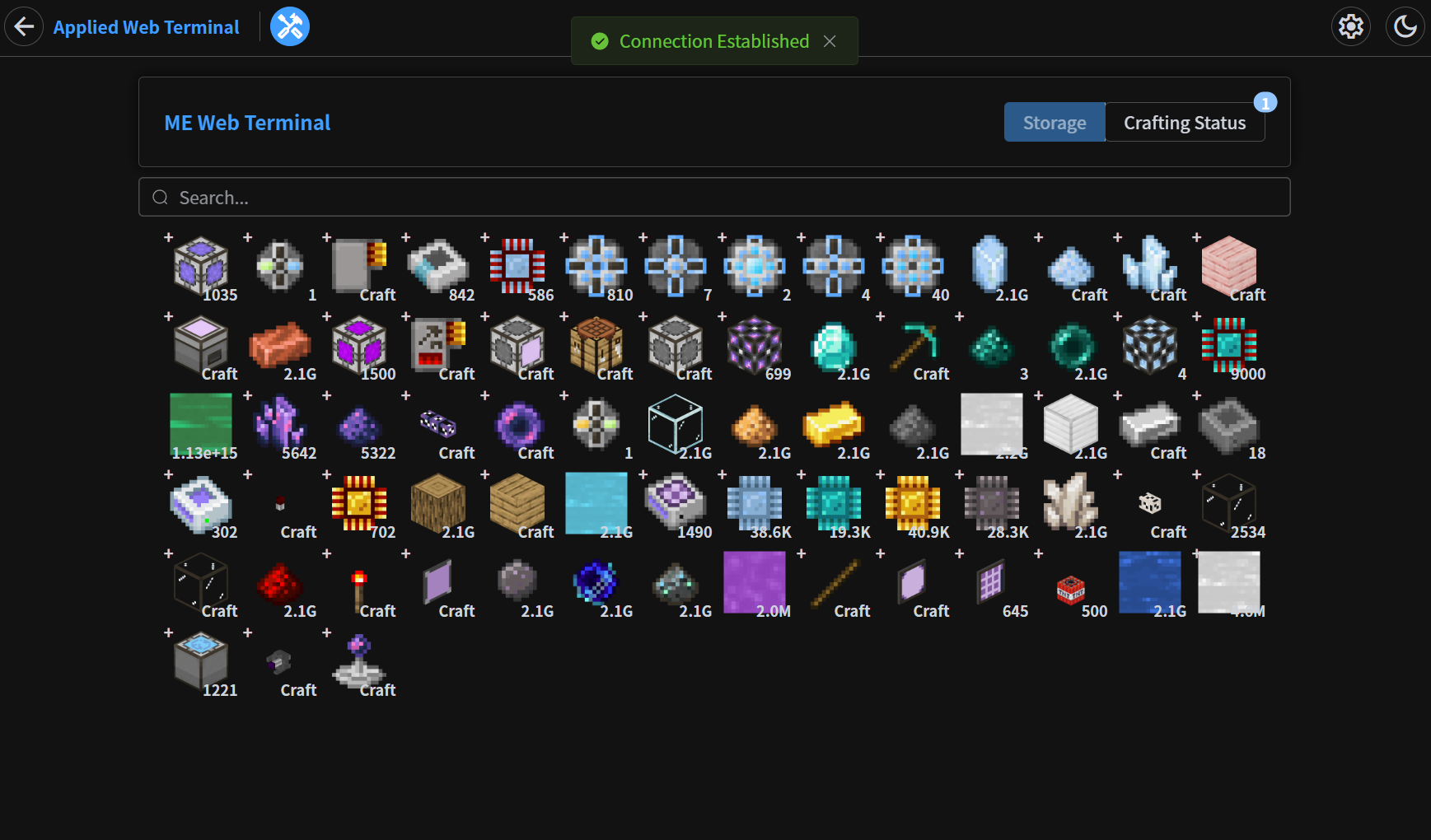
Storage Page
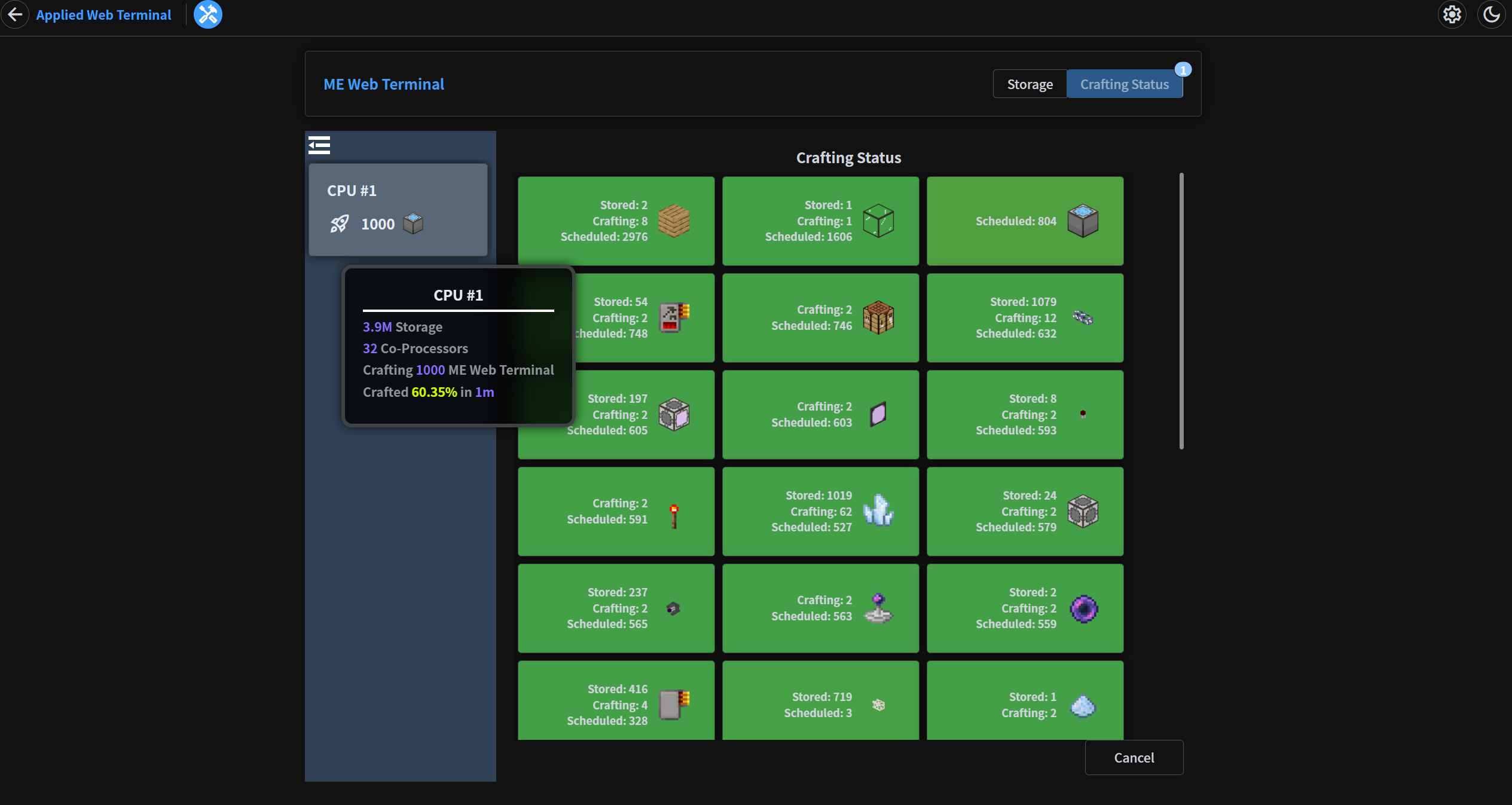
Crafting Status Page
In-Game GUI
Applied Web Terminal

Move your AE terminal to the web!
Dependencies
Usage
- Download the latest version of this mod from Releases and install the dependencies
- If you are playing in single-player mode:
- Enter your single-player world
- Run the command
/appwebterminal resources renderto generate frontend resources (only needs to be run once)
- If you are playing on a server:
- Create a new single-player world
- Run the command
/appwebterminal resources renderto generate frontend resources (only needs to be run once) - Upload the
aeKeyResourcesfolder from your game root directory to your server
- Connect the
ME Web Terminalto the AE network - Right-click to open the GUI and configure the name and password
- Open your web browser, access the network terminal address, and log in with the password
- All done!
Images
Storage Page
Crafting Status Page
In-Game GUI
Screenshots
Gallery
-
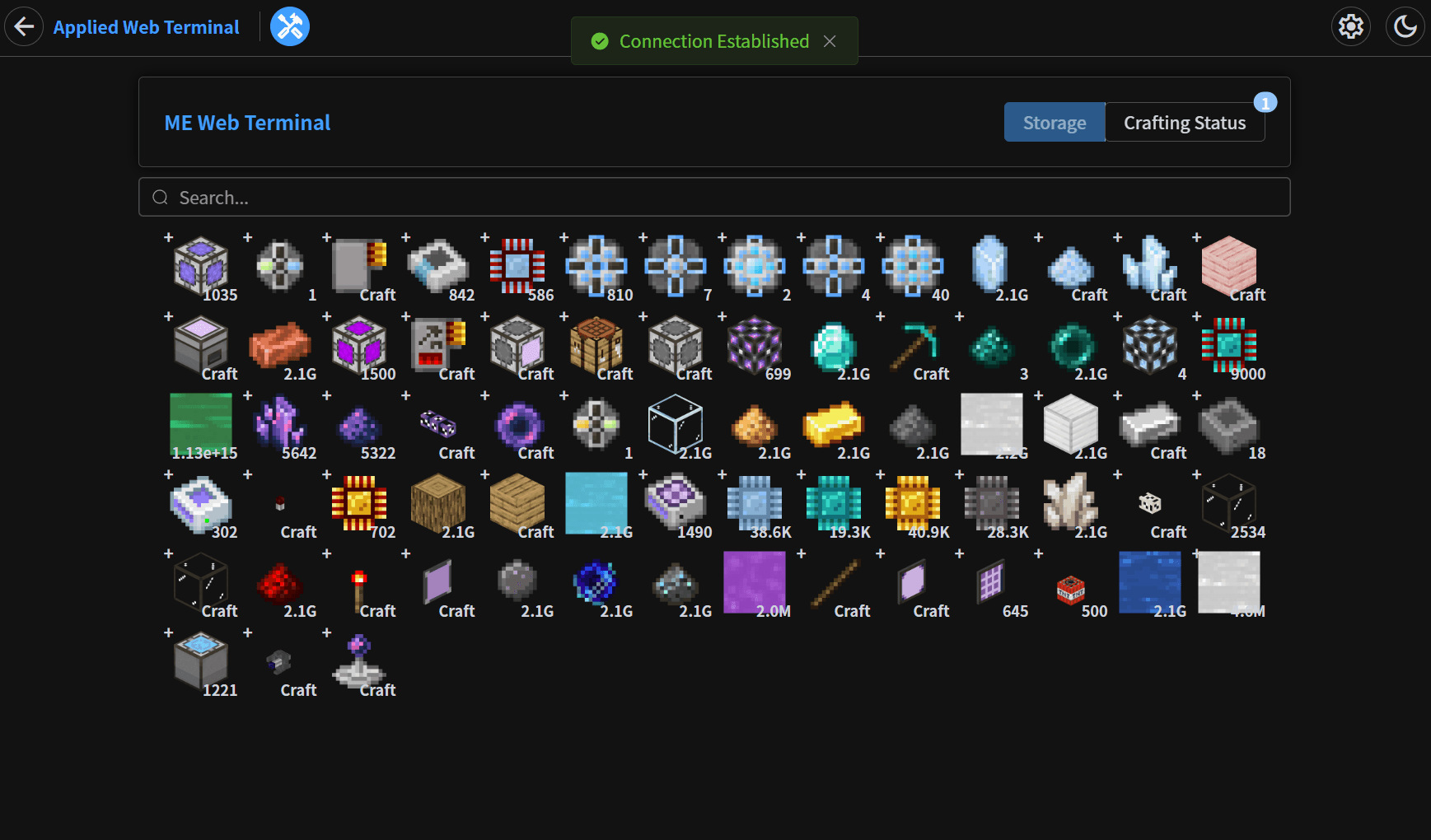 storage.png storage.png
 -
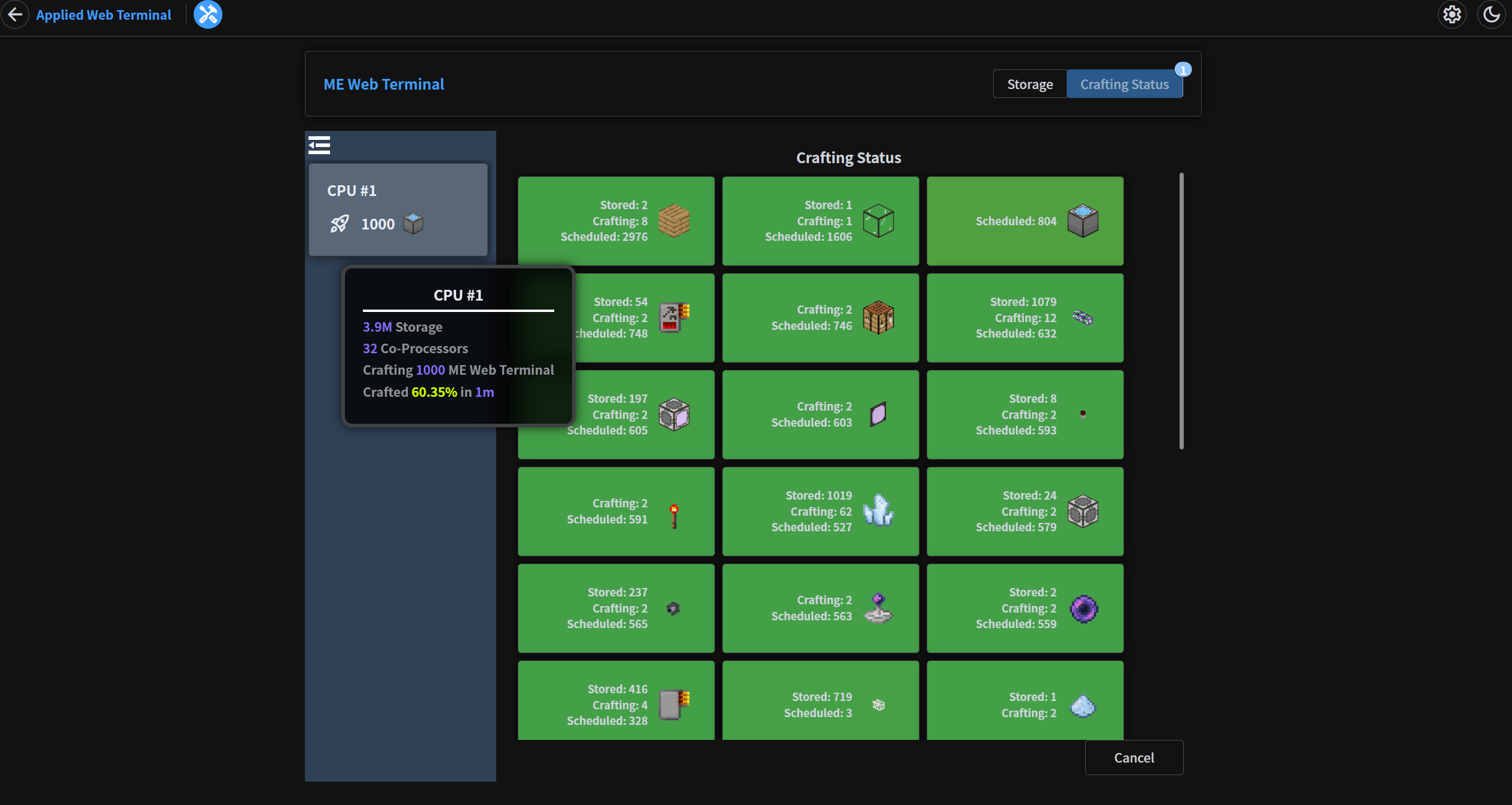 crafting.png crafting.png
 -
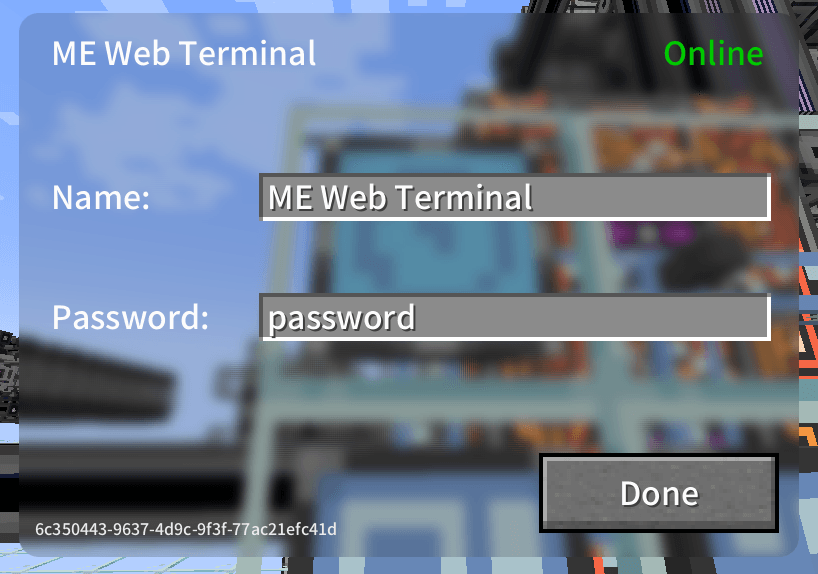 ui.png ui.png
-
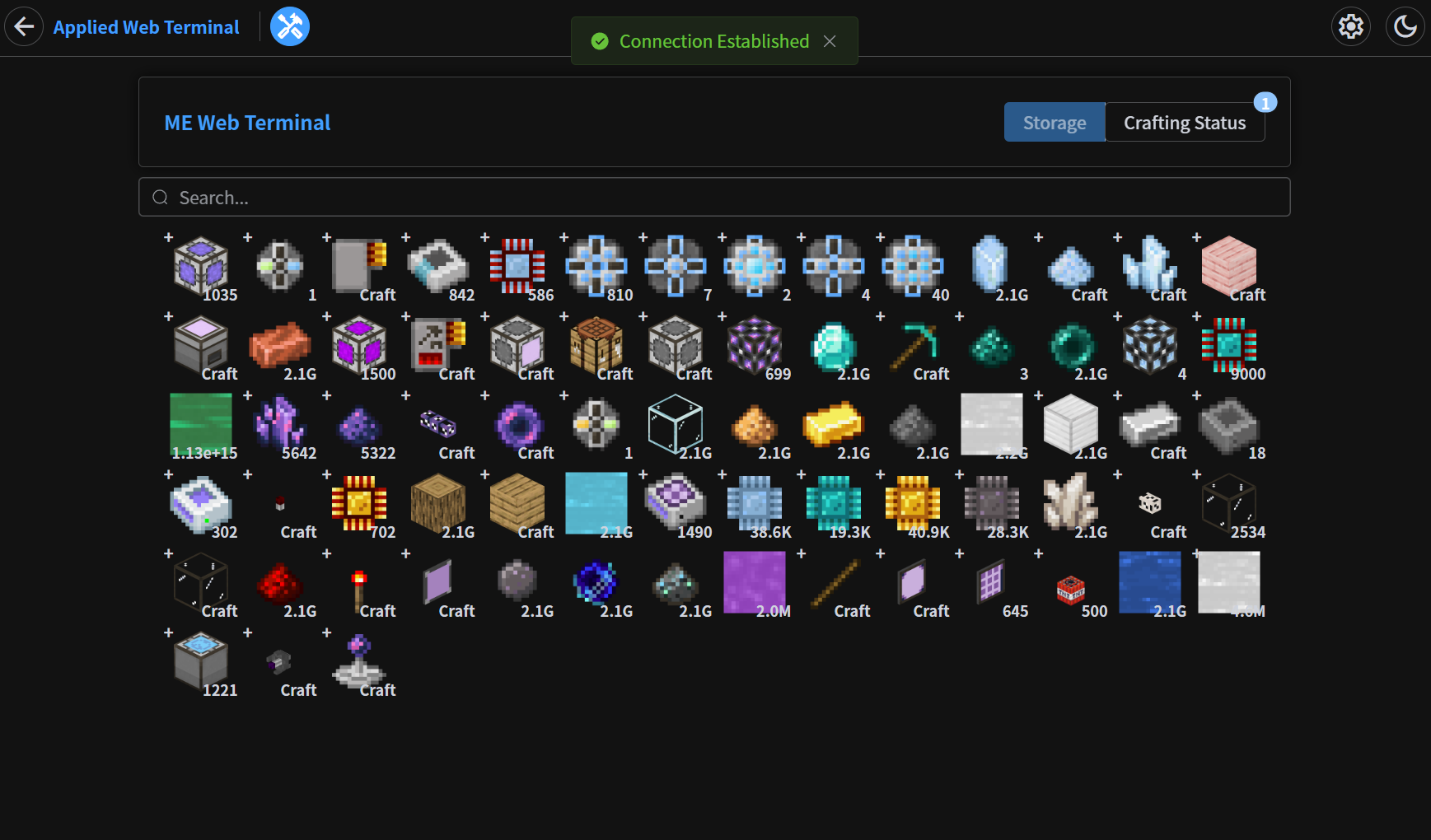 Storage Page
 -
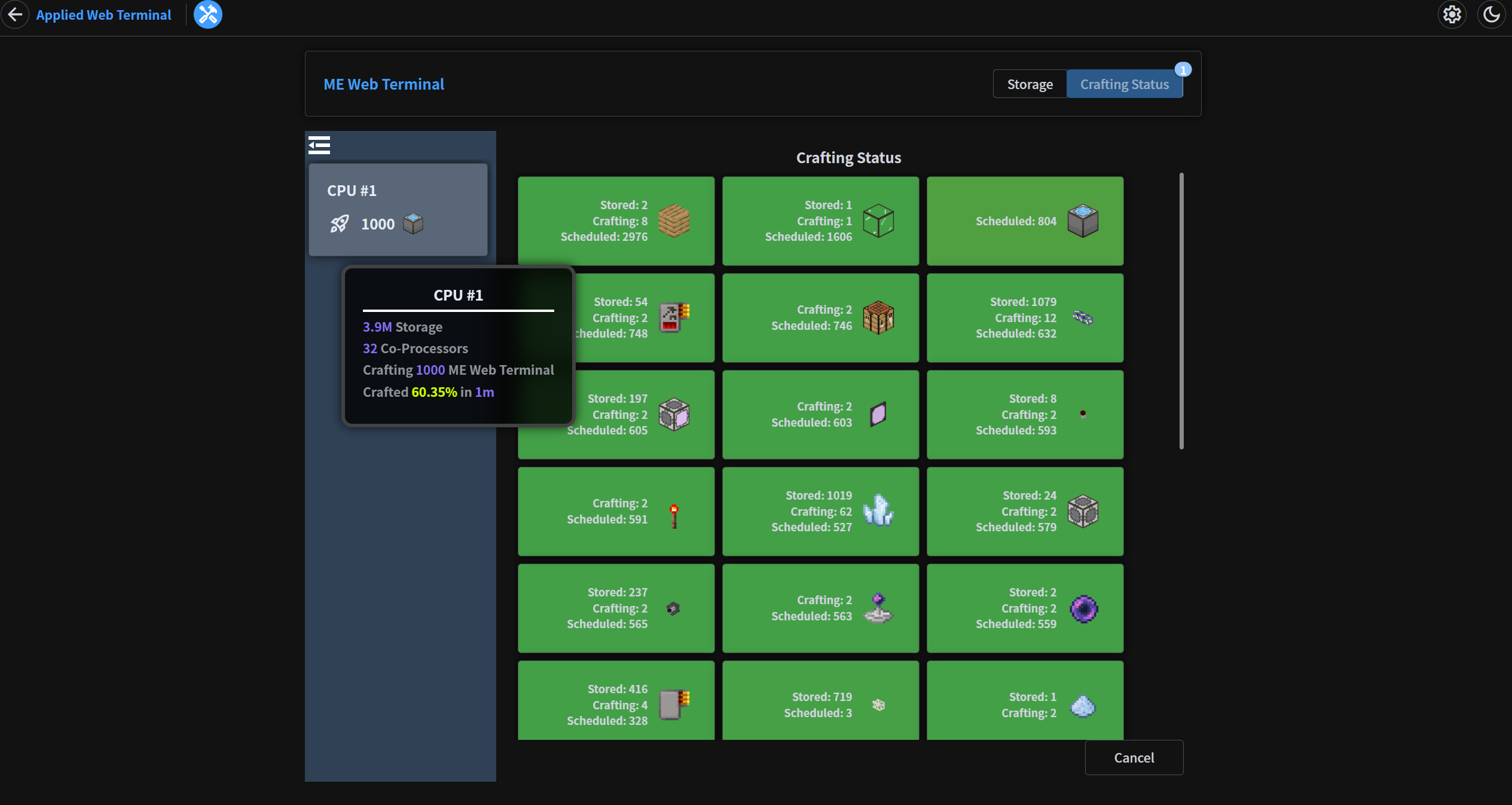 Crafting Status Page
Versions
Files
Relations
Project Relations
More like this
Similar Mods
Suggestions use data such as tags, dependencies, dependents, descriptions, titles, and more to rank how much they overlap with this mod.
On ModDex
Community snapshot
By the numbers
Statistics
 (opens in a new tab)
Get it on
Available Platforms
On ModDex
Community snapshot
By the numbers