Community listing page, reviews here may not be monitored by the author.
Arlecchino: Customize armor/weapon's colours!


No reviews yet
Arlecchino is a customization mod that allows players to permanently recolor equipment through a dedicated workbench
Community voices
Reviews
No reviews yet. Be the first to review this project!
Get it on
Available Platforms
Compatibility
Supported Environments
Must be installed on both the client and the server.
About
Project Details
For authors
Embed Badge
If you're the author of this project, you can embed a live badge anywhere that supports HTML or Markdown. It updates automatically whenever ratings change.
Use HTML for any page that supports it, or Markdown for README files and Markdown-based descriptions.
Identifiers
Platform IDs
Resources
External Links
About
Description
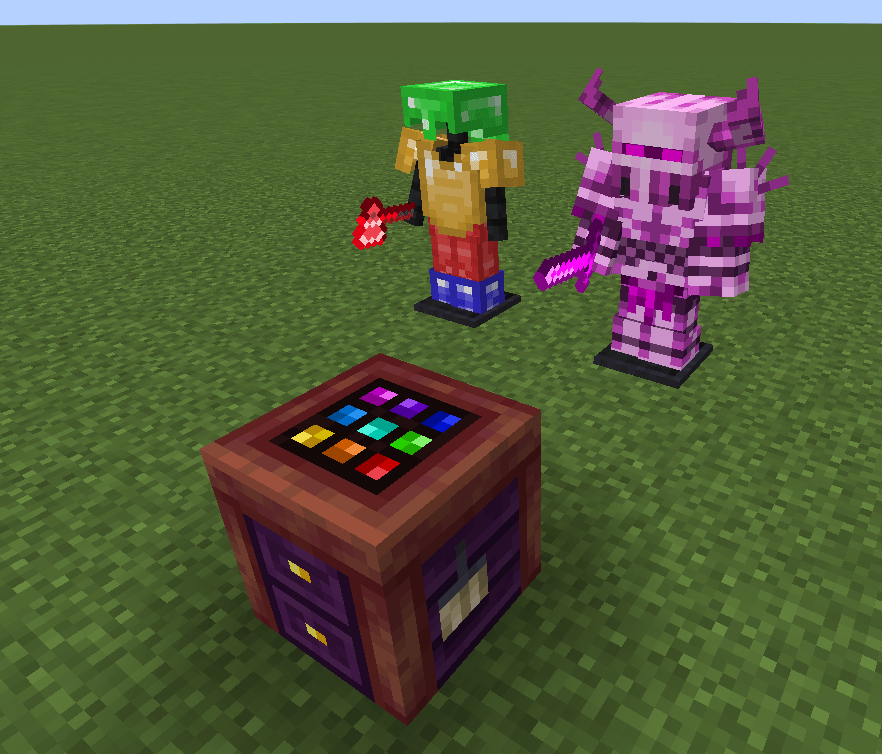
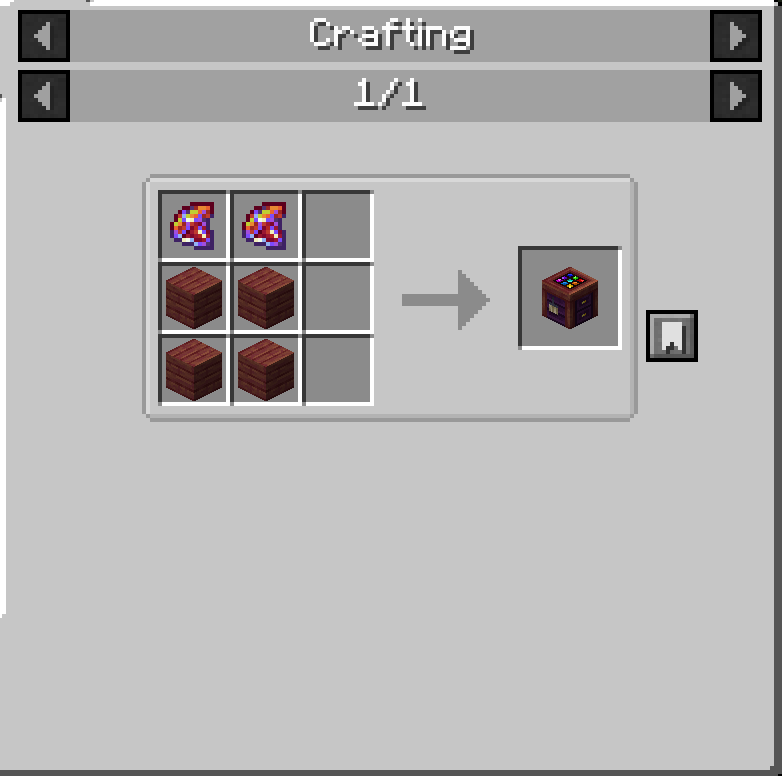
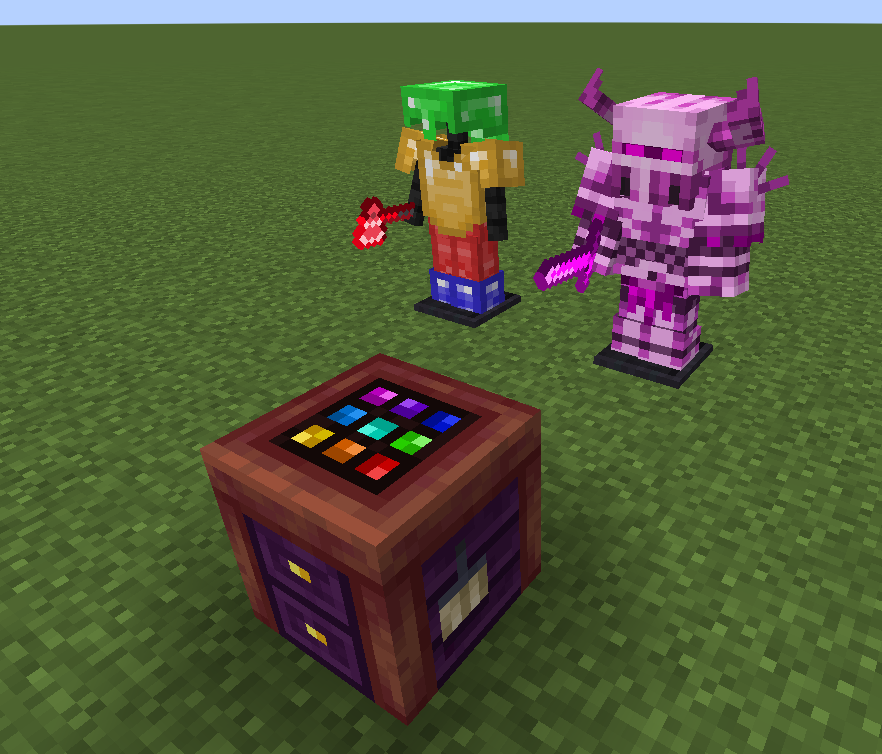
Arlecchino is a customization-focused mod that lets players give their equipment a truly personal look. Using the Arlecchino Workbench, weapons, tools, and armor can be recolored to create unique visual variants while preserving their original functionality.
Rather than relying on predefined skins or fixed color options, Arlecchino allows players to freely adjust the appearance of their gear, making it possible to match equipment to a character, faction, build theme, or personal style. Recolored items retain their customized appearance wherever they are used, allowing players to build a consistent visual identity throughout their adventures.
Rather than relying on predefined skins or fixed color options, Arlecchino allows players to freely adjust the appearance of their gear, making it possible to match equipment to a character, faction, build theme, or personal style. Recolored items retain their customized appearance wherever they are used, allowing players to build a consistent visual identity throughout their adventures.
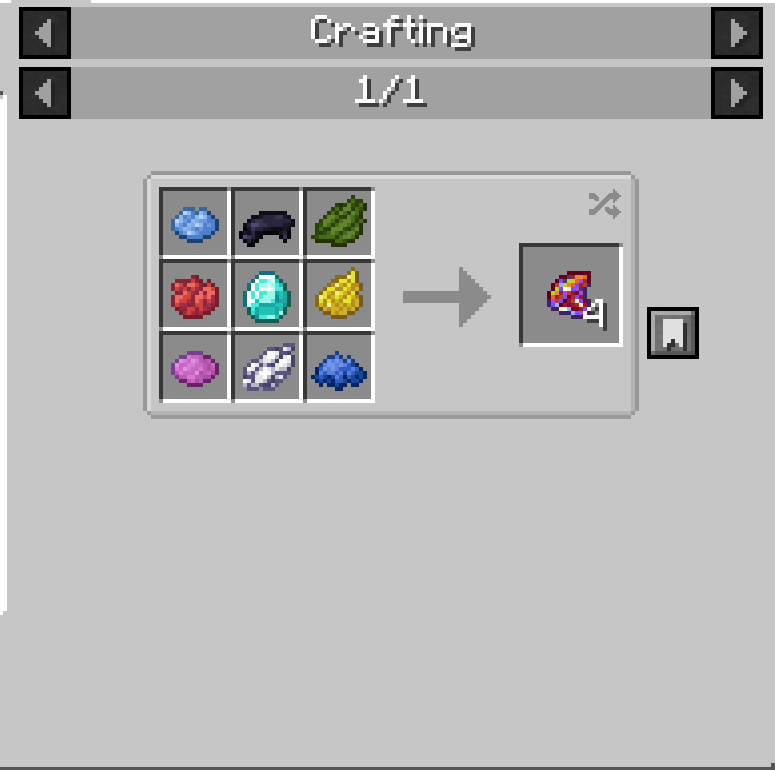
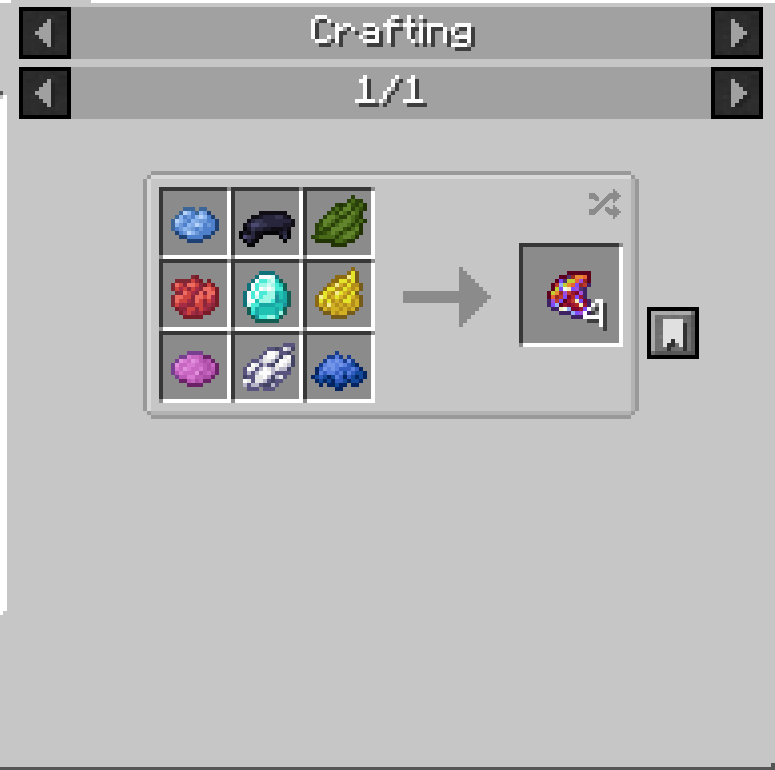
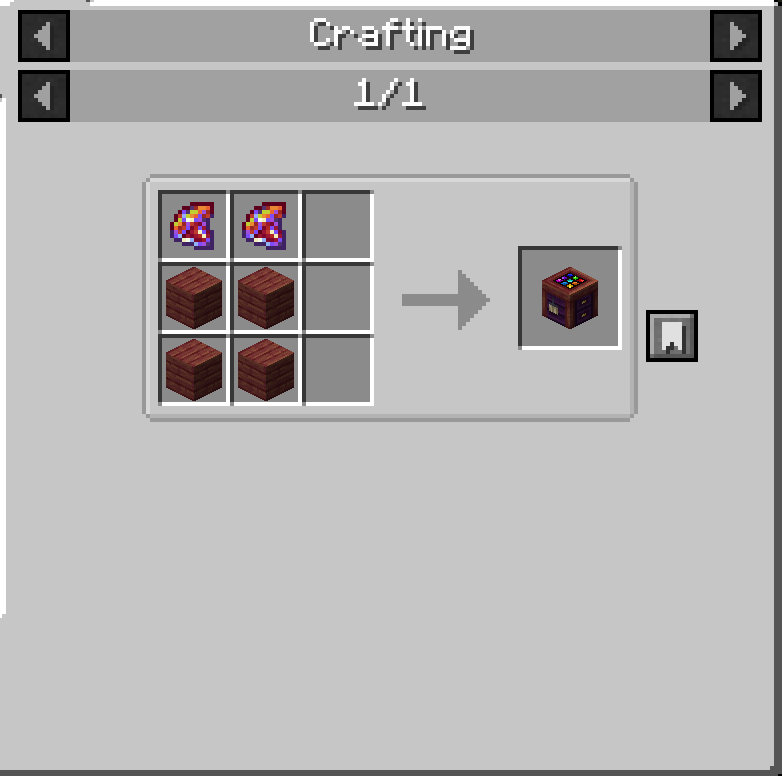
To recolor an item, place a piece of equipment and a Chroma inside the Arlecchino Workbench, then open the color editor. Select the color you want to modify, adjust the desired color settings, and apply the changes. Once satisfied with the result, finalize the customization to create the modified item. Multiple recoloring passes can be performed on the same piece of equipment, allowing for increasingly refined designs.
Whether you want subtle adjustments, themed equipment sets, or completely new color schemes, Arlecchino provides a flexible way to make your gear stand out without changing gameplay balance.
Arlecchino is a customization-focused mod that lets players give their equipment a truly personal look. Using the Arlecchino Workbench, weapons, tools, and armor can be recolored to create unique visual variants while preserving their original functionality.
Rather than relying on predefined skins or fixed color options, Arlecchino allows players to freely adjust the appearance of their gear, making it possible to match equipment to a character, faction, build theme, or personal style. Recolored items retain their customized appearance wherever they are used, allowing players to build a consistent visual identity throughout their adventures.
Rather than relying on predefined skins or fixed color options, Arlecchino allows players to freely adjust the appearance of their gear, making it possible to match equipment to a character, faction, build theme, or personal style. Recolored items retain their customized appearance wherever they are used, allowing players to build a consistent visual identity throughout their adventures.
To recolor an item, place a piece of equipment and a Chroma inside the Arlecchino Workbench, then open the color editor. Select the color you want to modify, adjust the desired color settings, and apply the changes. Once satisfied with the result, finalize the customization to create the modified item. Multiple recoloring passes can be performed on the same piece of equipment, allowing for increasingly refined designs.
Whether you want subtle adjustments, themed equipment sets, or completely new color schemes, Arlecchino provides a flexible way to make your gear stand out without changing gameplay balance.
Screenshots
Gallery
-
 ex1.png ex1.png
 -
 Chromacraft.png Chromacraft.png
 -
 ArlecchinoCraft.png ArlecchinoCraft.png
Versions
Files
Relations
Project Relations
More like this
Similar Mods
Suggestions use data such as tags, dependencies, dependents, descriptions, titles, and more to rank how much they overlap with this mod.
On ModDex
Community snapshot
By the numbers
Statistics
Want to reach Minecraft players?
We're looking for a server hosting partner to feature here and other parts of the site. Interested? Send us a message!
Get in touchGet it on
Available Platforms
On ModDex
Community snapshot
By the numbers
Statistics
Resources