Community listing page, reviews may not be monitored by the author.
Armor Stand Skins


No reviews yet
Applies skins to armor stands based on the equipped player head

Community voices
Reviews
No reviews yet. Be the first to review this project!
Get it on
Available Platforms
Compatibility
Supported Environments
Required on the client. Installing it on the server adds functionality.
About
Project Details
For authors
Embed Badge
If you're the author of this project, you can embed a live badge anywhere that supports HTML or Markdown. It updates automatically whenever ratings change.
Use HTML for any page that supports it, or Markdown for README files and Markdown-based descriptions.
Identifiers
Platform IDs
Resources
External Links
About
Description
Armor Stand Skins
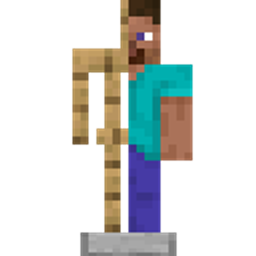
Put a player head on an armor stand and it'll look like that player. The mod uses the skin's slim or wide model, hides the head item, and keeps the stand's pose. Poses made with Armor Poser work too, and armor on the stand renders over the skin.
How to use
Place an armor stand and put a player head on it. That's it.
A stand left in the vanilla rest pose uses the same standing idle as a player; custom poses stay frozen.
Settings
With Armor Poser installed, the controls are in its stand screen. Without it, sneak and use the stand to open a small settings screen.
- Head Skin turns the player appearance off if you want the wooden stand back.
- Cape is off by default. It shows whatever cape the player is wearing, from Mojang or most cape mods. An elytra hides the cape and only uses the cape texture while this is on.
- Skin Source says how often the look updates. Username follows the player's skin live and checks again about once a minute. Head Cache saves the skin and cape from when the head went on and never updates them.
- Password is optional. While one is set, the stand's toggles, posing, gear and breaking stay locked until someone enters it. Anyone who knows it can unlock the stand; only the setter can change or clear it.
Multiplayer
Everyone who wants to see the player skin needs the mod. Without it, players see a normal armor stand with a head on it, but they can still join.
On a dedicated server, install the mod there too if you want Head Skin, Cape, Skin Source and passwords shared.
Compatible mods
- Armor Poser - posing, plus this mod's controls in its stand screen.
- 3D Skin Layers - same 3D overlays and distance fade as player skins.
- Most cape mods: MinecraftCapes, LabyMod, Essential, etc.
Armor Stand Skins
Put a player head on an armor stand and it'll look like that player. The mod uses the skin's slim or wide model, hides the head item, and keeps the stand's pose. Poses made with Armor Poser work too, and armor on the stand renders over the skin.
How to use
Place an armor stand and put a player head on it. That's it.
A stand left in the vanilla rest pose uses the same standing idle as a player; custom poses stay frozen.
Settings
With Armor Poser installed, the controls are in its stand screen. Without it, sneak and use the stand to open a small settings screen.
- Head Skin turns the player appearance off if you want the wooden stand back.
- Cape is off by default. It shows whatever cape the player is wearing, from Mojang or most cape mods. An elytra hides the cape and only uses the cape texture while this is on.
- Skin Source says how often the look updates. Username follows the player's skin live and checks again about once a minute. Head Cache saves the skin and cape from when the head went on and never updates them.
- Password is optional. While one is set, the stand's toggles, posing, gear and breaking stay locked until someone enters it. Anyone who knows it can unlock the stand; only the setter can change or clear it.
Multiplayer
Everyone who wants to see the player skin needs the mod. Without it, players see a normal armor stand with a head on it, but they can still join.
On a dedicated server, install the mod there too if you want Head Skin, Cape, Skin Source and passwords shared.
Compatible mods
- Armor Poser - posing, plus this mod's controls in its stand screen.
- 3D Skin Layers - same 3D overlays and distance fade as player skins.
- Most cape mods: MinecraftCapes, LabyMod, Essential, etc.
Screenshots
Gallery
-
 Spiderman Spiderman fighting goons
 -
 Tavern Talks A bunch of armor stands in a tavern!
 -
 Whoops! Looks like one of them partied a little too hard
 -
 Playtime! A group of kids playing soccer!
 -
 Oh Captain A captain manning a boat!
 -
 Hermits around a campfire!
 -
 Milling Around A bunch of armor stands milling around!
Versions
Files
Relations
Project Relations
More like this
Similar Mods
Suggestions use data such as tags, dependencies, dependents, descriptions, titles, and more to rank how much they overlap with this mod.
On ModDex
Community snapshot
By the numbers
Statistics

Get it on
Available Platforms
On ModDex
Community snapshot
By the numbers
Statistics
Resources