Community listing page, reviews here may not be monitored by the author.
Armor Stand's Custom Poses


No reviews yet
Change Pose and Properties of your Armor Stands. Even in survival!
Community voices
Reviews
No reviews yet. Be the first to review this project!
Get it on
Available Platforms
Compatibility
Supported Environments
Must be installed on both the client and the server.
About
Project Details
For authors
Embed Badge
If you're the author of this project, you can embed a live badge anywhere that supports HTML or Markdown. It updates automatically whenever ratings change.
Use HTML for any page that supports it, or Markdown for README files and Markdown-based descriptions.
Identifiers
Platform IDs
Resources
External Links
About
Description
Tired of vanilla java armor stands?
Jealous of bedrock edition armor stands?
Me too, so I fixed them.
THIS MOD WORKS IN SURVIVAL AND CREATIVE MODE.
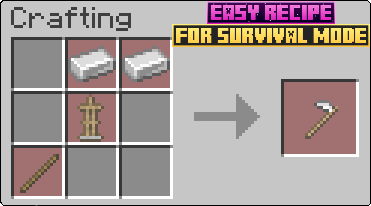
To get started with this mod, you will first need to craft the Armor Stand Modifier.

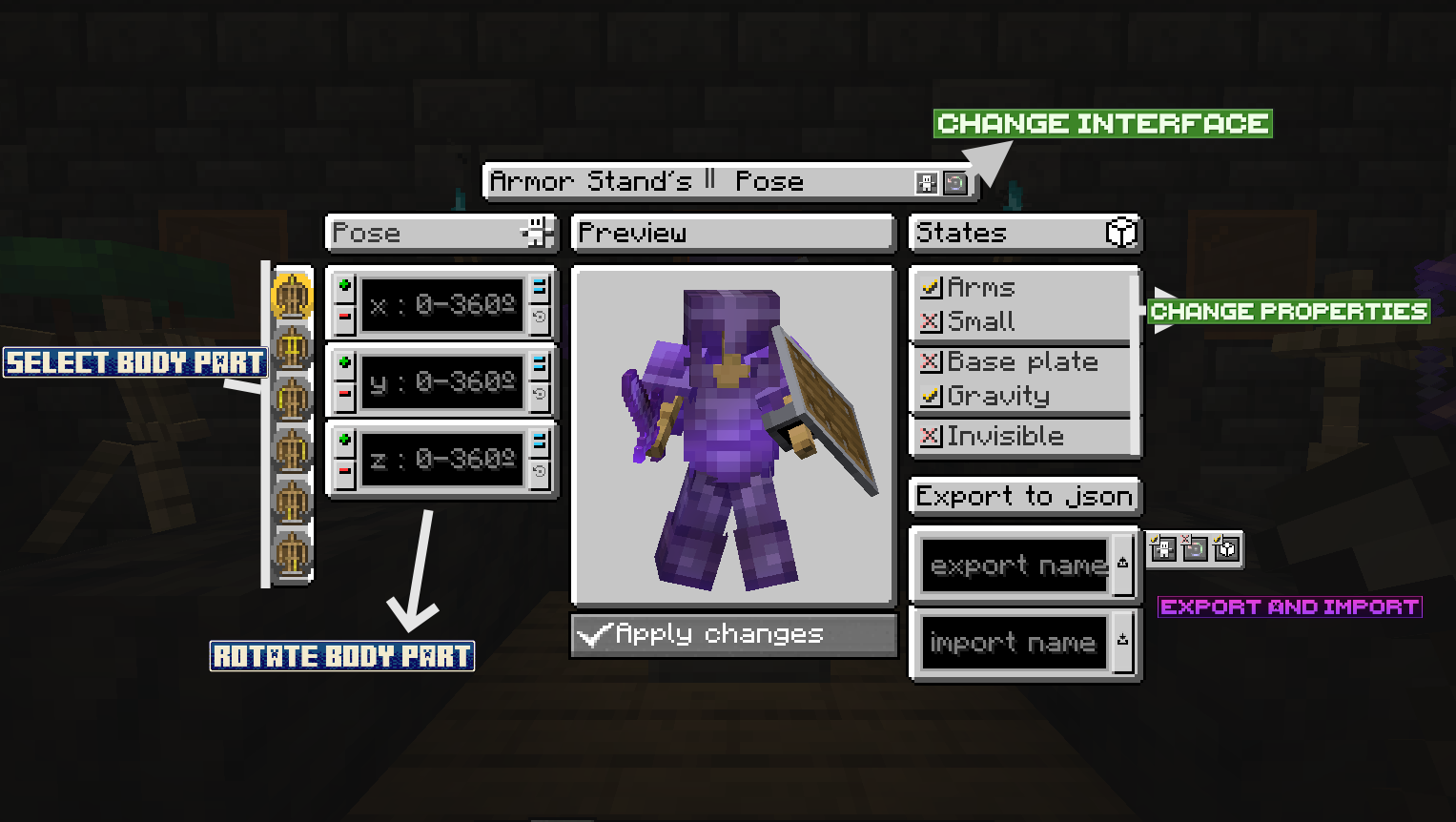
Once you have it, just right click an armor stand. This will open an interface to modify its properties and pose.

Body part Rotation Buttons:
-Plus (+) = Adds the <number that you put in the textfield> rotation to the <body part you have chosen on the left side>
-Minus (-) = Rests the <number that you put in the textfield> rotation to the <body part you have chosen on the left side>
-Set (=) = Sets the <number that you put in the textfield> rotation to the <body part you have chosen on the left side>. If is negative it will be mirror that number (-90 will result in (360 - 90 = 270))
-Get default (↩️) = Sets in the textfield the current rotation value of the armor stand (IMPORTANT: NOT THE PREVIEW ARMOR STAND, THE REAL ARMOR STAND IN WORLD)
IMPORT AND EXPORT BUTTONS
Exporting: 1º Put a name to file (can´t contain ".", "/", "\" or strange characters). 2º Press export button.
Importing: 1º Put the name of the file you want to import. 2º Press import button. 3º Press confirm button.
The files are .json stored in ".minecraft/ASCP_Saved". They are only saved in client, so you can export/import in different servers/worlds without problems.
Extra info:
-The buttons at right of the export button are for chosing if exporting Pose and/or Armor Stand Rotation and/or States
-When importing, you will have to confirm operation with a confirm buttons that appears at right of the import button. It will also apply changes.
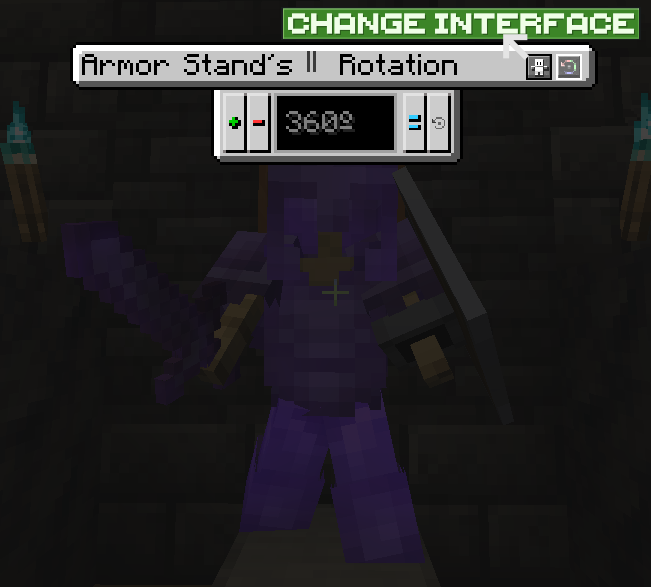
SECOND INTERFACE
To enter in this interface, you have to press the Change Interface Button (indicated in First Interface image).

Plus (+) button = Add <number in textfield> rotation to the entire armor stand.
Minus (-) button = Rests <number in textfield> rotation to the entire armor stand.
Set (=) button = Sets <number in textfield> rotation to the entire armor stand.
Get (↩️) button = Sets in the textfield the old rotation of the real armor stand, for obtain new rotation, you have to apply changes in the First Interface.
IMPORTANT: In this Interface the changes are directly applied to the real armor stand.
VERSIONS:
This mod is currently for:
Forge: 1.14.4, 1.16.5, 1.18.2, 1.19.2, 1.19.4, 1.20.1
NeoForge: 1.20.4
Im intended to update to next´s Forge and NeoForge versions when they release. And future updates with new features like player heads and animations (Im going to take a break so it will take long).
Tired of vanilla java armor stands?
Jealous of bedrock edition armor stands?
Me too, so I fixed them.
THIS MOD WORKS IN SURVIVAL AND CREATIVE MODE.
To get started with this mod, you will first need to craft the Armor Stand Modifier.

Once you have it, just right click an armor stand. This will open an interface to modify its properties and pose.

Body part Rotation Buttons:
-Plus (+) = Adds the rotation to the
-Minus (-) = Rests the rotation to the
-Set (=) = Sets the rotation to the . If is negative it will be mirror that number (-90 will result in (360 - 90 = 270))
-Get default (↩️) = Sets in the textfield the current rotation value of the armor stand (IMPORTANT: NOT THE PREVIEW ARMOR STAND, THE REAL ARMOR STAND IN WORLD)
IMPORT AND EXPORT BUTTONS
Exporting: 1º Put a name to file (can´t contain ".", "/", "" or strange characters). 2º Press export button.
Importing: 1º Put the name of the file you want to import. 2º Press import button. 3º Press confirm button.
The files are .json stored in ".minecraft/ASCP_Saved". They are only saved in client, so you can export/import in different servers/worlds without problems.
Extra info:
-The buttons at right of the export button are for chosing if exporting Pose and/or Armor Stand Rotation and/or States
-When importing, you will have to confirm operation with a confirm buttons that appears at right of the import button. It will also apply changes.
SECOND INTERFACE
To enter in this interface, you have to press the Change Interface Button (indicated in First Interface image).

Plus (+) button = Add rotation to the entire armor stand.
Minus (-) button = Rests rotation to the entire armor stand.
Set (=) button = Sets rotation to the entire armor stand.
Get (↩️) button = Sets in the textfield the old rotation of the real armor stand, for obtain new rotation, you have to apply changes in the First Interface.
IMPORTANT: In this Interface the changes are directly applied to the real armor stand.
VERSIONS:
This mod is currently for:
Forge: 1.14.4, 1.16.5, 1.18.2, 1.19.2, 1.19.4, 1.20.1
NeoForge: 1.20.4
Im intended to update to next´s Forge and NeoForge versions when they release. And future updates with new features like player heads and animations (Im going to take a break so it will take long).
Screenshots
Gallery
-
 Armor Stand Modifier Recipe
 -
 Second Interface
 -
 First Interface
 -
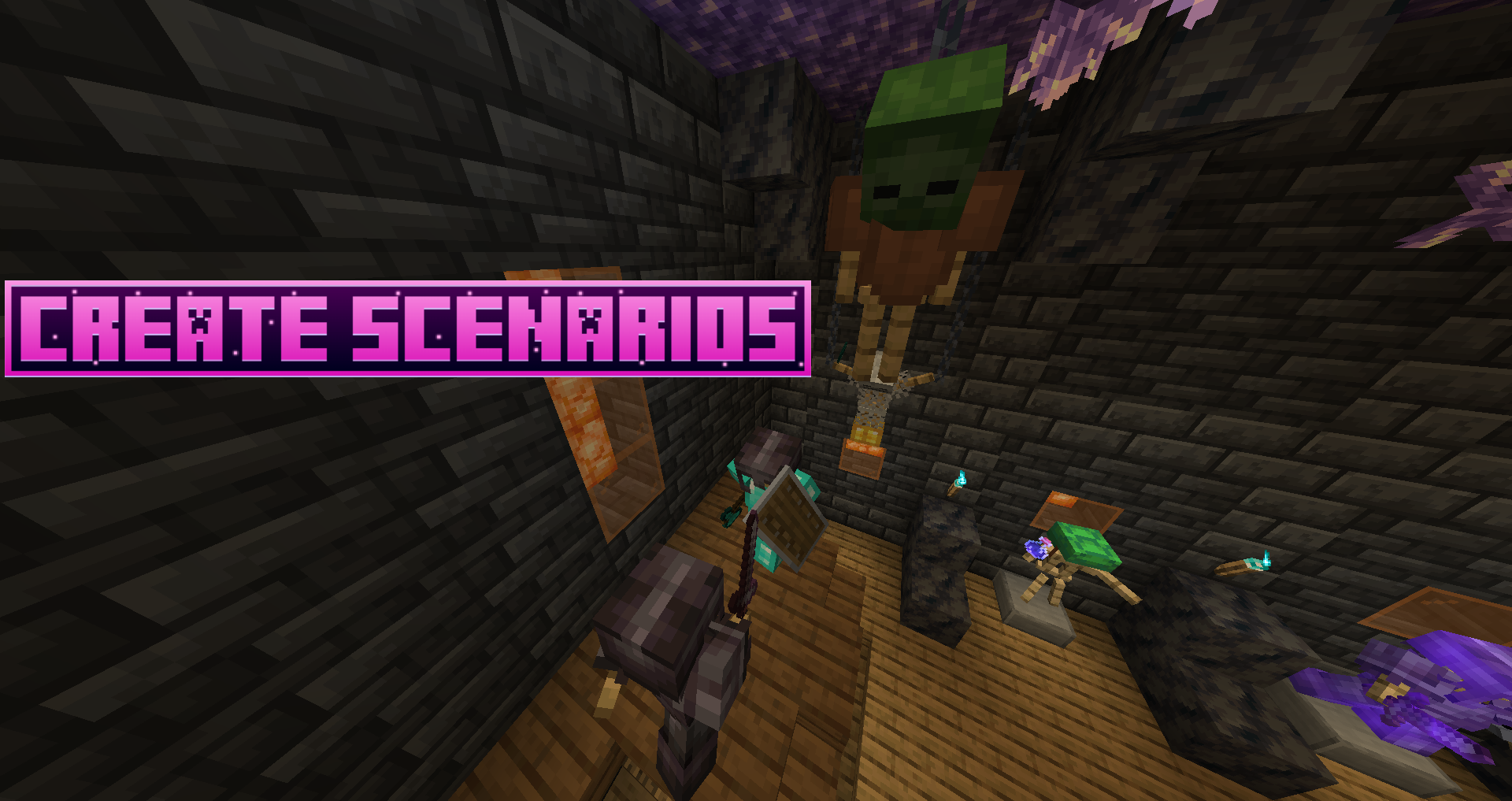 Armor Stands Scene maded with ASCP
 -
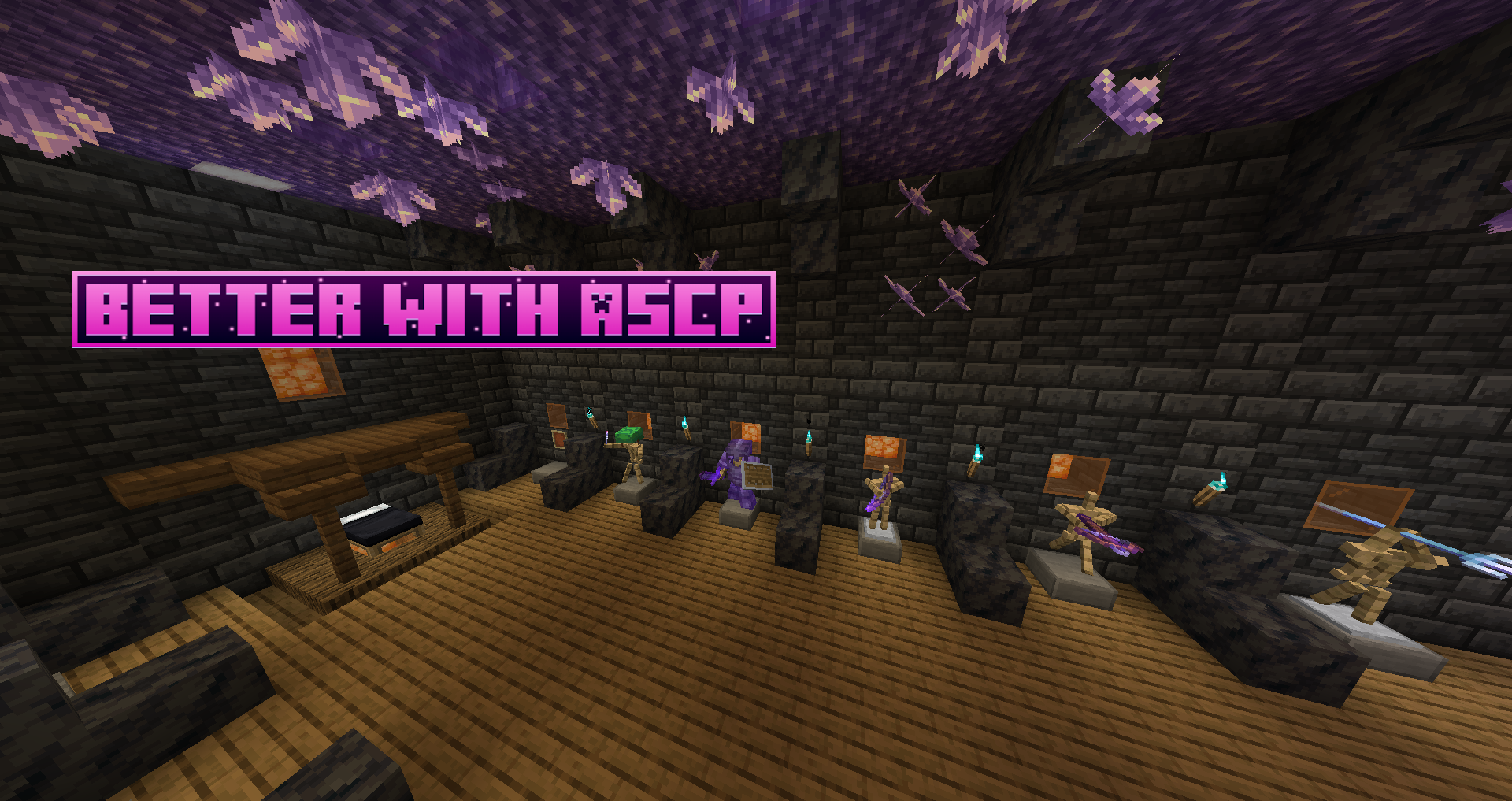
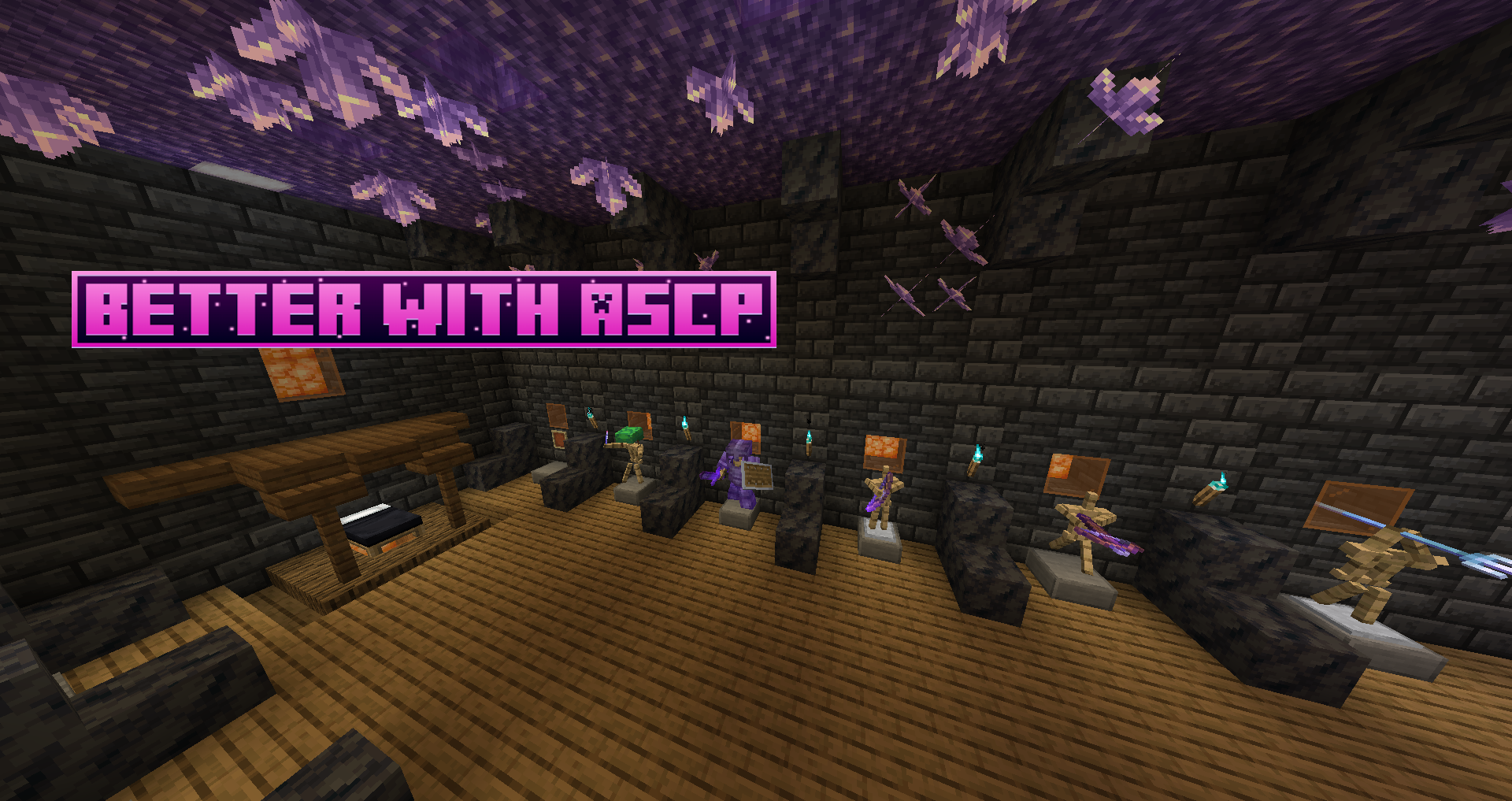 ASCP room with armor stands as item holders!
 -
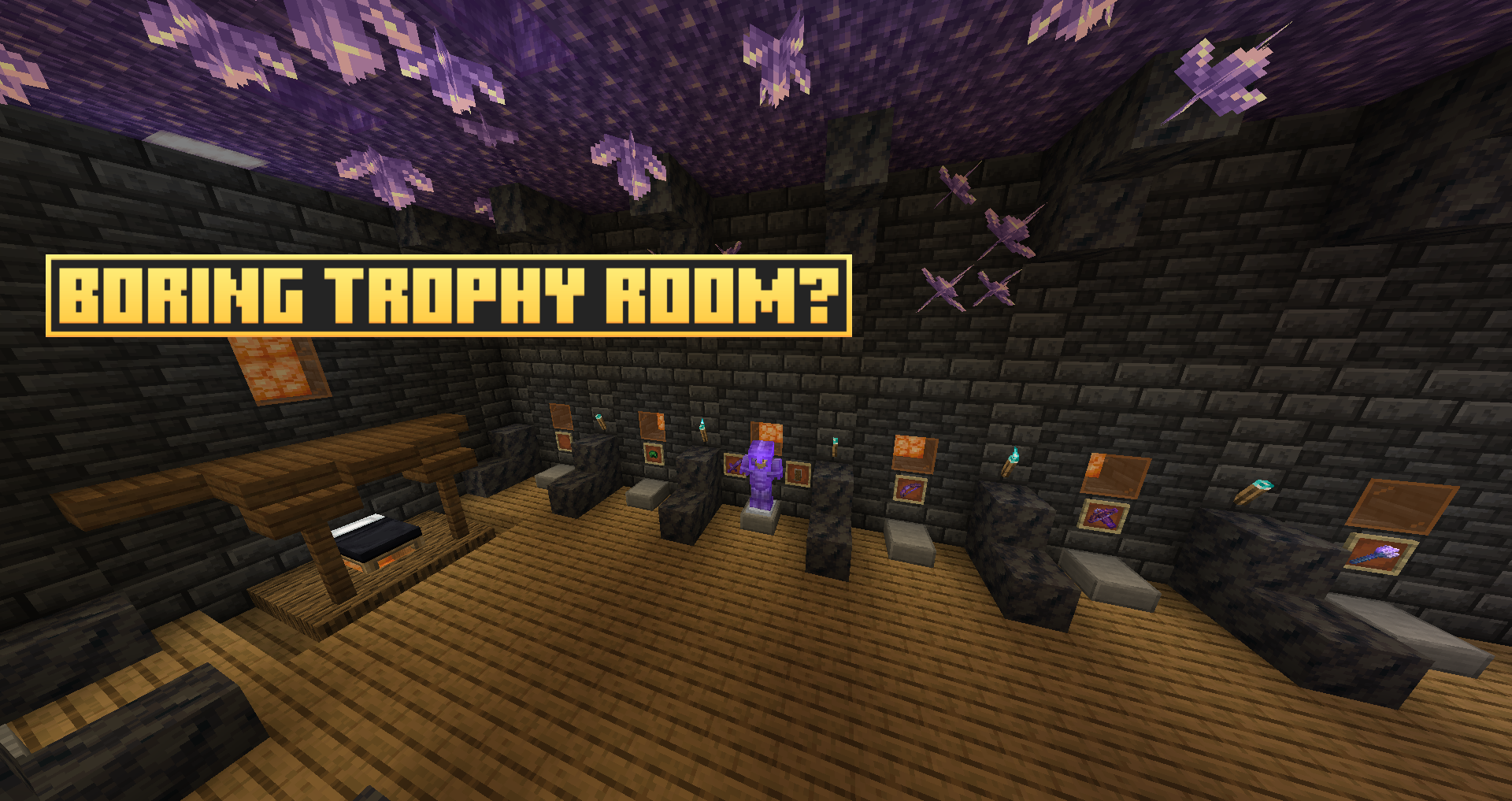 Vanilla boring trophy room
-
-
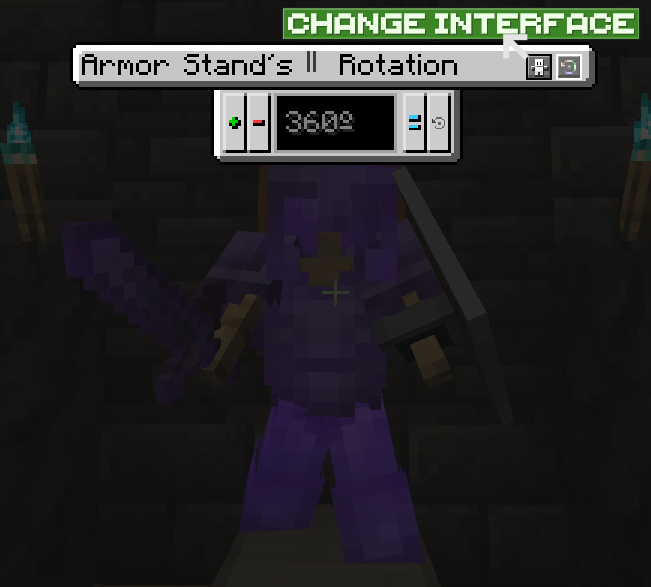 Second Interface guide
 -

-
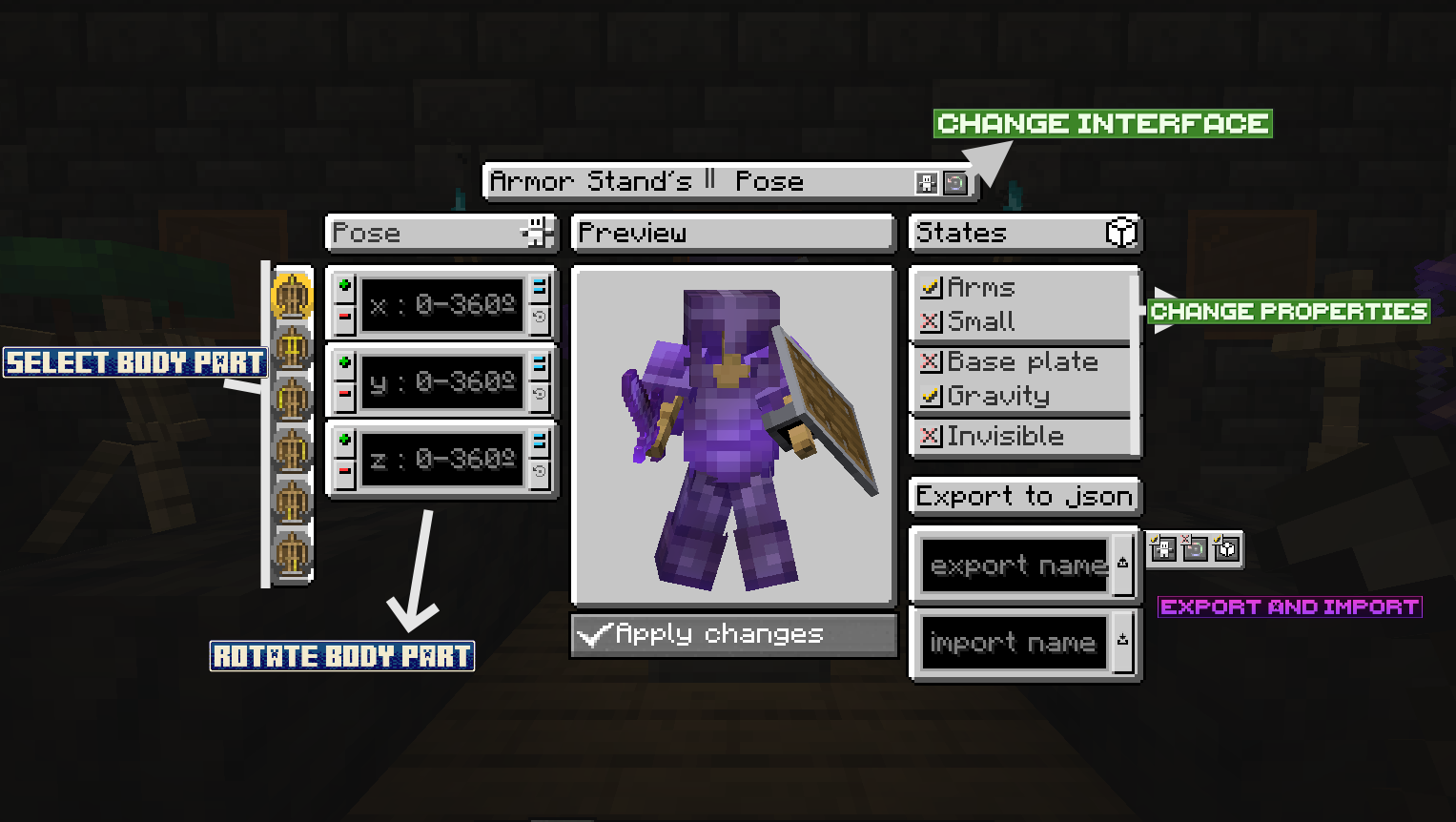 First Interface guide
 -
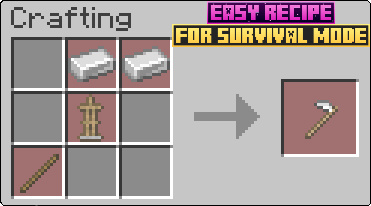 Armor Stand Modifier Recipe
Versions
Files
Relations
Project Relations
More like this
Similar Mods
Suggestions use data such as tags, dependencies, dependents, descriptions, titles, and more to rank how much they overlap with this mod.
On ModDex
Community snapshot
By the numbers
Statistics
Want to reach Minecraft players?
We're looking for a server hosting partner to feature here and other parts of the site. Interested? Send us a message!
Get in touchGet it on
Available Platforms
On ModDex
Community snapshot
By the numbers
Statistics
Resources