Community listing page, reviews here may not be monitored by the author.
Armor Studio

No reviews yet
Draw, paint, and fully customize your Armor and Shields in real-time with an interactive in-game 3D Studio
Community voices
Reviews
No reviews yet. Be the first to review this project!
Get it on
Available Platforms
About
Project Details
For authors
Embed Badge
If you're the author of this project, you can embed a live badge anywhere that supports HTML or Markdown. It updates automatically whenever ratings change.
Use HTML for any page that supports it, or Markdown for README files and Markdown-based descriptions.
Identifiers
Platform IDs
Resources
External Links
About
Description
# 🎨 paint armor — Custom Armor & Shield Studio
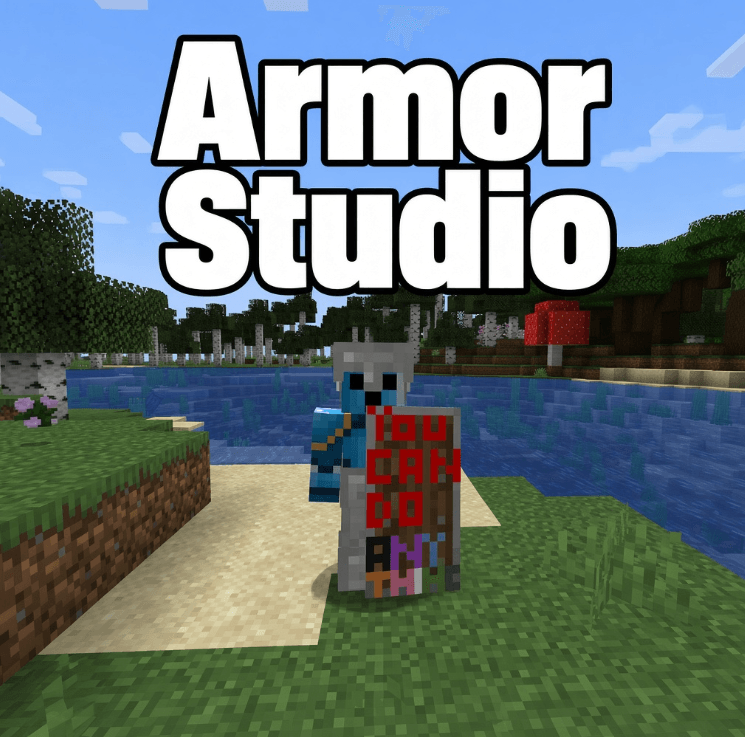
**Paint Armor** allows you to draw, paint, and fully customize your Armor (Helmets, Chestplates, Leggings, Boots) and Shields directly in Minecraft with a powerful built-in **3D Painting Studio**!
Show off your unique designs to your friends on multiplayer servers! ⚔️✨
---
## 🌟 Key Features
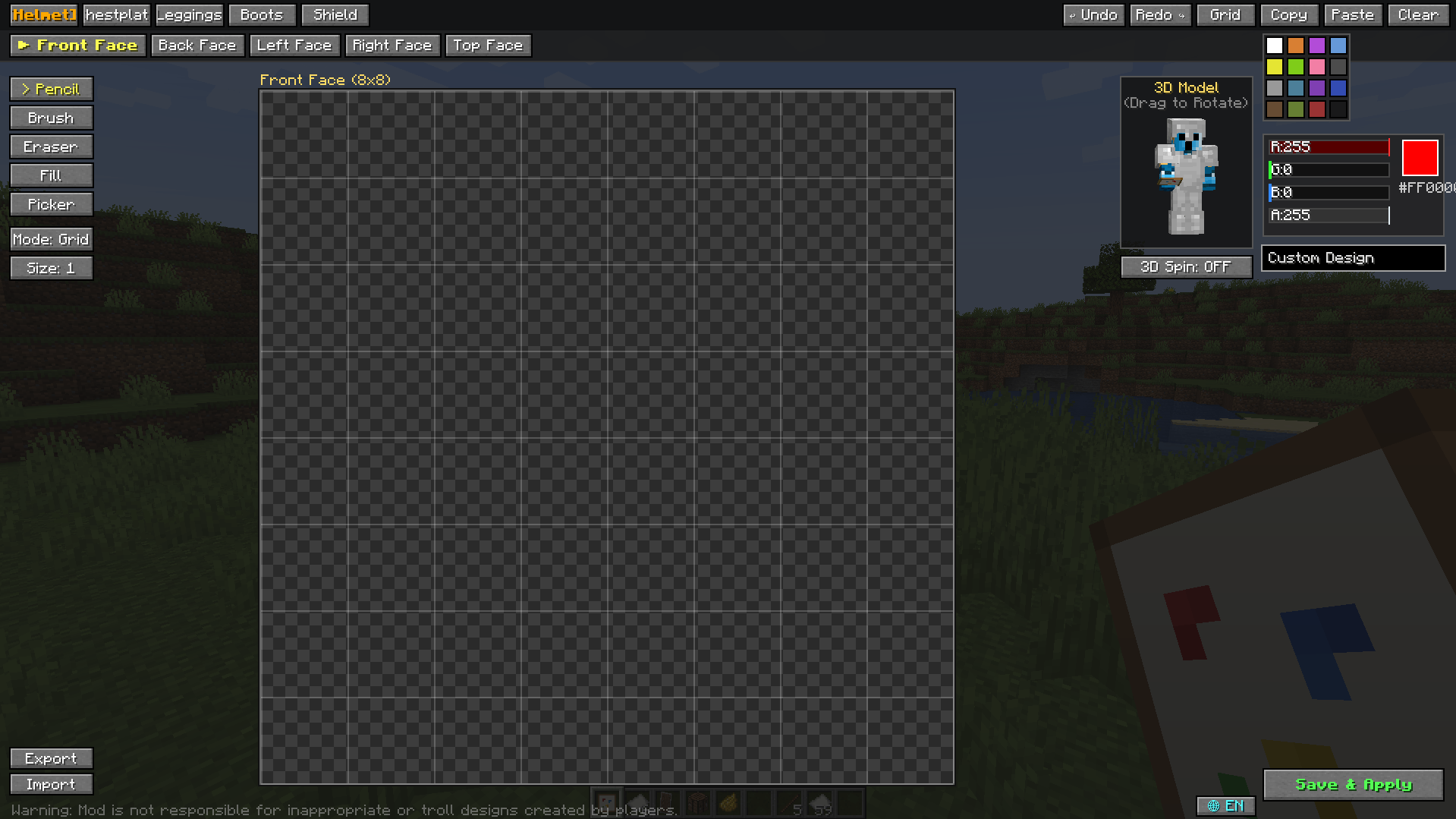
- 🖌️ **In-Game Painting Studio:** Open the studio anytime by using the **Empty Canvas** item on your armor or shield.
- 🔄 **Real-Time 3D Rotating Preview:** Watch your armor update live on a rotatable 3D character model as you place pixels.
- 📐 **Face-by-Face Precision:** Easily select specific faces (*Front, Back, Sides, Top, Waist, Legs, Boots*) for pixel-perfect artwork.
- 🎨 **Unlimited Colors:**
- 16 Standard Minecraft Dye colors
- Full **RGB & Alpha sliders** with Hex (`#RRGGBB`) code support.
- 🛠️ **Full Toolset:** Pencil, Brush (Size 1–3), Eraser, Paint Bucket (Flood Fill), and Color Picker (Eyedropper).
- ↩️ **Undo & Redo:** Full history tracking (`Ctrl+Z` / `Ctrl+Y`).
- 📋 **Copy & Paste:** Copy designs across parts effortlessly.
- 💾 **Import & Export (.paint):** Save your favorite designs to `.paint` files and share them with the community!
- 🌐 **Multiplayer Compatible:** Custom painted gear is automatically synchronized and visible to all players on servers!
- 🌍 **Bilingual UI:** Instant one-click switch between **English** and **Turkish**.
---
## 📦 How to Use
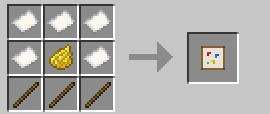
1. Craft an **Empty Canvas** using:
- 4x Paper
- 1x Dye (Any color)
- 3x Sticks
2. **Right-click** with the Empty Canvas to open the Painting Studio.
3. Select your gear piece and face, draw your masterpiece, and click **Save & Apply**!
---
---
## ⚠️ Disclaimer
*This mod provides creative freedom. Players are responsible for their own custom designs created in multiplayer.*
---
*Built with ❤️ for Minecraft Forge 1.20.1*
## Admin / Moderation commands
/paint clear <player>/paint clear <player> <helmet|chestplate|leggings|boots|shield>/paint ban <player>/paint unban <player>/paint listbanned/paint reload
Screenshots
Gallery
-
 armor studio
 -
 menu
menu -
 crafting
Versions
Files
Relations
Project Relations
More like this
Similar Mods
Suggestions use data such as tags, dependencies, dependents, descriptions, titles, and more to rank how much they overlap with this mod.
On ModDex
Community snapshot
By the numbers
Statistics
Want to reach Minecraft players?
We're looking for a server hosting partner to feature here and other parts of the site. Interested? Send us a message!
Get in touchGet it on
Available Platforms
On ModDex
Community snapshot
By the numbers
Statistics
Resources