Community listing page, reviews here may not be monitored by the author.
Artmap AutoPalette


No reviews yet
A modern, automated painter for the ArtMap plugin. Automatically prints images pixel-by-pixel for 1.21.8-1.21.11
Community voices
Reviews
No reviews yet. Be the first to review this project!
Get it on
Available Platforms
Compatibility
Supported Environments
Runs entirely on the client. Works on vanilla servers.
About
Project Details
For authors
Embed Badge
If you're the author of this project, you can embed a live badge anywhere that supports HTML or Markdown. It updates automatically whenever ratings change.
Use HTML for any page that supports it, or Markdown for README files and Markdown-based descriptions.
Identifiers
Platform IDs
About
Description
AutoPalette (Client-Side)




Tired of sitting at an easel for hours, clicking pixel-by-pixel with dyes, just to paint a custom image in Minecraft?
AutoPalette is a lightweight, client-side Fabric mod for Minecraft 1.21.8 that automates painting custom images on server-side ArtMap (or DFArt) easels. Simply select your image, check the automatically generated shopping list of dyes, sit down, and let the mod paint for you!
Features
- Intuitive In-Game GUI: Press H (or R)(customizable) to open a control dashboard inside the game. Browse local images, tweak settings, and watch your image preview change in real-time.
- Quantization and Dithering: Choose between direct nearest-color matching or high-fidelity Floyd-Steinberg dithering to make pictures look incredibly crisp on the map.
- Max Colors Palette Limiter: Restrict your image's palette to the top Unlimited, 32, 16, or 8 most frequent colors. The GUI preview re-renders instantly to reflect your choice.
- In-Game Shopping List: The Materials tab calculates exactly how many dyes, coal, and feathers you need. It even renders live 16x16 Minecraft item icons next to each entry.
- Smart Pixel Skipping: The mod reads the canvas state before drawing and automatically skips painting any pixels that already match your image, saving you massive amounts of dye and drawing time.
- Coal and Charcoal Interchangeability: The mod intelligently treats coal and charcoal interchangeably for shading and base black steps, utilizing whatever is available in your inventory.
- Pixel-Perfect Alignment: Utilizes pre-serialized lookups (east.ser, west.ser, etc.) and a vanilla MapColor database (mappings.json) to guarantee 100% boundary alignment and color accuracy on the canvas.
How to Use
1. Import Images: Put your image files (PNG or JPG) into the .minecraft/config/autopalette/images/ directory.
2. Open the GUI: Sit on an ArtMap easel with a canvas, and press H to open the panel.
3. Set Up: Select your image, toggle dithering, set your drawing delay, and choose your color limit.
4. Collect Dyes: Click the Materials tab to check your shopping list, and gather the required items in your inventory.

5. Draw: Click Start Drawing! The mod will automatically swap tools/dyes into your hotbar, turn your camera, and paint the canvas.
Dependencies and Compatibility
- Platform: Fabric
- Minecraft Version: 1.21.8 (supports minor releases 1.21.9 through 1.21.11 out of the box).
- Dependencies: Fabric Loader and Fabric API only. No other mods required!
- Server Compatibility: Works on any server running the ArtMap or DFArt Bukkit/Spigot plugins.
Disclaimer: This is a client-side utility mod. Please check your server's rules before using automated gameplay elements.
AutoPalette (Client-Side)
Tired of sitting at an easel for hours, clicking pixel-by-pixel with dyes, just to paint a custom image in Minecraft?
ArtMap Auto Draw is a lightweight, client-side Fabric mod for Minecraft 1.21.x that automates painting custom images on server-side ArtMap (or DFArt) easels. Simply select your image, check the automatically generated shopping list of dyes, sit down, and let the mod paint for you!
JOIN THE DISCORD SERVER FOR SPECIFIC OPERATING INSTRUCTIONS
Features
- Intuitive In-Game GUI: Press H (customizable) to open a control dashboard inside the game. Browse local images, tweak settings, and watch your image preview change in real-time.
- Quantization and Dithering: Choose between direct nearest-color matching or high-fidelity Floyd-Steinberg dithering to make pictures look incredibly crisp on the map.
- Max Colors Palette Limiter: Restrict your image's palette to the top Unlimited, 32, 16, or 8 most frequent colors. The GUI preview re-renders instantly to reflect your choice.
- In-Game Shopping List: The Materials tab calculates exactly how many dyes, coal, and feathers you need. It even renders live 16x16 Minecraft item icons next to each entry.
- Smart Pixel Skipping: The mod reads the canvas state before drawing and automatically skips painting any pixels that already match your image, saving you massive amounts of dye and drawing time.
- Coal and Charcoal Interchangeability: The mod intelligently treats coal and charcoal interchangeably for shading and base black steps, utilizing whatever is available in your inventory.
- Pixel-Perfect Alignment: Utilizes pre-serialized lookups (east.ser, west.ser, etc.) and a vanilla MapColor database (mappings.json) to guarantee 100% boundary alignment and color accuracy on the canvas.
How to Use
- Import Images: Put your image files (PNG or JPG) into the .minecraft/config/autopalette/images/ directory.
- Open the GUI: Sit on an ArtMap easel with a canvas, and press H to open the panel.
- Set Up: Select your image, toggle dithering, set your drawing delay, and choose your color limit.
- Collect Dyes: Click the Materials tab to check your shopping list, and gather the required items in your inventory.
 )
) - Draw: Click Start Drawing! The mod will automatically swap tools/dyes into your hotbar, turn your camera, and paint the canvas.
Dependencies and Compatibility
- Platform: Fabric
- Minecraft Version: 1.21.8 (supports minor releases 1.21.9 through 1.21.11 out of the box).
- Dependencies: Fabric Loader and Fabric API only. No other mods required!
- Server Compatibility: Works on any server running the ArtMap or DFArt Bukkit/Spigot plugins.
Disclaimer: This is a client-side utility mod. Please check your server's rules before using automated gameplay elements.
Screenshots
Gallery
-
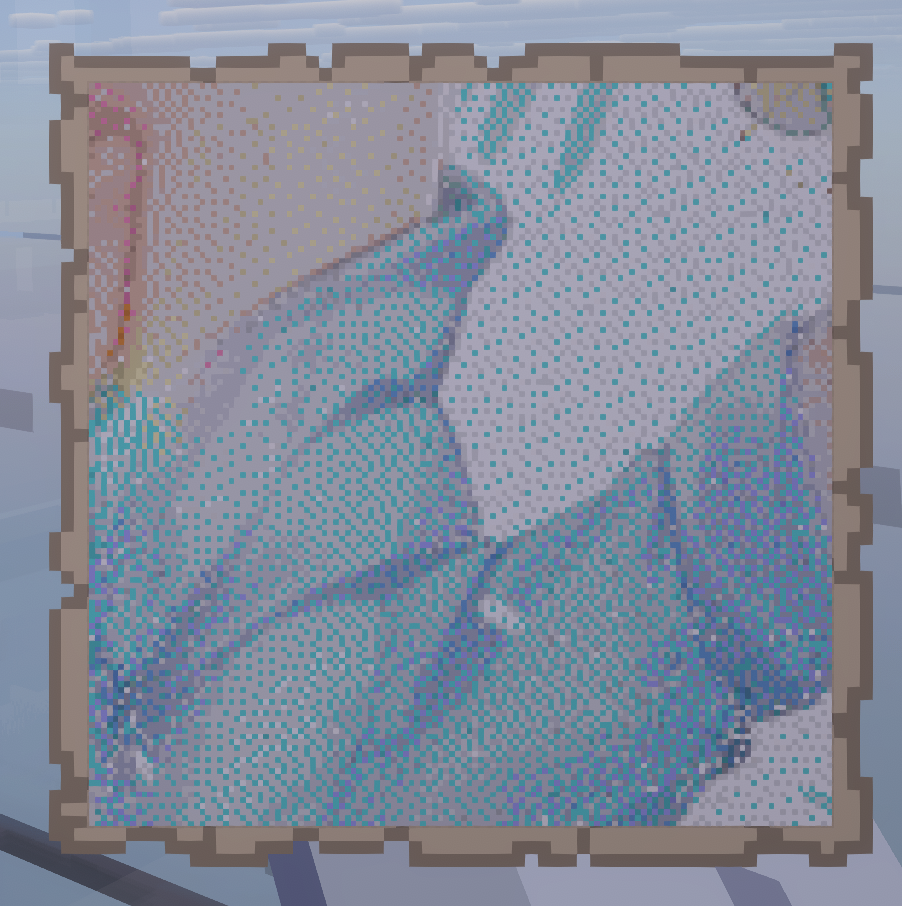 Test run
 -
 Makiatto 2x2 3-6 hours per map. In total about 18 hours.
Versions
Files
Relations
Project Relations
More like this
Similar Mods
Suggestions use data such as tags, dependencies, dependents, descriptions, titles, and more to rank how much they overlap with this mod.
On ModDex
Community snapshot
By the numbers
Statistics
Want to reach Minecraft players?
We're looking for a server hosting partner to feature here and other parts of the site. Interested? Send us a message!
Get in touchGet it on
Available Platforms
On ModDex
Community snapshot
By the numbers