
Community listing page, reviews may not be monitored by the author.
JustPump


No reviews yet
A simple pump module that enables the extraction and filling of fluids.

Community voices
Reviews
No reviews yet. Be the first to review this project!
Get it on
Available Platforms
Compatibility
Supported Environments
Must be installed on both the client and the server.
About
Project Details
For authors
Embed Badge
If you're the author of this project, you can embed a live badge anywhere that supports HTML or Markdown. It updates automatically whenever ratings change.
Use HTML for any page that supports it, or Markdown for README files and Markdown-based descriptions.
Identifiers
Platform IDs
About
Description
Description
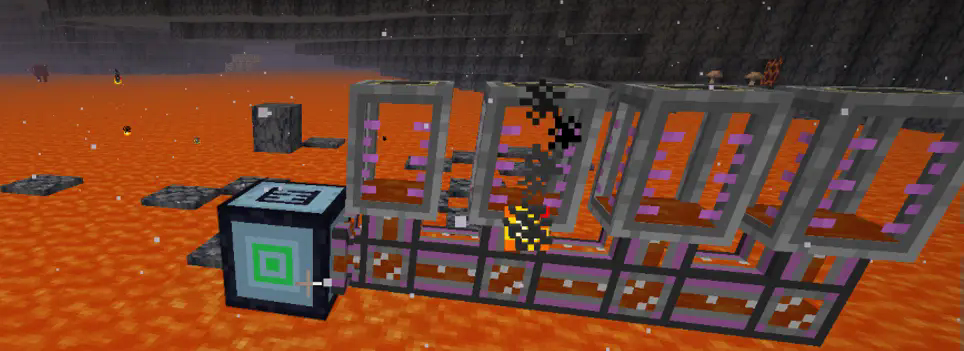
A simple MOD is designed to function similarly to a hose pulley. In automatic mode, it can draw the liquid below. When the liquid below exceeds 10,000 units, it is considered infinite. There is also a range - extraction mode, which can extract all the liquid within a specified range. Additionally, there is a fluid - filling mode, which fills the fluid within a designated range.
Installation
Put the jar-file into the mods folder in your .minecraft directory.
Configuration setting
You can configure the amount of fluid extracted per tick, the default capacity of the pump, and the threshold considered as infinite.
#Number of blocks processed per tick
# Default: 4096
# Range: > 1
blocksPerTick = 4096
#Pump fluid storage capacity in mB (1 bucket = 1000mB)
# Default: 16
# Range: 1 ~ 64
pumpCapacity = 16
#Fluid amount above this threshold will be considered infinite
# Default: 10000
# Range: > 0
infiniteThreshold = 10000
How to use
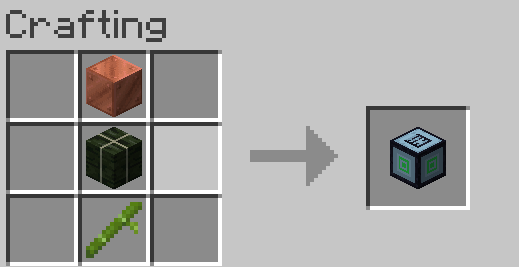
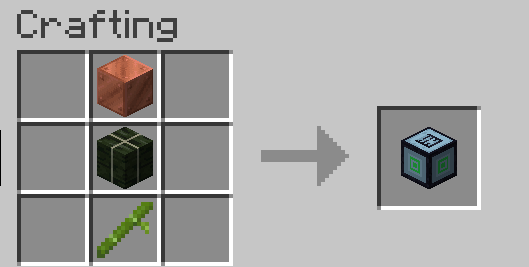
You can use copper blocks, kelp blocks, and bamboo for synthesis.
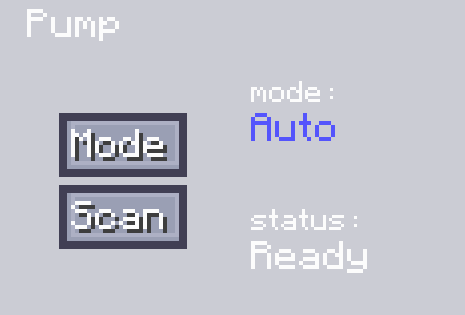
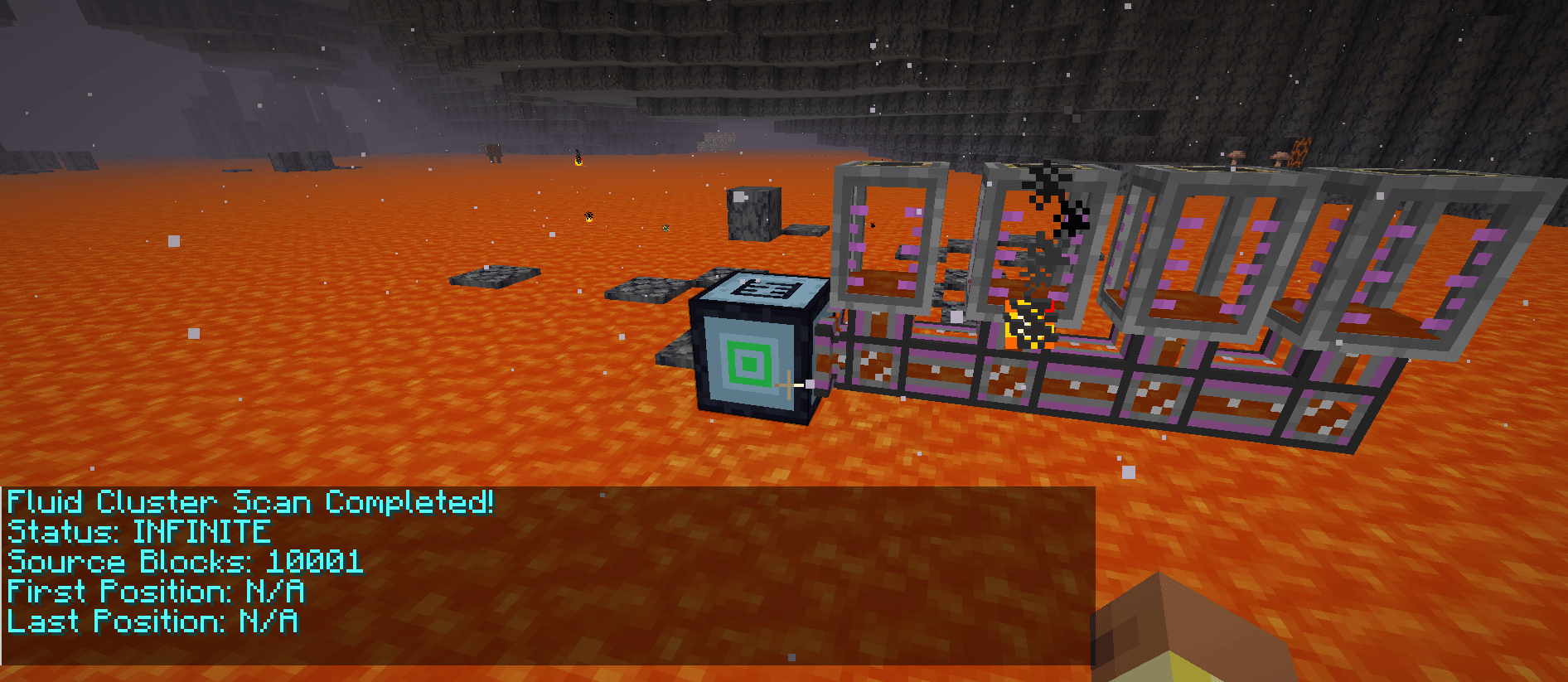
When in the auto mode, you need to place the machine above the fluid. Then click "Scan" to obtain the position of the extractable fluid. After that, use a pipeline for active output and connect it to the corresponding fluid - storage container, and thus the fluid output can be completed.
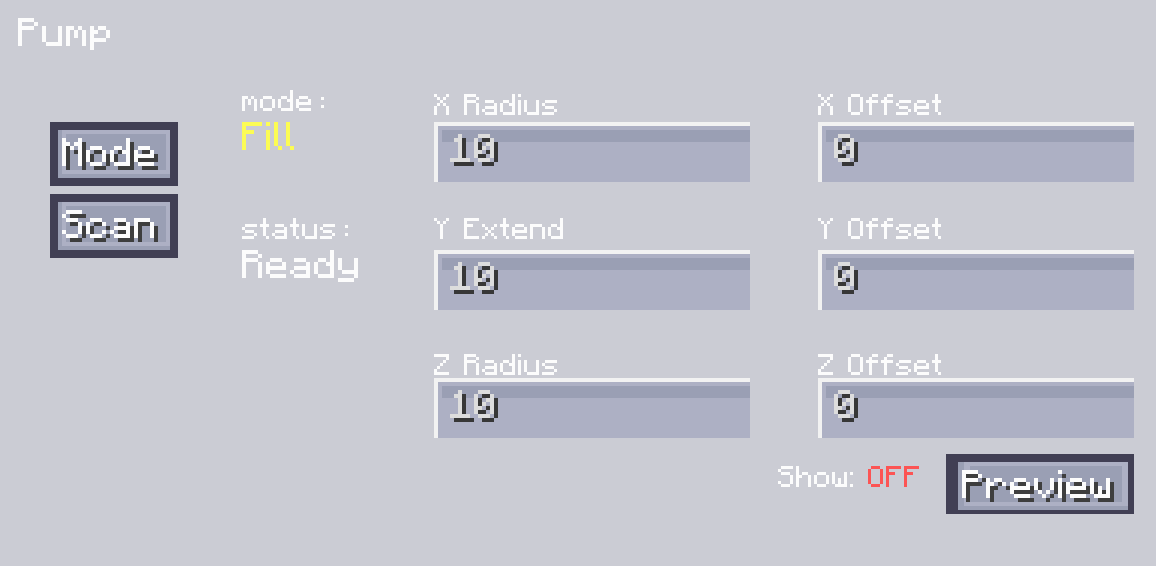
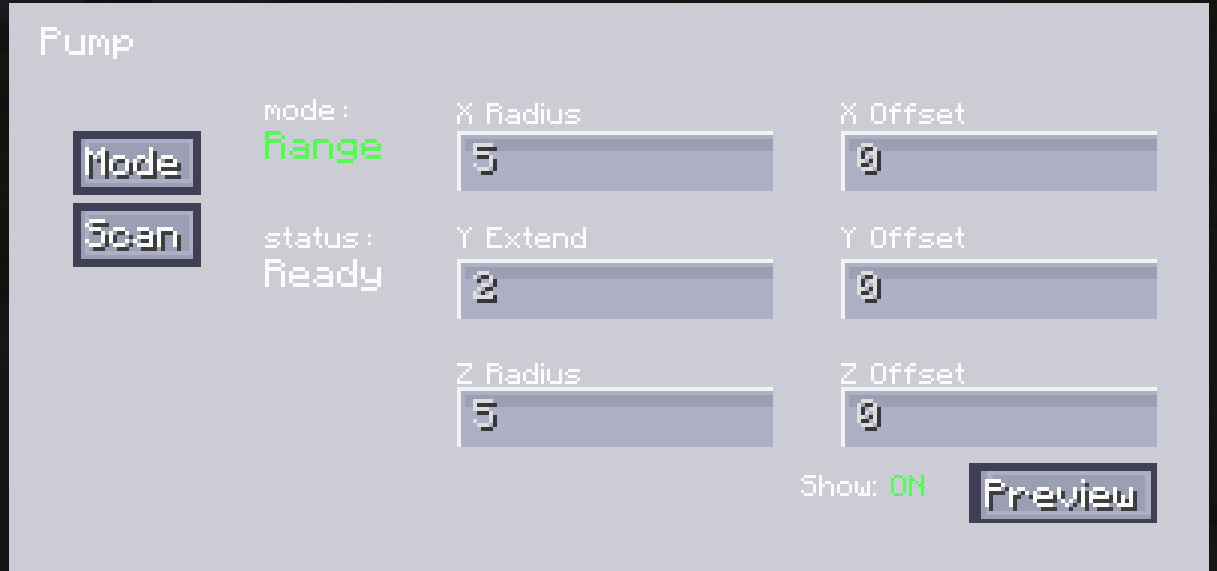
Another mode for liquid range extraction allows you to set the range. You can do this by setting the radii on the X, Y, and Z axes, and adjust the offset values of XYZ to set its specific position. You can view the range by clicking the "Display Range" button. After adjusting it to the appropriate position, you can click "Scan" to complete the scanning of all extractable fluids. After the scanning is finished, just like in the automatic mode, you can output the fluid through a pipeline for active output.
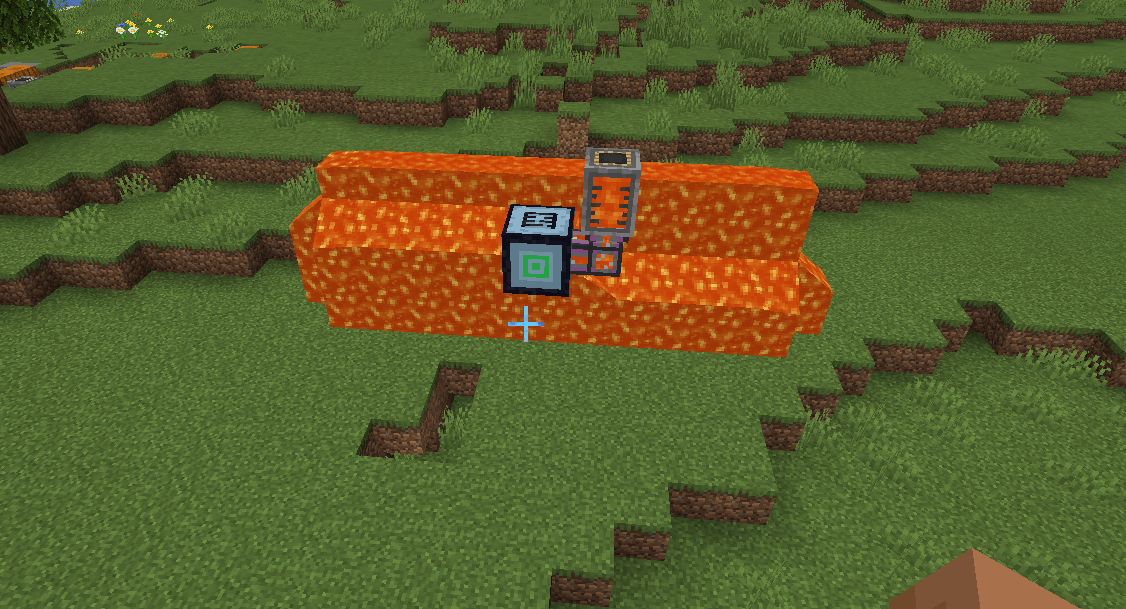
The filling mode is similar to the extraction mode. The difference is that you need to input fluid into our pump. First, set the range and adjust the position. After that, you can click "Scan". It will scan for positions where the fluid can be placed and obtain the position information. Then, input the fluid into the pump, and it will place the fluid at the corresponding positions.
Description
A simple MOD is designed to function similarly to a hose pulley. In automatic mode, it can draw the liquid below. When the liquid below exceeds 10,000 units, it is considered infinite. There is also a range - extraction mode, which can extract all the liquid within a specified range. Additionally, there is a fluid - filling mode, which fills the fluid within a designated range.
Installation
Put the jar-file into the mods folder in your .minecraft directory.
Configuration setting
You can configure the amount of fluid extracted per tick, the default capacity of the pump, and the threshold considered as infinite.
#Number of blocks processed per tick
# Default: 4096
# Range: > 1
blocksPerTick = 4096
#Pump fluid storage capacity in mB (1 bucket = 1000mB)
# Default: 16
# Range: 1 ~ 64
pumpCapacity = 16
#Fluid amount above this threshold will be considered infinite
# Default: 10000
# Range: > 0
infiniteThreshold = 10000
How to use
You can use copper blocks, kelp blocks, and bamboo for synthesis.
When in the auto mode, you need to place the machine above the fluid. Then click "Scan" to obtain the position of the extractable fluid. After that, use a pipeline for active output and connect it to the corresponding fluid - storage container, and thus the fluid output can be completed.
Another mode for liquid range extraction allows you to set the range. You can do this by setting the radii on the X, Y, and Z axes, and adjust the offset values of XYZ to set its specific position. You can view the range by clicking the "Display Range" button. After adjusting it to the appropriate position, you can click "Scan" to complete the scanning of all extractable fluids. After the scanning is finished, just like in the automatic mode, you can output the fluid through a pipeline for active output.
The filling mode is similar to the extraction mode. The difference is that you need to input fluid into our pump. First, set the range and adjust the position. After that, you can click "Scan". It will scan for positions where the fluid can be placed and obtain the position information. Then, input the fluid into the pump, and it will place the fluid at the corresponding positions.
Screenshots
Gallery
-
 gui.png gui.png
 -
 fill_fluid.png fill_fluid.png
 -
 craft_table.png craft_table.png
 -
 autmode.png autmode.png
 -
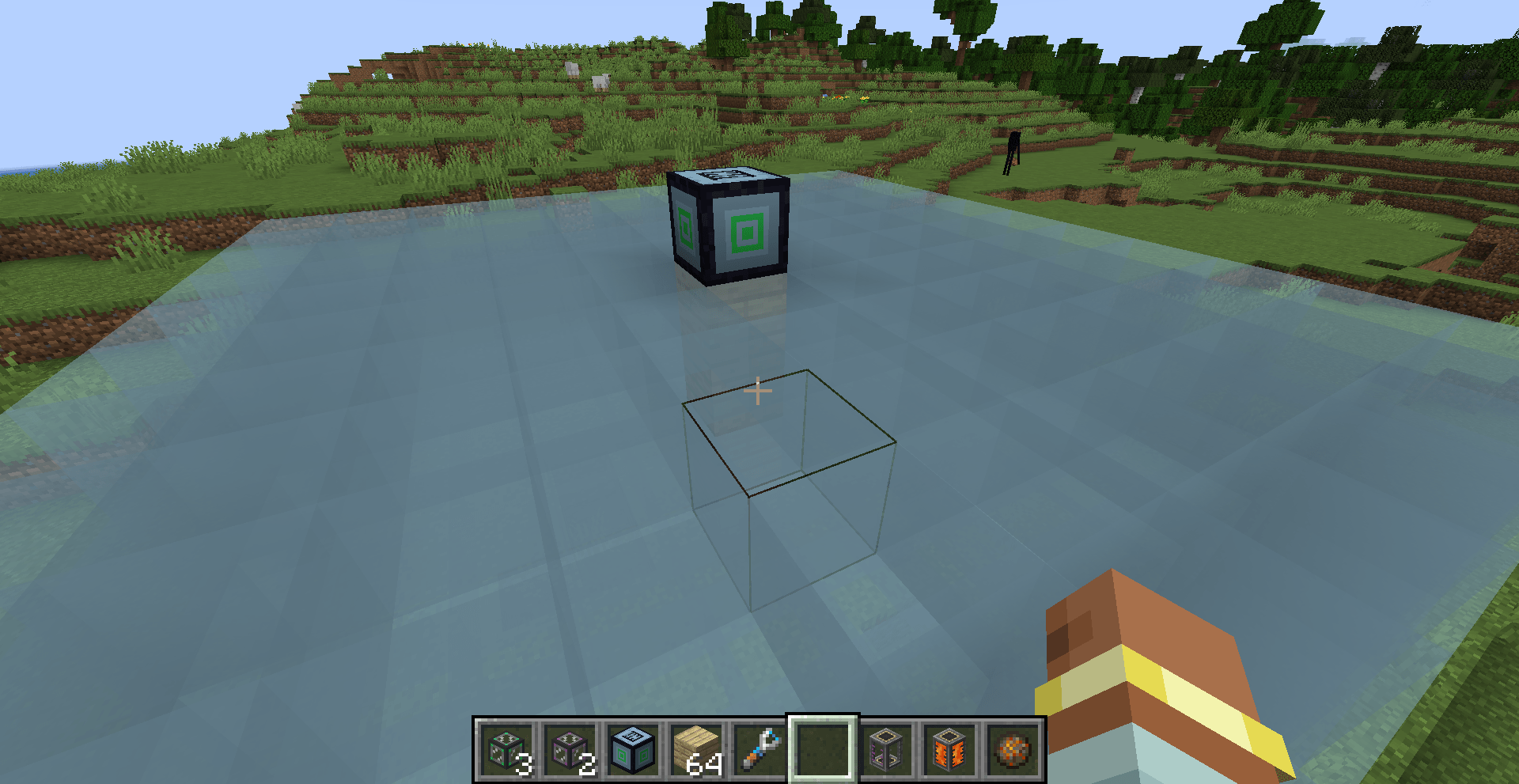 areashow.png areashow.png
-
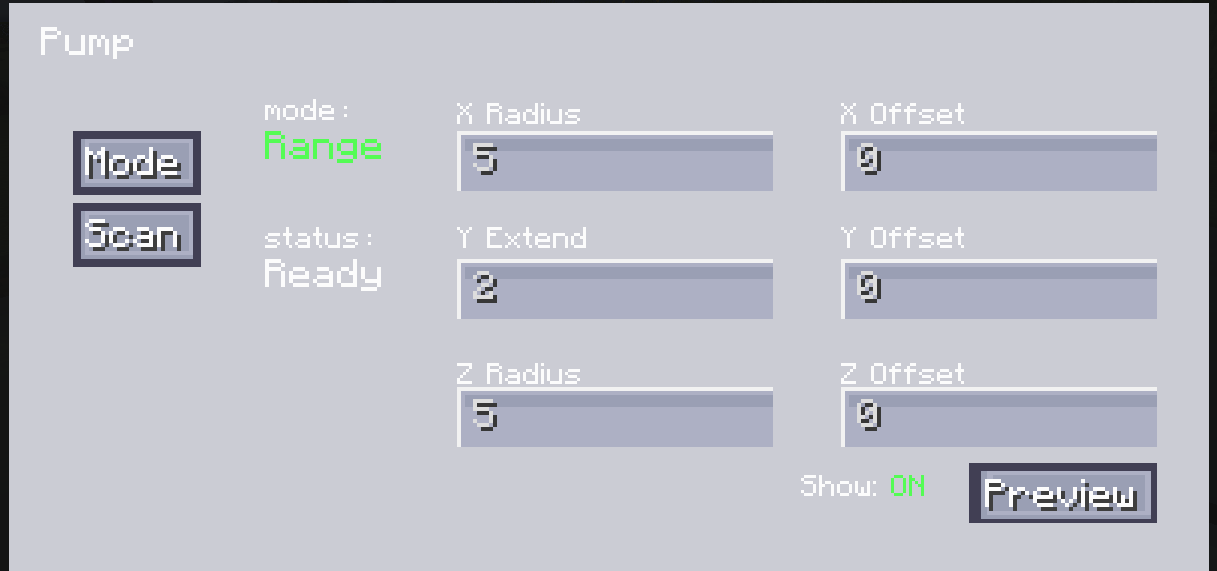 Working mode It shows the interface for range - extraction, allowing you to configure the extraction range, adjust the position of the range, and view the range visually. It also displays the current status of the machine.
 -
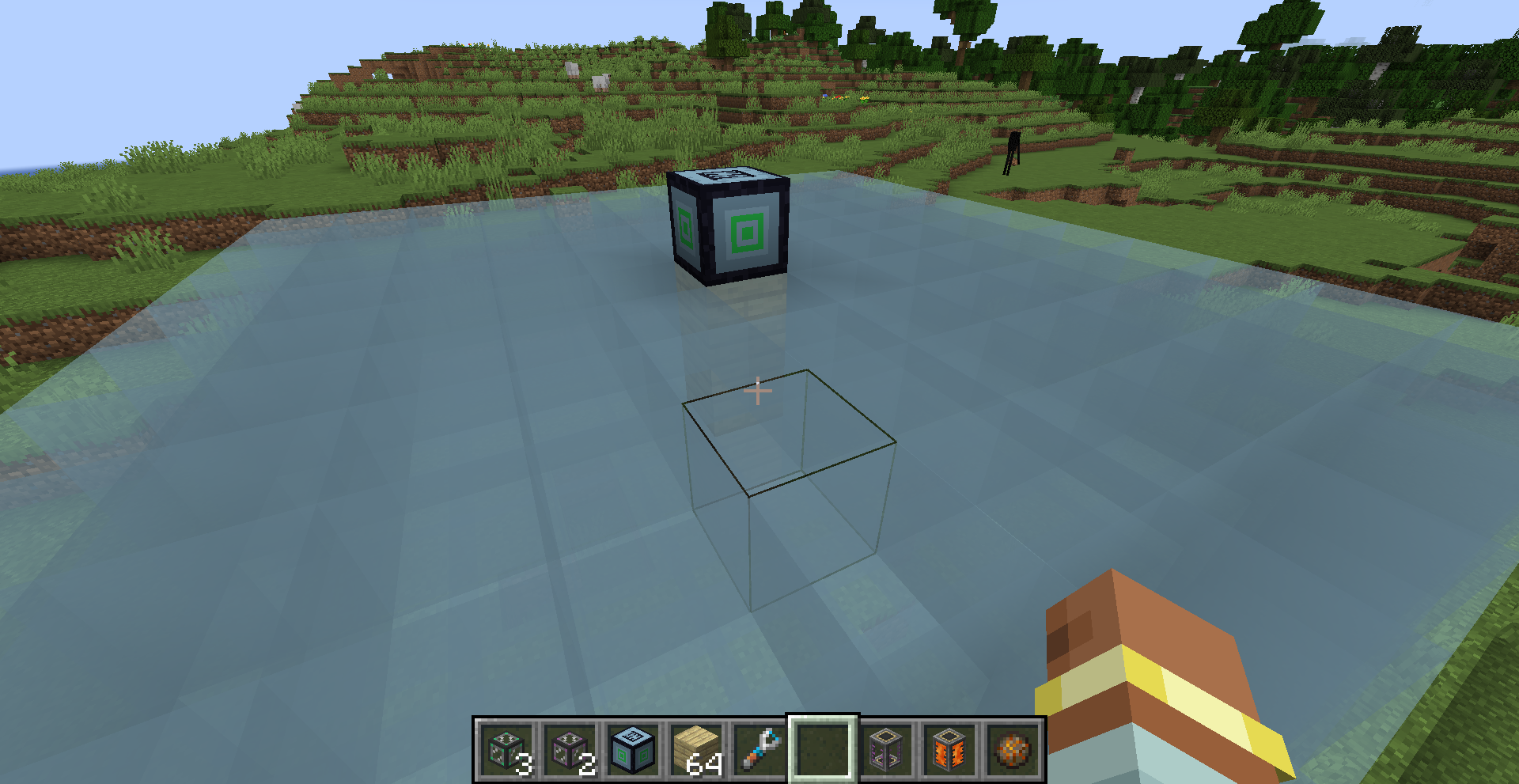 Show Area Display the working range of the machine
 -
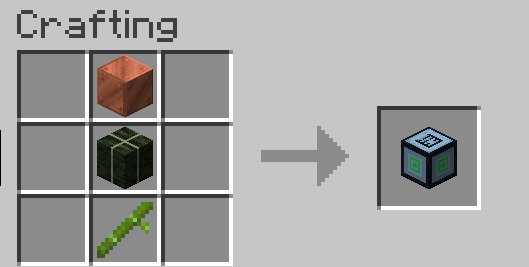 craft how to craft
 -
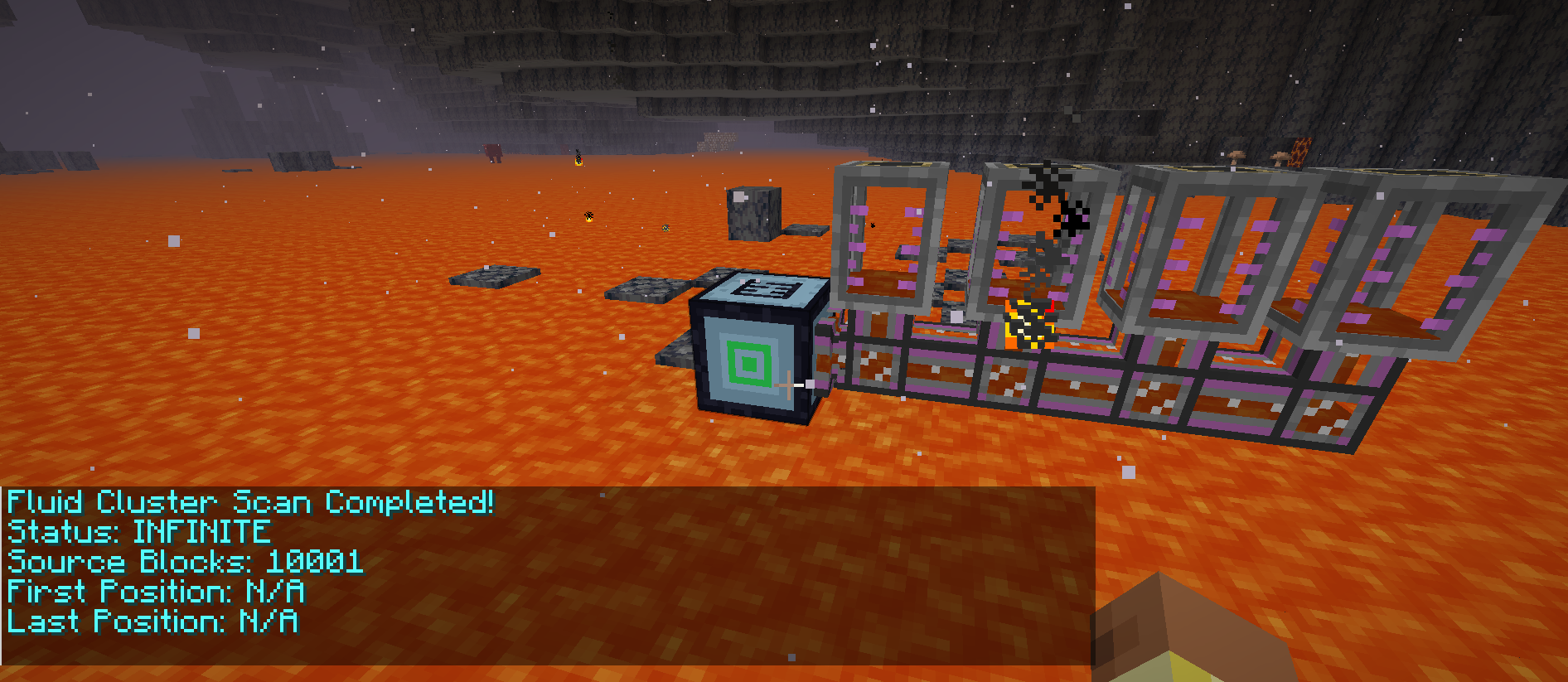 AutoMode Automatic extraction mode enables the extraction of liquid beneath the machine. If the liquid volume below exceeds 10,000 units, it is regarded as infinite.
 -
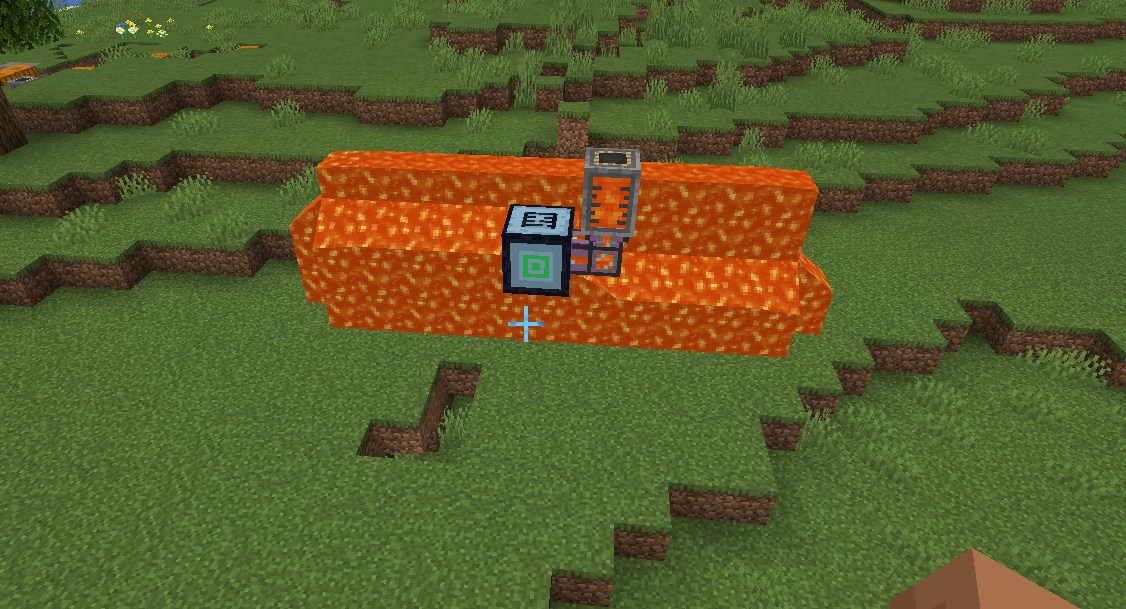 Fill mode Filling mode allows you to set the range and position for liquid filling. By extracting liquid into it, you can place the fluid in the designated area.
Versions
Files
Relations
Project Relations
More like this
Similar Mods
Suggestions use data such as tags, dependencies, dependents, descriptions, titles, and more to rank how much they overlap with this mod.
On ModDex
Community snapshot
By the numbers
Statistics
 (opens in a new tab)
Get it on
Available Platforms
On ModDex
Community snapshot
By the numbers