Community listing page, reviews may not be monitored by the author.
Assorted Hangeables


No reviews yet
Adds neon signs, calendars, wall clocks, wallpaper and frames.

Community voices
Reviews
No reviews yet. Be the first to review this project!
Get it on
Available Platforms
Compatibility
Supported Environments
Must be installed on both the client and the server.
About
Project Details
For authors
Embed Badge
If you're the author of this project, you can embed a live badge anywhere that supports HTML or Markdown. It updates automatically whenever ratings change.
Use HTML for any page that supports it, or Markdown for README files and Markdown-based descriptions.
Identifiers
Platform IDs
About
Description
Assorted Hangeables
Adds things to put on your walls. Wallpaper and frames you can cycle through and dye, a calendar that counts the days, a wall clock and neon signs with bright colored text.
Features
- Neon signs work like regular signs with bright colored text that glows in the dark. They have an editor for laying out and coloring the text, and three backgrounds.
- Wallpaper comes in 24 designs. Right click hung wallpaper with more wallpaper in hand to cycle the design, and new wallpaper picks up the design and color of the wallpaper next to it.
- Dye wallpaper by right clicking it with a dye.
- Wood and iron frames cycle through the patterns that fit the space when you right click them with another frame, and can be dyed too.
- The calendar counts the days in your world and shows the year, month and day.
- The wall clock tells the time like a normal clock, but on the wall.
- With Assorted Paint, wallpaper and frames can be painted with a roller.
Config
These are in the assortedhangeables-common config file.
frames.framesBurnlets frames burn. On by default.frames.dyeFrameslets you dye frames. On by default.wallpaper.wallpapersBurnlets wallpaper burn. On by default.wallpaper.dyeWallpaperslets you dye wallpaper. On by default.wallpaper.wallpapersCopyDyelets new wallpaper copy the color of the wallpaper next to it. On by default.
Updating from Assorted Decor 11.x
Worlds made with Assorted Decor 11.x keep everything when you switch to this mod. Don't install it beside Assorted Decor 11.x.
Requirements
- Assorted Lib
- NeoForge, or Fabric Loader with Fabric API
> Hangeables also comes in Assorted Decor with the other Decor mods, if you'd rather have them all in one download.
More
The full guide with recipes is at assortedmods.com. It's also in the game, in the Instruction Manual from Assorted Lib.
Found a bug? Report it on GitHub.
Assorted Hangeables
Adds things to put on your walls. Wallpaper and frames you can cycle through and dye, a calendar that counts the days, a wall clock and neon signs with bright colored text.

Features
- Neon signs work like regular signs with bright colored text that glows in the dark. They have an editor for laying out and coloring the text, and three backgrounds.
- Wallpaper comes in 24 designs. Right click hung wallpaper with more wallpaper in hand to cycle the design, and new wallpaper picks up the design and color of the wallpaper next to it.
- Dye wallpaper by right clicking it with a dye.
- Wood and iron frames cycle through the patterns that fit the space when you right click them with another frame, and can be dyed too.
- The calendar counts the days in your world and shows the year, month and day.
- The wall clock tells the time like a normal clock, but on the wall.
- With Assorted Paint, wallpaper and frames can be painted with a roller.
Config
These are in the assortedhangeables-common config file.
frames.framesBurnlets frames burn. On by default.frames.dyeFrameslets you dye frames. On by default.wallpaper.wallpapersBurnlets wallpaper burn. On by default.wallpaper.dyeWallpaperslets you dye wallpaper. On by default.wallpaper.wallpapersCopyDyelets new wallpaper copy the color of the wallpaper next to it. On by default.
Updating from Assorted Decor 11.x
Worlds made with Assorted Decor 11.x keep everything when you switch to this mod. Don't install it beside Assorted Decor 11.x.
Requirements
- Assorted Lib
- NeoForge, or Fabric Loader with Fabric API
Hangeables also comes in Assorted Decor with the other Decor mods, if you'd rather have them all in one download.
More
The full guide with recipes is at assortedmods.com. It's also in the game, in the Instruction Manual from Assorted Lib.
Found a bug? Report it on GitHub.
Screenshots
Gallery
-
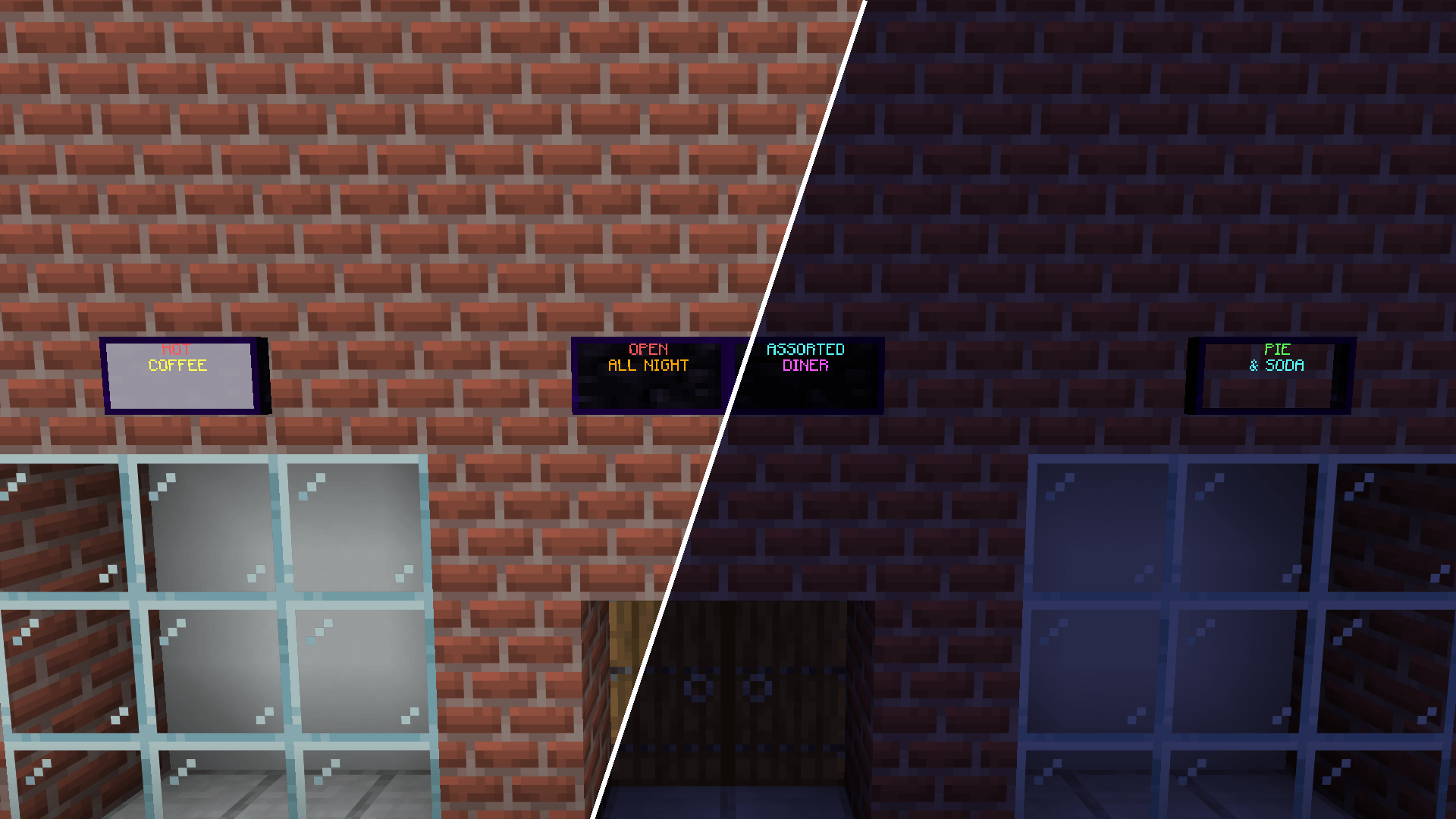 Neon Signs The same shop front by day on the left and at night on the right. The text glows in the dark, on each of the three backgrounds.
 -
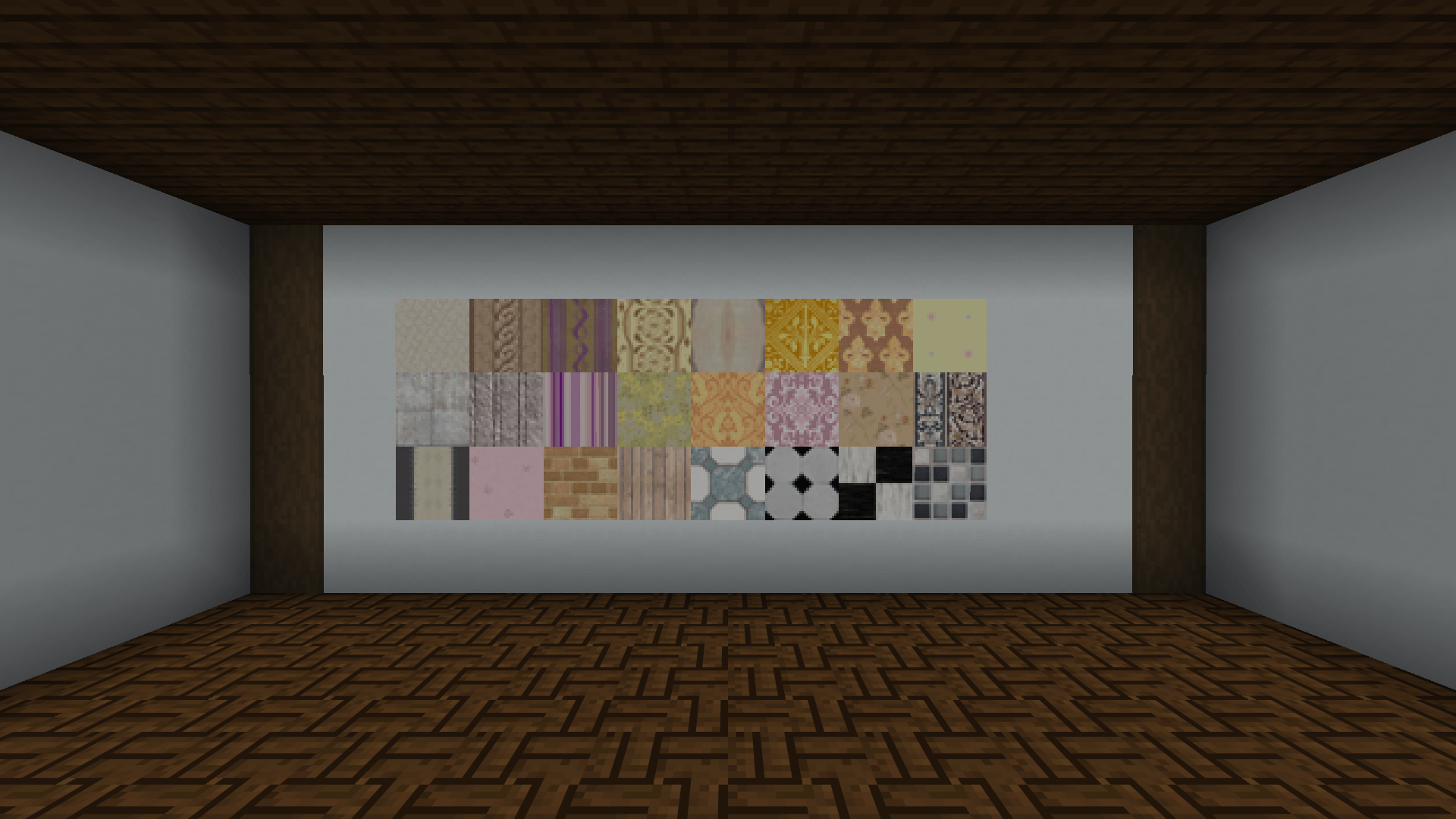 Wallpaper All 24 wallpaper designs.
 -
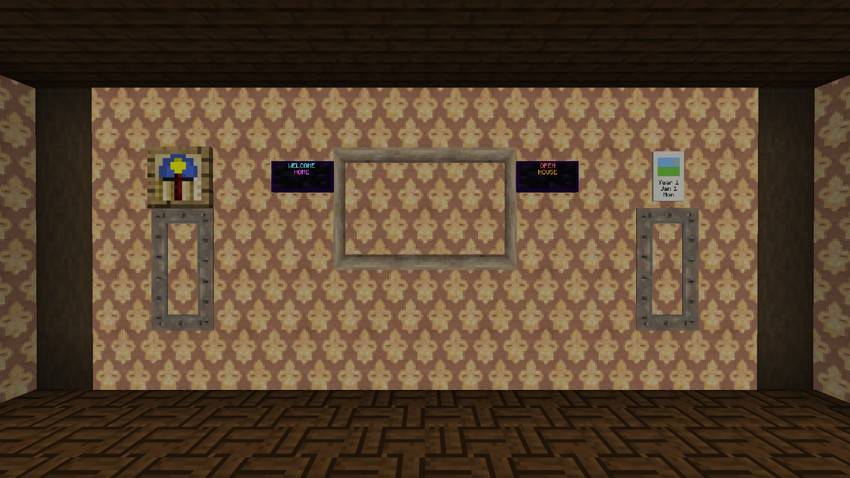
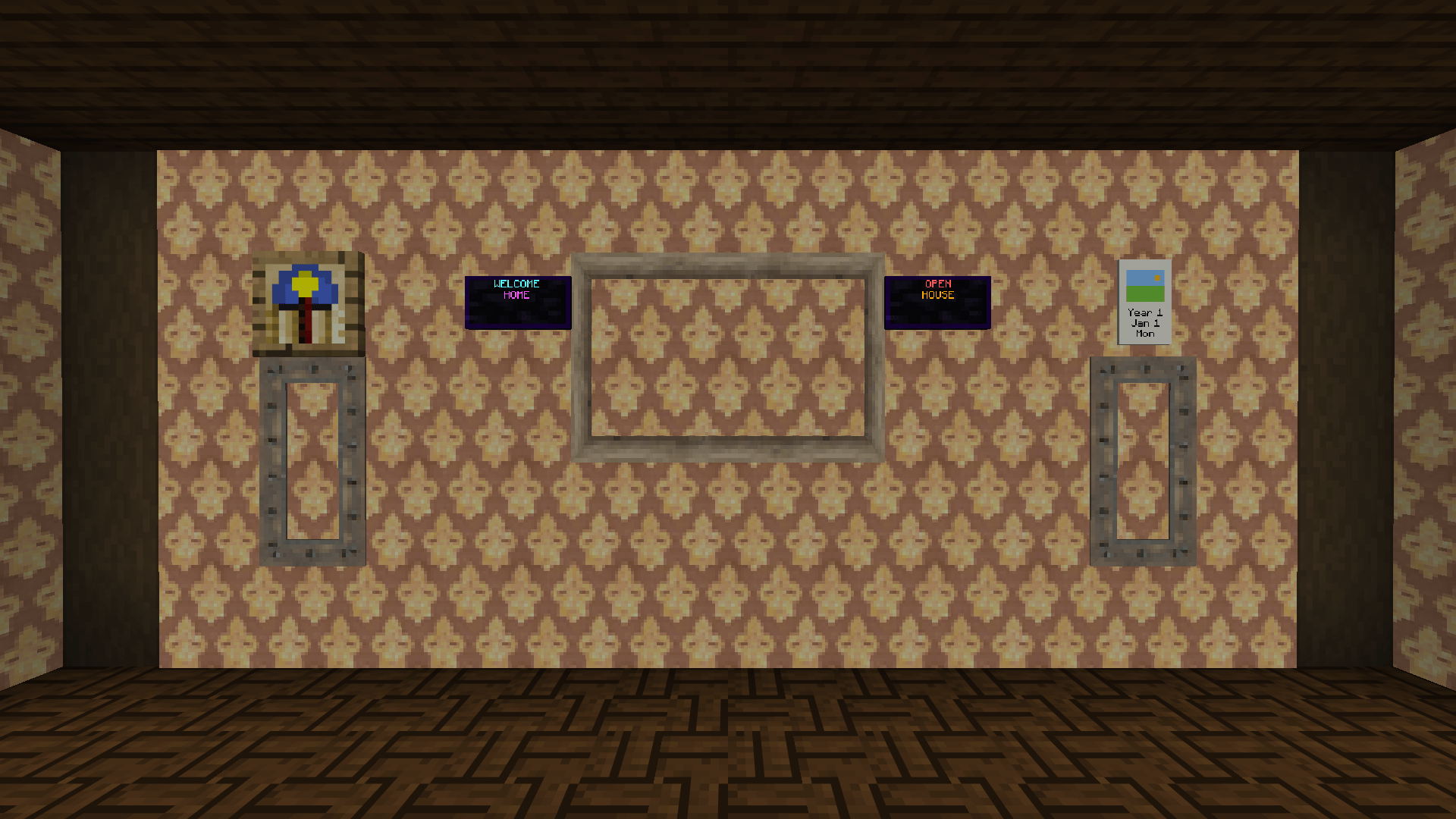 Parlor Wallpaper on every wall, a wood frame between two neon signs, two iron frames, the wall clock and the calendar.
-
 Parlor Wallpaper on every wall, a wood frame between two neon signs, two iron frames, the wall clock and the calendar.
 -
 Wallpaper All 24 wallpaper designs.
 -
 Neon Signs The same shop front by day on the left and at night on the right. The text glows in the dark, on each of the three backgrounds.
Versions
Files
Relations
Project Relations
More like this
Similar Mods
Suggestions use data such as tags, dependencies, dependents, descriptions, titles, and more to rank how much they overlap with this mod.
On ModDex
Community snapshot
By the numbers
Statistics

Get it on
Available Platforms
On ModDex
Community snapshot
By the numbers