Community listing page, reviews here may not be monitored by the author.
Assorted Light Overlay


No reviews yet
Adds a key to show the light level where mobs can spawn.

Community voices
Reviews
No reviews yet. Be the first to review this project!
Get it on
Available Platforms
Compatibility
Supported Environments
Runs entirely on the client. Works on vanilla servers.
About
Project Details
For authors
Embed Badge
If you're the author of this project, you can embed a live badge anywhere that supports HTML or Markdown. It updates automatically whenever ratings change.
Use HTML for any page that supports it, or Markdown for README files and Markdown-based descriptions.
Identifiers
Platform IDs
About
Description
Assorted Light Overlay
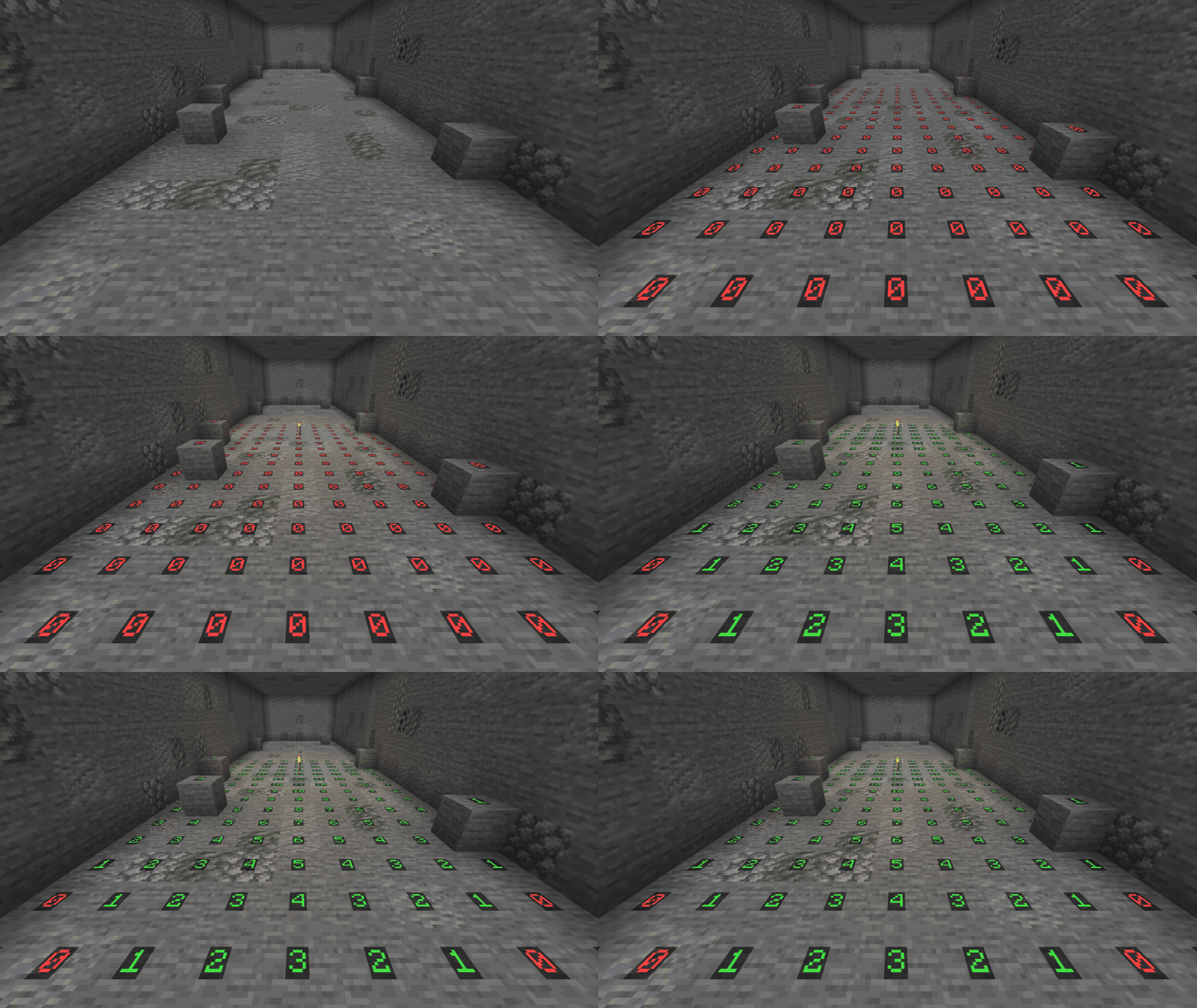
Press F7 and the light level shows up on the ground around you, colored by whether monsters can spawn there. It makes lighting up a base or clearing out a cave a lot easier.
How it works
- Press F7 to turn the overlay on and again to turn it off. You can change the key in the controls menu.
- Each number is the block light at a spot where a monster could stand.
- Red is where monsters can spawn at any time.
- Yellow is where they can only spawn at night or in a storm.
- Green is where they can never spawn.
- It follows the spawning rules of the dimension you're in.
- Only spots with room for a monster get a number, so fences, walls and tight gaps are left out.
- The numbers update every couple of seconds as you move around or place light.
- It only needs to be in your own game, so it works on any server.
Config
These are in the assortedlightoverlay-client config file. They only change your own game, so everyone can set their own.
lightOverlay.radiusis how many blocks around you the overlay reaches. 16 by default, anywhere from 4 to 32.lightOverlay.showSafeshows the green spots where monsters never spawn. On by default. Turn it off to only see the unsafe spots.
Requirements
- Assorted Lib
- NeoForge, or Fabric Loader with Fabric API
Light Overlay also comes in Assorted Util with the other five Util mods, if you'd rather have them all in one download.
More
The full guide is at assortedmods.com. It's also in the game, in the Instruction Manual from Assorted Lib.
Found a bug? Report it on GitHub.
Assorted Light Overlay
Press F7 and the light level shows up on the ground around you, colored by whether monsters can spawn there. It makes lighting up a base or clearing out a cave a lot easier.

How it works
- Press F7 to turn the overlay on and again to turn it off. You can change the key in the controls menu.
- Each number is the block light at a spot where a monster could stand.
- Red is where monsters can spawn at any time.
- Yellow is where they can only spawn at night or in a storm.
- Green is where they can never spawn.
- It follows the spawning rules of the dimension you're in.
- Only spots with room for a monster get a number, so fences, walls and tight gaps are left out.
- The numbers update every couple of seconds as you move around or place light.
- It only needs to be in your own game, so it works on any server.
Config
These are in the assortedlightoverlay-client config file. They only change your own game, so everyone can set their own.
lightOverlay.radiusis how many blocks around you the overlay reaches. 16 by default, anywhere from 4 to 32.lightOverlay.showSafeshows the green spots where monsters never spawn. On by default. Turn it off to only see the unsafe spots.
Requirements
- Assorted Lib
- NeoForge, or Fabric Loader with Fabric API
Light Overlay also comes in Assorted Util with the other five Util mods, if you'd rather have them all in one download.
More
The full guide is at assortedmods.com. It's also in the game, in the Instruction Manual from Assorted Lib.
Found a bug? Report it on GitHub.
Screenshots
Gallery
-
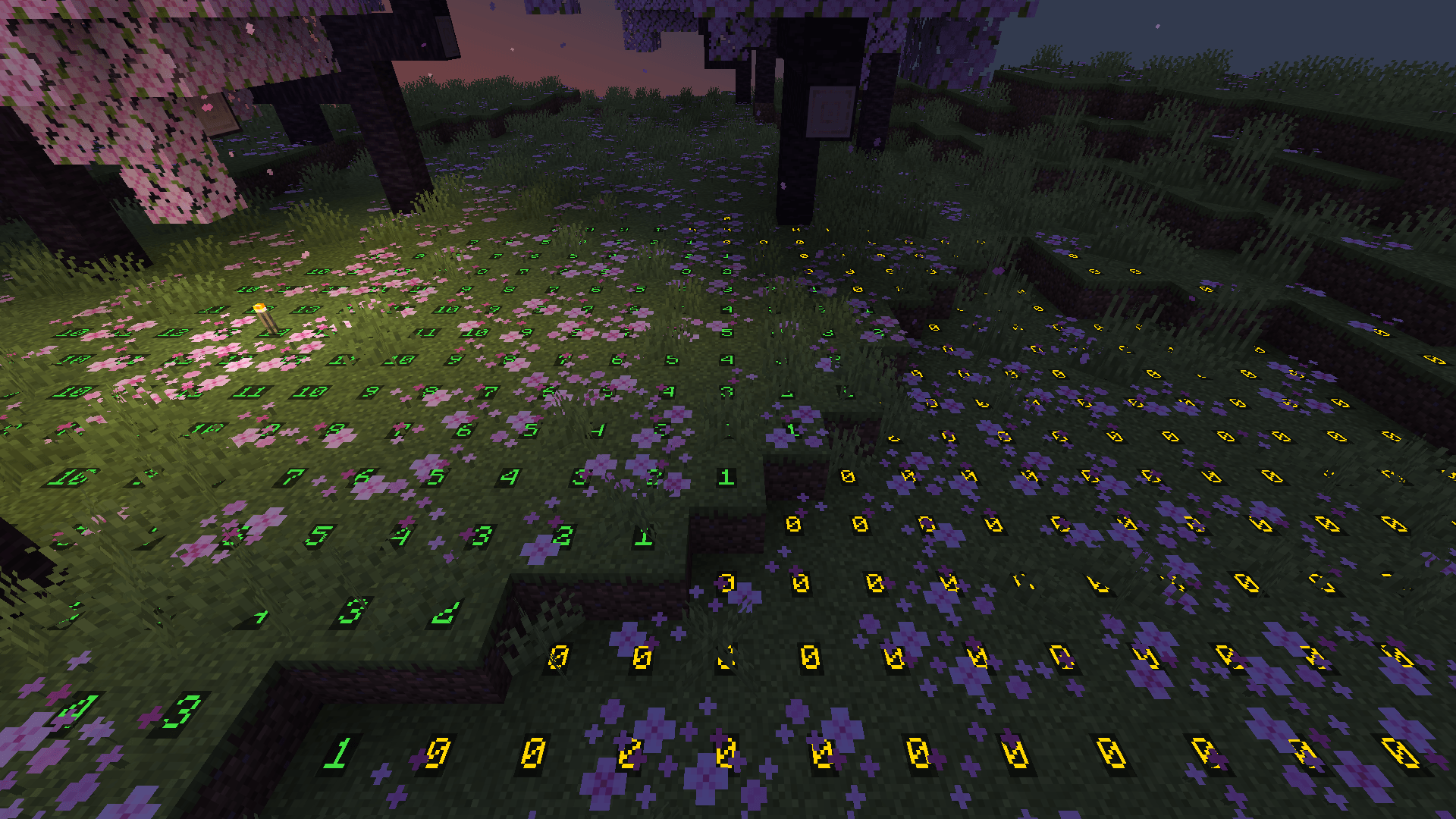 Lighting Up the Grove Green around a torch where monsters can never spawn, yellow where they can once it gets dark.
 -
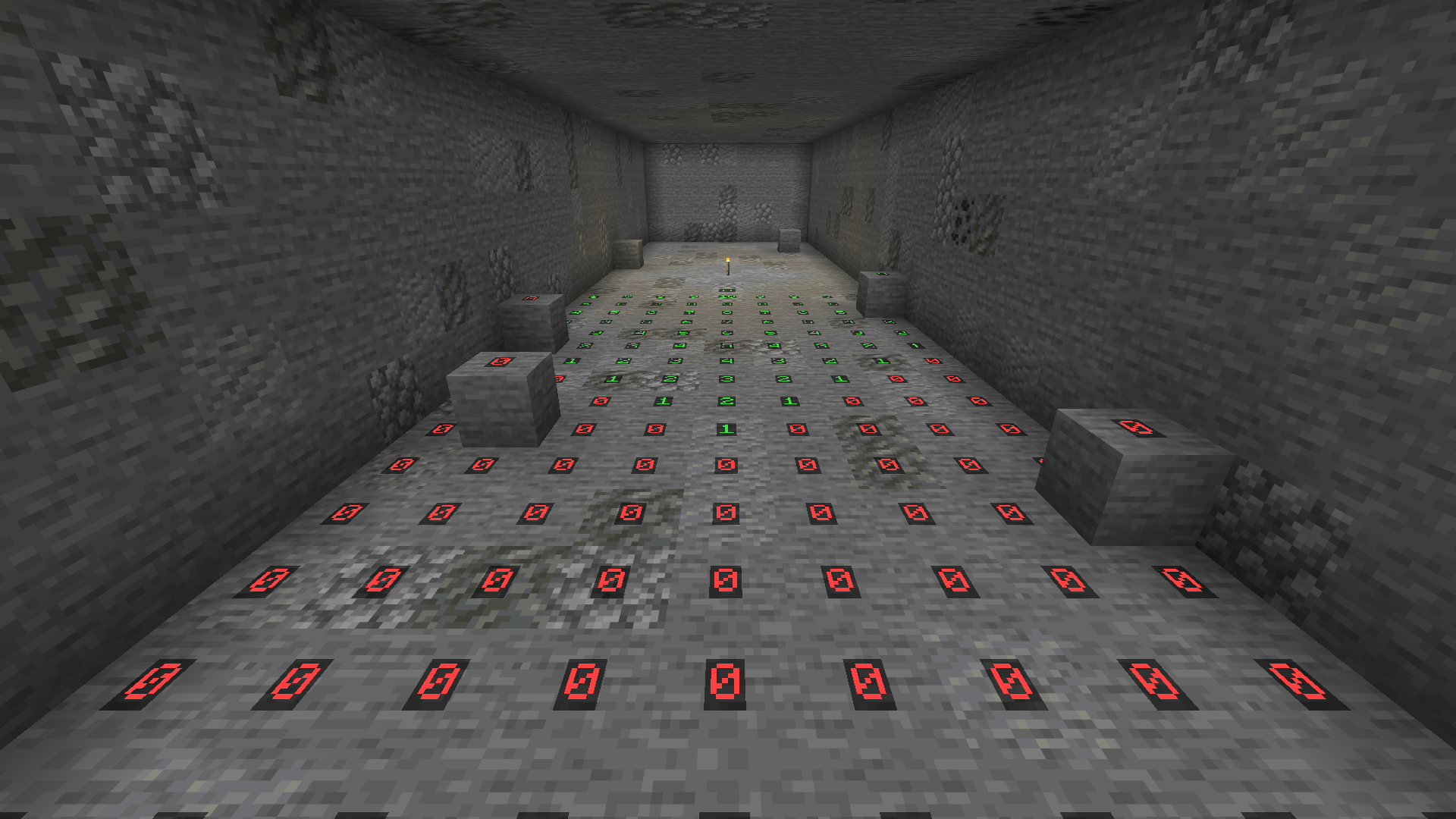 Caves Underground the numbers show how far a torch's light reaches, with red where monsters can spawn any time.
-
 Lighting Up the Grove Green around a torch where monsters can never spawn, yellow where they can once it gets dark.
 -
 Caves Underground the numbers show how far a torch's light reaches, with red where monsters can spawn any time.
Versions
Files
Relations
Project Relations
More like this
Similar Mods
Suggestions use data such as tags, dependencies, dependents, descriptions, titles, and more to rank how much they overlap with this mod.
On ModDex
Community snapshot
By the numbers
Statistics
 (opens in a new tab)
Get it on
Available Platforms
On ModDex
Community snapshot
By the numbers