
Community listing page, reviews here may not be monitored by the author.
EaseZoom

No reviews yet
Smooth hold/toggle zoom with mouse-wheel levels, sensitivity scaling, and reliable vanilla FOV restoration.
Community voices
Reviews
No reviews yet. Be the first to review this project!
Get it on
Available Platforms
About
Project Details
For authors
Embed Badge
If you're the author of this project, you can embed a live badge anywhere that supports HTML or Markdown. It updates automatically whenever ratings change.
Use HTML for any page that supports it, or Markdown for README files and Markdown-based descriptions.
Identifiers
Platform IDs
Resources
External Links
About
Description
EaseZoom
A smooth, controlled closer look.
EaseZoom provides a responsive zoom that feels native and always restores the previous FOV state when released. Zoom range and animation are fully bounded by settings.
✨ Highlights
- Hold and toggle activation modes
- Mouse-wheel zoom with minimum and maximum clamps
- Smooth in/out transitions with selectable easing
- Optional relative sensitivity scaling
- Remember the last zoom level or return to default
- First-person, third-person, spyglass, and key-conflict policies
🎮 Quick start
- Download the file for your exact Minecraft version and loader.
- Install Fabric API as well when using a Fabric build.
- Put the JAR in your profile's
modsfolder. - Start Minecraft and check Controls/settings for the available options.
Hold C to zoom. Toggle mode, zoom range, mouse-wheel stepping, transition duration, and easing are configurable.
🧩 Compatibility
- Client-side only; a vanilla server does not need to install it.
- Fabric builds require Fabric API. Forge and NeoForge builds use their matching loader.
- Use the file made for your exact Minecraft version and loader.
- Available from Minecraft 1.16.5 through 26.1.2 where that loader exists.
🔒 Privacy and safety
- No telemetry, analytics, ads, account system, or background network service.
- Configuration stays on your device.
- The mod is designed around conservative defaults and clean fallback behavior.
- Always check the rules of the server you play on; some servers restrict client utilities.
🚫 What it does not do
- Does not replace or copy another mod's zoom code
- Does not change spyglass mechanics
- Does not leave the player's FOV modified after zoom closes
📦 Support
When reporting a problem, include the Minecraft version, loader, mod version, and the relevant client log. Do not upload a random loader/version combination: each published file is built for the exact version shown on its page.`
Screenshots
Gallery
-
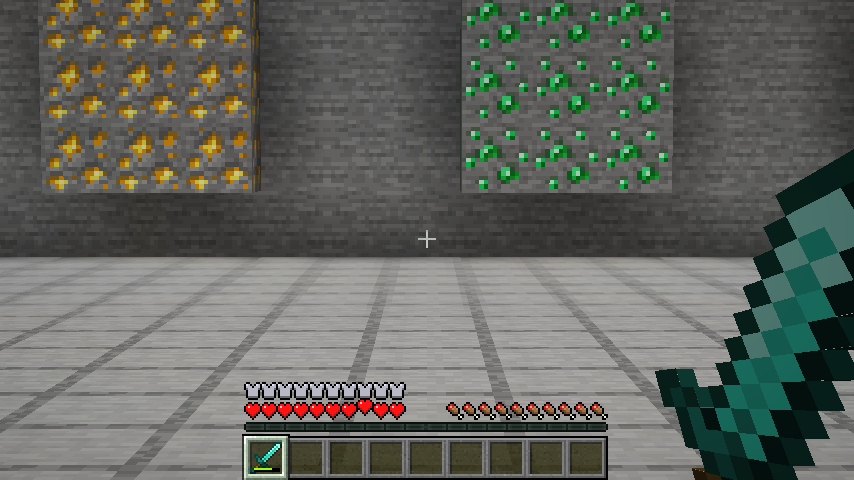 EaseZoom smooth zoom Isolated in-game demonstration of EaseZoom's smooth and focused camera zoom.
 -
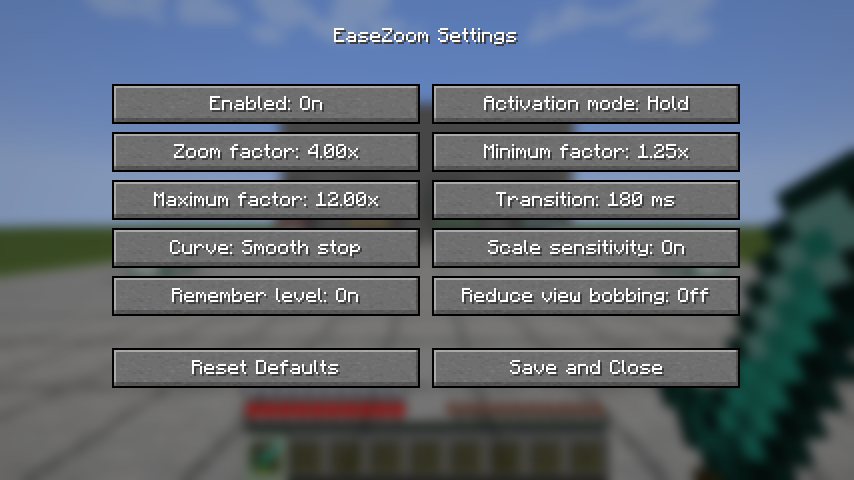 EaseZoom settings EaseZoom transition, sensitivity and camera behavior settings.
Versions
Files
Relations
Project Relations
More like this
Similar Mods
Suggestions use data such as tags, dependencies, dependents, descriptions, titles, and more to rank how much they overlap with this mod.
On ModDex
Community snapshot
By the numbers
Statistics
Want to reach Minecraft players?
We're looking for a server hosting partner to feature here and other parts of the site. Interested? Send us a message!
Get in touchGet it on
Available Platforms
On ModDex
Community snapshot
By the numbers
Statistics
Resources