Community listing page, reviews here may not be monitored by the author.
Attribute Breakdown

No reviews yet
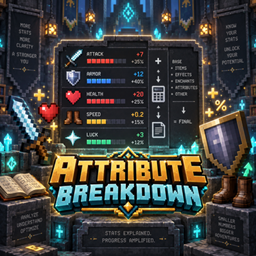
View and understand your character's attributes, including their final values and a detailed breakdown of every modifier.
Community voices
Reviews
No reviews yet. Be the first to review this project!
Get it on
Available Platforms
About
Project Details
For authors
Embed Badge
If you're the author of this project, you can embed a live badge anywhere that supports HTML or Markdown. It updates automatically whenever ratings change.
Use HTML for any page that supports it, or Markdown for README files and Markdown-based descriptions.
Identifiers
Platform IDs
Resources
External Links
About
Description
Attribute Breakdown
Attribute Breakdown is a lightweight attribute viewer for Minecraft 1.20.1 Fabric, designed for players who want to understand exactly how their character's attributes are calculated.
Instead of only showing the final value, Attribute Breakdown displays the base value, individual modifiers, calculation operations, and the final result, making it easier to understand how equipment, status effects, accessories, and other mods are affecting your character.
The mod automatically detects vanilla and modded attributes available on the player and does not add, modify, or rebalance attributes itself.
Features
- Automatic Attribute Detection — Automatically discovers vanilla and modded attributes available on the player.
- Detailed Attribute Breakdown — Shows the base value, individual modifiers, and final calculated value.
- Calculation Details — Separates modifiers into Addition, Multiply Base, and Multiply Total operations.
- Modifier Sources — Identifies equipped items, active status effects, and Trinkets as modifier sources when possible.
- Modded Attribute Support — Automatically displays compatible attributes registered by other mods.
- Search — Quickly find attributes by their name or identifier.
- Altered Only Filter — Hide unchanged attributes and display only attributes currently affected by modifiers.
- Persistent Filter — The Altered Only preference remains saved after closing the screen or restarting the game.
- Inventory Button — Open the attribute screen directly from both Survival and Creative inventories.
- Keyboard Shortcut — Quickly open the attribute screen using a configurable keybind.
- Responsive Interface — The attribute screen automatically adapts to different window and GUI sizes.
- Client-Side Only — Servers do not need Attribute Breakdown installed.
- No Gameplay Changes — Attribute Breakdown only displays information and does not modify attribute values or combat calculations.
- Translations — English and Brazilian Portuguese are included.
Controls
Press K by default to open the Attribute Breakdown screen.
You can also use the A button located beside the player inventory.
The keybind can be changed at any time through Minecraft's Controls settings.
Installation
- Install Fabric Loader for Minecraft 1.20.1.
- Install Fabric API.
- Place Attribute Breakdown in the
modsfolder. - Launch Minecraft.
Attribute Breakdown only needs to be installed on the client.
Compatibility
Attribute Breakdown automatically supports vanilla and modded attributes registered through Minecraft's attribute system.
Attributes provided by armor, weapons, equipment, status effects, accessories, RPG systems, and other compatible mods can be displayed automatically.
When possible, Attribute Breakdown also identifies the source responsible for an individual modifier, such as an equipped item, status effect, or Trinket.
Mods using completely custom stat systems outside Minecraft's attribute system may not have those custom values available to Attribute Breakdown.
Requirements
- Minecraft 1.20.1
- Fabric Loader
- Fabric API
- Java 17
License
Attribute Breakdown is distributed under the MIT License.
Screenshots
Gallery
-
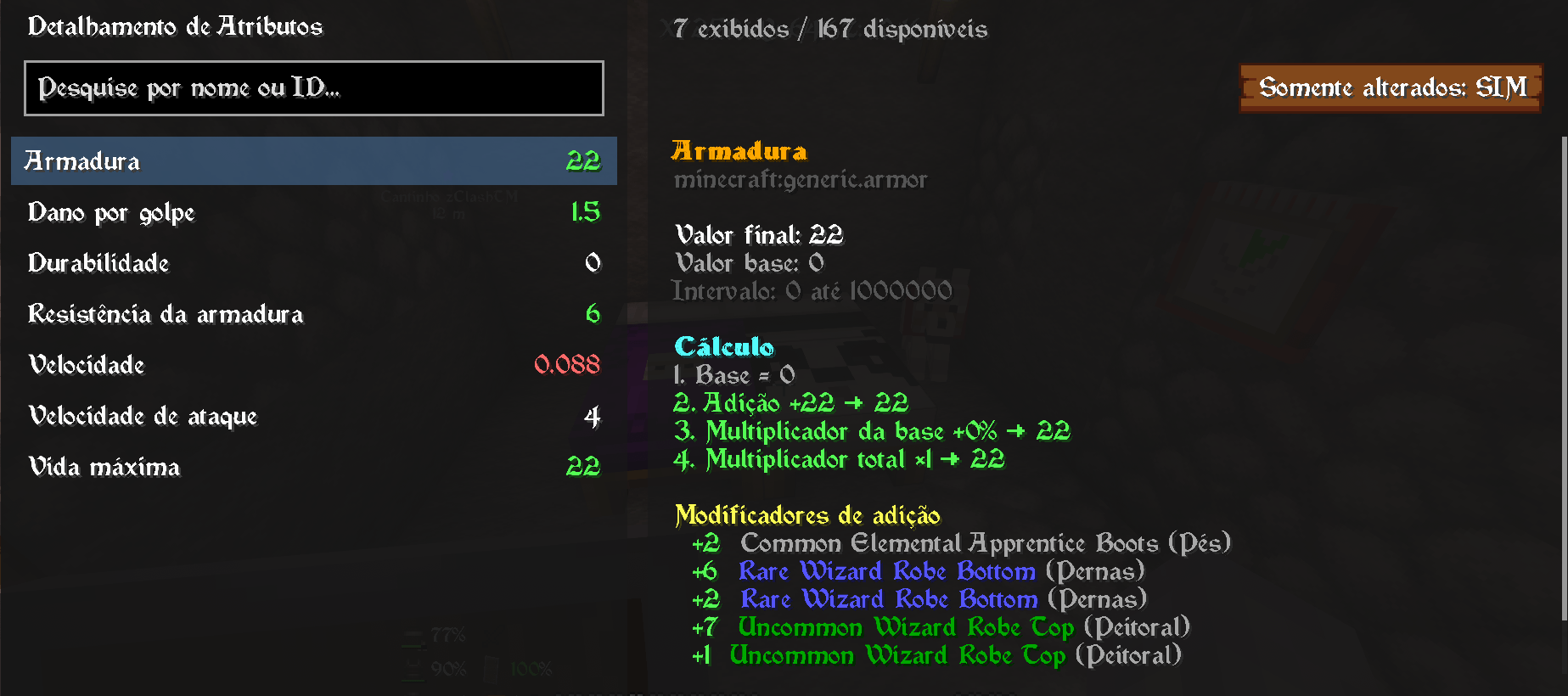 Interface Interface
Versions
Files
Relations
Project Relations
More like this
Similar Mods
Suggestions use data such as tags, dependencies, dependents, descriptions, titles, and more to rank how much they overlap with this mod.
On ModDex
Community snapshot
By the numbers
Statistics
Want to reach Minecraft players?
We're looking for a server hosting partner to feature here and other parts of the site. Interested? Send us a message!
Get in touchGet it on
Available Platforms
On ModDex
Community snapshot
By the numbers
Statistics
Resources