![Attributification [Attribute Unification]](https://media.forgecdn.net/avatars/thumbnails/1684/518/256/256/639070015794527798.png)
Community listing page, reviews here may not be monitored by the author.
Attributification [Attribute Unification]


No reviews yet
A compatibility mod that unifies similar attributes from different mods to prevent duplication and improve cross-mod compatibility.
Community voices
Reviews
No reviews yet. Be the first to review this project!
Get it on
Available Platforms
Compatibility
Supported Environments
Must be installed on both the client and the server.
About
Project Details
For authors
Embed Badge
If you're the author of this project, you can embed a live badge anywhere that supports HTML or Markdown. It updates automatically whenever ratings change.
Use HTML for any page that supports it, or Markdown for README files and Markdown-based descriptions.
Identifiers
Platform IDs
About
Description
Key Features
- In-Game Configuration GUI – Edit mappings directly in-game with automatic GUI generation
- Static & Dynamic Mappings – Static mappings use registry aliasing for simple 1:1 conversions (requires restart), dynamic mappings use runtime conversion with full scaling support (reloadable)
- Attribute Conversion – Converts source attribute modifiers to target attributes using configurable ratios
- Unidirectional Mode – Control whether source shows virtual values or redirects directly to target
- Operation Conversion – Transform ADDITION modifiers to MULTIPLY_BASE/MULTIPLY_TOTAL for proper scaling
- Fallback Support – Maps to secondary attributes if a primary target mod is missing
- Full Replacement Mode – Completely replaces specific attributes to prevent "double-dipping" balance issues
- Real-Time Reload – Dynamic mapping changes apply immediately with relog (no full restart needed)
- Client-Server Sync – Server config automatically syncs to all connected clients
How It Works
Unlike effects which use boolean checks, attributes store numeric values. Attributification handles this by:
- Modifier Conversion: Item modifiers are converted from source to target at application time
- Virtual Display:
/attribute getcommands show virtual values calculated from the target (when unidirectional=false) - Attribute Redirection: Source attribute lookups redirect to target attribute
- Operation Transformation: ADDITION modifiers can be converted to MULTIPLY_BASE for percentage-based scaling
Unidirectional Mode
Unidirectional = false (default):
- Source shows virtual value:
source = target × equivalence /attribute get sourcereturns calculated value from target- Use for most cases where you want visual consistency
Unidirectional = true:
- Source does NOT show virtual value
- Direct redirection without multiplication
- Use when you want source to show target value directly
Supported Mods (Out-of-the-box)
Note: Pre-configured mappings are included only in the Forge version. Fabric users start with an empty config because most target mods in the default mappings are not available on Fabric. You can add your own mappings for Fabric-compatible mods via the in-game GUI or config file.
Magic & Spells: Iron's Spells 'n Spellbooks ↔ Spell Power Attributes, Ars Nouveau, Eidolon, Goety, Wizard's Reborn
Core Libraries: Apothic Attributes ↔ Obscure API, Turtleboi's Core Library, GTBC's SpellLib/API, Lodestone
All modids involved:
spell_power, irons_spellbooks, traveloptics, gtbcs_geomancy_plus, attributeslib, ranged_weapon, eidolon, more_rpg_classes, obscure_api, turtlecore, gtbcs_spell_lib, goety, ars_nouveau, lodestone, wizards_reborn, iter_rpg
Configuration
In-Game GUI
Access the configuration GUI through:
- Fabric: Mod Menu → Attributification → Config button
- Forge: Mods list → Attributification → Config button
The GUI provides:
- Visual Editor – Edit all mappings with a user-friendly interface
- Attribute Suggestions – Dropdown lists of all registered attributes
- Real-Time Preview – See changes immediately without restarting
- Field Tooltips – Hover over fields for detailed explanations
- List Summaries – Quick overview of each mapping in the list
Configuration File
Config location: config/attributification/attributification.toml
The configuration system supports:
- Static Mappings – Registry aliasing at startup (requires restart, simple 1:1 only)
- Dynamic Mappings – Runtime attribute conversion (reloadable with relog, supports scaling)
- Equivalence Ratios – Define exact scaling between different attribute values
- Operation Conversion – Switch logic between ADDITION and MULTIPLY_BASE/MULTIPLY_TOTAL
- Unidirectional Mode – Control whether source shows virtual values or redirects directly
- Full Replacement – Freeze source attribute to prevent double-dipping
- Fallback Chains – Define multiple target attributes:
"primary, fallback1, fallback2" - Custom Mappings – Add support for any mod utilizing the standard Minecraft attribute system
- Automatic Migration – Old configs are automatically converted to the latest format
Migration from Older Versions
When upgrading:
- Your old config is automatically converted to the latest format
- All your custom mappings are preserved
- Old config is backed up with
.oldextension - No manual action required!
[[staticMappings]]
sourceAttribute = "spell_power:haste"
targetAttribute = "irons_spellbooks:cast_time_reduction"[[dynamicMappings]]
sourceAttribute = "spell_power:earth"
targetAttribute = "gtbcs_geomancy_plus:geo_spell_power, irons_spellbooks:nature_spell_power"
equivalence = 3.0
conversionEquivalence = 20.0
unidirectional = false
onlyVisualChange = false
fullReplacement = false
subtractValue = 0.0
operationConversion = "ADDITION_TO_MULTIPLY_BASE"[[dynamicMappings]]
sourceAttribute = "obscure_api:critical_hit"
targetAttribute = "attributeslib:crit_chance"
equivalence = 1.0
conversionEquivalence = 0.0
unidirectional = false
onlyVisualChange = false
fullReplacement = true
subtractValue = 0.0
operationConversion = "DEFAULT"[[dynamicMappings]]
sourceAttribute = "some_mod:visual_attribute"
targetAttribute = "minecraft:generic.attack_damage"
equivalence = 1.0
conversionEquivalence = 0.0
unidirectional = false
onlyVisualChange = true
fullReplacement = false
subtractValue = 0.0
operationConversion = "DEFAULT"Key Features
- In-Game Configuration GUI – Edit mappings directly in-game with automatic GUI generation
- Static & Dynamic Mappings – Static mappings use registry aliasing for simple 1:1 conversions (requires restart), dynamic mappings use runtime conversion with full scaling support (reloadable)
- Attribute Conversion – Converts source attribute modifiers to target attributes using configurable ratios
- Unidirectional Mode – Control whether source shows virtual values or redirects directly to target
- Operation Conversion – Transform ADDITION modifiers to MULTIPLY_BASE/MULTIPLY_TOTAL for proper scaling
- Fallback Support – Maps to secondary attributes if a primary target mod is missing
- Full Replacement Mode – Completely replaces specific attributes to prevent "double-dipping" balance issues
- Real-Time Reload – Dynamic mapping changes apply immediately with relog (no full restart needed)
- Client-Server Sync – Server config automatically syncs to all connected clients
How It Works
Unlike effects which use boolean checks, attributes store numeric values. Attributification handles this by:
- Modifier Conversion: Item modifiers are converted from source to target at application time
- Virtual Display:
/attribute getcommands show virtual values calculated from the target (when unidirectional=false) - Attribute Redirection: Source attribute lookups redirect to target attribute
- Operation Transformation: ADDITION modifiers can be converted to MULTIPLY_BASE for percentage-based scaling
Unidirectional Mode
Unidirectional = false (default):
- Source shows virtual value:
source = target × equivalence /attribute get sourcereturns calculated value from target- Use for most cases where you want visual consistency
Unidirectional = true:
- Source does NOT show virtual value
- Direct redirection without multiplication
- Use when you want source to show target value directly
Supported Mods (Out-of-the-box)
Note: Pre-configured mappings are included only in the Forge version. Fabric users start with an empty config because most target mods in the default mappings are not available on Fabric. You can add your own mappings for Fabric-compatible mods via the in-game GUI or config file.
-
Magic & Spells: Iron's Spells 'n Spellbooks ↔ Spell Power Attributes, Ars Nouveau, Eidolon, Goety, Wizard's Reborn
-
Core Libraries: Apothic Attributes ↔ Obscure API, Turtleboi's Core Library, GTBC's SpellLib/API, Lodestone
-
All modids involved:
spell_power, irons_spellbooks, traveloptics, gtbcs_geomancy_plus, attributeslib, ranged_weapon, eidolon, more_rpg_classes, obscure_api, turtlecore, gtbcs_spell_lib, goety, ars_nouveau, lodestone, wizards_reborn, iter_rpg
Configuration
In-Game GUI
Access the configuration GUI through:
- Fabric: Mod Menu → Attributification → Config button
- Forge: Mods list → Attributification → Config button
The GUI provides:
- Visual Editor – Edit all mappings with a user-friendly interface
- Attribute Suggestions – Dropdown lists of all registered attributes
- Real-Time Preview – See changes immediately without restarting
- Field Tooltips – Hover over fields for detailed explanations
- List Summaries – Quick overview of each mapping in the list
Configuration File
Config location: config/attributification/attributification.toml
The configuration system supports:
- Static Mappings – Registry aliasing at startup (requires restart, simple 1:1 only)
- Dynamic Mappings – Runtime attribute conversion (reloadable with relog, supports scaling)
- Equivalence Ratios – Define exact scaling between different attribute values
- Operation Conversion – Switch logic between ADDITION and MULTIPLY_BASE/MULTIPLY_TOTAL
- Unidirectional Mode – Control whether source shows virtual values or redirects directly
- Full Replacement – Freeze source attribute to prevent double-dipping
- Fallback Chains – Define multiple target attributes:
"primary, fallback1, fallback2" - Custom Mappings – Add support for any mod utilizing the standard Minecraft attribute system
- Automatic Migration – Old configs are automatically converted to the latest format
Migration from Older Versions
When upgrading:
- Your old config is automatically converted to the latest format
- All your custom mappings are preserved
- Old config is backed up with
.oldextension - No manual action required!
Example 1: Static Mapping (Registry Aliasing)
[[staticMappings]]
sourceAttribute = "spell_power:haste"
targetAttribute = "irons_spellbooks:cast_time_reduction"
What happens:
- Registry-level aliasing:
spell_power:hastebecomes an alias forirons_spellbooks:cast_time_reduction - Simple 1:1 mapping without conversion options
- Requires game restart to apply changes
- Use only when attributes have identical scales (1:1 ratio)
- For attributes with different scales (e.g., 100:1), use dynamic mappings instead
Example 2: Dynamic Mapping with Operation Conversion
[[dynamicMappings]]
sourceAttribute = "spell_power:earth"
targetAttribute = "gtbcs_geomancy_plus:geo_spell_power, irons_spellbooks:nature_spell_power"
equivalence = 3.0
conversionEquivalence = 20.0
unidirectional = false
onlyVisualChange = false
fullReplacement = false
subtractValue = 0.0
operationConversion = "ADDITION_TO_MULTIPLY_BASE"
What happens:
- Item with
+6 spell_power:earthADDITION → converted to+0.3 geo_spell_powerMULTIPLY_BASE (30% increase) /attribute get spell_power:earthshows virtual value:geo_spell_power × 3.0- If GTBC's Geomancy Plus is not installed, falls back to
irons_spellbooks:nature_spell_power - Unidirectional=false: source shows virtual value calculated from target
- Changes apply with relog (no restart needed)
Example 3: Full Replacement to Prevent Double-Dipping
[[dynamicMappings]]
sourceAttribute = "obscure_api:critical_hit"
targetAttribute = "attributeslib:crit_chance"
equivalence = 1.0
conversionEquivalence = 0.0
unidirectional = false
onlyVisualChange = false
fullReplacement = true
subtractValue = 0.0
operationConversion = "DEFAULT"
What happens:
- Source attribute is "frozen" at base value (modifiers are blocked)
- Only target attribute works, preventing both from stacking
/attribute get obscure_api:critical_hitshows base value only- Solves balance issues where both attributes would stack for double effect
Example 4: Visual Change Only
[[dynamicMappings]]
sourceAttribute = "some_mod:visual_attribute"
targetAttribute = "minecraft:generic.attack_damage"
equivalence = 1.0
conversionEquivalence = 0.0
unidirectional = false
onlyVisualChange = true
fullReplacement = false
subtractValue = 0.0
operationConversion = "DEFAULT"
What happens:
- Source attribute is renamed to target without value conversion
- Item with
+10 some_mod:visual_attributeshows as+10 minecraft:generic.attack_damage - No modifier conversion, only display name changes
- Useful for cosmetic unification
Screenshots
Gallery
-
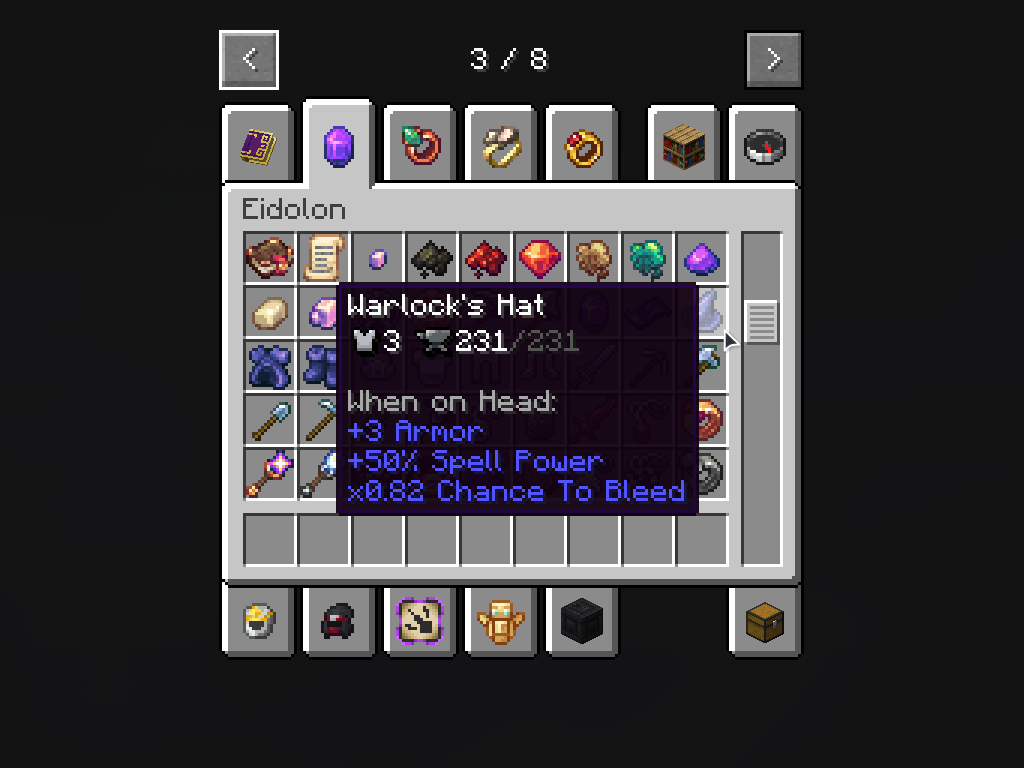 eidolon mod
 -
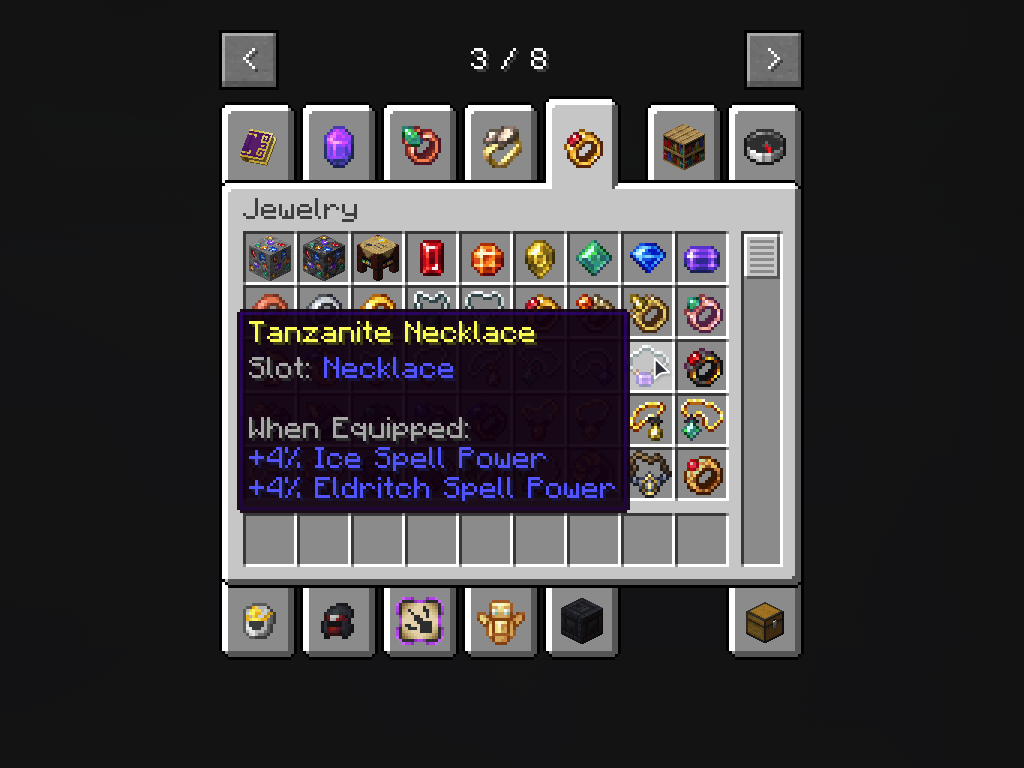 jewelry mod
 -
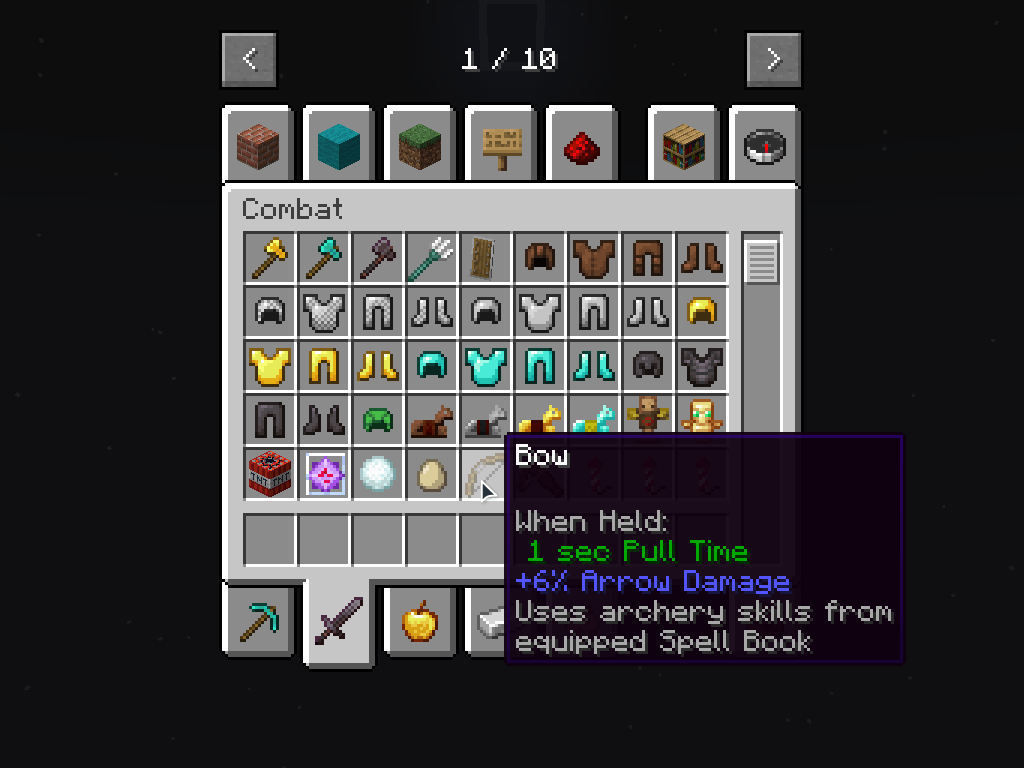 ranged weapon api
 -
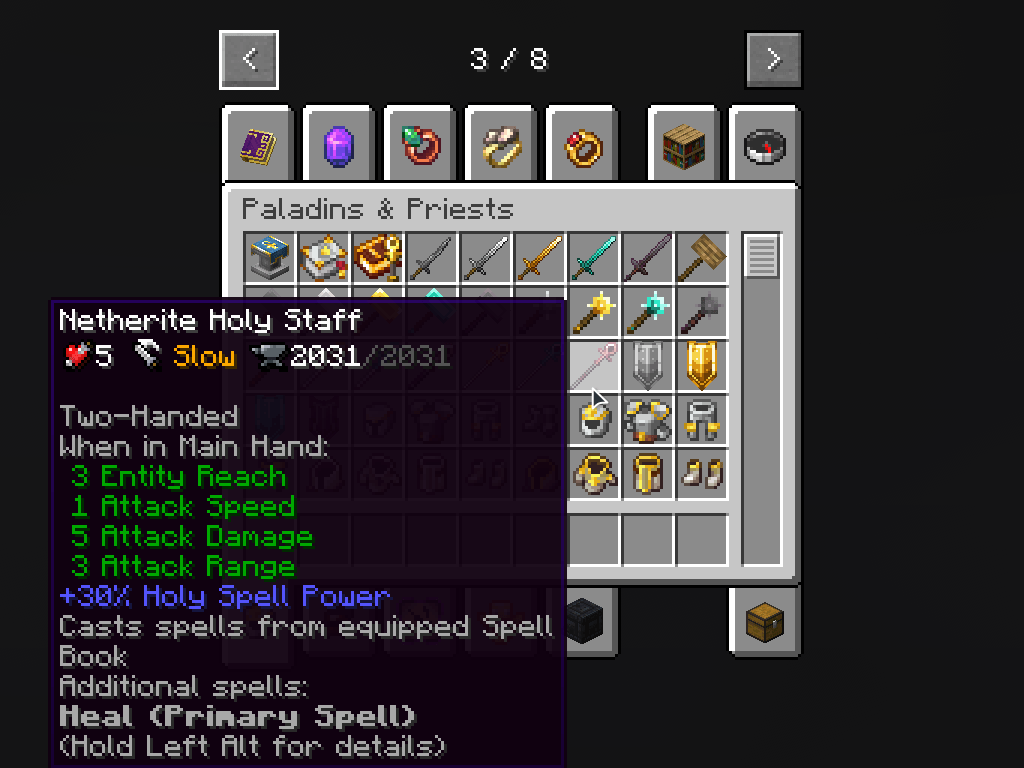 paladins mod
-
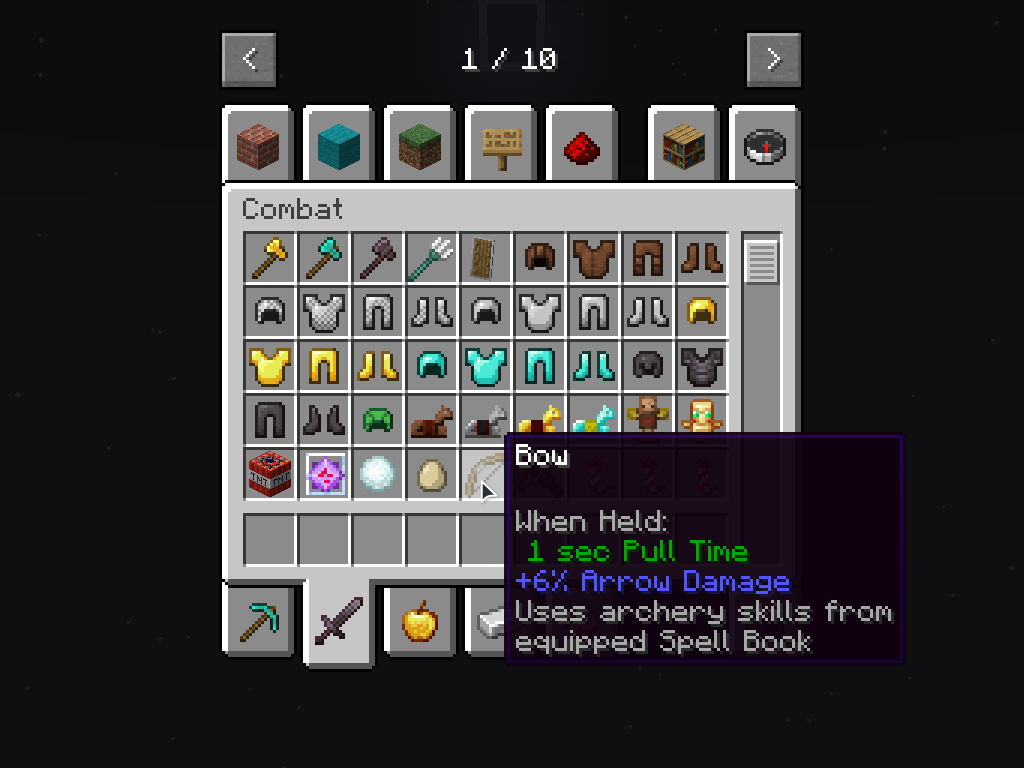 ranged weapon api
 -
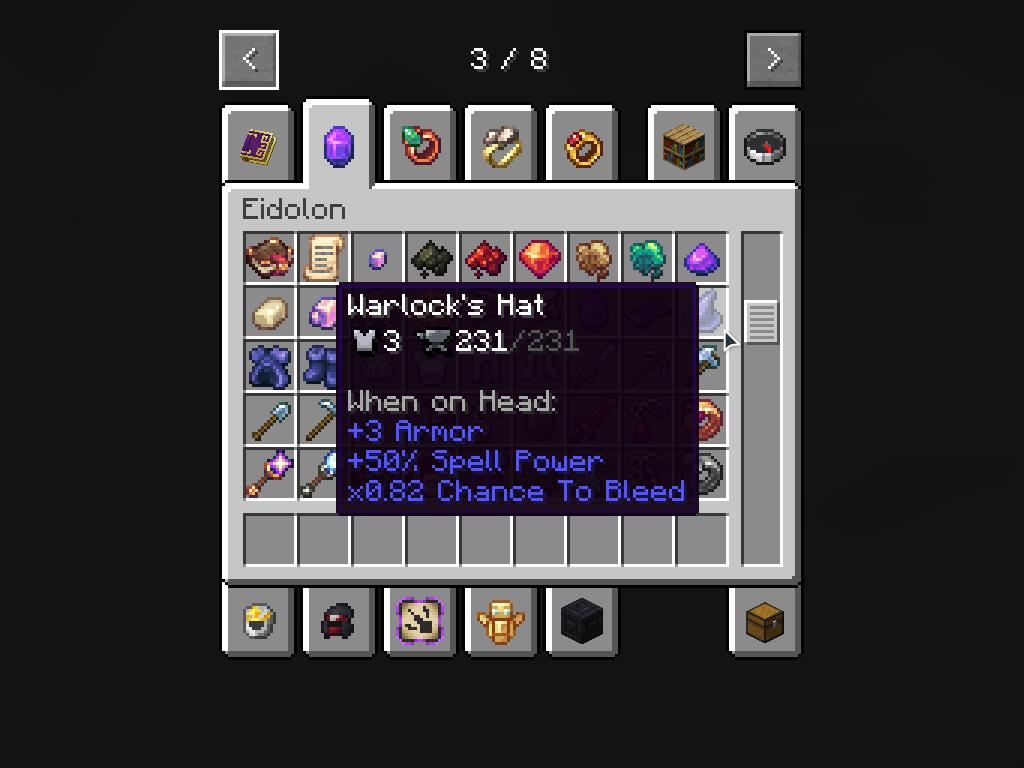 eidolon mod
 -
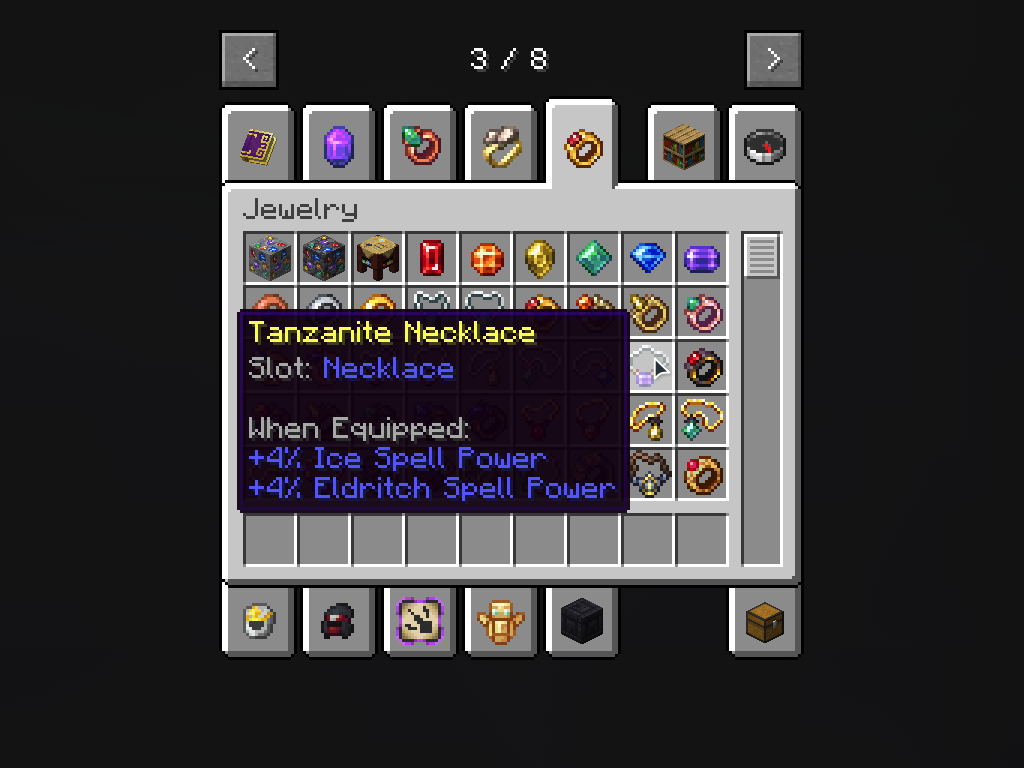 jewelry mod
 -
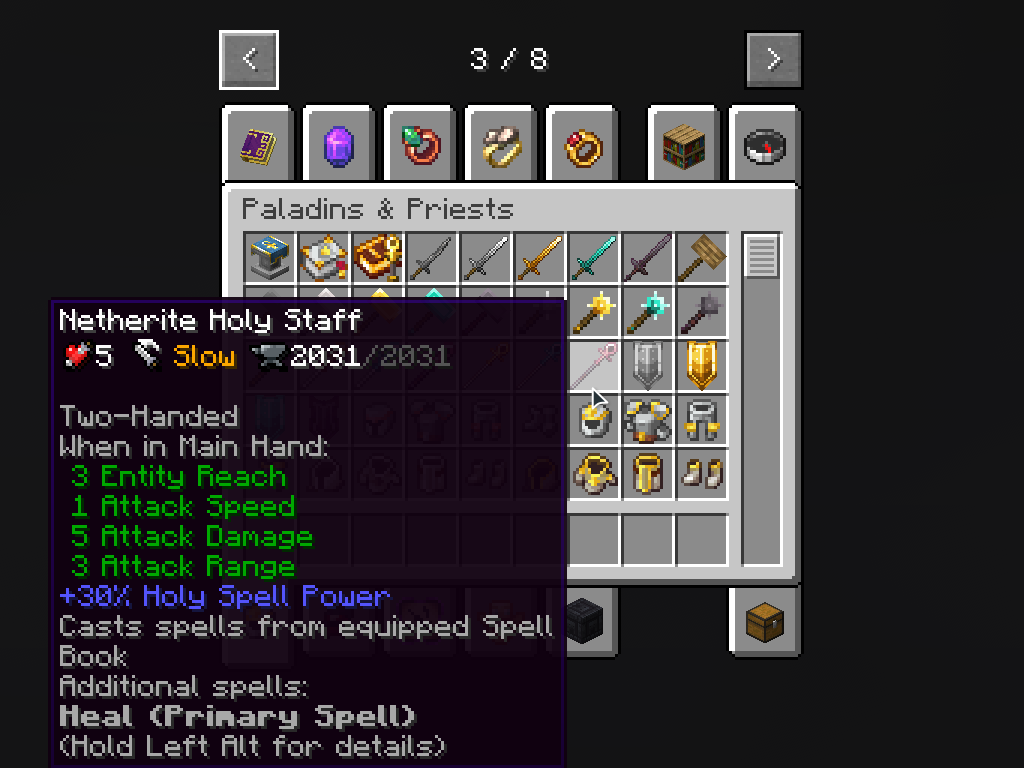 paladins mod
Versions
Files
Relations
Project Relations
More like this
Similar Mods
Suggestions use data such as tags, dependencies, dependents, descriptions, titles, and more to rank how much they overlap with this mod.
On ModDex
Community snapshot
By the numbers
Statistics
Want to reach Minecraft players?
We're looking for a server hosting partner to feature here and other parts of the site. Interested? Send us a message!
Get in touchGet it on
Available Platforms
On ModDex
Community snapshot
By the numbers