Community listing page, reviews here may not be monitored by the author.
Audio Engine Tweaks


No reviews yet
this mod changes how Minecraft schedules sounds in order to prevent the sound pool to fill up

Community voices
Reviews
No reviews yet. Be the first to review this project!
Get it on
Available Platforms
Compatibility
Supported Environments
Runs entirely on the client. Works on vanilla servers.
About
Project Details
For authors
Embed Badge
If you're the author of this project, you can embed a live badge anywhere that supports HTML or Markdown. It updates automatically whenever ratings change.
Use HTML for any page that supports it, or Markdown for README files and Markdown-based descriptions.
Identifiers
Platform IDs
About
Description
Audio Engine Tweaks
News
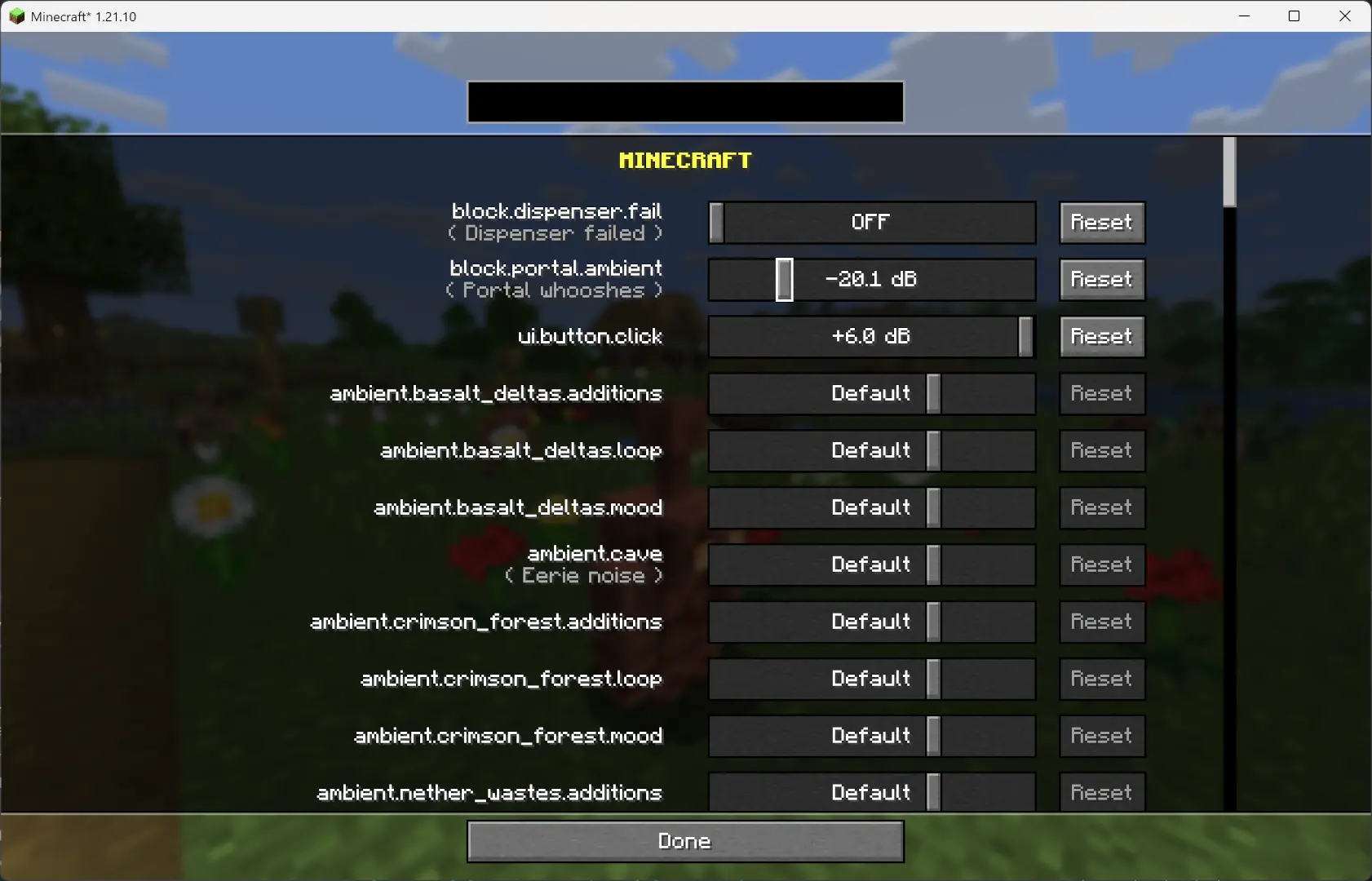
Since v1.2.7, you can now adjust the volume of each sound independently of the vanilla sliders.
Overview
This mod changes how Minecraft schedules sounds to prevent the sound pool from filling up, or at least reduce the effects of a full sound pool.
TL;DR
It fixes these common errors (and the related log spam):
[Render thread/WARN]: Failed to create new sound handle
[Sound engine/WARN]: Maximum sound pool size 247 reached
Without this mod, a full sound pool causes all in-game audio to stop until slots free up.
How It Works
Each tick, sounds are collected and categorized by type.
- Lower category = higher priority.
- Within categories, sounds are sorted by distance from the player.
Depending on the sound pool fill level, only certain sound types are allowed to play. Others are skipped.
- If the pool somehow fills completely (shouldn’t happen with thresholds), new sounds are skipped entirely.
Duplication check:
- Only a limited number of identical sounds can play from the same coordinate (1 block).
- Extra duplicates are skipped.
MASTER and MUSIC sounds bypass the queue and duplication check (important for main menu or GUI events when the server is frozen).
- They still follow fill-level thresholds.
- Other categories, if requested to play instantly, are instead deferred to the next tick.
All values are configurable through ModMenu or by editing the config file directly.
Default Settings
```yaml MASTER : cat 0, always allowed VOICE : cat 0, always allowed PLAYERS : cat 1, up to 95% HOSTILE : cat 2, up to 90% BLOCKS : cat 3, up to 80% MUSIC : cat 4, up to 70% RECORDS : cat 4, up to 70% NEUTRAL : cat 5, up to 60% WEATHER : cat 6, up to 50% AMBIENT : cat 6, up to 50%
maxDuplicatedSounds: 5
Audio Engine Tweaks
News
Since v1.2.7, you can now adjust the volume of each sound independently of the vanilla sliders.
Overview
This mod changes how Minecraft schedules sounds to prevent the sound pool from filling up, or at least reduce the effects of a full sound pool.
TL;DR
It fixes these common errors (and the related log spam):
[Render thread/WARN]: Failed to create new sound handle
[Sound engine/WARN]: Maximum sound pool size 247 reached
Without this mod, a full sound pool causes all in-game audio to stop until slots free up.
How It Works
-
Each tick, sounds are collected and categorized by type.
- Lower category = higher priority.
- Within categories, sounds are sorted by distance from the player.
-
Depending on the sound pool fill level, only certain sound types are allowed to play. Others are skipped.
- If the pool somehow fills completely (shouldn’t happen with thresholds), new sounds are skipped entirely.
-
Duplication check:
- Only a limited number of identical sounds can play from the same coordinate (1 block).
- Extra duplicates are skipped.
-
MASTER and MUSIC sounds bypass the queue and duplication check (important for main menu or GUI events when the server is frozen).
- They still follow fill-level thresholds.
- Other categories, if requested to play instantly, are instead deferred to the next tick.
-
All values are configurable through ModMenu or by editing the config file directly.
Default Settings
MASTER    : cat 0, always allowed
VOICE     : cat 0, always allowed
PLAYERS   : cat 1, up to 95%
HOSTILE   : cat 2, up to 90%
BLOCKS    : cat 3, up to 80%
MUSIC     : cat 4, up to 70%
RECORDS   : cat 4, up to 70%
NEUTRAL   : cat 5, up to 60%
WEATHER   : cat 6, up to 50%
AMBIENT   : cat 6, up to 50%

maxDuplicatedSounds: 5
Screenshots
Gallery
-
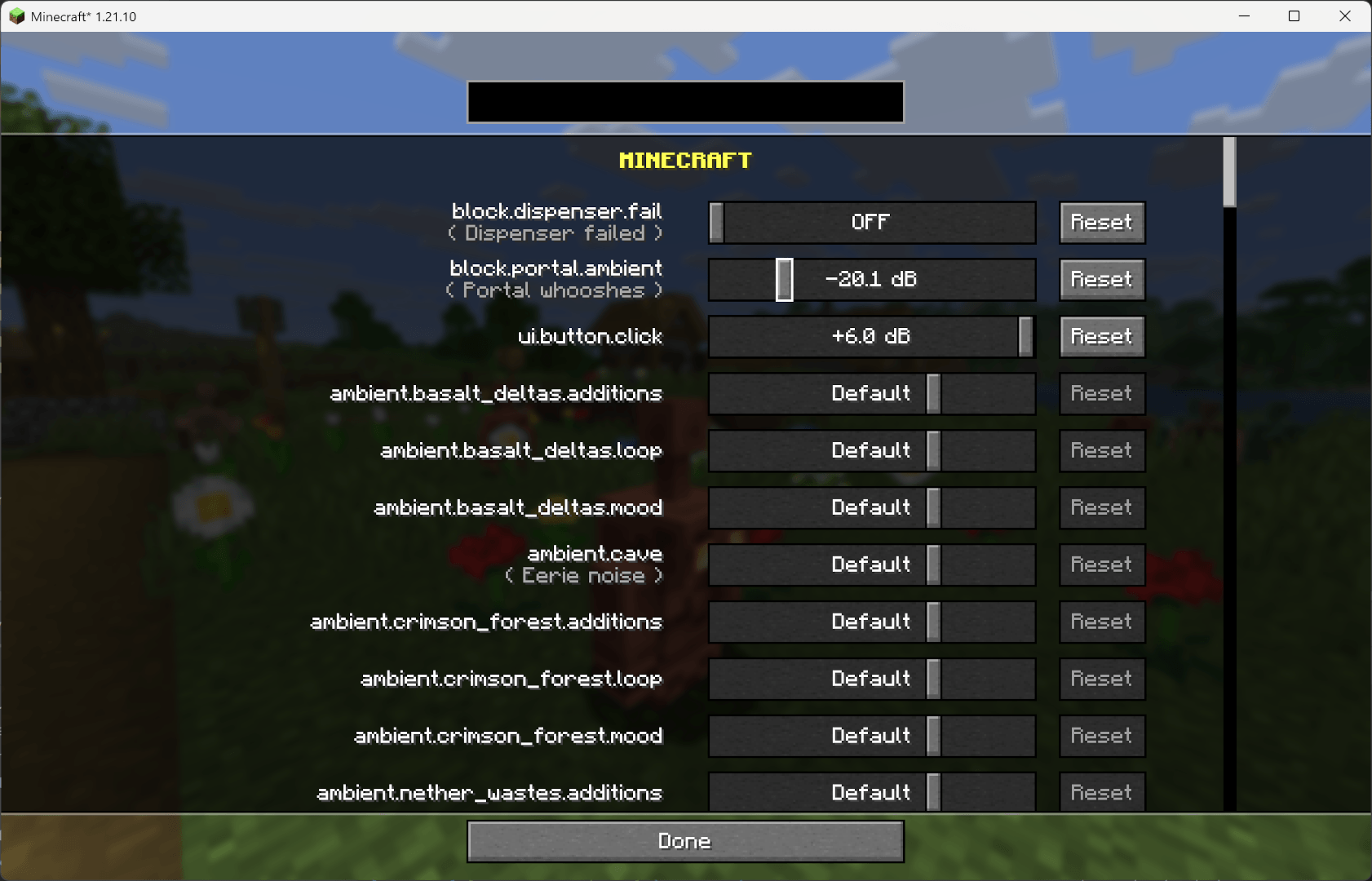 Sound List Menu that allows to tweak volume of each sound independently
 -
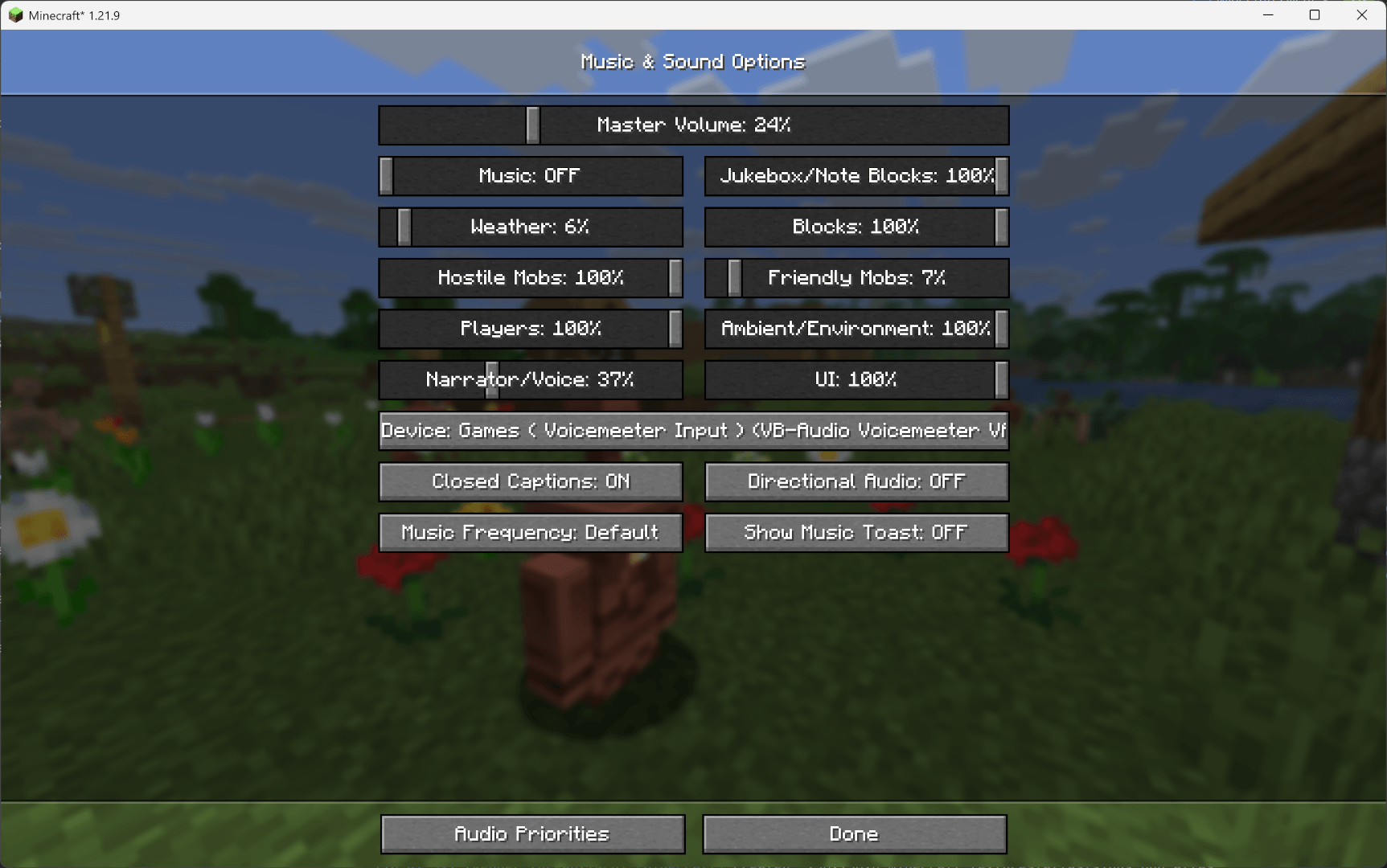 Vanilla Audio Menu Vanilla Audio Menu with extra Button at the bottom
 -
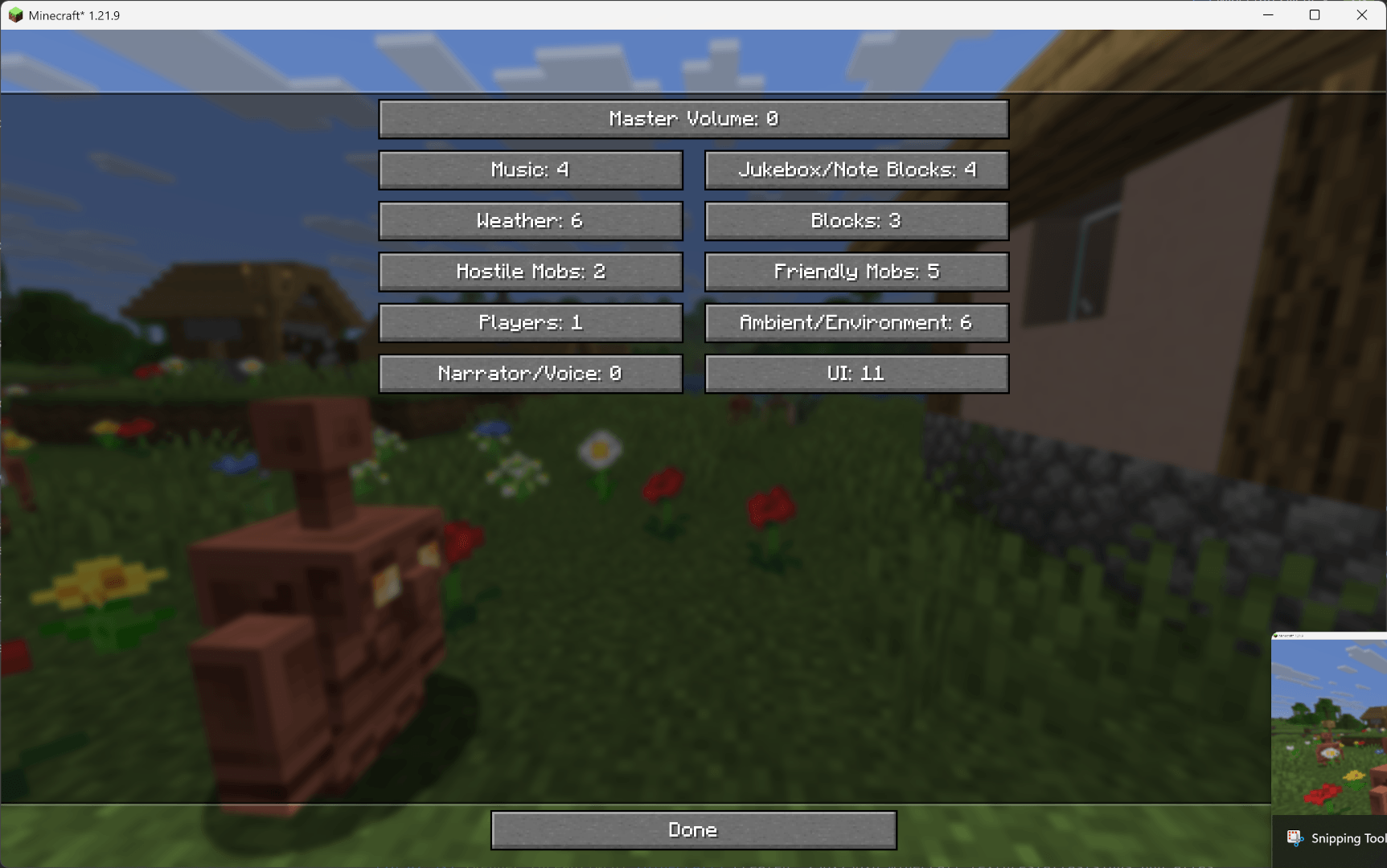 Sound Priority Menu that allows to select the Queue Priority of the Sound Categories
 -
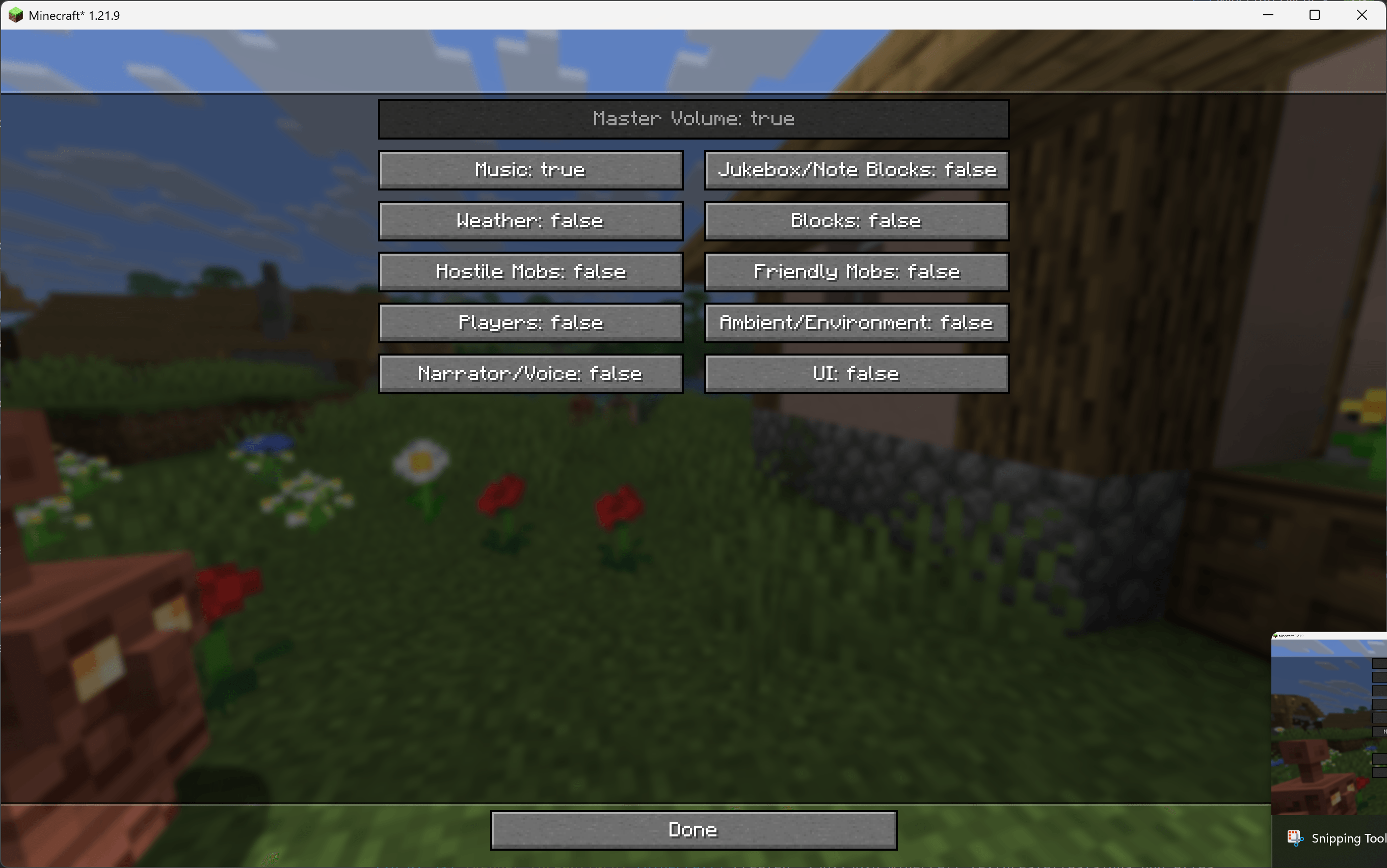 Instant Categories Menu to select sound categories allowed to skip queues
-
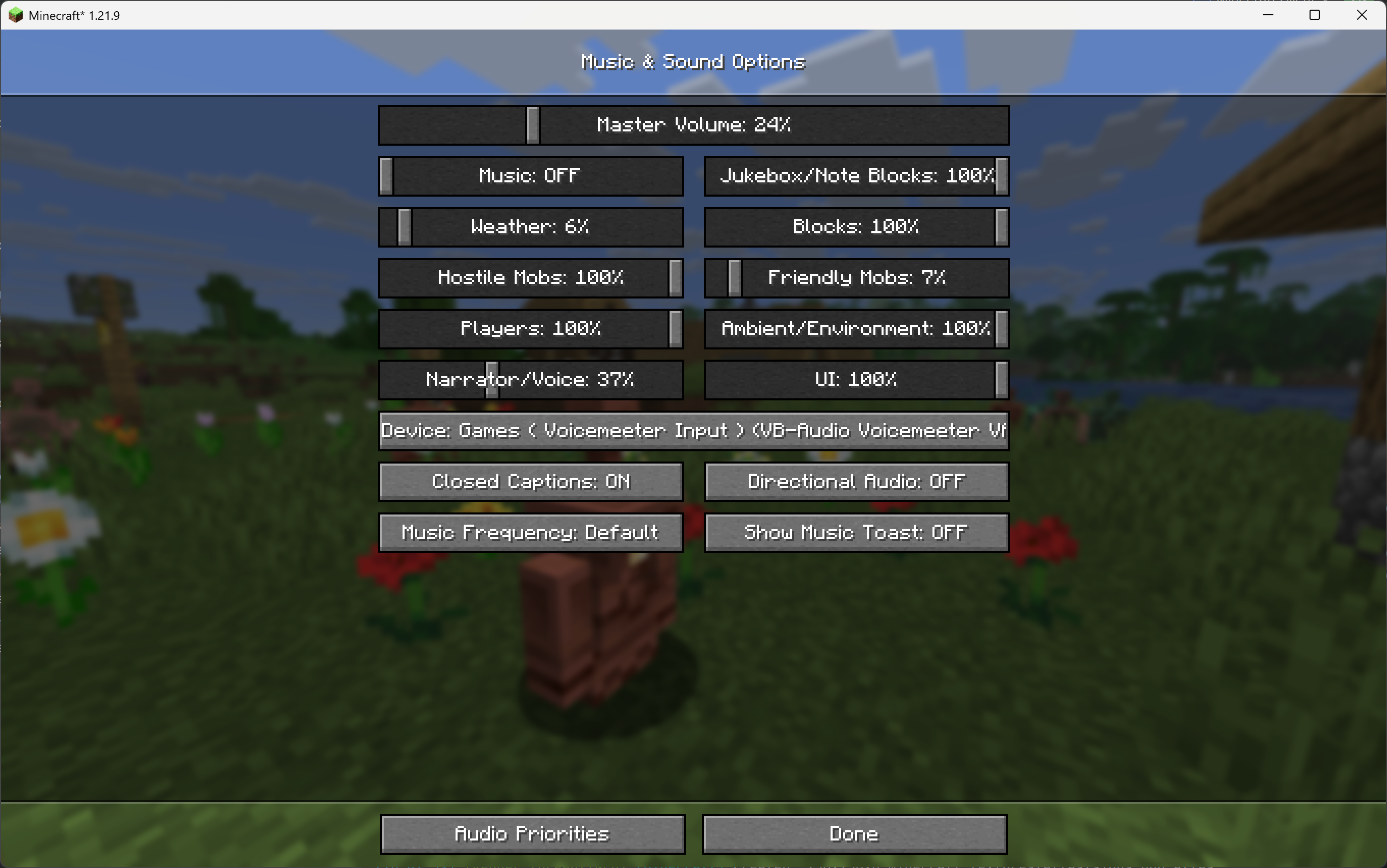 Sound Options New Button in Vanilla Sound Menu
 -
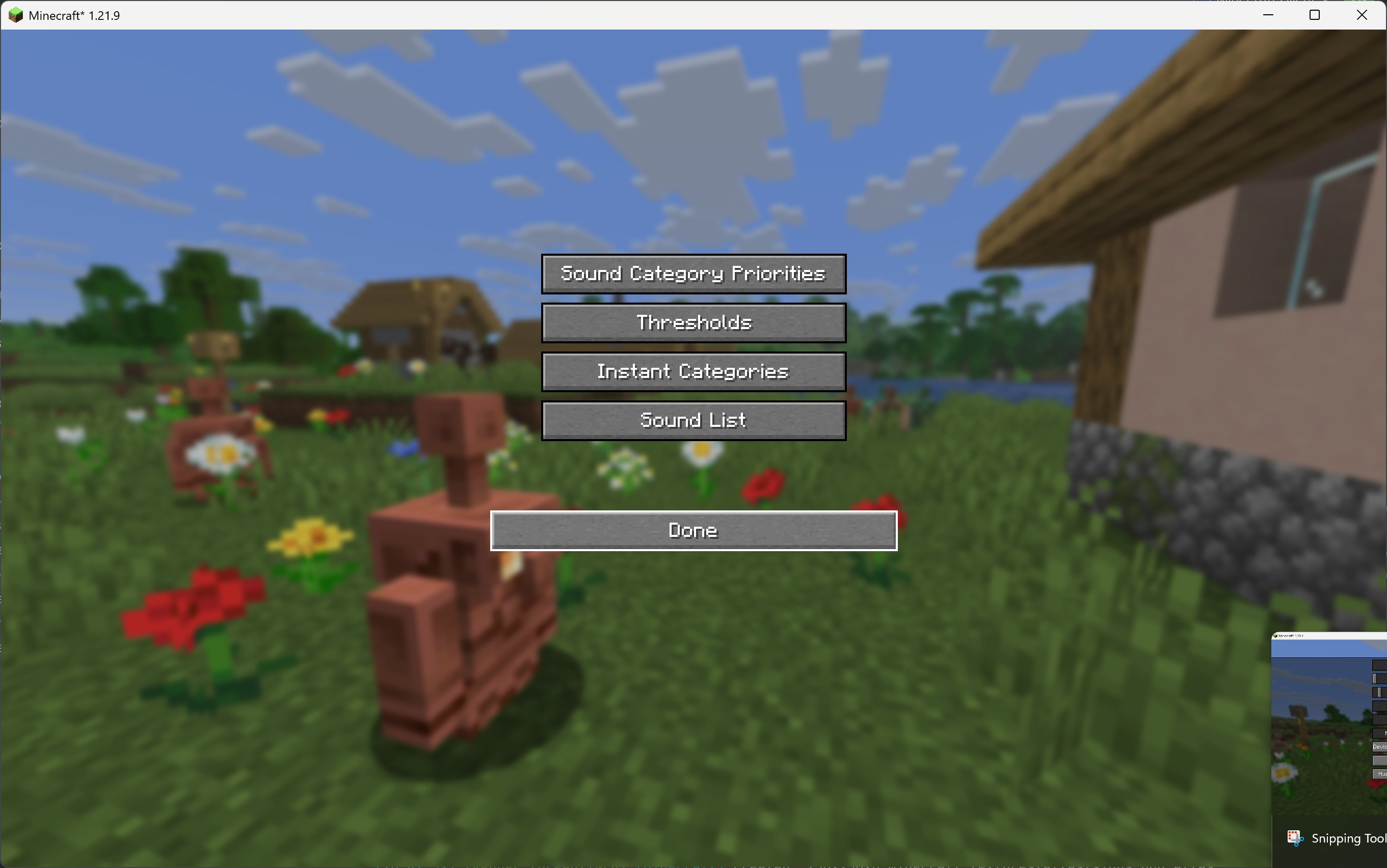 Mod Main Menu Main menu of the mod settings
 -
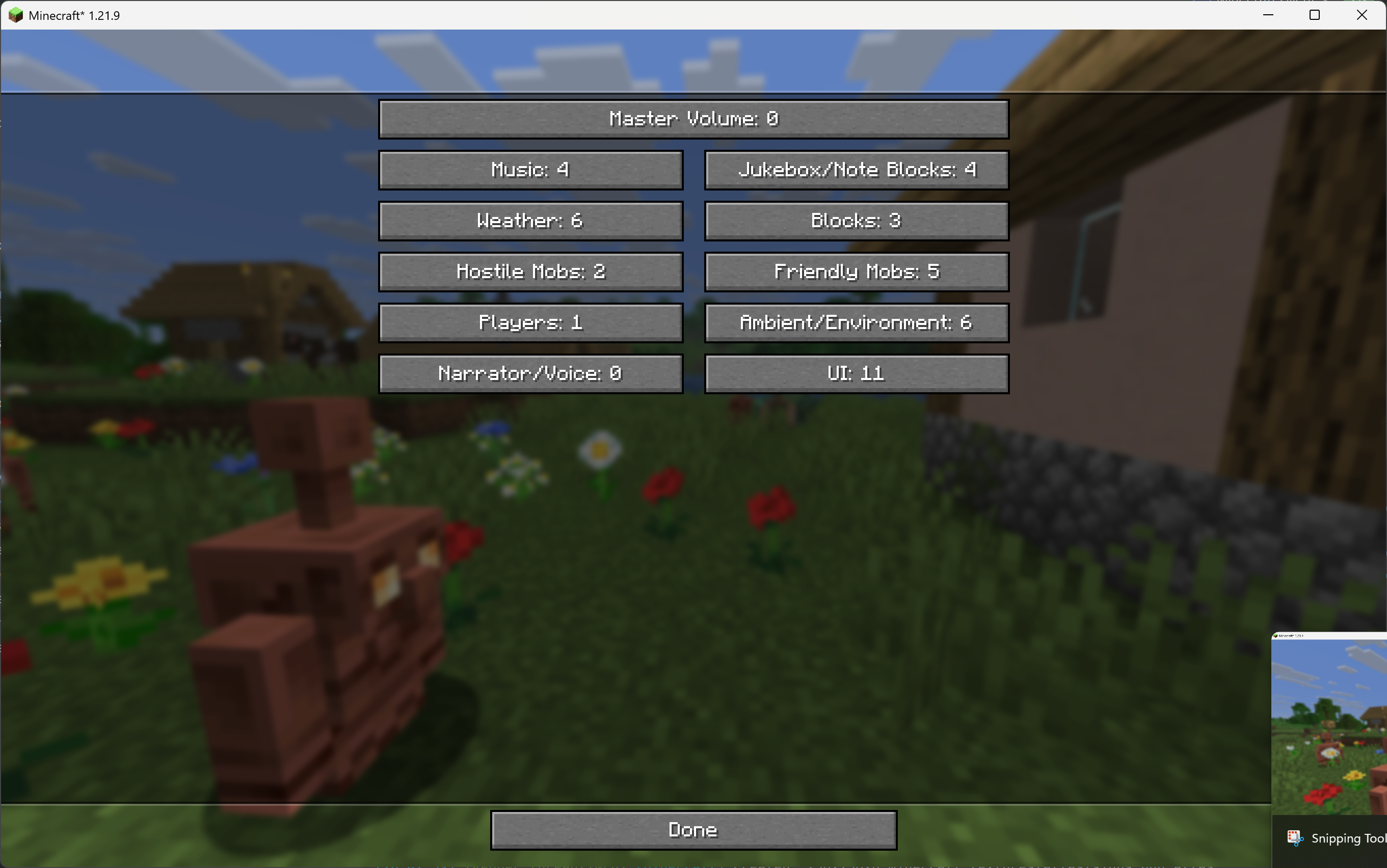 Category Priority Menu Menu for specifying the priority of each sound category
 -
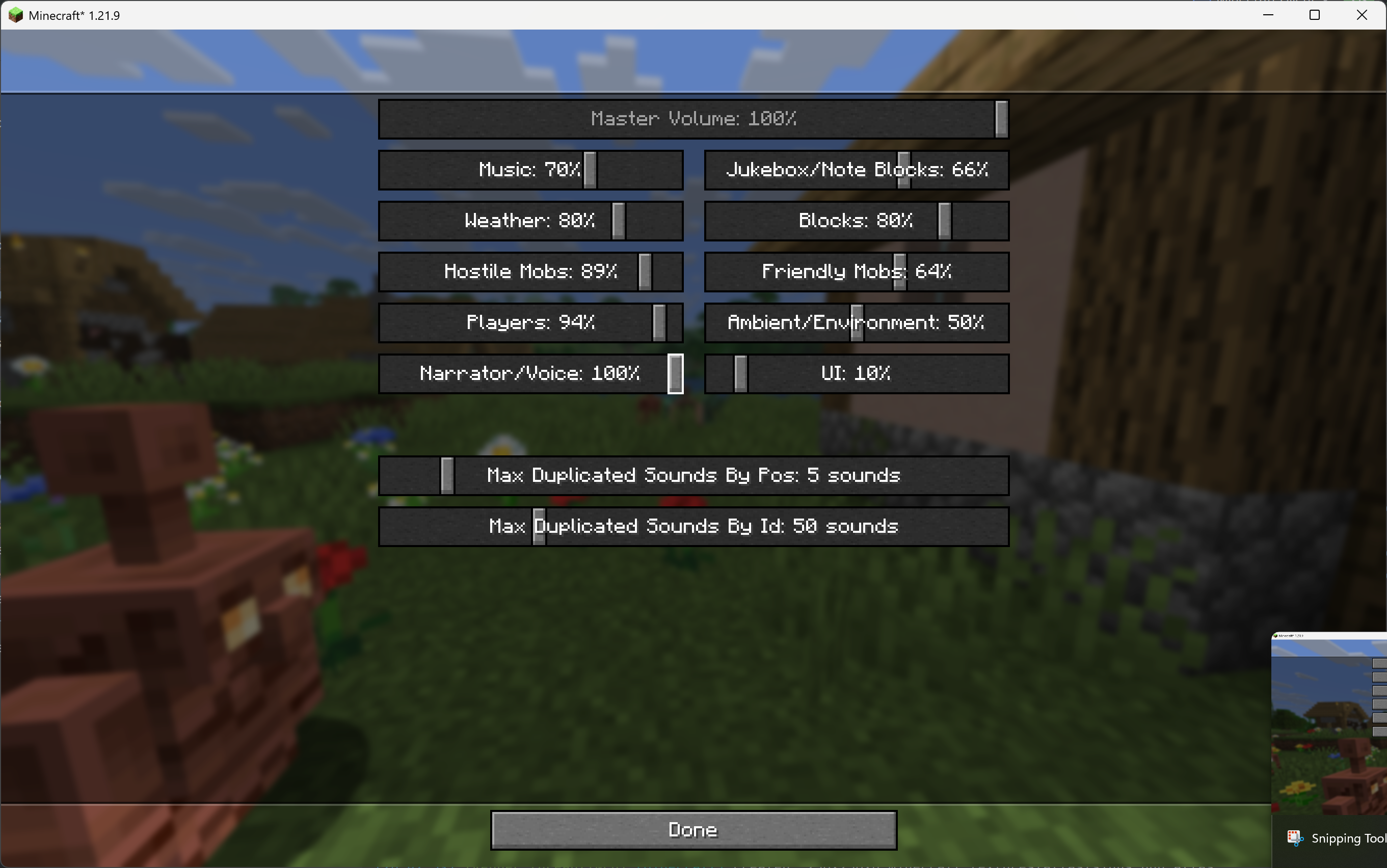 Category Threshold Menu Meno for defining Fill Tresholds for each sound category
 -
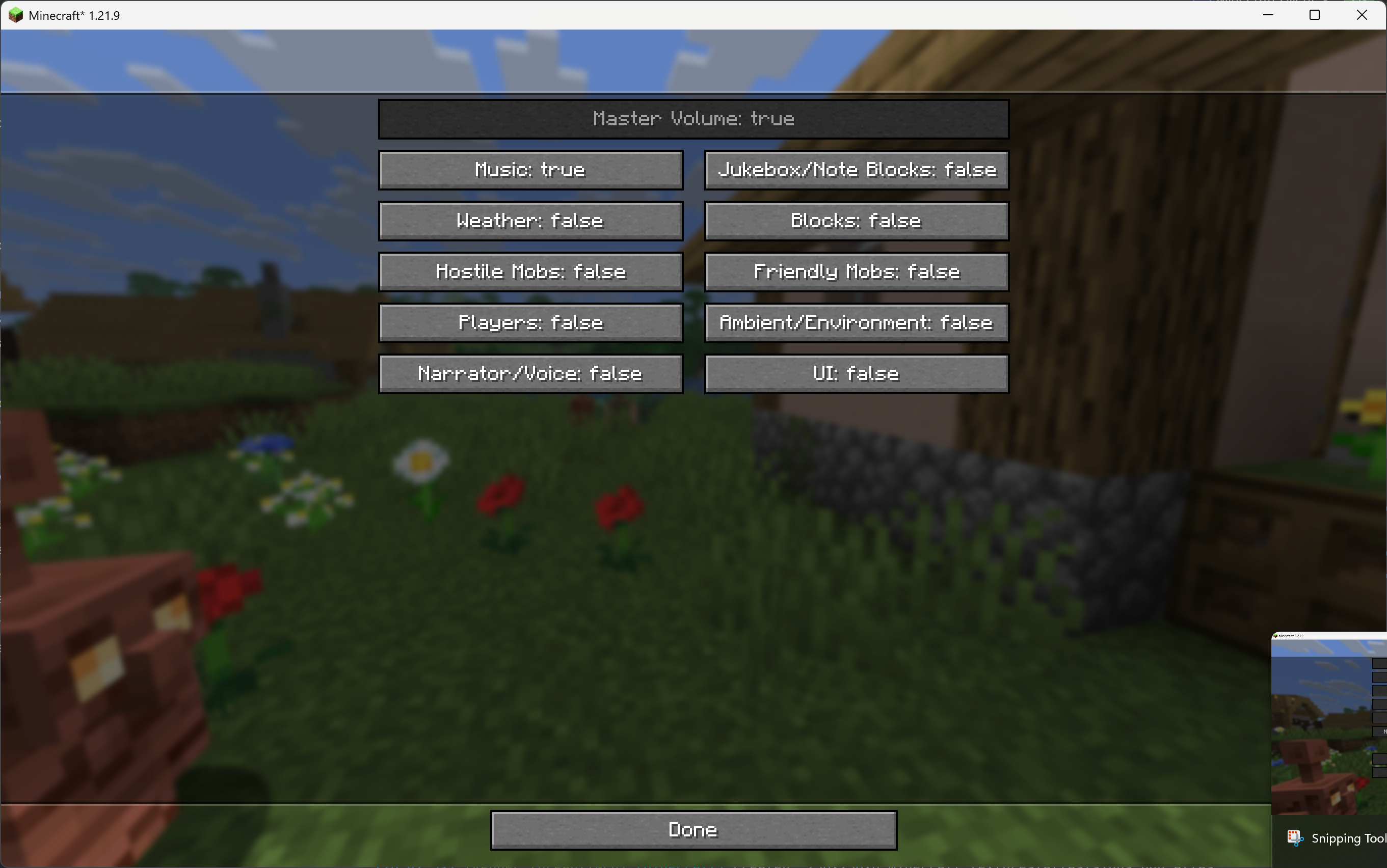 Instant Category Menu Select which sound category is allowed to play outside the game loop
 -
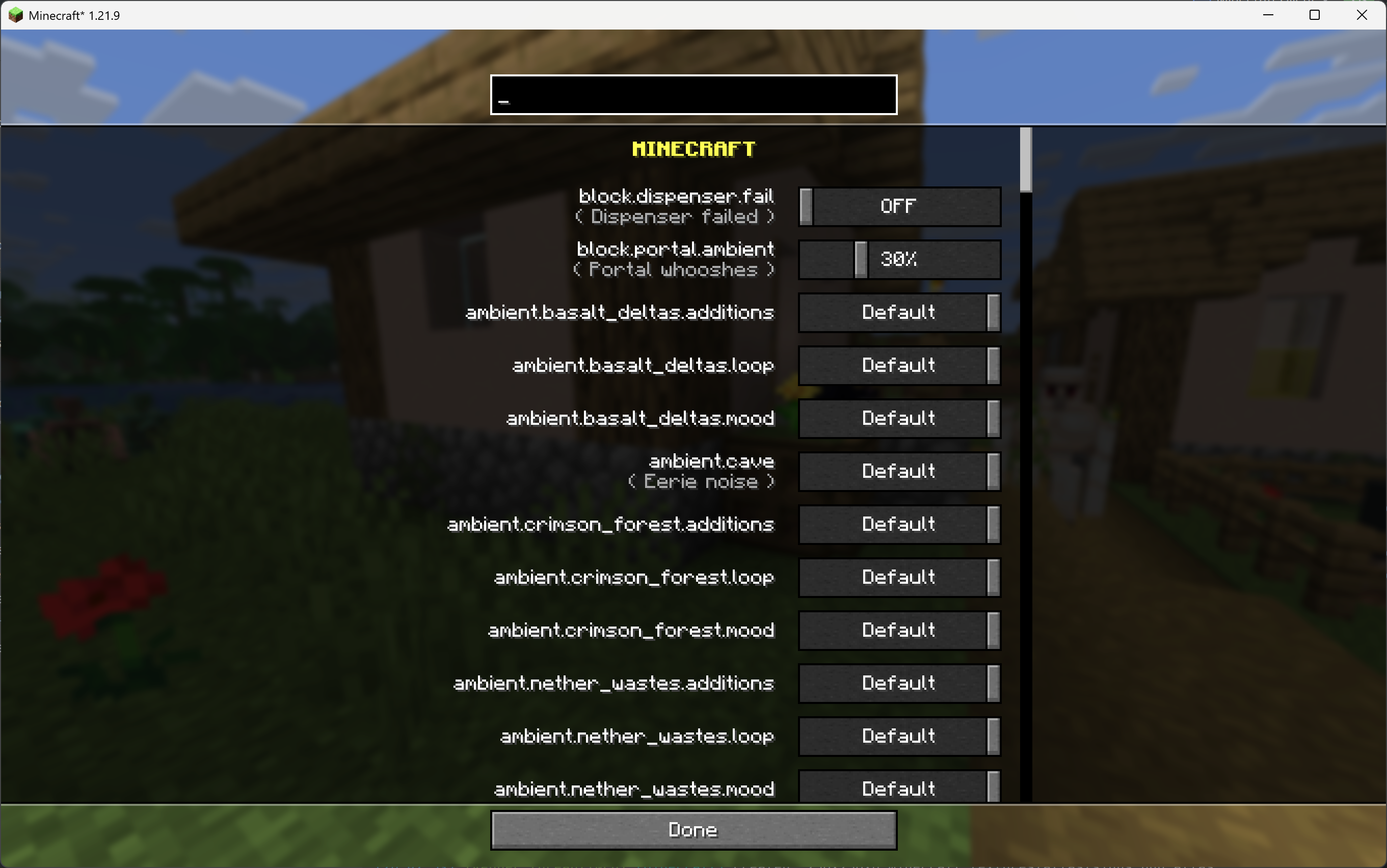 Sound List!! tweak volume of each sound independently!
Versions
Files
Relations
Project Relations
More like this
Similar Mods
Suggestions use data such as tags, dependencies, dependents, descriptions, titles, and more to rank how much they overlap with this mod.
On ModDex
Community snapshot
By the numbers
Statistics
 (opens in a new tab)
Get it on
Available Platforms
On ModDex
Community snapshot
By the numbers