
Community listing page, reviews here may not be monitored by the author.
Auto Optimization


No reviews yet
This mod auto scans the the 10 chunks your in or the ones you loaded and sees for issue it can fix to improve your fps auto optimizing your fps without requring lots of work done

Community voices
Reviews
No reviews yet. Be the first to review this project!
Get it on
Available Platforms
Compatibility
Supported Environments
Runs entirely on the client. Works on vanilla servers.
About
Project Details
For authors
Embed Badge
If you're the author of this project, you can embed a live badge anywhere that supports HTML or Markdown. It updates automatically whenever ratings change.
Use HTML for any page that supports it, or Markdown for README files and Markdown-based descriptions.
Identifiers
Platform IDs
Resources
External Links
About
Description
AutoOptimizer is a lightweight client-side performance mod designed to automatically improve your FPS while you play. The mod continuously monitors your frame rate and, if it drops below the limit you set, it instantly activates smart optimization features to stabilize performance.
AutoOptimizer scans up to 10 nearby chunks around the player to detect common causes of lag such as excessive entities, particle overload, or heavy block updates. Once an issue is found, the mod applies safe, real-time adjustments to reduce strain on your client and boost FPS without interrupting gameplay.
Features:
Real-time FPS monitoring
Custom FPS threshold settings
Automatic lag detection within nearby chunks
Smart performance adjustments with no manual tweaking required
Fully client-side and server-safe
AutoOptimizer is built for players who want smoother gameplay without constantly changing video settings or installing multiple optimization mods. Just set your FPS limit once, and let the mod handle the rest.
AutoOptimizer is a lightweight client-side performance mod designed to automatically improve your FPS while you play. The mod continuously monitors your frame rate and, if it drops below the limit you set, it instantly activates smart optimization features to stabilize performance.
AutoOptimizer scans up to 13 nearby chunks around the player to detect common causes of lag such as excessive entities, particle overload, or heavy block updates. Once an issue is found, the mod applies safe, real-time adjustments to reduce strain on your client and boost FPS without interrupting gameplay.
Features:
Real-time FPS monitoring
Custom FPS threshold settings
Automatic lag detection within nearby chunks
Smart performance adjustments with no manual tweaking required
Fully client-side and server-safe
AutoOptimizer is built for players who want smoother gameplay without constantly changing video settings or installing multiple optimization mods. Just set your FPS limit once, and let the mod handle the rest
But in detail let me tell you what the mod does the mod scans the 10-30 chunks and Tries Culling enties And cull dropped items to rude client side lag while it also reduces partickles or turns them off entirely if your lagging that bad It can also cull distant players but this feature if turnerd off and can be turnerd on One last thing this mod does is reduce render distance if someone thats causing lots of lagg in another chunk it unrenders it the mod doesn't scan the 10 chunks your in but the 10 of your chunks your in right now and the most recent 3 you left After the fps is boosted the mod auto restores your settings to not messs with your personal settings
In the general tab you have 3 settings Fps threshold its auto set to 30 fps what it does is it auto activates the mod once your fps drops before 30 and tries to boost it Scan radious tells you how many chunks the mod would scan to boost your fps And Detection cooldown which is how long the mod takes before doing another scan in the background.
Screenshots
Gallery
-
 after it fixes your fps
 -
 Fps after fps boost
 -
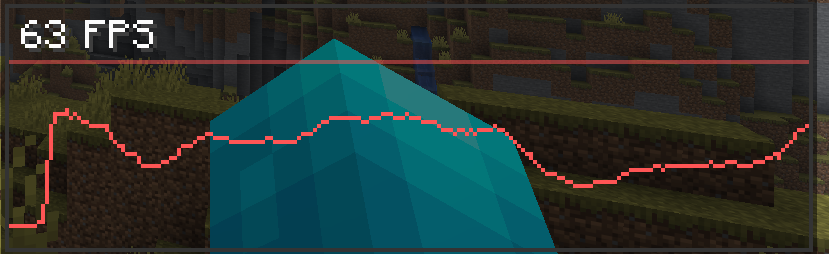 FPS chart before improvement
 -
 No issue found
Versions
Files
Relations
Project Relations
More like this
Similar Mods
Suggestions use data such as tags, dependencies, dependents, descriptions, titles, and more to rank how much they overlap with this mod.
On ModDex
Community snapshot
By the numbers
Statistics
 (opens in a new tab)
Get it on
Available Platforms
On ModDex
Community snapshot
By the numbers
Statistics
Resources