Community listing page, reviews may not be monitored by the author.
Auto Surround

No reviews yet
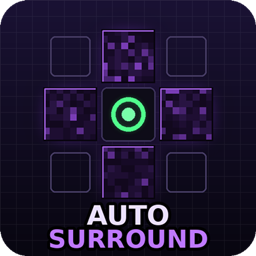
One key, instant obsidian surround. Hold to self-trap in crystal PvP, release to get your weapon back - client-side Fabric, no hacked client needed.

Community voices
Reviews
No reviews yet. Be the first to review this project!
Get it on
Available Platforms
About
Project Details
For authors
Embed Badge
If you're the author of this project, you can embed a live badge anywhere that supports HTML or Markdown. It updates automatically whenever ratings change.
Use HTML for any page that supports it, or Markdown for README files and Markdown-based descriptions.
Identifiers
Platform IDs
Resources
External Links
About
Description
Auto Surround
Hold one key -> obsidian around your feet. Release -> your weapon is back in your hand.
Auto Surround is a lightweight client-side Fabric mod for crystal PvP and anchor PvP. While you hold the key (default J) it keeps the four blocks around your feet filled with obsidian and instantly re-places anything that gets blown up - the classic surround / self-trap, as a small standalone mod instead of a hacked client.
Features
- Hold to surround - places up to 4 blocks per tick and keeps refilling broken blocks for as long as you hold the key
- Edge-aware - standing on a block edge? It surrounds all 2-4 blocks your feet overlap, not just one
- Floor fill - puts a block under you when the floor is missing (can be turned off)
- Optional head layer - full 2-block self-trap with one config switch
- Silent swap - switches to obsidian, places, and gives you back exactly the item you were holding; no visible hotbar flicker
- Inventory pull - no obsidian in the hotbar? It takes it from your main inventory and puts it back afterwards
- Safe placing - never right-clicks respawn anchors, beds, chests, doors, buttons... while placing, so it can't blow up an anchor in your face
- Silent rotations - tells the server where it "looks" for every placement, which most anti-cheats expect
- Lightweight - client-side only, Fabric API is the only dependency, no HUD clutter
How to use
- Carry obsidian anywhere in your inventory.
- Hold J (rebind in Options -> Controls -> Auto Surround).
- Let go to instantly get your sword / crystal / totem back in hand.
Configuration
Everything lives in config/autosurround.json and can be changed in game:
/autosurround- show current settings and how much obsidian you carry/autosurround below <true/false>- also fill the block under your feet (default: true)/autosurround headlayer <true/false>- also surround at head height, full 2-block trap (default: false)/autosurround blockspertick <1-16>- blocks placed per game tick (default: 4)/autosurround delay <0-20>- ticks to wait between placement bursts (default: 0)/autosurround rotate <true/false>- send silent look packets towards each placement (default: true)/autosurround inventory <true/false>- pull obsidian from the main inventory (default: true)/autosurround notify <true/false>- action-bar warning when you run out (default: true)/autosurround blocks add <id>- add fallback blocks, e.g.ender_chestorcrying_obsidian(default: obsidian only)/autosurround blocks remove <id>//autosurround blocks reset- manage the block list/autosurround reload- reload the JSON file
Compatibility
- Minecraft 1.21.8 - 1.21.11, Fabric Loader 0.16+, Fabric API, Java 21
- Client-side only - nothing to install on the server
- Works great together with Auto crystal PVP and Auto-Anchor (same author - see my other projects)
Notes
Automated block placement counts as a macro on many PvP servers and may be bannable - check the rules of the server you play on and use at your own risk. If a strict anti-cheat rolls your blocks back, try /autosurround blockspertick 2 and /autosurround delay 1.
Screenshots
Gallery
Versions
Files
Relations
Project Relations
More like this
Similar Mods
Suggestions use data such as tags, dependencies, dependents, descriptions, titles, and more to rank how much they overlap with this mod.
On ModDex
Community snapshot
By the numbers
Statistics

Get it on
Available Platforms
On ModDex
Community snapshot
By the numbers
Statistics
Resources