Community listing page, reviews here may not be monitored by the author.
AXD Quick View Tooltip

No reviews yet
Instantly quick-view shulkers and maps from your inventory, and seamlessly inspect placed chests, shulkers, and redstone components in the world.
Community voices
Reviews
No reviews yet. Be the first to review this project!
Get it on
Available Platforms
About
Project Details
For authors
Embed Badge
If you're the author of this project, you can embed a live badge anywhere that supports HTML or Markdown. It updates automatically whenever ratings change.
Use HTML for any page that supports it, or Markdown for README files and Markdown-based descriptions.
Identifiers
Platform IDs
Resources
External Links
About
Description
 AXD Quick View Tooltip is a highly useful quality-of-life mod that provides you with instant, crucial information about items and blocks without needing to open their UI. Designed to save you time and improve your overall gameplay experience. Why Use This Mod? Whether you're organizing massive storage systems, exploring the world, or working on complex redstone contraptions, this mod eliminates the tedious task of constantly opening and closing menus. Get all the information you need at a single glance!
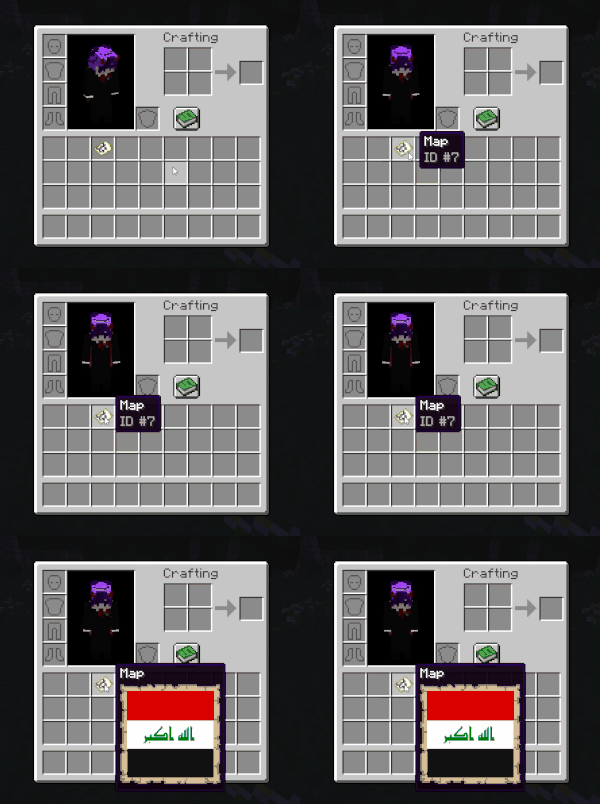
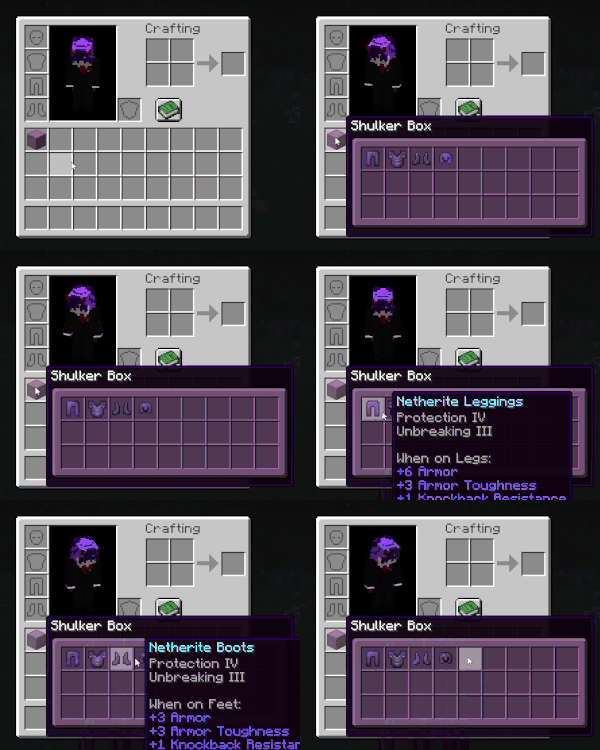
📦 Inventory Quick View Tooltip: Hover over Shulker Boxes and Filled Maps in your inventory to see their exact contents or terrain instantly.

🔍 World Quick View Tooltip: Look at placed Chests, Copper Chests , Ender Chest and other containers in the world to get a quick preview of what's inside, In single-player mode, the tooltip updates immediately. On multiplayer servers, you simply need to open the block's menu once to load the data, as this is a strictly client-side mod.
.gif?raw=true)
⚙️ Furnace Support: Effortlessly view the current state of smelting components and get real-time progress predictions and output results for Furnaces, Smokers, and Blast Furnaces. In single-player mode, the tooltip updates immediately. On multiplayer servers, you simply need to open the block's menu once to load the data, as this is a strictly client-side mod.
.gif?raw=true)
🔴 Redstone Support: Easily view the current power state, delay, and configuration of various Redstone components directly in the world without opening menus or guessing. In single-player mode, the tooltip updates immediately. On multiplayer servers, you simply need to open the block's menu once to load the data, as this is a strictly client-side mod.
Optional
- You can download and use ModMenu to get more settings on the AXD Quick View Tooltip mod.
Credits
- MisterPeModder: Creator of the ShulkerBoxTooltip mod. The ideas and design for the Shulker Box tooltips in this mod were inspired by their work.
Screenshots
Gallery
Versions
Files
Relations
Project Relations
More like this
Similar Mods
Suggestions use data such as tags, dependencies, dependents, descriptions, titles, and more to rank how much they overlap with this mod.
On ModDex
Community snapshot
By the numbers
Statistics
Want to reach Minecraft players?
We're looking for a server hosting partner to feature here and other parts of the site. Interested? Send us a message!
Get in touchGet it on
Available Platforms
On ModDex
Community snapshot
By the numbers
Statistics
Resources