
Community listing page, reviews here may not be monitored by the author.
Bag Of Holding


No reviews yet
Fancy storage for fancy folks. A unique alternatives to your average backpack mod.

Community voices
Reviews
No reviews yet. Be the first to review this project!
Get it on
Available Platforms
Compatibility
Supported Environments
Must be installed on both the client and the server.
About
Project Details
For authors
Embed Badge
If you're the author of this project, you can embed a live badge anywhere that supports HTML or Markdown. It updates automatically whenever ratings change.
Use HTML for any page that supports it, or Markdown for README files and Markdown-based descriptions.
Identifiers
Platform IDs


About
Description









Bag Of Holding adds magical portable storage that feels right at home in Minecraft. Carry your belongings in stylish bags, access them wherever you go, and spend less time fighting a cluttered inventory. 🎒
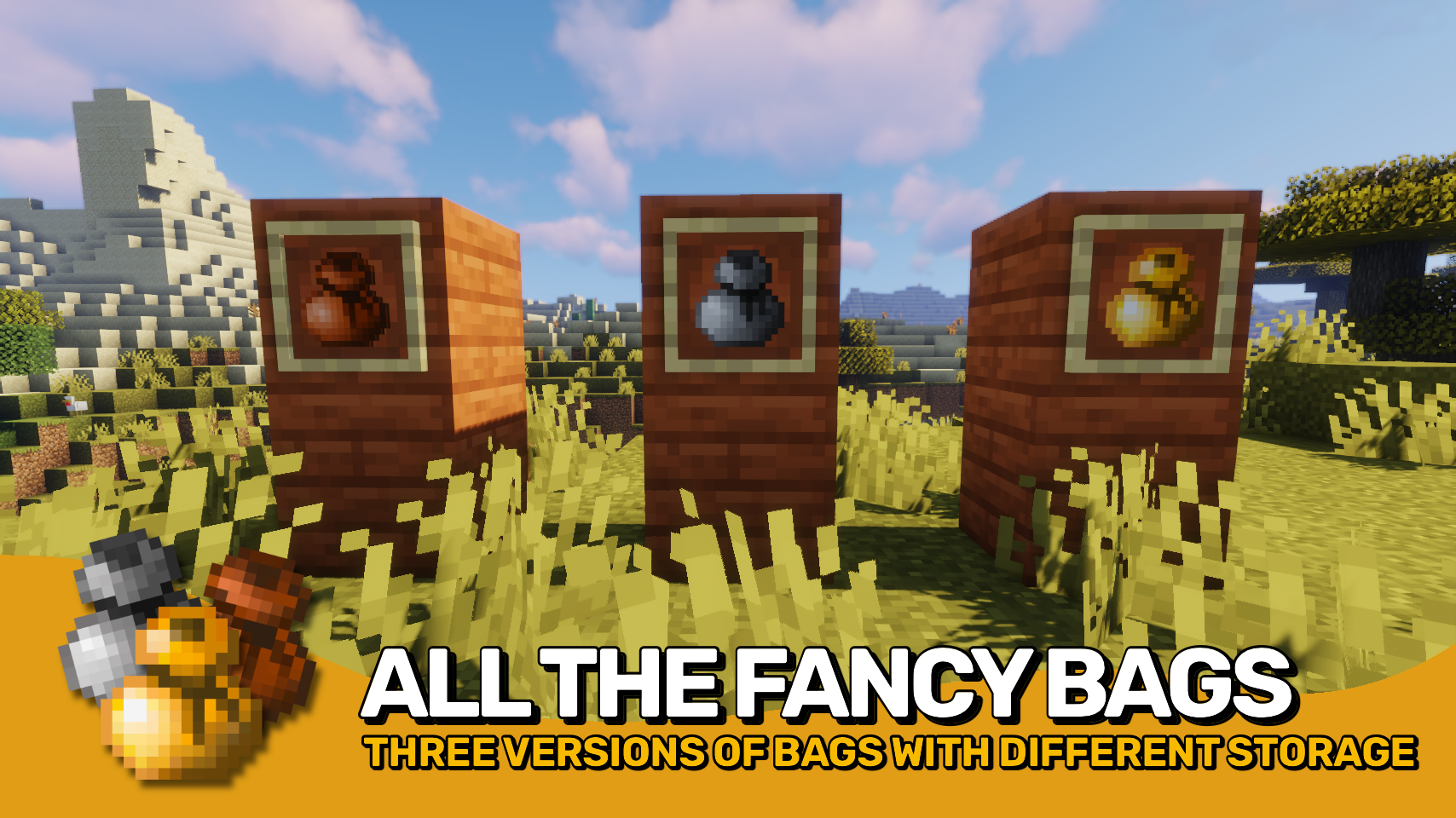
Choose between three bag tiers offering increasing storage capacity, from a compact leather pouch to an enormous golden bag capable of carrying entire building projects. Open bags directly from your hotbar or interact with them seamlessly from within your inventory. ✨
Inspired by modern bundle mechanics, the mod lets you browse contents, insert items, extract exactly what you need, and manage storage without constantly opening separate menus. Powerful tooltip previews and intuitive controls make every bag feel fast and convenient to use. 🎯
For adventurers who value their belongings, bags can even be enchanted with Preservation, allowing them to survive death at the cost of enchantment levels. 💎

- 🎒 Three Bag Tiers: Craft leather, iron, and gold bags with increasing storage capacity to match your needs.
- 📦 Inventory Based Storage Access: Insert and extract items directly from bags without opening their dedicated interface.
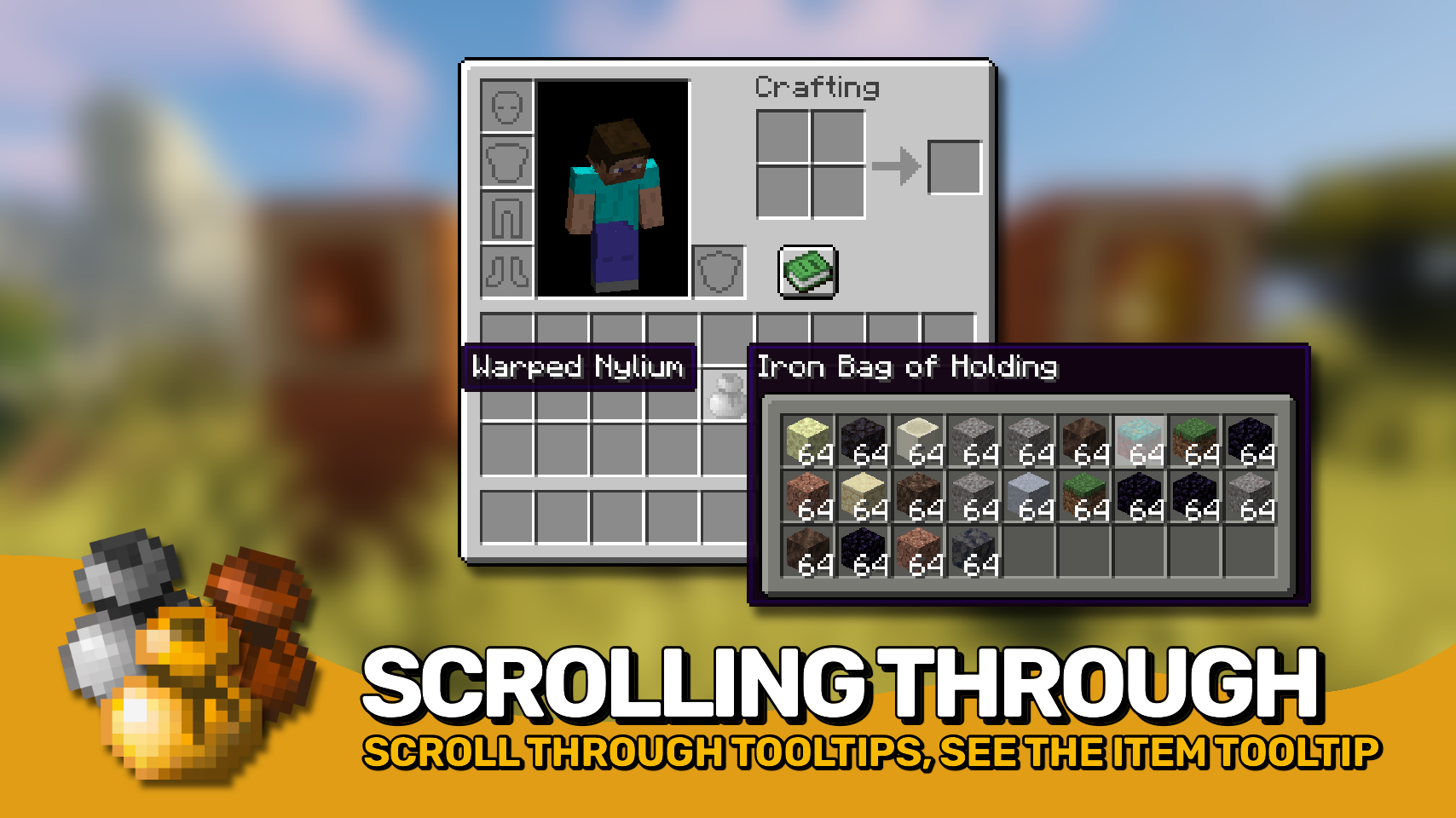
- 🔍 Detailed Content Preview: View stored contents directly in item tooltips, making it easy to see what each bag contains at a glance.
- 🎯 Select Any Stored Item: Use the scroll wheel or keyboard arrow keys to choose exactly which stored item you want to interact with.
- 📝 Selected Item Details: Instantly see information about the currently selected item while browsing bag contents.
- ↔️ Fast Item Transfer: Quickly insert and extract items using intuitive inventory interactions.
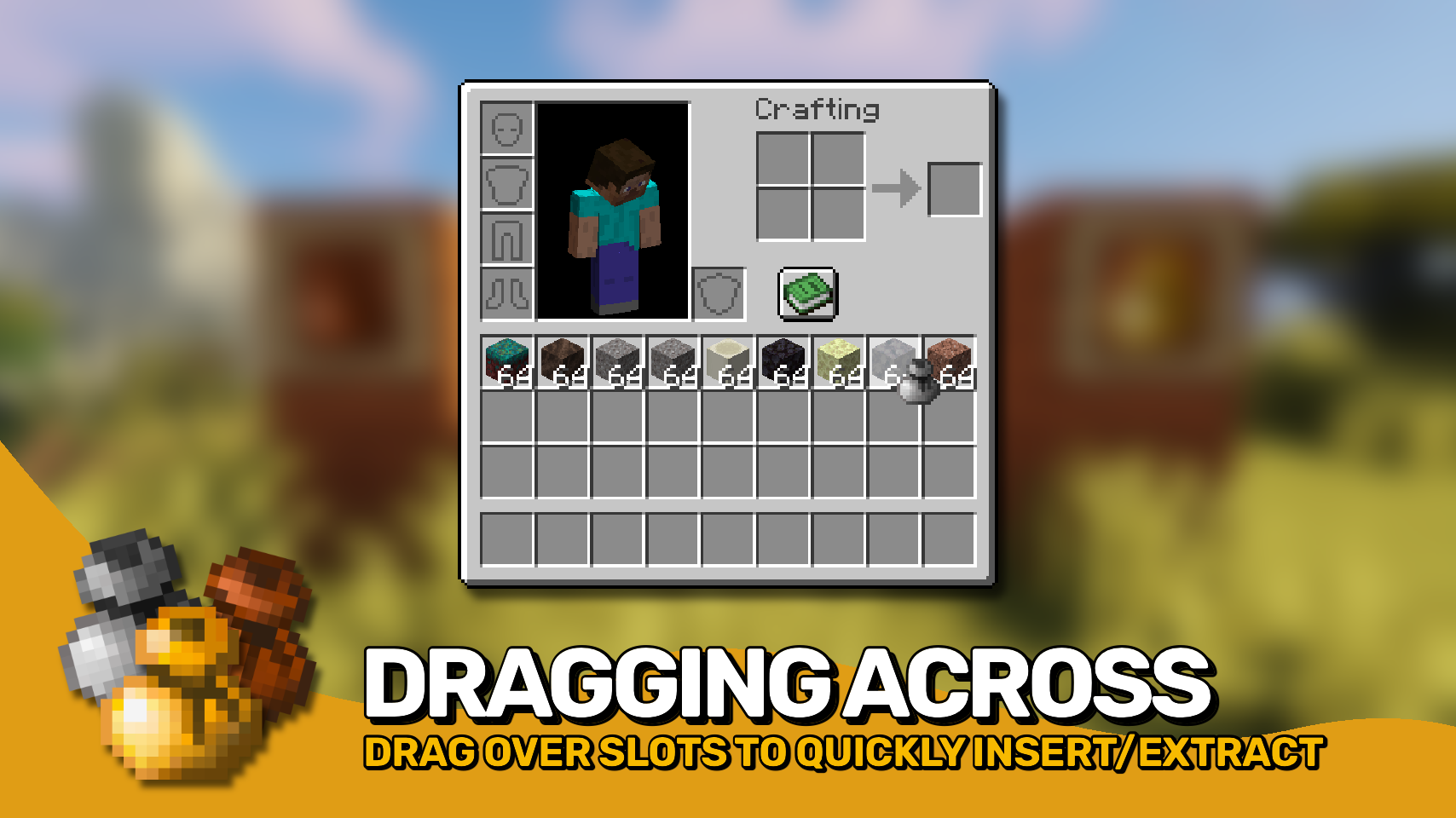
- 🖱️ Drag Across Multiple Slots: Click and drag across inventory slots to insert or extract items in bulk for much faster inventory management.
- 🎚️ Precise Item Movement: Hold
Control(Commandon Mac) to move individual items instead of full stacks and precisely control transfer amounts. - 💡 Smart Compatibility Indicators: Visual hints show whether held items can be inserted and whether matching items are already present inside.
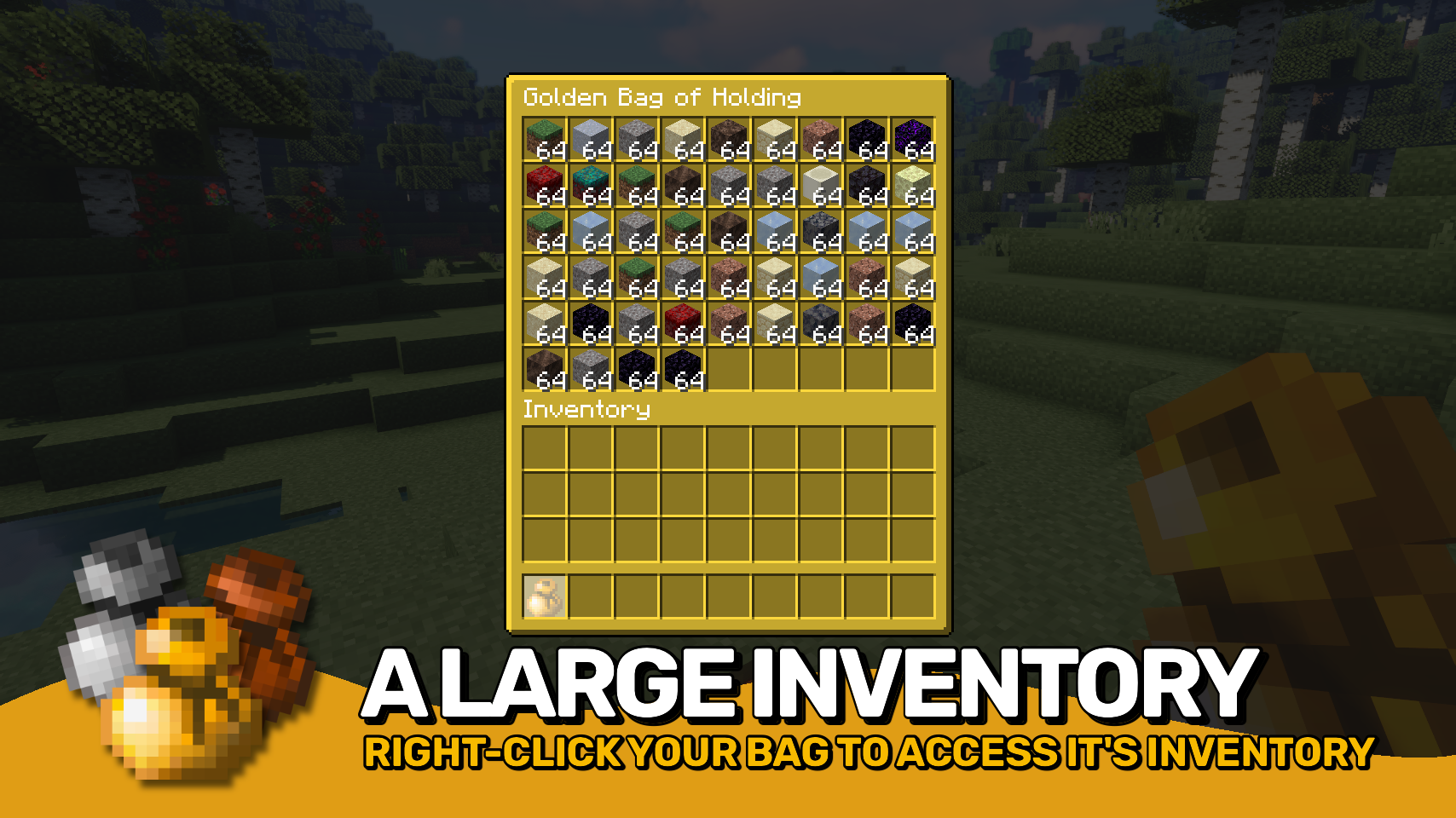
- 🪄 Dedicated Bag Interface: Open bags directly from your hotbar whenever you want a traditional storage screen.
- 🛡️ Preservation Enchantment: Protect bags from being lost on death by enchanting them with Preservation.
- ⚙️ Highly Configurable: Customize storage capacity, interactions, controls, tooltip behavior, and visual features to match your preferred playstyle.


⏩ INSTALLATION REQUIRED ON CLIENT & REQUIRED ON SERVER
⏩ REQUIRES PUZZLES LIB TO BE INSTALLED (FABRIC & NEOFORGE)
⏩ REQUIRES FABRIC API TO BE INSTALLED (FABRIC)
⏩ REQUIRES FORGE CONFIG API PORT TO BE INSTALLED (FABRIC)

If available for a mod, configuration is possible directly from in-game using the mod menu (requires Mod Menu by Prospector to be installed on Fabric).
For manual configuration using an external text editor all files are found at .minecraft/config, named as MOD_ID-client.toml, MOD_ID-common.toml, or MOD_ID-server.toml, depending on the type of config. Not all types might exist for a mod, if any at all.

🌟 Thanks to RWTema for inspiring this mod from the bag of holding item found in old versions of their Extra Utilities mod.
🌟 Thanks a lot to Nyffuuuh23 for creating those dandy textures!
 |
 |
|
 |
 |
|
 |
 |
|
 |
 |
|
 |
 |
|

© 2026 @heyitsfuzs. All rights reserved. This page was last edited on 11 September 2026, at 06:44 (UTC).
Download for 1.19+: https://www.curseforge.com/minecraft/mc-mods/bag-of-holding





📖 About:
Bag Of Holding adds three different tiers of on demand bags to help with your inventory storage problems.
📚 Contents:
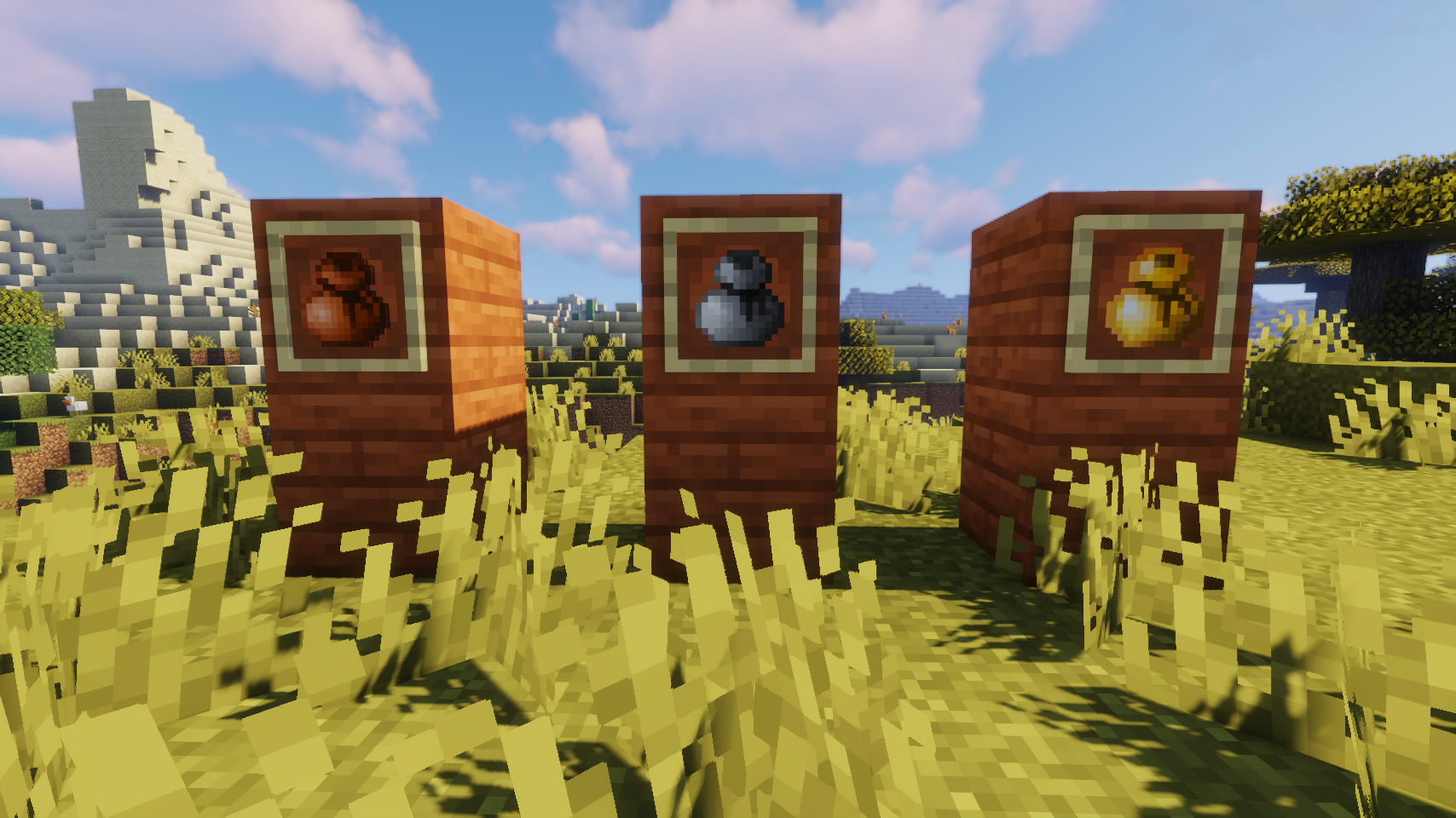
There are three tiers of bags of holding: leather, iron, and gold. The only difference is the number of slots they offer, which is 9, 27, 54 respectively (this can be changed in the config).
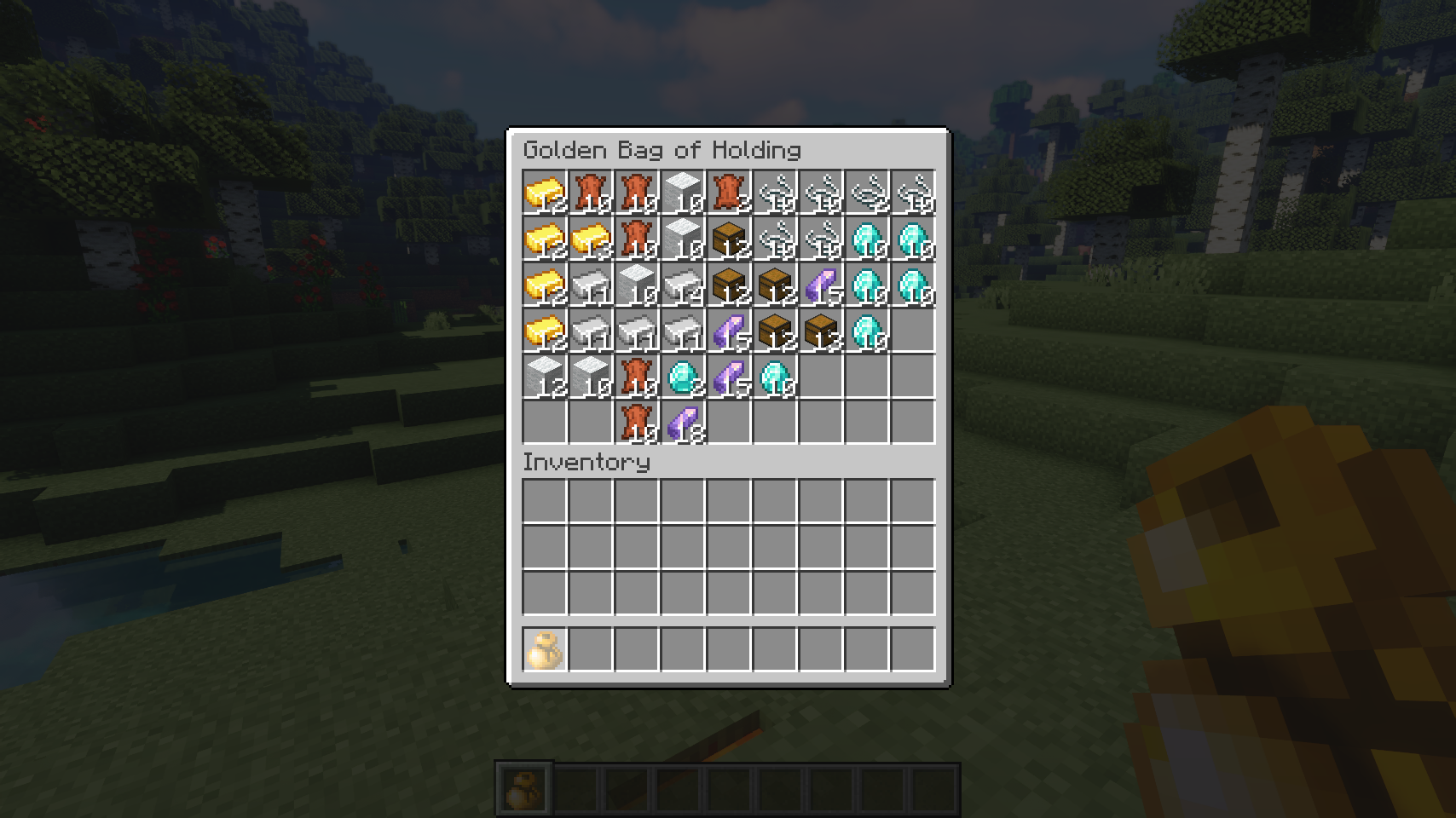
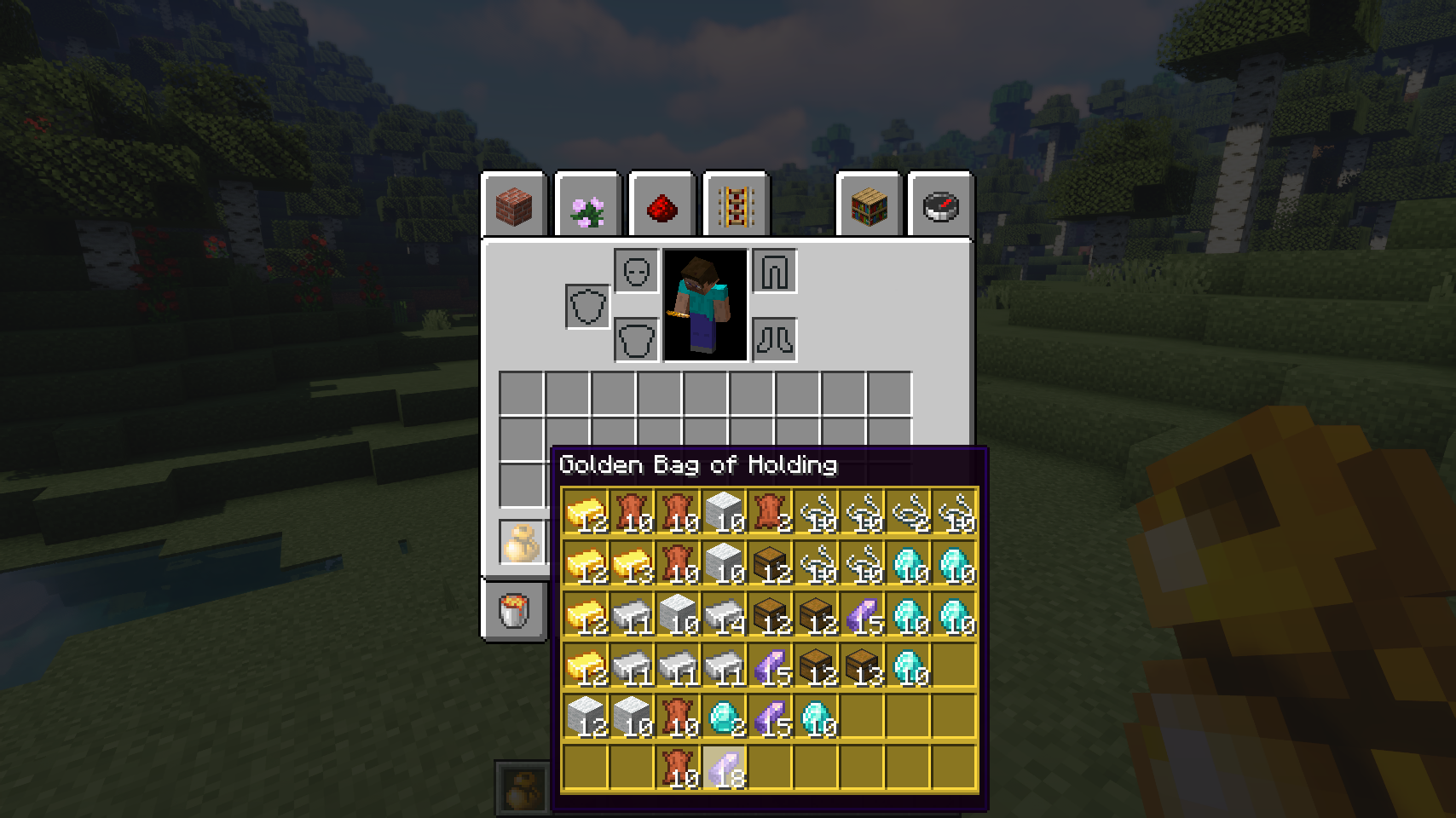
To use a bag of holding, you right-click to open the inventory. But that's not your only option! If you just quickly want to add a few items, simply right-click them on the bag item in your inventory. You can do the same without holding an item to extract items from a bag. Also all contents of a bag can be viewed directly in your every inventory as part of the bag's tooltip. Very useful!
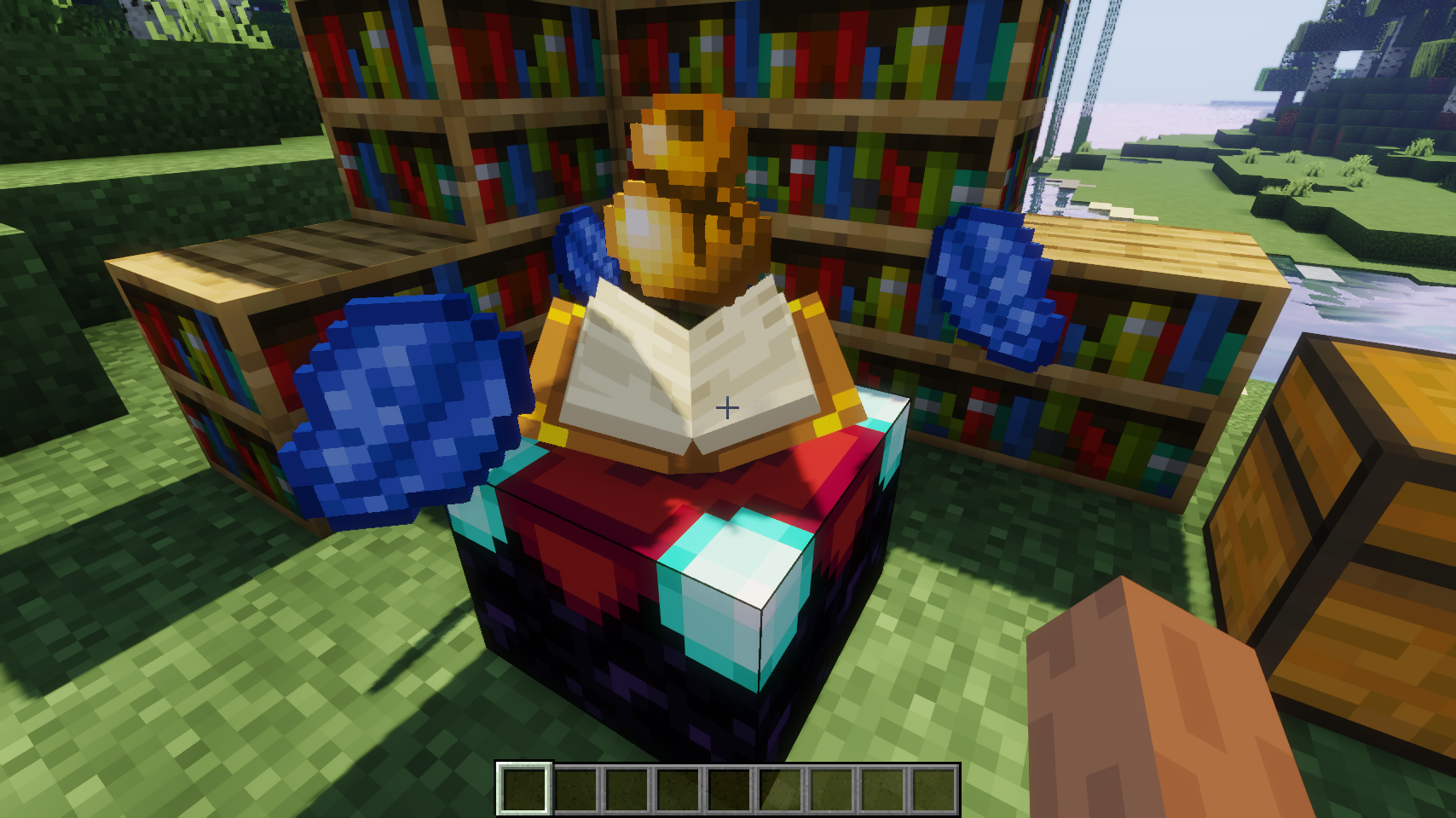
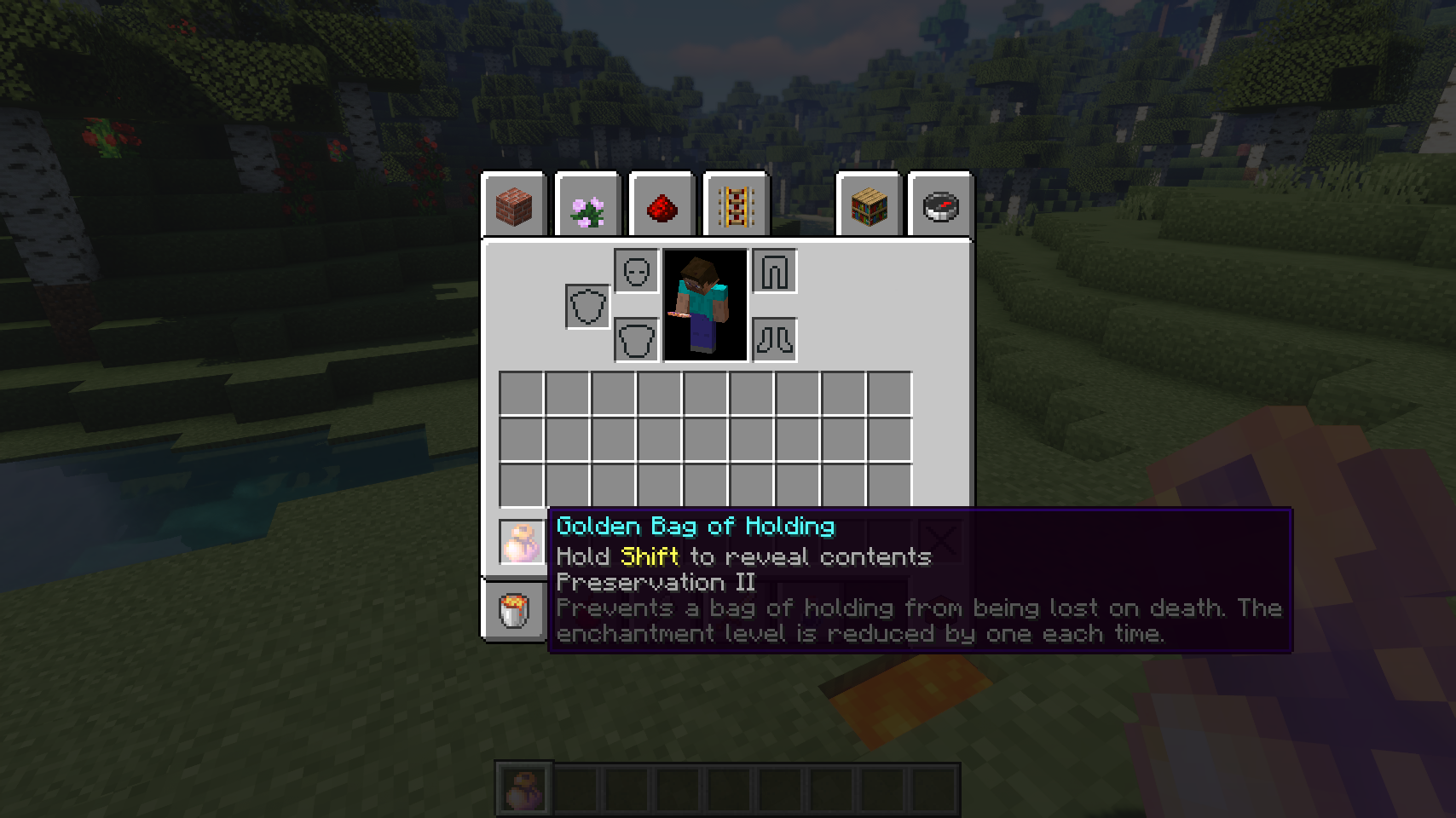
A bag of holding can also be enchanted with the preservation enchantment. This enchantment prevents the enchanted bag from being dropped on death. Instead it'll be placed back in your inventory directly after you respawn. The enchantment level is reduced by one each time.
📷 Media:
 |
 |
|
| Bags come in three versions offering different amounts of storage | Right-click your bag to access it's inventory | |
 |
 |
|
| Interact with bags from your inventory without opening the gui | Bags can be enchanted with preservation | |
 |
 |
|
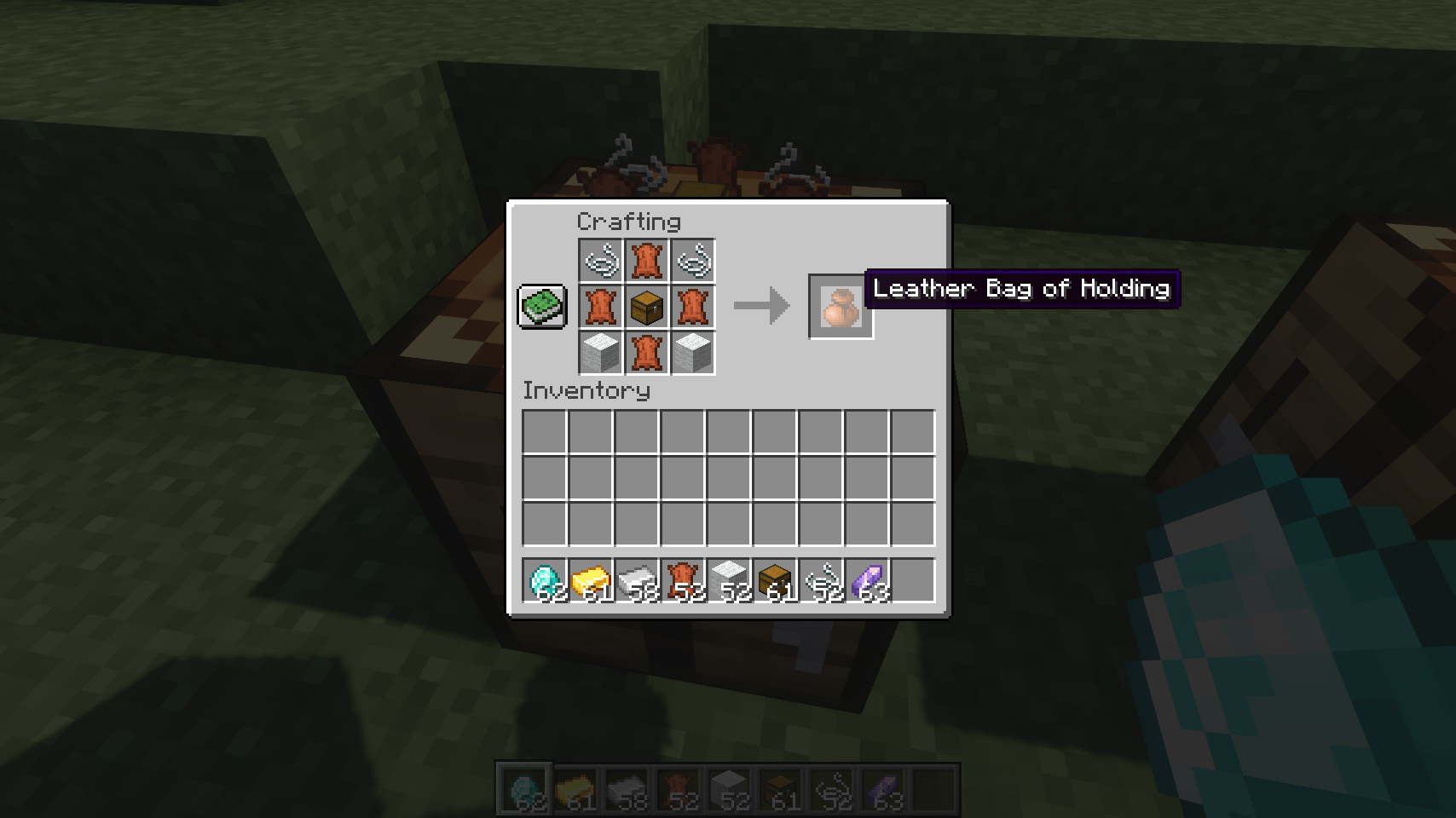
| Preservation will prevent a bag from being lost on death | Crafting a leather bag of holding | |
 |
 |
|
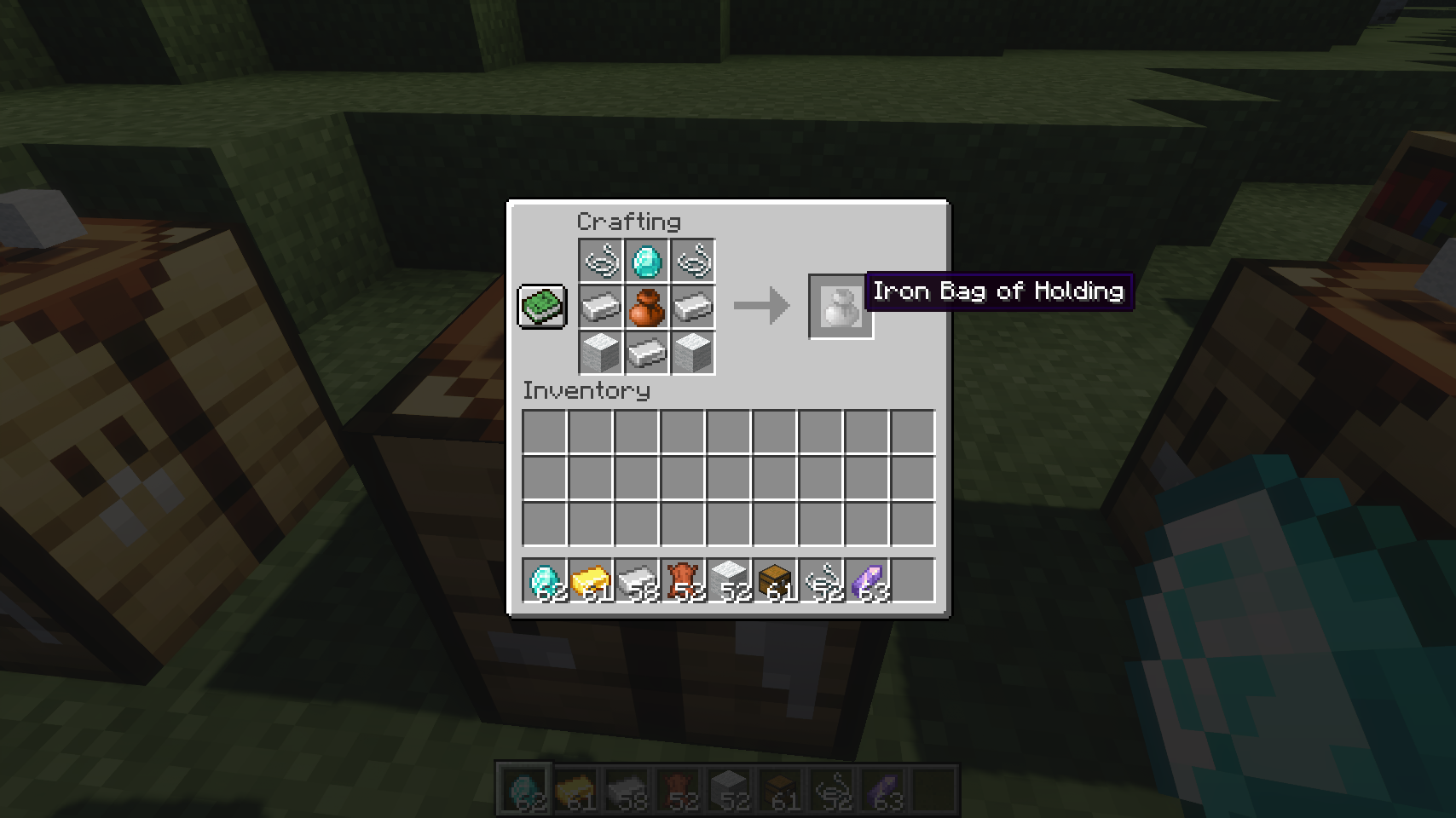
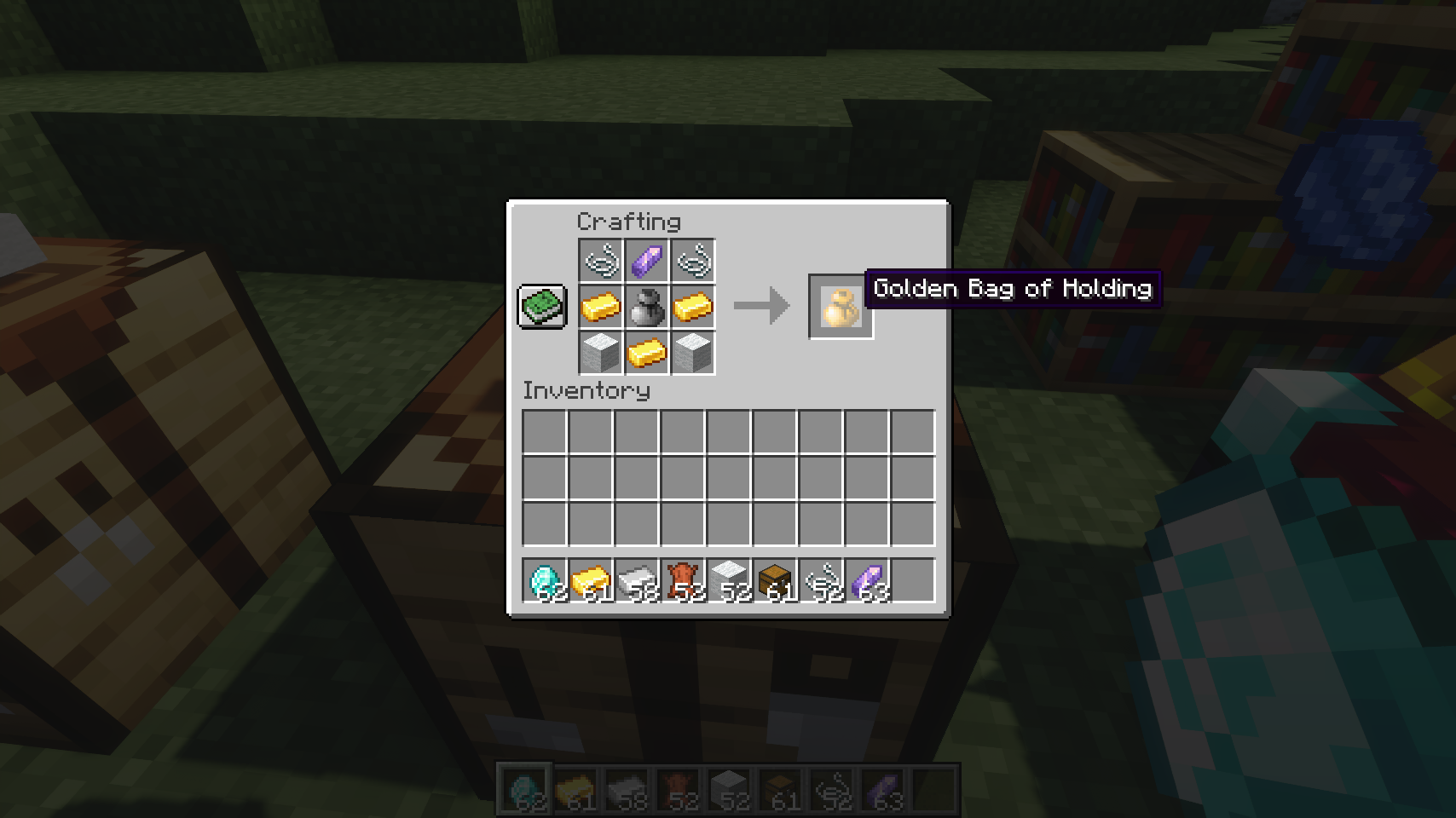
| Upgrading to an iron bag of holding | Upgrading to the final golden tier | |
💡 FAQ:
Q: How do I configure this mod?
A: Editing configs directly in-game has not yet been implemented. Instead when in a world run the /config showfile <modid> command by choosing either CLIENT or SERVER (depending on the mod), then click the file name (ending with .toml) that appears in chat to be able to manually edit the config file in a separate editor. After saving the file, the config will automatically reload in-game after a couple of seconds, so no game restart required.
🏆 Credits:
Developing Bag Of Holding was helped and inspired by:
- RWTema for inspiring this mod from the bag of holding item found in old versions of their Extra Utilities mod
- Nyffuuuh23 for creating those dandy textures







 |
 |
|
 |
 |
|
 |
 |
|
 |
 |
|
 |
 |
|
Bag Of Holding adds magical portable storage that feels right at home in Minecraft. Carry your belongings in stylish bags, access them wherever you go, and spend less time fighting a cluttered inventory. 🎒
Choose between three bag tiers offering increasing storage capacity, from a compact leather pouch to an enormous golden bag capable of carrying entire building projects. Open bags directly from your hotbar or interact with them seamlessly from within your inventory. ✨
Inspired by modern bundle mechanics, the mod lets you browse contents, insert items, extract exactly what you need, and manage storage without constantly opening separate menus. Powerful tooltip previews and intuitive controls make every bag feel fast and convenient to use. 🎯
For adventurers who value their belongings, bags can even be enchanted with Preservation, allowing them to survive death at the cost of enchantment levels. 💎
- 🎒 Three Bag Tiers: Craft leather, iron, and gold bags with increasing storage capacity to match your needs.
- 📦 Inventory Based Storage Access: Insert and extract items directly from bags without opening their dedicated interface.
- 🔍 Detailed Content Preview: View stored contents directly in item tooltips, making it easy to see what each bag contains at a glance.
- 🎯 Select Any Stored Item: Use the scroll wheel or keyboard arrow keys to choose exactly which stored item you want to interact with.
- 📝 Selected Item Details: Instantly see information about the currently selected item while browsing bag contents.
- ↔️ Fast Item Transfer: Quickly insert and extract items using intuitive inventory interactions.
- 🖱️ Drag Across Multiple Slots: Click and drag across inventory slots to insert or extract items in bulk for much faster inventory management.
- 🎚️ Precise Item Movement: Hold
Control(Commandon Mac) to move individual items instead of full stacks and precisely control transfer amounts. - 💡 Smart Compatibility Indicators: Visual hints show whether held items can be inserted and whether matching items are already present inside.
- 🪄 Dedicated Bag Interface: Open bags directly from your hotbar whenever you want a traditional storage screen.
- 🛡️ Preservation Enchantment: Protect bags from being lost on death by enchanting them with Preservation.
- ⚙️ Highly Configurable: Customize storage capacity, interactions, controls, tooltip behavior, and visual features to match your preferred playstyle.
⏩ INSTALLATION REQUIRED ON CLIENT & REQUIRED ON SERVER
⏩ REQUIRES PUZZLES LIB TO BE INSTALLED (FABRIC & NEOFORGE)
⏩ REQUIRES FABRIC API TO BE INSTALLED (FABRIC)
⏩ REQUIRES FORGE CONFIG API PORT TO BE INSTALLED (FABRIC)
If available for a mod, configuration is possible directly from in-game using the mod menu (requires Mod Menu by Prospector to be installed on Fabric).
For manual configuration using an external text editor all files are found at .minecraft/config, named as MOD_ID-client.toml, MOD_ID-common.toml, or MOD_ID-server.toml, depending on the type of config. Not all types might exist for a mod, if any at all.
🌟 Thanks to RWTema for inspiring this mod from the bag of holding item found in old versions of their Extra Utilities mod.
🌟 Thanks a lot to Nyffuuuh23 for creating those dandy textures!
 |
 |
|
|
 |
|
 |
 |
|
|
|
|
 |
 |
© 2026 @heyitsfuzs. All rights reserved. This page was last edited on 11 September 2026, at 06:44 (UTC).
Screenshots
Gallery
-
Upgrading to the final golden tier
-
Upgrading to an iron bag of holding
-
Crafting a leather bag of holding
-
Preservation will prevent a bag from being lost on death
-
Bags can be enchanted with preservation
-
Interact with bags from your inventory without opening the gui
-
Right-click your bag to access it's inventory
-
Bags come in three versions offering different amounts of storage

Versions
Files
Relations
Project Relations
More like this
Similar Mods
Suggestions use data such as tags, dependencies, dependents, descriptions, titles, and more to rank how much they overlap with this mod.
On ModDex
Community snapshot
By the numbers
Statistics
 (opens in a new tab)
Get it on
Available Platforms
On ModDex
Community snapshot
By the numbers