
Community listing page, reviews here may not be monitored by the author.
Baritone Bot


No reviews yet
Baritone is a Pathfinder Bot that can pathfind and mine ore for you!
Community voices
Reviews
No reviews yet. Be the first to review this project!
Get it on
Available Platforms
Compatibility
Supported Environments
Runs entirely on the client. Works on vanilla servers.
About
Project Details
For authors
Embed Badge
If you're the author of this project, you can embed a live badge anywhere that supports HTML or Markdown. It updates automatically whenever ratings change.
Use HTML for any page that supports it, or Markdown for README files and Markdown-based descriptions.
Identifiers
Platform IDs
About
Description
This is a port of the github page found here https://github.com/cabaletta/baritone
It is not shown in server logs...... do with that info what you will.
Prefix
Baritone's chat control prefix is # by default. In Impact, you can also use .b as a prefix. (for example, .b click instead of #click)
Baritone commands can also by default be typed in the chatbox. However if you make a typo, like typing "gola 10000 10000" instead of "goal" it goes into public chat, which is bad, so using # is suggested.
To disable direct chat control (with no prefix), turn off the chatControl setting. To disable chat control with the # prefix, turn off the prefixControl setting. In Impact, .b cannot be disabled. Be careful that you don't leave yourself with all control methods disabled (if you do, reset your settings by deleting the file minecraft/baritone/settings.txt and relaunching).
For Baritone 1.2.10+, 1.3.5+, 1.4.2+
Lots of the commands have changed, BUT #help is improved vastly (its clickable! commands have tab completion! oh my!).
Try #help I promise it won't just send you back here =)
"wtf where is cleararea" -> look at #help sel
"wtf where is goto death, goto waypoint" -> look at #help wp
just look at #help lmao
Watch this showcase video!
Commands
All of these commands may need a prefix before them, as above ^.
help
To toggle a boolean setting, just say its name in chat (for example saying allowBreak toggles whether Baritone will consider breaking blocks). For a numeric setting, say its name then the new value (like primaryTimeoutMS 250). It's case insensitive. To reset a setting to its default value, say acceptableThrowawayItems reset. To reset all settings, say reset. To see all settings that have been modified from their default values, say modified.
Commands in Baritone:
thisway 1000thenpathto go in the direction you're facing for a thousand blocksgoal x y zorgoal x zorgoal y, thenpathto set a goal to a certain coordinate then path to itgoto x y zorgoto x zorgoto yto go to a certain coordinate (in a single step, starts going immediately)goalto set the goal to your player's feetgoal clearto clear the goalcancelorstopto stop everything,forcecancelis also an optiongoto portalorgoto ender_chestorgoto block_typeto go to a block. (in Impact,.gotois an alias for.b gotofor the most part)mine diamond_ore iron_oreto mine diamond ore or iron ore (turn on the settinglegitMineto only mine ores that it can actually see. It will explore randomly around y=11 until it finds them.) An amount of blocks can also be specified, for example,mine 64 diamond_ore.clickto click your destination on the screen. Right click path to on top of the block, left click to path into it (either at foot level or eye level), and left click and drag to select an area (#help selto see what you can do with that selection).follow player playerNameto follow a player.follow playersto follow any players in range (combine with Kill Aura for a fun time).follow entitiesto follow any entities.follow entity pigto follow entities of a specific type.wpfor waypoints. A "tag" is like "home" (created automatically on right clicking a bed) or "death" (created automatically on death) or "user" (has to be created manually). So you might want#wp save user coolbiome, then to set the goal#wp goal coolbiomethen#pathto path to it. For death,#wp goal deathwill list waypoints under the "death" tag (remember stuff is clickable!)buildto build a schematic.build blah.schematicwill loadschematics/blah.schematicand build it with the origin being your player feet.build blah.schematic x y zto set the origin. Any of those can be relative to your player (~ 69 ~-420would build at x=player x, y=69, z=player z-420).schematicato build the schematic that is currently open in schematicatunnelto dig and make a tunnel, 1x2. It will only deviate from the straight line if necessary such as to avoid lava. For a dumber tunnel that is really just cleararea, you cantunnel 3 2 100, to clear an area 3 high, 2 wide, and 100 deep.farmto automatically harvest, replant, or bone meal crops. Usefarm <range>orfarm <range> <waypoint>to limit the max distance from the starting point or a waypoint.axisto go to an axis or diagonal axis at y=120 (axisHeightis a configurable setting, defaults to 120).explore x zto explore the world from the origin of x,z. Leave out x and z to default to player feet. This will continually path towards the closest chunk to the origin that it's never seen before.explorefilter filter.jsonwith optional invert can be used to load in a list of chunks to load.invertto invert the current goal and path. This gets as far away from it as possible, instead of as close as possible. For example, dogoaltheninvertto run as far as possible from where you're standing at the start.cometells Baritone to head towards your camera, useful when freecam doesn't move your player position.blacklistwill stop baritone from going to the closest block so it won't attempt to get to it.etato get information about the estimated time until the next segment and the goal, be aware that the ETA to your goal is really unprecise.procto view miscellaneous information about the process currently controlling Baritone.repackto re-cache the chunks around you.gcto callSystem.gc()which may free up some memory.renderto fix glitched chunk rendering without having to reload all of them.reloadallto reload Baritone's world cache orsaveallto save Baritone's world cache.findto search through Baritone's cache and attempt to find the location of the block.surfaceortopto tell Baritone to head towards the closest surface-like area, this can be the surface or highest available air space.versionto get the version of Baritone you're runningdamndaniel
All the settings and documentation are here. If you find HTML easier to read than Javadoc, you can look here.
There are about a hundred settings, but here are some fun / interesting / important ones that you might want to look at changing in normal usage of Baritone. The documentation for each can be found at the above links.
allowBreakallowSprintallowPlaceallowParkourallowParkourPlaceblockPlacementPenaltyrenderCachedChunks(andcachedChunksOpacity) <-- very fun but you need a beefy computeravoidance(avoidance of mobs / mob spawners)legitMinefollowRadiusbackfill(fill in tunnels behind you)buildInLayersbuildRepeatDistanceandbuildRepeatDirectionworldExploringChunkOffsetacceptableThrowawayItemsblocksToAvoidBreakingmineScanDroppedItemsallowDiagonalAscend- LGPL 3.0 License
ReinforceMC is an original project started by topandrey14 / topandrey15 in May 2025. The name "ReinforceMC" is associated with this project only. Any unauthorized use of the name in commercial or misleading projects is strictly prohibited.
ReinforceMC 🧠
A Minecraft mod that implements reinforcement learning capabilities, allowing neural networks to learn and play Minecraft through configurable reward systems and input processing.
Features ✨
🤖 DeepSeek + Baritone integration released!
- Message DeepSeek in your own Telegram bot, and it will perform actions in Minecraft using Baritone!
🎯 Custom Reinforcement learning Neural Network Training
- Start, stop, pause, and resume training sessions
- Real-time performance monitoring with reward tracking
- Emergency stop functionality for immediate training halt
- Model saving and loading capabilities
🏆 Configurable Reward System
- Set custom rewards for various in-game actions:
- ⚔️ Combat: Kill players/mobs, take damage, heal
- 🏗️ Building: Break/place blocks, craft items
- 🚶 Exploration: Movement, sprinting, jumping, sneaking
- 📦 Items: Pickup, drop, use, enchant items
- 👤 Character: Gain XP, level changes, eat food
📊 Input Configuration
- 📷 Screenshot Input: Configurable resolution for visual learning
- 📍 Other Player Coordinates: Position and movement data
- 📈 Your Character Statistics: Health, hunger, XP, inventory information
- 👥 Nearby Player Tracking: Detect and track other players
📋 Reward Template System
- Save and load reward configurations
- Export templates to JSON format
- Create custom training scenarios
- Share configurations between sessions
🖥️ User Interface
- Comprehensive GUI for all configuration options
- Real-time training status and statistics
- Performance monitor with detailed metrics
- Available keys editor for input customization
Installation 🔧
📋 Requirements
- 🎮 Minecraft 1.16.5
- ⚡ Minecraft Forge 36.2.42 or compatible version
- ☕ Java 8 or higher
- 🖥️ GPU Support: NVIDIA GPU with CUDA 12.1 support (optional, falls back to CPU, but may be slower)
- 💾 Memory: At least 4GB RAM allocated to Minecraft
🚀 Setup
- The mod will automatically download required neural network libraries on first run, it may take up to 5 minutes for Minecraft to firstly load the mod. It will never happen again.
Usage 🎮
🌟 Getting Started
- Open the ReinforceMC GUI using the configured keybind (default: check key bindings menu)
- Configure your input settings (screenshot resolution, enabled inputs)
- Set up reward parameters for desired behaviors
- Configure available keys the AI can use
- Start training and monitor progress
⌨️ Key Controls
- 🖥️ Open GUI: Configurable keybind
- 🔄 Toggle Training: Quick start/stop training
- 🛑 Emergency Stop: F1 (immediate pause/resume)
⚙️ Configuration
📥 Input Types
- 📷📍 Screenshot + Coordinates: Full visual and positional data
- 📷 Screenshot Only: Visual learning without position data
- 📍 Coordinates Only: Position-based learning without visual input
🏆 Reward Configuration
Configure positive or negative rewards for specific actions. Higher rewards encourage the behavior, while negative rewards discourage it.
⚡ Performance Considerations
- Higher screenshot resolutions increase VRAM usage and processing time
- GPU acceleration significantly improves training speed
- Monitor system resources during training
Technical Details 🔧
📚 Dependencies
- 🧠 DJL (Deep Java Library): Neural network framework
- 🔥 PyTorch: Backend neural network engine
- 🚀 CUDA Support: GPU acceleration for compatible hardware
💾 Data Storage
- Models are saved in
.minecraft/mods/reinforcemc/ - Templates are stored in
.minecraft/mods/reinforcemc/templates/ - Configuration files use JSON format
📊 Performance
- 💻 CPU Mode: Compatible with all systems, slower training
- 🖥️ GPU Mode: Requires CUDA-compatible GPU, faster training
- 🧠 Memory: Automatically manages memory allocation based on input configuration
Screenshots 📸
The mod includes a comprehensive GUI system with multiple configuration screens:
- 🏠 Main configuration menu
- 🏆 Reward system setup
- 📊 Input configuration
- 🎯 Training control panel
- 📈 Performance monitoring
- 📋 Template management
Compatibility 🔧
- 🎮 Minecraft Version: 1.16.5
- ⚡ Forge Version: 36.2.42+
- 💻 Operating System: Windows (primary), other platforms may work with CPU-only mode
- 💾 Memory: Minimum 4GB RAM recommended
License 📄
This project is licensed under the MIT License.
Note: This mod requires computational resources and is intended for users familiar with at least basic machine learning concepts. Training times can vary greatly depending on hardware configuration and complexity of the learning task.
Screenshots
Gallery
-
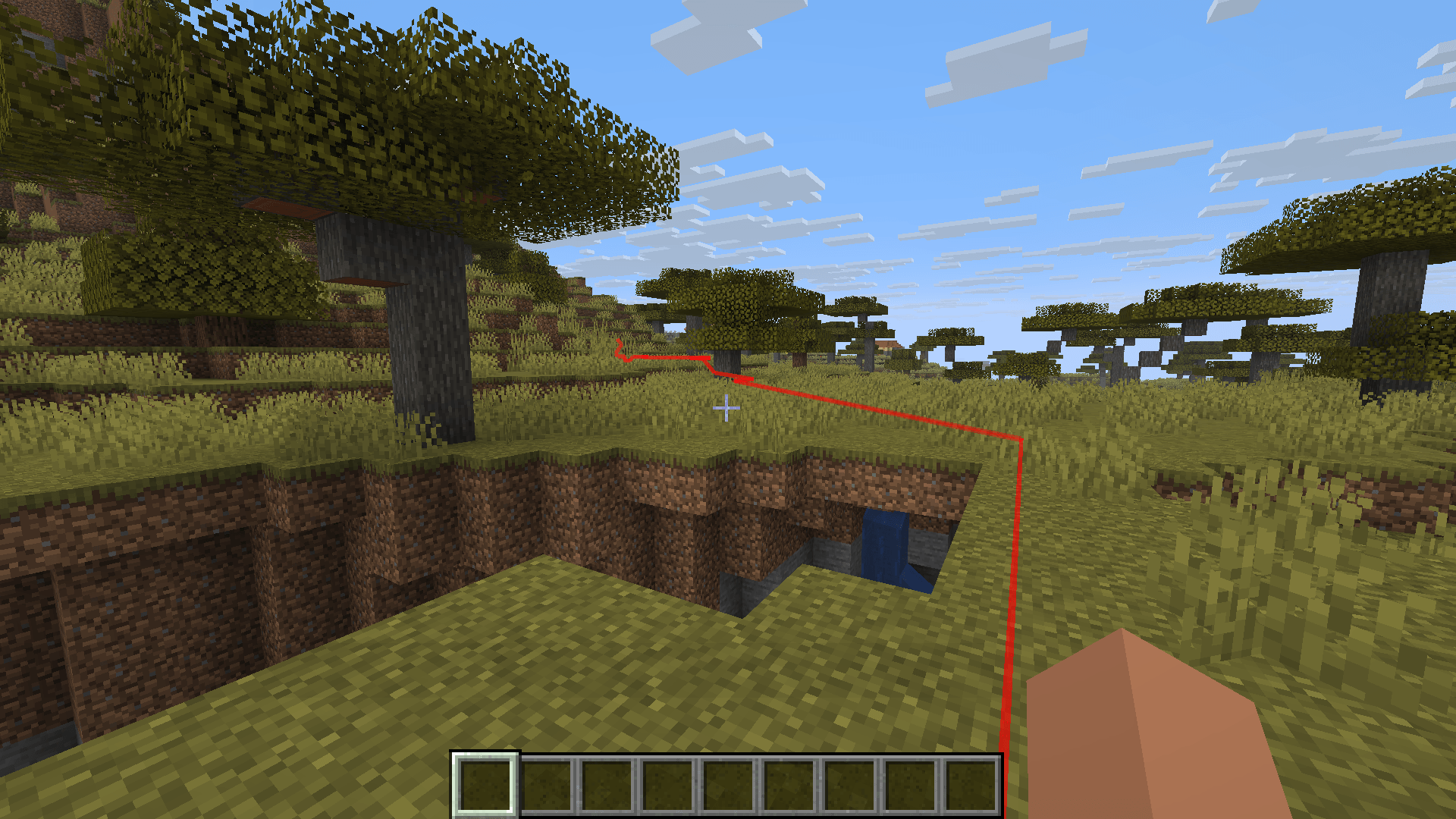 Screenshot 2026-07-11 193552.png Screenshot 2026-07-11 193552.png
 -
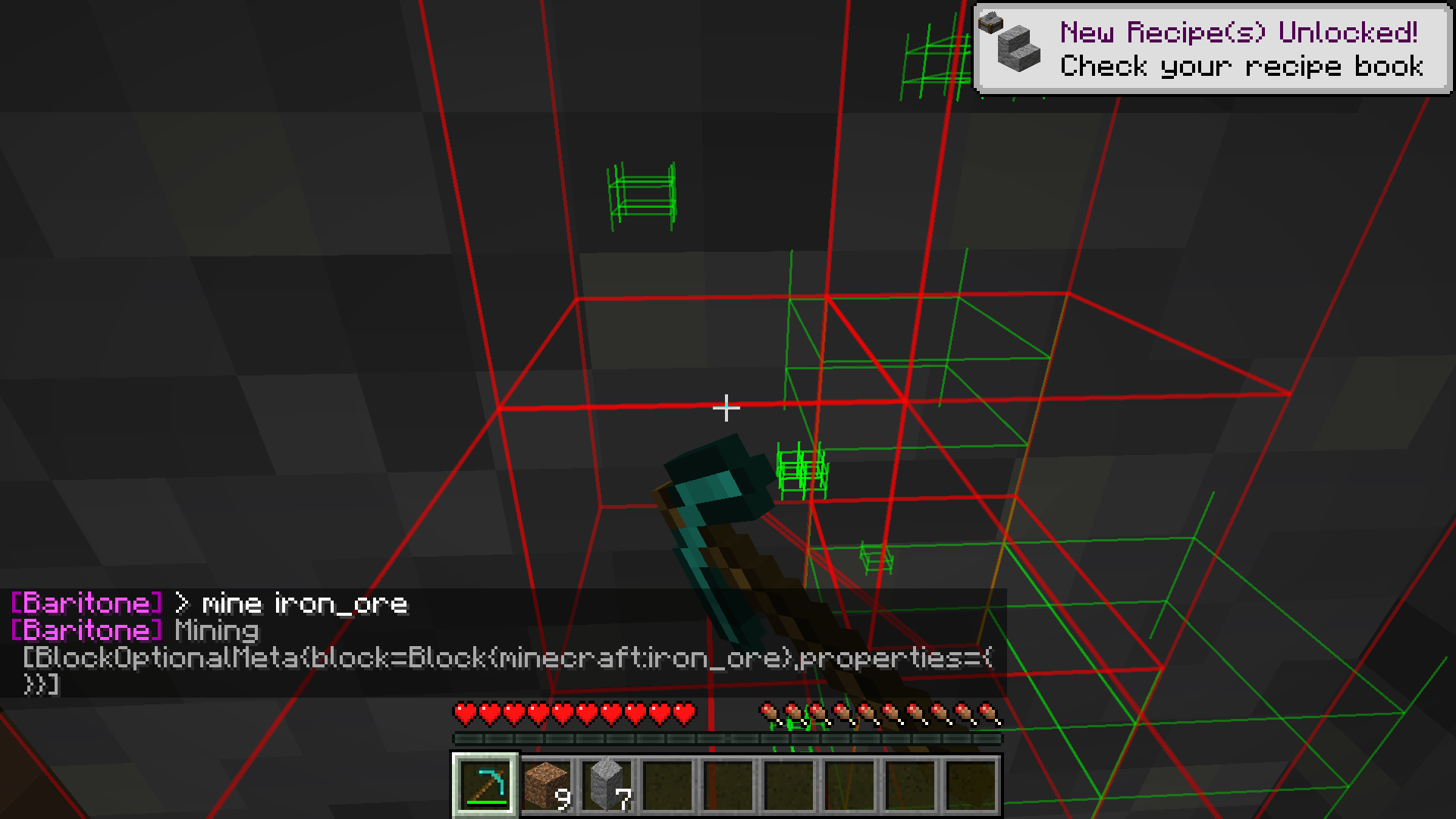 Screenshot 2026-07-11 193644.png Screenshot 2026-07-11 193644.png
-
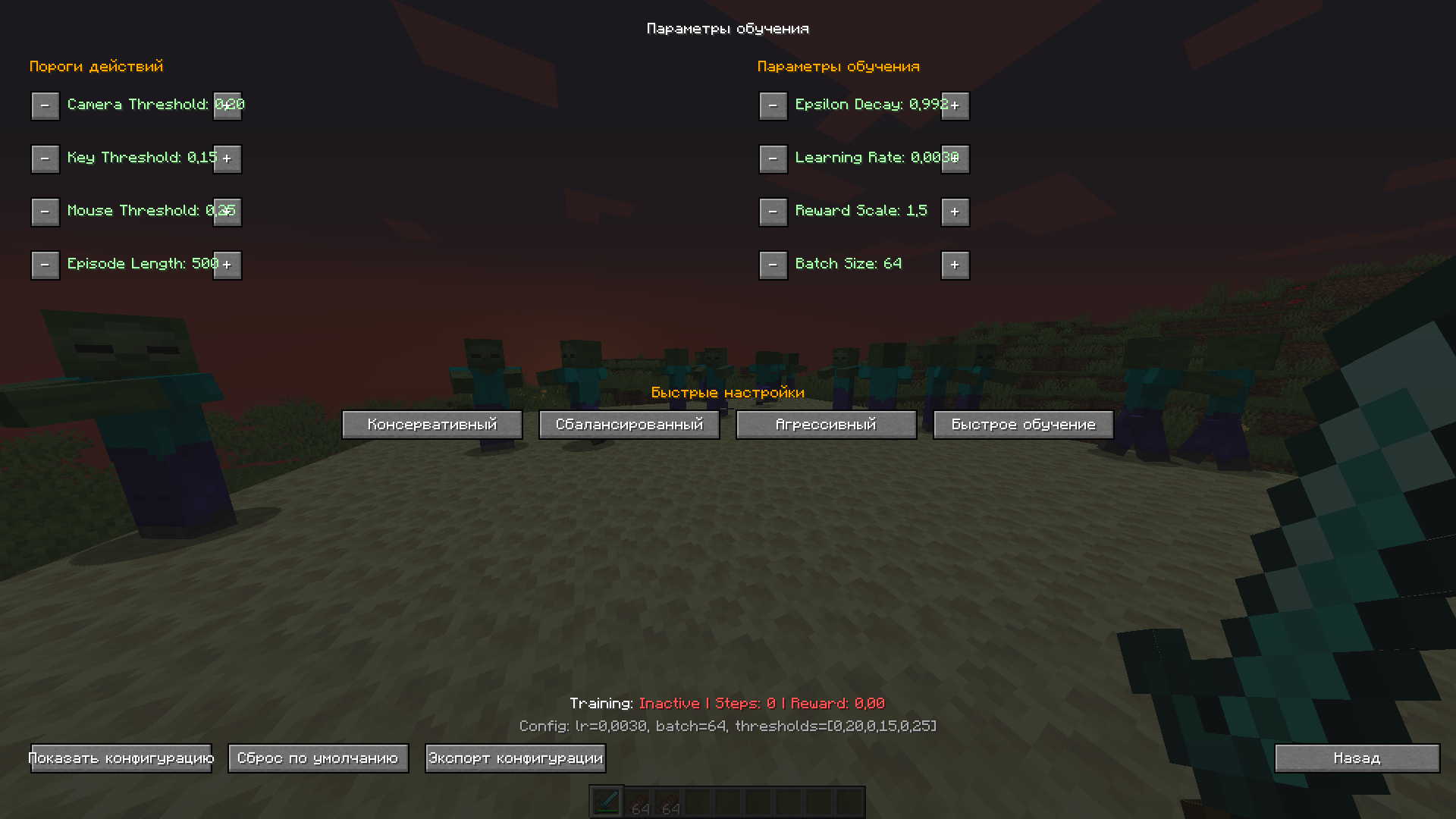 Training Parameters
 -
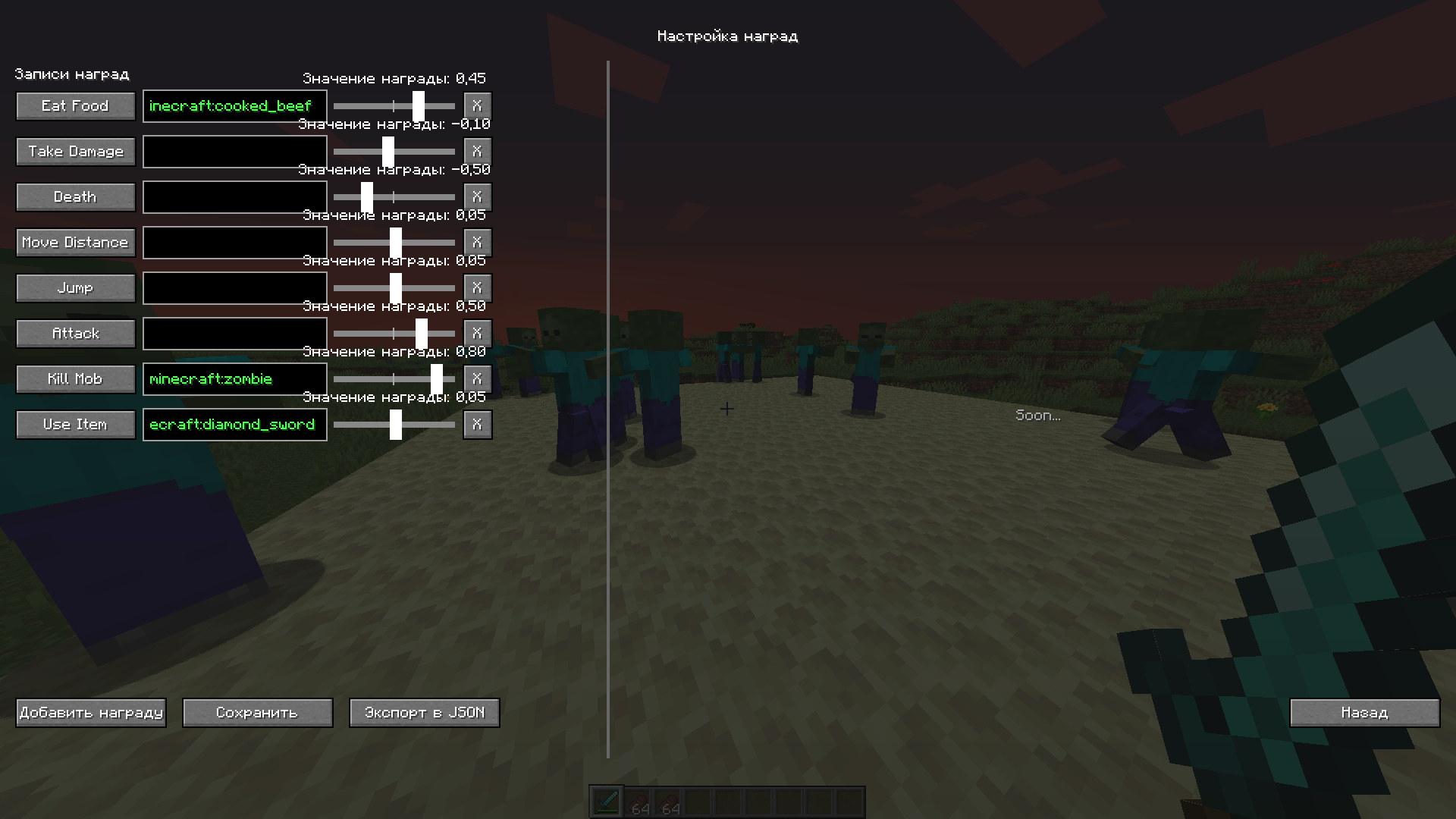 Reward Settings
 -
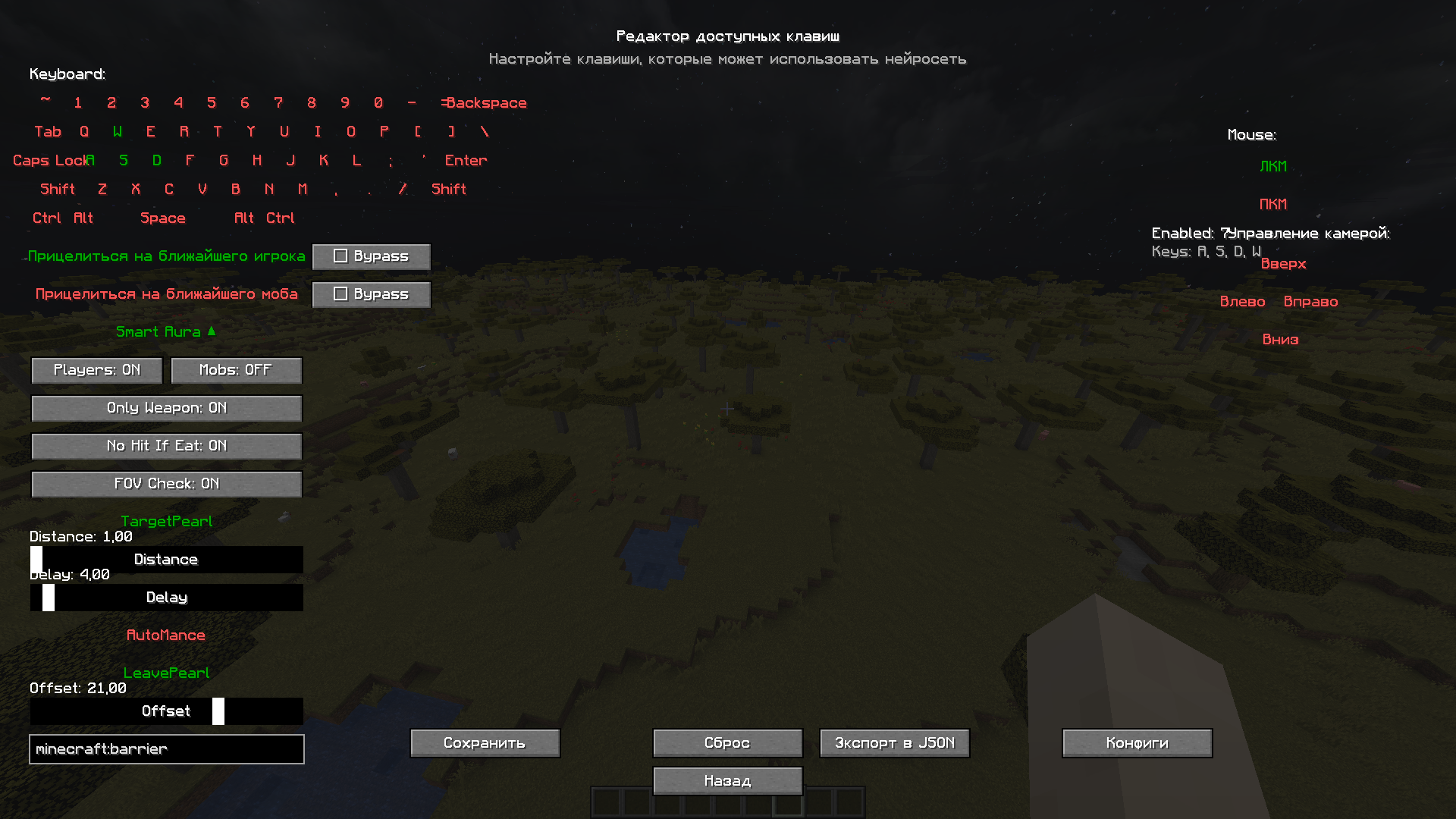 Avaliable Keys Configuration (v2.0)
 -
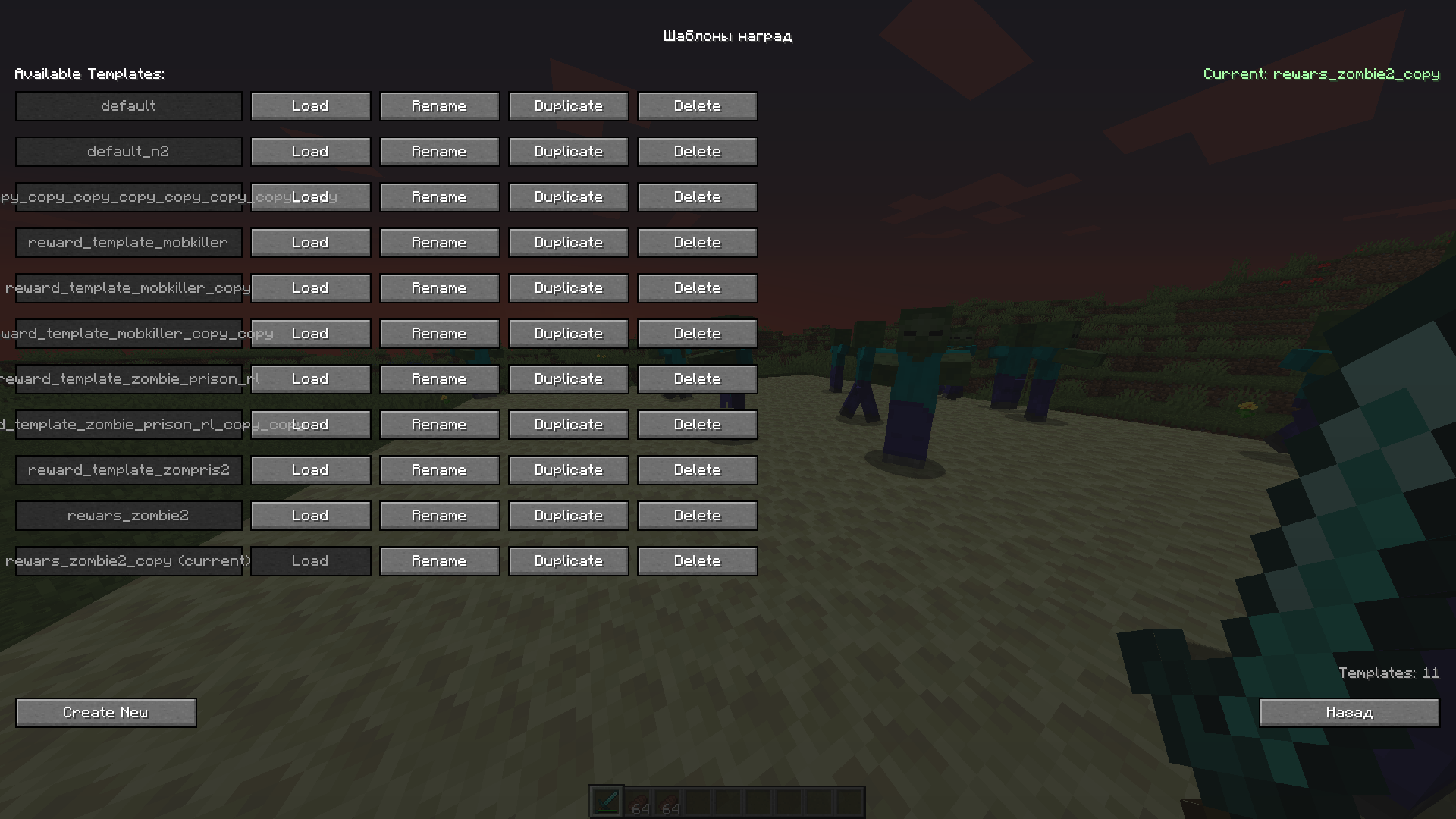 Reward Templates
 -
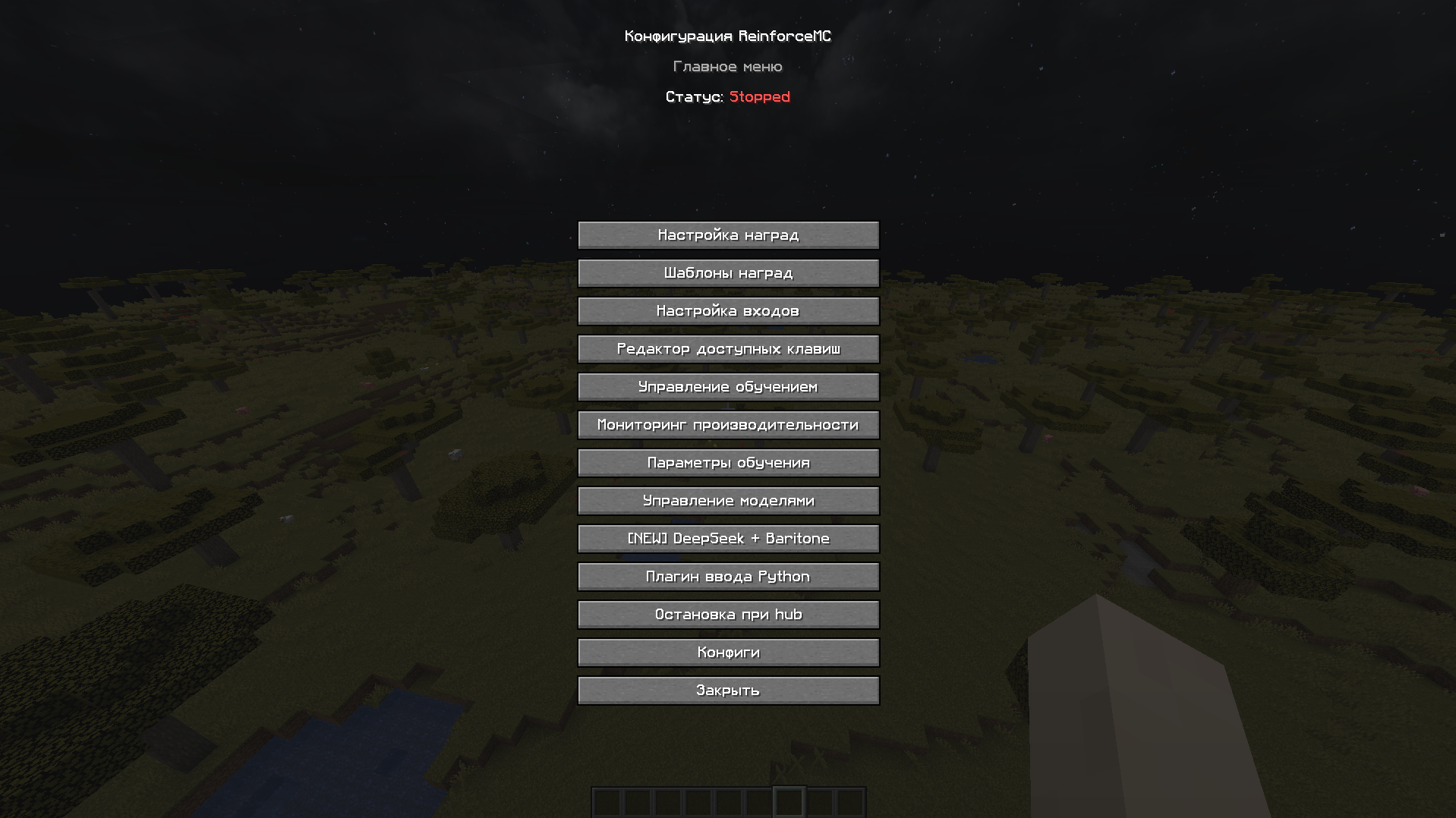 Main Menu
 -
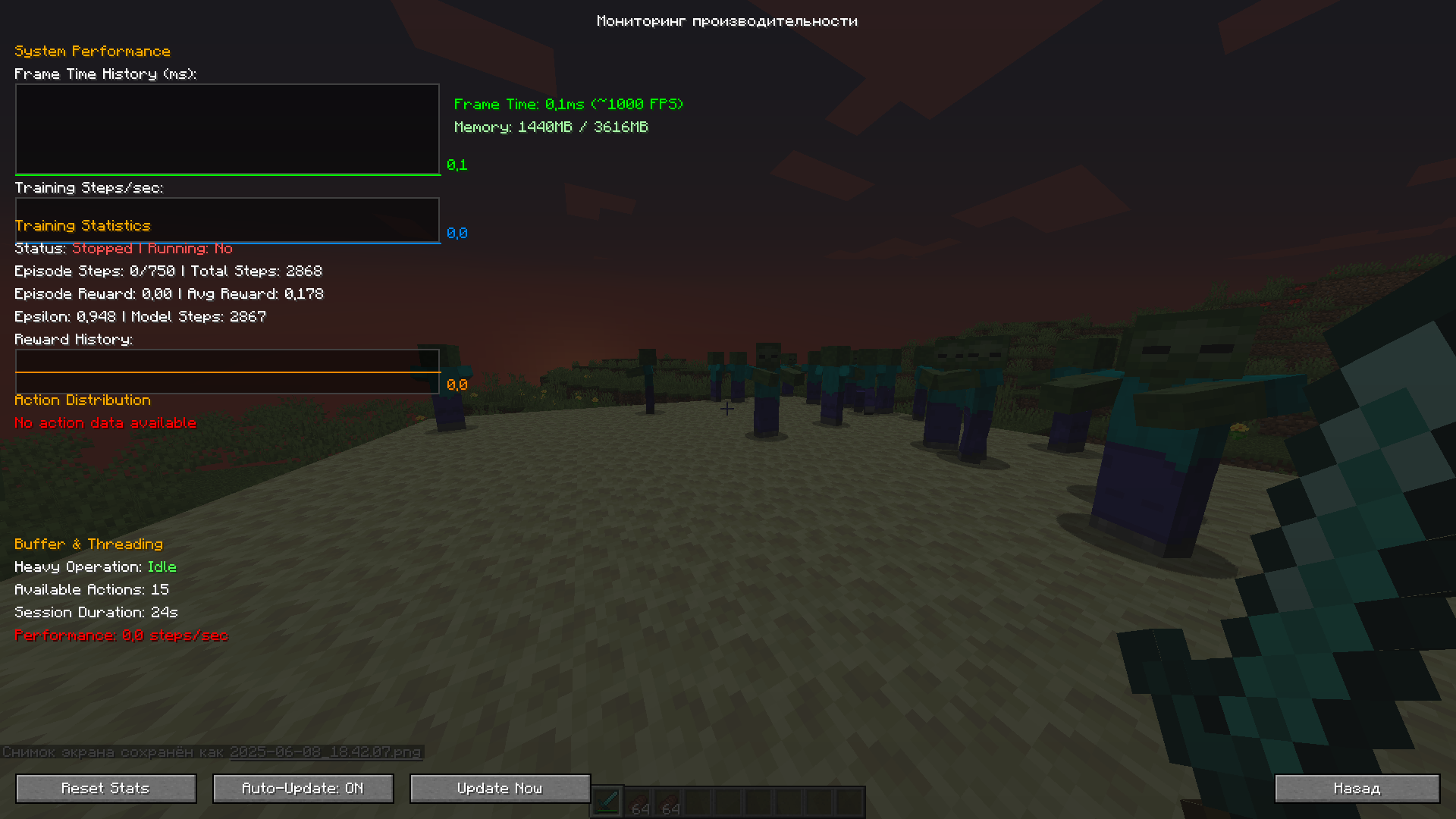 Performance Monitor
 -
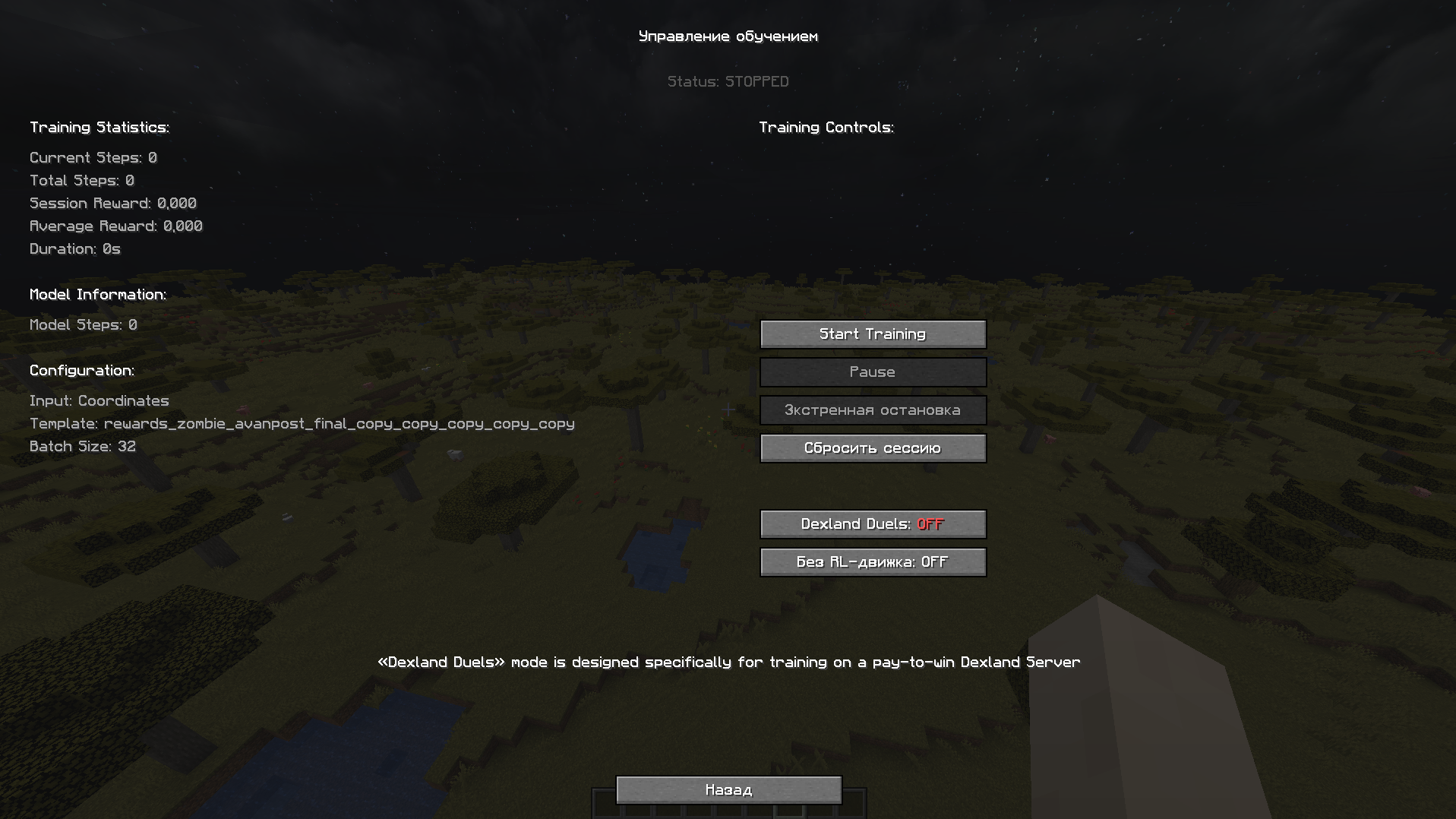 Training Control
Versions
Files
Relations
Project Relations
More like this
Similar Mods
Suggestions use data such as tags, dependencies, dependents, descriptions, titles, and more to rank how much they overlap with this mod.
On ModDex
Community snapshot
By the numbers
Statistics
Want to reach Minecraft players?
We're looking for a server hosting partner to feature here and other parts of the site. Interested? Send us a message!
Get in touchGet it on
Available Platforms
On ModDex
Community snapshot
By the numbers