
Community listing page, reviews here may not be monitored by the author.
FlickView


No reviews yet
Snap the view to 360°, 180°, 90° or any custom angle. Smooth controls and a stylish UI deliver precise perspective shifts instantly
Community voices
Reviews
No reviews yet. Be the first to review this project!
Get it on
Available Platforms
Compatibility
Supported Environments
Runs entirely on the client. Works on vanilla servers.
About
Project Details
For authors
Embed Badge
If you're the author of this project, you can embed a live badge anywhere that supports HTML or Markdown. It updates automatically whenever ratings change.
Use HTML for any page that supports it, or Markdown for README files and Markdown-based descriptions.
Identifiers
Platform IDs
Resources
External Links
About
Description

FlickView: Adjust your view with precision
FlickView is a client-side camera utility mod for Minecraft that lets you rotate your view instantly or smoothly with simple keybinds. It is designed for quick direction changes, cleaner camera control, and a lightweight in-game settings menu.
Version 3.0.0 improves smoothness, UI clarity, and general compatibility, while adding safer behavior for server use.
✨ Features
- Yaw Rotation: rotate your view by 180°, 90°, or any custom angle
- Pitch Rotation: press once to move to a preset pitch, press again to return
- Smooth Rotation: enable easing for more natural camera movement
- 360 Spin: toggle continuous spin on or off
- Spin Direction: choose left or right rotation
- Rotation Speed: adjust spin and rotation speed to your preference
- Character Spin: rotate the player model while keeping the camera behavior configurable
- Auto Sneak Spin: optional timed sneak pulses during spin
- Spin Counter: display a live 360 spin counter on screen
- Counter Position: choose where the counter appears
- Server Safety: disables 360 Spin automatically on multiplayer servers by default
- Clean Settings UI: simple in-game controls with a compact layout
- Client-side only: no server installation required
🆕 What's New in 3.0.0
- Improved spin smoothness
- Improved compatibility with other mods
- Added Server Safety
- Added Character Spin
- Added more Spin Counter position options
- Added a Report menu with quick links
- Improved text clarity across the mod
- Improved overall settings layout
🎬 Preview
360 Spin

Yaw Rotation with Smooth Rotation Enabled
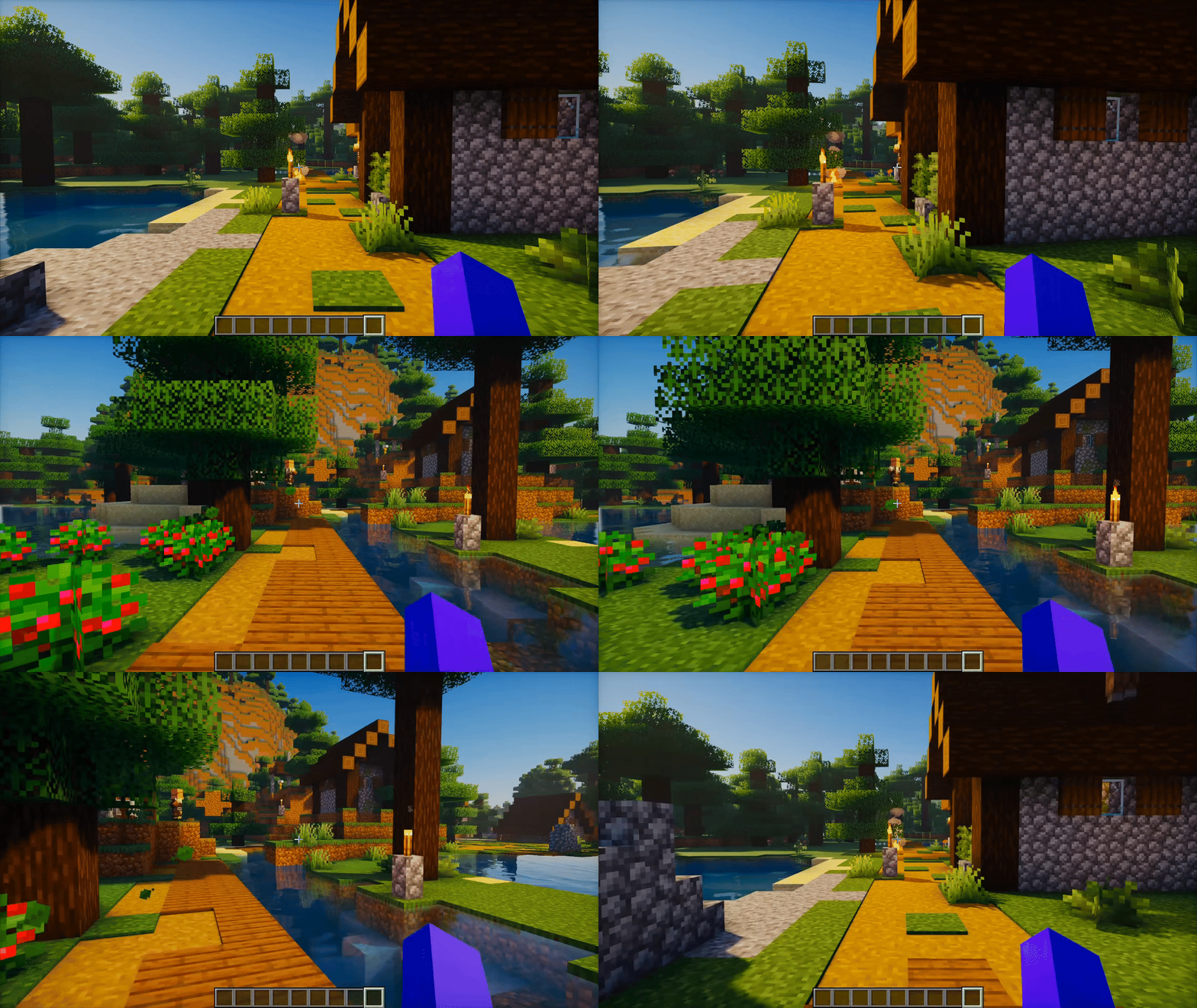
Check the Gallery for more previews.
🔧 Requirements
- Minecraft: supported versions are listed in each release
- Loaders:
- Fabric (available now)
- Forge (planned)
- Quilt (planned)
- NeoForge (planned)
- Dependencies:
- Fabric API (required for Fabric)
- Java: 21+
📖 Default Controls
- Press O to open the FlickView settings.
- Press K to enable or disable the mod.
- Press U to use Pitch Rotation.
- Press Y to use Yaw Rotation.
- Press I to toggle 360 Spin.
All controls and behavior can be adjusted in the settings menu.
⬇️ Download






📜 License & Permissions
- License: All Rights Reserved
- Modpacks are allowed if you link back to this project page.
- Reuploads are not allowed.
🤝 Credits
- Author: Zynwro
- Support / Contact: https://linktr.ee/zynwrodonate
FlickView: Adjust your view with precision
FlickView is a client-side camera utility mod for Minecraft that lets you rotate your view instantly or smoothly with simple keybinds. It is designed for quick direction changes, cleaner camera control, and a lightweight in-game settings menu.
Version 3.0.0 improves smoothness, UI clarity, and general compatibility, while adding safer behavior for server use.
✨ Features
- Yaw Rotation: rotate your view by 180°, 90°, or any custom angle
- Pitch Rotation: press once to move to a preset pitch, press again to return
- Smooth Rotation: enable easing for more natural camera movement
- 360 Spin: toggle continuous spin on or off
- Spin Direction: choose left or right rotation
- Rotation Speed: adjust spin and rotation speed to your preference
- Character Spin: rotate the player model while keeping the camera behavior configurable
- Auto Sneak Spin: optional timed sneak pulses during spin
- Spin Counter: display a live 360 spin counter on screen
- Counter Position: choose where the counter appears
- Server Safety: disables 360 Spin automatically on multiplayer servers by default
- Clean Settings UI: simple in-game controls with a compact layout
- Client-side only: no server installation required
🆕 What's New in 3.0.0
- Improved spin smoothness
- Improved compatibility with other mods
- Added Server Safety
- Added Character Spin
- Added more Spin Counter position options
- Added a Report menu with quick links
- Improved text clarity across the mod
- Improved overall settings layout
🎬 Preview
360 Spin
Yaw Rotation with Smooth Rotation Enabled
Check the Gallery for more previews.
🔧 Requirements
- Minecraft: supported versions are listed in each release
- Loaders:
- Fabric (available now)
- Forge (planned)
- Quilt (planned)
- NeoForge (planned)
- Dependencies:
- Fabric API (required for Fabric)
- Java: 21+
📖 Default Controls
- Press O to open the FlickView settings.
- Press K to enable or disable the mod.
- Press U to use Pitch Rotation.
- Press Y to use Yaw Rotation.
- Press I to toggle 360 Spin.
All controls and behavior can be adjusted in the settings menu.
⬇️ Download
📜 License & Permissions
- License: All Rights Reserved
- Modpacks are allowed if you link back to this project page.
- Reuploads are not allowed.
🤝 Credits
- Author: Zynwro
- Support / Contact: https://linktr.ee/zynwrodonate
Screenshots
Gallery
-
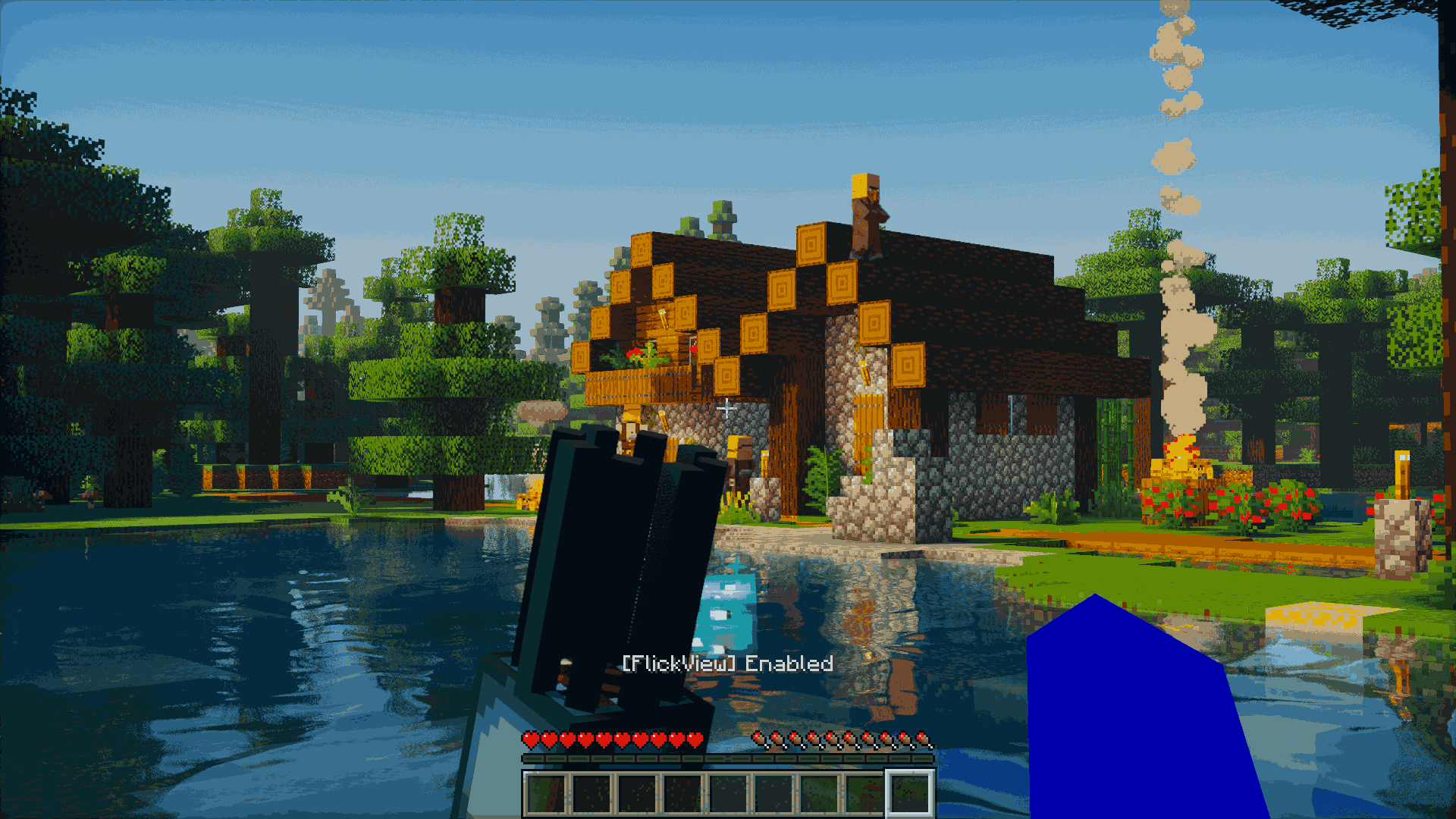 FlickView Enabled Example of FlickView running in-game. The mod shows a clear status message [FlickView] Enabled when activated, letting you know it’s ready for spins and flicks
 -
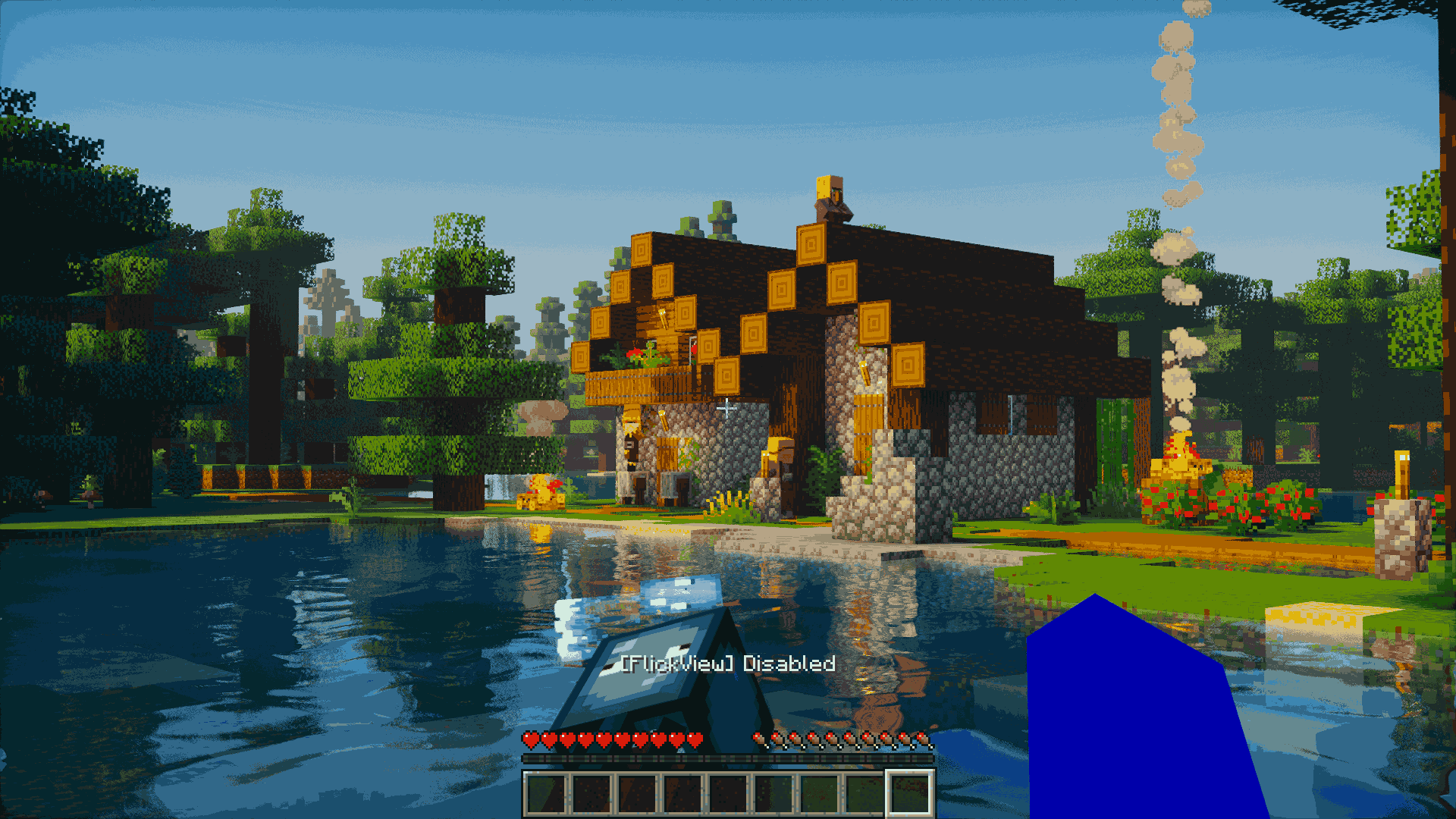 FlickView Disabled Indicates that FlickView has been turned off. When [FlickView] Disabled appears, the mod is no longer active and camera flick/spin actions are paused.
 -
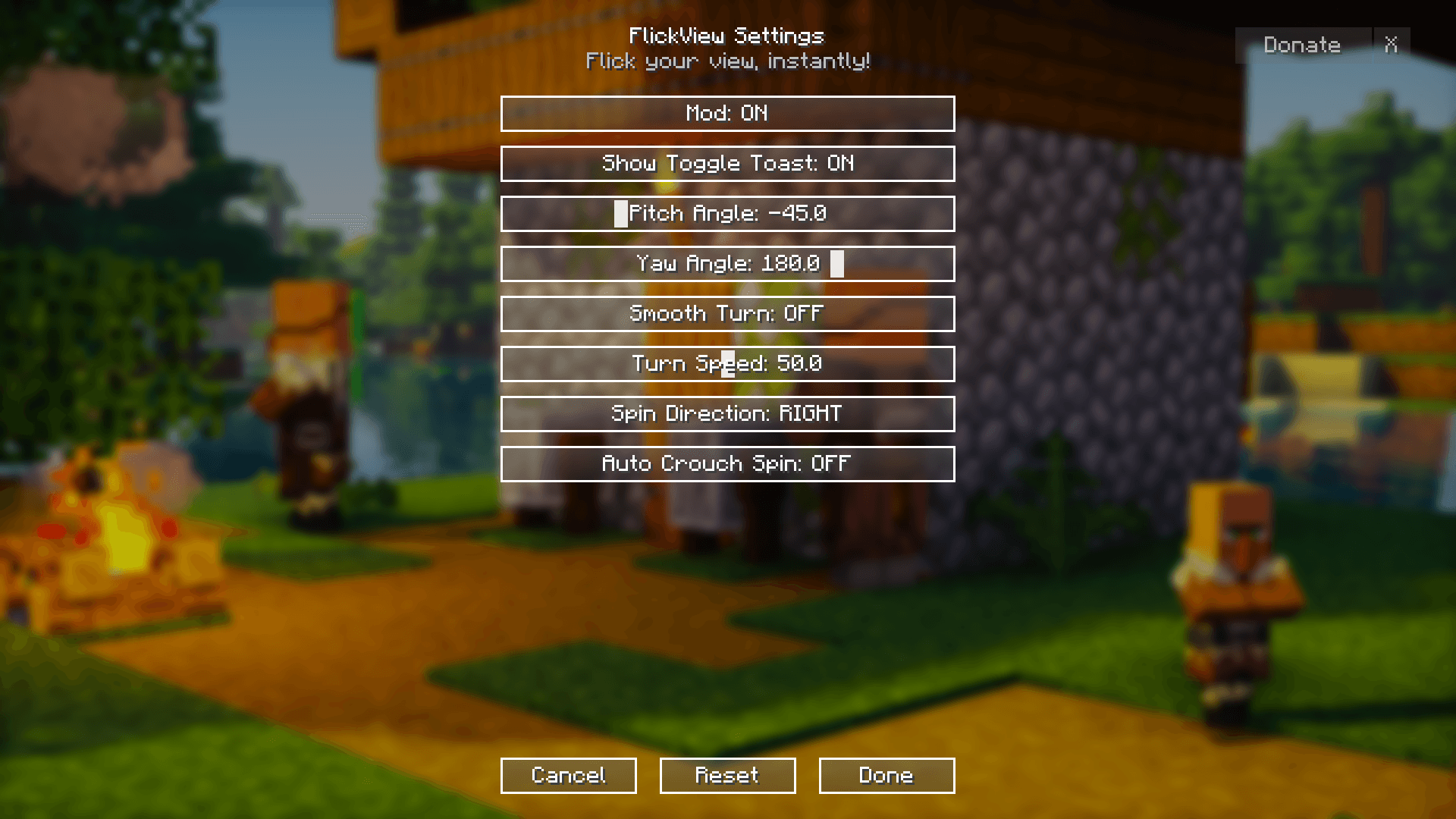 FlickView Settings Full configuration menu for FlickView. Adjust pitch and yaw angles, enable smooth turns, change spin direction, set turn speed, or toggle auto crouch spin. Gives complete control over how flicks and spins behave.
 -
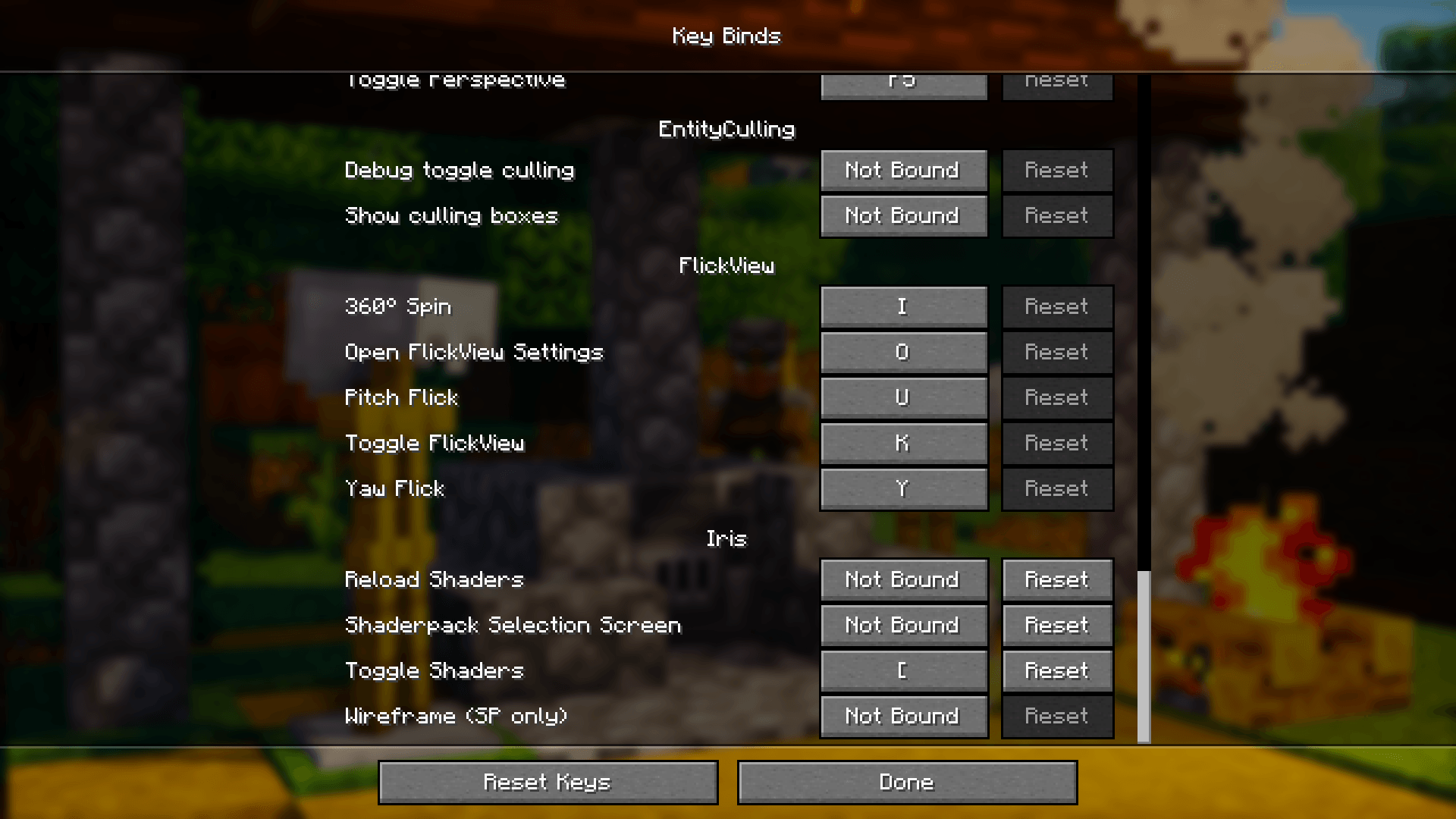 Keybind Settings All default keybinds for FlickView, including 360° Spin, Pitch Flick, and Yaw Flick. Easily customizable from Minecraft’s Controls menu.
-
360° Spin Perform continuous camera spins with one key. Toggle on/off instantly, adjust spin speed, and choose between left or right rotation. Optional Auto Crouch Spin adds timed crouch pulses for PvP tricks and cinematic style.
-
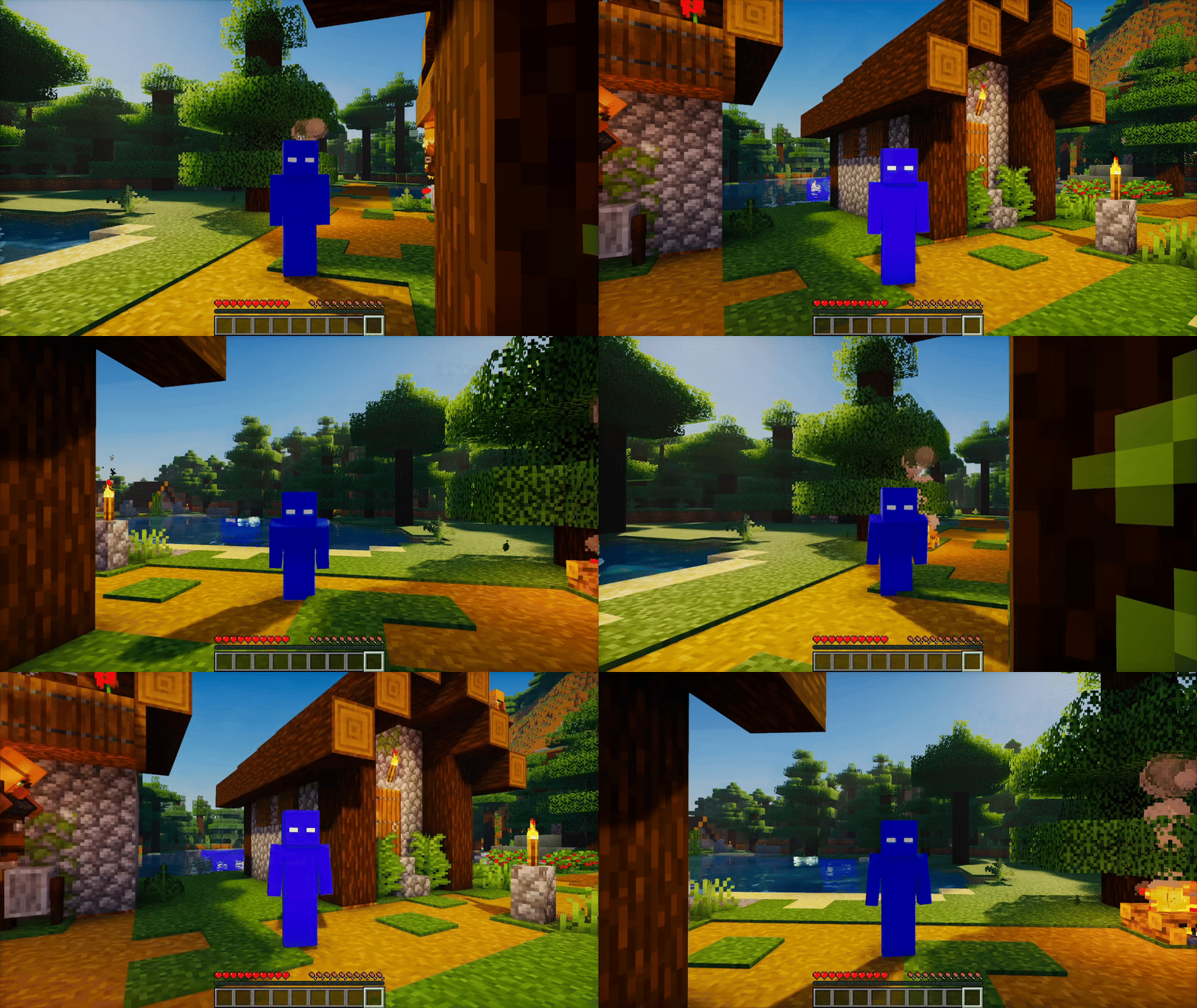 360° Spin with Crouch 360° Spin combined with Auto Crouch pulses. While spinning, the mod automatically toggles crouch at timed intervals, creating dynamic movement.
 -
Yaw Flick with Smooth Turn ON Yaw Flick activated with Smooth Turn enabled. Instead of snapping instantly, the camera eases into the new angle for a more natural, cinematic rotation. Perfect for clean movement or content creation.
-
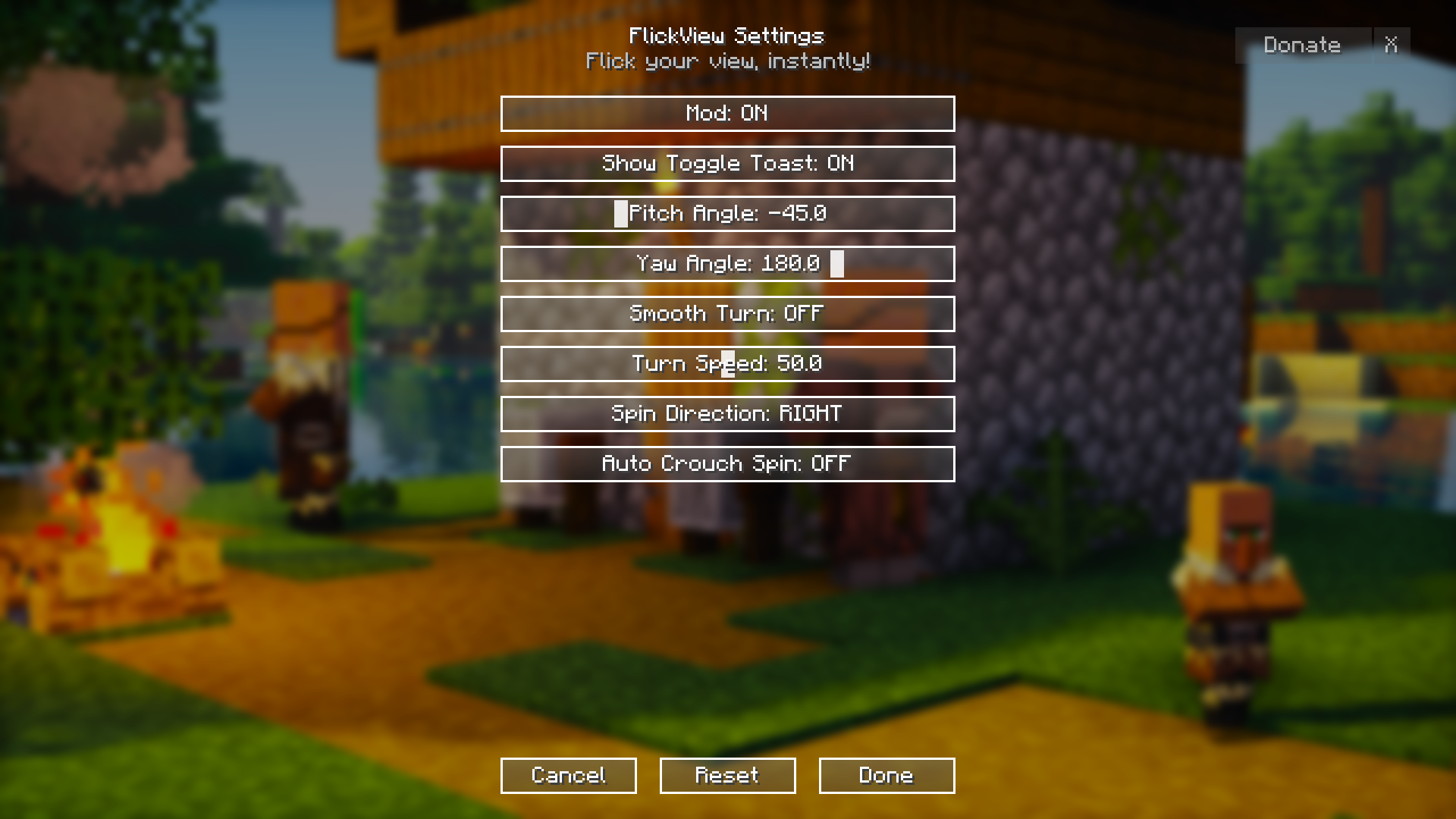 FlickView Settings Full configuration menu for FlickView. Adjust pitch and yaw angles, enable smooth turns, change spin direction, set turn speed, or toggle auto crouch spin. Gives complete control over how flicks and spins behave.
 -
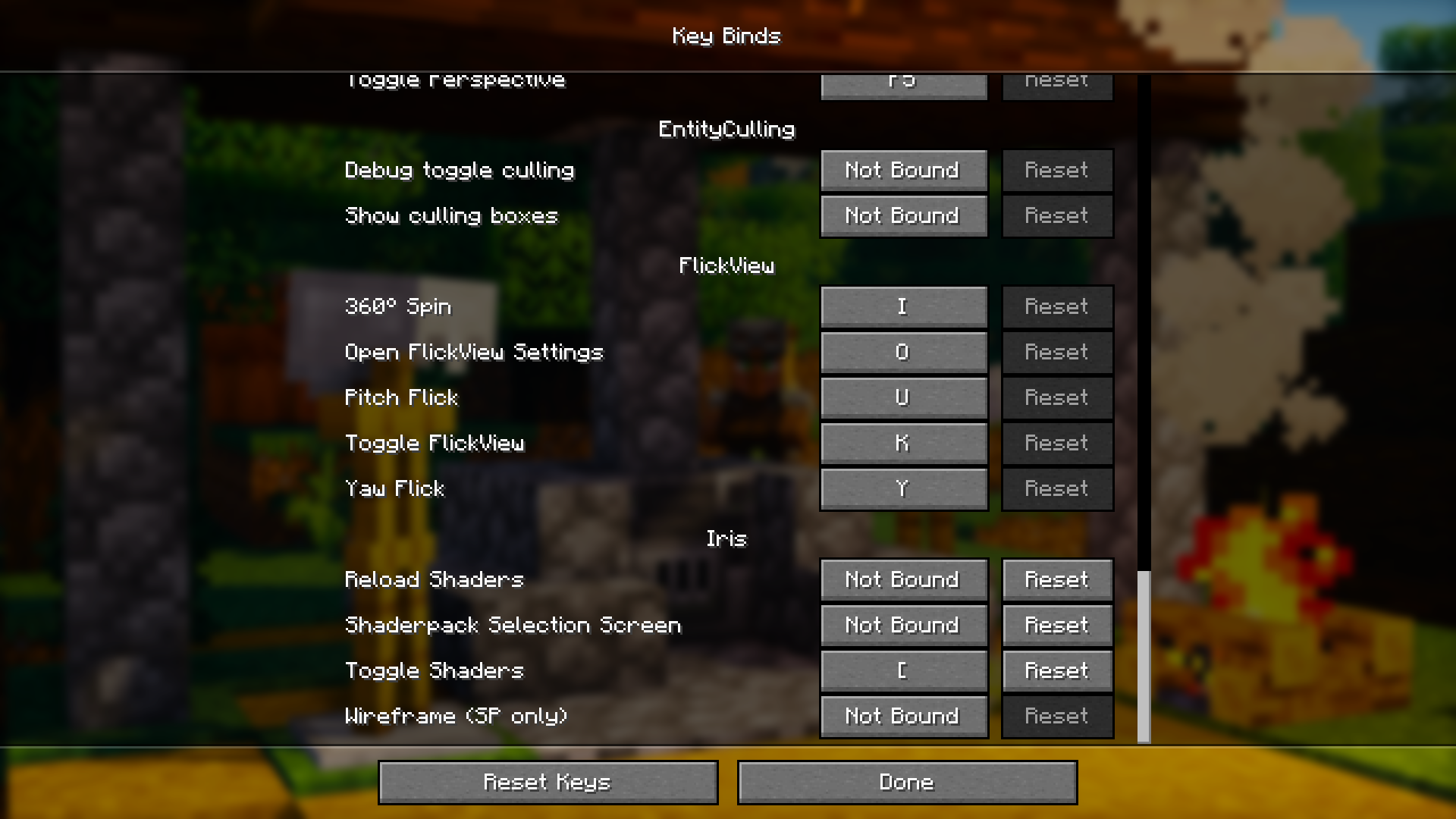 Keybind Settings All default keybinds for FlickView, including 360° Spin, Pitch Flick, and Yaw Flick. Easily customizable from Minecraft’s Controls menu.
 -
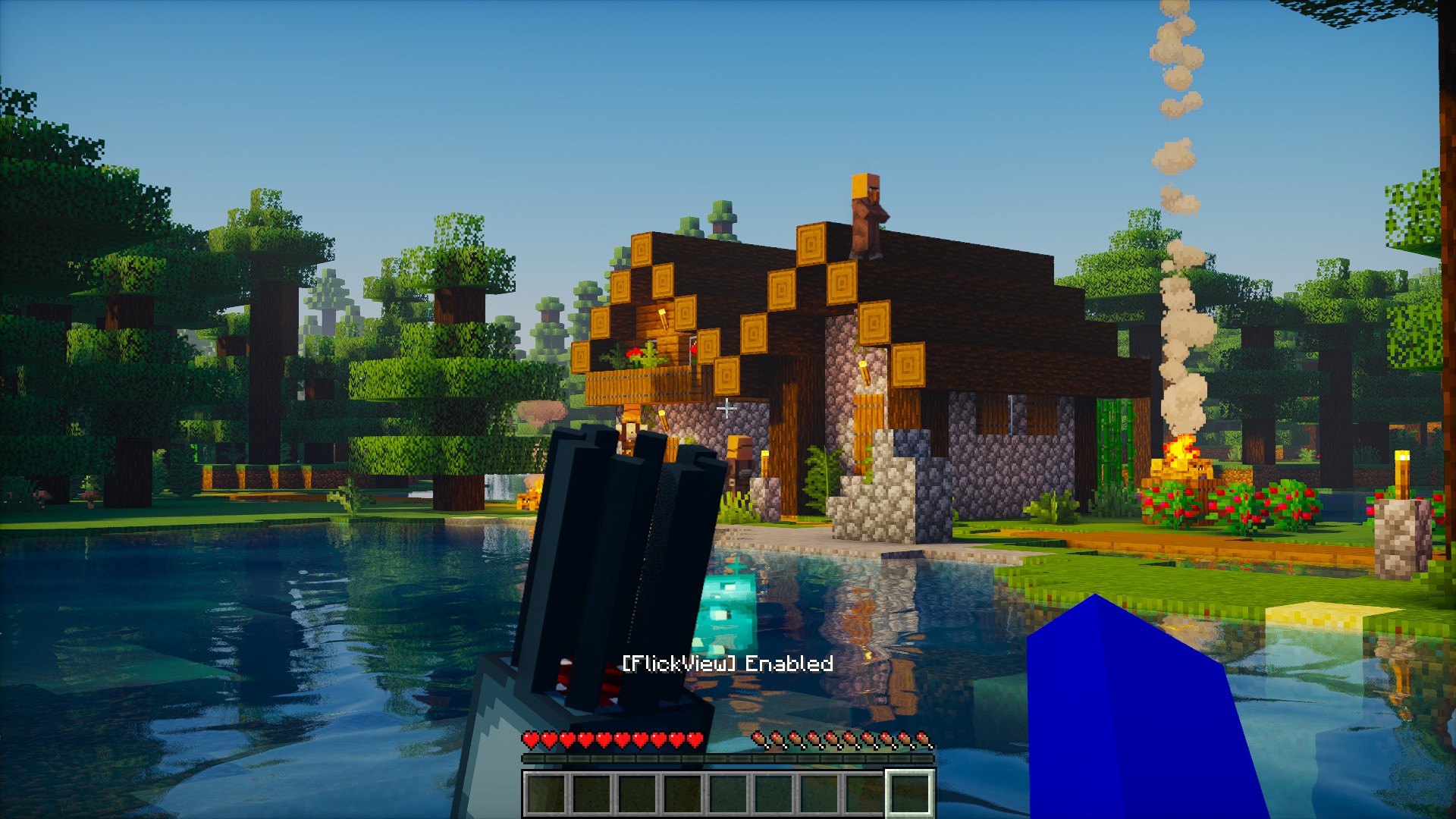 FlickView Enabled Example of FlickView running in-game. The mod shows a clear status message [FlickView] Enabled when activated, letting you know it’s ready for spins and flicks
 -
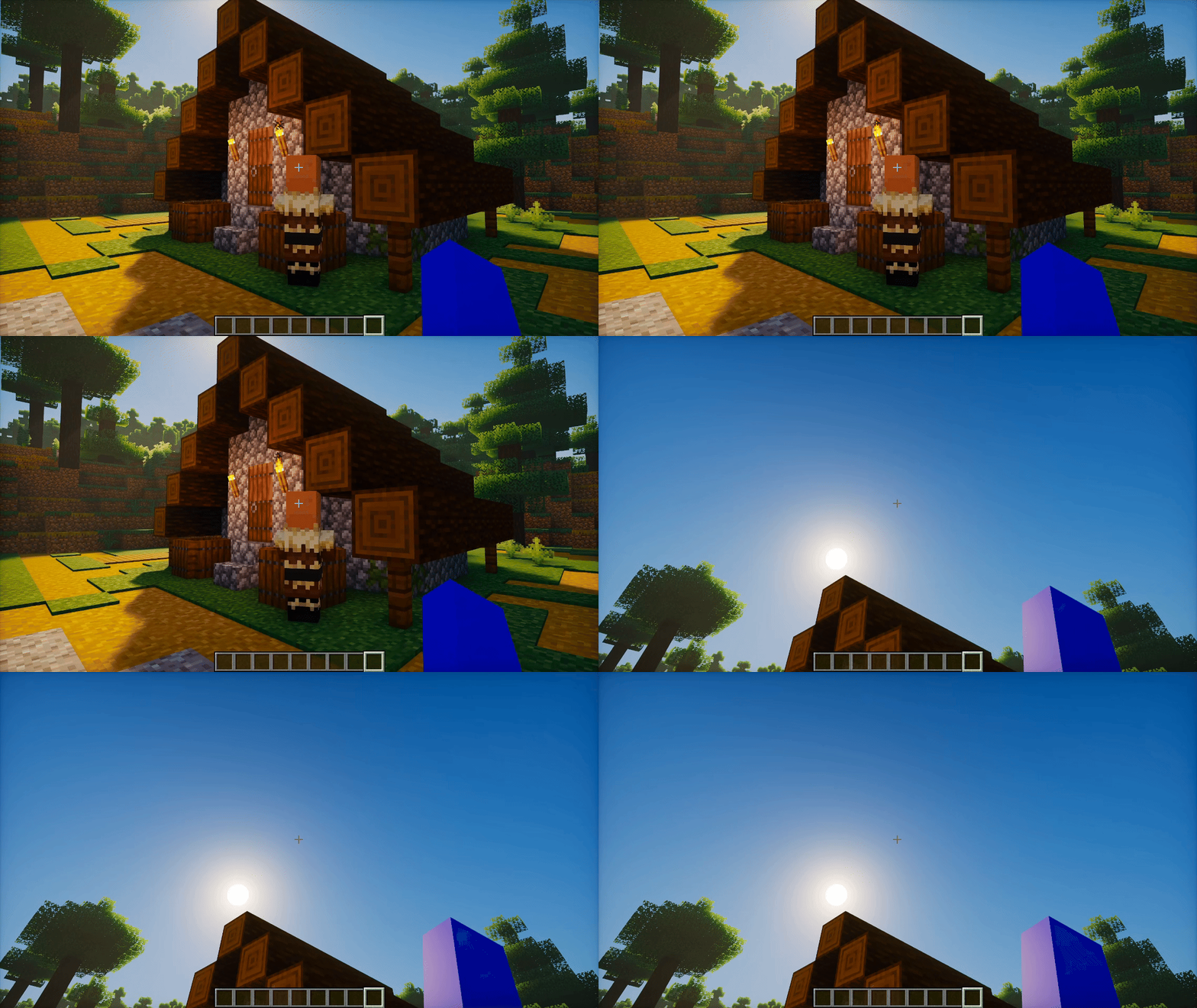 Pitch Flick (U) Pitch Flick triggered with U. The camera jumps to your preset vertical angle (default –45°) for quick perspective shifts. Press U again to return smoothly to your baseline view.
 -
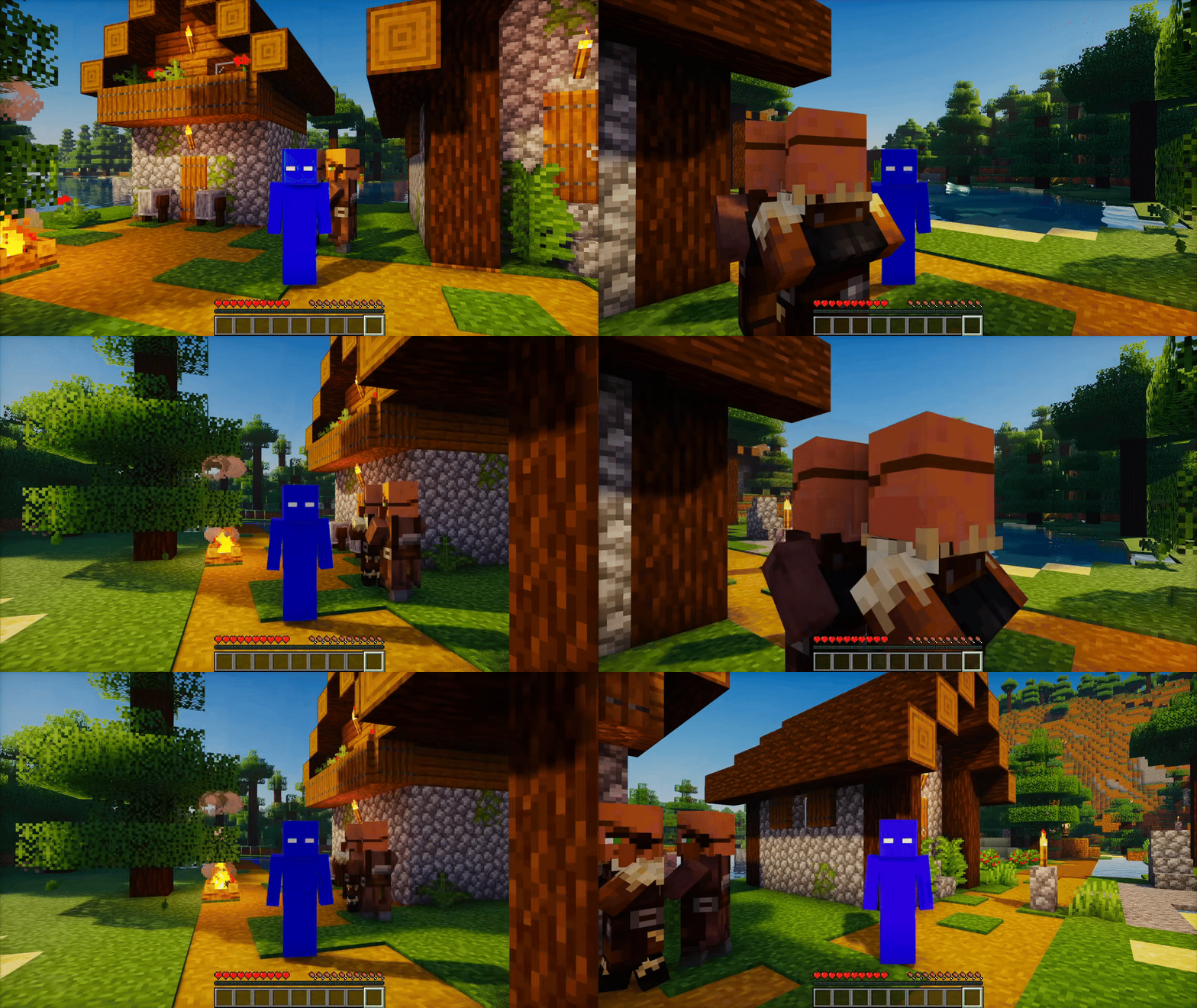 360° Spin Right Continuous spin activated in the right (clockwise) direction. Speed is fully adjustable, from slow cinematic turns to ultra-fast rotations.
 -
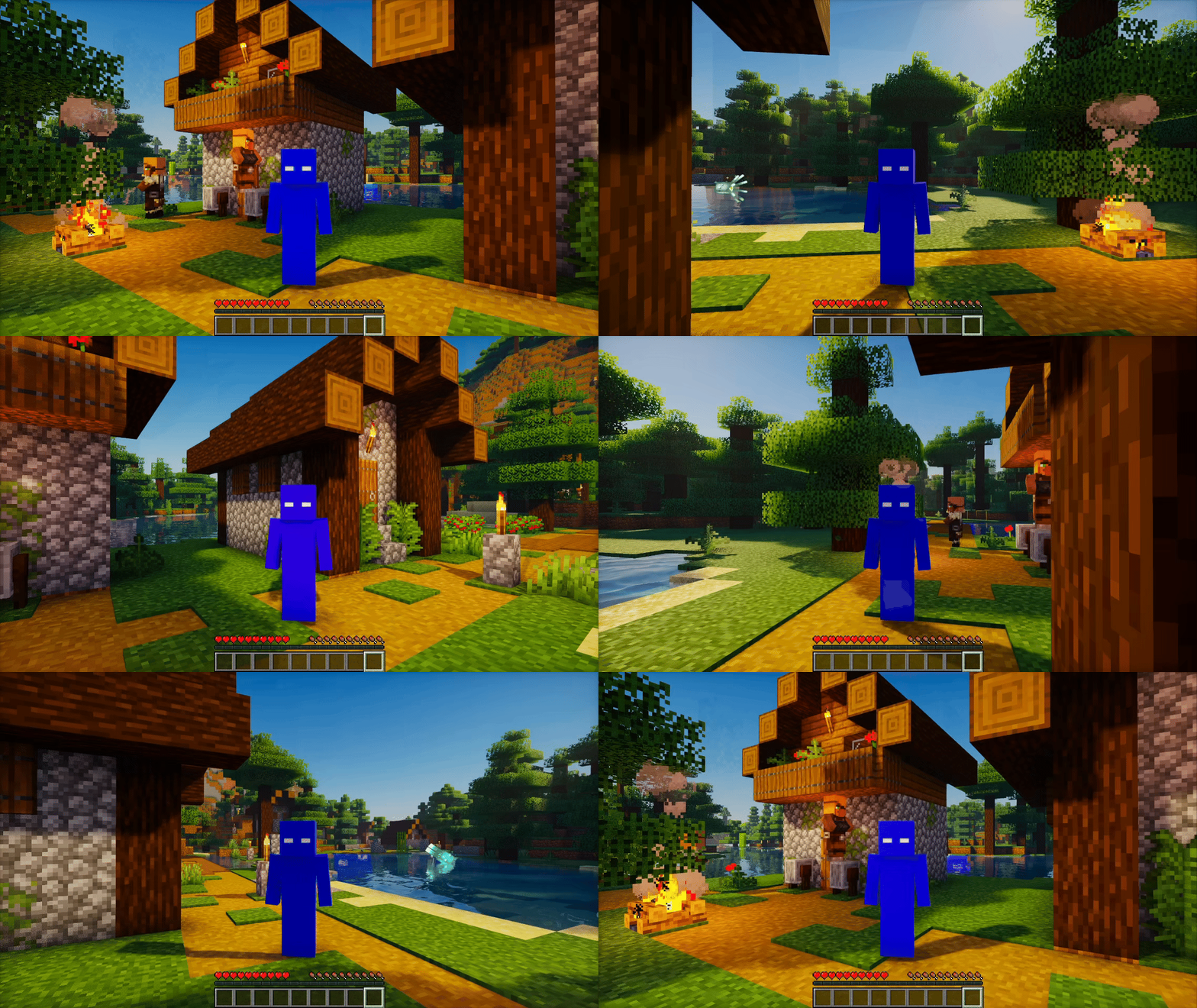 360° Spin Left Continuous spin activated in the left (counter-clockwise) direction. Fully adjustable spin speed lets you choose between smooth cinematic turns or rapid rotations.
 -
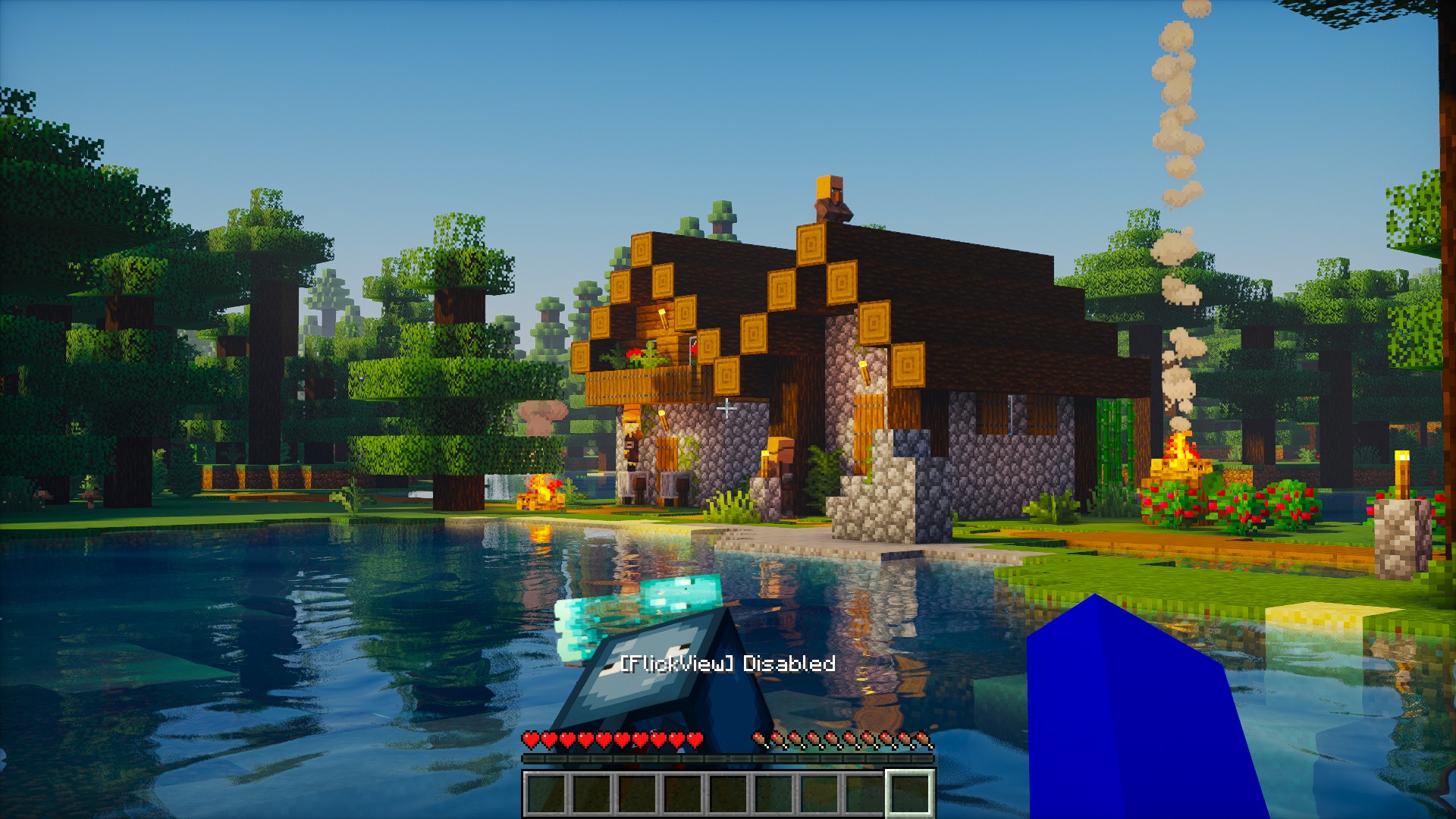 FlickView Disabled Indicates that FlickView has been turned off. When [FlickView] Disabled appears, the mod is no longer active and camera flick/spin actions are paused.
 -
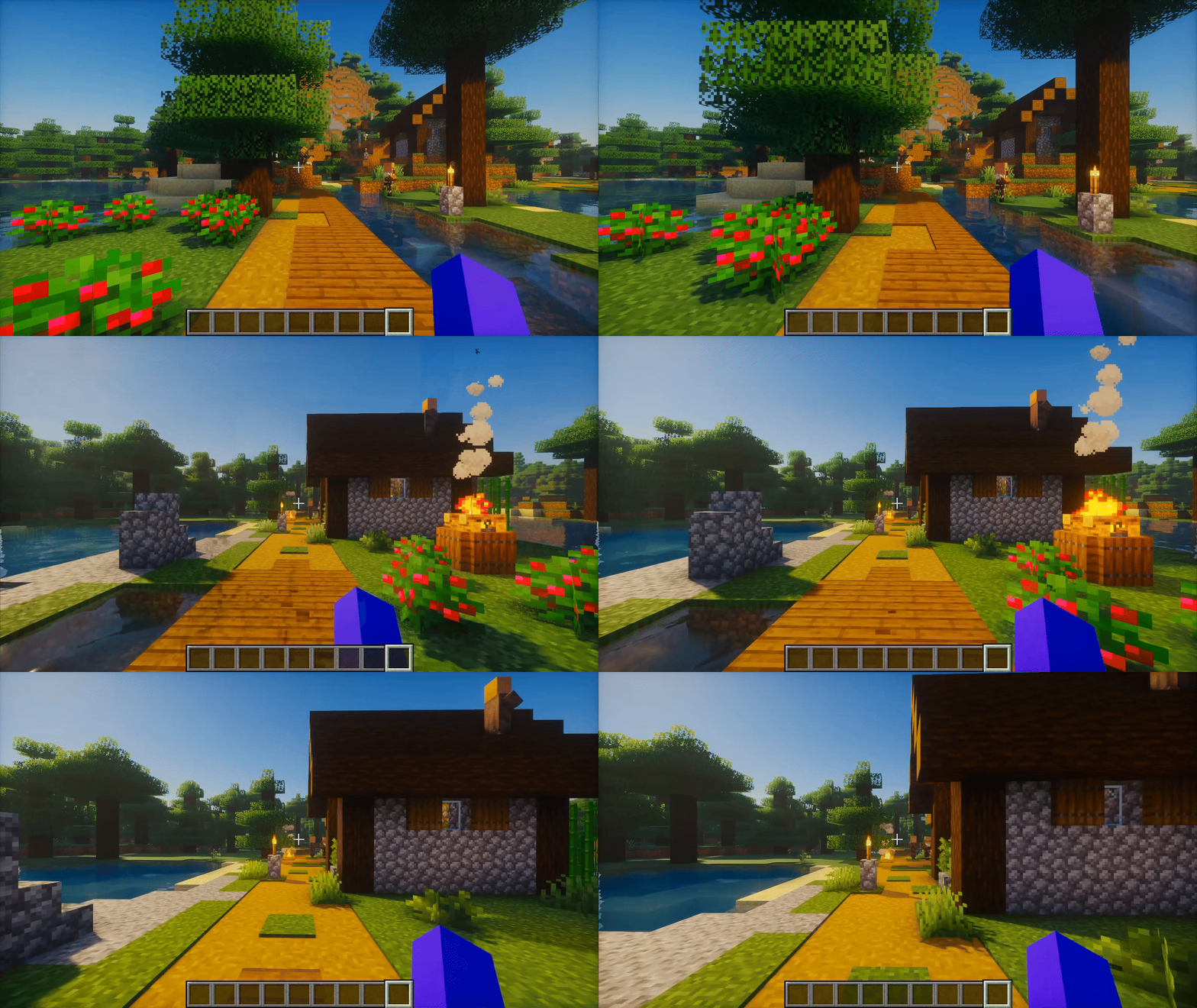 Yaw Flick with Smooth Turn OFF Yaw Flick executed with Smooth Turn disabled. The camera snaps instantly to the configured angle, giving fast and precise view changes ideal for PvP and quick reactions.
Versions
Files
Relations
Project Relations
More like this
Similar Mods
Suggestions use data such as tags, dependencies, dependents, descriptions, titles, and more to rank how much they overlap with this mod.
On ModDex
Community snapshot
By the numbers
Statistics
Want to reach Minecraft players?
We're looking for a server hosting partner to feature here and other parts of the site. Interested? Send us a message!
Get in touchGet it on
Available Platforms
On ModDex
Community snapshot
By the numbers
Statistics
Resources