Community listing page, reviews may not be monitored by the author.
BarterShop

No reviews yet
BarterShop is a lightweight, server-friendly chest shop mod that lets players buy and sell items using simple signs and item-based trades. Create secure shops without commands, complicated setups, or a client-side installation.

Community voices
Reviews
No reviews yet. Be the first to review this project!
Get it on
Available Platforms
About
Project Details
For authors
Embed Badge
If you're the author of this project, you can embed a live badge anywhere that supports HTML or Markdown. It updates automatically whenever ratings change.
Use HTML for any page that supports it, or Markdown for README files and Markdown-based descriptions.
Identifiers
Platform IDs
About
Description

BarterShop
BarterShop is a lightweight, server-friendly chest shop mod that lets players buy and sell items using simple signs and item-based trades. Create secure shops without commands, complicated setups, or a client-side installation.
Built for survival multiplayer, BarterShop makes trading with other players as simple as placing a chest or barrel and writing a sign.
Installation
- Install Minecraft 26.2 with Fabric Loader.
- Install the compatible version of Fabric API.
- Download BarterShop.
- Place the BarterShop and the Fabric API JAR in your
modsfolder. - Launch Minecraft or start your Fabric server.
For multiplayer: Install BarterShop and Fabric API on the server. Connecting players do not need to install BarterShop.
For singleplayer: Install BarterShop and Fabric API in your Minecraft client's mods folder.
Create a Shop
Place a chest, double chest or barrel where you want your shop.
Attach a wall sign to the chest or barrel.
Enter the following text on the sign:
[SHOP]
16 oak_log
1 diamond
Finish editing the sign. BarterShop registers the shop and automatically adds your player name to the fourth line.
Stock the chest or barrel with the items you're selling.
In this example, a customer can trade 1 diamond for 16 oak logs. The diamond is deposited into the shop container, and the customer receives the logs.
The sign lines mean:
- Line 1:
[SHOP]- identifies the sign as a shop. - Line 2:
16 oak_log- the amount and item the shop sells. - Line 3:
1 diamond- the amount and item the customer pays. - Line 4: Your username - filled in automatically.
Use Minecraft item IDs such as oak_log, iron_ingot, or diamond when setting up a trade. You can find a list of all item IDs here.
Trade with Players
Simply right-click a shop sign to make a trade.
BarterShop checks that the chest or barrel has enough stock, the buyer has the required payment, and both inventories have room for the exchange. If the trade can't be completed, no items are exchanged.
Shops use regular Minecraft items as currency, so there's no separate economy or currency system to manage.
Shop Protection
Registered shops are protected against other players opening or breaking their containers and signs.
BarterShop also protects shop containers from hopper extraction and prevents registered shop blocks from being destroyed by explosions.
Shop owners can manage their own shops, and server operators with the appropriate permissions can manage shops too.
To remove or change your shop, break its sign and create a new one with the trade you want.
Admin Permissions
BarterShop provides the bartershop:admin permission, allowing server administrators to manage and remove shops owned by other players.
Server operators with OP level 2 or higher automatically have this permission. The permission can also be used with compatible permission management mods, such as LuckPerms.
Shop Protection Gamerule
Shop protection is enabled by default. Server administrators can disable it with:
/gamerule bartershop:shop_protection false
To enable it again:
/gamerule bartershop:shop_protection true
When protection is disabled, normal container access, block breaking, and item extraction behavior is restored.
⭐ Features
- Simple Sign Shops - Create shops using a chest or barrel and a wall sign, with no commands required.
- Item-for-Item Trading - Exchange any supported Minecraft items without a separate currency.
- Single & Double Chests - Use regular chests, double chests or barrels for shop storage.
- Secure Transactions - Trades only complete when the stock, payment, and inventory space are available.
- Shop Protection - Prevent unauthorized container access, block breaking, hopper extraction, and explosion damage.
- Automatic Sign Formatting - Shop signs are formatted and signed with the owner's name.
- Persistent Shops - Registered shops remain available after world restarts.
- Server-Side Multiplayer Support - Players can join and trade without installing the mod on their clients.
- Singleplayer Support - Create and test shops in your own worlds too.
- Localization - Support for multiple languages, with en_us and nl_nl currently supported in the base mod.
Bug Reports & Suggestions
If you encounter a bug or have a suggestion, please open an issue in the GitHub Issues section, or report them on my Discord. Suggestions are also heavily appreciated.
When reporting a bug, please include:
- Your BarterShop version
- Your Minecraft version
- Steps to reproduce the issue
- Relevant logs or screenshots, if available
Screenshots
Gallery
-
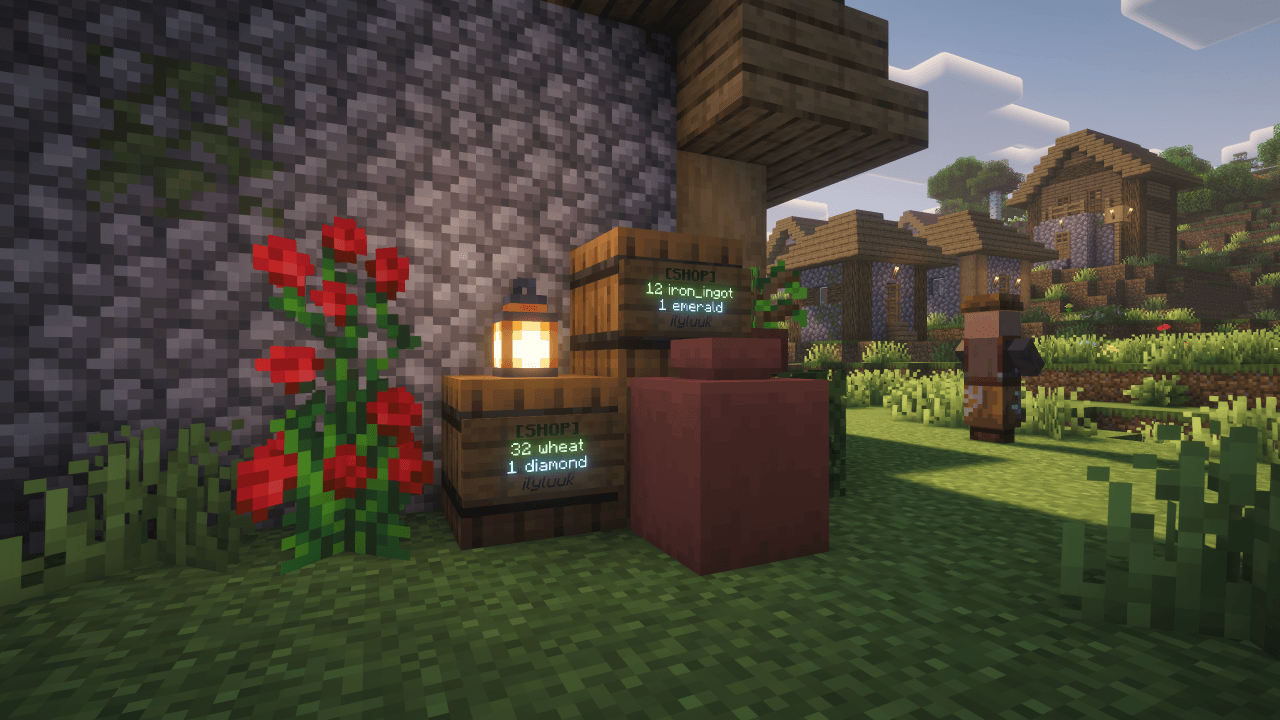 BarterShopImage3 - 720p.png BarterShopImage3 - 720p.png
 -
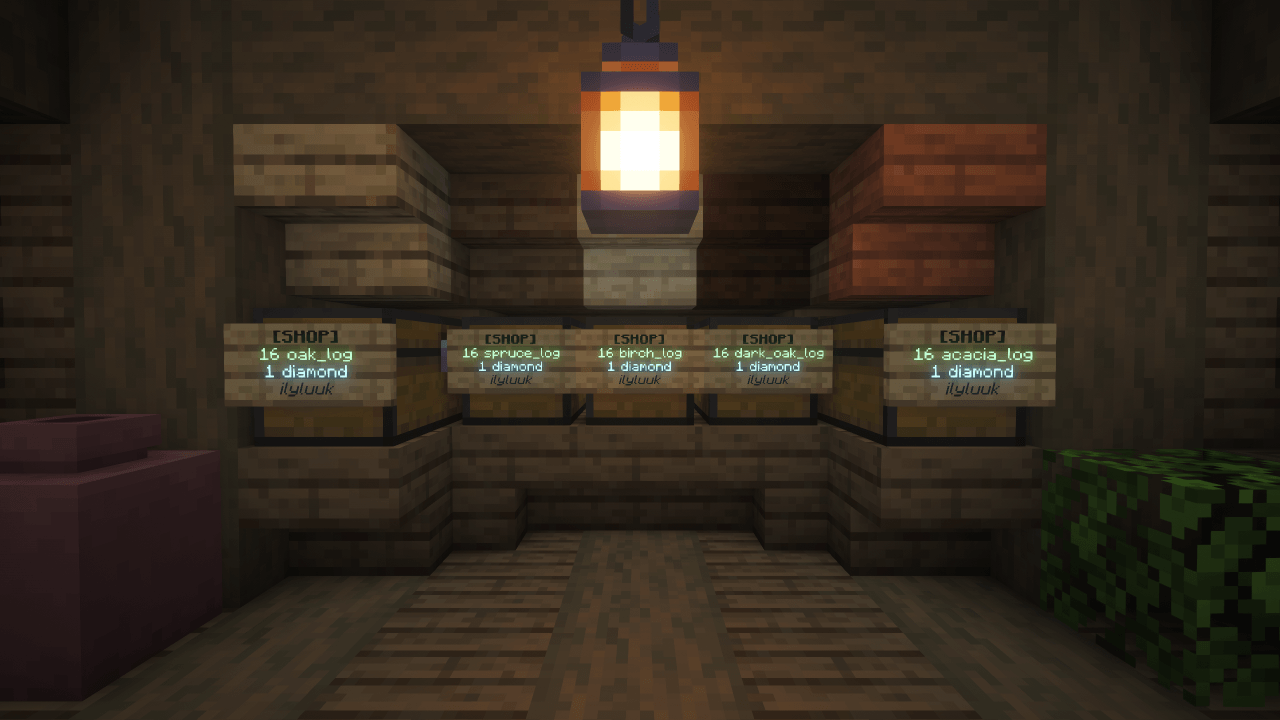 BarterShopImage2 - 720p.png BarterShopImage2 - 720p.png
 -
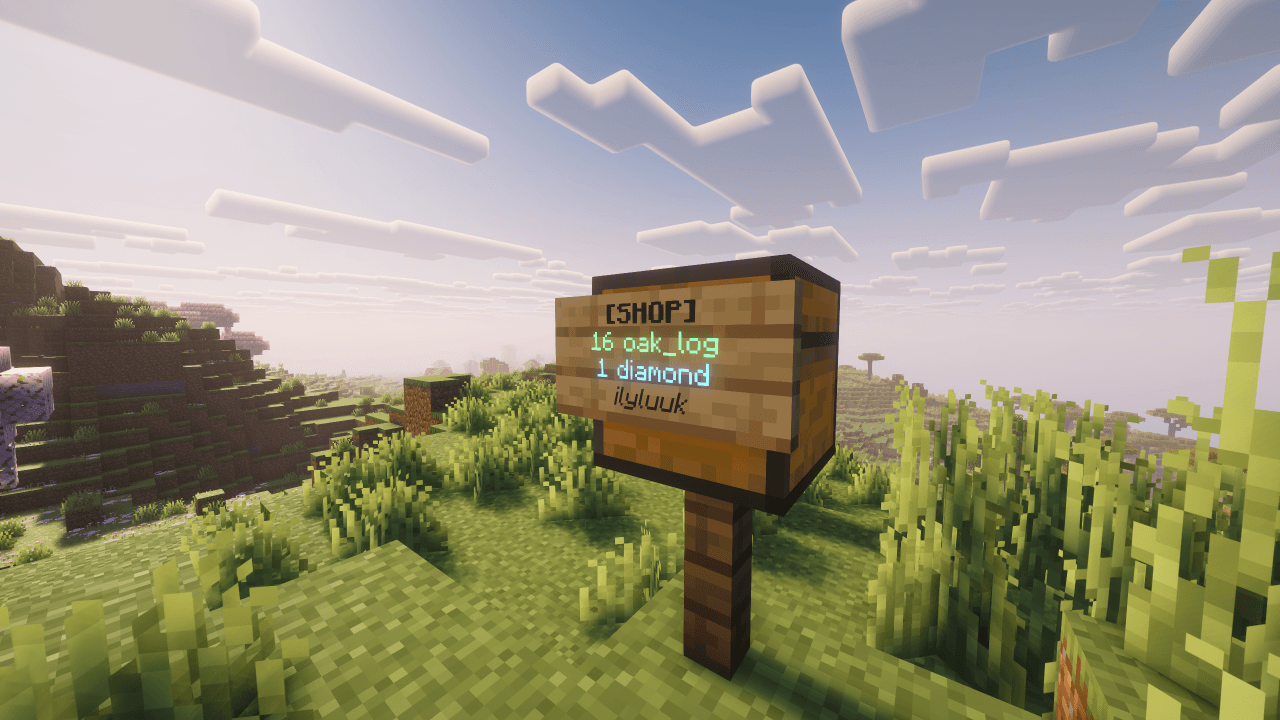 BarterShopImage - 720p.png BarterShopImage - 720p.png
Versions
Files
Relations
Project Relations
More like this
Similar Mods
Suggestions use data such as tags, dependencies, dependents, descriptions, titles, and more to rank how much they overlap with this mod.
On ModDex
Community snapshot
By the numbers
Statistics

Get it on
Available Platforms
On ModDex
Community snapshot
By the numbers