
Community listing page, reviews here may not be monitored by the author.
BasicHUD


No reviews yet
BasicHUD is a Forge mod for Minecraft 1.8.9 that displays basic information as a customizable HUD.

Community voices
Reviews
No reviews yet. Be the first to review this project!
Get it on
Available Platforms
Compatibility
Supported Environments
Runs entirely on the client. Works on vanilla servers.
About
Project Details
For authors
Embed Badge
If you're the author of this project, you can embed a live badge anywhere that supports HTML or Markdown. It updates automatically whenever ratings change.
Use HTML for any page that supports it, or Markdown for README files and Markdown-based descriptions.
Identifiers
Platform IDs
About
Description

BasicHUD
BasicHUD is a Forge mod for Minecraft 1.8.9 that displays basic information as a customizable HUD.
Features
- Stats Display: Real-time FPS, Ping, CPS, Keystrokes and active Potion Effects.
- Customization: Fully configurable position, text colors (incl. RGB/Chroma), background and on/off toggle.
- GUI: Built-in config menu (default Shortcut: K) for easy adjustments with Drag and Drop to change the Position.
Installation
Download jar file manually
- Download the latest
.jarfrom Modrinth / Curseforge / the Releases tab. - Make sure you have Minecraft Forge 1.8.9 installed.
- Drop the file into your
.minecraft/modsfolder.
Use Prism Launcher
- Open Prism Launcher and select your Minecraft 1.8.9 Forge instance.
- Click on Edit in the right-side menu.
- Navigate to the Mods tab in the left sidebar and click Download Mods at the top right.
- Search for BasicHUD (ensure Modrinth or CurseForge is selected as the source), select the mod, and click Review and Confirm.
Use Modrinth / Curseforge Lauchner
- Use Modrinth / CurseForge Launcher
- Open your Modrinth App or CurseForge Launcher.
- Navigate to your Minecraft 1.8.9 Forge profile/instance.
- Click the Add Mods button (Modrinth App) or Add More Content button (CurseForge).
- Search for BasicHUD and click Install.
Usage
- The HUD appears automatically when you join a world or server.
- To edit settings: Press K to open the config, there you can edit the position (Drag and Drop) and more settings (Open more settings button) of the HUD Elements.
Screenshots


Building from Source
If you want to compile the mod yourself:
- Clone this repository.
- Run the build command:
bash ./gradlew build - The output file will be in
build/libs.
Credits
- Created by Marschi47.
- Based on Forge1.8.9Template by lineargraph.
BasicHUD
BasicHUD is a Forge mod for Minecraft 1.8.9 that displays basic information as a customizable HUD.
Features
- Stats Display: Real-time FPS, Ping, CPS, Keystrokes and active Potion Effects.
- Customization: Fully configurable position, text colors (incl. RGB/Chroma), background and on/off toggle.
- GUI: Built-in config menu (default Shortcut: K) for easy adjustments with Drag and Drop to change the Position.
Screenshots
Installation
Download jar file manually
- Download the latest
.jarfrom Modrinth / Curseforge / the Releases tab. - Make sure you have Minecraft Forge 1.8.9 installed.
- Drop the file into your
.minecraft/modsfolder.
Use Prism Launcher
- Open Prism Launcher and select your Minecraft 1.8.9 Forge instance.
- Click on Edit in the right-side menu.
- Navigate to the Mods tab in the left sidebar and click Download Mods at the top right.
- Search for BasicHUD (ensure Modrinth or CurseForge is selected as the source), select the mod, and click Review and Confirm.
Use Modrinth / Curseforge Lauchner
- Use Modrinth / CurseForge Launcher
- Open your Modrinth App or CurseForge Launcher.
- Navigate to your Minecraft 1.8.9 Forge profile/instance.
- Click the Add Mods button (Modrinth App) or Add More Content button (CurseForge).
- Search for BasicHUD and click Install.
Usage
- The HUD appears automatically when you join a world or server.
- To edit settings: Press K to open the config, there you can edit the position (Drag and Drop) and more settings (Open more settings button) of the HUD Elements.
Credits
- Created by Marschi47.
- Based on Forge1.8.9Template by lineargraph.
Screenshots
Gallery
-
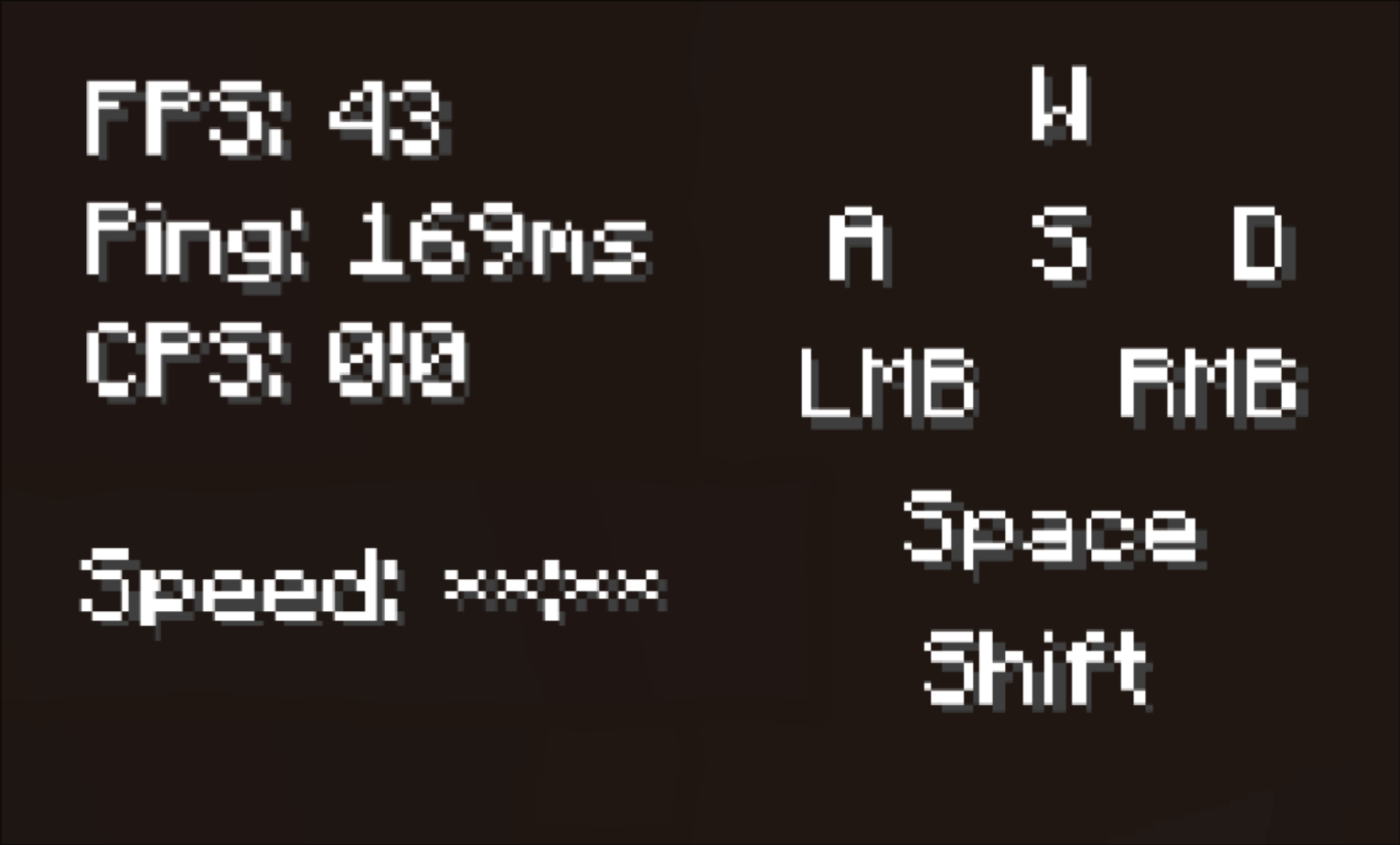 HUD upclose Close up screenshot of all the HUD Element available (FPS, CPS, Ping, Keystrokes and Potion Effects)
 -
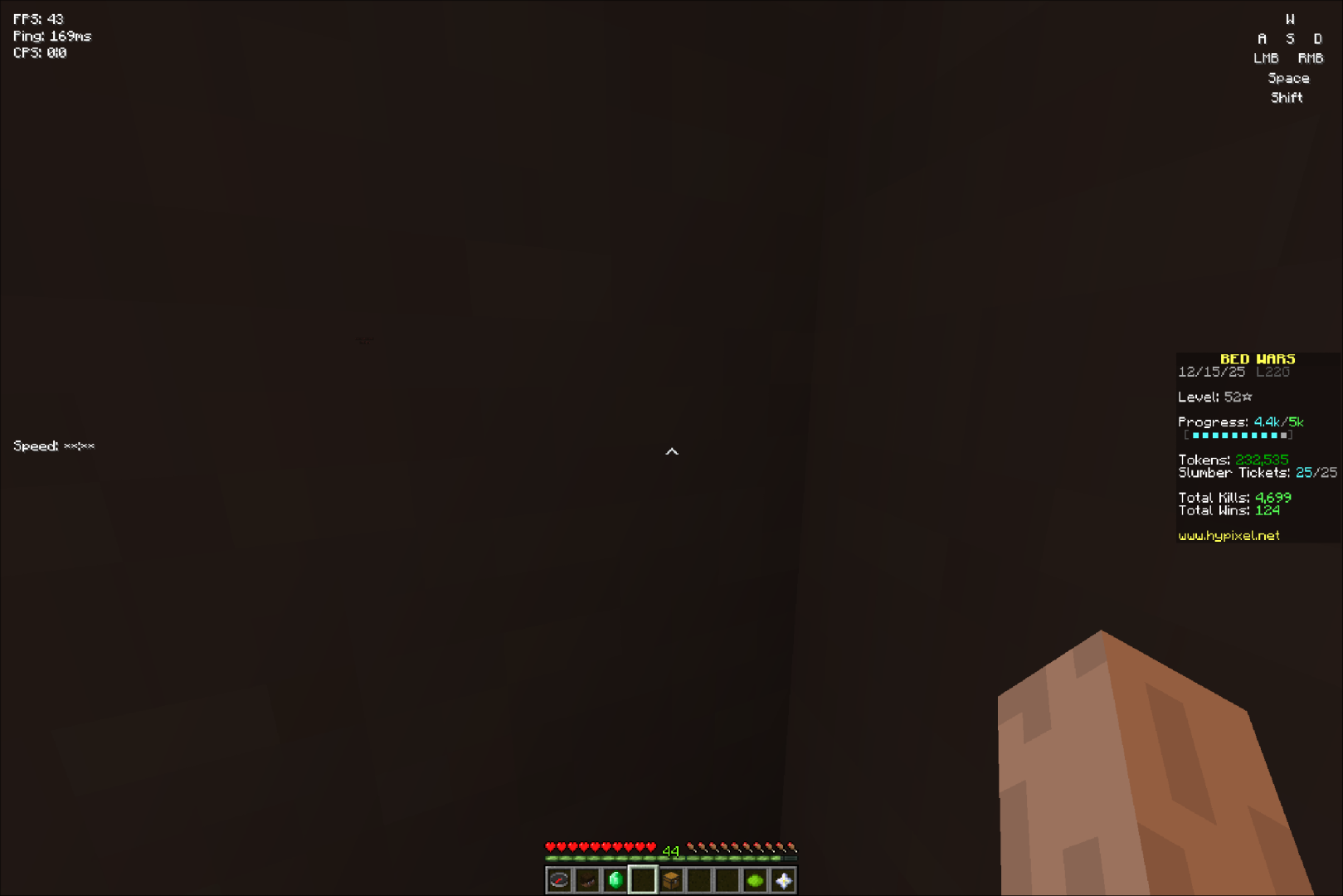 HUD all HUD elements (FPS, CPS, Ping, Keystrokes and Potion Effects)
Versions
Files
Relations
Project Relations
More like this
Similar Mods
Suggestions use data such as tags, dependencies, dependents, descriptions, titles, and more to rank how much they overlap with this mod.
On ModDex
Community snapshot
By the numbers
Statistics
 (opens in a new tab)
Get it on
Available Platforms
On ModDex
Community snapshot
By the numbers