Community listing page, reviews here may not be monitored by the author.
BeautifulButtons


No reviews yet
This is the new future to colouring your UI to your liking, and bringing your GUI to life!
Community voices
Reviews
No reviews yet. Be the first to review this project!
Get it on
Available Platforms
Compatibility
Supported Environments
Runs entirely on the client. Works on vanilla servers.
About
Project Details
For authors
Embed Badge
If you're the author of this project, you can embed a live badge anywhere that supports HTML or Markdown. It updates automatically whenever ratings change.
Use HTML for any page that supports it, or Markdown for README files and Markdown-based descriptions.
Identifiers
Platform IDs
Resources
External Links
About
Description
🎨 BeautifulButtons
Give your Minecraft buttons a makeover — because your UI deserves a little personality.
BeautifulButtons is a client-side mod that lets you customise the colour of every button in Minecraft's menus. Pick any hex colour you like, or choose from a built-in palette of 12 presets — then preview your choice live before applying it.
✨ Features
Full hex colour support — enter any valid hex code to get the exact colour you want 12 quick-pick presets — red, orange, yellow, green, teal, blue, purple, pink, white, grey, dark grey, and black Live preview — see exactly what your button will look like before committing Per-button customisation — colour individual buttons differently for a truly unique UI Reset at any time — one click to go back to default
🖌️ How it works
BeautifulButtons adds a Button Colour screen accessible from the options menu. Here's what you'll find inside:
Hex input field Type any valid hex colour code — for example #2ECC71 for emerald green, #9B59B6 for purple, or #E74C3C for red. The field accepts both 3-digit and 6-digit hex codes, with or without the # symbol.
Preset palette Below the input field sits a grid of 12 colour swatches. Click any one to instantly load that colour into the hex field — no typing needed. The currently selected colour is highlighted with a white outline so you always know where you are.
The 12 presets are: Red · Orange · Yellow · Green · Teal · Blue · Purple · Pink · White · Light Grey · Dark Grey · Black
Live preview At the bottom of the screen, a full-width preview button updates in real time as you type or click swatches. What you see is exactly what will appear in-game — no surprises.
Apply / Reset / Cancel
Apply — saves your chosen colour to that button Reset — reverts the button back to Minecraft's default grey Cancel — closes the screen without saving any changes
Each button in the game can be coloured independently, so you can have your Singleplayer button in green, Multiplayer in teal, and Quit Game in black — entirely up to you.
🎨 BeautifulButtons
Give your Minecraft buttons a makeover — because your UI deserves a little personality.
BeautifulButtons is a client-side mod that lets you customise the colour of every button in Minecraft's menus. Pick any hex colour you like, or choose from a built-in palette of 12 presets — then preview your choice live before applying it.
✨ Features:
Full hex colour support — enter any valid hex code to get the exact colour you want
12 quick-pick presets — red, orange, yellow, green, teal, blue, purple, pink, white, grey, dark grey, and black
Live preview — see exactly what your button will look like before committing
Per-button customisation — colour individual buttons differently for a truly unique UI
Reset at any time — one click to go back to default
How to use it:
Once the mod is installed, open the colour settings for any button from the options menu. Type in a hex code (like #2ECC71 for green), or click one of the preset swatches. The preview at the bottom of the screen updates instantly. Hit Apply when you're happy, Reset to go back to default, or Cancel to exit without saving.
Screenshots
Gallery
-
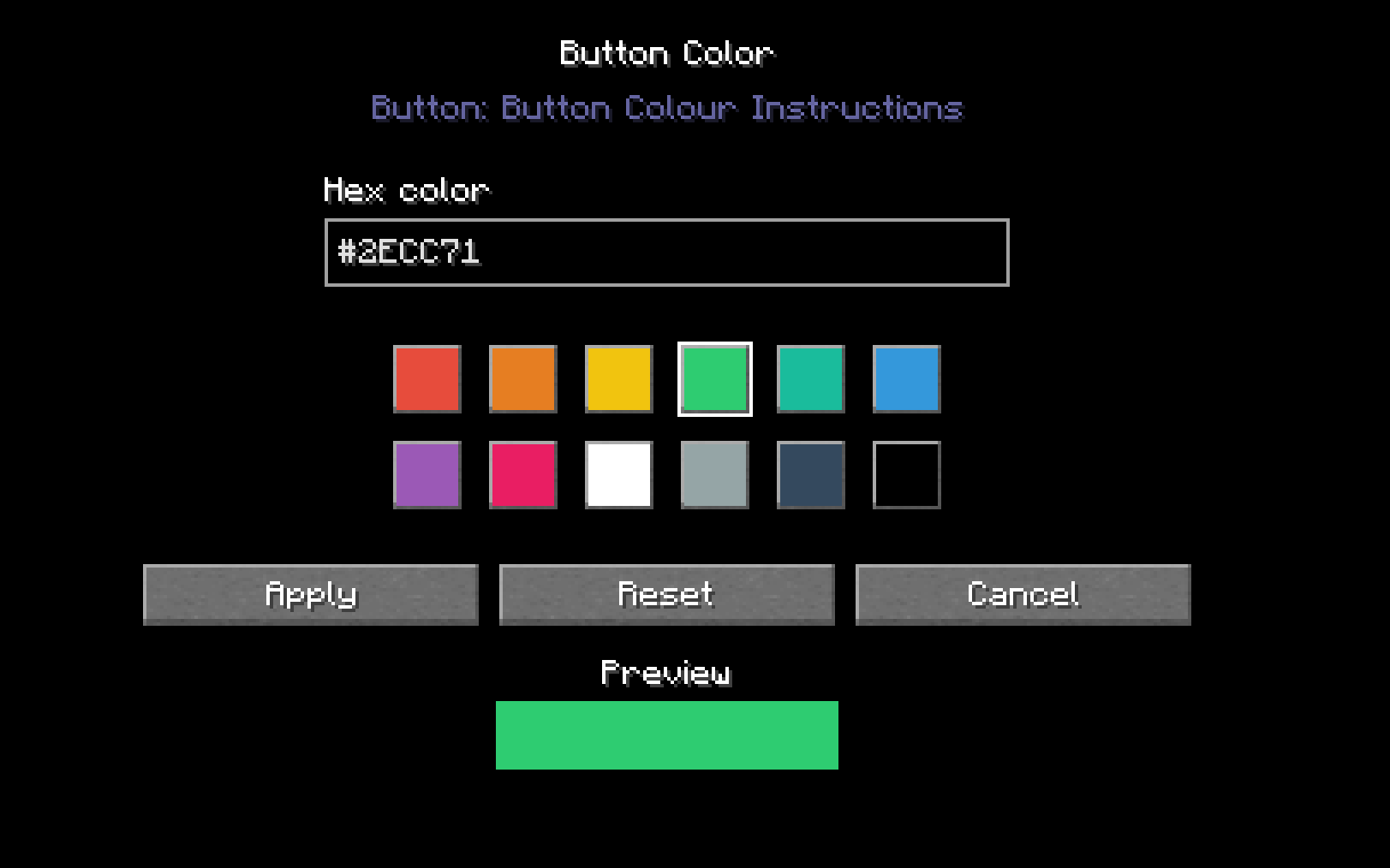 Hex Code/Colour Screen Preview How to change the colours of different widgets and buttons!
 -
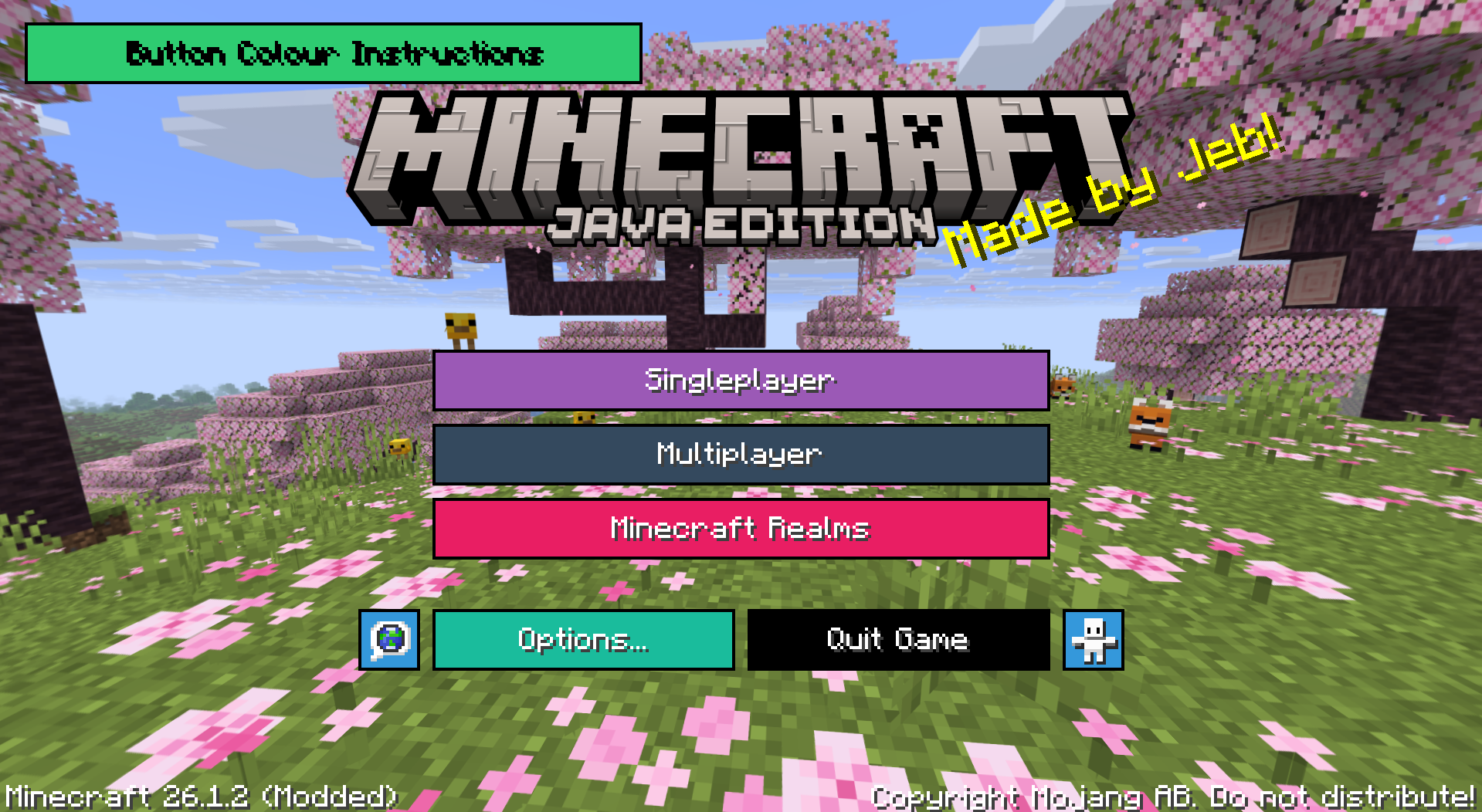 How it looks! This is an example of how the buttons look if you go wild with artistic genuis!
Versions
Files
Relations
Project Relations
More like this
Similar Mods
Suggestions use data such as tags, dependencies, dependents, descriptions, titles, and more to rank how much they overlap with this mod.
On ModDex
Community snapshot
By the numbers
Statistics
Want to reach Minecraft players?
We're looking for a server hosting partner to feature here and other parts of the site. Interested? Send us a message!
Get in touchGet it on
Available Platforms
On ModDex
Community snapshot
By the numbers
Statistics
Resources