
Community listing page, reviews here may not be monitored by the author.
Bedrock Camera Command


No reviews yet
Customize your camera the way you want
Community voices
Reviews
No reviews yet. Be the first to review this project!
Get it on
Available Platforms
Compatibility
Supported Environments
Must be installed on both the client and the server.
About
Project Details
For authors
Embed Badge
If you're the author of this project, you can embed a live badge anywhere that supports HTML or Markdown. It updates automatically whenever ratings change.
Use HTML for any page that supports it, or Markdown for README files and Markdown-based descriptions.
Identifiers
Platform IDs
Resources
External Links
About
Description
I decided to port /camera command from Minecraft Bedrock

Syntax:
/camera <players:target> clear - Clears your camera settings
/camera <players:target> fade time <fadeInSeconds: time> <holdSeconds: time> <fadeOutSecond:time> color <red: int> <green: int> <blue: int> - Color fade effect
/camera <players:target> set <mode:string> - Set your camera mode
/camera <players:target> set <mode:string> pos <position:vec3> - Set your camera position
/camera <players:target> set <mode:string> rot <rotation:vec2> - Set your camera rotation
/camera <players:target> set <mode:string> facing <lookAtEntity:entity> - Set your camera look at entity
/camera <players:target> set <mode:string> facing <lookAtPos:vec3> - Set your camera look at pos
/camera <players:target> set <mode:string> ease <easeTime:float> <easingType:easing> - Set your camera look at pos
List of all easings
linear, spring, in_quad, out_quad, in_out_quad, in_cubic, out_cubic, in_out_cubic, in_quart, out_quart, in_out_quart, in_quint, out_quint,
in_out_quint, in_sine, out_sine, in_out_sine, in_expo, out_expo, in_out_expo, in_circ, out_circ, in_out_circ, in_bounce, out_bounce, in_out_bounce,
in_back, out_back, in_out_back, in_elastic, out_elastic, in_out_elastic
You can add your own camera presets with datapacks and change them.
 You can change this properties inside of presets json files:
"inherits_from" - Default camera preset as parent, can be set to ("minecraft:first_person","minecraft:third_person","minecraft:third_person_back","minecraft:free"),
"detached" - Property to make your camera preset detached, like in third person (true, false)
"mirrored" - Property to make your camera preset mirrored, like third person front (true, false)
"bobView" - Property to make your camera bob while moving (true, false)
"free" - Makes your camera unattached to player entity (true, false)
"zoomOut" - Zoom value is used in detached camera modes (Default is 4.0)
"rotation" - Camera mode default rotation (Default is [0, 0])
"position" - Camera mode default position (Default is [0, 0, 0])
"offset" - Camera mode default offset, can't be used in free camera modes (Default is [0, 0, 0])
Also you can disable this feature inside of options menu and use Free Cam keybinding (Default is B key)

I decided to port /camera command from Minecraft Bedrock
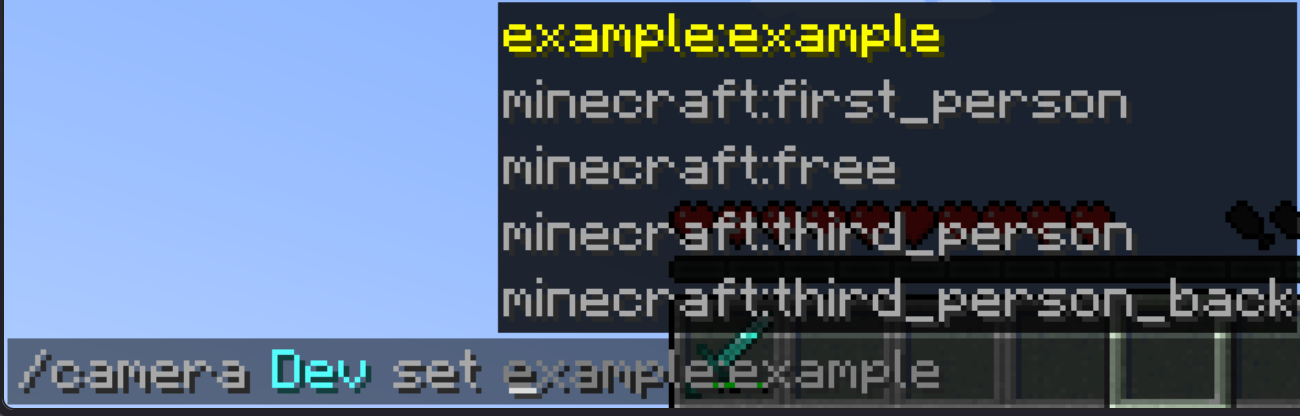
Syntax:
/camera players:target clear - Clears your camera settings
/camera players:target fade time <fadeInSeconds: time> <holdSeconds: time> fadeOutSecond:time color <red: int> <green: int> <blue: int> - Color fade effect
/camera players:target set mode:string - Set your camera mode
/camera players:target set mode:string pos position:vec3 - Set your camera position
/camera players:target set mode:string rot rotation:vec2 - Set your camera rotation
/camera players:target set mode:string facing lookAtEntity:entity - Set your camera look at entity
/camera players:target set mode:string facing lookAtPos:vec3 - Set your camera look at pos
/camera players:target set mode:string ease easeTime:float easingType:easing - Set your camera look at pos
List of all easings
linear, spring, in_quad, out_quad, in_out_quad, in_cubic, out_cubic, in_out_cubic, in_quart, out_quart, in_out_quart, in_quint, out_quint, in_out_quint, in_sine, out_sine, in_out_sine, in_expo, out_expo, in_out_expo, in_circ, out_circ, in_out_circ, in_bounce, out_bounce, in_out_bounce, in_back, out_back, in_out_back, in_elastic, out_elastic, in_out_elastic
You can add your own camera presets with datapacks and change them.
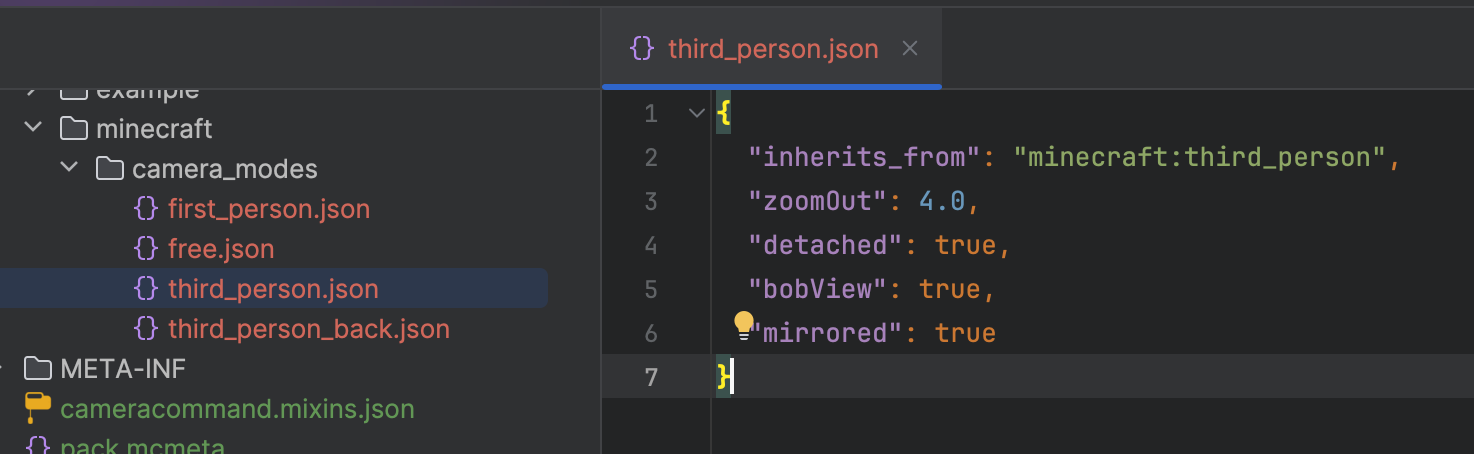
You can change this properties inside of presets json files:
"inherits_from" - Default camera preset as parent, can be set to ("minecraft:first_person","minecraft:third_person","minecraft:third_person_back","minecraft:free"), "detached" - Property to make your camera preset detached, like in third person (true, false) "mirrored" - Property to make your camera preset mirrored, like third person front (true, false) "bobView" - Property to make your camera bob while moving (true, false) "free" - Makes your camera unattached to player entity (true, false) "zoomOut" - Zoom value is used in detached camera modes (Default is 4.0) "rotation" - Camera mode default rotation (Default is [0, 0]) "position" - Camera mode default position (Default is [0, 0, 0]) "offset" - Camera mode default offset, can't be used in free camera modes (Default is [0, 0, 0])
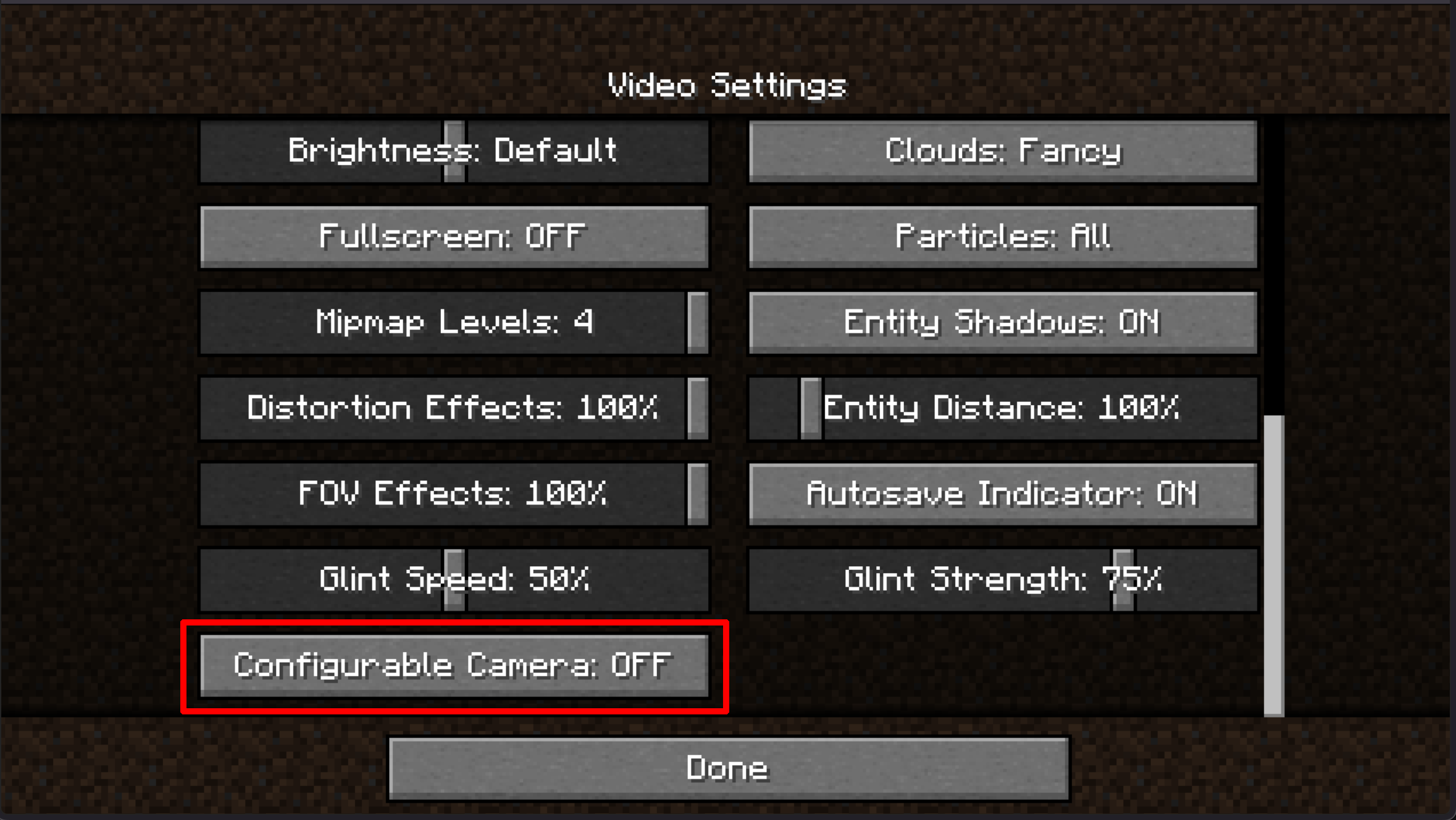
Also you can disable this feature inside of options menu and use Free Cam keybinding (Default is B key)
Screenshots
Gallery
Versions
Files
Relations
Project Relations
More like this
Similar Mods
Suggestions use data such as tags, dependencies, dependents, descriptions, titles, and more to rank how much they overlap with this mod.
On ModDex
Community snapshot
By the numbers
Statistics
Want to reach Minecraft players?
We're looking for a server hosting partner to feature here and other parts of the site. Interested? Send us a message!
Get in touchGet it on
Available Platforms
On ModDex
Community snapshot
By the numbers
Statistics
Resources