
Community listing page, reviews may not be monitored by the author.
Bedrock x Java

No reviews yet
Bedrock Edition’s exclusive features for Java, each with its own toggle. Features that change Java’s feel are off by default.

Community voices
Reviews
No reviews yet. Be the first to review this project!
Get it on
Available Platforms
About
Project Details
For authors
Embed Badge
If you're the author of this project, you can embed a live badge anywhere that supports HTML or Markdown. It updates automatically whenever ratings change.
Use HTML for any page that supports it, or Markdown for README files and Markdown-based descriptions.
Identifiers
Platform IDs
Resources
External Links
About
Description
Bedrock x Java
Java never acquired a number of features which are present in Bedrock Edition, and with the Bedrock x Java version these features are introduced one by one, each having an individual on/off setting, while still preserving Java's original character in that any changes which would affect the way Java is played—such as removing the attack cooldown—are left off by default.
> 
How it works
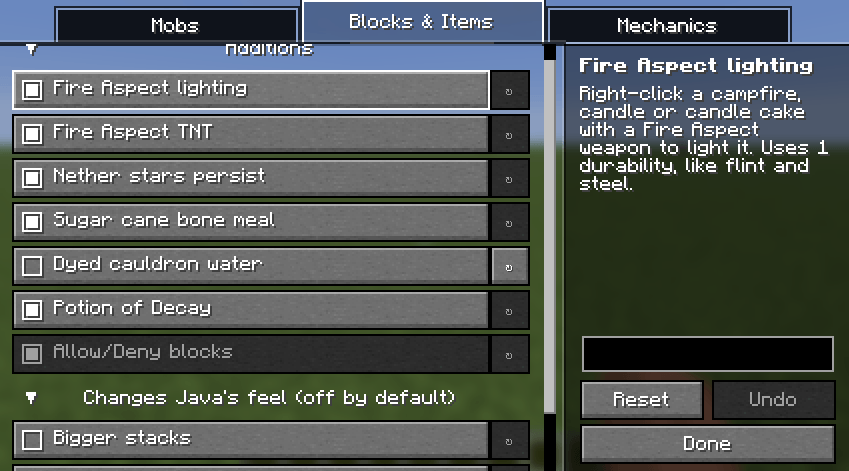
- There is a toggle for each feature. To use the mod, open its settings from the Mod Menu and select only the ones you want.
– Java remains Java by default. Any features which merely add something are enabled, while those which alter the way Java currently works are disabled until you turn them on.
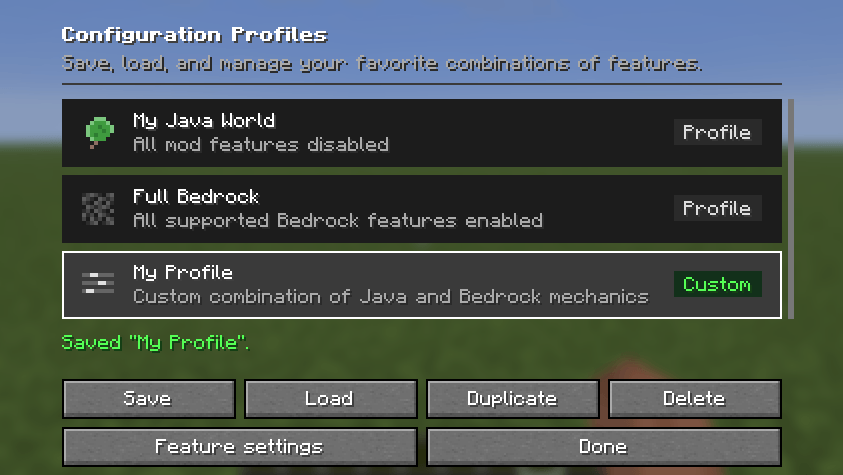
- Profiles: You can save the combinations that you prefer, switch from one to another, duplicate one in order to try it out, or go directly to a preset.
> 
Features
On by default (they add something without changing how Java plays)
- To light a campfire, candle or candle cake, right-click it using a weapon with the Fire Aspect.
- For the Fire Aspect TNT: act in the same way on light TNT.
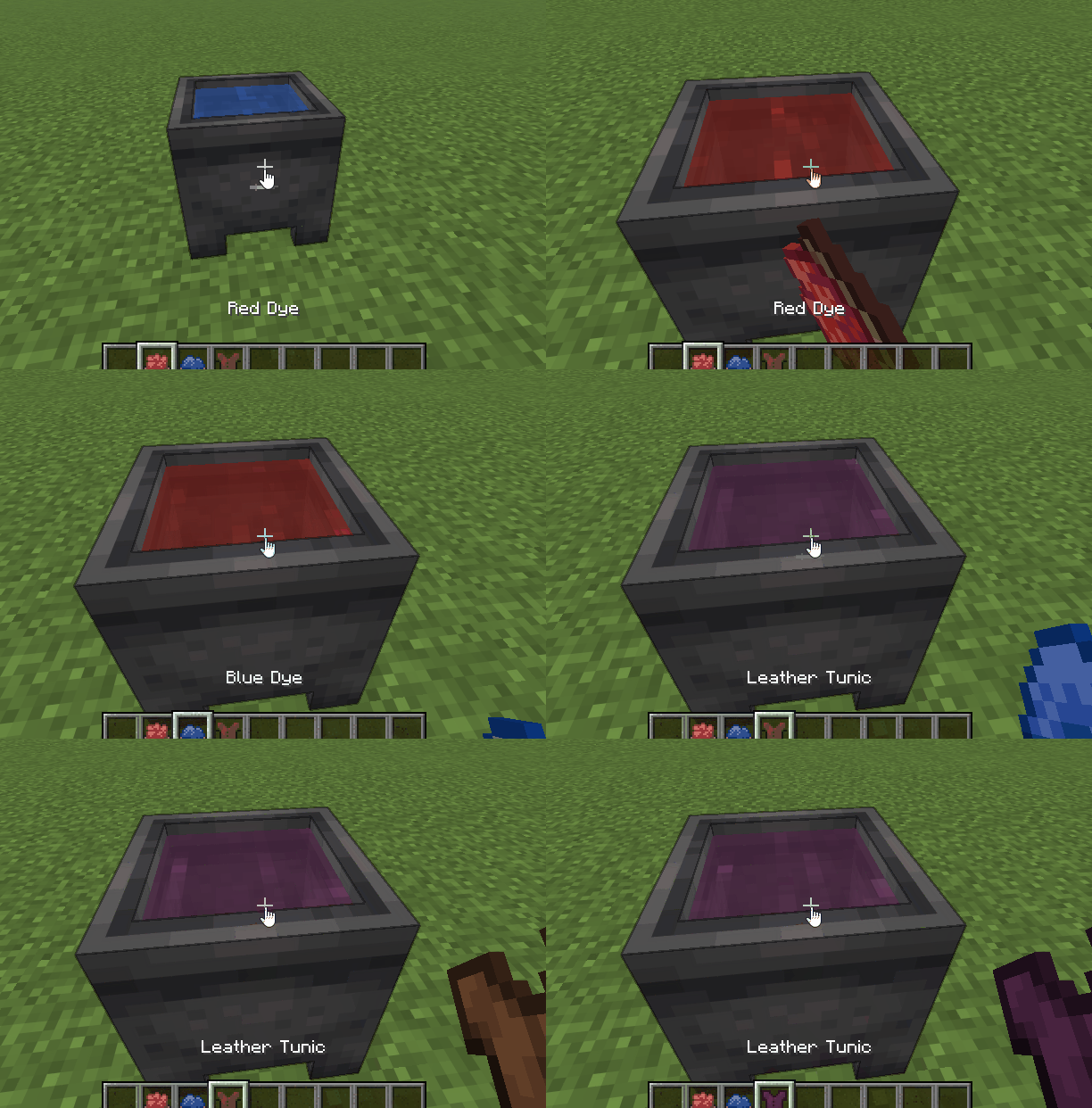
- To dye the water in a cauldron, use a dye. The more dyes you use, the more the colours will blend. You can dip leather armour, leather horse armour or wolf armour into the water to give the armour the colour of the water. A dyed cauldron can hold six layers: one layer is used by armour, two layers by a glass bottle, and a bucket can fill or empty all six layers.
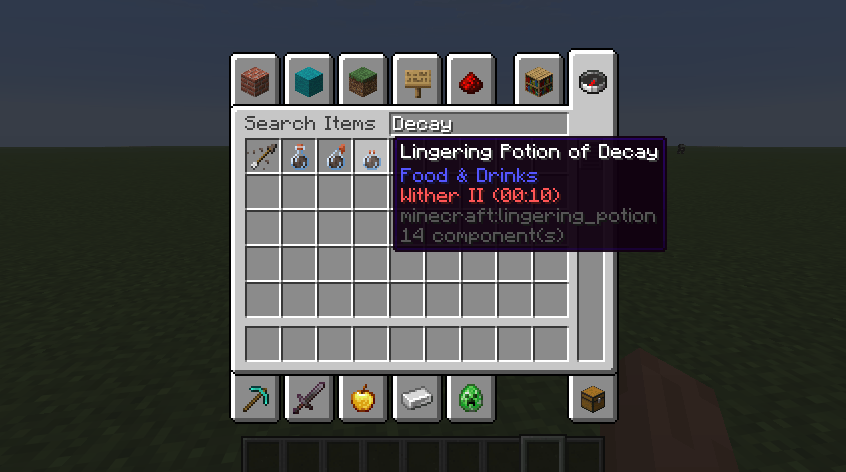
- Potion of Decay: In the creative menu, Bedrock's creative-only Wither II potion (0:40) is available as a regular potion, a splash potion, a lingering potion and as a tipped arrow.
- Bone meal made from sugar cane causes sugar cane to grow right up to its full height immediately.
- Nether stars persist: a dropped nether star never disappears.
- When a charged creeper explodes, it drops a head for each mob it kills, not just the first one.
- The effect of water breathing also guards you from suffocating within blocks.
- Levitation underwater: Levitation also enables you to float in water and in lava, not just in air.
- To cancel the elytra jump: press the jump button again while you are gliding to end the flight.
– You can eat even when genuinely hungry in Peaceful difficulty.
> 
> 
Off by default (they change how Java feels, so you choose)
- No attack cooldown: Every hit does full damage, no matter how fast you swing.
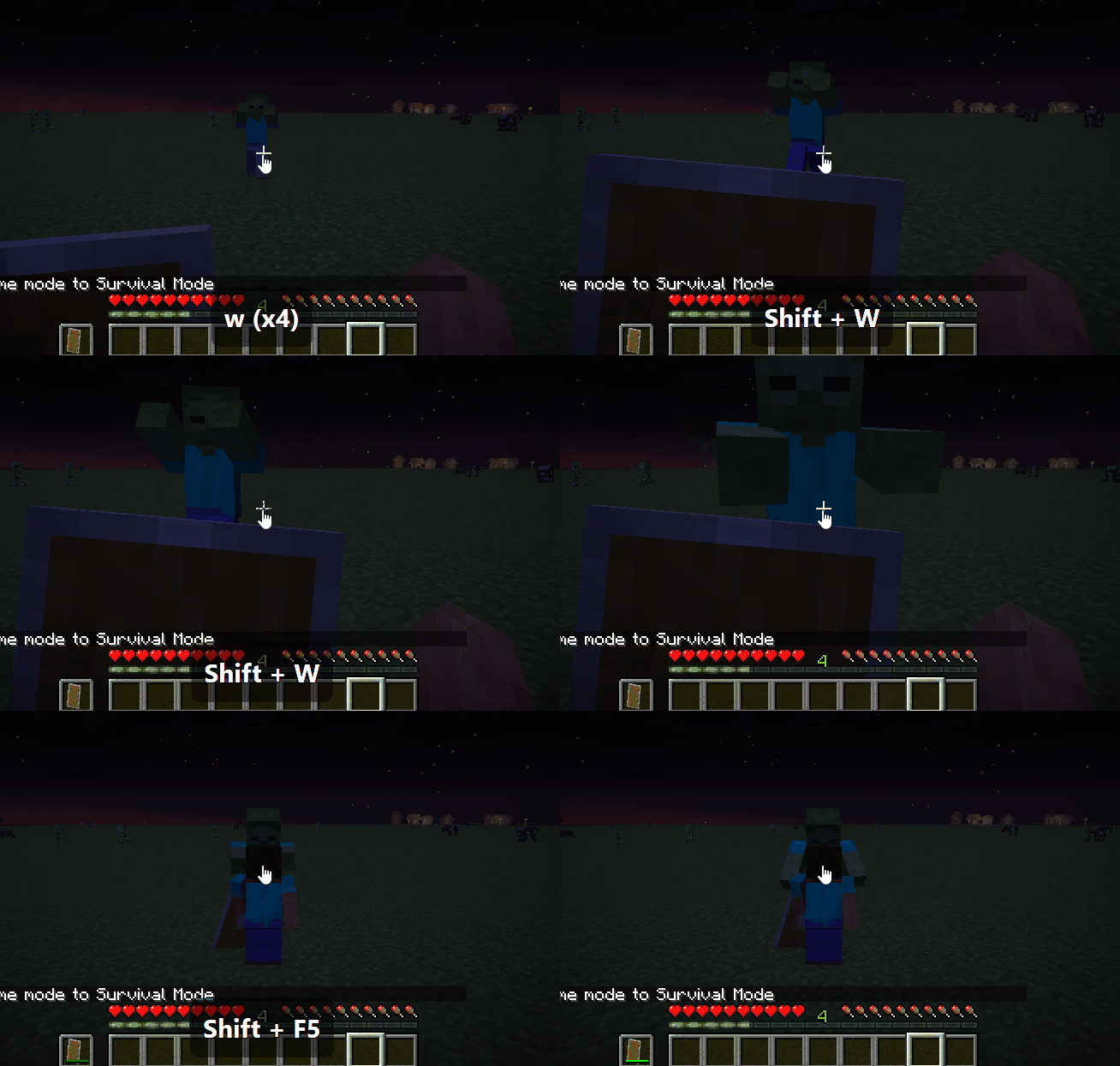
- By using sneaking with a shield: you can hold the sneak function while using a shield to block, without having to use a right-click. The shield appears on the screen and axes still have the ability to disable it.
- Bridging assist: When you look downwards and place a block at the edge of a bridge, that block will appear in front of the one you are standing on, rather than having to sneak. This is an approximation of the behaviour found in Bedrock.
- Bigger stacks: cakes and armor stands stack up to 64.
- The fishing rods are more robust: there are 384 uses rather than 64.
- Berry saturation: eating sweet berries gives 1.2 saturation rather than 0.4.
- Crowding does not cause damage: mobs do not take any damage when they are crowded together.
– When it comes to breeding axolotls, they will be able to breed again after just one minute rather than after five.
- Endermite vs endermen: Endermites attack endermen as soon as they see them.
> 
Profiles
Open the mod's settings in Mod Menu to get Configuration Profiles:
- Save your present settings under any name, plan to load them at a later stage, duplicate the profile before you begin experimenting, or delete it (with confirmation).
-The Java World option switches off all the features and restores the game to its original Java settings.
- Full Bedrock turns every feature on.
The profiles remain safe when updates are applied since any settings that are deleted or renamed in a future version are either ignored or migrated, not causing a crash.
Coming later
- Potion cauldrons, taking potions out with bottles and tipping arrows
- Allow, Deny and Border blocks
- More Bedrock mechanics, and world-generation differences such as extra mob spawns
Notes
- The fact that it has been tested in singleplayer mode hasn't been checked in multiplayer or with dedicated servers; if you decide to use it in such a setup, you must install it on both the server and the clients.
- Each feature in this mod was verified against both versions before it was included. Should you come across one that doesn't match Bedrock, please submit a report stating what you observed in each edition.
Screenshots
Gallery
Versions
Files
Relations
Project Relations
More like this
Similar Mods
Suggestions use data such as tags, dependencies, dependents, descriptions, titles, and more to rank how much they overlap with this mod.
On ModDex
Community snapshot
By the numbers
Statistics

Get it on
Available Platforms
On ModDex
Community snapshot
By the numbers
Statistics
Resources